July 9, 2019 at 14:45
YouTrack 2019.2: a system-wide banner, improvements to the task list page, new search options and more
Hello!
Today I will tell you what changes were included in the release of YouTrack 2019.2!
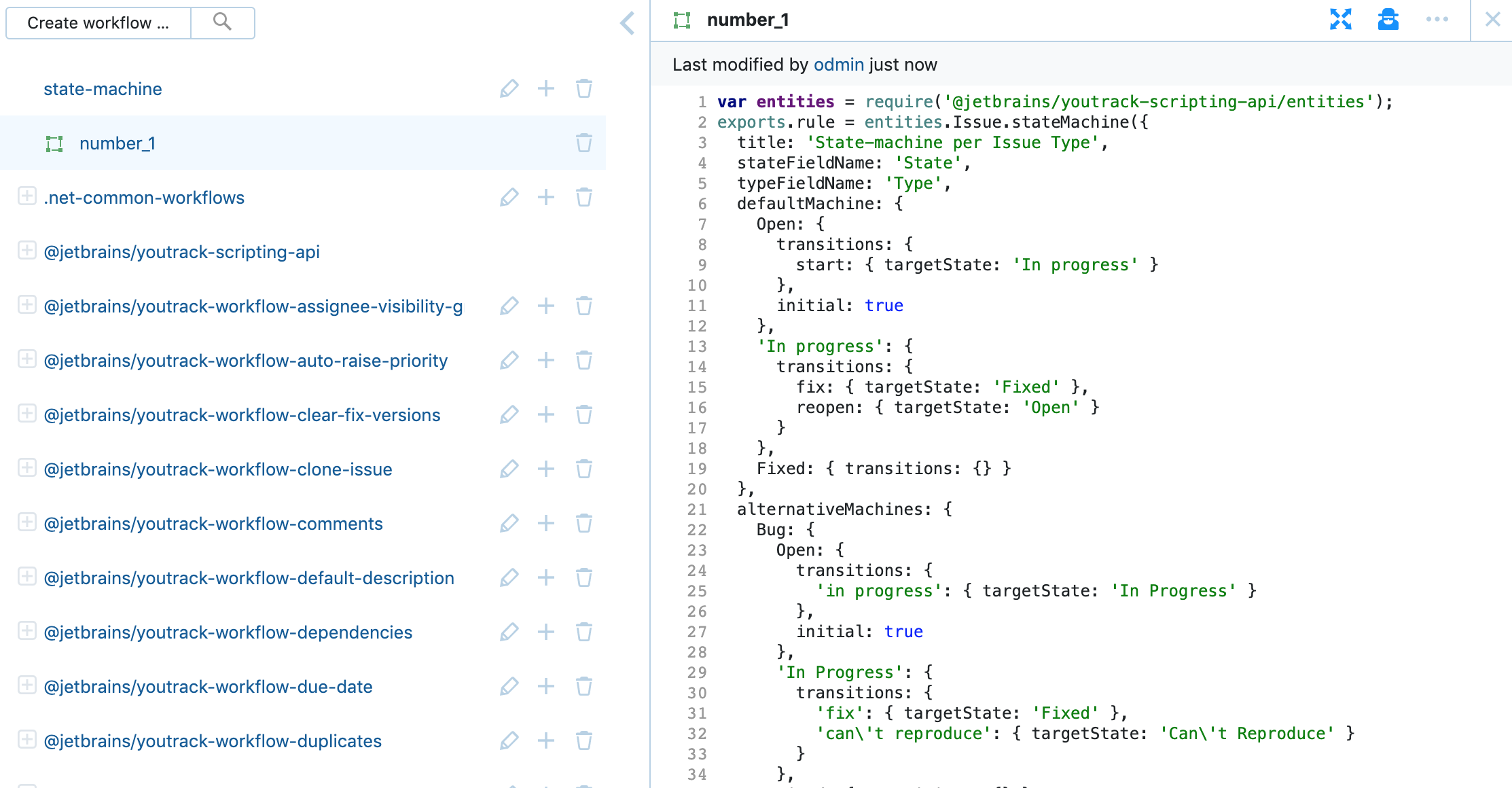
In this release, we added the ability to create workflows in which the rules depend on the value of another field. Thus, for the state of tasks of different types, you can set different restrictions within the framework of one project. You can learn more about this from the documentation .
Now that you’ve set up two-factor authentication for your YouTrack account, you can bind a device compatible with the FIDO2 standard to it . This standard provides support for a variety of security keys and biometric technologies.
Starting with this version, you can add a global banner that will be displayed on all YouTrack pages. To show the banner, enable this option on the global settings page and add your text there. Please note that the banner will be visible to all users of your server, including guests.
You can use this functionality to notify users of system events, such as performance issues, scheduled maintenance, or other updates.
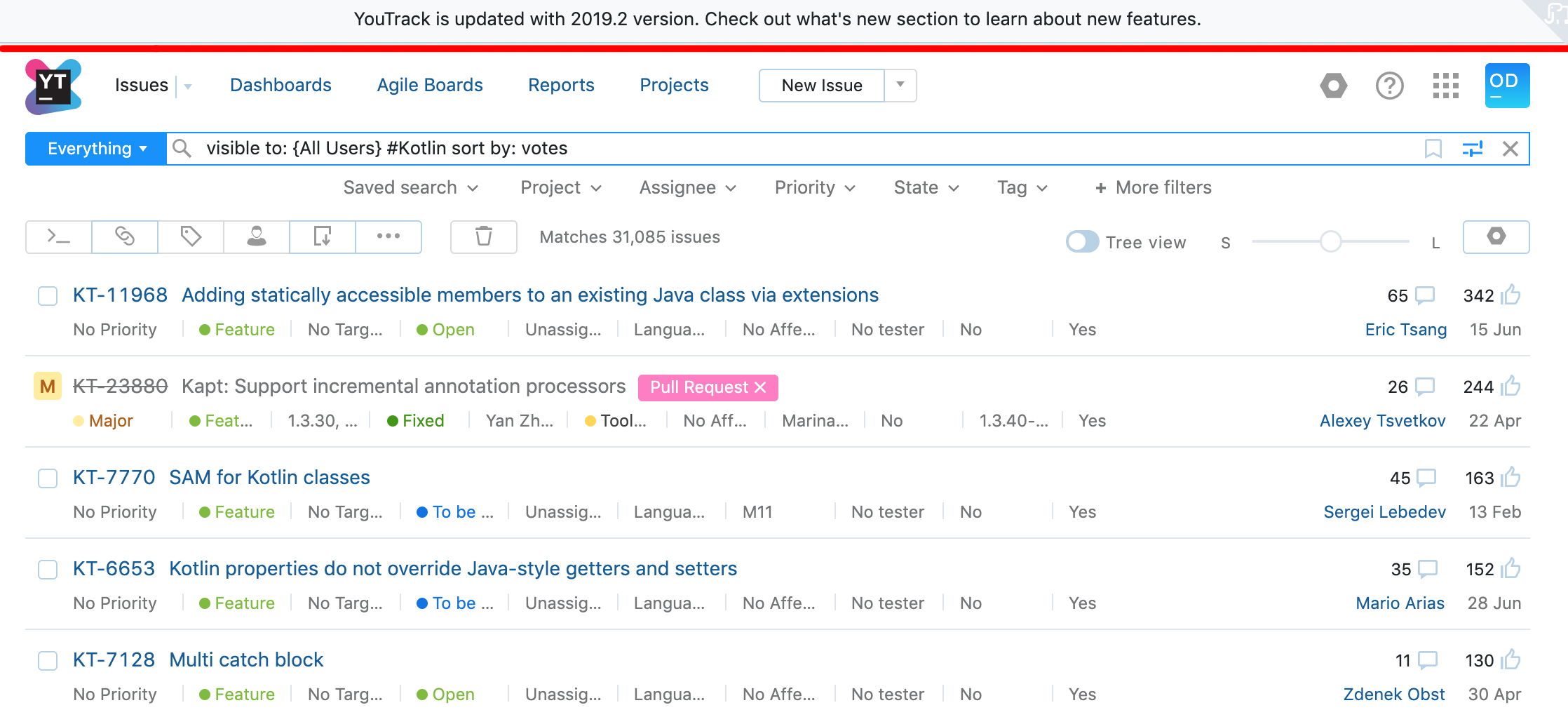
We continue to update the experimental version of the task list page. A few changes have been added to the latest version:

As always, your feedback on the task list page is very useful for improving it, so we would be very grateful if you share them with us.
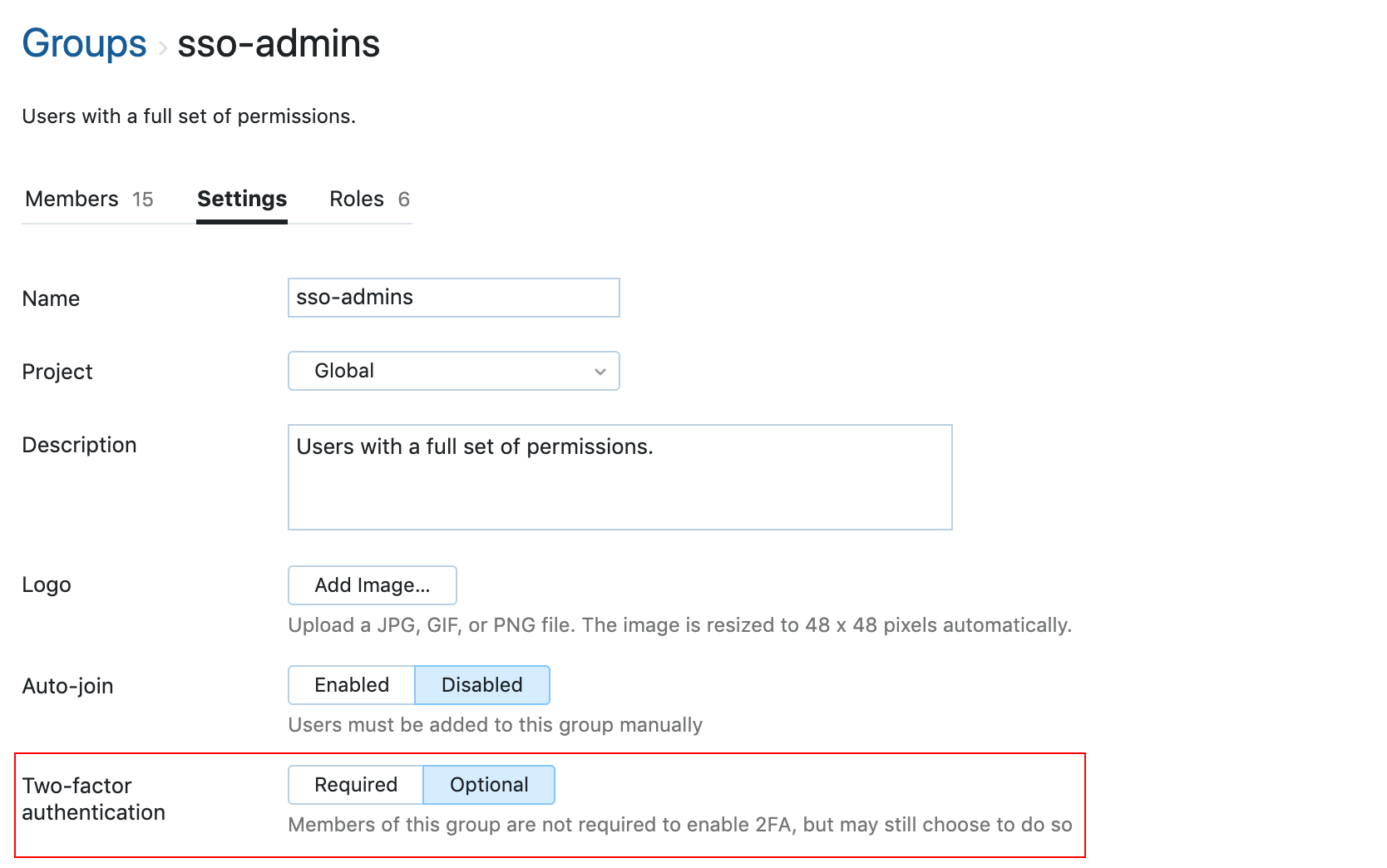
In the group’s settings, you can now require that its members enable two-factor authentication in their accounts. This increases the security of the YouTrack server.
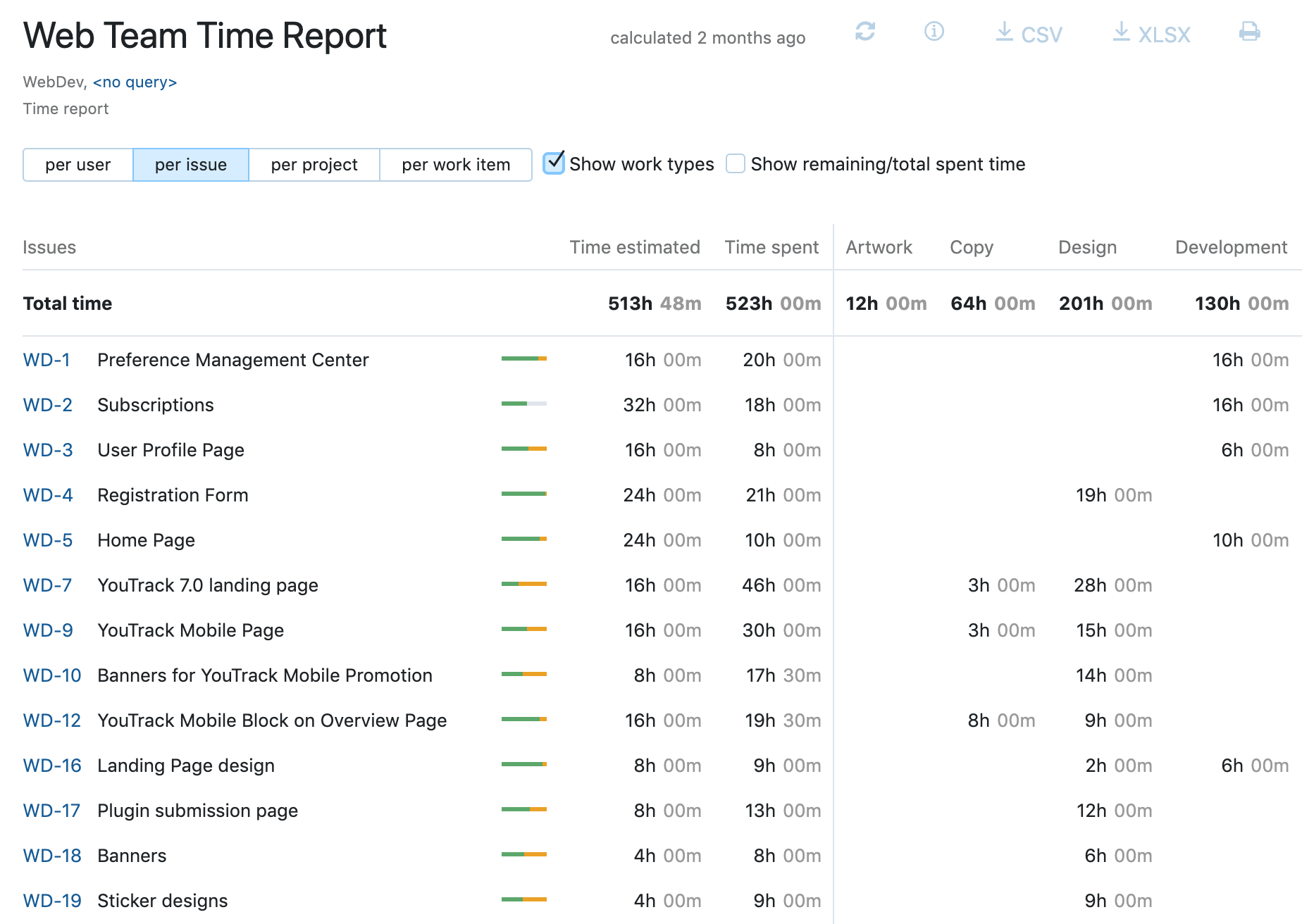
Keeping track of time has become even easier thanks to a number of changes in the display of report data over time.
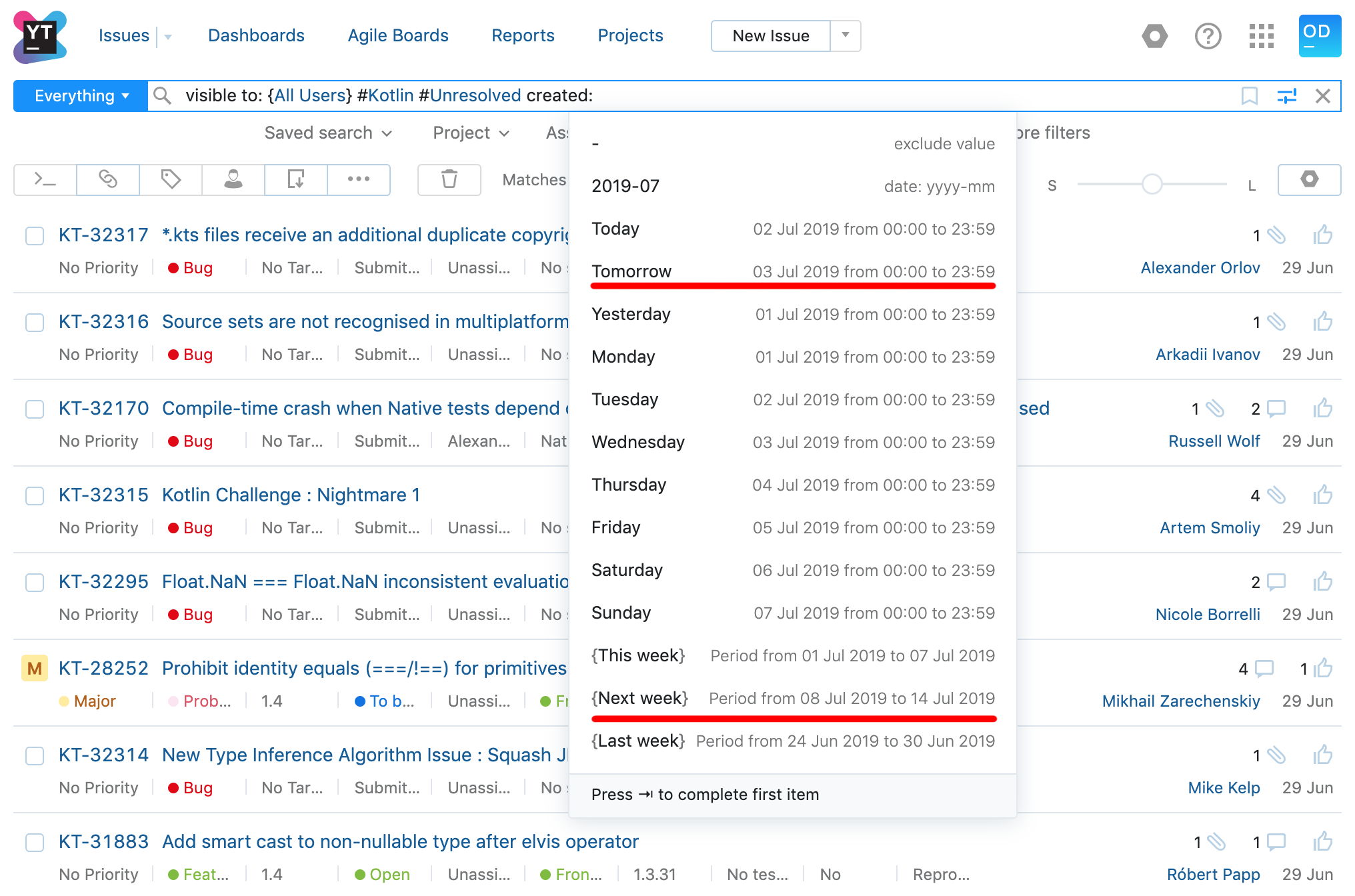
We’ve added predefined values to future date ranges in the search query. Now you can find the tasks that are scheduled for tomorrow, next week or next month.
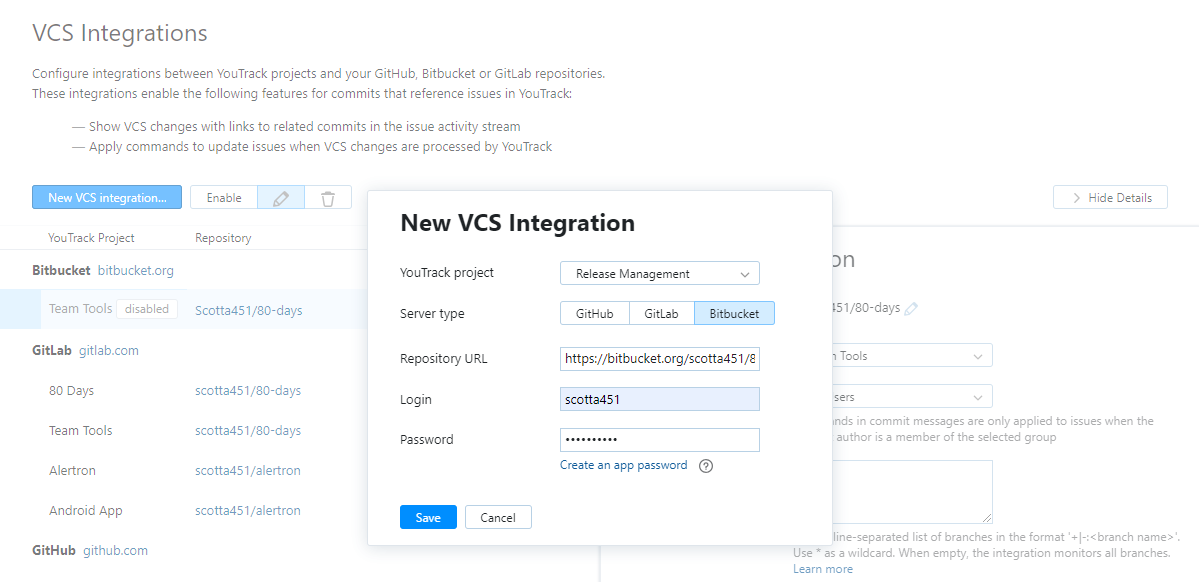
Now YouTrack can be connected to the Bitbucket repository with the user name and password of the application. This allows you to configure integrations with Bitbucket accounts that use two-factor authentication. It also means that you no longer have to use your personal password in the integration settings.
As we announced some time ago, starting with YouTrack 2019.2, we officially cease support for Internet Explorer 11. YouTrack will still continue to work in any version of this browser, but we no longer guarantee stable performance and do not fix errors that can occur only in this browser. For optimal performance, we recommend switching to a supported browser .
You can view the full list of improvements that are included in the release here . We look forward to your feedback on YouTrack 2019.2!
PS YouTrack InCloud servers will be updated on schedule .
Today I will tell you what changes were included in the release of YouTrack 2019.2!
Finite state workflows, depending on the type of task
In this release, we added the ability to create workflows in which the rules depend on the value of another field. Thus, for the state of tasks of different types, you can set different restrictions within the framework of one project. You can learn more about this from the documentation .
Universal two-factor authentication
Now that you’ve set up two-factor authentication for your YouTrack account, you can bind a device compatible with the FIDO2 standard to it . This standard provides support for a variety of security keys and biometric technologies.
System-wide banner
Starting with this version, you can add a global banner that will be displayed on all YouTrack pages. To show the banner, enable this option on the global settings page and add your text there. Please note that the banner will be visible to all users of your server, including guests.
You can use this functionality to notify users of system events, such as performance issues, scheduled maintenance, or other updates.
Updates on the task list page
We continue to update the experimental version of the task list page. A few changes have been added to the latest version:
- saving search queries: now you can save a search query by clicking on the bookmark icon in the search query window.
- display of the number of tasks: the number of tasks corresponding to the current query is now displayed at the top of the list along with the controls on the toolbar.
- setting field visibility: we changed the control that allows you to choose which fields will be displayed in the task list.
As always, your feedback on the task list page is very useful for improving it, so we would be very grateful if you share them with us.
Mandatory two-factor authentication
In the group’s settings, you can now require that its members enable two-factor authentication in their accounts. This increases the security of the YouTrack server.
Time Report Improvements
Keeping track of time has become even easier thanks to a number of changes in the display of report data over time.
- A new option for displaying job types shows the totals for each job type in a separate column.
- A new parameter in the report settings allows you to display values for custom fields if the “per issue” parameter is enabled in the report. This parameter also determines which fields are included in the data set, which can then be downloaded in CSV and Excel formats.
- A new option in the report allows you to display the remaining (unspent) and total elapsed time.
Parameters for future dates in a search query
We’ve added predefined values to future date ranges in the search query. Now you can find the tasks that are scheduled for tomorrow, next week or next month.
Bitbucket Integration Application Password Support
Now YouTrack can be connected to the Bitbucket repository with the user name and password of the application. This allows you to configure integrations with Bitbucket accounts that use two-factor authentication. It also means that you no longer have to use your personal password in the integration settings.
As we announced some time ago, starting with YouTrack 2019.2, we officially cease support for Internet Explorer 11. YouTrack will still continue to work in any version of this browser, but we no longer guarantee stable performance and do not fix errors that can occur only in this browser. For optimal performance, we recommend switching to a supported browser .
You can view the full list of improvements that are included in the release here . We look forward to your feedback on YouTrack 2019.2!
PS YouTrack InCloud servers will be updated on schedule .