 July 11, 2019 at 12:55
How we optimized our Theme Hospital for different platforms
- Transfer
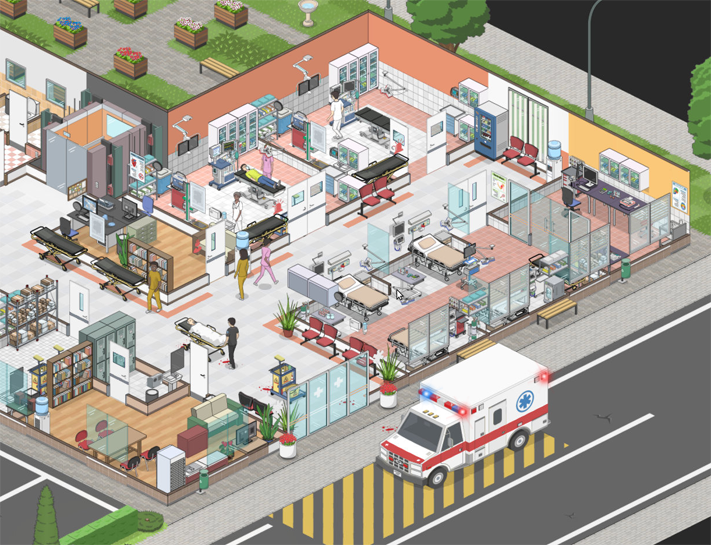
Project Hospital is a game about managing a hospital building with all the standard aspects of the genre: dynamic scenes created by the player, many active characters and objects, deployed by the UI system. To make the game work on different equipment, we had to make a lot of efforts, and this was a great example of the infamous “death from a thousand cuts” - many small steps that solve a bunch of very specific problems and a lot of time spent on profiling.
Level of performance: what we wanted to achieve
At an early stage of development, we decided on the main parameters: the maximum size of the scenes, the level of performance and system requirements.
We set ourselves the task of providing support for at least a hundred active and fully animated characters on one screen, three hundred active characters in total, tile maps measuring approximately 100x100 and up to four floors in the building.
We were firmly convinced that the game should work in 1080p with a decent frame rate even on integrated graphics cards, and in itself this goal was not so difficult to achieve: the main limiting factor is the CPU, especially with an increase in the volume of the hospital. Modern integrated graphics cards begin to experience problems only at resolutions of approximately 2560 x 1440.
To simplify the support of mods, most of the data was made open, that is, we had to sacrifice the performance achieved by packing the files, but this did not have a particularly strong impact, except for a slightly longer download time.
Graphics
Project Hospital is a “classic” isometric 2D game, so you can understand that everything is drawn back to front - in Unity this is done by setting the appropriate values along the Z axis (or distance to the camera) for individual graphic objects. If possible, objects that do not interact with each other are arranged in layers, for example, the floors are independent of objects and characters.
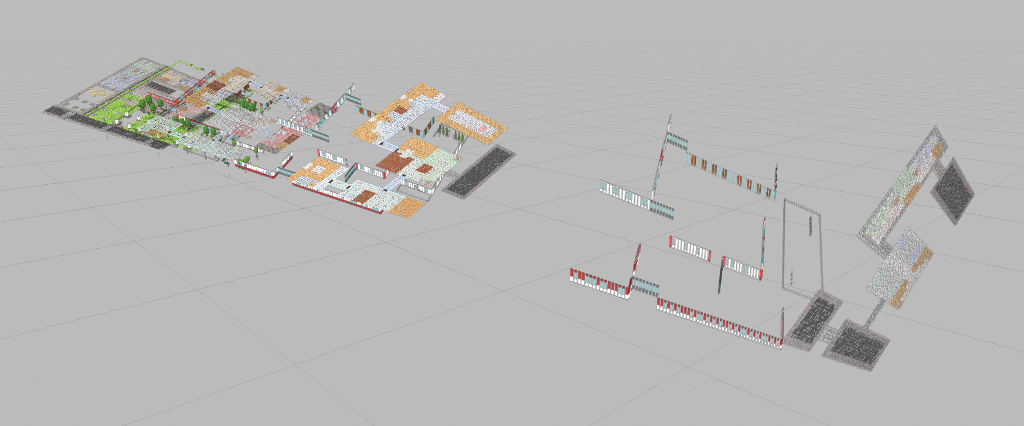
All geometry in an isometrically rendered scene is dynamically created in C #, so one of the two most important aspects for graphics performance is the frequency of geometry rebuilding. The second aspect is the number of draw calls.
Draw calls
The number of individual objects drawn in one frame, regardless of their simplicity, is the main limitation, especially on poor equipment (in addition, the Unity engine itself adds excessive resource consumption). The obvious solution is to group (batch) as many graphic objects as possible into one draw call. So you can get some pretty interesting results, for example, group objects that are at the same distance from the camera so that the rest of the graphics render correctly behind or in front of them.

Here are some numbers: on a 96 x 96 tile, you can theoretically place 9216 objects, which would require 9216 draw calls. After batching, this number drops to 192.
However, in real life everything is a little more complicated, because you can group only objects with the same texture, which makes the results turn out to be slightly less optimal, but the system still works quite well.
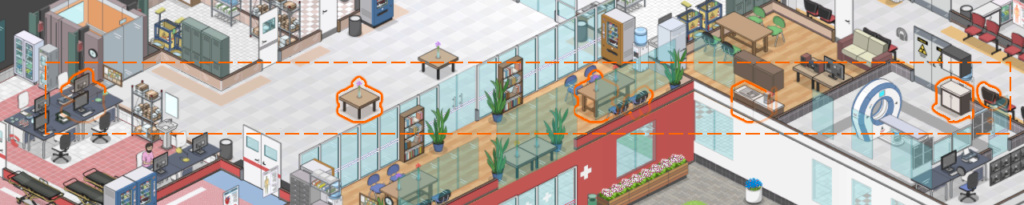
Most of the batches are done manually in order to have control over the results. In addition, as a last resort, we also use Unity dynamic batching, but this is a double-edged sword - it actually helps to reduce the number of draw calls, but leads to unnecessary resources in each frame, and in some cases it can be unpredictable. For example, two superimposed sprites at the same distance from the camera in different frames can be rendered in a different order, which causes flickering, which does not appear when manually batching.
Multi-storey
Players can build buildings with multiple floors, and this increases complexity, but, surprisingly, helps performance. Only characters on the active floor and on the street need to be rendered and animated, and everything on the other floors of the hospital can be hidden.
Shaders
Project Hospital uses relatively simple self-written shaders with small tricks, such as color swapping. Suppose a character shader can replace up to five colors (depending on the conditions in the shader code), and therefore quite expensive, but this does not seem to cause problems, because characters rarely occupy a lot of screen space. The shader justified the effort put into it, because the ability to use an infinite number of clothing colors can greatly increase the variability of the characters and environment.
In addition, we quickly enough learned to avoid specifying shader parameters and instead used vertex colors whenever possible.
Texture quality
An interesting fact - in Project Hospital we do not use any texture compression: the graphics are done in a vector style, and on some textures the compression looks very bad.
To save CPU memory in systems with less than 1 GB, we automatically reduce the size of in-game textures to half resolution (except for user interface textures) - this can be understood by seeing the “texture quality: low” parameter in the options. UI textures retain their original resolution.
Optimize CPU Performance - Multithreading
Although the Unity scripting logic is essentially single-threaded, we always have the ability to run multiple threads directly in C #. Perhaps this approach is not suitable for game logic, but often there are time-critical tasks that can be performed in separate threads by organizing a task system. In our case, streams were used for two functions:
1. The task of finding a path, especially on large maps with a confusing arrangement, can take up to hundreds of milliseconds, so this was the main candidate for transfer from the main stream. Parallel tasks take into account the number of hardware threads of a machine.
2. Lighting cards can also be updated in a separate stream, but only one floor at a time - this is not a critical system, and automatic lamps in the rooms go out at such a speed that a rare update is enough.
Animations
Almost at the very beginning of development, we decided to use a two-dimensional skeletal animation system. Having studied various modern animation programs, we ultimately decided to modify a simple system that I created several years ago (essentially as a hobby project), tailoring it to the needs of Project Hospital - it resembles a simplified Spine with direct support for creating character variations. Like Spine, it uses the C # runtime, which is obviously more expensive than the native code, so during the development process we conducted a couple of optimization cycles. Fortunately, our rigs are quite simple, only about 20 bones per character.
A curious fact: the most useful improvement in optimizing access to transform of individual bones turned out to be the transition from map search to simple indexing of arrays.

In addition to the fact that the characters are not animated outside the camera, there is another trick: the characters hidden behind the windows of the main UI also do not need to be animated. Unfortunately, in the final version of the game, we switched to a translucent UI, so we could not use it.
Caching
If possible, we try to perform the most costly calculations only with changes affecting their values. The best example of this is rooms and elevators: when a player places an elevator or builds walls, we run a fill algorithm that marks the tiles from which elevators and rooms are available. This speeds up the subsequent search for paths and can be used to show the player which rooms are not yet available.
Scattered and deferred updates
In some cases, it is logical to perform certain updates only partially. Here are a few examples:
Some updates can be performed in each frame for only part of the characters, for example, behavior scripts for half of the patients are updated only in odd frames, and for the second half - in even frames (although animations and movements are performed smoothly).
In certain conditions, especially when characters are in standby mode, but call up expensive parts of the code (for example, employees checking what needs to be filled and looking for unoccupied equipment), operations are performed only at certain intervals, for example, once per second.
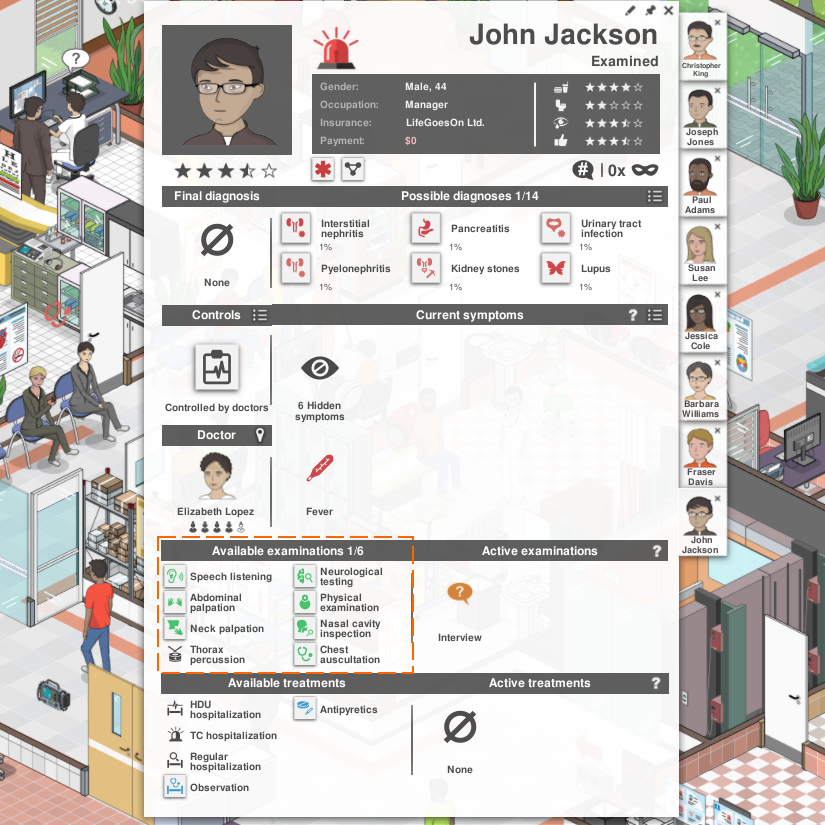
One of the most expensive and at the same time common challenges is to check which tests are available for each patient. At the same time, many factors need to be evaluated - for example, which of the department’s personnel is currently busy and what equipment is reserved. In addition, this information is not common to all patients because it is affected, for example, by the doctor assigned to them and their ability to speak. It is necessary to check dozens of available types of analyzes, therefore, in one frame the update is performed only for some, and continues in the next.
Conclusion
Optimizing a game manager with many interacting parts has proven to be a lengthy process. I regularly had to work with the Unity profiler and fix the most obvious problems, this has become an integral part of the development process.
Of course, there is always room for improvement, but we are quite pleased with the results. The game copes with our tasks, and players constantly create mods for it, significantly exceeding the original limit on the number of characters.
It is also worth mentioning that even in comparison with some AAA games that I worked on, at Project Hospital I met the most complex game logic in my practice, therefore many of the problems were specific to this project. Nevertheless, I still recommend leaving enough time in any project for optimization in accordance with the complexity of the game.









