June 20, 2019 at 16:15
3 practical examples of using destructuring in JavaScript
- Transfer
Writing a Code Cleaner Using Destructuring Patterns
You are probably already familiar with restructuring in JavaScript. It came to us in 2015 in the ES6 specification , but if you need to refresh your knowledge, then on the Mozilla website you can read a large detailed article on how it all works .
But knowing how it works is not at all the same as knowing how to use it. Here are three patterns to help you make your code cleaner, more reliable, and easier to read!
1. Named function arguments
Named arguments are an alternative way to handle function parameters to positional arguments. Instead of specifying arguments in a well-defined order, just provide their name. In Python, for example, it looks like this:
def sum(a=1,b=2,c=3):
  return a+b+c
sum(b=5,a=10)
See? The order is not important if you explicitly specified the parameter name. The advantages over positional arguments are that:
- You can omit one or more parameters when calling a function
- The order in passing the arguments is now not important
- The code has become more readable
Although natively named arguments are not supported in JavaScript, we can use the destructuring pattern to achieve all three of the advantages above. This will be the last example already in JavaScript:
function sum({a = 1, b = 2, c = 3}) {
  return a + b + c
}
sum({b: 10, a: 5}) // 5 + 10 + 3 = 18
All goals have been achieved: you can omit c , the order is now not important, and the arguments are followed by their own names. All this is possible precisely due to destructuring.
2. Cleaner server response parsing
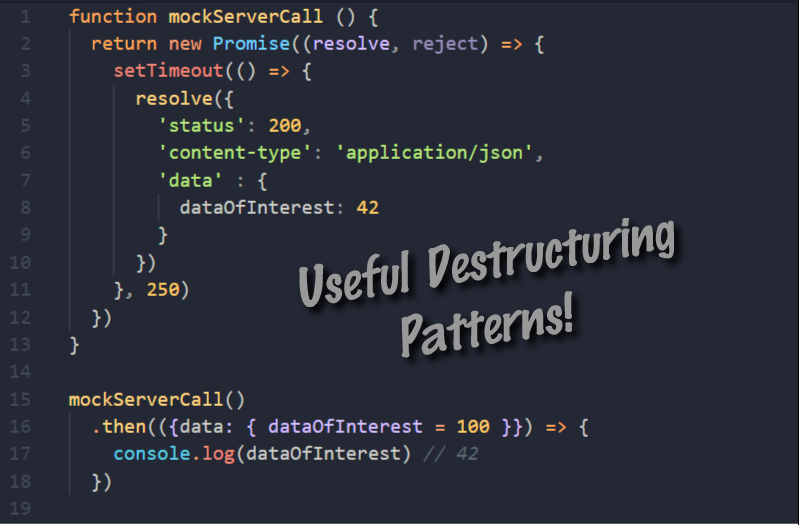
Often, in the server’s response, we are only interested in a data block or even just one specific value from this block. If this is your case, use destructuring to ignore everything else that the server usually sends. Example:
function mockServerCall () {
  return new Promise((resolve, reject) => {
    setTimeout(() => {
      resolve({
        'status': 200,
        'content-type': 'application/json',
        'data' : {
          dataOfInterest: 42
        }
      })
    }, 250)
  })
}
mockServerCall()
  .then(({data: { dataOfInterest = 100 }}) => {
    console.log(dataOfInterest) // 42 (но по дефолту будет 100)
  })
This pattern allows you to pull out the data of interest to us as the arguments are parsed. And you get the opportunity to adjust the default values as a bonus. Which smoothly brings us to the next pattern ...
Setting default values during assignment
If a variable does not exist in the namespace, we often need to set it to its default value.
Before destructuring came you could do something like this:
// старый способ установки дефолтных значений
var nightMode = userSettings.nightMode || false
But this approach will require a line of code for each assignment. Destructuring will allow you to do everything in one fell swoop:
const userSettings = {nightMode: true, fontSize: 'large'}
const {
  nightMode = false,
  language = 'en',
  fontSize = 'normal'
} = userSettings
console.log(nightMode) // true
console.log(language) // 'en'
console.log(fontSize) // 'large'
This pattern can be used to set the state of React! Components.
I hope these patterns come in handy! To read more about destructuring, follow the links below (information in English - approx. Transl.) :