3D Printer Overview Raise3D N1 Dual
Good day. Most recently, a new 3D printer manufacturer, Raise3D, has appeared on the Russian 3D printer market.
Shanghai Fusion Tech CO., Ltd. (Raise3D) has assembled an excellent team of young graduates from leading universities and began their work 3 years ago by creating a series of Duplicator 5 printers for Wanhao, and IdeaMaker software was also created specifically for this model. In October 2015, the company announced the creation of a line of printers under its own brand Raise3D and launched a fundraising company on the KickStarter site. The company became very successful, 445.892 USD was collected from 348 customers and in March printers were shipped worldwide.
To date, Raise3D produces 3 models of 3D printers of the N series. Printers
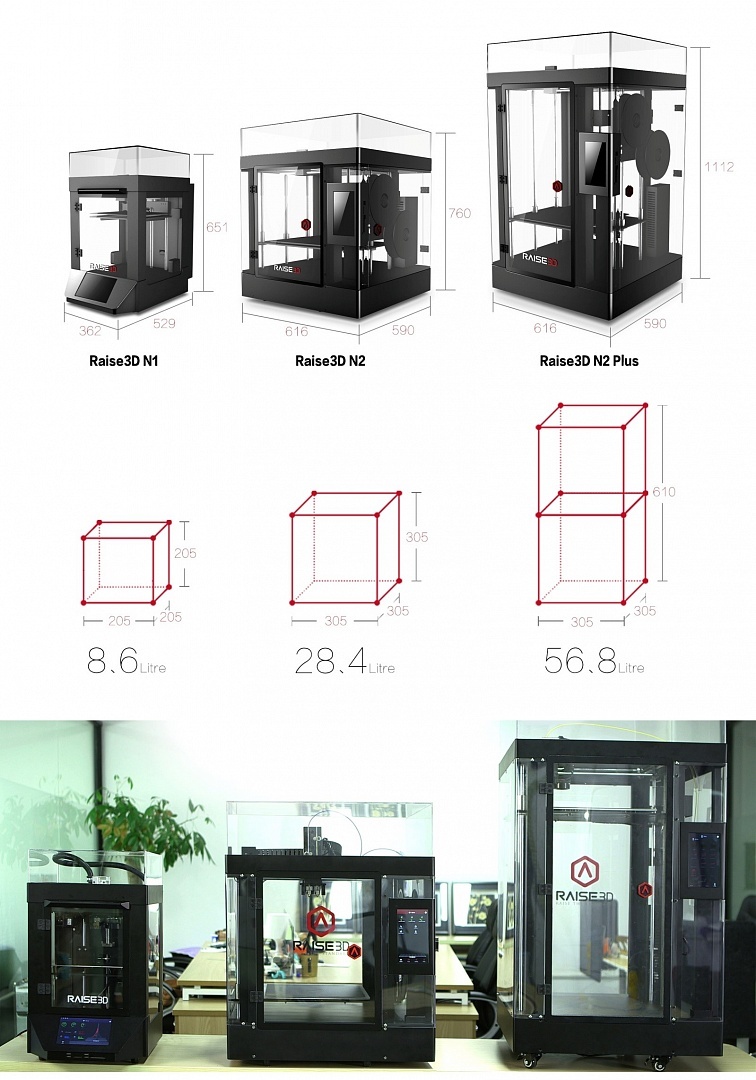
cost: 3D printerRaise3D N1 Dual - 165 000 rubles, 3D printer Raise3D N2 Dual - 225 000 rubles, 3D printer Raise3D N2 Plus Dual - 315 000 rubles.
But we will have a review of the youngest model Raise3D N1 Dual.

Since the delivery of the printer has begun recently, there is still little information about it, we will try to fill this gap.
Packaging / equipment The
printer is packed quite soundly. And it is quite capable of surviving without loss delivery by Russian transport companies.
Here you can watch the unpacking video and a detailed analysis of the configuration.
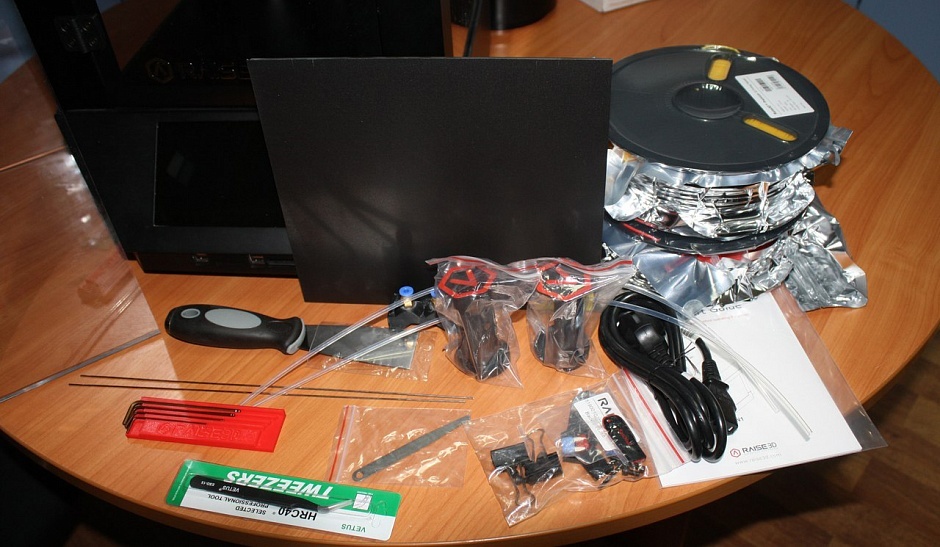
It should be noted that the equipment is very generous. In addition to the “gentleman's” set of 2 coils of plastic and a spatula, the kit includes a scattering of spare parts and even a probe for calibrating the table.
Kinematics
With mechanics, the Chinese decided not to reinvent the wheel and simply copied the mechanics of the famous Ultimaker, although in terms of various improvements they went much further, adding many unique features that you will not find in other 3D printers, even professional ones.
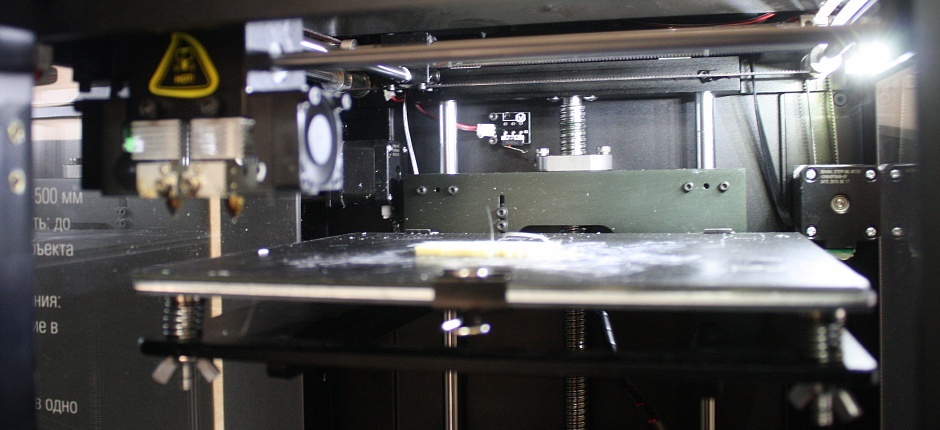
Shafts, belts, pulleys, brass bushings. No rails. Let's just say - classic 3D printing. Reliable and efficient.
Such a massive extruder on only 2 shafts was a little scared. Although, as practice has shown, this is quite enough. The extruder is unusually high. This is done for a more direct feed of capricious and soft materials.

Indeed, the printer “eats” soft flexes without interruption) Although, due to the large weight of the head, you cannot quickly disperse it. But here you already have to choose - either print with any plastic, or high print speed.
On the Z axis there are 2 guide shafts and ballscrews.
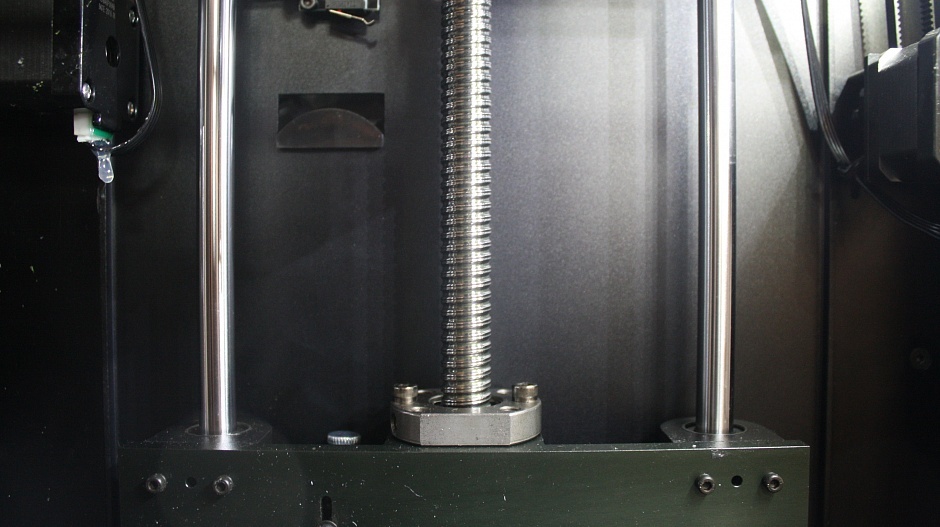
No backlash, no stagger. Stripes along the Z axis - not seen when printing.
I must say that the table is leveled with 4 screws. 4 adjustment points in my opinion is not a good idea - it takes too much time and energy to level the table, compared to a 3-point calibration system.
Older Raise models are factory calibrated. And the height of the table relative to the nozzle is set with one screw.
Enclosed enclosure on all sides. This is a very big plus when printing with shrink plastics. (almost all plastics with print temperatures from 240C and above).
But be prepared for the fact that, with time, scuffs from the wiring harness will appear on the cap.
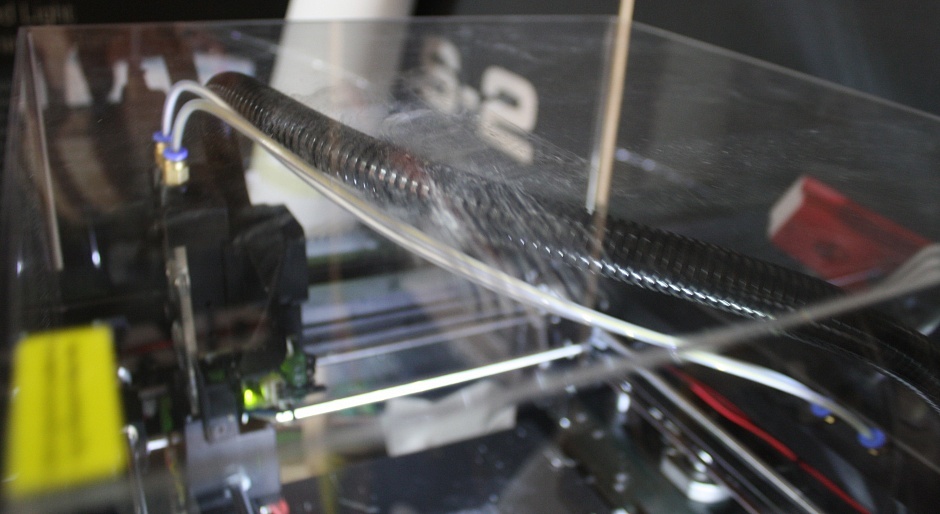
This does not affect the print quality in any way, but some were very worried about this question =)
From the factory, the printer comes with a slightly raised right nozzle. Calibrating the nozzles in height turned out to be quite simple. We send the table “to the house”, set up the table by the left nozzle, put the probe in and unscrew one screw. The nozzle itself falls into the probe).
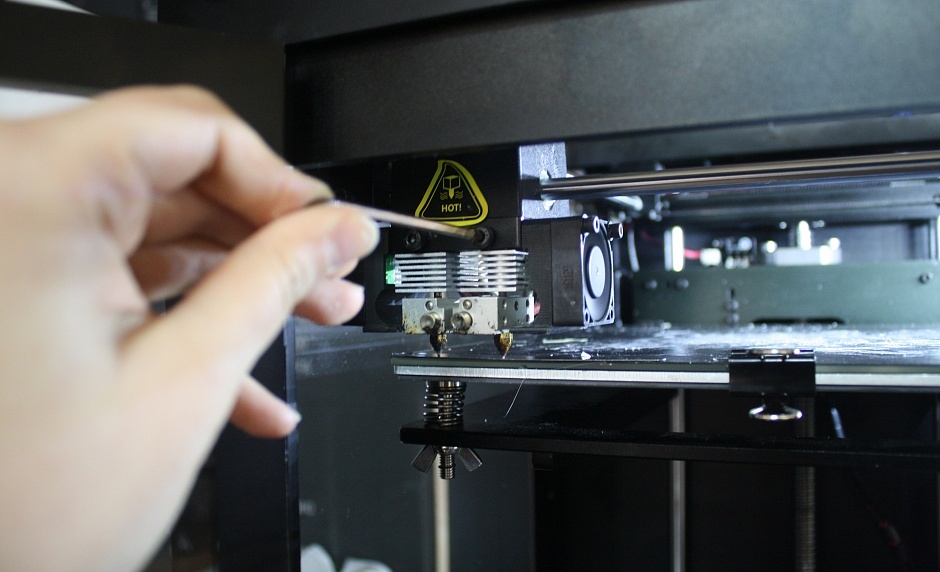
I unscrewed both screws so that the nozzles were definitely at the same height.
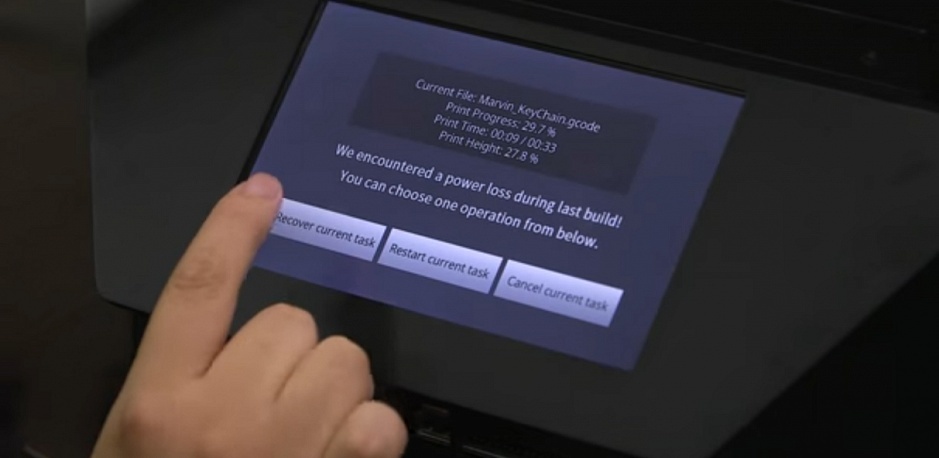
Management is carried out using a touch screen tablet.

More precisely, it is a mini-computer with its own battery. During a sudden power outage, he will remember the place where the print was cut off and, when turned on, will offer to continue printing.
And of course the print results.
Layer 0.2, Makerbot ABS plastic, printing time almost 15 hours. Details for a small vice.

The vise itself. Esun green ABS, Fiber Force black Carbon and soft red NinjaFlex =)

Layer 0.15, PLA plastic, Esun PVA support.
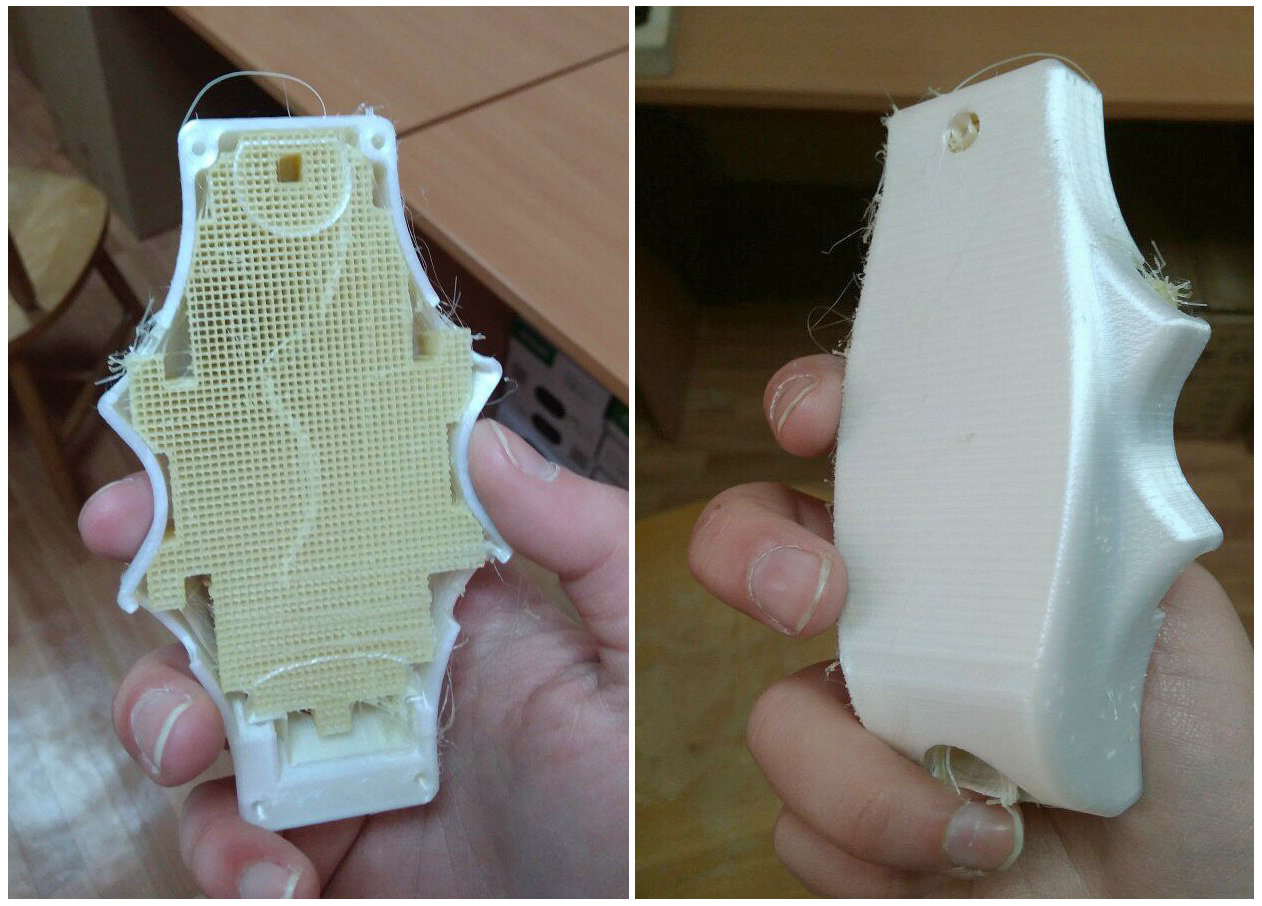
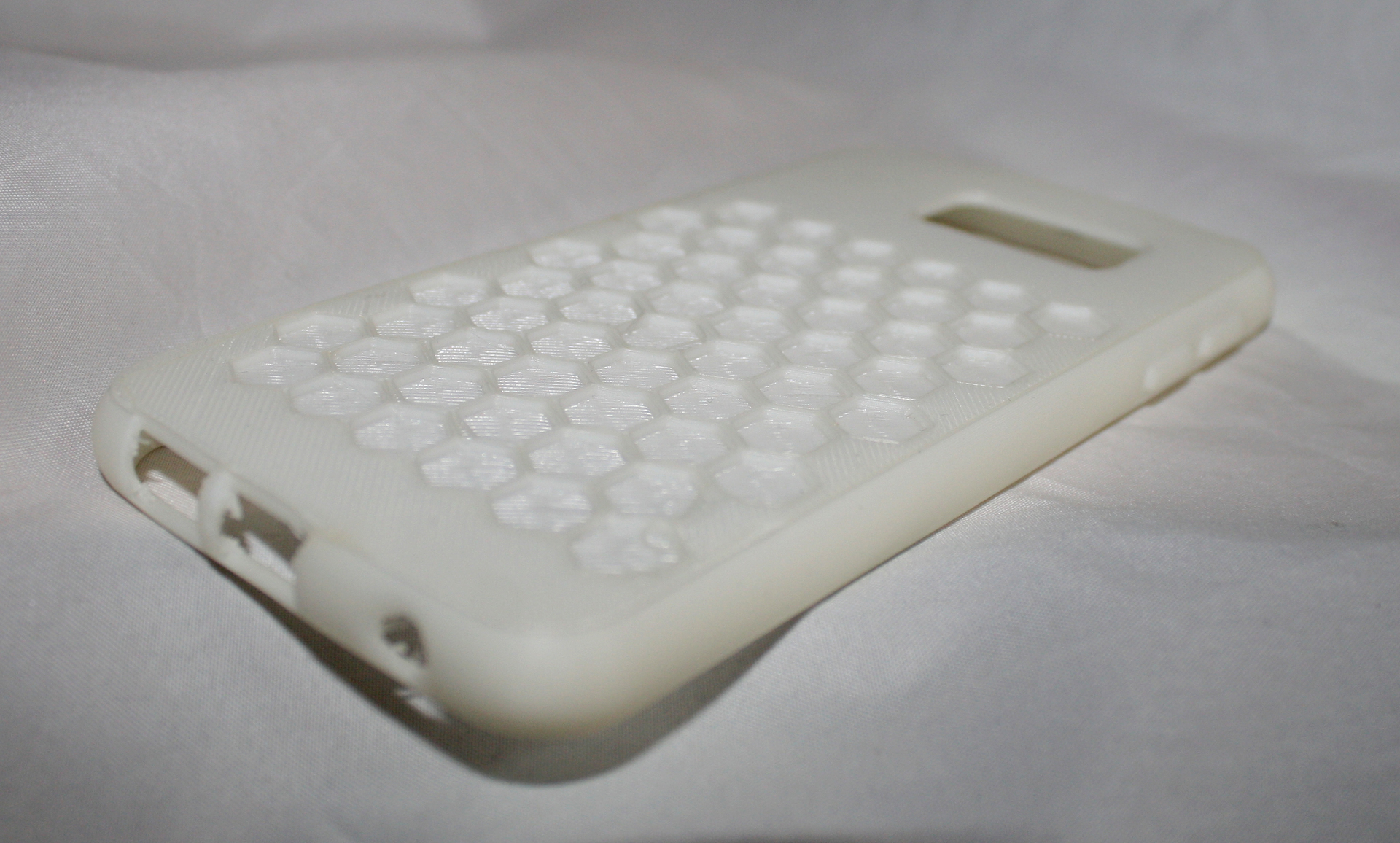
Soft Flex by ESUN. Layer 0.15
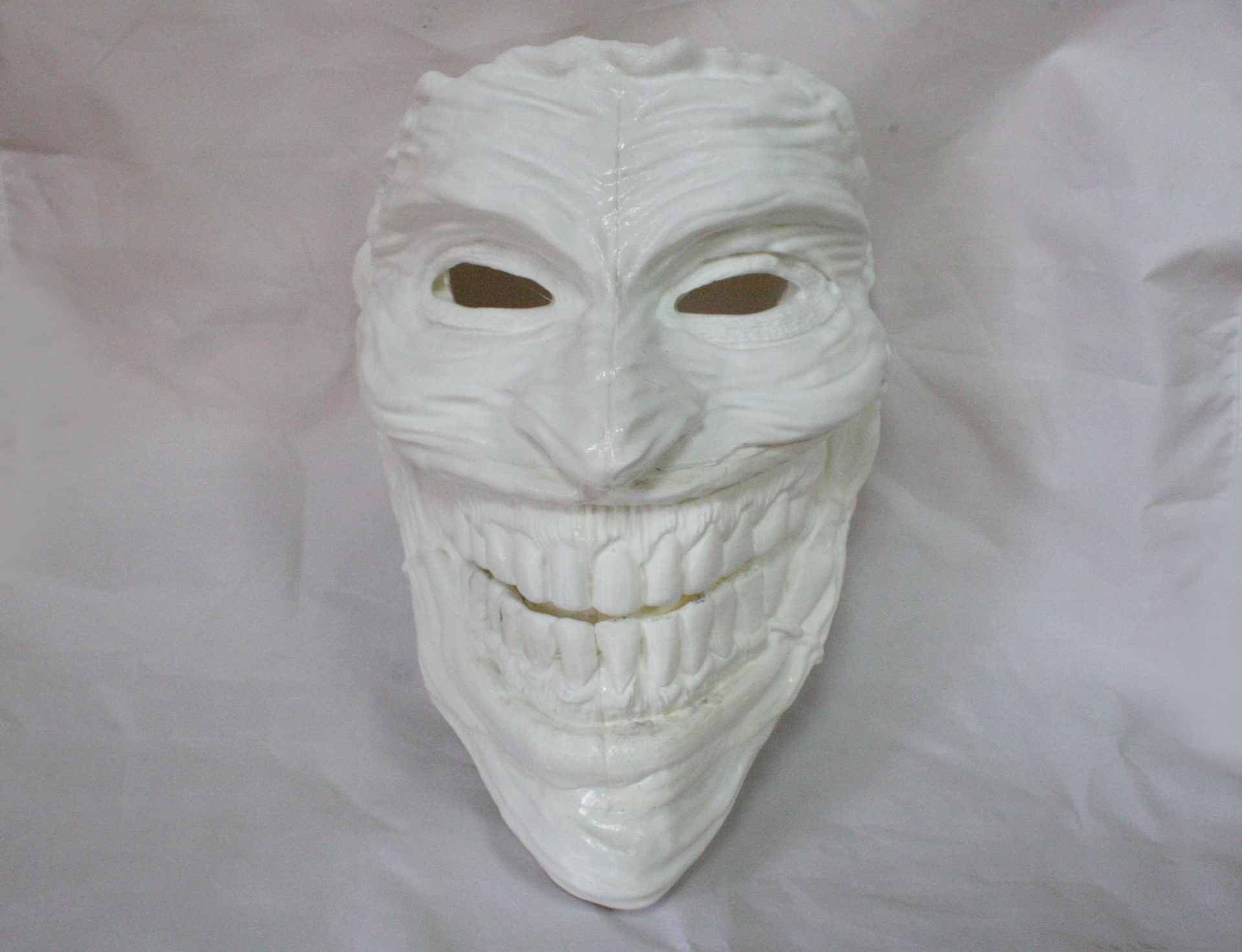
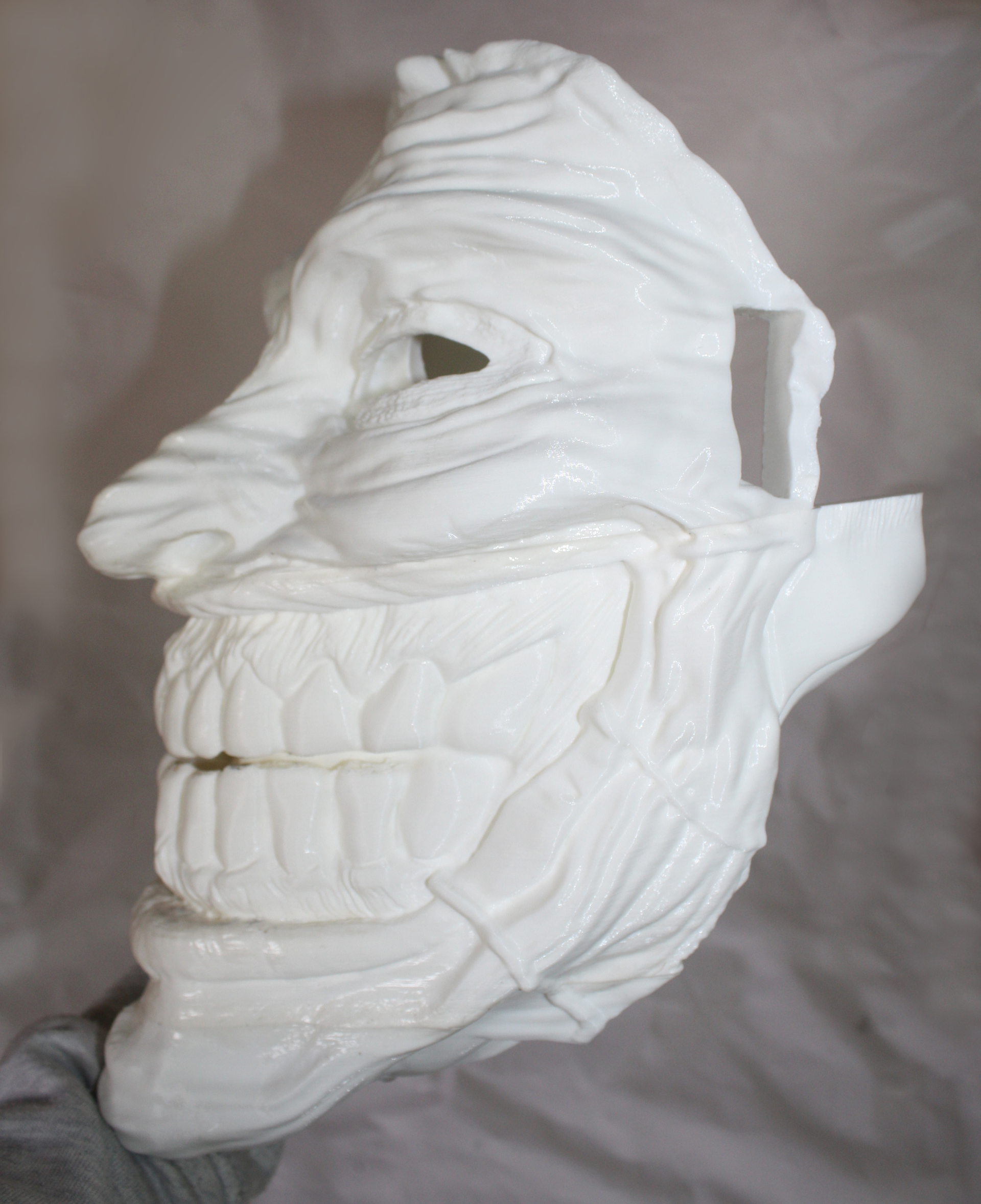
Joker Mask. 5 pieces. PLA, 0.15 layer, printing time for one piece from 9 to 12 hours.
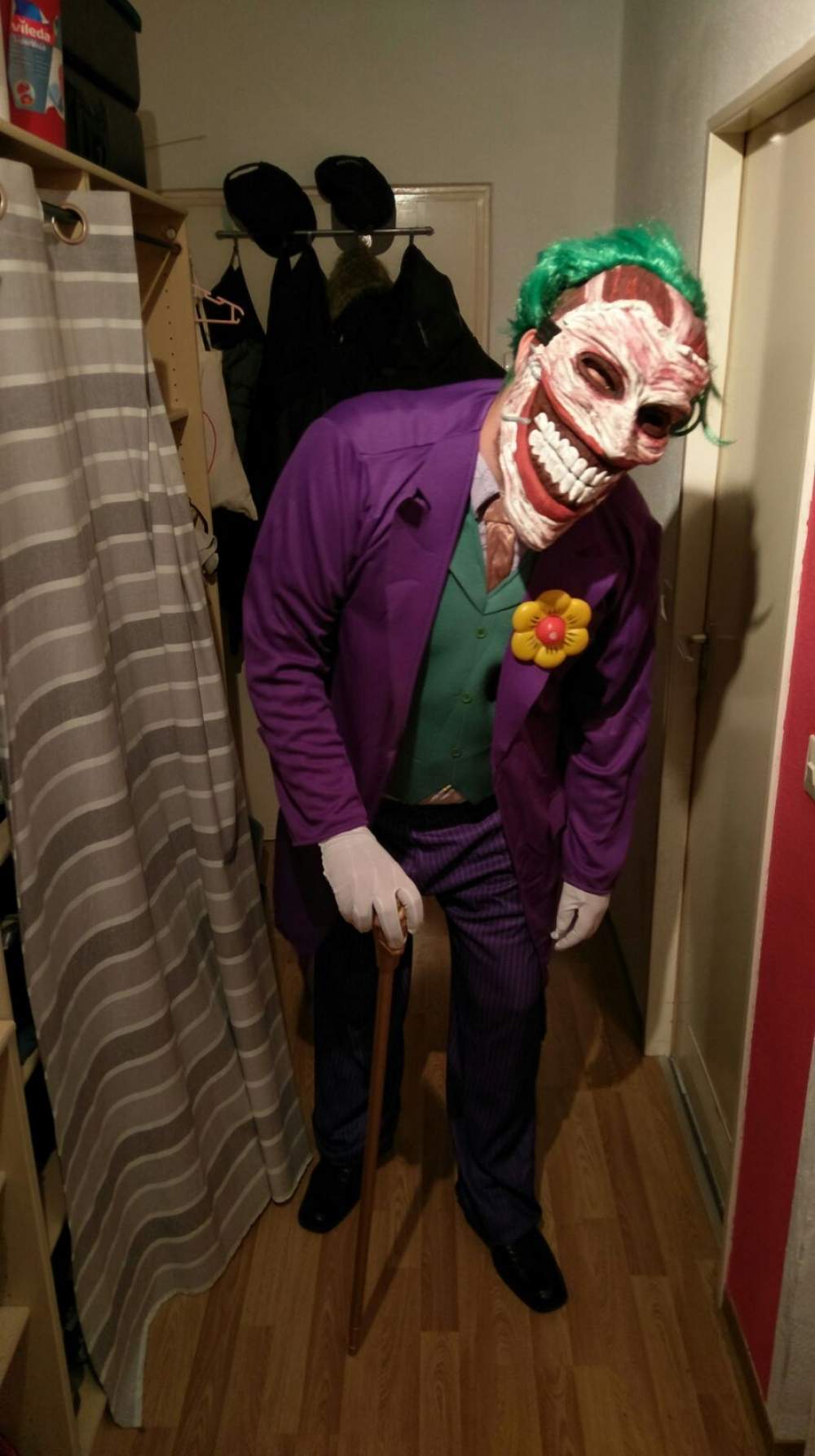
In the future, the mask will look something like this.
Summary
It was a pleasure to work with the printer.
The printer is very quiet! This is the quietest printer that we have come across. This will be a very big plus if you are going to buy a printer home.
In the printer slicer - ideaMaker, the Russian language has now appeared. For beginners, this will be a huge plus, and will help not to get confused in a huge number of settings.
By tradition, a minute of advertising)
Buying equipment in our company, you get 10 advantages:
1. The ability to use the Trade In program.
2. Warranty - 12 months;
3. Instruction in Russian;
4. Technical support during the entire period of operation;
5. You buy a 3D printer from an authorized distributor in Russia.
6. Free shipping.
7. Free training at our office.
8. The ability to buy a printer on credit through banks TKS, OTP, Renaissance.
9. 10% discount on plastic forever.
10. The opportunity to get acquainted with the printer in our demo room.
The review was prepared by Panfilova Anna, 3D printing specialist at Tsvetnoy Mir.
Subscribe to our groups on Facebook, VK and YouTube to keep abreast of the latest developments.
Shanghai Fusion Tech CO., Ltd. (Raise3D) has assembled an excellent team of young graduates from leading universities and began their work 3 years ago by creating a series of Duplicator 5 printers for Wanhao, and IdeaMaker software was also created specifically for this model. In October 2015, the company announced the creation of a line of printers under its own brand Raise3D and launched a fundraising company on the KickStarter site. The company became very successful, 445.892 USD was collected from 348 customers and in March printers were shipped worldwide.
To date, Raise3D produces 3 models of 3D printers of the N series. Printers
cost: 3D printerRaise3D N1 Dual - 165 000 rubles, 3D printer Raise3D N2 Dual - 225 000 rubles, 3D printer Raise3D N2 Plus Dual - 315 000 rubles.
But we will have a review of the youngest model Raise3D N1 Dual.
Since the delivery of the printer has begun recently, there is still little information about it, we will try to fill this gap.
Packaging / equipment The
printer is packed quite soundly. And it is quite capable of surviving without loss delivery by Russian transport companies.
Here you can watch the unpacking video and a detailed analysis of the configuration.
It should be noted that the equipment is very generous. In addition to the “gentleman's” set of 2 coils of plastic and a spatula, the kit includes a scattering of spare parts and even a probe for calibrating the table.
Kinematics
With mechanics, the Chinese decided not to reinvent the wheel and simply copied the mechanics of the famous Ultimaker, although in terms of various improvements they went much further, adding many unique features that you will not find in other 3D printers, even professional ones.
Shafts, belts, pulleys, brass bushings. No rails. Let's just say - classic 3D printing. Reliable and efficient.
Such a massive extruder on only 2 shafts was a little scared. Although, as practice has shown, this is quite enough. The extruder is unusually high. This is done for a more direct feed of capricious and soft materials.
Indeed, the printer “eats” soft flexes without interruption) Although, due to the large weight of the head, you cannot quickly disperse it. But here you already have to choose - either print with any plastic, or high print speed.
On the Z axis there are 2 guide shafts and ballscrews.
No backlash, no stagger. Stripes along the Z axis - not seen when printing.
I must say that the table is leveled with 4 screws. 4 adjustment points in my opinion is not a good idea - it takes too much time and energy to level the table, compared to a 3-point calibration system.
Older Raise models are factory calibrated. And the height of the table relative to the nozzle is set with one screw.
Enclosed enclosure on all sides. This is a very big plus when printing with shrink plastics. (almost all plastics with print temperatures from 240C and above).
But be prepared for the fact that, with time, scuffs from the wiring harness will appear on the cap.
This does not affect the print quality in any way, but some were very worried about this question =)
From the factory, the printer comes with a slightly raised right nozzle. Calibrating the nozzles in height turned out to be quite simple. We send the table “to the house”, set up the table by the left nozzle, put the probe in and unscrew one screw. The nozzle itself falls into the probe).
I unscrewed both screws so that the nozzles were definitely at the same height.
Management is carried out using a touch screen tablet.
More precisely, it is a mini-computer with its own battery. During a sudden power outage, he will remember the place where the print was cut off and, when turned on, will offer to continue printing.
And of course the print results.
Layer 0.2, Makerbot ABS plastic, printing time almost 15 hours. Details for a small vice.
The vise itself. Esun green ABS, Fiber Force black Carbon and soft red NinjaFlex =)
Layer 0.15, PLA plastic, Esun PVA support.
Soft Flex by ESUN. Layer 0.15
Joker Mask. 5 pieces. PLA, 0.15 layer, printing time for one piece from 9 to 12 hours.
In the future, the mask will look something like this.
Summary
It was a pleasure to work with the printer.
The printer is very quiet! This is the quietest printer that we have come across. This will be a very big plus if you are going to buy a printer home.
In the printer slicer - ideaMaker, the Russian language has now appeared. For beginners, this will be a huge plus, and will help not to get confused in a huge number of settings.
By tradition, a minute of advertising)
Buying equipment in our company, you get 10 advantages:
1. The ability to use the Trade In program.
2. Warranty - 12 months;
3. Instruction in Russian;
4. Technical support during the entire period of operation;
5. You buy a 3D printer from an authorized distributor in Russia.
6. Free shipping.
7. Free training at our office.
8. The ability to buy a printer on credit through banks TKS, OTP, Renaissance.
9. 10% discount on plastic forever.
10. The opportunity to get acquainted with the printer in our demo room.
The review was prepared by Panfilova Anna, 3D printing specialist at Tsvetnoy Mir.
Subscribe to our groups on Facebook, VK and YouTube to keep abreast of the latest developments.