 July 17, 2016 at 21:46
Microsoft has removed the built-in backdoor from Windows RT, which allows you to bypass Secure Boot and install Linux
The backdoor is also present in Windows 8.1, Windows Server 2012, Windows 10 and Windows Server Core
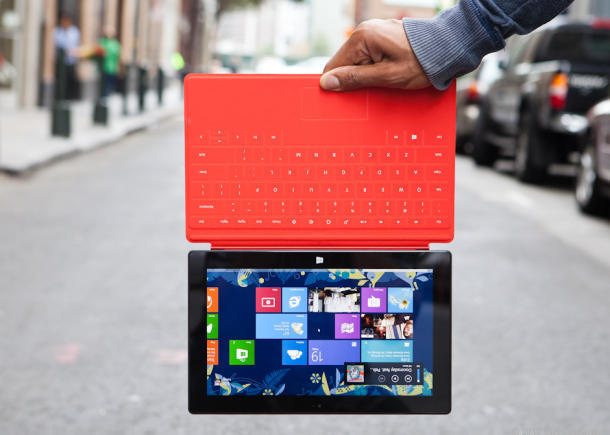
With the latest Patch Tuesday, July 12, 2016, Microsoft eliminated the dev backdoor in Windows RT - in the version of the Windows 8.x operating system, ported to devices with 32-bit ARMv7. With it, developers and hackers could install operating systems on the tablets that were not approved by Microsoft. For example, Android or GNU / Linux.
The backdoor was introduced by Microsoft programmers at the OS development stage , but after installing a fresh update, the tablets will be permanently attached to Windows RT at the hardware level.
Windows RT is a dead end operating system that has no future. Microsoft has stopped further development. Until the end of the official support period for Windows RT tablets, it was not long. So, support for Surface RT tablets ends in 2017, and Windows RT - in 2018.
For this reason, the ability to install an alternative operating system on tablets is so important. For some users who got a Windows RT tablet against their wishes (for example, presented at a presentation or given out at work), the ability to install Linux was the only way to get at least some benefit from this gift.
Patch Tuesday's monthly software update is traditionally held on the second Tuesday of every month. On this day, a cumulative patch package for the whole month is released, most of which eliminate vulnerabilities in the security of Microsoft programs. Along with the latest update, Security Bulletin MS16-094 with Important status has been released .
The Secure Boot protocol in the UEFI (Unified Extensible Firmware Interface) BIOS checks the signatures of the boot code and blocks any bootloader if signatures do not match. Thus, it is not possible to start an unauthorized bootloader on a computer with the Secure Boot protocol enabled. For more information about cryptographic keys and code verification in Secure Boot, see the article “A little about UEFI and Secure Boot . "
On most computers, this is not a particular problem, because Secure Boot in the BIOS can be disabled if you have physical access to the computer.

Disabling Secure Boot
But only on ARM tablets with Windows RT preinstalled, the Secure Boot protocol does not turn off normally.
Naturally, the inability to install a normal operating system on a good (in hardware) tablet was terribly annoying. After a long research work and reverse development, someone still managed to find a way around the “safe boot” procedure on Windows RT tablets using a specially designed policy that could disable the signature verification of the boot code, allowing arbitrary drivers to be loaded on the device. In addition, an “attacker” could disable the Secure Boot Integrity Validation check for BitLocker and the encryption security option, according to security bulletin MS16-094.
Unfortunately, technical details on how to circumvent Secure Boot protection on Windows RT tablets are not publicly available. It is only known that before this you need to disable BitLocker.
manage-bde -protectors C: -disableBut it is well known that the Secure Boot vulnerability is also present in Windows 8.1, Windows Server 2012, Windows Server 2012 R2, Windows 10 and Windows Server Core. For all of these versions, patches are listed in MS16-094.
- Windows 8.1 32-bit : KB3172727
- Windows 8.1 x64 : KB3172727
- Windows Server 2012 : KB3172727
- Windows Server 2012 R2 : KB3172727
- Windows 10 32-bit : KB3163912 (cumulative update)
- Windows 10 x64 : KB3163912 (cumulative update)
- Windows 10 Version 1511 32-bit : KB3172985 (cumulative update)
- Windows 10 Version 1511 x64 : KB3172985 (cumulative update)
- Windows Server 2012 (Server Core installation): KB3172727
- Windows Server 2012 R2 (Server Core installation): KB3172727
The bulletin states that in order to exploit, an attacker must have administrative privileges in the system or physical access to the device. But if there is such access, then you can do anything with the computer, including modifying the system files of the operating system.
Thus, if you plan to install an alternative operating system on your tablet, in no case do not install security update KB3172727. For other versions of Windows, on the contrary, installing this update is highly recommended.
Microsoft made it clear that despite the completion of Windows RT, it does not intend to open the platform to third-party operating systems. This would greatly undermine the existing image of the company. On the other hand, it is also impossible to leave a backdoor in the system, if it became known about it.









