June 30, 2015 at 12:03
Ultrabook inside out. Acer Aspire Switch 12 review
The market for compact computers, it would seem, is simply crowded. Previously, only laptops were presented on it, but now the head is spinning from a variety of devices. These are old netbooks, and modern ultrabooks, and chromebooks. There are tablets that turn into a laptop, there are laptops that turn into a tablet - in general, gadgets for every taste and color. But Acer went even further and made a device that turns from a tablet into a laptop, and from a laptop to a desktop computer. Do not believe? Then climb under the cat.
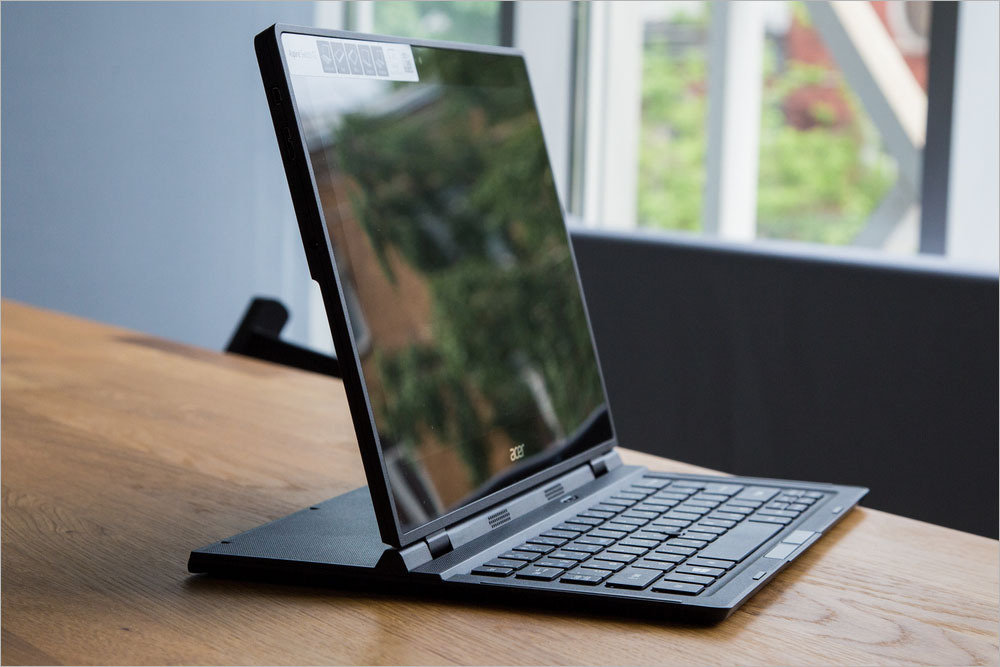
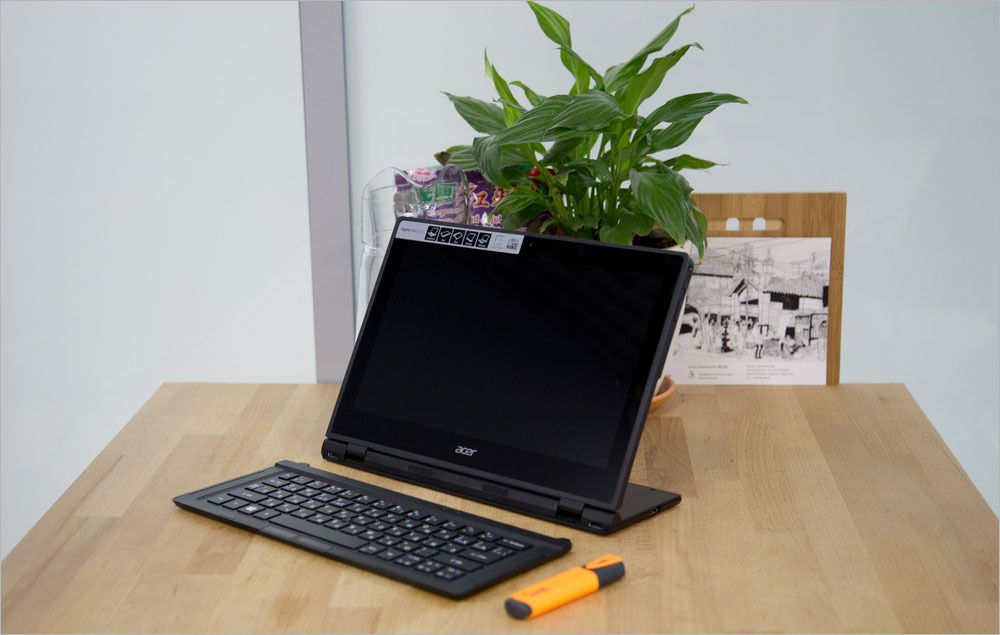
Perhaps the first thing you pay attention to when you take this device in your hands is its non-standard appearance. Switch 12 looks like a standard tablet with a keyboard, but only until you open it. Usually, hybrid tablets in the assembled state are no different from a regular laptop, right away the screen turns out to be outside. The design of this device is different, in the unfolded state it looks like a laptop, in which the display base was moved closer to the middle of the bottom. In the photographs it is clearly shown and, as they say, it is better to see it once.


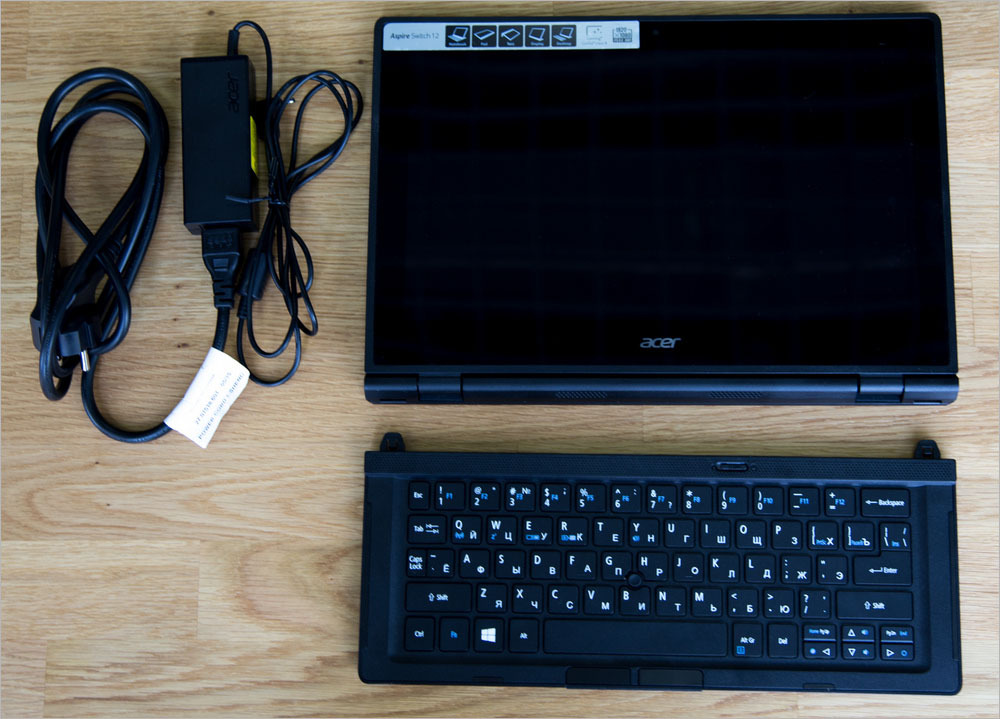
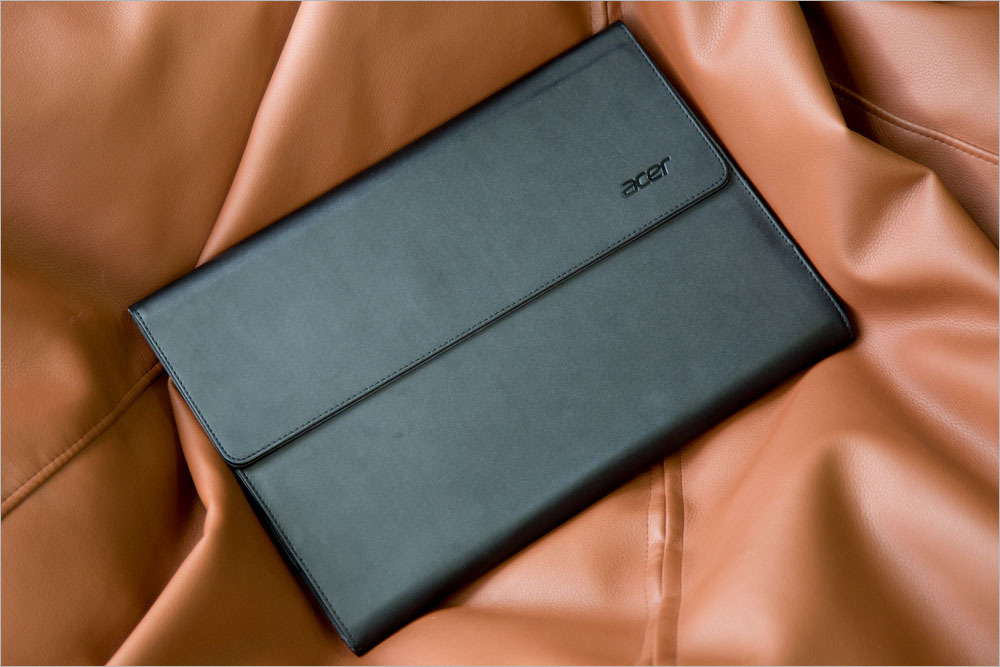
But back to the configuration of Switch 12. In the box with the device is a charger that resembles charging for a laptop rather than a tablet. In addition, there was a leather case. Wearing the Acer Aspire Switch 12 without a case is not recommended, because you can’t close the screen in any way so that it is protected. This, of course, is a small minus. In addition, there is no pocket for a charger in the case, so you still have to use a backpack or bag for transportation. There is no stylus in the kit, although the tablet has support for this accessory, but the price will remain minimal, and those who need it can always buy a digital pen separately.
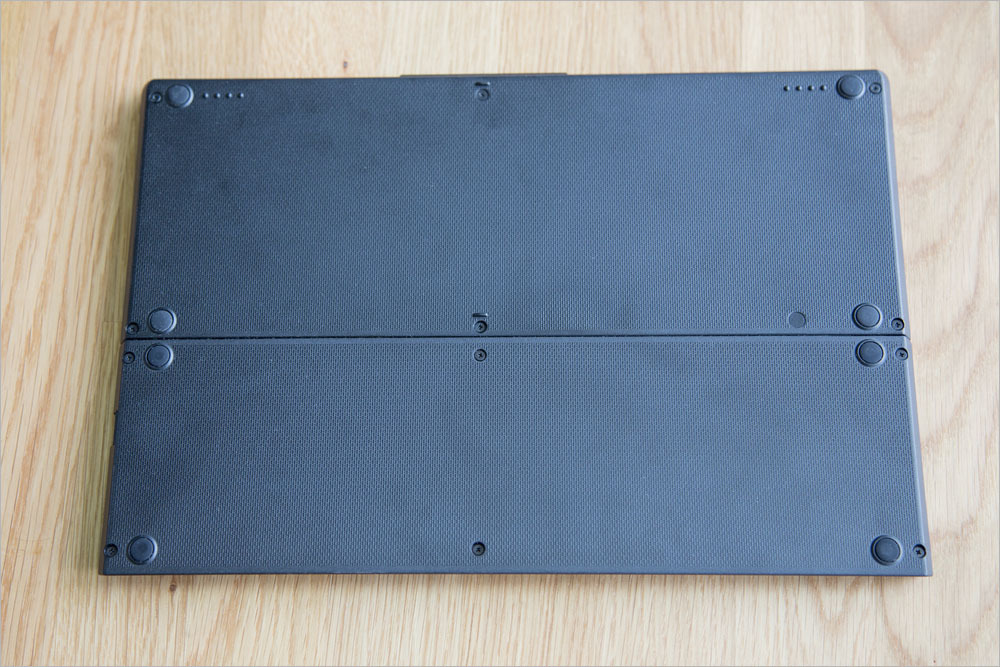
The tablet itself (laptop? Console? PC?) Is made of matte black ribbed plastic. Of course, this may seem boring, but such material looks as strict and stylish as possible, while being quite practical. Fingerprints are not visible on the surface. The only vulnerability remains only the glossy screen.

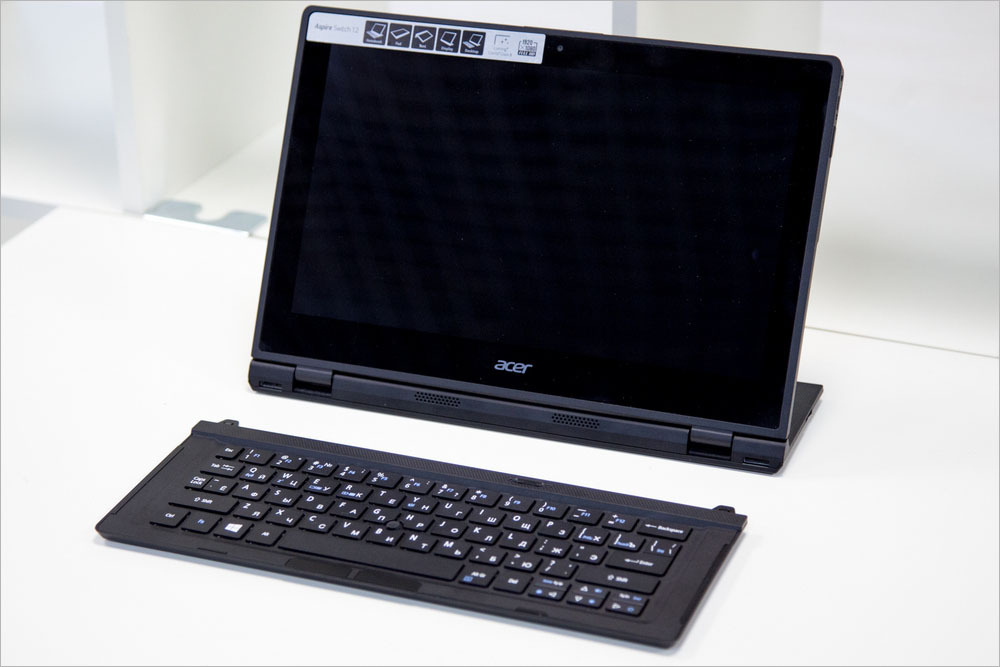
The gadget is quite weighty, without a keyboard its weight is 1.1 kg, and the whole set (case, keyboard, charging) is 2.1 kg at all. Agree, this is not so small, so judging by the weight, it is more likely a laptop, not a tablet. The case is durable, and the design is rigid, so the tablet practically does not respond to twisting and bending. Yes, and Switch 12 is built soundly: the hinges are reliable, all the elements are perfectly fitted, it is clear that the product is premium.
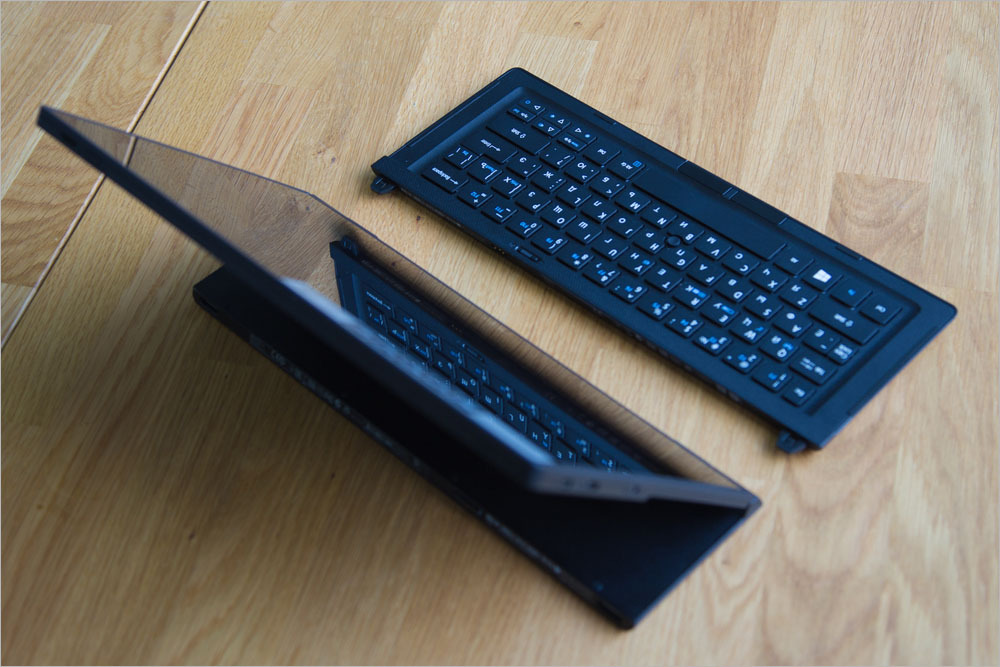
By the way, the thoughtfulness of such trifles as tipping the device pleasantly surprised me. For laptops, sometimes a test is carried out to see if the screen easily opens with one hand. Ideally, only a MacBook passes this test. So, in the case of the Aspire Switch 12, of course, you do not need to test this, but we still checked the design for stability. Even with a very wide screen and the keyboard turned off (it changes the center of gravity), the tablet does not fall, which is important. And in the assembled state it’s convenient to hold the gadget on its lap, although at first it’s unusual that the screen is so close.
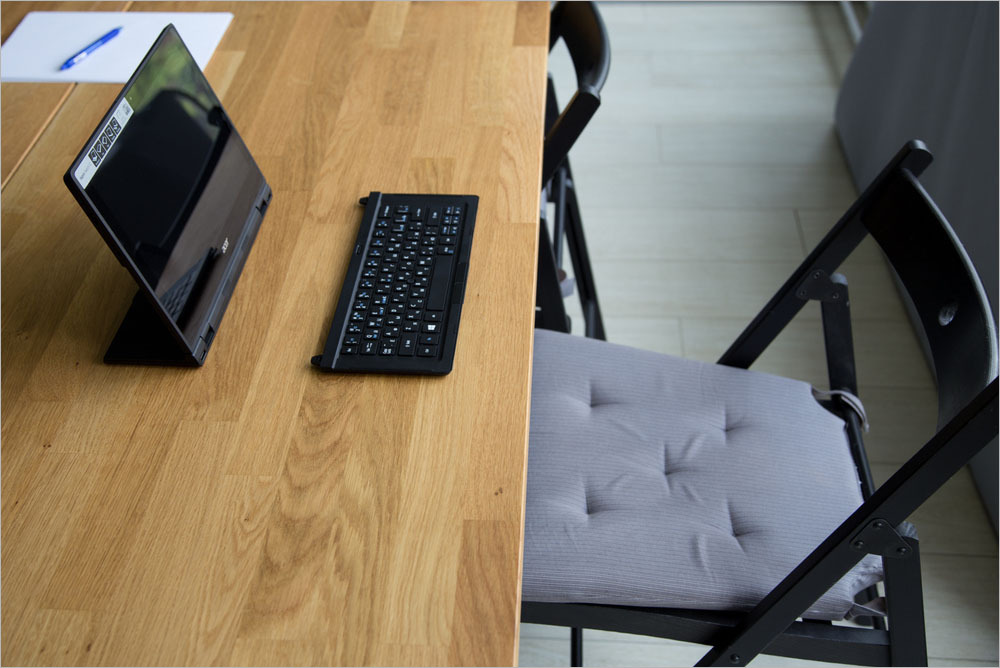
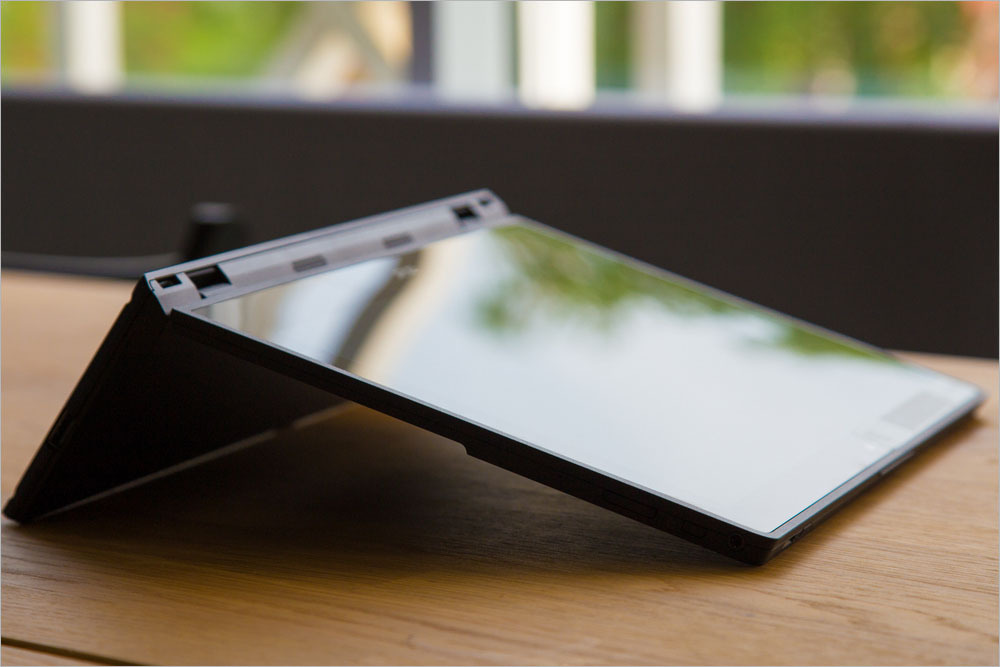
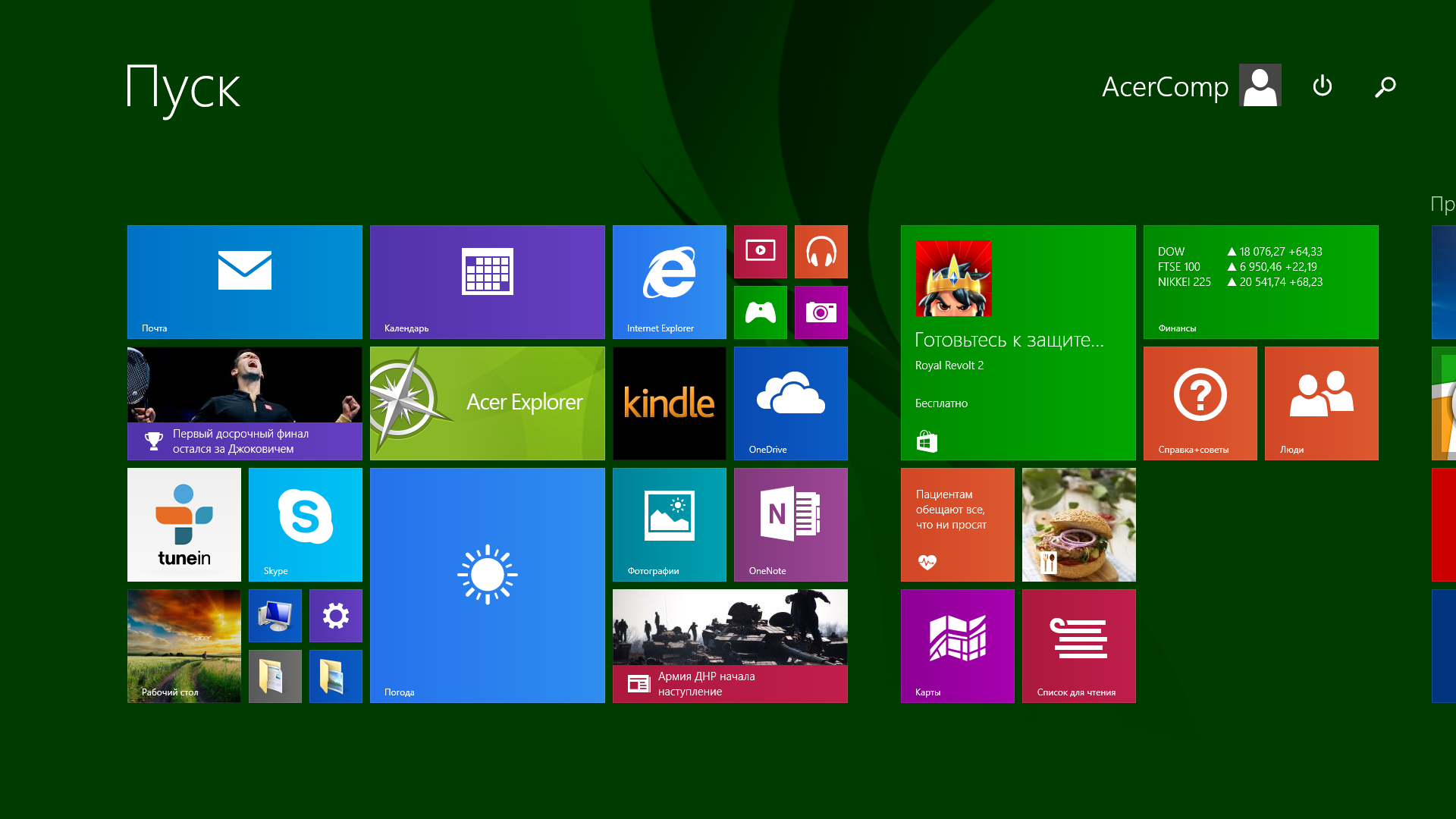
By the way, I completely forgot to talk about the options for using Switch 12. He already has five of them. The first and most understandable one is, of course, a tablet. Only the screen and nothing more. The second option is a laptop. We connect the keyboard in front, raise the screen and here we have a well-known form factor, except that the screen is slightly shifted closer to the keyboard. The third case is the so-called console. We turn off the keyboard, turn the tablet over, open the stand and set it on the table with a corner. It turns out an inclined display on which it is convenient to draw, read or watch movies. The fourth option is just a display, but here it is very simple. We turn off the keyboard, open the screen and now, in front of us is a monitor on which you can also watch photos or movies. Well, if you put a keyboard in front of him, then this will be the fifth option - a PC,
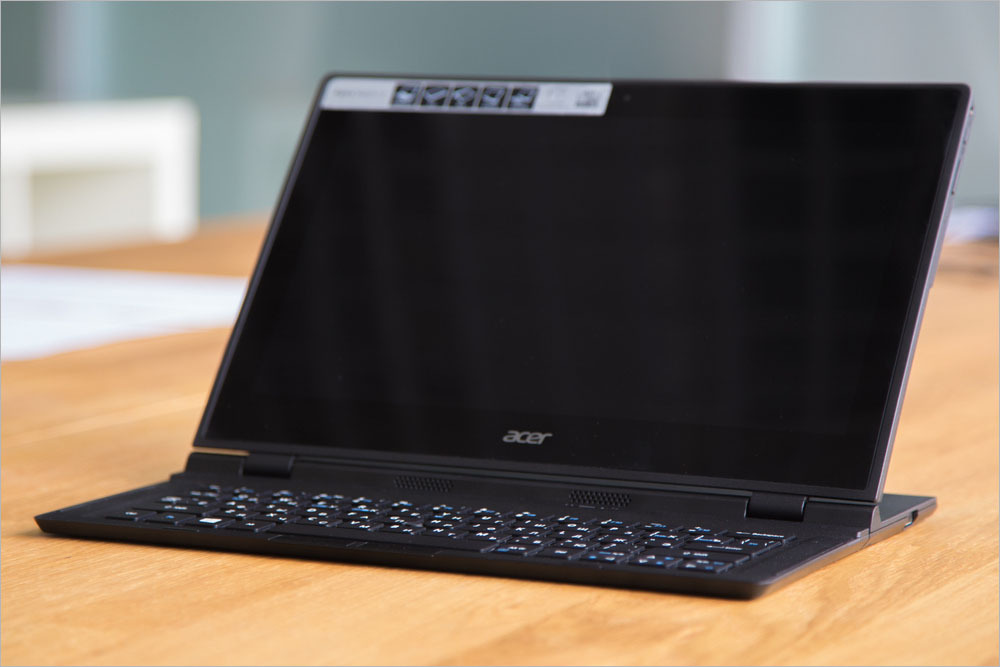
The screen size is 12.5 inches, which is already a lot for tablets, not enough for laptops, but just right for such a device. At work, there is no feeling that you need a display larger or smaller, but really, they have chosen the size perfectly. The screen is covered with a protective glass Corning Gorilla Glass 3. The display resolution is 1920 × 1080 pixels, which is a good indicator for such a diagonal. The screen quality is high, the picture is clear, bright and contrast, so that even in bright sun there are no problems, except that glossy glass glare a little.
Despite the fact that this is a tablet, there is a stand and keyboard, which means there must be some kind of connectors. Well, we need to take a closer look. So, at the base is the only full-sized USB 2.0 port, which is useful for connecting a USB flash drive, external hard drive or mouse. The tablet also has microUSB 3.0, but it is unlikely to be able to connect anything there without an adapter for full-sized USB. Although, if you have a flash drive with microUSB, then it can easily be connected.


The device is charged via a separate port, so both USB are always available. Alas, there are only two ports, and even then, one of them requires an adapter - this is too little for a laptop, and even more so for a full-fledged computer. Of course, we all remember the new Apple MacBook, in which there is only one USB Type-C port for everything, but the Switch 12 USB hub will also have to be purchased if you want to connect something other than a flash drive and mouse, and even more so, if you plan to use it at work.
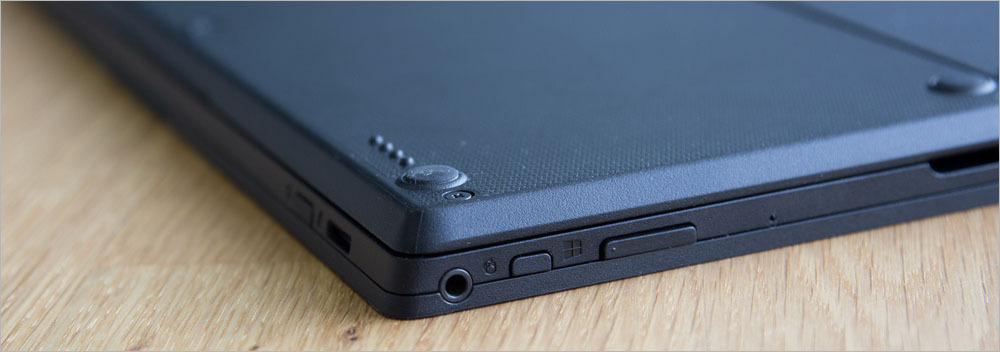

At the top end, next to the device’s power button, there is a card reader, but it is only for microSD cards. Alas, if you want to see photos from the camera, you have to carry an external device for reading memory cards with you, because it is unlikely in your camera microSD. Near the microUSB port there is a micro-HDMI video output, so at any time you can connect the tablet to a TV or external display, if, of course, there is an adapter. Unfortunately, to make full use of all the features of the Acer Aspire Switch 12, you will have to purchase various adapters that are not included, if you need all this, of course. The set of ports here is not bad, but it would be much better if there were two full USB, a standard HDMI and an SD card slot (although you can definitely do without it), because the dimensions of the case allow.

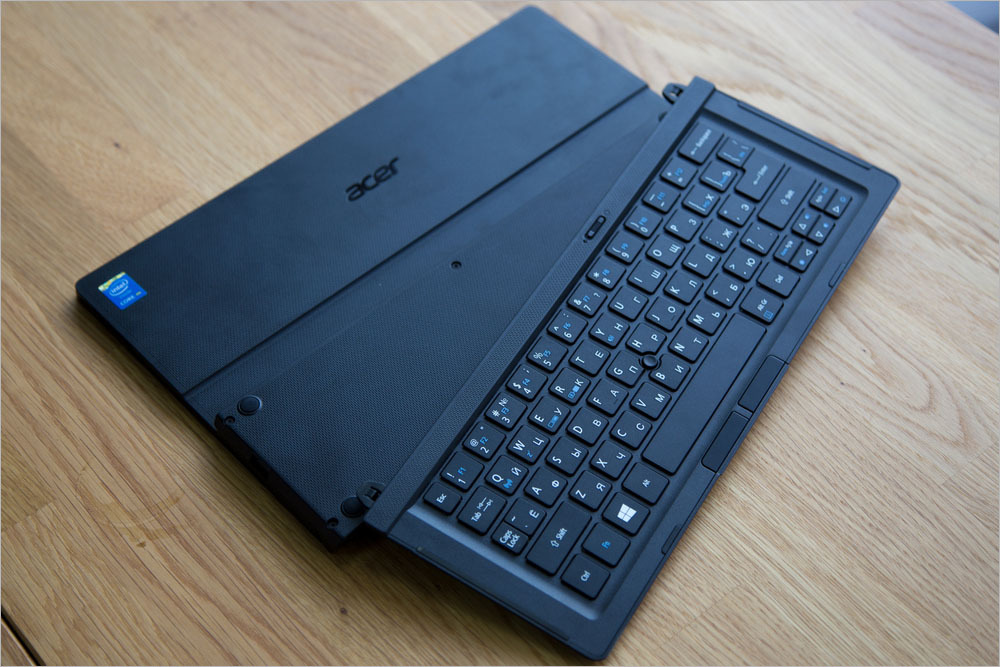
The keyboard in the Acer Aspire Switch 12 is both its integral part and accessory. When you connect the keyboard to the device, it forms a single unit with it. But it works only wirelessly. You can charge the keyboard only if you connect the stand to the rear end, there are no contacts on the front. And of course, no third-party devices for charging the keyboard are separately provided. The keys here are slightly rough, so that the fingers do not slide off, and the location is island (when there is a gap between the keys). The move is not very big, typing is convenient.
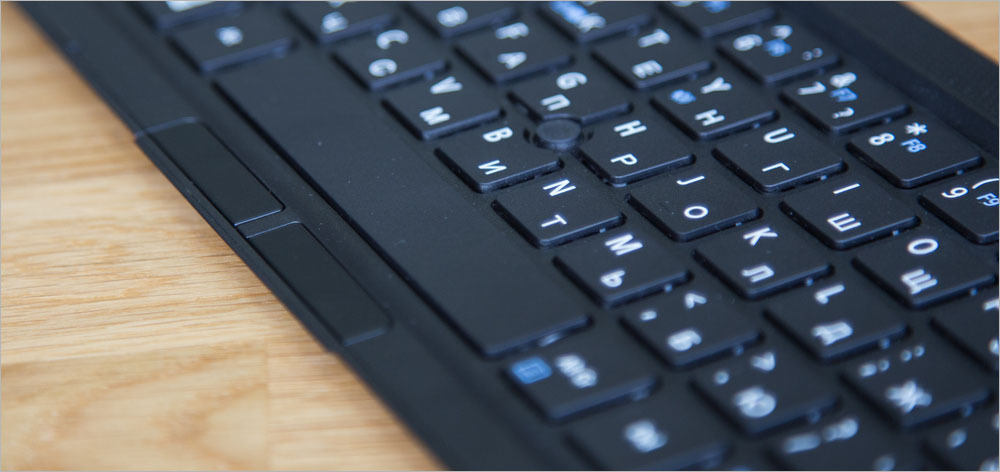
Of course, the keyboard is very compact and many buttons here are either completely absent or combined with others, and it is proposed to use them in combination with the Fn button. Interestingly, for the sake of compactness, the Acer removed the touchpad from the keyboard. Instead, they made a joystick - exactly the same as we saw in the laptops of IBM (and now Lenovo) ThinkPad. But the buttons remained, they are very inconspicuous and are under a space. It’s convenient to control using these elements, but I would still prefer a mouse (the touch screen is enough on the way).
There are, of course, wireless modules in the tablet. Since Switch 12 is based on the Broadwell processor line (but more on that later), it is equipped with the Intel Wireless-AC 7265 module, which, as the name implies, can work in 802.11 a / b / g / n Wi-Fi networks / ac in the 2.4 and 5 GHz bands, as well as with Bluetooth 4.0. In addition, WiDi (Wireless Display) technology is supported here for transferring images to external displays wirelessly, and it works with the competing Miracast. It is enough that you had the necessary receiver, then you can do without cables and adapters.
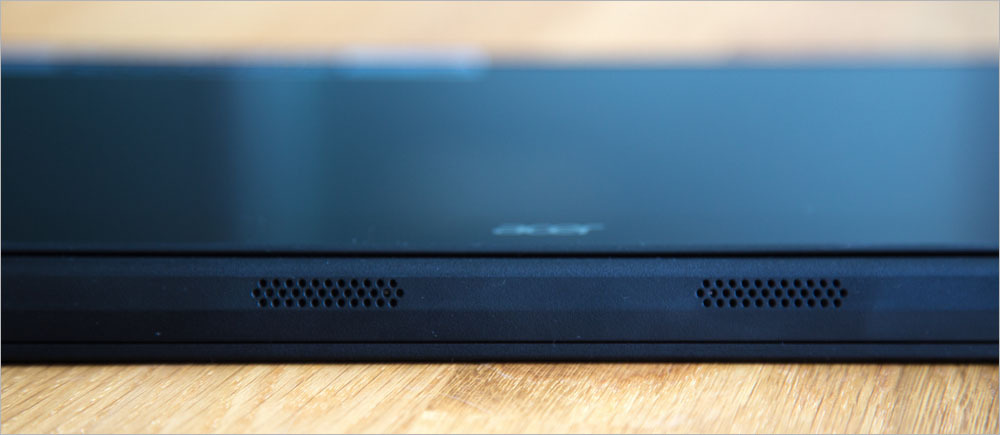
Very conveniently placed in the tablet speakers. It turns out that with any arrangement of the device they are always aimed at the person. Two stereo speakers are located on the front of the stand and are hard to miss. The quality is quite tolerable, for watching movies and even for listening to music they are enough. In extreme cases, you can always output sound through a 3.5 mm jack (it is also present, of course).
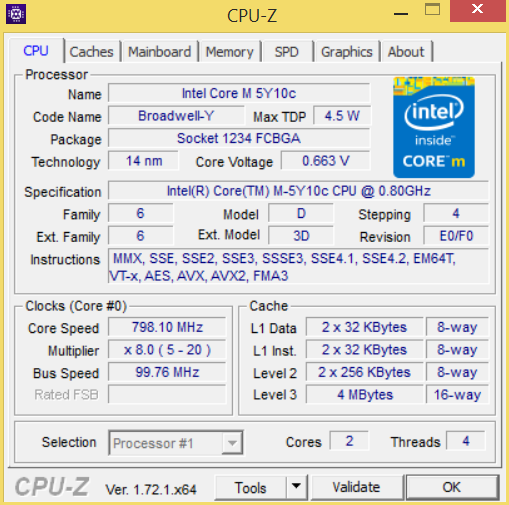
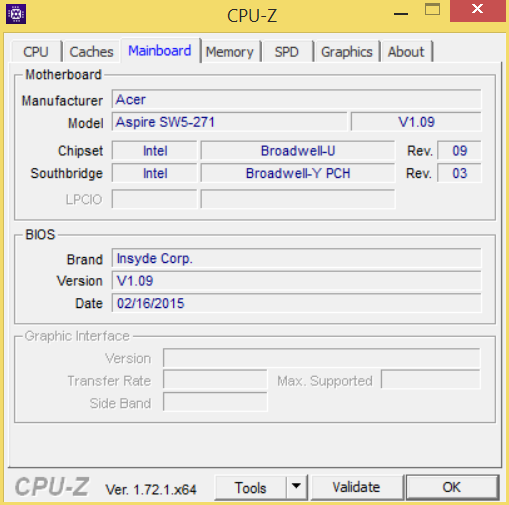
Acer Aspire Switch 12 is based on the modern economical processor Intel Core M-5Y10c from the Broadwell family. This chip has a wide frequency range, adapts to the current load and is not particularly heated - thanks to this, by the way, there are no coolers in the laptop, all cooling is passive. The processor, of course, is not very powerful, but for working with documents, surfing the Internet it is enough, but for games it is better to look for other devices.
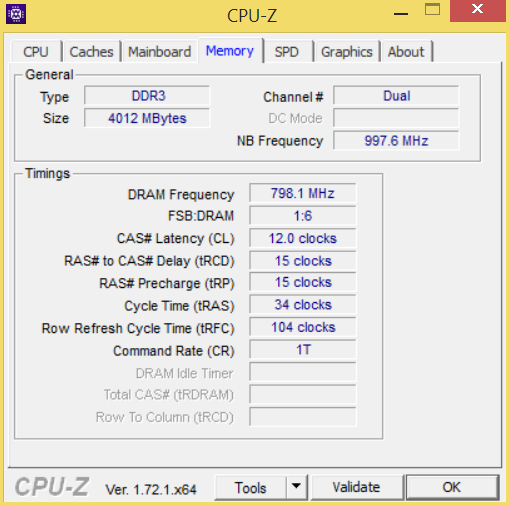
The device has 4 GB of RAM and 60 GB of SSD for data storage. A solid state drive, by the way, is fast enough, which is especially noticeable when you turn on the device and exit sleep mode, as it takes a matter of seconds.
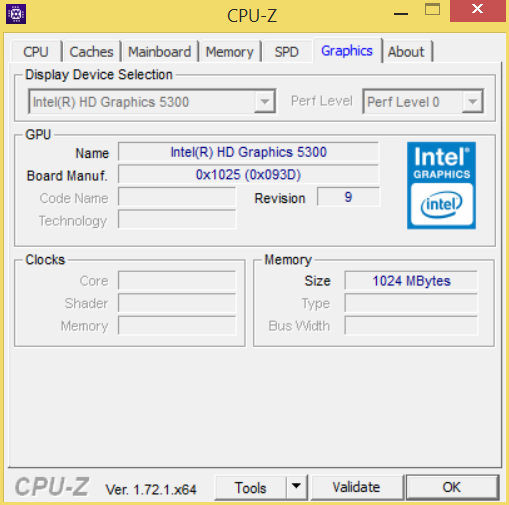
As for the video card, here, of course, it uses integrated graphics, HD 5300. For some low-powered toys, it will even be enough, but if only at the minimum settings. Another question is that in games the processor will warm up more than in office tasks, which means that there will be a decrease in frequency and, as a result, brakes will appear. So play on devices with Core M is not worth it, not for this they are made.
The gadget is charged using proprietary charging - it produces 45 watts, although the tablet needs only 17 watts even at high load. The battery in Switch 12 is not very large - a three-section lithium-ion battery with a capacity of 3220 mAh is used. However, all the advantages of the Core M processor are revealed here, as even with such a capacity, the gadget can work up to 6 hours, while showing a video. If you want to read a book, then the battery will last for 12-14 hours.
The gadget is not charged for long, but in principle, if you constantly work for it, then you can completely remove it from charge. The only thing that upsets a little is that you need to reconnect the keyboard to charge it.
 Compactness
Quiet operation
Functionality
Versatility, many modes
High-quality screen
 Should always be worn in a case
no usual touchpad
Several heavy
adapter required to complete the work
Acer was able to make an unusual, but interesting hybrid tablet. Of course, it differs from everything that is on the market, and it is not yet clear whether this is good or bad. But using the device is convenient (despite the unusual form factor), and this is important. This device will surely appeal to everyone who works everywhere: at home, at work, on the road, because everywhere it can be used in different ways and benefit from it. There will be very few competitors for this gadget, it is too unusual and it is difficult to find analogues. To date, only Asus Transformer Book T300 Chi and Lenovo ThinkPad Helix 2 can be offered from alternatives, but these are boring models with a standard appearance, when the keyboard is attached to the tablet and it becomes a laptop. However, all these devices are made on Intel Core M, which means
 Design
Perhaps the first thing you pay attention to when you take this device in your hands is its non-standard appearance. Switch 12 looks like a standard tablet with a keyboard, but only until you open it. Usually, hybrid tablets in the assembled state are no different from a regular laptop, right away the screen turns out to be outside. The design of this device is different, in the unfolded state it looks like a laptop, in which the display base was moved closer to the middle of the bottom. In the photographs it is clearly shown and, as they say, it is better to see it once.
But back to the configuration of Switch 12. In the box with the device is a charger that resembles charging for a laptop rather than a tablet. In addition, there was a leather case. Wearing the Acer Aspire Switch 12 without a case is not recommended, because you can’t close the screen in any way so that it is protected. This, of course, is a small minus. In addition, there is no pocket for a charger in the case, so you still have to use a backpack or bag for transportation. There is no stylus in the kit, although the tablet has support for this accessory, but the price will remain minimal, and those who need it can always buy a digital pen separately.
The tablet itself (laptop? Console? PC?) Is made of matte black ribbed plastic. Of course, this may seem boring, but such material looks as strict and stylish as possible, while being quite practical. Fingerprints are not visible on the surface. The only vulnerability remains only the glossy screen.
The gadget is quite weighty, without a keyboard its weight is 1.1 kg, and the whole set (case, keyboard, charging) is 2.1 kg at all. Agree, this is not so small, so judging by the weight, it is more likely a laptop, not a tablet. The case is durable, and the design is rigid, so the tablet practically does not respond to twisting and bending. Yes, and Switch 12 is built soundly: the hinges are reliable, all the elements are perfectly fitted, it is clear that the product is premium.
By the way, the thoughtfulness of such trifles as tipping the device pleasantly surprised me. For laptops, sometimes a test is carried out to see if the screen easily opens with one hand. Ideally, only a MacBook passes this test. So, in the case of the Aspire Switch 12, of course, you do not need to test this, but we still checked the design for stability. Even with a very wide screen and the keyboard turned off (it changes the center of gravity), the tablet does not fall, which is important. And in the assembled state it’s convenient to hold the gadget on its lap, although at first it’s unusual that the screen is so close.
By the way, I completely forgot to talk about the options for using Switch 12. He already has five of them. The first and most understandable one is, of course, a tablet. Only the screen and nothing more. The second option is a laptop. We connect the keyboard in front, raise the screen and here we have a well-known form factor, except that the screen is slightly shifted closer to the keyboard. The third case is the so-called console. We turn off the keyboard, turn the tablet over, open the stand and set it on the table with a corner. It turns out an inclined display on which it is convenient to draw, read or watch movies. The fourth option is just a display, but here it is very simple. We turn off the keyboard, open the screen and now, in front of us is a monitor on which you can also watch photos or movies. Well, if you put a keyboard in front of him, then this will be the fifth option - a PC,
The screen size is 12.5 inches, which is already a lot for tablets, not enough for laptops, but just right for such a device. At work, there is no feeling that you need a display larger or smaller, but really, they have chosen the size perfectly. The screen is covered with a protective glass Corning Gorilla Glass 3. The display resolution is 1920 × 1080 pixels, which is a good indicator for such a diagonal. The screen quality is high, the picture is clear, bright and contrast, so that even in bright sun there are no problems, except that glossy glass glare a little.
 Interfaces & Keyboard
Despite the fact that this is a tablet, there is a stand and keyboard, which means there must be some kind of connectors. Well, we need to take a closer look. So, at the base is the only full-sized USB 2.0 port, which is useful for connecting a USB flash drive, external hard drive or mouse. The tablet also has microUSB 3.0, but it is unlikely to be able to connect anything there without an adapter for full-sized USB. Although, if you have a flash drive with microUSB, then it can easily be connected.
The device is charged via a separate port, so both USB are always available. Alas, there are only two ports, and even then, one of them requires an adapter - this is too little for a laptop, and even more so for a full-fledged computer. Of course, we all remember the new Apple MacBook, in which there is only one USB Type-C port for everything, but the Switch 12 USB hub will also have to be purchased if you want to connect something other than a flash drive and mouse, and even more so, if you plan to use it at work.
At the top end, next to the device’s power button, there is a card reader, but it is only for microSD cards. Alas, if you want to see photos from the camera, you have to carry an external device for reading memory cards with you, because it is unlikely in your camera microSD. Near the microUSB port there is a micro-HDMI video output, so at any time you can connect the tablet to a TV or external display, if, of course, there is an adapter. Unfortunately, to make full use of all the features of the Acer Aspire Switch 12, you will have to purchase various adapters that are not included, if you need all this, of course. The set of ports here is not bad, but it would be much better if there were two full USB, a standard HDMI and an SD card slot (although you can definitely do without it), because the dimensions of the case allow.
The keyboard in the Acer Aspire Switch 12 is both its integral part and accessory. When you connect the keyboard to the device, it forms a single unit with it. But it works only wirelessly. You can charge the keyboard only if you connect the stand to the rear end, there are no contacts on the front. And of course, no third-party devices for charging the keyboard are separately provided. The keys here are slightly rough, so that the fingers do not slide off, and the location is island (when there is a gap between the keys). The move is not very big, typing is convenient.
Of course, the keyboard is very compact and many buttons here are either completely absent or combined with others, and it is proposed to use them in combination with the Fn button. Interestingly, for the sake of compactness, the Acer removed the touchpad from the keyboard. Instead, they made a joystick - exactly the same as we saw in the laptops of IBM (and now Lenovo) ThinkPad. But the buttons remained, they are very inconspicuous and are under a space. It’s convenient to control using these elements, but I would still prefer a mouse (the touch screen is enough on the way).
 Filling
There are, of course, wireless modules in the tablet. Since Switch 12 is based on the Broadwell processor line (but more on that later), it is equipped with the Intel Wireless-AC 7265 module, which, as the name implies, can work in 802.11 a / b / g / n Wi-Fi networks / ac in the 2.4 and 5 GHz bands, as well as with Bluetooth 4.0. In addition, WiDi (Wireless Display) technology is supported here for transferring images to external displays wirelessly, and it works with the competing Miracast. It is enough that you had the necessary receiver, then you can do without cables and adapters.
Very conveniently placed in the tablet speakers. It turns out that with any arrangement of the device they are always aimed at the person. Two stereo speakers are located on the front of the stand and are hard to miss. The quality is quite tolerable, for watching movies and even for listening to music they are enough. In extreme cases, you can always output sound through a 3.5 mm jack (it is also present, of course).
Acer Aspire Switch 12 is based on the modern economical processor Intel Core M-5Y10c from the Broadwell family. This chip has a wide frequency range, adapts to the current load and is not particularly heated - thanks to this, by the way, there are no coolers in the laptop, all cooling is passive. The processor, of course, is not very powerful, but for working with documents, surfing the Internet it is enough, but for games it is better to look for other devices.
The device has 4 GB of RAM and 60 GB of SSD for data storage. A solid state drive, by the way, is fast enough, which is especially noticeable when you turn on the device and exit sleep mode, as it takes a matter of seconds.
As for the video card, here, of course, it uses integrated graphics, HD 5300. For some low-powered toys, it will even be enough, but if only at the minimum settings. Another question is that in games the processor will warm up more than in office tasks, which means that there will be a decrease in frequency and, as a result, brakes will appear. So play on devices with Core M is not worth it, not for this they are made.
 Battery and Charging
The gadget is charged using proprietary charging - it produces 45 watts, although the tablet needs only 17 watts even at high load. The battery in Switch 12 is not very large - a three-section lithium-ion battery with a capacity of 3220 mAh is used. However, all the advantages of the Core M processor are revealed here, as even with such a capacity, the gadget can work up to 6 hours, while showing a video. If you want to read a book, then the battery will last for 12-14 hours.
The gadget is not charged for long, but in principle, if you constantly work for it, then you can completely remove it from charge. The only thing that upsets a little is that you need to reconnect the keyboard to charge it.
 Summary
pros
Compactness Quiet operation Functionality Versatility, many modes High-quality screenMinuses
Should always be worn in a case no usual touchpad Several heavy adapter required to complete the workAcer was able to make an unusual, but interesting hybrid tablet. Of course, it differs from everything that is on the market, and it is not yet clear whether this is good or bad. But using the device is convenient (despite the unusual form factor), and this is important. This device will surely appeal to everyone who works everywhere: at home, at work, on the road, because everywhere it can be used in different ways and benefit from it. There will be very few competitors for this gadget, it is too unusual and it is difficult to find analogues. To date, only Asus Transformer Book T300 Chi and Lenovo ThinkPad Helix 2 can be offered from alternatives, but these are boring models with a standard appearance, when the keyboard is attached to the tablet and it becomes a laptop. However, all these devices are made on Intel Core M, which means