August 31, 2017 at 20:30
Certificate Store in LibreOffice Office Suite
 LibreOffice is a powerful office suite. LibreOffice is free and open source.
 The office suite contains a text and spreadsheet processor, a program for preparing and viewing presentations, a vector graphics editor, a database management system and a formula editor:
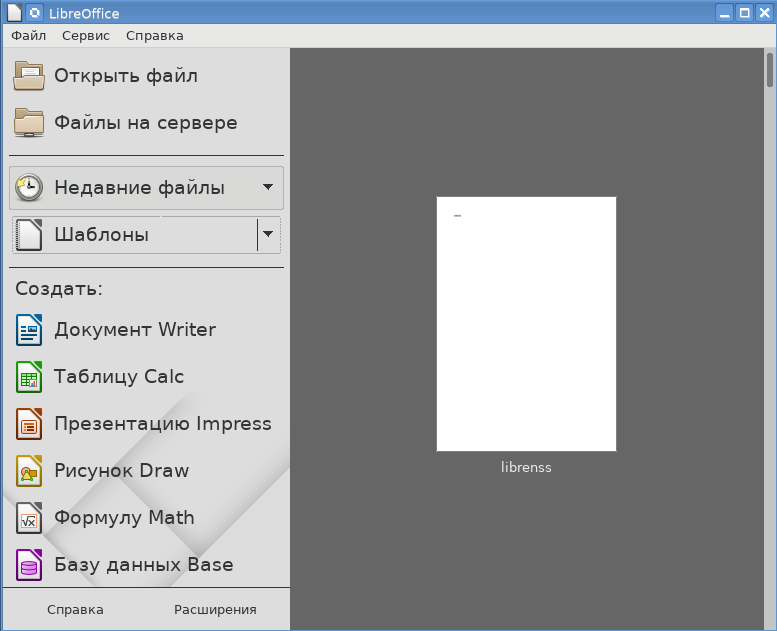
Moreover, the current policy of import substitution, when domestic Linux forks are appearing on the tables of officials instead of MS Windows, contributes to the wide distribution of the LibreOffice package in government.
LibreOffice is developing intensively and since its inception has incorporated many additional features. One of these features is the electronic signature (digital signature in LibreOffice terminology) of the document. To generate an electronic signature (File → Digital signatures → Digital signatures ... → Sign a document ) personal certificates are used:
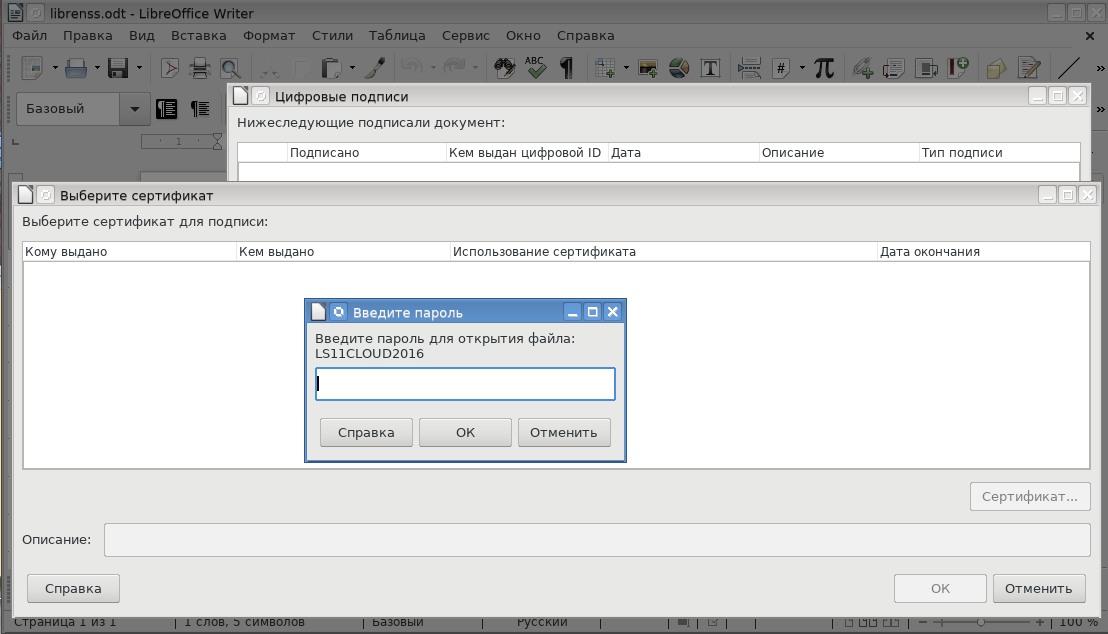
Looking at the picture, an inexperienced user (and even more so the official) has a deep sense of misunderstanding: what kind of file is going to open, what kind of password should be entered!
It should be noted that this is not a very successful translation of LibreOffice developers. This is not a file, but a PKCS # 11 token / smart card , and not a password, but a user PIN for the token. There should be something of the following type:
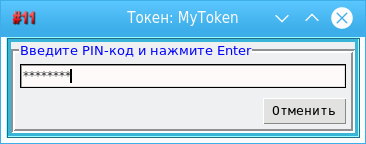
Here we come to the main question: where and how are the certificates that LibreOffice uses to generate electronic signature of documents stored?
As a certificate store, LibreOffice usually uses certificate stores created and supported by Mozilla products (Firefox, Thunderbird, SeaMonkey). By default, this is the Thunderbird email client certificate store ( Tools → Options ... → Security → Certificate ... ):
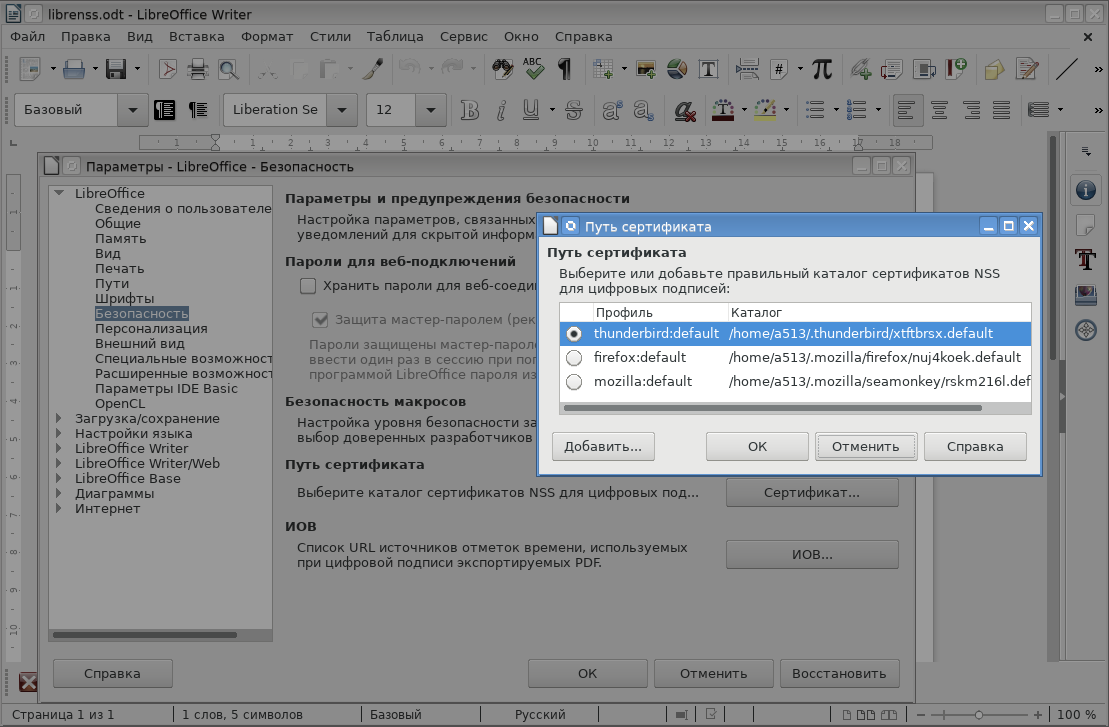
Certificate stores for Mozilla products are created using the Network Security Services ( NSS) package . Using command-line utilities, you can create your own certificate store, for example:
bash-4.3$ cd /home/a513/tmp
bash-4.3$ mkdir db_for_libre
bash-4.3$ modutil -create -dbdir /home/a513/tmp/db_for_libre
WARNING: Performing this operation while the browser is running could cause
corruption of your security databases. If the browser is currently running,
you should exit browser before continuing this operation. Type
'q ' to abort, or  to continue:
bash-4.3$ ls -l db_for_libre
итого 60
-rw------- 1 a513 a513 65536 авг 31 16:49 cert8.db
-rw------- 1 a513 a513 16384 авг 31 16:49 key3.db
-rw------- 1 a513 a513 16384 авг 31 16:49 secmod.db
bash-4.3$
The created certificate store in the directory / home / a513 / tmp / db_for_libre contains three databases, namely cert8.db, key3.db and secmod.db. To create them, an old version of the Berkeley database is used (it is usually described in the NSS documents as “DBM”), in contrast to the certificate store, say, in google-chrome, which also uses the NSS package to create and maintain, but for database support ( cert9.db, key4.db and pkcs11.txt) the repository uses the SQLite3 mechanism. The same NSS utilities are used to work with both the repository, just in the –d parameter (repository directory) before the path to the repository, if you intend to work with the new repository format (SQLite3), just specify the prefix: -d sql: <storage path>.
Moreover, it is also easy to create a new format store (cert9.db, key4.db and pkcs11.txt) from the old format certificate store (cert8.db, key3.db and secmod.db). To do this, just run the utility for working with certutil certificates in the mode of viewing keys (-K) or certificates (-L) with the –X parameter:
bash-4.3$ ls -l /home/a513/tmp/db_for_libre/
итого 60
-rw------- 1 a513 a513 65536 авг 31 17:56 cert8.db
-rw------- 1 a513 a513 16384 авг 31 17:56 key3.db
-rw------- 1 a513 a513 16384 авг 31 16:49 secmod.db
bash-4.3$ certutil -L -d sql:/home/a513/tmp/db_for_libre -X
Certificate Nickname             Trust Attributes   SSL,S/MIME, JAR/XPI
bash-4.3$ ls -l /home/a513/tmp/db_for_libre/
итого 120
-rw------- 1 a513 a513 65536 авг 31 17:56 cert8.db
-rw------- 1 a513 a513 28672 авг 31 17:56 cert9.db
-rw------- 1 a513 a513 16384 авг 31 17:56 key3.db
-rw------- 1 a513 a513 28672 авг 31 17:56 key4.db
-rw------- 1 a513 a513   440 авг 31 17:56 pkcs11.txt
-rw------- 1 a513 a513 16384 авг 31 16:49 secmod.db
bash-4.3$
As you can see, the repository now has databases in both the old and new formats.
Unfortunately, the reverse conversion is unknown to me, and therefore new certificate stores, for example, google-chrome (~ / .pki) in LibreOffice are not available.
The NSS package supports working with PKCS # 11 tokens / smartcards, on which, as a rule, users store their personal certificates with private keys. Note that today personal certificates are received at certification centers .
So, we settled on the fact that we had requested a PIN code for the token. You can connect PKCS # 11 tokens / smart cards both through Firefox, Thunderbir, Seamonkey, and the modutil utility. For example, to connect a cloud token, just run the command:
$modutil –add LS11CLOUD2016 –libfile libls11cloud.so –dbdir /home/a513/tmp/db_for_libre
$
It was to this token that LibreOffice requested a password:
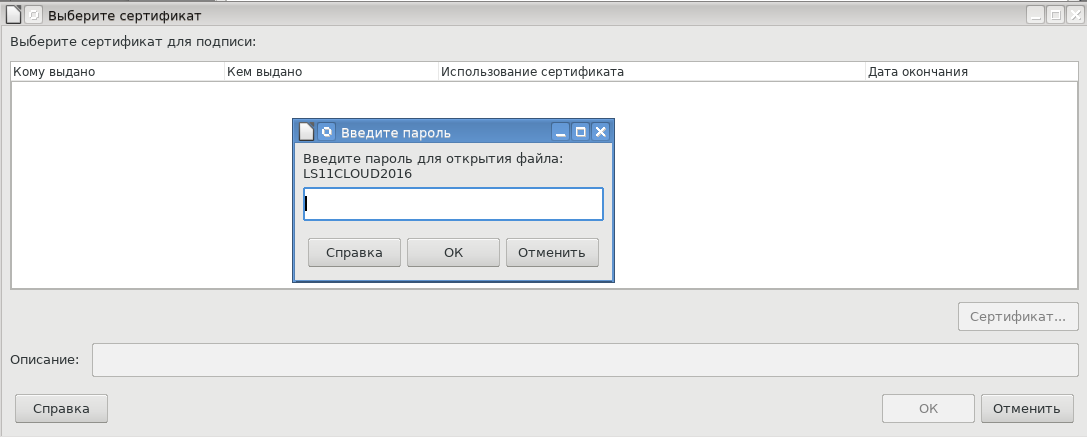
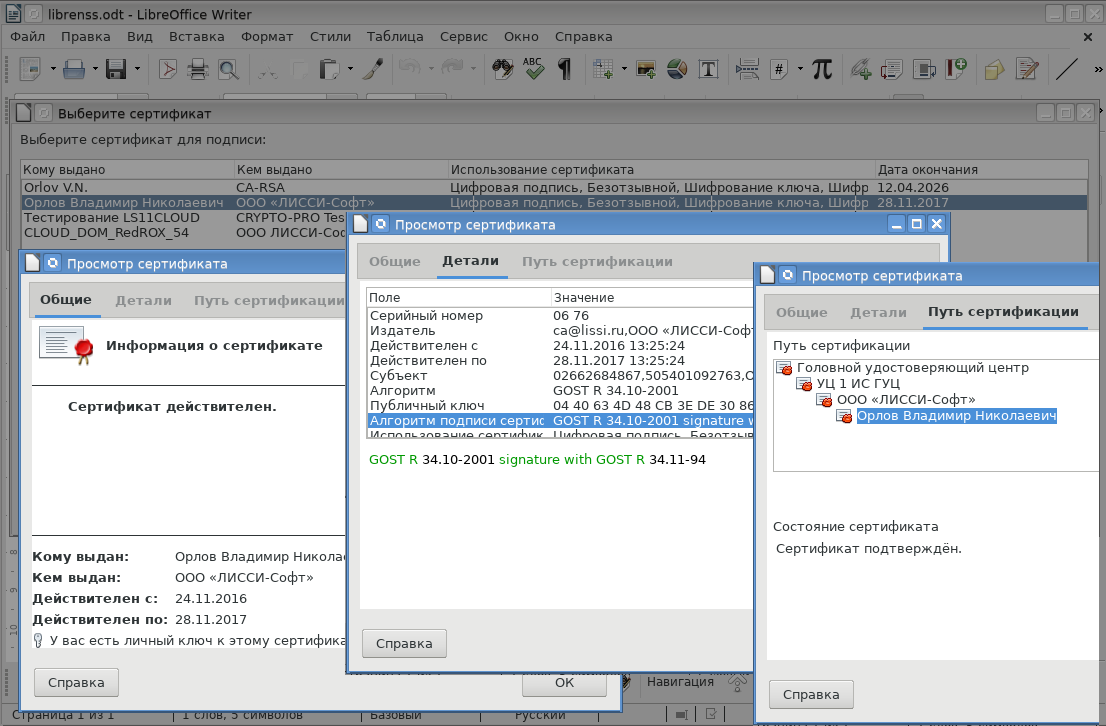
After entering the password, a list of personal certificates will be available that can be used to generate a signature. Here you can also view the contents of the certificates:
As soon as the certificate is selected, the electronic signature will be formed:
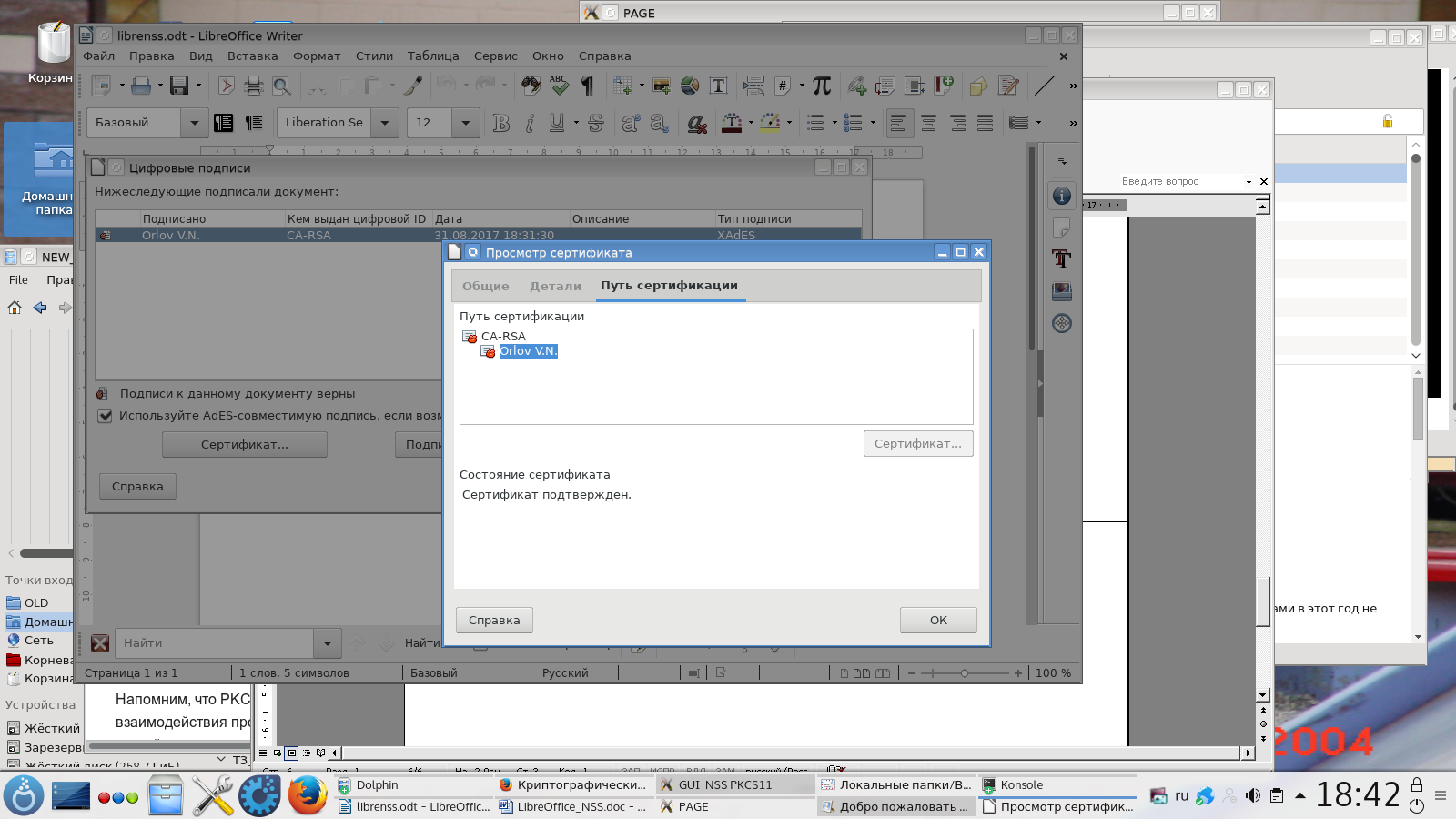
Now that the document is re-opened to work with it, you can be sure that the document has not been corrected by the presence of the correct signature. Otherwise, there is no trust in the document.
In conclusion, a few more words about working with the certificate store. If the user decided to create his own storage other than Mozilla products and use the NSS command line utilities for this, then it is convenient to use the GUINSS graphical shell .
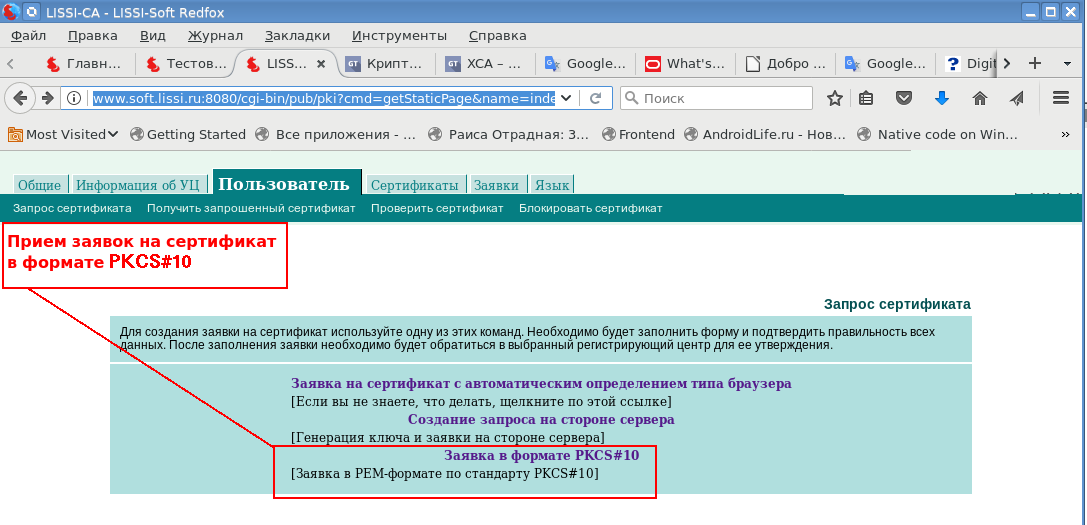
This utility allows you to connect tokens / smart cards, import root certificates and certificates from a secure container PKCS # 12. It also allows you to create certificate requests (CSRs) for certificates in PKCS # 10 format: The

generated certificate request can be sent to the CA to obtain a certificate:
The created repository can also be used outside of LibreOffice.
PS In the office suite, certificates from the vault are now used to generate electronic signatures in accordance with GOST R 34.10-2001 / 2012 in PDF documents .