
 February 27, 2018 at 14:14
How are the address prompts "Dadaty"

Since 2014, Dadata has been sawing Tips . They help to quickly and easily enter contact details: addresses, bank and company details, emails - that’s all.
The thing is intricately arranged, and we decided to talk about it. We’ll take address hints because they’re the most complex.
Directories and Indexing
"Tips" know what to prompt, because they have gigantic guides. Although this article is about address hints, I’ll list other Dadati reference books for the benefit of the case.
| What are the tips for | What reference books | Where to get directories |
|---|---|---|
| Addresses | FIAS | Download from the official site |
| Legal entity | Unified State Register of Legal Entities and EGRIP | Buy from the Federal Tax Service annual access - 150 000 ₽ per directory |
| Banks | Handbook of Credit Organizations of the Central Bank of the Russian Federation | Download from the official site |
| Full name | Surnames, first names | Collect yourself or search for ready |
| Emails |
|
|
To search for something in an unprepared reference book is a long and thankless task. Therefore, we take the wonderful Lucene library and turn the source data into a search index.
The search index is a format in which information can be found sooooo fast.
Physically, an index is a collection of two types of files:
- files with the index itself, they are looking for "Tips". We keep the index part in RAM so that the service is peppy and smart;
- data files. Of these, the "Tips" return an answer.
The index and address data in total occupy 20 gigabytes. For companies, about the same, and the rest weigh less.
We remove data from official directories for savings that we don’t look for and that we don’t return. We also clean duplicates and obvious errors. For example, in the index by addresses there is no:
- letter of houses. FIAS has a huge number of letters that do not actually exist;
- obviously impossible objects of the form “house 21/2, p. 21/2”.
Finding adequate clues
"Tips" work pretty tricky. For simplicity, I will break the process into stages and talk about each in more detail. If you have questions, ask in the comments.
1. Let's go: a person enters characters in the "Tips" field.
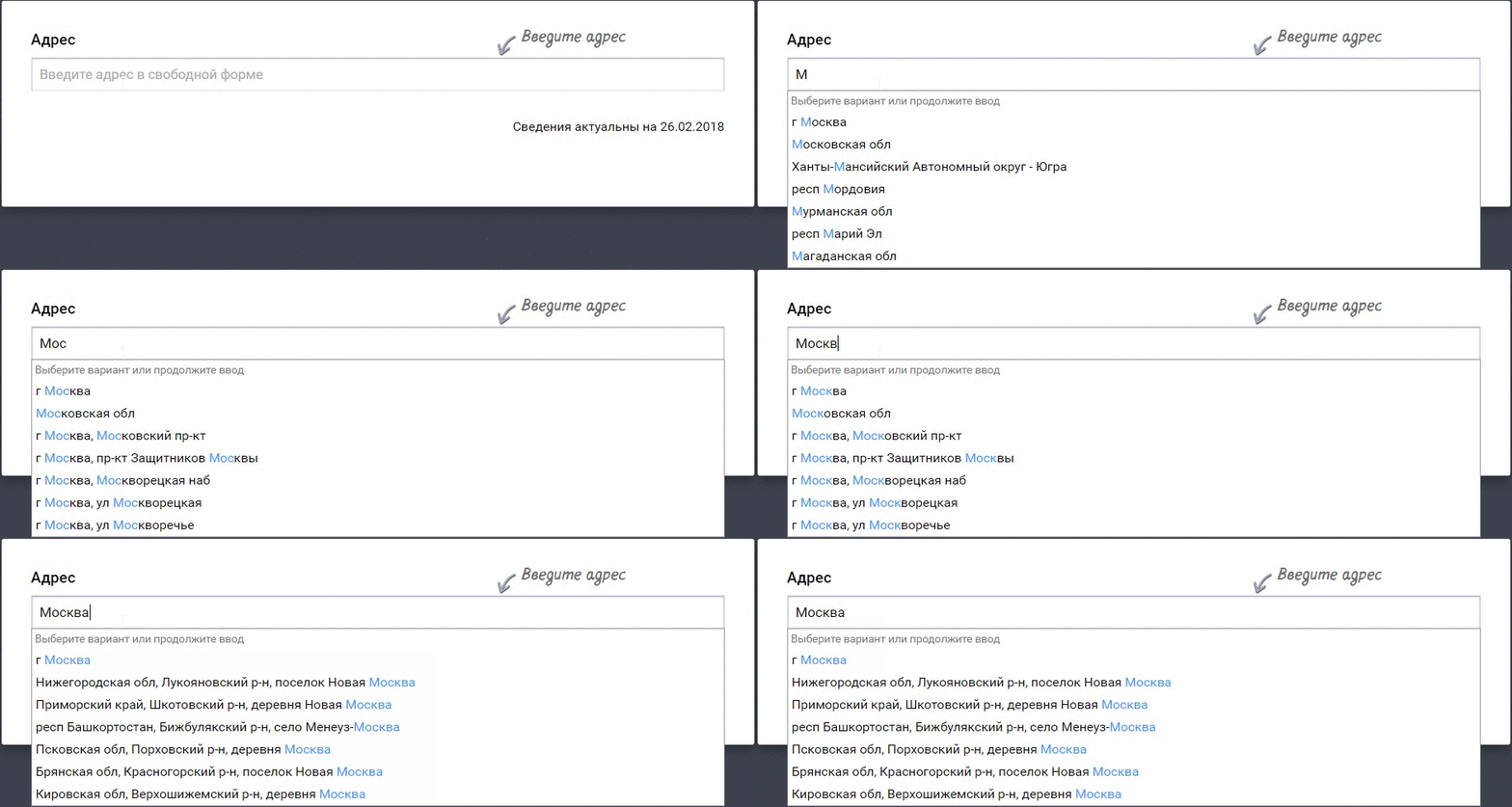
Each new character launches a server request with new parameters. The frequency of requests can be tightened, more on that later
2. The "Tips" plugin collects the request. A dispatcher is working between the person and the server - the jQuery plugin "Tips" ( source code on GitHub ).
The plugin receives data for the search, packs it into a request and sends it to the server.
From itself the plugin adds how many addresses to return. The number is set as a parameter in the integration of "Tips". If the quantity is not indicated, "Tips" will return 10 results. It is useless to ask for more than 20 - only 20 options will return.
The plugin also passes filtering parameters, they are also set during the integration of "Tips". Here are the filters that exist:
- by parent (search only on the Moscow highway in Samara);
- by FIAS level (search only for settlements);
- by type of object (useful, because in FIAS at the city level there are extraneous objects like village councils. If you do not specify the type of "city", "Tips" will also return village councils).
And there’s such a thing as geoboost. It looks like a parental restriction, but only affects the ranking of addresses. If you want Omsk streets to be higher than Moscow, please.
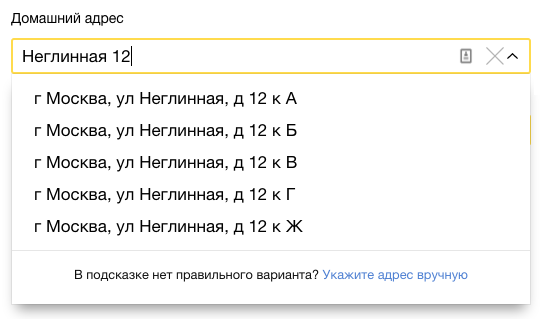
Yandex.Money defaults to Moscow streets. The restriction on the city is configured through the filtering options "Tips"
By default, geolocation is enabled in the plugin: it transfers the user's location to the server. This is also a search parameter.
During integration, you can adjust the delay in server requests. For example, set a delay of 100 milliseconds. If a virtuoso drives four characters in 100 milliseconds, one request with four new characters will go to the server. And not four requests one at a time.
The plugin works in IE since version 10 and all normal browsers. He also needs jQuery 1.10+.
3. Check the cache. When a request arrives at the server, the “Tips” first look at the cache. They are looking for a match there in all parameters of the request to a single one.
Caching saves from short queries like "M", "Mo", "C". Such similar combinations come in a huge amount. Since each letter is a separate request, caching protects the server from millions of hits to the search index.
The cache is entirely located in RAM, it contains 100,000 results.
4. We are looking for suitable tips in the index. If there is nothing suitable in the cache, the "Tips" are sent to the search index.
Tips look up addresses by:
- any part;
- Postal Code
- obsolete names;
- synonyms and abbreviations. For them, we compiled a dictionary: “Moscow time”, “St. Petersburg”, “Eburg”, “B.” - “big”, etc.
The algorithm implies that only the last word is incomplete or erroneous in the request. If a person wrote “Moscow Turch”, “Tips” look for “Moscow Turch *”.
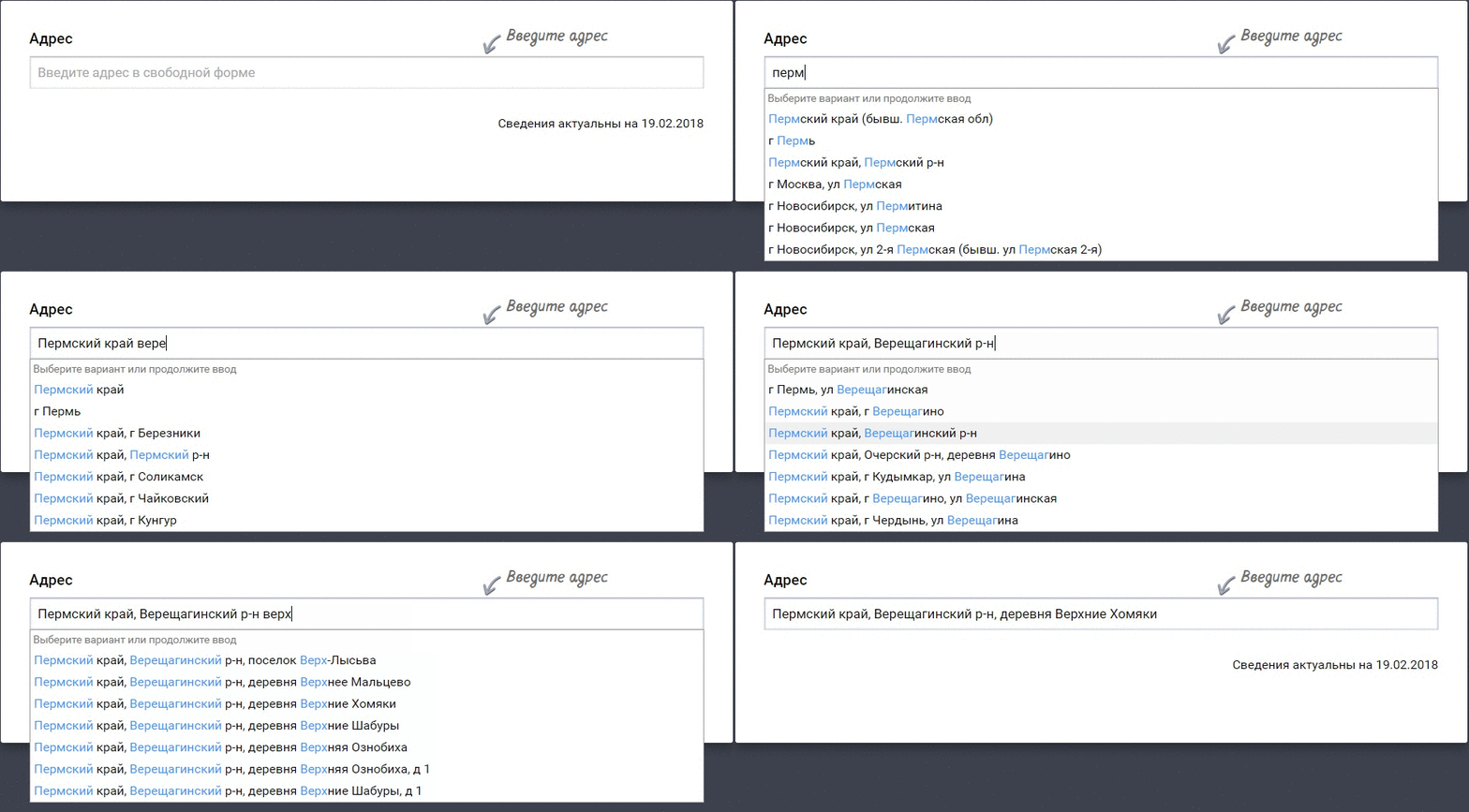
Requests like Moscow Turch will fail. This does not create problems, because people type addresses sequentially, and "Tips" consistently suggest the correct spelling of each part of the address
If geolocation is turned off in the plugin, at the request of 1-2 characters, “Tips” are searched only by regions, municipal districts and cities. At home, the service searches from the second word in the request.
Each Tips result is assigned a weight. Weight is needed because the algorithm sometimes finds thousands of options, especially for short queries. And you can return a maximum of 20 pieces. Therefore, "Tips" sort the results by weight and return the top ones.
The algorithm for ranking results is the know-how of Dadat. This is such a serious thing that I can’t describe it in detail: the developers will curse.
5. Sort the results. If the search results have the same weight, the Tips will sort them. The sorting algorithm is also self-written, so again I remain mysterious.
6. Preparing the answer. The addresses that return the "Tips" are slightly different in format from the FIAS:
- City regions like Moscow are returning in the fields of both region and city. In FIAS they are only in the region. Online shops asked for revision: courier services require them to make the city stand in the "city" field (what!);
- The address is written in one line according to the rules of the Russian Post. Therefore, the center of the region is given without the name of the region, and the center of the region - well, you understand. For example, Novosibirsk will return without the Novosibirsk region. The full address is also there, it is returned in the unrestrictabled_value field;
- type “street”, “lane”, “highway” are substituted before or after the object, depending on how it sounds better. We evaluate the harmony by the endings: “Aviation Lane”, but “Vasnetsov Lane”;
- to gardening associations and everything else from the FIAS level 65, the name of the parent community is added. For example, "St. Giant (n. New)." According to FIAS, gardening associations are included in settlements, but such a hierarchy is unusual for people. Therefore, the latter are simply displayed in brackets as a landmark on the ground.
7. We cache. Before returning the result, the “Tips” cache the request with all parameters and with the response.
The cache is limited to 100,000 entries using the LRU algorithm, so the service throws up rare requests from there. Popular ones like "Mo" hang in the cache forever.
8. The plugin draws hints. It receives a response from the server, shows the addresses on the screen and highlights the matches. If you press Enter during input, the plugin compares the text with the prompts found and substitutes the most suitable one in the field.
That's how it works. If you take up your tips, the article will help at least a little. And better come to us to work, together we will come up with cool things. Right now we are looking for a javista on “Tips” and 7 more specialists .