MPS 2017.3 released
This is the latest release of MPS this year. In this version, new features and improvements appeared in various important areas: editor, generator, layout language and more.
We are very pleased with the progress of MPS and the prospects for further development. We always listen to the community, deciding what other functionality you need to add to the MPS to help you create your incredible projects!
Download MPS 2017.3 We will tell you
more about the innovations.
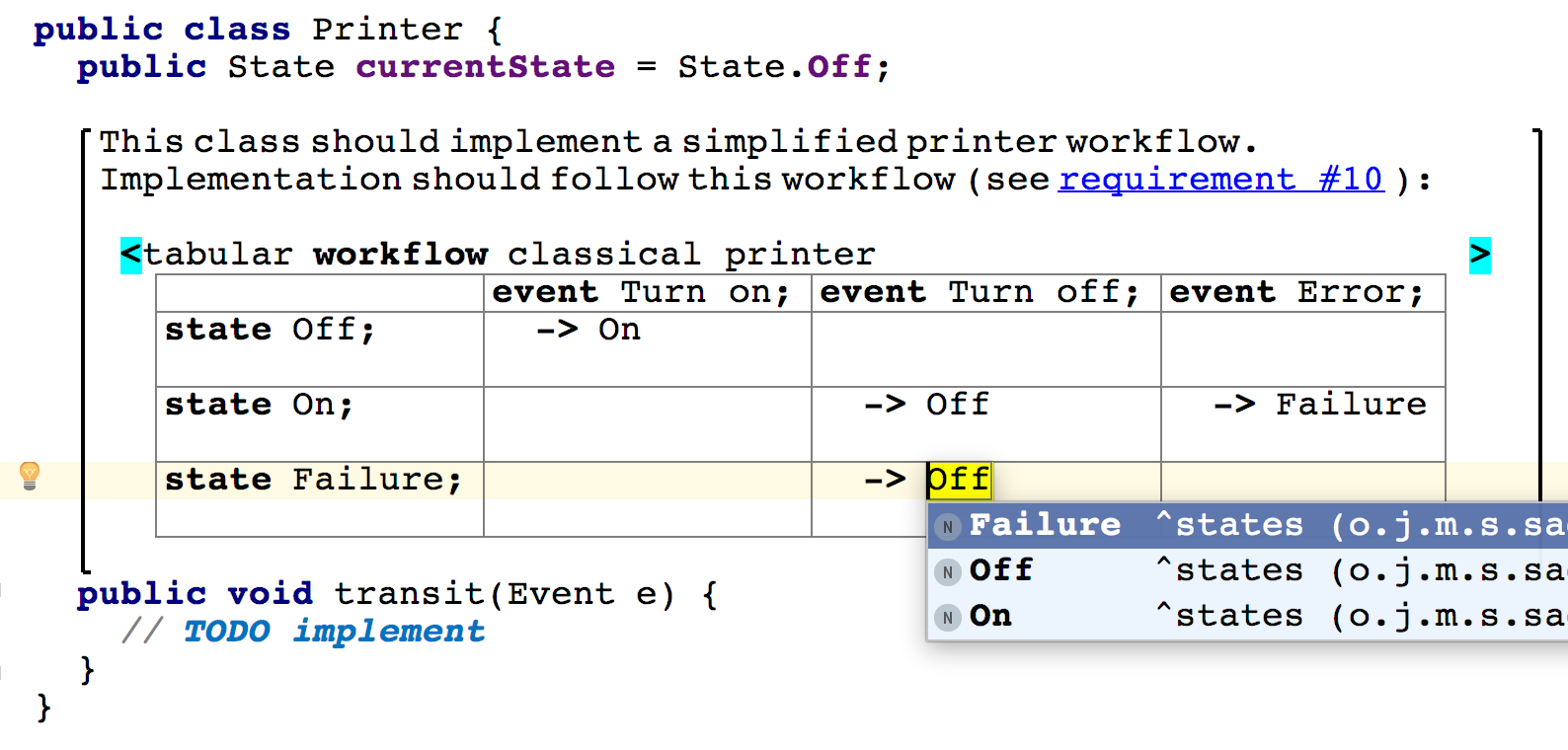
We introduced the concept of a generic placeholder. Universal placeholders can be used to indicate empty positions in any collection in any language, and they may also contain some useful content. By default, the placeholder node in the editor looks like an empty place, and its behavior is transparent - being in it, you can call auto-completion to replace the placeholder with some element of the language that may be in this place. Or you can press Enter and add a new item to the next position in this collection. The universal placeholder is inserted using the Control / Cmd + Shift + Enter key combination.

The emergence of universal placeholders allowed the implementation of universal commenting in domain-specific languages (DSL). To take advantage of this opportunity, it is enough to import the language jetbrains.mps.lang.text or general devkit. As a result, you will get a language of freely editable multi-line comments with hyperlinks, with the ability to customize the font (bold, italics, underline), inside which you can also embed code. To enter a comment, simply move the cursor to the universal placeholder, press "[" and start typing.
If the standard comment language is not enough, you can create your own with additional features.
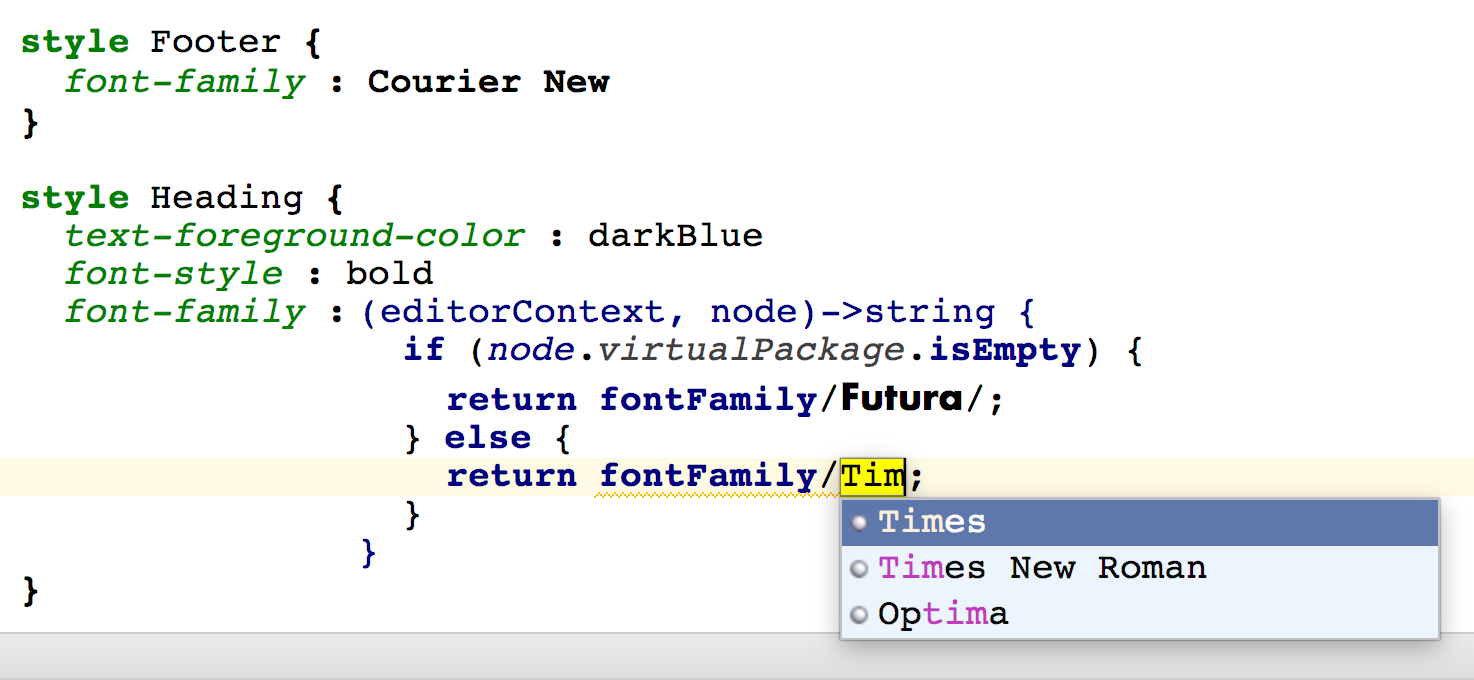
In the editor’s definition, you can now configure not only the font size and style, but also the headset. The fontFamily expression allows you to reference all installed font families.
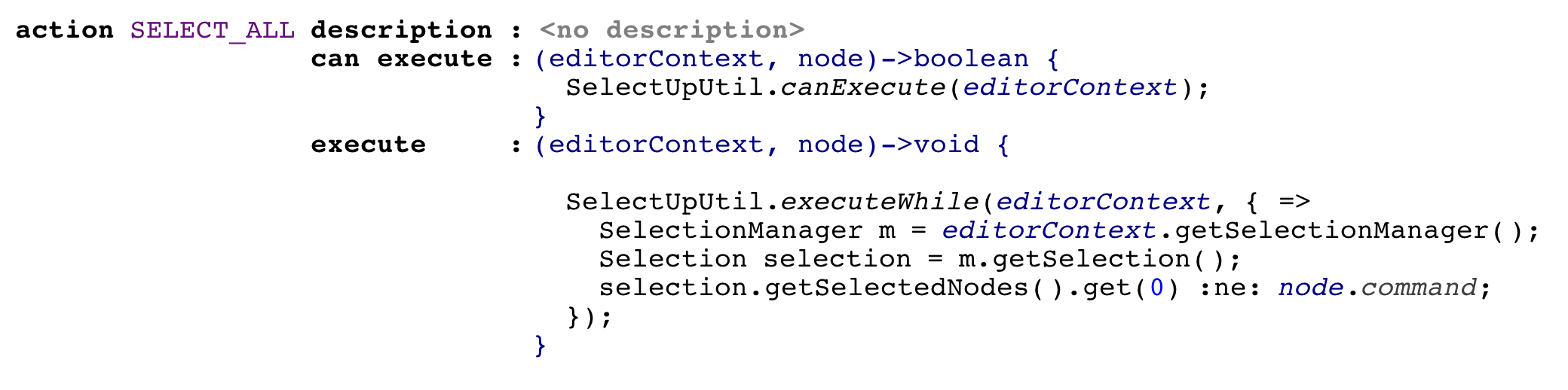
The new SELECT_ALL action allows you to select the entire contents of the editor. It is called up using the Control / Cmd + A keyboard shortcut, and its behavior can be customized to your preferences using action cards.
Removing the root nodes used to be a very dangerous activity, because it lost the history of changes. Now we have improved the undo mechanism. From now on, returning the deleted root using undo, you can return the changes that were made to this root node before it was deleted.
Breakpoints now support traversal of links marked with a mapping label, without requiring the simultaneous generation of the link and what it refers to. Now you can safely make resolve links, even if the node to which it refers was generated at an earlier breakpoint.
During the build process, generated files are no longer overwritten, the contents of which are identical to the newly generated files. Now you can rely on the fact that only truly changed files are updated on the disk.
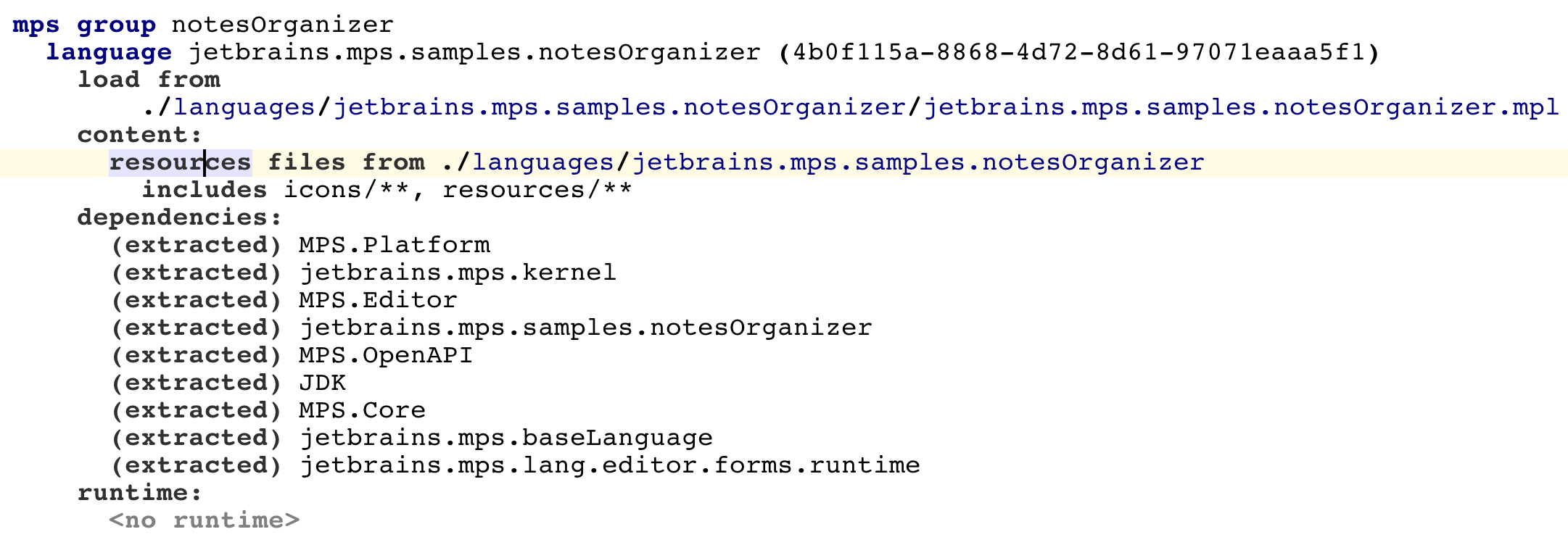
The “resources” content root node specified in the modules is now used to copy resources to the deployed module. To transfer mask files that were previously hard-coded in the code to the templates for copying resources, a special migration is provided.
The Ant MPS task provides complete control over the contents of the repository with a few new tags: module, modules and allmpsmodules.

The Ant task for migration now has a more convenient interface.
If problems occur during the migration, the Ant script stops working and correctly reports errors.
All old attributes for indicating the location of mps are supported - the environment variables mps.home and mps_home, as well as the attribute for the mpshome task itself. However, it is now advisable to use the mps.home environment property.
Modules of the devkit type, which are collections of languages and libraries for the specific needs of the user, are now not contained in the distribution as separate files, but are packaged in jar files in the same way as other modules. In order to automatically update your build script and start packing them in a new way with the new “module” construct, you don’t need to do anything specifically - the migration will happen automatically.
The nodePointer expression from lang.smodel is now able to refer not only to root nodes, but also to any named elements.

When generating a model, it also builds all its dependencies that need regeneration. This saves time and avoids unpleasant surprises.
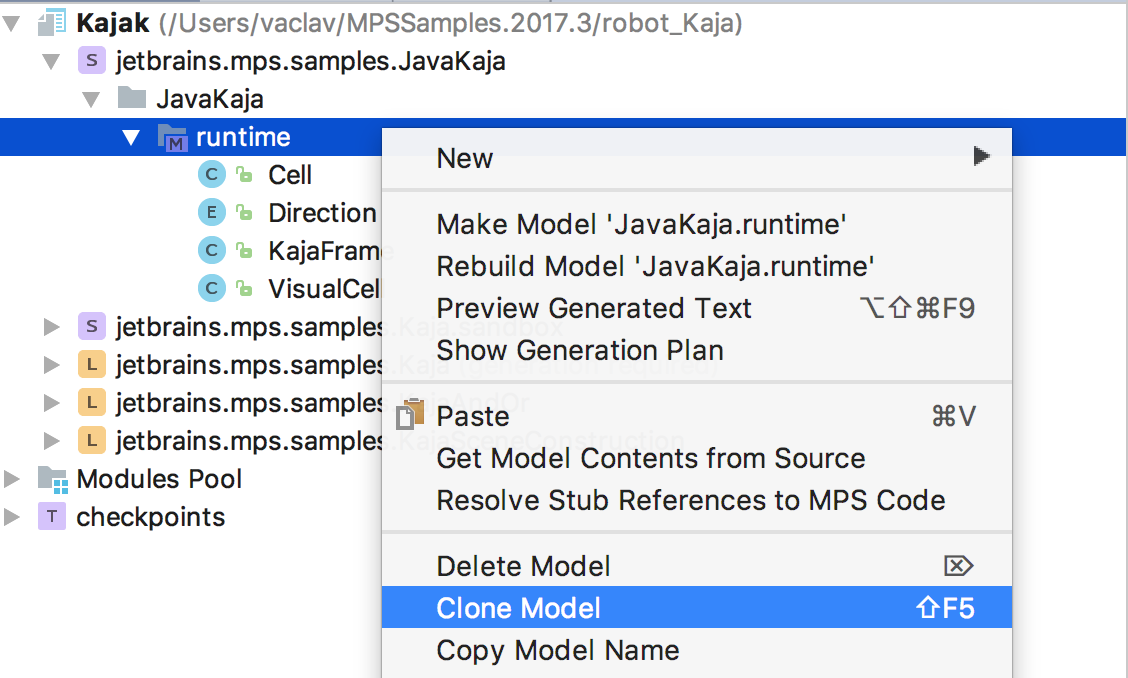
The Clone Model action correctly updates cross-references between different roots for elements of the cloned model. Now the cloned model is completely independent from the original.
That's all. We hope you enjoy all the new releases. We always listen to your opinion. Join us on Twitter and join our slack channel to be the first to know about updates and share your feedback!
Good luck
Your JetBrains MPS
The Drive to Develop Team
We are very pleased with the progress of MPS and the prospects for further development. We always listen to the community, deciding what other functionality you need to add to the MPS to help you create your incredible projects!
Download MPS 2017.3 We will tell you
more about the innovations.
Editor
Universal placeholders
We introduced the concept of a generic placeholder. Universal placeholders can be used to indicate empty positions in any collection in any language, and they may also contain some useful content. By default, the placeholder node in the editor looks like an empty place, and its behavior is transparent - being in it, you can call auto-completion to replace the placeholder with some element of the language that may be in this place. Or you can press Enter and add a new item to the next position in this collection. The universal placeholder is inserted using the Control / Cmd + Shift + Enter key combination.
Floating comments
The emergence of universal placeholders allowed the implementation of universal commenting in domain-specific languages (DSL). To take advantage of this opportunity, it is enough to import the language jetbrains.mps.lang.text or general devkit. As a result, you will get a language of freely editable multi-line comments with hyperlinks, with the ability to customize the font (bold, italics, underline), inside which you can also embed code. To enter a comment, simply move the cursor to the universal placeholder, press "[" and start typing.
If the standard comment language is not enough, you can create your own with additional features.
Set the font font for cells
In the editor’s definition, you can now configure not only the font size and style, but also the headset. The fontFamily expression allows you to reference all installed font families.
Choose all
The new SELECT_ALL action allows you to select the entire contents of the editor. It is called up using the Control / Cmd + A keyboard shortcut, and its behavior can be customized to your preferences using action cards.
Undo for remote sites
Removing the root nodes used to be a very dangerous activity, because it lost the history of changes. Now we have improved the undo mechanism. From now on, returning the deleted root using undo, you can return the changes that were made to this root node before it was deleted.
Generator
Linking control point models
Breakpoints now support traversal of links marked with a mapping label, without requiring the simultaneous generation of the link and what it refers to. Now you can safely make resolve links, even if the node to which it refers was generated at an earlier breakpoint.
Eliminate redundant file overwriting
During the build process, generated files are no longer overwritten, the contents of which are identical to the newly generated files. Now you can rely on the fact that only truly changed files are updated on the disk.
Layout language
A new way to copy module resources
The “resources” content root node specified in the modules is now used to copy resources to the deployed module. To transfer mask files that were previously hard-coded in the code to the templates for copying resources, a special migration is provided.
Ant Tasks
The Ant MPS task provides complete control over the contents of the repository with a few new tags: module, modules and allmpsmodules.
Ant task improvements for migration
The Ant task for migration now has a more convenient interface.
If problems occur during the migration, the Ant script stops working and correctly reports errors.
All old attributes for indicating the location of mps are supported - the environment variables mps.home and mps_home, as well as the attribute for the mpshome task itself. However, it is now advisable to use the mps.home environment property.
Development Package Packaging Enhancements
Modules of the devkit type, which are collections of languages and libraries for the specific needs of the user, are now not contained in the distribution as separate files, but are packaged in jar files in the same way as other modules. In order to automatically update your build script and start packing them in a new way with the new “module” construct, you don’t need to do anything specifically - the migration will happen automatically.
Other improvements
NodePointer for children
The nodePointer expression from lang.smodel is now able to refer not only to root nodes, but also to any named elements.
Building model dependencies
When generating a model, it also builds all its dependencies that need regeneration. This saves time and avoids unpleasant surprises.
Improving model cloning
The Clone Model action correctly updates cross-references between different roots for elements of the cloned model. Now the cloned model is completely independent from the original.
That's all. We hope you enjoy all the new releases. We always listen to your opinion. Join us on Twitter and join our slack channel to be the first to know about updates and share your feedback!
Good luck
Your JetBrains MPS
The Drive to Develop Team









