 December 11, 2017 at 07:48
Check Point Instructions and Useful Documentation
- Tutorial
More recently, we published the article “ Which firewall is the best? Leaders among UTM and Enterprise Firewalls (Gartner 2017) . ” Of course, such comparisons are very important and it is interesting to know the market leaders. This information is very useful when choosing a solution. But most engineers / system administrators pay attention to another point - the documentation . The more documentation and the larger the online community, the easier it is to administer the selected solution. What about Check Point? Below we list the most useful Check Point resources where you can find all the necessary documentation or the answer to any technical question. These resources will be especially useful to those who already use Check Point.
I would like to start with a small thesis - Check Point is a complex and high-tech product. This is due primarily to the fact that he is able to perform a huge number of functions. As we described earlier , the Check Point functionality is divided into blades: Firewall, IPSec VPN, Moblie Access, Application Control, URL Filtering, Data Loss Prevention, IPS, Anti-Bot, Anti-Virus, Threat Emulation, Threat Extraction, Anti -Spam, Identity Awareness, Content Awareness, QoS, Monitoring, Smart Event, etc. Therefore, if you are looking for one big book on Check Point, then you will not find it. Instead, all Check Point documentation is divided into several categories. We will write the most important ones.
Check point support center
This is the most important Check Point resource . And it’s worth going here not only when you want to contact technical support, but also when you are looking for any documentation.
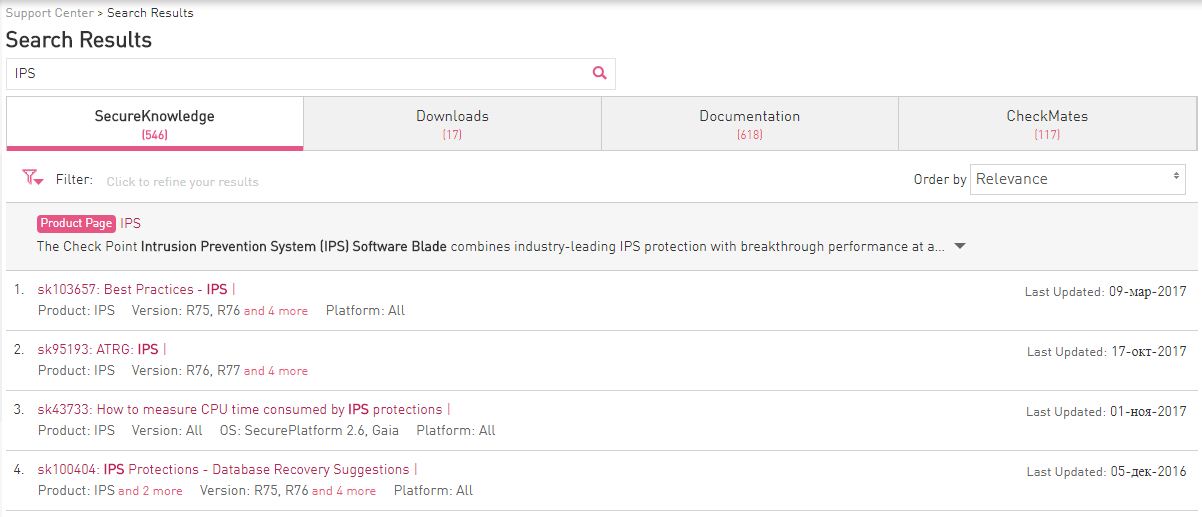
As you can see in the picture, any search query (in our case IPS) returns results in four sections:
- SecureKnowledge (shortly called sk) is the Check Point global knowledge base. It describes almost all the problems encountered, their symptoms, and most importantly - solutions. If you have a problem, then with a probability of 98% there already exists sk, which describes its solution.
- Downloads - downloads section. Here, hotfixes (patches) or other files available for download (vpn-clients, scripts, etc.) can be laid out.
- Documentation - all documentation related to your request is displayed here. These are usually PDF files.
- CheckMates (Formerly Forums) - Information from Check Point forums related to your request.
In general, this is a very powerful portal that contains a tremendous amount of information about Check Point. But back to our question with the documentation. What to look for?
Check point administration guide
The name speaks for itself. I think this is the first documentation to start with if you have problems or questions related to Check Point. “Admin guides” are usually divided into blades and operating system versions, for example: R80.10 Mobile Access Administration Guide or R77 Mobile Access Administration Guide .
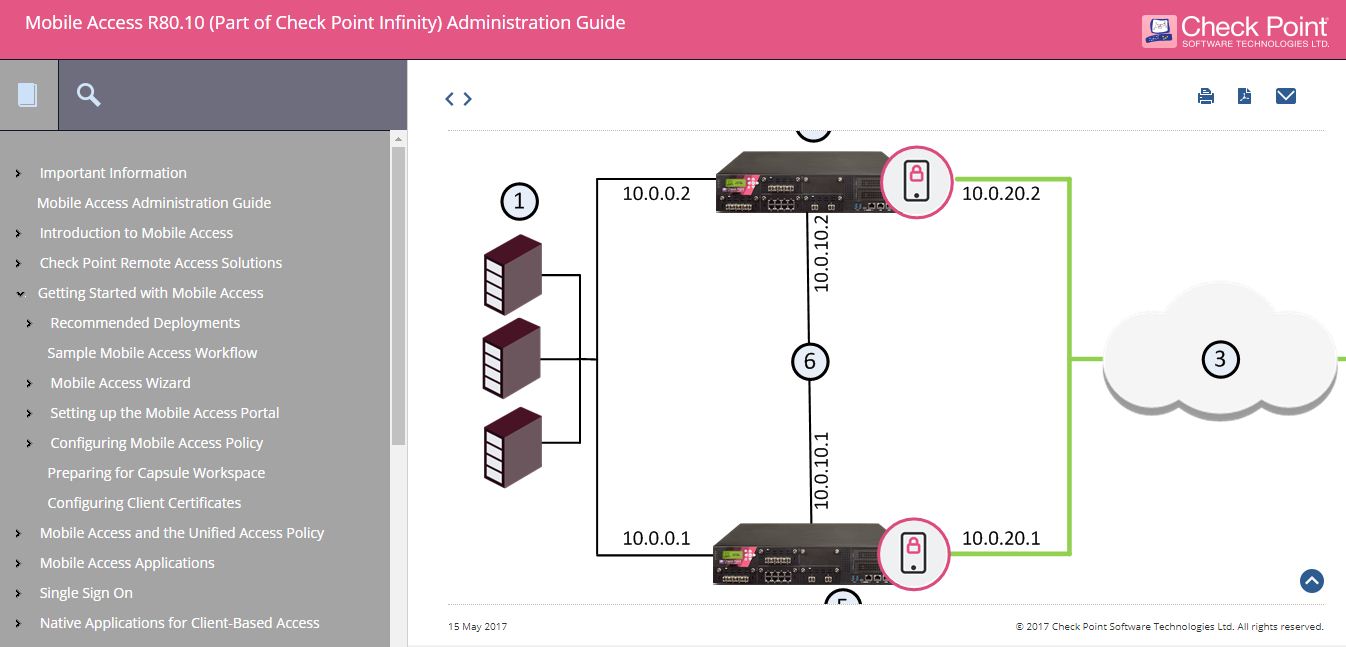
Such guides contain not only a description of the blade, but also a setup procedure. The search for such guides is naturally done through the Support Center in the Documentation section. When searching, specify the name of the blade of interest and the phrase “ administration guide ”. It is noteworthy that starting with version R80.10 most of the documentation is available not only in pdf, but also in web-format. Example:
In addition, it is possible to download the “collection” of admin guides for a specific software version. For instance:
This "collection" includes a huge amount of documentation. An example of the contents of the “compilation” for R77:
Documentation for R77
CP_CPView_R77_Guide.pdf
CP_R77.10_QoS_AdminGuide.pdf
CP_R77.20_EndpointSecurity_AdminGuide.pdf
CP_R77.30_Appendix_ReleaseNotes.pdf
CP_R77.30_ReleaseNotes.pdf
CP_R77_ApplicationControlURLFiltering_AdminGuide.pdf
CP_R77_CLI_ReferenceGuide.pdf
CP_R77_ClusterXL_AdminGuide.pdf
CP_R77_Compliance_AdminGuide.pdf
CP_R77_CPcodeDLP_ReferenceGuide.pdf
CP_R77_DataLossPrevention_AdminGuide.pdf
CP_R77_Firewall_AdminGuide.pdf
CP_R77_Gaia_AdminGuide.pdf
CP_R77_Gaia_Advanced_Routing_AdminGuide.pdf
CP_R77_Gaia_Installation_and_Upgrade_Guide.pdf
CP_R77_IdentityAwareness_AdminGuide.pdf
CP_R77_IPS_AdminGuide.pdf
CP_R77_MobileAccess_AdminGuide.pdf
CP_R77_Multi-DomainSecurityManagement_AdminGuide.pdf
CP_R77_Non_Gaia_Installation_and_Upgrade_Guide.pdf
CP_R77_PerformanceTuning_AdminGuide.pdf
CP_R77_QoS_AdminGuide.pdf
CP_R77_SecurePlatform_AdminGuide.pdf
CP_R77_SecurePlatform_AdvancedRoutingSuite_CLI.pdf
CP_R77_SecurityGatewayVE_NM_AdminGuide.pdf
CP_R77_SecurityGateway_TechAdminGuide.pdf
CP_R77_SecurityManagement_AdminGuide.pdf
CP_R77_SmartEvent_AdminGuide.pdf
CP_R77_SmartLog_AdminGuide.pdf
CP_R77_SmartProvisioning_AdminGuide.pdf
CP_R77_SmartReporter_AdminGuide.pdf
CP_R77_SmartViewMonitor_AdminGuide.pdf
CP_R77_SmartViewTracker_AdminGuide.pdf
CP_R77_SmartWorkflow_AdminGuide.pdf
CP_R77_ThreatPrevention_AdminGuide.pdf
CP_R77_VoIP_AdministrationGuide.pdf
CP_R77_VPN_AdminGuide.pdf
CP_R77_VSX_AdminGuide.pdf
CP_R77.10_QoS_AdminGuide.pdf
CP_R77.20_EndpointSecurity_AdminGuide.pdf
CP_R77.30_Appendix_ReleaseNotes.pdf
CP_R77.30_ReleaseNotes.pdf
CP_R77_ApplicationControlURLFiltering_AdminGuide.pdf
CP_R77_CLI_ReferenceGuide.pdf
CP_R77_ClusterXL_AdminGuide.pdf
CP_R77_Compliance_AdminGuide.pdf
CP_R77_CPcodeDLP_ReferenceGuide.pdf
CP_R77_DataLossPrevention_AdminGuide.pdf
CP_R77_Firewall_AdminGuide.pdf
CP_R77_Gaia_AdminGuide.pdf
CP_R77_Gaia_Advanced_Routing_AdminGuide.pdf
CP_R77_Gaia_Installation_and_Upgrade_Guide.pdf
CP_R77_IdentityAwareness_AdminGuide.pdf
CP_R77_IPS_AdminGuide.pdf
CP_R77_MobileAccess_AdminGuide.pdf
CP_R77_Multi-DomainSecurityManagement_AdminGuide.pdf
CP_R77_Non_Gaia_Installation_and_Upgrade_Guide.pdf
CP_R77_PerformanceTuning_AdminGuide.pdf
CP_R77_QoS_AdminGuide.pdf
CP_R77_SecurePlatform_AdminGuide.pdf
CP_R77_SecurePlatform_AdvancedRoutingSuite_CLI.pdf
CP_R77_SecurityGatewayVE_NM_AdminGuide.pdf
CP_R77_SecurityGateway_TechAdminGuide.pdf
CP_R77_SecurityManagement_AdminGuide.pdf
CP_R77_SmartEvent_AdminGuide.pdf
CP_R77_SmartLog_AdminGuide.pdf
CP_R77_SmartProvisioning_AdminGuide.pdf
CP_R77_SmartReporter_AdminGuide.pdf
CP_R77_SmartViewMonitor_AdminGuide.pdf
CP_R77_SmartViewTracker_AdminGuide.pdf
CP_R77_SmartWorkflow_AdminGuide.pdf
CP_R77_ThreatPrevention_AdminGuide.pdf
CP_R77_VoIP_AdministrationGuide.pdf
CP_R77_VPN_AdminGuide.pdf
CP_R77_VSX_AdminGuide.pdf
Check Point Technical Reference Guides (ATRGs)
There are situations when the information in the standard “admin guides” is not enough. In this case, you should refer to the documents with the tag “ATRG” - Advanced Technical Reference Guides . As the name implies, these are more in-depth technical guides that allow you to thoroughly understand the operation of a particular Check Point function. As with the admin guide, you can search for ATRG documents in the Support Center by adding the name of the blade to the query, for example: atrg threat emulation .
In addition, a page has recently appeared where all ATRG guides are listed . There are already more than 35.
Check Point “How To” Guides
In addition to standard and advanced (ATRG) guides, there are also so-called “How To” guides. These documents provide instructions on the most common tasks that Check Point users face. All guides are divided into categories:
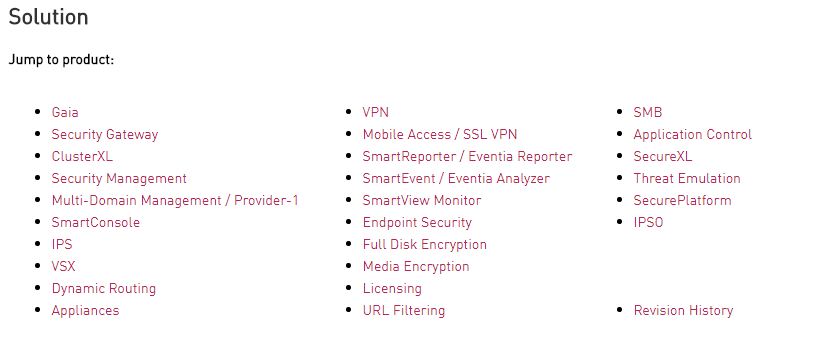
A list of all “How To” can be found in sk65385 . The collection of instructions is simply huge. I recommend that you always keep them “at hand”.
Check point processes and daemons
In order to effectively solve the problems encountered with Check Point, it is very important to understand how it basically works. Here another SK comes to the rescue - sk97638 . It describes all the processes and “daemons” of Check Point, including such information as:
- Description of the process / daemon;
- Where is it located in the file system;
- What is the name and location of its log file;
- How to stop him;
- How to run it;
- How to start debug mode for it;
- Etc.
All this is compiled into a convenient table that reflects which blade the “daemon” belongs to and which sub-processes it creates. I would categorize this documentation as Must Have for any Check Point admin.
What ports does Check Point use?
Another very useful Check Point document is sk52421 . Here you will find all the ports that Check Point uses, with a detailed description of why and which blade. The document is especially useful if the Check Point is located behind another ME.
Performance Optimization Check Point (Best Practices)
In sk98348 you will find the main recommendations for tuning and improving the performance of such things as: Security Gateway, ClusterXL, Cluster - 3rd party, VSX, CoreXL, SecureXL, Application Control, URL Filtering, Anti-Virus, Anti-Bot, IPS. Do not neglect these documents, especially if your Check Point is loaded more than 50%.
Check point checkmates
The last resource I'd like to talk about is CheckMates . This is a community portal of a huge number of Check Point users. It is also supported by the vendor itself. It regularly publishes training materials, webinars, interesting articles from experts and much more. But most importantly - here you can ask a question for which you could not find an answer in the documentation (which is unlikely). The community is very lively and most likely they will answer you very quickly.
English vs Russian
Unfortunately, almost all of the documentation and resources presented are in English (which is very expected). Some Russian-language documentation can be found on the portal of our colleagues from RRC, something in our blog or YouTube channel . But naturally this is not enough. Here you can make only one conclusion - without English anywhere. As for authorized training, fortunately in Russia they teach courses in Russian .
Conclusion
I tried to reflect the key documents and Check Point resources (in fact, there are many more). As you can see, the vendor takes a very responsible approach to the issue and understands its seriousness. If for some reason you could not find the document you need or solve your problem with Check Point, then you can feel free to contact us . As they say, "we will help than we can." Thanks for attention!









