October 19, 2017 at 13:31
SMS in Telegram or the integration of instant messengers and IP-telephony
Noting that every second person uses instant messengers to work, we decided to integrate the cloud PBX with instant messengers. Now, you can instantly find out about the missed call of an important client in Telegram or Slack chat. Or get an SMS notification there too. If this may be useful to you, we invite you to cat.

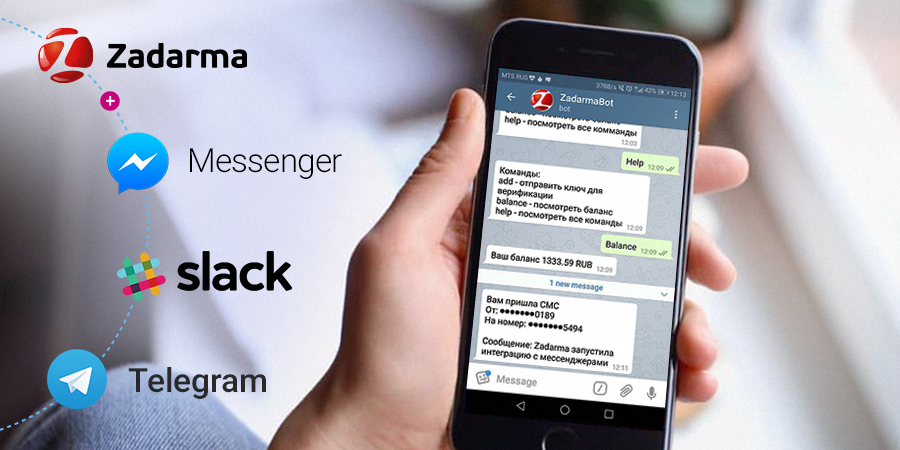
Zadarma service integrated telephony with three popular instant messengers:
Telegram, Facebook Messenger, Slack
Available functions:
1. Naturally, linking the messenger to your account and deleting the bundle
2. All system notifications (now you certainly will not forget to replenish your account and extend the lease number)
3. Balance request
4. Notification of missed calls to the PBX
5. Receiving SMS messages in the messenger
To one account in the Zadarma service you can bind several messenger accounts at once and choose which notifications this or that employee should see. By the way, you can add several email to receive notifications.
At the moment, the functionality may not be the richest. But we have implemented the most important functions and are studying the further experience of customers in order to highlight the functions for the second stage. Wishes about functions write in comments, or send [email protected] to our email.
We tried to do everything as simple as possible but functional.
For the task you need:
We connect:
That's it, now you will not miss a single call!
It is also possible to create a group with a chat bot, this allows you to notify several employees at once. For example, the sales department can follow in the chat of the messenger about missed calls in the PBX, which again will allow not to miss a single customer.
To receive SMS you need:
We connect:
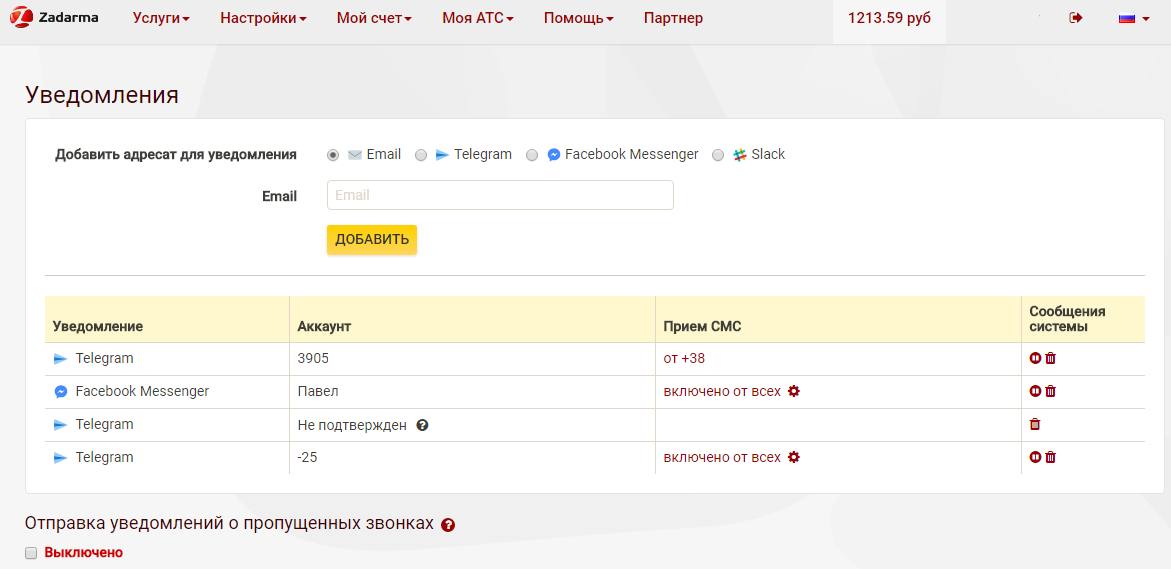
That's it, SMS forwarding to the messenger is turned on automatically. Do not forget to check that we have enabled SMS reception on a virtual number (in the services / SMS section, the table on the right with your numbers that support SMS reception).
Of course, we tried to cover all the largest platforms. Unfortunately, not all of the largest support integration. WhatsApp now does not have an open API and explains this with concern for user privacy. Viber refused to provide a public account for Zadarma and didn’t connect to the mailing list, although it sent several requests.
If one of these messengers in the future changes in integration policies, we will be happy to add them to the list.
What where When?
Zadarma service integrated telephony with three popular instant messengers:
Telegram, Facebook Messenger, Slack
Available functions:
1. Naturally, linking the messenger to your account and deleting the bundle
2. All system notifications (now you certainly will not forget to replenish your account and extend the lease number)
3. Balance request
4. Notification of missed calls to the PBX
5. Receiving SMS messages in the messenger
To one account in the Zadarma service you can bind several messenger accounts at once and choose which notifications this or that employee should see. By the way, you can add several email to receive notifications.
At the moment, the functionality may not be the richest. But we have implemented the most important functions and are studying the further experience of customers in order to highlight the functions for the second stage. Wishes about functions write in comments, or send [email protected] to our email.
Configure Missed Notification
We tried to do everything as simple as possible but functional.
For the task you need:
- A registered account and a configured PBX (if suddenly it is not there, registration is here , the cloud PBX is completely free!)
- Messenger (Telegram, Facebook Messenger, Slack)
We connect:
- Go to the profile and click “configure notifications”
- Add the desired messenger, get the authorization code
- In the messenger we find ZadarmaBot and write it / add = code
- Turn on notifications of missed calls (either on the same page or in the settings of incoming PBX calls, where it is more convenient for you)
That's it, now you will not miss a single call!
It is also possible to create a group with a chat bot, this allows you to notify several employees at once. For example, the sales department can follow in the chat of the messenger about missed calls in the PBX, which again will allow not to miss a single customer.
We configure receipt of SMS in a messenger
To receive SMS you need:
- A connected number able to receive SMS (currently numbers with SMS reception are available in 20 countries including Russia)
- Messenger (Telegram, Facebook Messenger, Slack)
We connect:
- Go to the profile and click “configure notifications”
- Add the desired messenger, get the authorization code
- In the messenger we find ZadarmaBot and write it / add = code
That's it, SMS forwarding to the messenger is turned on automatically. Do not forget to check that we have enabled SMS reception on a virtual number (in the services / SMS section, the table on the right with your numbers that support SMS reception).
Why exactly these messengers?
Of course, we tried to cover all the largest platforms. Unfortunately, not all of the largest support integration. WhatsApp now does not have an open API and explains this with concern for user privacy. Viber refused to provide a public account for Zadarma and didn’t connect to the mailing list, although it sent several requests.
If one of these messengers in the future changes in integration policies, we will be happy to add them to the list.