 September 1, 2017 at 16:31
Immersion in pricing Magento 2, remove pennies after discounts
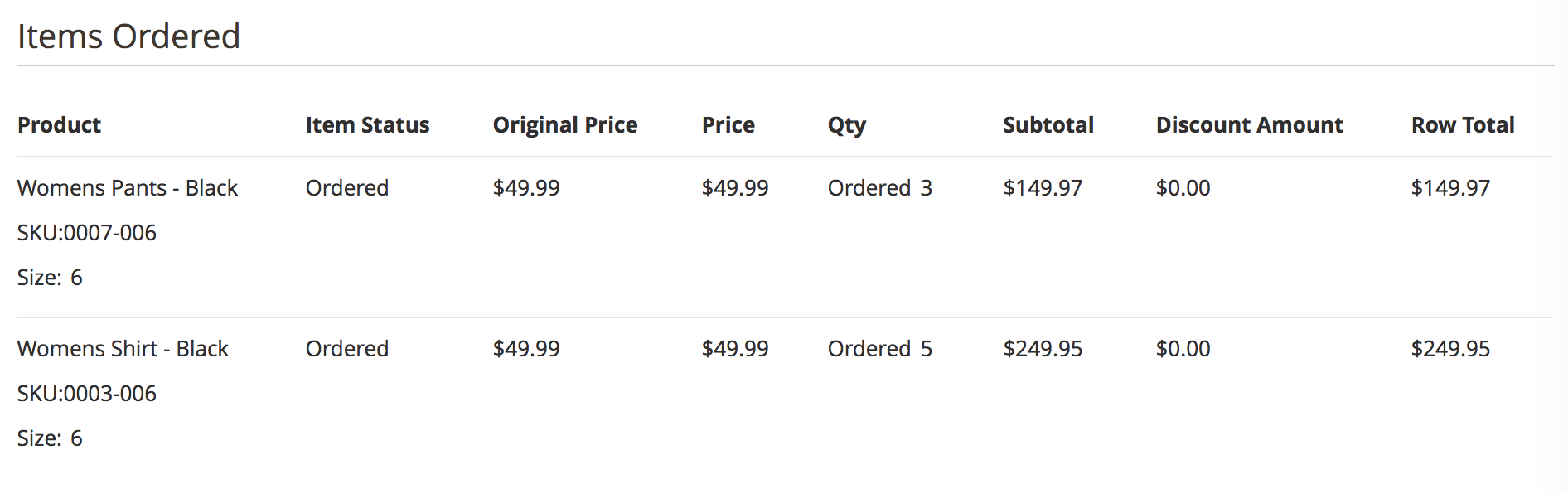
Pricing is perhaps a virtue in Magento and the most interesting part of the system.
And for the store owner - the most important part, as it is associated with money.
Previously, colleagues drew diagrams that barely fit on the Chinese Wall, trying to fit all-all-all stages of the calculation. In this article I will try to explain only the main stages of the calculation, and an example of rounding off discounts in favor of the store. Fortunately, compared to Magento 1, innovations touched the very depths, the approach remained unchanged.
The tip of the iceberg

When the customer changes the contents of the basket, the calculation begins. The calculation speed depends on many actions "in depth". We will start the dive from prominent places. along the way we will see the events and dependencies of the types of goods, delivery methods, price rules of the basket and catalog.
The article describes the correct pricing intervention approach for the following modules / integrations:
- Customer balance - when money is not returned to the customer, but remains in the store.
- Loyalty program - payment by "parrots" for services to the store.
- Certificates - A certain balance that can be used by number.
- Multiplicity to quantity - not all ERP systems are able to sell 3 products for 2 rubles, an annoying penny appears, which the client will require when returning.
- Integration of pricing - for some retail chains or large companies, the responsibility for calculating the cost is made by a particular system, SAP ERP or a cloud service (a self-written module for cash desks with an interface).
We proceed immediately to the calculation, since the formation of the lines of the basket when adding goods is a separate topic, possibly in the following articles.
The text will include Total, Price, Carrier models, they indicate a certain type, and then it’s easier to refer.
\ Magento \ Quote \ Model \ Quote :: collectTotals
The journey begins on top of the iceberg, we begin to carry out the calculation.
We ask TotalsCollector to carry out the calculation, this class was specially separated from the basket so as not to add more lines to the code.
\ Magento \ Quote \ Model \ Quote \ TotalsCollector :: collect
Where we go to all addresses and ask the addresses to calculate for all addresses.
This is done to make it possible to place orders immediately at a variety of addresses, since this is one of the useful functions for B2B stores that have a centralized purchasing department and orders go “in bulk” but immediately to different places.
\ Magento \ Quote \ Model \ Quote \ TotalsCollector :: collectAddressTotals
We ask that we have a responsible TotalsCollectorList class that returns us all the stages of the calculation. All stages are in configuration, ordered. In the end, we will look at our little pricing modifier.
\ Magento \ Quote \ Model \ Quote \ TotalsCollectorList :: getCollectors
The result of the execution is an array of CollectorInterface classes in which the logic of cost calculation is implemented.
All stages of the calculation are declared for the main entities that are important when calculating the cost: basket, account, return. There are always good examples in the kernel of the system: vendor / magento / module-sales / etc / sales.xml
The following describes how to add the calculation steps for order_invoice and order_creditmemo account (invoice) and order_creditmemo refunds.
In addition, available_product_type (available types of goods for purchase) is added. The modules of specific types of goods declare the types of goods.
Below is a list of the names and classes of Total models for the basket:
1. subtotal => \ Magento \ Quote \ Model \ Quote \ Address \ Total \ Subtotal
Calculation of the cost of goods before tax discounts and other things.
2. tax_subtotal => \ Magento \ Tax \ Model \ Sales \ Total \ Quote \ Subtotal
Taxes are part of the taxation
3. weee => \ Magento \ Weee \ Model \ Total \ Quote \ Weee,
fixed taxes, excises
4. shipping => \ Magento \ Quote \ Model \ Quote \ Address \ Total \ Shipping
Calculation of shipping costs, contacting delivery services for online calculation
5. tax_shipping => \ Magento \ Tax \ Model \ Sales \ Total \ Quote \ Shipping
Delivery taxes, delivery may also be taxed and / or for accounting this is required.
6. discount => \ Magento \ SalesRule \ Model \ Quote \ Discount,
Processing discount rules, applying coupons, promotions, weather discounts
7. tax => \ Magento \ Tax \ Model \ Sales \ Total \ Quote \ Tax
More one stage of tax calculation, since a discount on the law may not reduce the tax base.
8. weee_tax => \ Magento \ Weee \ Model \ Total \ Quote \ WeeeTax,
Fixed taxes is one more step
9. grand_total => \ Magento \ Quote \ Model \ Quote \ Address \ Total \ Grand
Total calculation we sum up everything that was calculated before .
Under the water
The most interesting items are in subtotal, shipping, discount .
\ Magento \ Quote \ Model \ Quote \ Address \ Total \ Subtotal
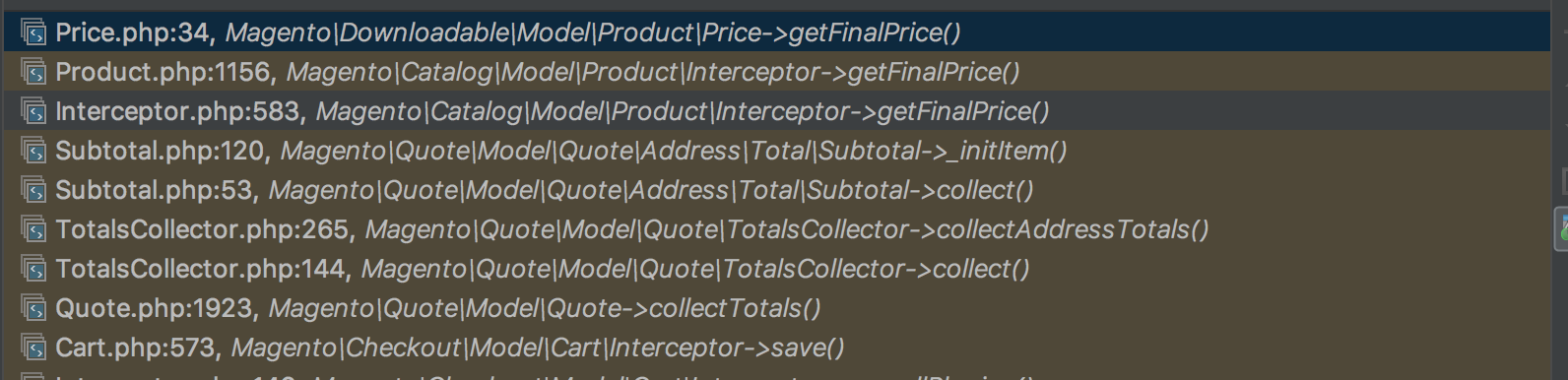
And so, in order to get the cost of the goods Subtotal asks the product to give him the final price.
But the product itself does not know its price; it goes to its Price model.
The work of Price models is a whole topic for a separate article “How to create your own type of product”.
But this is already enough to redefine the initial price of any product, it can be part of the simplest integration with personal prices for the client, where all prices are stored in a simple table, maybe they are downloaded there once a day.
\ Magento \ SalesRule \ Model \ Quote \ Discount

Discounts are another interesting place where the basket is checked for whether or not the discount can be used. Adding special rules (for example, a discount on the weather in the city) for verification deserves a separate article.
The system checks all active discount rules for the current date. If there are a lot of rules, this can slow down recounting the basket. Everything will be fine if the rules are up
\ Magento \ Quote \ Model \ Quote \ Address \ Total \ Shipping
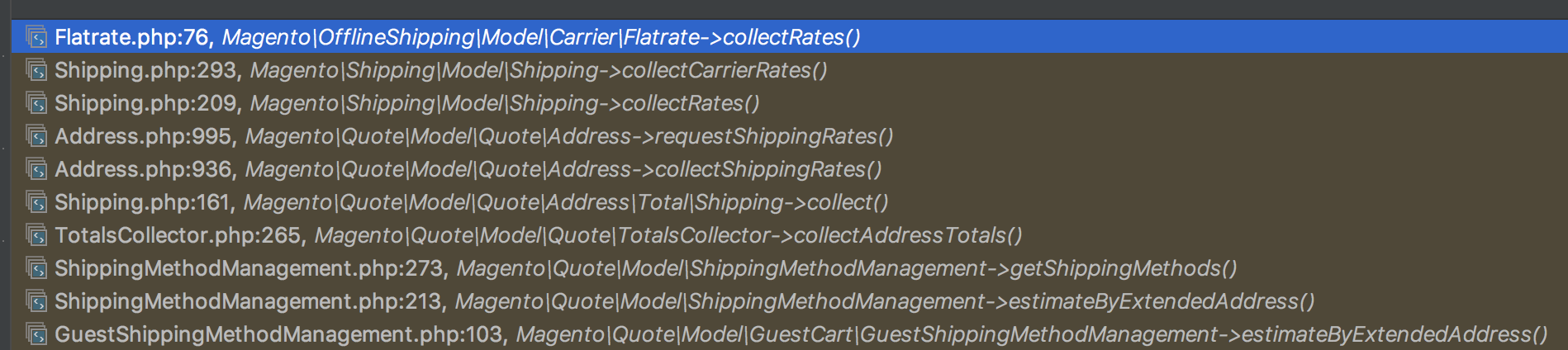
The calculation of the shipping cost is done by bypassing all the shipping methods and calling
\ Magento \ Shipping \ Model \ Carrier \ AbstractCarrierInterface :: collectRates The delivery calculation is saved in the database and occurs only with the specified country of delivery.
By default, you can set the delivery method and country of delivery to calculate the cost of the order immediately after adding the product to the basket. This approach can be used if in the store we get data about the city or region by IP in some way.
Your calculation is correct
Module \ Project \ Integration
Colleagues wrote how to create their module earlier on Habré here .
Let's start the implementation of our discount calculation for order lines, remove the pennies after calculating the discounts.
This is convenient when all our products have prices without cents, and copecks from discounts only bother us (when calculating VAT).
In the file Project / Integration / etc / sales.xml we can add our Total model, or remove the old / unnecessary weee.
sort_order - provides the order of execution; for all Total models in sales.xml it is also set.
sort_order = "430" - declares the calculation of discounts and before calculating taxes.
This is the place where it is best to cut a penny from a discount or make a request to the basket discount system.
Calculation implementation in \ Project \ Integration \ Model \ Quote \ Address \ Total \ Custom
getShipping()->getAddress();
        $quoteItems = $quote->getAllItems();
        // не будем проводить расчет если нет скидки, это первый расчет корзины, или товары отсутствуют, или адрес-платежный
        if ($total->getTotalAmount('discount') == 0 || $quote->getItemsCount() == 0 || !$quote->getId() || $address->getAddressType() == 'billing') return $this;
        // Делаем корректировки базовой цены и скидки, задаем потенциальный номер заказа ...
        // Нулевая скидка в начале
        $totalDiscount = 0;
        $baseTotalDiscount = 0;
        foreach ($quoteItems as $item) {
            // Отбросим копейки, окрегляем в пользу магазина
            $newDiscountAmount = (int)$item->getDiscountAmount();
            $newBaseDiscountAmount = (int)$item->getBaseDiscountAmount();
            // добавляем скидку по позиции
            $totalDiscount += $newDiscountAmount;
            $baseTotalDiscount += $newBaseDiscountAmount;
            // Пересчитаем итог строки
            $rowTotal = $item->getRowTotal() + $item->getDiscountAmount() - $newDiscountAmount;
            $baseRowTotal = $item->getBaseRowTotal() + $item->getBaseDiscountAmount() - $newBaseDiscountAmount;
            // Установим новые скидки
            $item->setDiscountAmount($newDiscountAmount);
            $item->setBaseDiscountAmount($newBaseDiscountAmount);
            // Установим новый итог строки
            $item->setRowTotal($rowTotal);
            $item->setBaseRowTotal($baseRowTotal);
        }
        // подводим итоги
        $total->setTotalAmount('discount', $totalDiscount);
        $total->setBaseTotalAmount('discount', $baseTotalDiscount);
        $total->setSubtotalWithDiscount($total->getSubtotal() + $total->getDiscountAmount());
        $total->setBaseSubtotalWithDiscount($total->getBaseSubtotal() + $total->getBaseDiscountAmount());
        return $this;
    }
}
Instead of ending here,
we successfully discarded a penny. No cents, no problems.
If we use additional price modifiers (our special discounts or extra charges, taxes on Internet Explorer), then we need to worry that all the calculations work correctly both in accounts and in returns, otherwise you will turn into serial programmers who kill accountants. It is most optimal to modify the discount or the base price of the goods to ensure the integrity of the amounts even under conditions of returns.









