 September 1, 2017 at 13:37
Masking UDP traffic in TCP / ICMP with udp2raw

In this article, we will talk about the udp2raw utility, which allows you to bypass firewalls configured to block the UDP protocol using RAW sockets, as well as tunnel any other protocols when working in conjunction with OpenVPN.
Feature Overview
→ The official website of the tool
It also shows the scheme of the utility.
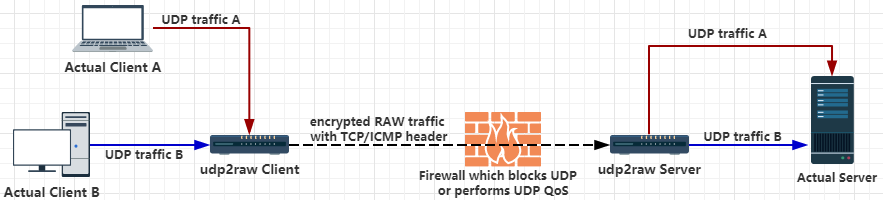
Their schemes make it clear that the tool consists of a client and a server, and the second one needs to be placed behind the firewall. Other utilities for tunneling traffic, as a rule, require the same thing, for example, reGeorg, whose operation is described in my other article on defcon.ru .
One server can serve several clients simultaneously, and one client can have multiple UDP connections through one RAW socket.
You can use udp2raw for both Linux (including Android, OpenWRT, Raspberry PI) with root privileges, and for Windows and MacOS, however, in a rather specific form - as an image of a virtual machine. But the virtual machine image takes up only 4.4 MB, so this is perfectly applicable.
In its basic form, udp2raw can add fake ICMP / TCP headers to network packets, thereby forcing the firewall to consider them packets of the corresponding network protocols, not UDP.
In FakeTCP mode, udp2raw simulates a three-way TCP handshake when establishing a connection and then supports the correct setting of SYN / ACK flags directly during data transfer.
udp2raw can also be used as an auxiliary tool for stabilizing the connection, protecting against replay attacks ( anti-replay window) or just for traffic encryption (AES-128-CBC) in the normal UDP tunnel mode. In this case, fake ICMP / TCP headers will not be added to packets.
It is also possible to use udp2raw in conjunction with OpenVPN, which allows you to use udp2raw to tunnel not only UDP traffic. The scheme of work is presented below.
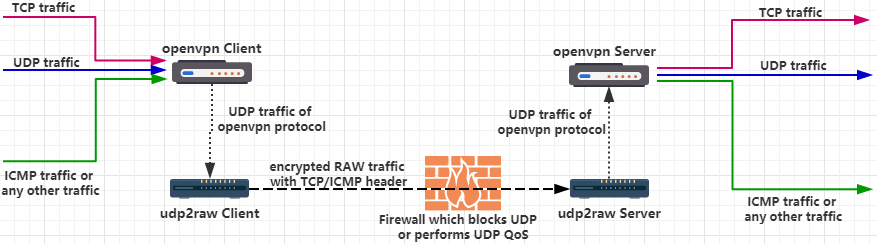
For this particular case, there is a separate simple instruction on the developer’s github.
Practical example
To get started with udp2raw on Linux, download the archive from github
wget https://github.com/wangyu-/udp2raw-tunnel/releases/download/20170826.0/udp2raw_binaries.tar.gzand unpack
root@kalix64:~/tunneling/udp2raw# tar -xvzf udp2raw_binaries.tar.gz
udp2raw_amd64
udp2raw_mips34kc
udp2raw_arm
udp2raw_amd64_hw_aes
udp2raw_arm_asm_aes
udp2raw_mips34kc_asm_aes
udp2raw_x86
udp2raw_x86_asm_aes
The client and server are the same application. Only keys will be different at startup
usage:
run as client : ./this_program -c -l local_listen_ip:local_port -r server_ip:server_port  [options]
run as server : ./this_program -s -l server_listen_ip:server_port -r remote_ip:remote_port  [options]
Suppose that the network has a Windows machine with an activated SNMP service and a gateway that blocks UDP packets, but allows TCP access to the Windows machine.
The attacker managed to access the gateway from his Kali Linux machine and host the udp2raw server there. If an attacker tries to connect directly to a Windows machine on UDP port 161, then nothing will work.

Then he can use udp2raw to hide the nature of SNMP packets from the firewall by running on the gateway
./udp2raw_amd64 -s -l 0.0.0.0:5555 -r 192.168.2.2:161 -a -k "snmptunnel" --raw-mode faketcp

And by Kali car
./udp2raw_amd64 -c -l 0.0.0.0:4444 -r 192.168.1.5:5555 -a -k "snmptunnel" --raw-mode faketcp
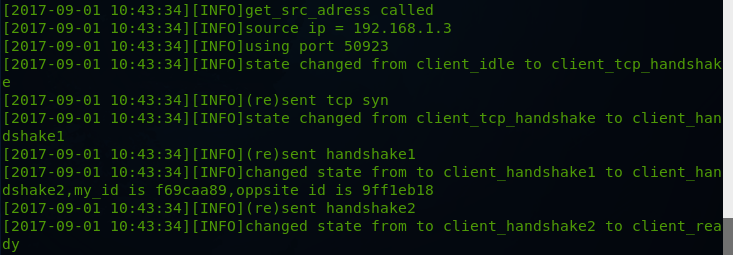
Now the attacker can access the SNMP service of the remote machine through an encrypted tunnel so
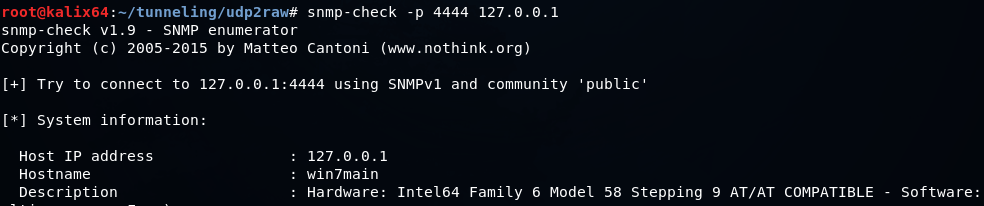
that only TCP traffic will be visible in Wireshark.

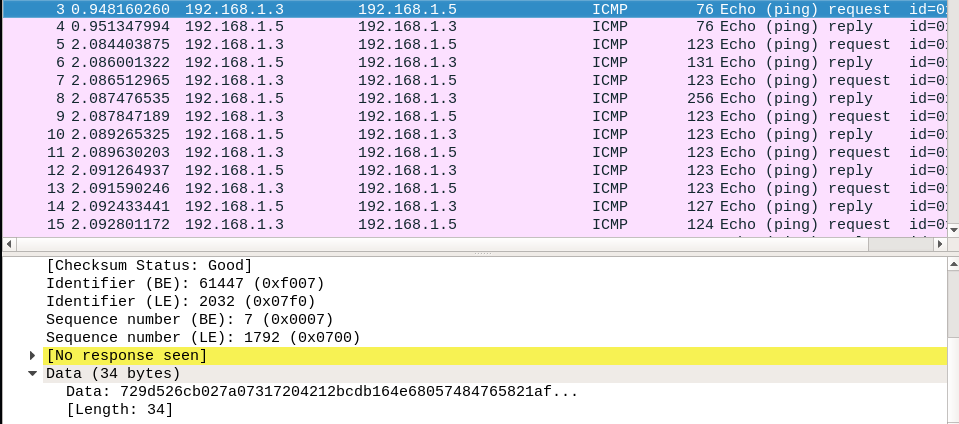
If you use ICMP headers, then in Wireshark we will see the following.
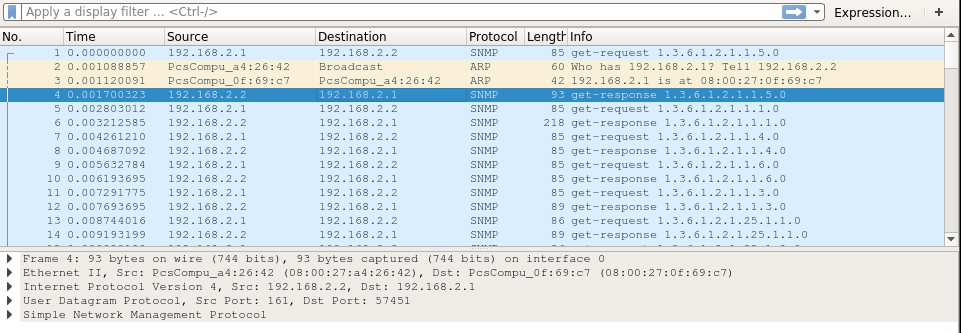
If you check the traffic on the gateway side, it will be seen that the most ordinary SNMP UDP packets
In custody
Additionally, you can speed up the tunnel using kcptun , as well as get acquainted with other tools for tunneling traffic: reGeorg , dnscat2 , icmptunnel and others.
If udp2raw is used by an attacker, such anomalies in the corporate network can be detected using IDS, IPS, and DPI network security systems.









