August 28, 2017 at 16:58
Turn Intel ME 11 off using undocumented mode
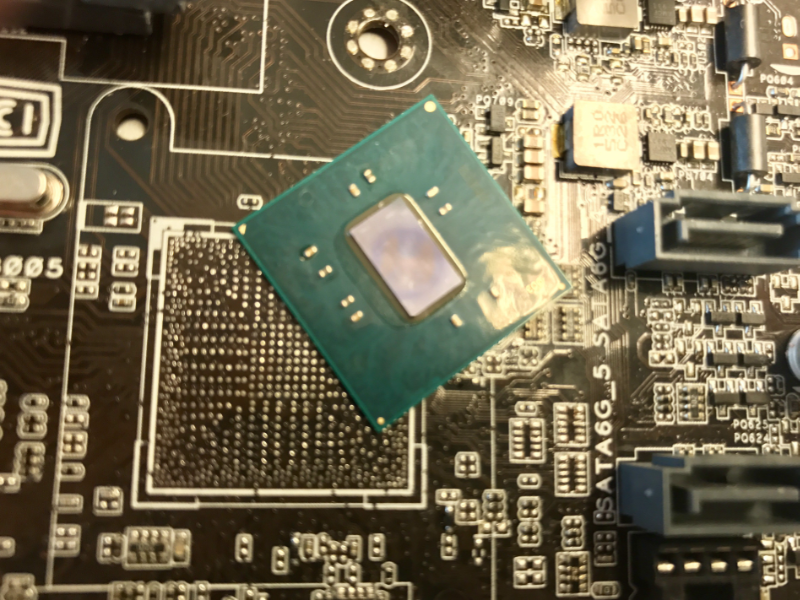
A study of the internal architecture of Intel Management Engine (ME) 11th version revealed a mechanism that disables this technology after initializing the equipment and starting the main processor. We will talk about how we found this undocumented regime and its connection with the state program for building the High Assurance Platform (HAP) trust platform in this article.
The authors warn that the use of this knowledge in practice can lead to damage to computer technology, and do not bear any responsibility for this, and also do not guarantee the performance or inoperability of anything and do not recommend experimenting without an SPI programmer.
Introduction
Intel Management Engine is a proprietary technology that is a microcontroller integrated into the Platform Controller Hub (PCH) chip with a set of integrated peripherals. It is through PCH that almost all processor communication with external devices passes, therefore Intel ME has access to almost all data on the computer and the ability to execute third-party code allows you to completely compromise the platform. Such unlimited possibilities have attracted researchers for more than a year, but now interest in Intel ME technology has grown significantly. One of the reasons for this is the transition of this subsystem to the new hardware (x86) and software (modified by MINIX as an operating system) architecture. Using the x86 platform allows you to use the full power of binary code analysis tools, which was previously difficult, since up to the 11th version, a kernel with a less common command system - ARC was used. Unfortunately, the analysis of Intel ME 11th version was difficult because the executable modules are packed with Huffman code with unknown tables. But our research team (Dmitry Sklyarov, Mark Ermolov, Maxim Goryachiy) managed to restore them (a utility for unpacking images can be foundon our page on GitHub ).
After unpacking the executable modules, we started studying the software and hardware "stuffing" Intel ME. Our team has been doing this for quite some time, and we have accumulated a large amount of materials that it was decided to publish. This is the first article in a series of articles devoted to the internal structure and features of Intel ME, and in it we will tell you how to disable the basic functionality of the subsystem. This question is tormenting specialists, since disabling it would reduce the risk of data leakage, for example, if a zero day vulnerability were found in this technology.
How to turn off ME
How to turn off ME - this question is often asked by some owners of x86-based computers. The topic of deactivation has repeatedly been raised , including by the researchers of our company .
The relevance to this issue is added by the recently discovered critical (9.8 out of 10) vulnerability in Intel Active Management Technology (AMT) - a technology that is based on Intel ME.
Immediately upset the reader - it is impossible to completely turn off ME on modern computers. This is primarily due to the fact that it is this technology that is responsible for initializing, managing power consumption and starting the main processor. Complexity is added by the fact that part of the code is “hard-wired” inside the PCH chip, which performs the functions of the south bridge on modern motherboards. The main tool for enthusiasts who are “struggling” with this technology is the removal of all “excess” from the flash memory image while maintaining the computer’s performance. But to do this is not so simple, because if the built-in PCH code does not find ME modules in the flash memory or determines that they are damaged, the system will not start. For several years now the me_cleaner project has been developing in the network ., within the framework of which a special utility is available that allows you to remove most of the image and leave only the components vital for the main system. But even if the system starts up, it’s too early to rejoice - after about 30 minutes an automatic shutdown may occur, since in case of some malfunctions ME switches to Recovery mode, in which it does not work for some fixed time. As a result, the cleaning process is complicated. For example, before the 11th version, it was possible to reduce the size of the image to 90 KB, but in the 11th version it was only up to 650 KB.

Figure 1. Support for Skylake + architectures in me_cleaner
Secrets at QResource
Intel gives motherboard manufacturers the ability to set a small number of ME options. To this end, the company provides equipment manufacturers with a special set of software that includes utilities such as the Flash Image Tool (FIT) for setting ME and Flash Programming Tool (FPT) parameters, which supports flash programming directly through the built-in SPI controller. These programs are not available to the end user, but they can easily be found on the Internet. You can extract a large number of XML files from these utilities (detailed Intel ME: The Way oftheStatic Analysis ), the study of which allows you to learn a lot of interesting things: the structure of the ME firmware and the description of the PCH strap - special configuration bits for various subsystems integrated into the PCH chip.

Figure 2. Packaged XML files
We were interested in one of these fields with the name reserve_hap, since there was a comment opposite it - High Assurance Platform (HAP) enable. Figure 3. PCH strap for High Assurance Platform Google search was not long. Literally the second link says that the name is the program for creating trusting platforms associated with the National Security Agency (NSA) of the United States. A presentation describing the program can be found here . Our first thought was to put this bit and see what happens. Anyone can do this if he has an SPI programmer or access to Flash Descriptor (access rights to flash memory regions are incorrectly set on many motherboards).


Figure 4. ME status after activating the HAP bit
After loading the platform, the meinfo utility reports a strange status - Alt Disable Mode. A quick check showed that ME does not respond to commands and does not react to impacts from the operating system. We decided to figure out how the system goes into this mode and what it means. By this time, we have already analyzed the main part of the BUP module, which is responsible for the initial initialization of the platform and, based on the output of meinfo, sets this status. To understand the BUP operation algorithm, it is necessary to describe the Intel ME software environment in more detail.
Intel ME 11 Software
Starting with the 100 Series PCH, Intel has completely redesigned this chip. A transition was made to the new architecture of embedded microcontrollers - from ARC company ARC to x86. The basis was chosen 32-bit microcontroller Minute IA (MIA), which is used in Intel Edison and SoC Quark microcomputers. It is based on the design of the very old scalar Intel 486 microprocessor with the addition of a Pentium processor command system (ISA). However, for PCH, the company releases this core using 22-nm semiconductor technology, obtaining high energy efficiency of the microcontroller. There are three such cores in the new PCH: Management Engine (ME), Integrated Sensors Hub (ISH) and Innovation Engine (IE). The last two can be activated and deactivated depending on the PCH model and the target platform, and the ME core always works.

Figure 5. Three x86 processors in PCH
Such global changes required a change in the software component of ME. In particular, MINIX (formerly ThreadX RTOS) was chosen as the basis for the operating system. Now ME firmware includes a full-fledged operating system with its own processes, threads, memory manager, hardware bus driver, file system and much more. ME integrates a hardware crypto processor that supports the SHA256, AES, RSA, HMAС algorithms. Equipment for user processes is accessed through a local descriptor table (LDT). The address space of the process is also organized through LDT - it is only part of the global address space of the kernel, the boundaries of which are specified in the local descriptor. Thus, the kernel does not need to switch to the memory of different processes (changing page directories), such as
This concludes our review of the Intel ME software environment and discusses in more detail how the operating system and modules are loaded.
Intel ME Boot Stages
The launch starts with the ROM program, which is contained in the static memory built into PCH. Unfortunately, the general public does not know how to read or overwrite this memory, but on the Internet you can find “pre-sale” versions of ME firmware with the ROMB (ROM BYPASS) section, which, by our assumption, duplicates the ROM functions. Thus, by exploring such firmware, you can restore the basic functionality of the primary initialization program.
Studying ROMB allows you to understand the purpose of ROM - performing initial initialization of equipment, for example, an SPI controller, checking the digital signature of the FTPR section header, loading the RBE module, which is already in the flash memory. RBE, in turn, checks the checksums of the KERNEL, SYSLIB, BUP modules and transfers control to the kernel entry point.
It should be noted that these three entities - ROM, RBE and KERNEL - are executed at the zero privilege level (in ring-0) of the MIA kernel.

Figure 6. Integrity check of SYSLIB, KERNEL, and BUP in RBE
The first process that the kernel creates is BUP, which is already running in its address space, in ring-3. The kernel does not start other processes on its own initiative, BUP itself does this, as well as a separate LOADMGR module, we will return to it later. The purpose of BUP (platform BringUP) is to initialize the entire hardware environment of the platform (including the processor), perform primary power management functions (for example, start the system by pressing the power button) and start all other ME processes. Thus, it is safe to say that PCH in the 100th series and above simply do not physically have the ability to start without the correct ME firmware. First, the BUP initializes a power management controller (PMC) and an ICC controller. Secondly, it launches a whole string of processes;

Figure 7. Starting SYNCMAN and PM
Thus, the BUP reads InitScript and starts all processes that satisfy the ME startup type and are IBL processes.

Figure 8. InitScript processing

Figure 9. List of modules with the IBL flag
If the process did not start successfully, BUP will not start the system or put it into Recovery mode, in which the power will turn off automatically after several tens of minutes . As you can see in the illustration, the last in the list of IBL processes is LOADMGR. It is he who gives the start to the remaining processes, but unlike BUP, if an error occurs during the launch of the module, LOADMGR simply proceeds to the next.
Thus, the first option to limit the operation of Intel ME is to remove all modules that do not have the IBL flag in InitScript, which will significantly reduce the size of the firmware. But initially we wanted to find out what happens to ME in HAP mode. To do this, consider the BUP programming model in more detail.

Figure 10. Scheme of starting modules in ME
Bringup
If you look closely at the algorithm of the BUP module, we can say that a classic finite state machine is implemented inside it. Execution is functionally divided into two components: initialization stages (they represent the very same state machine) and service requests of other processes after system initialization. The number of initialization stages is different, depending on the platform and SKU (TXE, CSME, SPS, consumer, corporate), but the main ones, common for all versions, can still be distinguished.
First stage
At the initial stage, the creation of the internal diagnostic file system sfs (SUSRAM FS is a file system located in volatile memory), the configuration is read, and, most importantly, information is received from PMC about what led to this launch - powering on the platform, global restart the entire platform, restarting only ME or waking up from a sleep state. This stage is called boot flow determination. Subsequent stages of the state machine initialization depend on it. In addition, several modes of operation are supported: normal and a set of service modes in which ME does not function normally - HAP, HMRFPO, TEMP_DISABLE, RECOVERY, SAFE_MODE, FW_UPDATE and FD_OVERRIDE.
Second stage
At the next stage, the ICC controller is initialized and the ICC profile is loaded (it is responsible for the clock frequencies of the main consumers), the Boot Guard is initialized and the cyclical polling of the processor start confirmation is started.
Third stage
The BUP is waiting for a message from the PMC that the main processor has started. After that, the BUP starts the PMC asynchronous polling cycle for power events (restart or shutdown of the platform) and proceeds to the next stage. If such an event occurs, the BUP will perform the requested action at the time of transition between the initialization stages.
Fourth stage
At this stage, the initialization of the internal equipment takes place. BUP also launches a polling cycle for heci (a special device designed to receive commands from the BIOS or the operating system) for a DID (DRAM Init Done message) from the BIOS. It is this message that allows ME to understand that the main BIOS initialized RAM and reserved a special region, UMA, for ME, and after that go to the next stage.
Fifth stage
As soon as the DID is received, the BUP, depending on the operating mode, which is determined by different components, either starts IBL processes from InitScript (during normal operation), or freezes in a loop, which it can only exit when it receives a message from PMC, for example, as a result of a request to restart or shut down the system.
It is at this stage that we find HAP processing, and in this mode, BUP does not execute InitScript, but hangs. Thus, the rest of the sequence of operations during normal operation is not related to HAP and will not be considered by us. The main thing that I want to note: in HAP mode, BUP performs all the platform initialization (ICC, Boot Guard), but does not start the main ME processes.

Figure 11. HAP mode definition

Figure 12. Transfer of ME to the fifth stage, which is equivalent to freezing

Figure 13. Fifth stage
HAP bit setting
Based on the foregoing, the second option to disable is to install the HAP-bit and remove or damage all modules, except for those that BUP needs to start - RBE, KERNEL, SYSLIB, BUP. You can do this simply by removing them from the CPR section of the FTPR and recounting the checksum of the CPD header (the ME firmware structure is described in more detail here ).
One more question remains: how to set this bit? You can use the FIT configuration files and determine where it is located in the image, but there is a simpler way. If you open FIT, then in the ME Kernel section you can find a certain parameter Reserved. It is this bit that is responsible for enabling HAP mode.

Figure 14. HAP activation bit
HAP and Boot Guard
We also found code in BUP, which, when HAP mode is activated, sets an extra bit in Boot Guard policies. Unfortunately, we have not been able to figure out what controls this bit.

Figure 15. Setting an extra bit for Boot Guard
ME 11 support in me_cleaner
While this article was being prepared for printing, the developers updated me_cleaner, as a result of which he began to remove from the images all modules except RBE, KERNEL, SYSLIB and BUP, but without setting the HAP bit, which puts ME in the “TemporaryDisable” mode. We were curious about what happens with this approach.
We found that deleting partitions with the ME file system results in an error while reading the cfg_rules file. This file contains a number of different system settings. Among them, we believe, is a flag that we called bup_not_temporary_disable. If it is not installed, the entire subsystem is put into TemporaryDisable mode, and since this flag is a global variable, initialized to zero by default, a read error is regarded as a configuration that needs to be disabled.
We also note that we also checked the firmware from the server and mobile versions of ME (SPS 4.x and TXE 3.x). In the server version, this flag is always set to 1, but in the mobile it is not analyzed. From the above it follows that this method will not be able to work on server and mobile versions of (Apollo Lake) ME.

Figure 16. Reading the cfg_rules file
Instead of a conclusion
Thus, we found an undocumented PCH strap that allows you to put Intel ME in shutdown mode at an early stage. Although the physical removal of modules from the image while maintaining operability implicitly proves that this mode disables ME, binary analysis leaves no room for doubt. With a high degree of certainty, we can say that Intel ME is no longer able to exit this mode, since no code was found in the RBE, KERNEL, and SYSLIB modules that would allow this to be done. We also believe that ROM integrated into PCH is practically no different from ROMB, in which nothing similar was found either. Thus, HAP will protect against vulnerabilities present in all modules except RBE, KERNEL, SYSLIB, ROM and BUP, but, unfortunately, this mode will not protect against exploitation of errors at earlier stages.
We introduced Intel representatives to the details of the study. Their response confirmed our conjecture about the relationship of the undocumented regime with the High Assurance Platform program. With the permission of the company, we give an excerpt from the answer:
Mark / Maxim,
In response to requests from customers with specialized requirements we sometimes explore the modification or disabling of certain features. In this case, the modifications were made at the request of equipment manufacturers in support of their customer's evaluation of the US government's “High Assurance Platform” program. These modifications underwent a limited validation cycle and are not an officially supported configuration.
We believe that this mechanism is the satisfaction of the usual request of any government service that wants to reduce the likelihood of leakage through side channels. But the main question remains: how does HAP affect Boot Guard? Due to the closed nature of this technology, it is not yet possible to answer this question, but we hope that we will succeed in the near future.
Authors : Goryachiy Maxim, Ermolov Mark