August 5, 2017 at 11:06
37 reasons why your neural network is down
- Transfer
- Tutorial
The network has trained for the past 12 hours. Everything looked good: the gradients were stable, the loss function decreased. But then the result came: all zeros, one background, nothing was recognized. “What have I done wrong?”, I asked the computer, which was silent in response.
Why does the neural network produce garbage (for example, the average of all results or does it have really poor accuracy)? Where to start checking?
The network may not be trained for a number of reasons. As a result of many debugging sessions, I noticed that I often do the same checks. Here I put together my experience in a convenient list along with the best ideas of my colleagues. I hope this list will be useful to you.
Much can go wrong. But some problems are more common than others. I usually start with this small list as an emergency kit:
If all else fails, then start reading this long list and check each item.

Source: http://dilbert.com/strip/2014-05-07
Verify that the input makes sense. For example, I have repeatedly mixed the heights and widths of images into a bunch. Sometimes by mistake I gave all the zeros to the neural network. Or used the same batch again and again. So print / see a couple of batches of input and planned output — make sure everything is in order.
Try passing random numbers instead of real data and see if the same error remains. If so, then this is a sure sign that your network at some point turns data into garbage. Try debugging layer by layer (operation by operation) and see where the failure occurs.
Everything can be in order with the data, and there is an error in the code that transmits the input data of the neural network. Print and check the input data of the first layer before starting its operations.
Verify that multiple input samples are labeled with the correct labels. Also check that swapping input samples also affects output labels.
Maybe the nonrandom parts of the relationship between entry and exit are too small compared to the random part (someone might say that these are quotes on the exchange). That is, the input is not sufficiently connected with the output. There is no universal method, because the measure of randomness depends on the type of data.
Once it happened to me when I pulled a set of food images from the site. There were so many bad marks there that the network could not be trained. Manually check a series of sample input values and see that all labels are in place.
This item is worthy of a separate discussion, because this work shows accuracy above 50% on the basis of MNIST with 50% of damaged tags.
If your data is not mixed and arranged in a certain order (sorted by labels), this can negatively affect learning. Shuffle the dataset: make sure to mix both the input and the labels together.
Maybe there are a thousand class A images in a dataset per class B image? Then you may need to balance the loss function or try other approaches to eliminate imbalances .
If you train the network from scratch (that is, you do not configure it), then a lot of data may be needed. For example, to classify images, they say , you need a thousand images for each class, or even more.
This happens in a sorted data set (that is, the first 10 thousand samples contain the same class). Easily fixed by shuffling a dataset.
This work indicates that too large batches can reduce the generalization ability of the model.
Thanks to hengcherkeng for this:

Have you calibrated the input to zero mean and unit variance?
Augmentation has a regularizing effect. If it is too strong, then this, together with other forms of regularization (L2-regularization, dropout, etc.) can lead to a lack of education in the neural network.
If you use an already prepared model, then make sure that you use the same normalization and preprocessing as in the model you are training. For example, should the pixel be in the range [0, 1], [-1, 1], or [0, 255]?
CS231n pointed to a typical trap :
Also check for different pretreatment of each sample and batch.
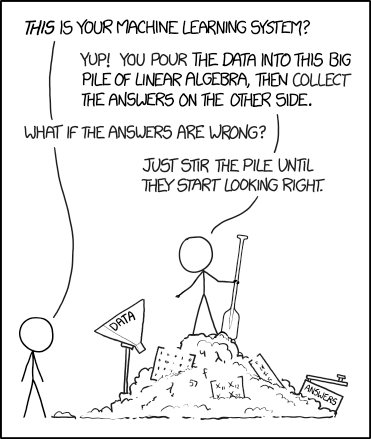
Source: https://xkcd.com/1838/
This will help determine where the problem is. For example, if the target output is an object class and coordinates, try limiting the prediction to only the object class.
Again from the matchless CS231n : Initialize with small parameters, without regularization. For example, if we have 10 classes, then “in probability” means that the correct class will be determined in 10% of cases, and the Softmax loss function is the inverse logarithm to the probability of the correct class, that is, it turns out
After that, try to increase the regularization strength, which should increase the loss function.
If you implemented your own, check for bugs and add unit tests. It often happened to me that a slightly incorrect loss function subtly impaired network performance.
If you use the loss function from the framework, be sure to pass what you need to it. For example, in PyTorch I would mix NLLLoss and CrossEntropyLoss, because the first requires softmax input, and the second does not.
If your loss function consists of several functions, check their relation to each other. This may require testing in different ratios.
Sometimes the loss function is not the best predictor of how well your neural network is trained. If possible, use other metrics, such as accuracy.
Have you independently implemented any of the network layers? Double check that they are working as expected.
Look, maybe you inadvertently turned off gradient updates of some layers / variables.
Maybe the expressive power of the network is not enough to assimilate the objective function. Try adding layers or more hidden units to fully connected layers.
If your input looks like , it’s easy to skip the error associated with incorrect measurements. Use unusual numbers to measure input data (for example, different primes for each measurement) and see how they spread across the network.
If you yourself implemented Gradient Descent, then using Gradient Checking you can verify the correct feedback. Additional information: 1 , 2 , 3 .
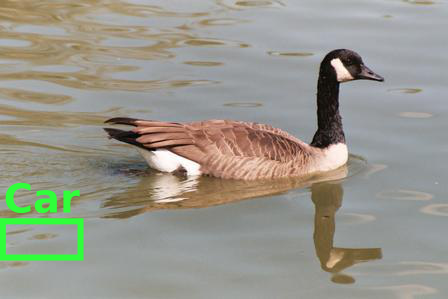
Source: http://carlvondrick.com/ihog/
Retrain the network on a small data set and make sure it works . For example, train her with just 1-2 examples and see if the network is able to distinguish between objects. Go to more samples for each class.
If unsure, use Xavier or Xe initialization . In addition, your initialization can lead to a bad local minimum, so try another initialization, it can help.
Maybe you are using a poor set of hyperparameters. If possible, try grid search .
Due to too much regularization, the network may not be specifically trained. Reduce regularization, such as dropout, batch norm, L2-regularization weight / bias, etc. In the excellent course " Practical in-depth training for programmers " Jeremy Howard recommends first of all to get rid of under- education . That is, it is enough to retrain the network on the source data, and only then fight against retraining.
Maybe the network needs more time to learn before it begins to make meaningful predictions. If the loss function is steadily decreasing, let it learn a little longer.
In some frameworks, the Batch Norm, Dropout, and other layers behave differently during training and testing. Switching to the appropriate mode can help your network start making the right forecasts.
Your choice of optimizer should not interfere with the neural network learning, unless you have chosen specifically bad hyperparameters. But the right optimizer for the task can help get the best possible training in the shortest time. A scientific article describing the algorithm you use should also mention the optimizer. If not, I prefer to use Adam or plain SGD.
Read an excellent article by Sebastian Ruder to learn more about gradient descent optimizers.
A slow learning speed will result in a very slow convergence of the model.
A high learning speed will quickly reduce the loss function first, and then it will be difficult for you to find a good solution.
Experiment with learning speed, speeding it up or slowing it down 10 times.
Non-a-Number (NaN) states are much more common when learning RNN (as far as I heard). Some ways to resolve them:
Why does the neural network produce garbage (for example, the average of all results or does it have really poor accuracy)? Where to start checking?
The network may not be trained for a number of reasons. As a result of many debugging sessions, I noticed that I often do the same checks. Here I put together my experience in a convenient list along with the best ideas of my colleagues. I hope this list will be useful to you.
Content
0. How to use this manual?
I. Dataset problems
II. Data Normalization / Augmentation Issues
III. Implementation problems
IV. Learning problems
0. How to use this manual?
Much can go wrong. But some problems are more common than others. I usually start with this small list as an emergency kit:
- Start with a simple model that works exactly for this data type (e.g. VGG for images). Use the standard loss function, if possible.
- Turn off all the illusions, such as regularizing and augmenting data.
- If you fine-tune the model, double-check the preprocessing to match the training of the original model.
- Make sure the input is correct.
- Start with a really small dataset (2-20 samples). Then expand it, gradually adding new data.
- Start gradually adding back all the fragments that were omitted: augmentation / regularization, custom loss functions, try more complex models.
If all else fails, then start reading this long list and check each item.
I. Dataset problems
Source: http://dilbert.com/strip/2014-05-07
1. Check input
Verify that the input makes sense. For example, I have repeatedly mixed the heights and widths of images into a bunch. Sometimes by mistake I gave all the zeros to the neural network. Or used the same batch again and again. So print / see a couple of batches of input and planned output — make sure everything is in order.
2. Try random input values
Try passing random numbers instead of real data and see if the same error remains. If so, then this is a sure sign that your network at some point turns data into garbage. Try debugging layer by layer (operation by operation) and see where the failure occurs.
3. Check the data loader
Everything can be in order with the data, and there is an error in the code that transmits the input data of the neural network. Print and check the input data of the first layer before starting its operations.
4. Verify that the input connects to the output.
Verify that multiple input samples are labeled with the correct labels. Also check that swapping input samples also affects output labels.
5. Is the relationship between input and output too random?
Maybe the nonrandom parts of the relationship between entry and exit are too small compared to the random part (someone might say that these are quotes on the exchange). That is, the input is not sufficiently connected with the output. There is no universal method, because the measure of randomness depends on the type of data.
6. Too much noise in the data set?
Once it happened to me when I pulled a set of food images from the site. There were so many bad marks there that the network could not be trained. Manually check a series of sample input values and see that all labels are in place.
This item is worthy of a separate discussion, because this work shows accuracy above 50% on the basis of MNIST with 50% of damaged tags.
7. Shuffle the dataset
If your data is not mixed and arranged in a certain order (sorted by labels), this can negatively affect learning. Shuffle the dataset: make sure to mix both the input and the labels together.
8. Reduce class imbalance
Maybe there are a thousand class A images in a dataset per class B image? Then you may need to balance the loss function or try other approaches to eliminate imbalances .
9. Are there enough samples for training?
If you train the network from scratch (that is, you do not configure it), then a lot of data may be needed. For example, to classify images, they say , you need a thousand images for each class, or even more.
10. Verify no batches with a single label
This happens in a sorted data set (that is, the first 10 thousand samples contain the same class). Easily fixed by shuffling a dataset.
11. Reduce batch size
This work indicates that too large batches can reduce the generalization ability of the model.
Addition 1. Use a standard data set (for example, mnist, cifar10)
Thanks to hengcherkeng for this:
When testing a new network architecture or writing new code, first use standard datasets instead of yours. Because for them there are already many results and they are guaranteed to be "solvable." There will be no problems with noise in tags, differences in the distribution of training / testing, too much complexity of the data set, etc.
II. Data Normalization / Augmentation Issues
12. Calibrate the symptoms
Have you calibrated the input to zero mean and unit variance?
13. Data augmentation too strong?
Augmentation has a regularizing effect. If it is too strong, then this, together with other forms of regularization (L2-regularization, dropout, etc.) can lead to a lack of education in the neural network.
14. Check the preprocessing of the pre-trained model
If you use an already prepared model, then make sure that you use the same normalization and preprocessing as in the model you are training. For example, should the pixel be in the range [0, 1], [-1, 1], or [0, 255]?
15. Verify preprocessing for training / validation / testing kit
CS231n pointed to a typical trap :
“... any statistics of pre-processing (for example, the average of the data) must be calculated on the data for training, and then applied on the data of validation / testing. For example, it will be a mistake to calculate the average and subtract it from each image in the entire data set, and then divide the data into fragments for training / validation / testing. ”
Also check for different pretreatment of each sample and batch.
III. Implementation problems
Source: https://xkcd.com/1838/
16. Try to solve a simpler version of the problem.
This will help determine where the problem is. For example, if the target output is an object class and coordinates, try limiting the prediction to only the object class.
17. Look for the correct loss function "in probability"
Again from the matchless CS231n : Initialize with small parameters, without regularization. For example, if we have 10 classes, then “in probability” means that the correct class will be determined in 10% of cases, and the Softmax loss function is the inverse logarithm to the probability of the correct class, that is, it turns out
After that, try to increase the regularization strength, which should increase the loss function.
18. Check the loss function
If you implemented your own, check for bugs and add unit tests. It often happened to me that a slightly incorrect loss function subtly impaired network performance.
19. Check the input of the loss function
If you use the loss function from the framework, be sure to pass what you need to it. For example, in PyTorch I would mix NLLLoss and CrossEntropyLoss, because the first requires softmax input, and the second does not.
20. Adjust weight loss function
If your loss function consists of several functions, check their relation to each other. This may require testing in different ratios.
21. Track other indicators
Sometimes the loss function is not the best predictor of how well your neural network is trained. If possible, use other metrics, such as accuracy.
22. Check each custom layer
Have you independently implemented any of the network layers? Double check that they are working as expected.
23. Check for missing “layers” or variables
Look, maybe you inadvertently turned off gradient updates of some layers / variables.
24. Increase network size
Maybe the expressive power of the network is not enough to assimilate the objective function. Try adding layers or more hidden units to fully connected layers.
25. Look for hidden measurement errors
If your input looks like
, it’s easy to skip the error associated with incorrect measurements. Use unusual numbers to measure input data (for example, different primes for each measurement) and see how they spread across the network.26. Explore Gradient Checking
If you yourself implemented Gradient Descent, then using Gradient Checking you can verify the correct feedback. Additional information: 1 , 2 , 3 .
IV. Learning problems
Source: http://carlvondrick.com/ihog/
27. Solve the problem for a really small data set
Retrain the network on a small data set and make sure it works . For example, train her with just 1-2 examples and see if the network is able to distinguish between objects. Go to more samples for each class.
28. Check the balance initialization
If unsure, use Xavier or Xe initialization . In addition, your initialization can lead to a bad local minimum, so try another initialization, it can help.
29. Change the hyperparameters
Maybe you are using a poor set of hyperparameters. If possible, try grid search .
30. Reduce regularization
Due to too much regularization, the network may not be specifically trained. Reduce regularization, such as dropout, batch norm, L2-regularization weight / bias, etc. In the excellent course " Practical in-depth training for programmers " Jeremy Howard recommends first of all to get rid of under- education . That is, it is enough to retrain the network on the source data, and only then fight against retraining.
31. Give time
Maybe the network needs more time to learn before it begins to make meaningful predictions. If the loss function is steadily decreasing, let it learn a little longer.
32. Switch from training mode to test mode
In some frameworks, the Batch Norm, Dropout, and other layers behave differently during training and testing. Switching to the appropriate mode can help your network start making the right forecasts.
33. Visualize training
- Track activations, weights and updates for each layer. Make sure that the ratios of their values match. For example, the ratio of the magnitude of updates to the parameters (weights and offsets) should be 1e-3 .
- Consider visualization libraries like Tensorboard and Crayon . In extreme cases, you can simply print the values of weights / shifts / activations.
- Be careful with activations of networks with an average much greater than zero. Try Batch Norm or ELU.
- Deeplearning4j indicated what to look at in the histograms of weights and shifts:
«Для весов эти гистограммы должны иметь примерно гауссово (нормальное) распределение, спустя какое-то время. Гистограммы сдвигов обычно начинаются с нуля и обычно заканчиваются на уровне примерно гауссова распределения (единственное исключение — LSTM). Следите за параметрами, которые отклоняются на плюс/минус бесконечность. Следите за сдвигами, которые становятся слишком большими. Иногда такое случается в выходном слое для классификации, если распределение классов слишком несбалансировано».
- Проверяйте обновления слоёв, они должны иметь нормальное распределение.
34. Попробуйте иной оптимизатор
Your choice of optimizer should not interfere with the neural network learning, unless you have chosen specifically bad hyperparameters. But the right optimizer for the task can help get the best possible training in the shortest time. A scientific article describing the algorithm you use should also mention the optimizer. If not, I prefer to use Adam or plain SGD.
Read an excellent article by Sebastian Ruder to learn more about gradient descent optimizers.
35. Explosion / disappearance of gradients
- Check for layer updates as very large values may indicate bursts of gradients. Gradient clipping may help.
- Check layer activation. Deeplearning4j gives excellent advice: “A good standard deviation for activations is in the range of 0.5 to 2.0. A significant step beyond this may indicate an explosion or disappearance of activations. ”
36. Speed up / slow down training
A slow learning speed will result in a very slow convergence of the model.
A high learning speed will quickly reduce the loss function first, and then it will be difficult for you to find a good solution.
Experiment with learning speed, speeding it up or slowing it down 10 times.
37. Elimination of NaN conditions
Non-a-Number (NaN) states are much more common when learning RNN (as far as I heard). Some ways to resolve them:
- Reduce your learning speed, especially if NaNs appear in the first 100 iterations.
- Нечисла могут возникнуть из-за деления на ноль, взятия натурального логарифма нуля или отрицательного числа.
- Рассел Стюарт предлагает хорошие советы, что делать в случае появления NaN.
- Попробуйте оценить сеть слой за слоем и посмотреть, где появляются NaN.
Источники
cs231n.github.io/neural-networks-3
russellsstewart.com/notes/0.html
stackoverflow.com/questions/41488279/neural-network-always-predicts-the-same-class
deeplearning4j.org/visualization
www.reddit. com / r / MachineLearning / comments / 46b8dz / what_does_debugging_a_deep_net_look_like
www.researchgate.net/post/why_the_prediction_or_the_output_of_neural_network_does_not_change_during_the_test_phase
book.caltech.edu/bookforum/showthread.php?t=4113
gab41.lab41.org/some-tips-for-debugging-deep -learning-3f69e56ea134
www.quora.com/How-do-I-debug-an-artificial-neural-network-algorithm
russellsstewart.com/notes/0.html
stackoverflow.com/questions/41488279/neural-network-always-predicts-the-same-class
deeplearning4j.org/visualization
www.reddit. com / r / MachineLearning / comments / 46b8dz / what_does_debugging_a_deep_net_look_like
www.researchgate.net/post/why_the_prediction_or_the_output_of_neural_network_does_not_change_during_the_test_phase
book.caltech.edu/bookforum/showthread.php?t=4113
gab41.lab41.org/some-tips-for-debugging-deep -learning-3f69e56ea134
www.quora.com/How-do-I-debug-an-artificial-neural-network-algorithm