 January 24, 2017 at 10:05
Document generation in doc, excel, pdf and other formats on the server
Uploading reports in various formats is a common task for many projects. And now there are many tools for this. Among them there is an interesting option, which is, it seems to me, not often used, but it is definitely worth attention. Because it allows you to get a document in the right format with just one command. I’ll tell about him.
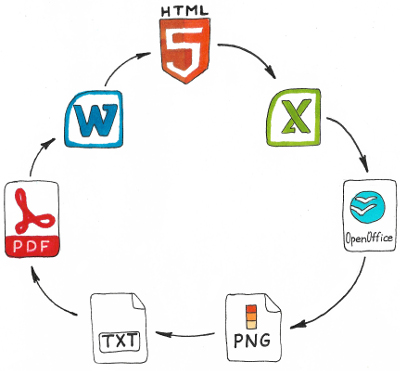
I will not be verbose and immediately say that we are talking about a converter built into the LibreOffice package. You can start the conversion from the console to see how it works:
This command converts the html.html file to a pdf file. The number of supported formats is impressive .
The benefits of using such a tool are obvious. Instead of writing code to generate documents in each of the required formats, we simply create a regular html-representation. Next, run the generated page through the converter.
To install the converter on the server, you will have to install the libreoffice-core package:
To make it convenient to work with the utility from PHP, I wrote a wrapper .
The wrapper allows you not to think about working with temporary files, substitutes some default parameters into the command, contains constants with a description of the available formats, and also makes it possible to set a timeout for conversion.
To work with the wrapper, connect it to your project through composer:
You can use it like this:
As a result, a docx file will be generated. More examples can be found on the github .
Of course, as a bonus, you can run the conversion in the other direction - from doc to html and display the contents of office documents in a browser. The conversion quality will not always be at its best, but for some cases it is quite suitable.
It will be useful to talk about several features that I encountered when working with this utility.
1. Apply CSS styles. When converting html to the desired format, keep in mind that such a record is perceived correctly:
And such records will be processed in the same way as if we did not specify the class at all:
2. When converting html to the desired format, style descriptions do not always work and sometimes you have to experiment to make it work. For example, this does not work:
But it works like this:
3. The same conversion can be performed using different converters. In this case, the result will differ significantly. If your output is not a very beautiful document, try to force the module to be used, for example:
4. Is it possible to adjust the width of the rows in the table - for me it is a mystery. And in general, with the stylization of the table when converting html to docx or pdf, I had difficulties. Therefore, in my opinion, the approach will be difficult to apply for the generation of complex printing forms, such as an invoice.
The tool is universal and very good if the input documents you have are not very complex. Then at the output you get documents in the required formats by writing just a few lines of code.
I will not be verbose and immediately say that we are talking about a converter built into the LibreOffice package. You can start the conversion from the console to see how it works:
libreoffice --headless --writer --convert-to pdf html.html
This command converts the html.html file to a pdf file. The number of supported formats is impressive .
The benefits of using such a tool are obvious. Instead of writing code to generate documents in each of the required formats, we simply create a regular html-representation. Next, run the generated page through the converter.
Starting conversion from PHP
To install the converter on the server, you will have to install the libreoffice-core package:
sudo apt-get install libreoffice-core --no-install-recommendsTo make it convenient to work with the utility from PHP, I wrote a wrapper .
The wrapper allows you not to think about working with temporary files, substitutes some default parameters into the command, contains constants with a description of the available formats, and also makes it possible to set a timeout for conversion.
To work with the wrapper, connect it to your project through composer:
composer require mnvx/lowrapperYou can use it like this:
use Mnvx\Lowrapper\Converter;
use Mnvx\Lowrapper\LowrapperParameters;
use Mnvx\Lowrapper\Format;
// Создаем объект конвертера
$converter = new Converter();
// Описываем параметры для конвертера
$parameters = (new LowrapperParameters())
    // На вход подаем строку с HTML
    ->setInputData('My html file')
    // В каком формате нужен результат
    ->setOutputFormat(Format::TEXT_DOCX)
    // Файл для сохранения результата
    ->setOutputFile('path-to-result-docx.docx');
// Запускаем конвертацию
$converter->convert($parameters);
As a result, a docx file will be generated. More examples can be found on the github .
Of course, as a bonus, you can run the conversion in the other direction - from doc to html and display the contents of office documents in a browser. The conversion quality will not always be at its best, but for some cases it is quite suitable.
A few rakes
It will be useful to talk about several features that I encountered when working with this utility.
1. Apply CSS styles. When converting html to the desired format, keep in mind that such a record is perceived correctly:
And such records will be processed in the same way as if we did not specify the class at all:
Some text
Some text
2. When converting html to the desired format, style descriptions do not always work and sometimes you have to experiment to make it work. For example, this does not work:
td, th {
    border: 1px solid black;
}
But it works like this:
.td {
    border: 1px solid black;
}
...
...
3. The same conversion can be performed using different converters. In this case, the result will differ significantly. If your output is not a very beautiful document, try to force the module to be used, for example:
$parameters = (new LowrapperParameters())
    ->setDocumentType(DocumentType::WRITER);
4. Is it possible to adjust the width of the rows in the table - for me it is a mystery. And in general, with the stylization of the table when converting html to docx or pdf, I had difficulties. Therefore, in my opinion, the approach will be difficult to apply for the generation of complex printing forms, such as an invoice.
Conclusion
The tool is universal and very good if the input documents you have are not very complex. Then at the output you get documents in the required formats by writing just a few lines of code.









