November 8, 2016 at 13:08
We manage the machine in Groovy / Java. How can a CNC machine in a home workshop not turn into a cartoon of two of the casket heroes
Let's talk about topics from work and work, machine tools, automation in java / groovy to forecasts about the future of mankind.
You will learn about personal automated production in a home workshop, how a creator's idea turns into a finished product. Consider the approach of sending G-code instructions from the JVM and groovy / java to an CNC machine to automate what is not in the box.
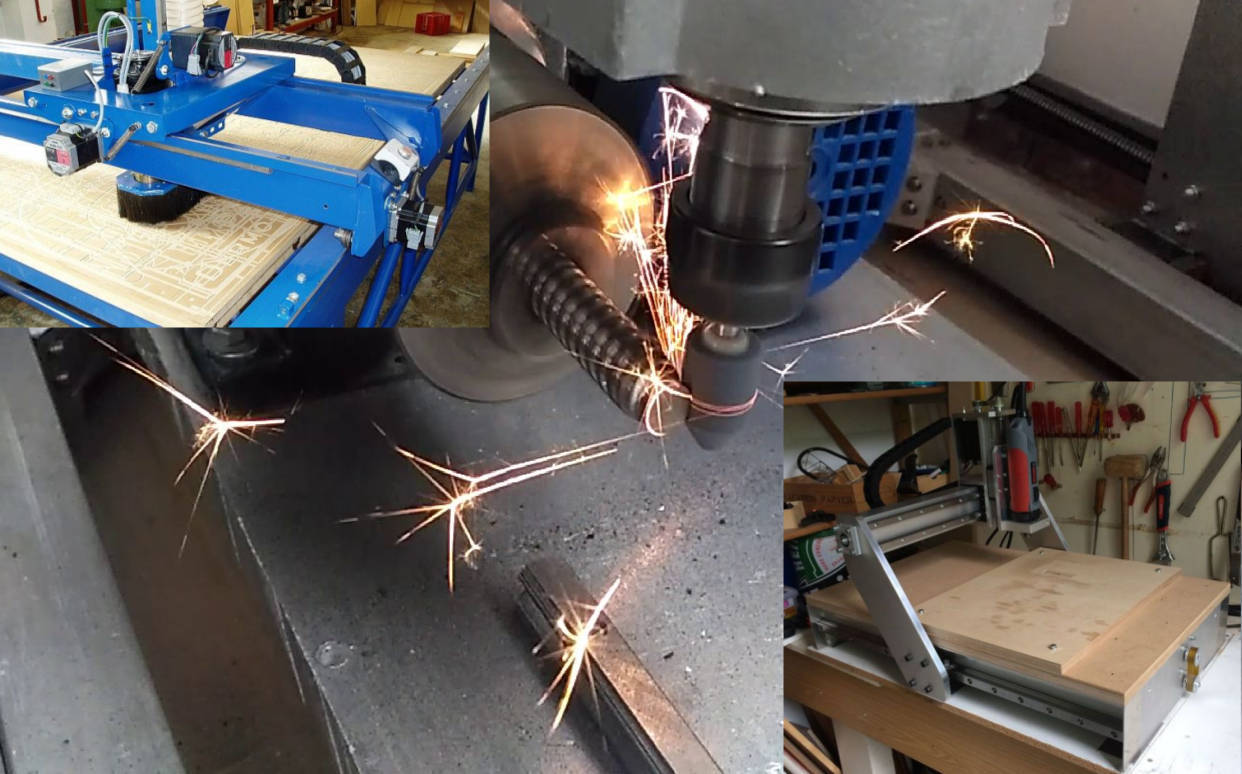
I hope this publication will be informative to JVM programmers, those who are interested in the IoT topic, who are not unfamiliar with tinkering, who are thinking about buying a 3D printer, who made a prototype of any system and ran software on Raspberry PI / Beagleboard Black. What I’ll tell you about, you can repeat using open source software and open hardware.
Based on my mini-report at the conference "Software Development" (SECR-2016) . As well as experience in both hardware and software.
We’ll start a report on the topic “How can a CNC machine in a home workshop not turn into a cartoon of two of the casket heroes”. Who looked and remembers what this cartoon is about?
Voices from the audience: “Everyone watched”
Great, so you probably know what I’ll talk about. And at the end of the report, we will try to programmatically control the machine in Java and Groovy.
Another question to the audience. Who constantly uses CNC machines, who works as an engineer, designer, production technologist? I hear negative answers from the audience. So it will be much easier for me and do not troll. People who use these technologies in the industry every day can be ridiculous from the cost of tools, the depth of immersion in the topic and my style of presentation.
What do we know about work? Human work and labor has always happened in two ways.
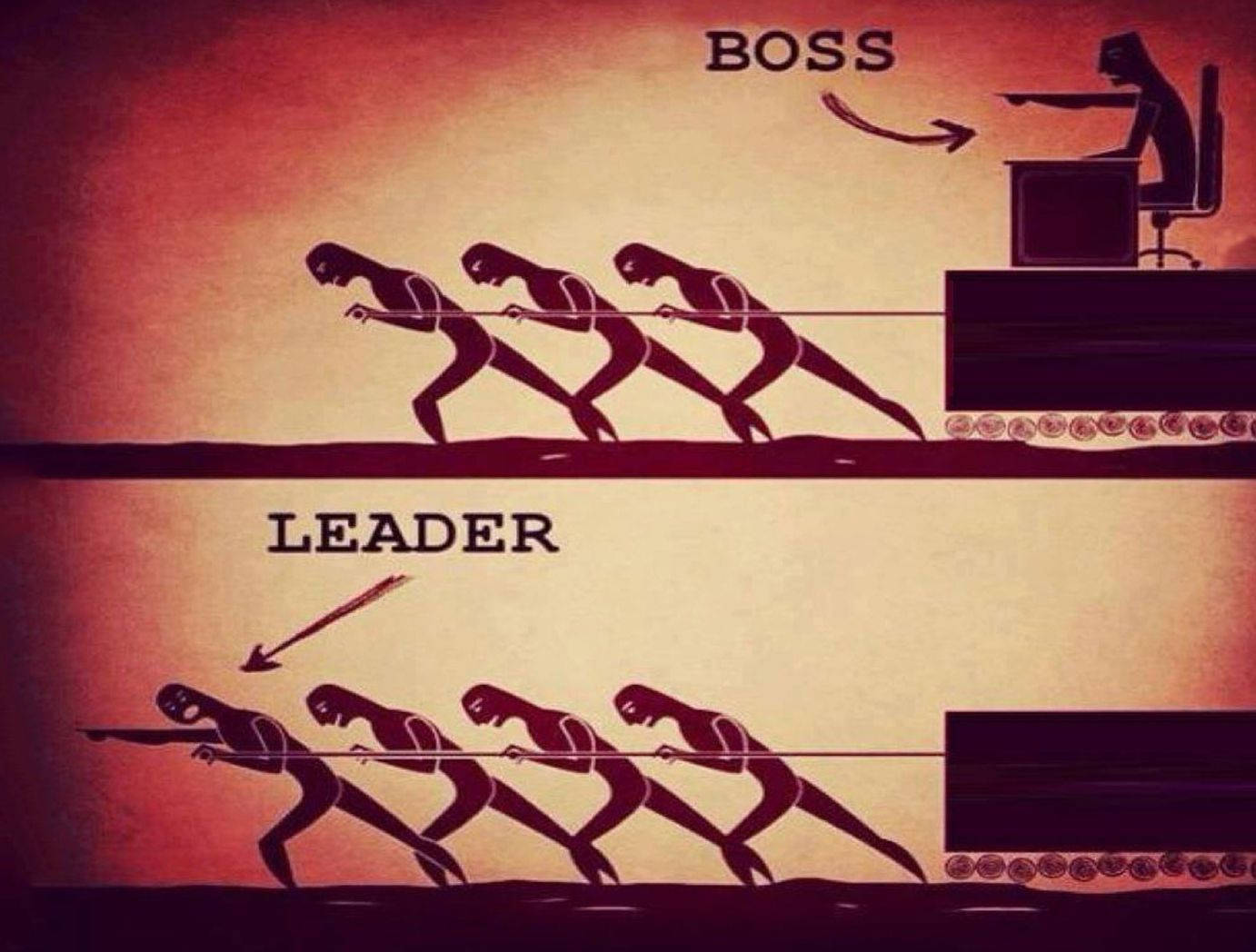
Either you control the one who works, or you harness and do the work together with everyone - together you pull one “strap”.
This picture did not take into account that more convenient tools appeared due to inventors and engineers.
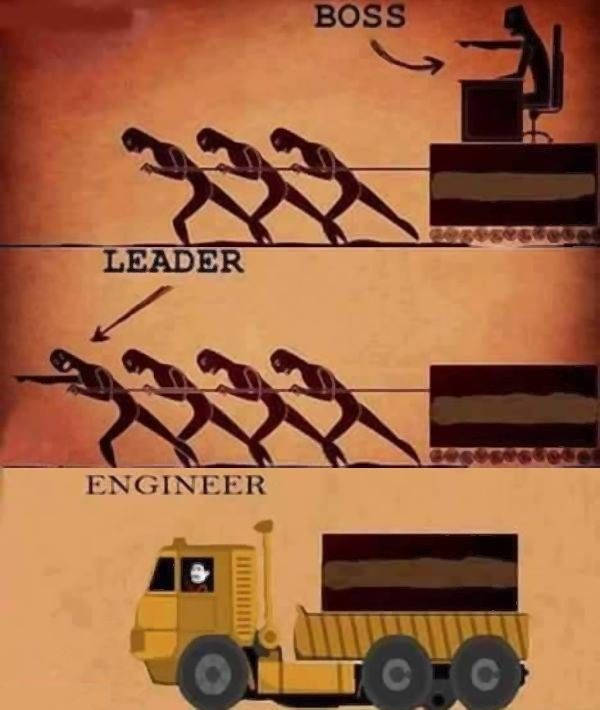
Technologies that simplify labor make life much more pleasant and allow people to do intellectual things, and leave work for cars.
Everyone probably remembers how the boy from the cartoon "Vovka in the Far Far Away" wanted his wishes to be fulfilled, but he did not want to do anything himself and did not want to learn anything.

In the distant kingdom he came to two of the casket, identical from the face. They were executive anddid everything for him, but not at all as he needed .
Also, you probably remember these two.
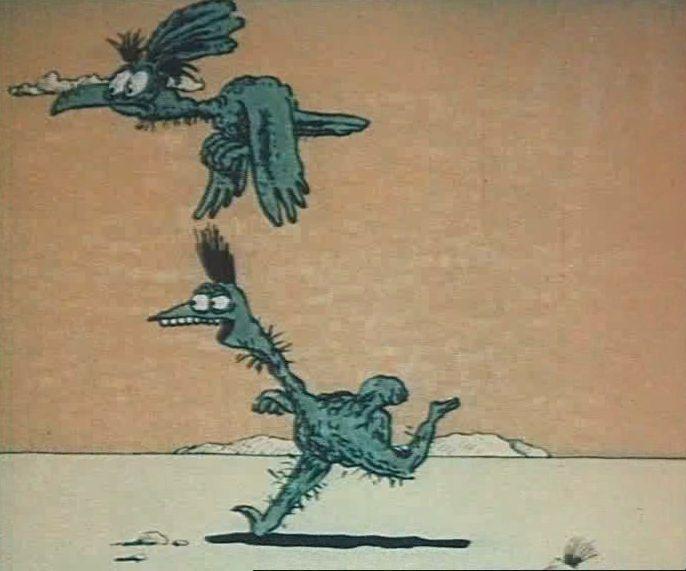
Vulture called ostrich with him to where there is a lot of tasty. When the ostrich ran, the vulture stopped him and said the phrase "It is better to lose a day, then fly in five minutes." When doing often repetitive work, you need to think whether it is easier to lose the “day” for its automation.
The technologies that we are going to talk about are the seventies of the XX century. These are machines that are controlled by programs that are stored in memory. Previously, these were punch cards, recently these are flash drives. In production, automatic machines come in a variety of sizes, different kinematic schemes and can be equipped with various tools that perform material processing.
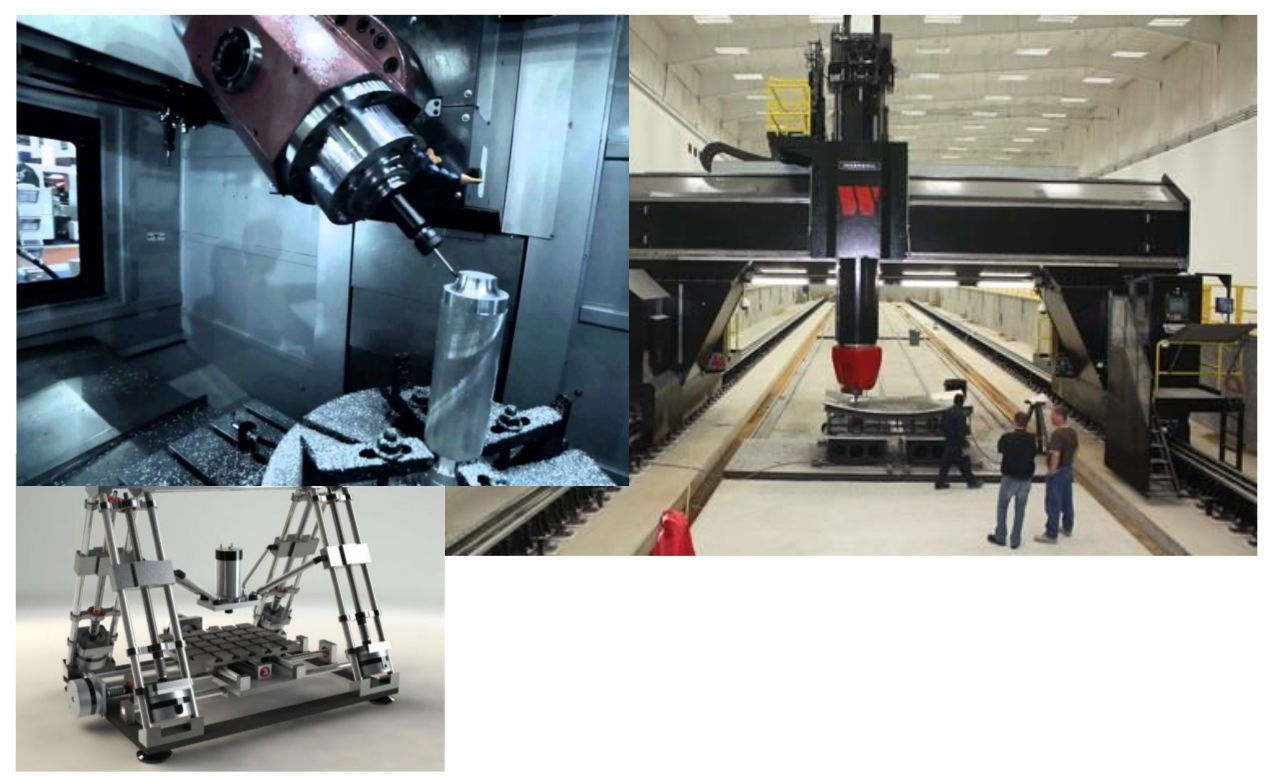
In the home workshop, everything is more prosaic. Basically, machines - an assortment with AliExpress or our importers of “manufacturers” of rebranding from the Middle Kingdom. You can purchase anything, but you can assemble it yourself by purchasing spare parts.
If you feel sorry for the time and money, there is no experience and access to machines for the manufacture of a frame and a portal, then it is easier to buy ready-made. On the other hand, to collect it yourself is a very interesting experience. There are also projects of Shapeoko, MechMate CNC Router, Zenbot CNC, etc.
What can be done on a CNC machine and why can it be needed in a workshop? You can perform woodwork, make decorative panels for repair. Or you have a creative thought and its result is not sold ready-made. You can still make a part for the repair of any household equipment. For example, spare parts for teapots or steamers made of non-ferrous metals and spare parts for repairs are not available for sale and service centers. It is possible to make spare parts for another CNC on one machine as in the case of a 3D printer, but not limited to plastic, as a material for the manufacture of parts.
From a software point of view, there is almost no difference between a CNC, a 3D printer, or a plotter. The work tool is different, but many 3D printers are controlled like large industrial machines in the same command language.
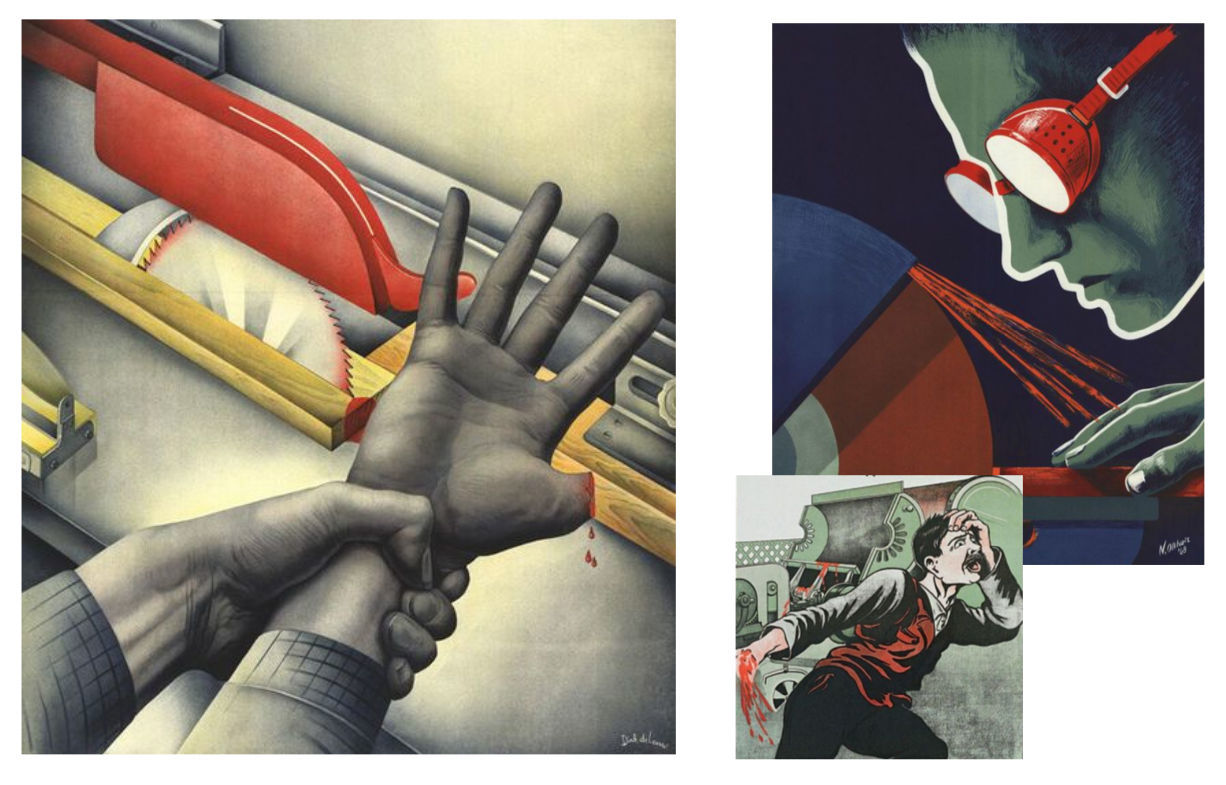
Remembering the cartoon where the ostrich ran and could not fly up. Vulture says wings are better, ostrich says legs. At the end of the cartoon, a lizard appears and says that the main thing is the tail. Her tail saved her life in the beginning. I ask you, when working with CNC, to remember the dangers of life and health and observe safety precautions! CNCs contain cutting tools, massive moving and rotating parts.
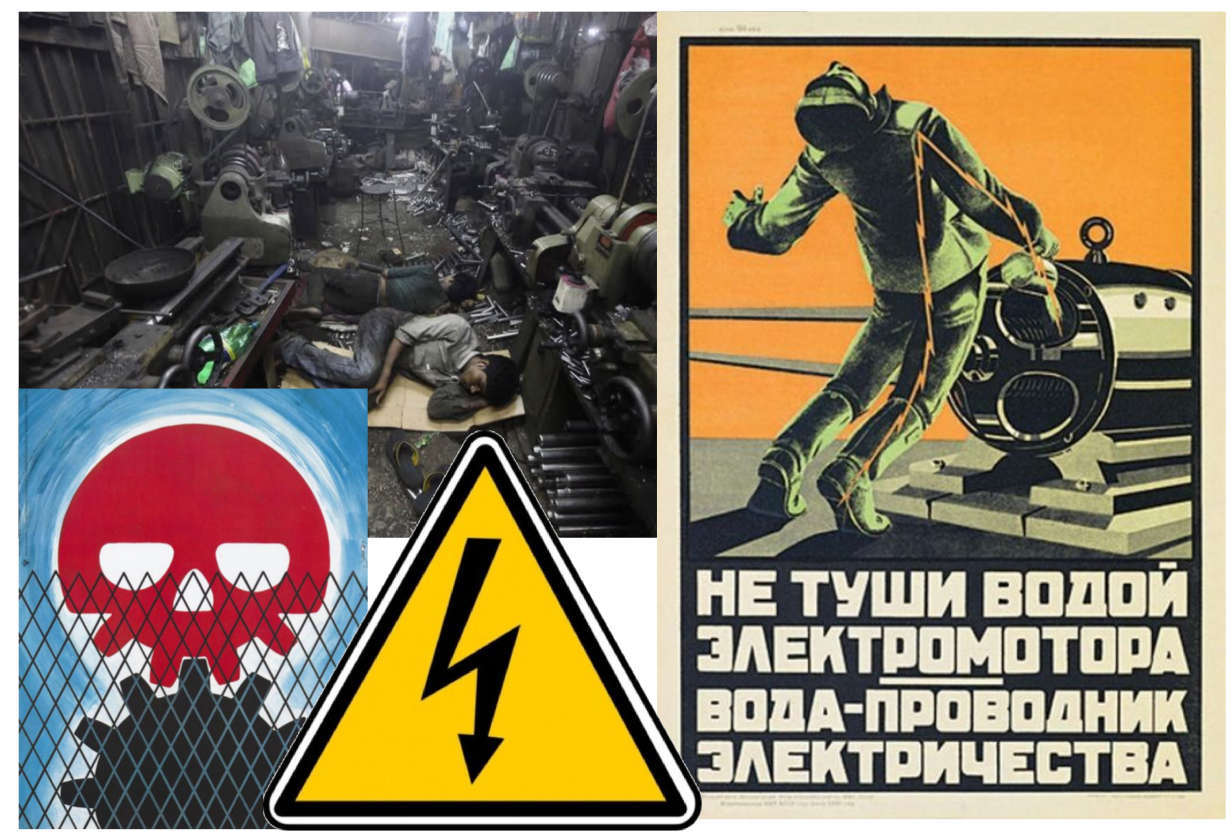
An electric drive is fraught with danger in contact with the housing if insulation is broken. Do not even try to extinguish a working electric drive without de-energizing it.
Almost every CNC machine is controlled by a G-code. This is a text format for commands and data that is accepted as an international standard. But specific implementations for machines of different manufacturers contain extensions that can make control programs not portable to another machine.
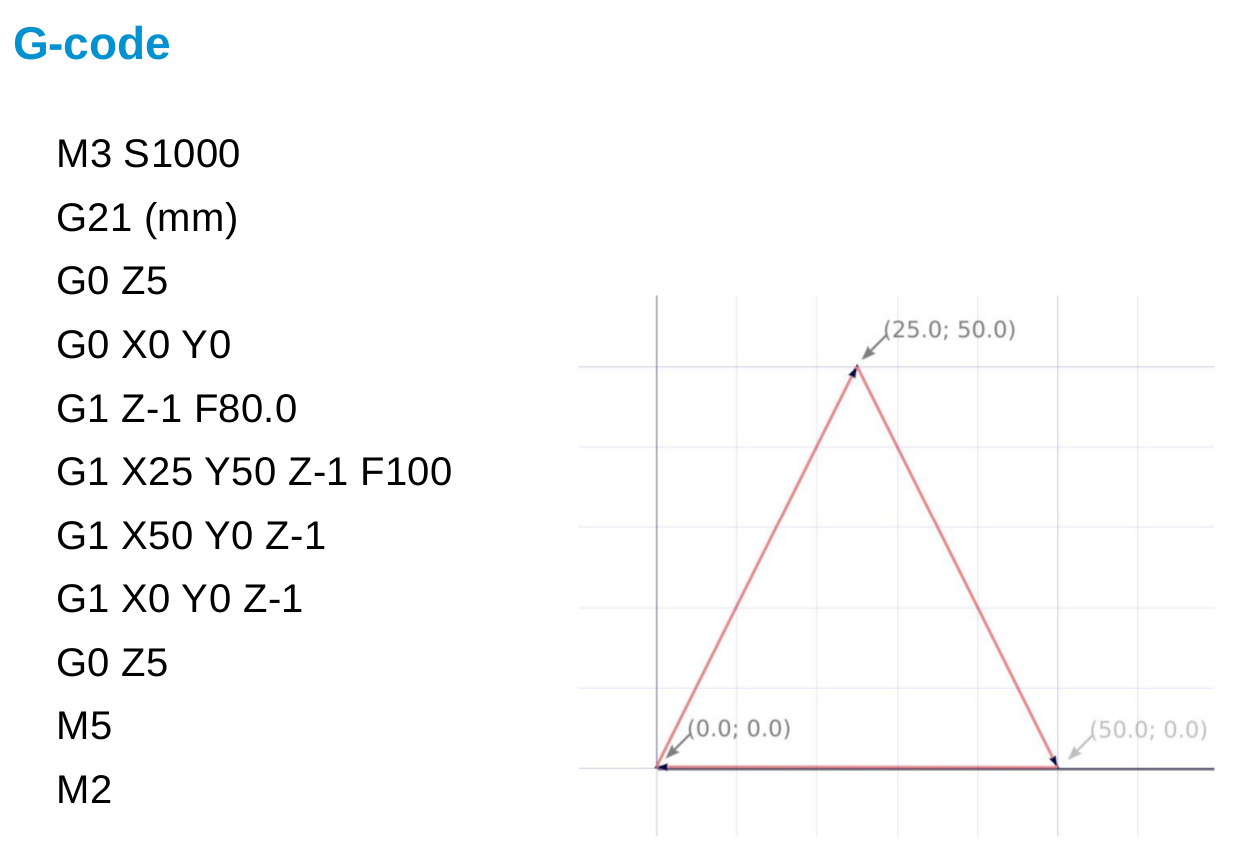
The control program on this slide mills a triangle on a plane.
There is nothing complicated in this example, but in practice G-code is rarely written manually. Usually a model is created in some form and on its basis a control program is created.
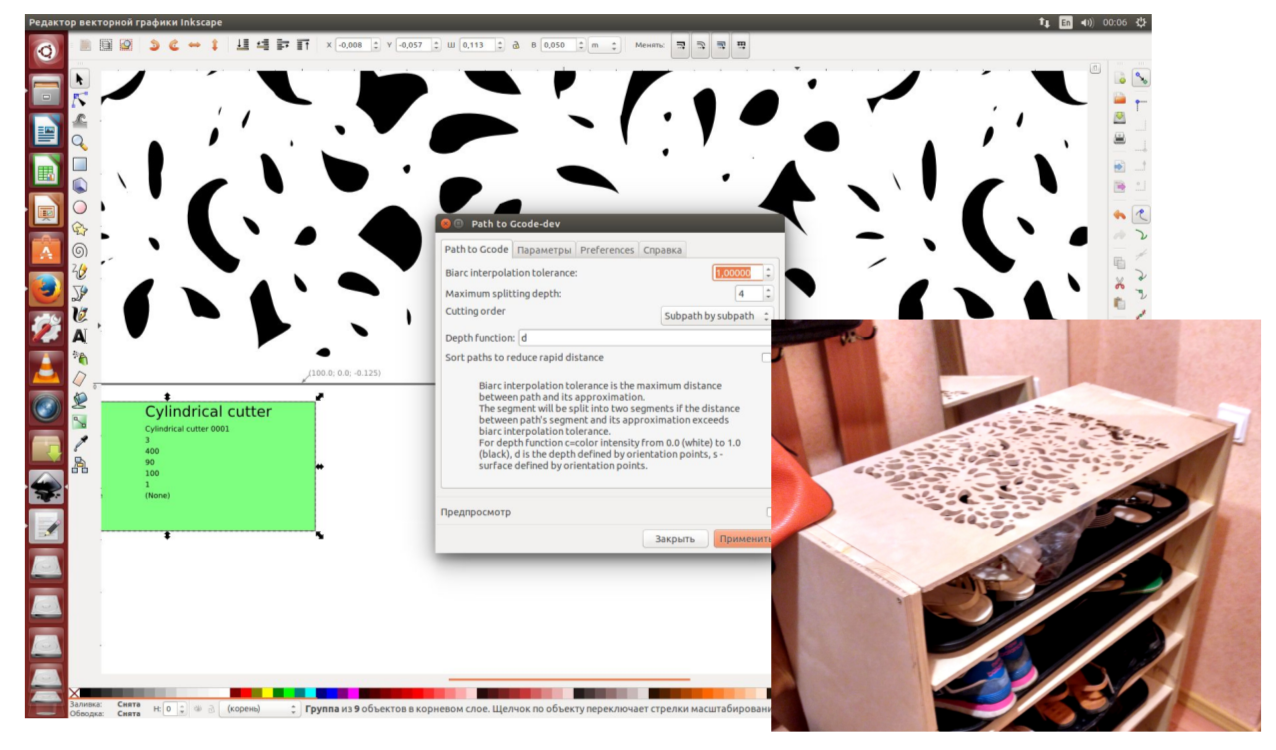
You can create contours in a vector editor, for example, Inkskape, and with the help of opensource software GCodeTools turn it into a g-code program for the machine. This approach is convenient for designers.
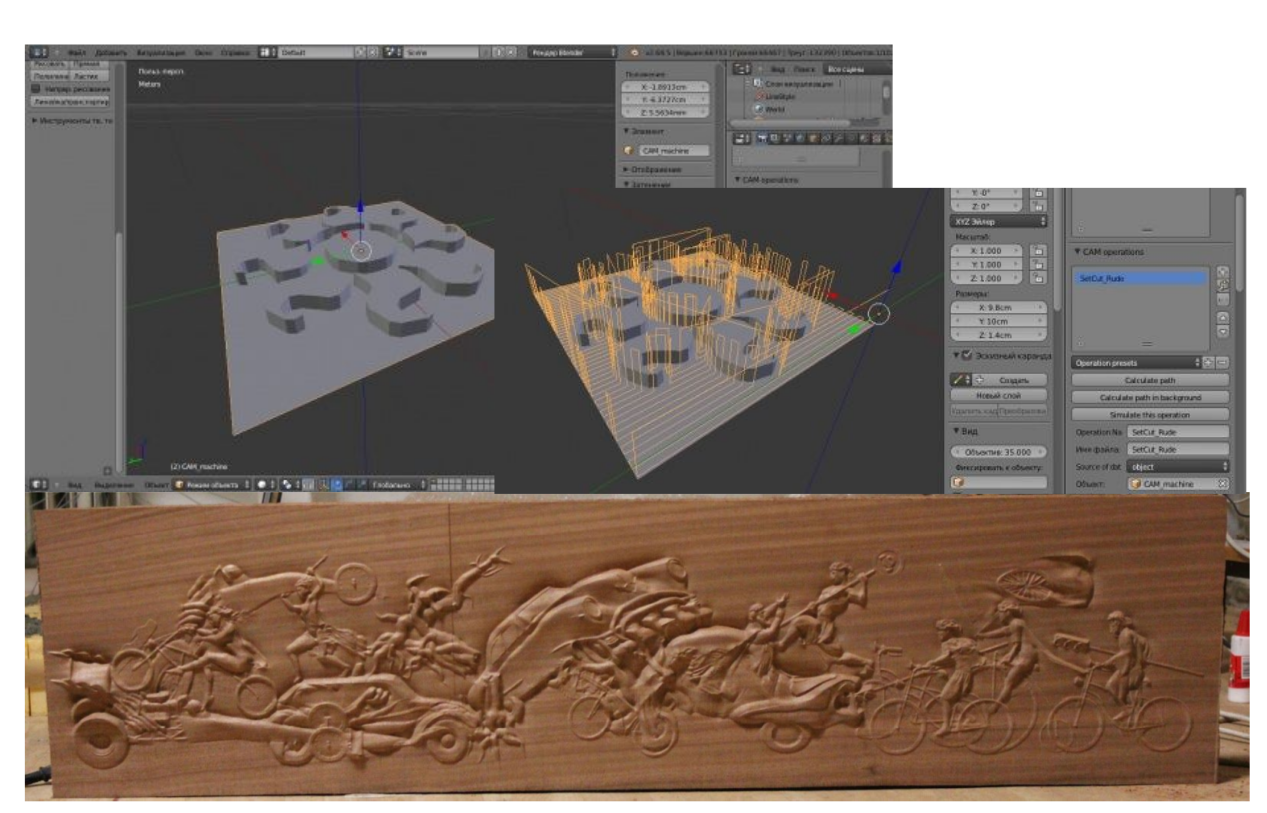
For those who are used to working in Blender, you can turn a 3D model into a 2.5D relief using opensource BlenderCAM.
Industrial CAD systems worth tens and hundreds of thousands of dollars are not available for hobbial use. But you can use opensource software FreeCAD.
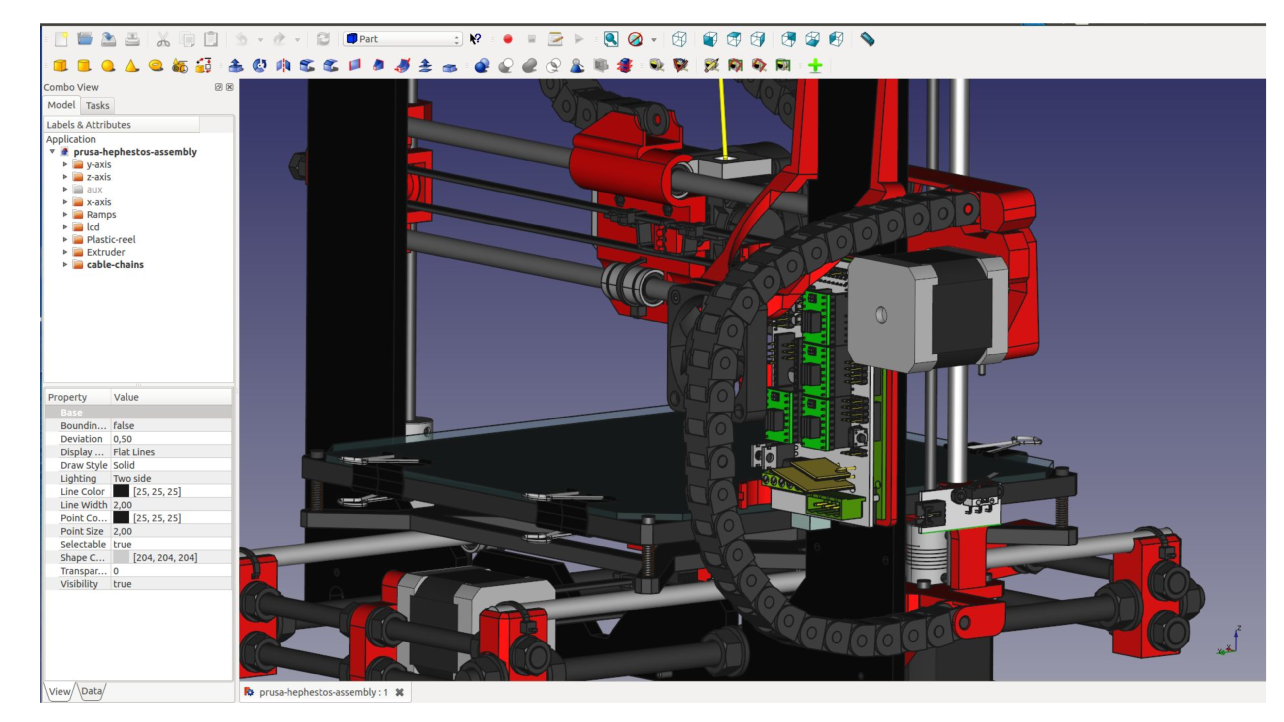
While it is not comparable in terms of convenience and functionality with expensive CAD / CAM packages, but in simple tasks it may well be enough for design.
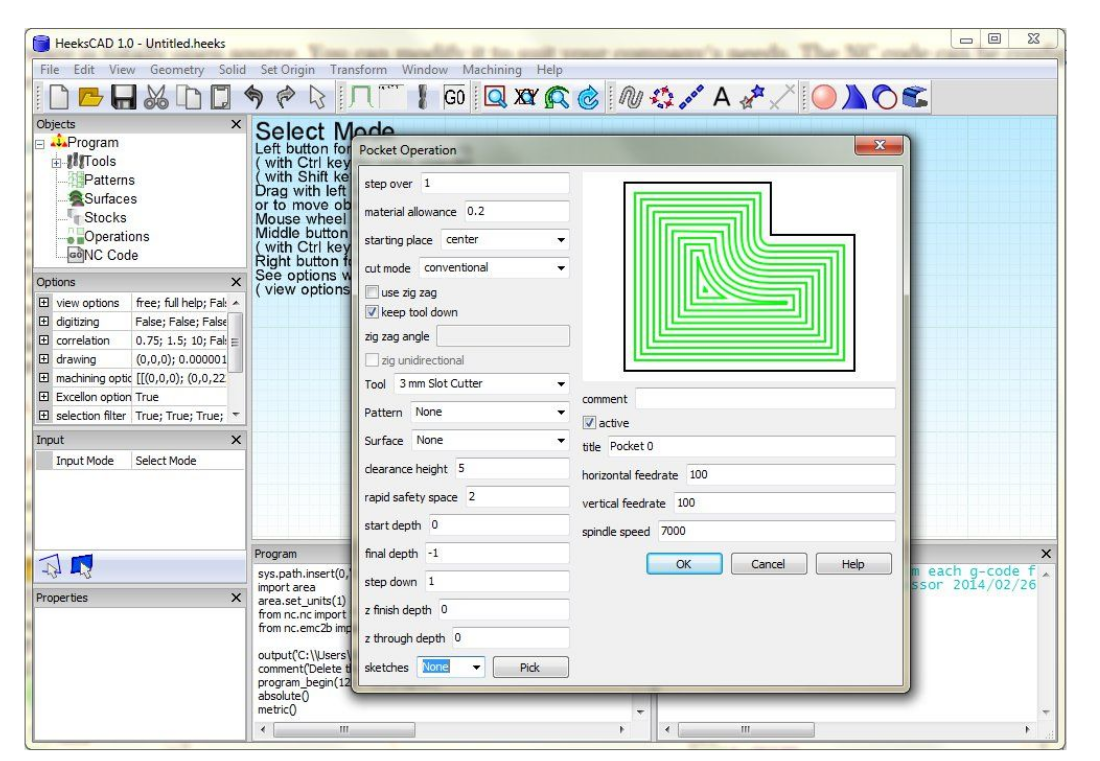
His fork HeeksCAD is more elaborate in the CAM part and allows creating control programs based on the model / drawing.
What directly controls the coordinate table, milling cutter, or other tool of the machine?
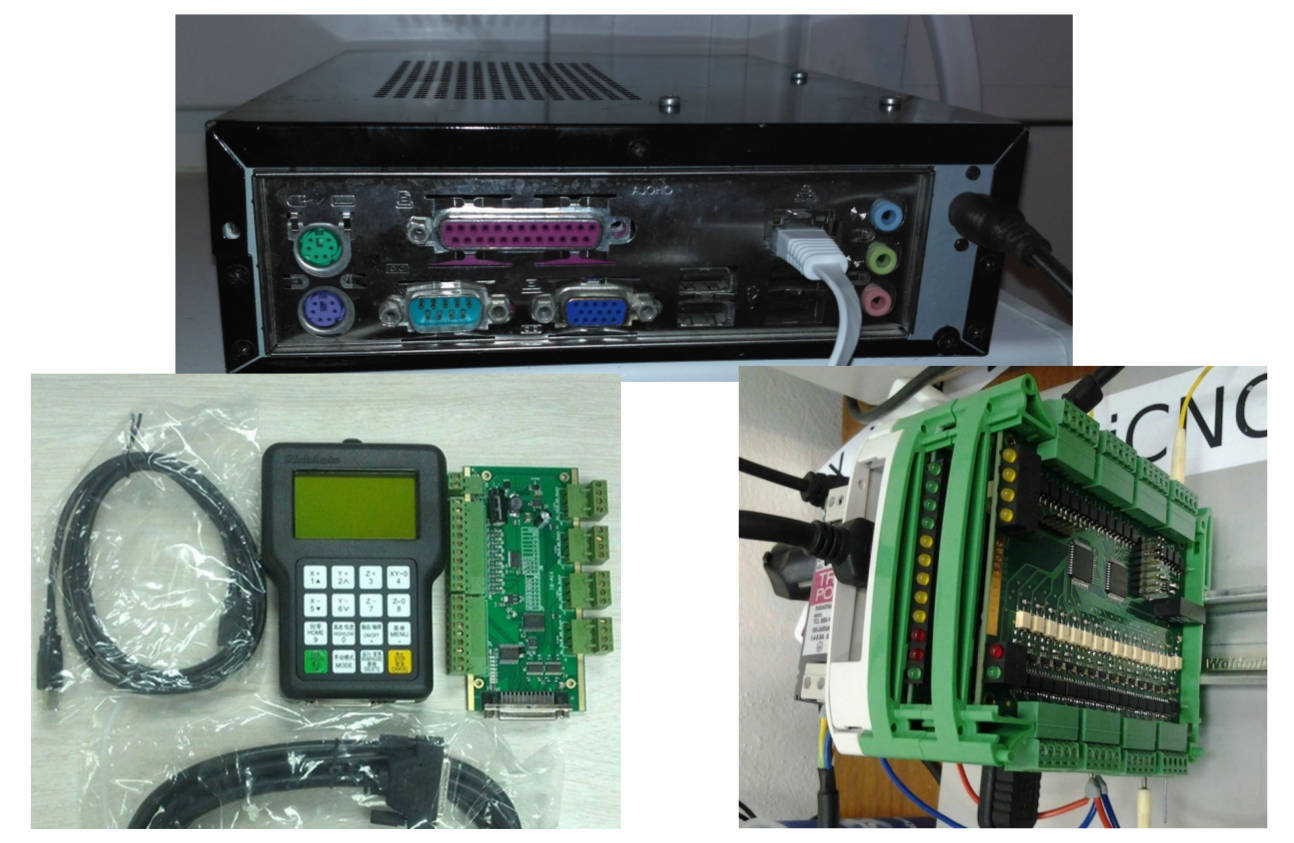
These are specialized DSP CNC controllers to which you can connect a usb flash drive and a machine. Or they are expansion cards for a single-board computer (Raspberry PI, BeagleBoard) for controlling the electric drive and spindle. Or it is a regular personal computer with an LPT port or a PCI / PCIe expansion card for interfacing with the machine electronics.
The hero for this report is a personal computer. Because you can control the machine, you can interpret g-code using the opensource program LinuxCNC.

The software runs on a real-time linux kernel. For Raspberry PI single-board computers, BeagleBoard Black uses its fork Machinekit for ARM as a ready-made iso image. There is a Machinekit build for the $ 9 single-board CHIP.
LinuxCNC is a constructor, and based on its configuration, you can build almost any configuration. This program controls both hobi machines and huge production CNCs. It is used both in the modernization of industrial CNC electronics, and in newly designed machines.

Some of its components work in a real-time process, a less critical part works in an environment with unpredictable delays. To expand the internal logic of reaction to events in LinuxCNC, you can use LD charts and even shell scripts or console programs.
Instead of its GUI component, we will try to control the CNC and transfer commands to the interpreter via an external API using the usual software development technologies. For all who are interested in this idea, you can find the PoC Apache Camel component and the library for the camel-gcode JVM on github.
There are many solutions for the "Internet of things" that are based on java, often these are servers for IoT gateways. Now it is possible to integrate machine control on LinuxCNC into complex "cloud" automation scenarios with access to the Internet. Using Eclipse Kura, Apache Camel and using this constructor to assemble a working solution of hundreds of ready-made components will not be difficult. You can integrate machine vision libraries and add recognition components, as there are tools for capturing images from a camera or over a network.
Let's start with a small java example using the API, which allows you to send commands to control the machine. Under the hood, the library sends telnet commands to the linuxcncrsh process from LinuxCNC / Machinekit.
This example moves the machine portal at maximum speed at idle, first to coordinates (3; 4), and then to (5; 2).
The following Groovy example program is based on the Apache Camel framework and a component for sending commands to the com.github.igor-suhorukov machine: camel-gcode
You can run the example using java -jar groovy-grape-aether-2.4.5.4.jar CamelCNC.groovy
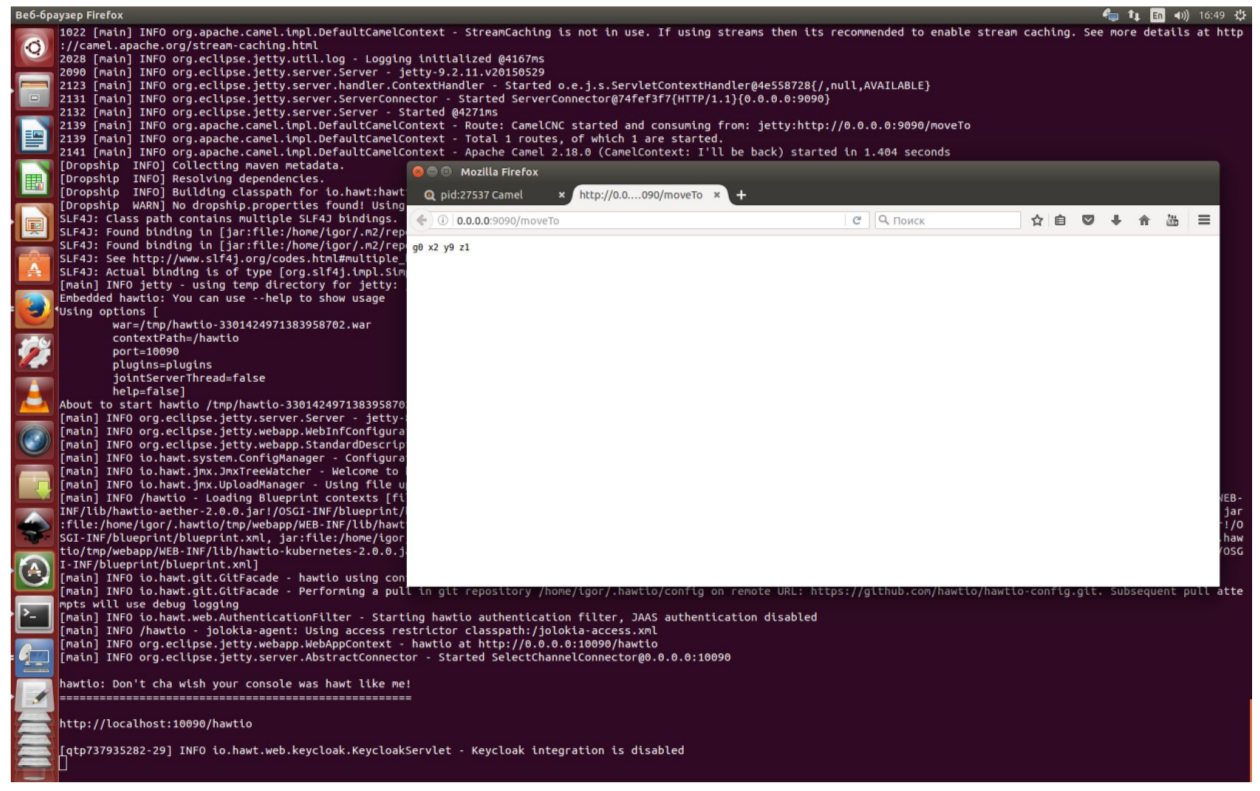
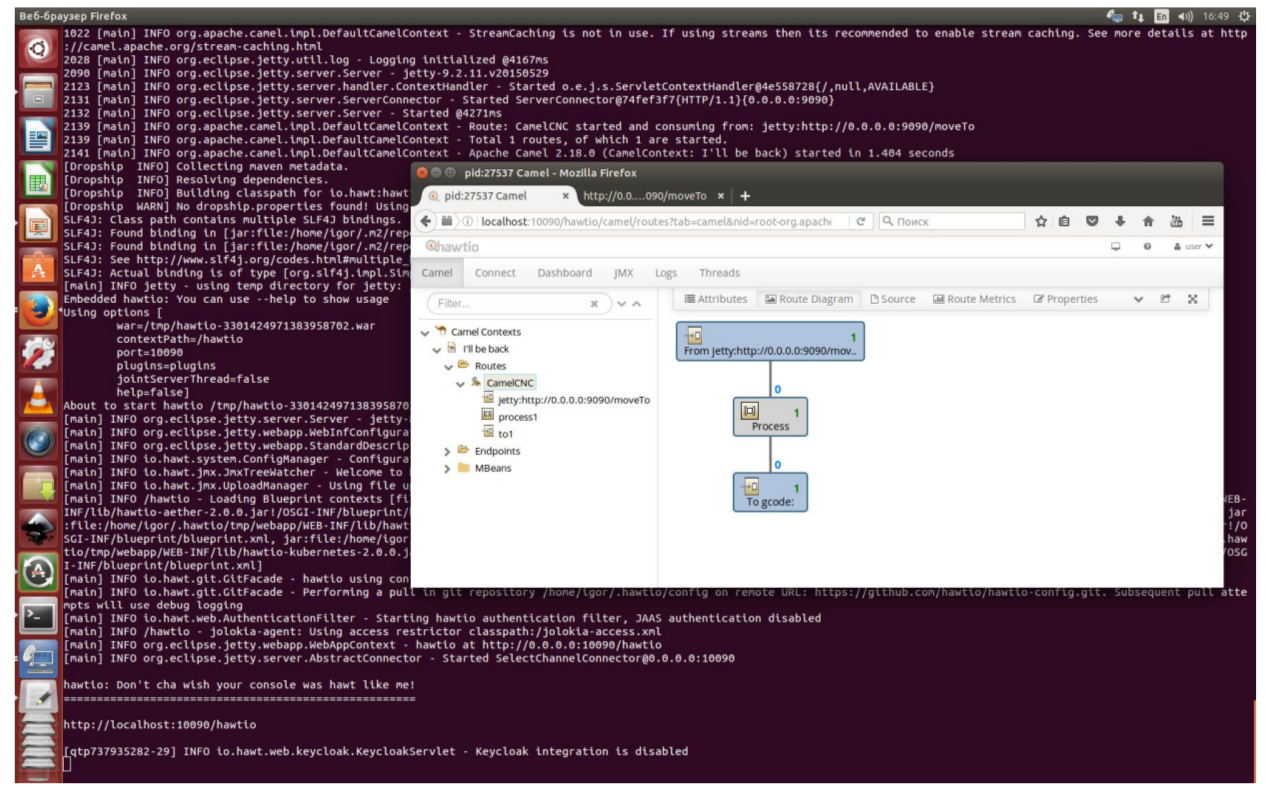
In this example, the application on Groovy connects the jetty, gcode components, forms a route on the groovy DSL camel and downloads and launches the web console for monitoring HawtIo. Each request for http to HOST: 9090 / moveTo creates a new command with random coordinates along the X and Y axes and sends it to LinuxCNC and the machine and the generated command is returned to the client as an http response. The web console listens at HOST : 10090 / hawtio
Quite complicated things are easy to do due to the magic of Apache Camel, Groovy and HawtIo.
We can tell fortunes about the future.
There is a trend that everything that can be automated and it is economically feasible to do so is automated. The other day there was news about Foxconn in China and 40,000 machines in their production that cut jobs in the enterprise. They do most of the details of automatic machines on their own, as well as control electronics.
Although I’m not Nostradamus, but now it’s becoming clear that due to automation, jobs will disappear in the future. It is also clear that the need for automation will only increase over time. And people who are versed in these technologies will be even more in demand on the labor market, but until a certain point ... And personal production on CNC will penetrate every workshop.
What exactly will be the future?
Will robots of humans be destroyed or destroyed?
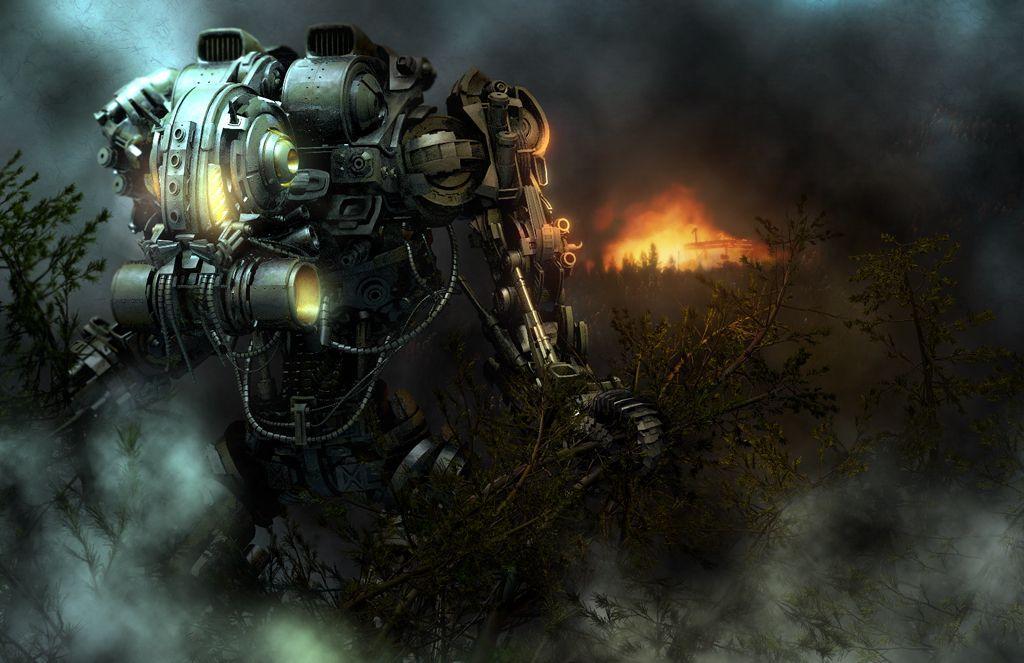
Or people will also control the robots.

It all depends on us today !!!
Many of the things that we do manually and such repetitive work can often be automated. In this case, you need to start by creating a model. The next step is to turn this model into a control program for the machine. These commands will be executed by a certain CNC mechanism and everything in the production process that it makes sense to automate, needs to be automated. Using, including machine vision technology and feedback sensors. It’s definitely not worth running with a USB flash drive between the computer and the machine, you need to transfer commands over the network. Let the machine do all the work. But in order for the CNC not to turn into two of the casket, you still have to learn technology and understand the details of the process. Otherwise, you will have to share resources with those who understand and get as a result not always what they originally wanted.
You will learn about personal automated production in a home workshop, how a creator's idea turns into a finished product. Consider the approach of sending G-code instructions from the JVM and groovy / java to an CNC machine to automate what is not in the box.
I hope this publication will be informative to JVM programmers, those who are interested in the IoT topic, who are not unfamiliar with tinkering, who are thinking about buying a 3D printer, who made a prototype of any system and ran software on Raspberry PI / Beagleboard Black. What I’ll tell you about, you can repeat using open source software and open hardware.
Content
- Foreword
- CNC machines
- From model to G-code
- Program management
- We control the machine from java and groovy
- Beautiful far away ...
- conclusions
Based on my mini-report at the conference "Software Development" (SECR-2016) . As well as experience in both hardware and software.
Video recording of the report ...
Many thanks to Stas Fomin belonesox for professional video recording and operational editing !!!
Foreword
Appeal to the audience.
Good morning, dear listeners. Thank you all for waking up and coming on the weekend morning. I am glad to see you in the hall! You and I do not have much time for the report, so there will not be a question and answer section in the hall, but you can come up and ask questions after the report. On the last slide there is an email address to which I will also reply.
Your opinion about the report is very important to me. In the near future I plan to hold a meeting where it will be practically possible to try to do what I’ll talk about theoretically and control the CNC. It will be an open / free event and whoever will be in Moscow can join. I hope to find a place in the near future, prepare examples and place information on the venue on meetup.com. If you are interested, you can write to the email address and I will send you an alert about the event. Note to the article: of course I will publish the results of this meeting for habrahabr readers and you can participate in it.
Your opinion about the report is very important to me. In the near future I plan to hold a meeting where it will be practically possible to try to do what I’ll talk about theoretically and control the CNC. It will be an open / free event and whoever will be in Moscow can join. I hope to find a place in the near future, prepare examples and place information on the venue on meetup.com. If you are interested, you can write to the email address and I will send you an alert about the event. Note to the article: of course I will publish the results of this meeting for habrahabr readers and you can participate in it.
We’ll start a report on the topic “How can a CNC machine in a home workshop not turn into a cartoon of two of the casket heroes”. Who looked and remembers what this cartoon is about?
Voices from the audience: “Everyone watched”
Great, so you probably know what I’ll talk about. And at the end of the report, we will try to programmatically control the machine in Java and Groovy.
Another question to the audience. Who constantly uses CNC machines, who works as an engineer, designer, production technologist? I hear negative answers from the audience. So it will be much easier for me and do not troll. People who use these technologies in the industry every day can be ridiculous from the cost of tools, the depth of immersion in the topic and my style of presentation.
CNC machines
What do we know about work? Human work and labor has always happened in two ways.
Either you control the one who works, or you harness and do the work together with everyone - together you pull one “strap”.
This picture did not take into account that more convenient tools appeared due to inventors and engineers.
Technologies that simplify labor make life much more pleasant and allow people to do intellectual things, and leave work for cars.
Everyone probably remembers how the boy from the cartoon "Vovka in the Far Far Away" wanted his wishes to be fulfilled, but he did not want to do anything himself and did not want to learn anything.
In the distant kingdom he came to two of the casket, identical from the face. They were executive anddid everything for him, but not at all as he needed .
Also, you probably remember these two.
Vulture called ostrich with him to where there is a lot of tasty. When the ostrich ran, the vulture stopped him and said the phrase "It is better to lose a day, then fly in five minutes." When doing often repetitive work, you need to think whether it is easier to lose the “day” for its automation.
The technologies that we are going to talk about are the seventies of the XX century. These are machines that are controlled by programs that are stored in memory. Previously, these were punch cards, recently these are flash drives. In production, automatic machines come in a variety of sizes, different kinematic schemes and can be equipped with various tools that perform material processing.
In the home workshop, everything is more prosaic. Basically, machines - an assortment with AliExpress or our importers of “manufacturers” of rebranding from the Middle Kingdom. You can purchase anything, but you can assemble it yourself by purchasing spare parts.
If you feel sorry for the time and money, there is no experience and access to machines for the manufacture of a frame and a portal, then it is easier to buy ready-made. On the other hand, to collect it yourself is a very interesting experience. There are also projects of Shapeoko, MechMate CNC Router, Zenbot CNC, etc.
What can be done on a CNC machine and why can it be needed in a workshop? You can perform woodwork, make decorative panels for repair. Or you have a creative thought and its result is not sold ready-made. You can still make a part for the repair of any household equipment. For example, spare parts for teapots or steamers made of non-ferrous metals and spare parts for repairs are not available for sale and service centers. It is possible to make spare parts for another CNC on one machine as in the case of a 3D printer, but not limited to plastic, as a material for the manufacture of parts.
From a software point of view, there is almost no difference between a CNC, a 3D printer, or a plotter. The work tool is different, but many 3D printers are controlled like large industrial machines in the same command language.
Remembering the cartoon where the ostrich ran and could not fly up. Vulture says wings are better, ostrich says legs. At the end of the cartoon, a lizard appears and says that the main thing is the tail. Her tail saved her life in the beginning. I ask you, when working with CNC, to remember the dangers of life and health and observe safety precautions! CNCs contain cutting tools, massive moving and rotating parts.
An electric drive is fraught with danger in contact with the housing if insulation is broken. Do not even try to extinguish a working electric drive without de-energizing it.
From model to G-code
Almost every CNC machine is controlled by a G-code. This is a text format for commands and data that is accepted as an international standard. But specific implementations for machines of different manufacturers contain extensions that can make control programs not portable to another machine.
The control program on this slide mills a triangle on a plane.
G21 says that the units in the program will be in millimeters.
M3 Turns on the spindle with the specified rotation speed S.
G0 moves the working tool at idle with linear interpolation from the current coordinate to those specified in the command.
G1 also uses linear interpolation, but this is a processing mode where F indicates the feedrate.
M5 stops the spindle.
M2 completes the program
There is nothing complicated in this example, but in practice G-code is rarely written manually. Usually a model is created in some form and on its basis a control program is created.
You can create contours in a vector editor, for example, Inkskape, and with the help of opensource software GCodeTools turn it into a g-code program for the machine. This approach is convenient for designers.
For those who are used to working in Blender, you can turn a 3D model into a 2.5D relief using opensource BlenderCAM.
Industrial CAD systems worth tens and hundreds of thousands of dollars are not available for hobbial use. But you can use opensource software FreeCAD.
While it is not comparable in terms of convenience and functionality with expensive CAD / CAM packages, but in simple tasks it may well be enough for design.
His fork HeeksCAD is more elaborate in the CAM part and allows creating control programs based on the model / drawing.
Program management
What directly controls the coordinate table, milling cutter, or other tool of the machine?
These are specialized DSP CNC controllers to which you can connect a usb flash drive and a machine. Or they are expansion cards for a single-board computer (Raspberry PI, BeagleBoard) for controlling the electric drive and spindle. Or it is a regular personal computer with an LPT port or a PCI / PCIe expansion card for interfacing with the machine electronics.
The hero for this report is a personal computer. Because you can control the machine, you can interpret g-code using the opensource program LinuxCNC.
The software runs on a real-time linux kernel. For Raspberry PI single-board computers, BeagleBoard Black uses its fork Machinekit for ARM as a ready-made iso image. There is a Machinekit build for the $ 9 single-board CHIP.
LinuxCNC is a constructor, and based on its configuration, you can build almost any configuration. This program controls both hobi machines and huge production CNCs. It is used both in the modernization of industrial CNC electronics, and in newly designed machines.
Some of its components work in a real-time process, a less critical part works in an environment with unpredictable delays. To expand the internal logic of reaction to events in LinuxCNC, you can use LD charts and even shell scripts or console programs.
We control the machine from java and groovy
Instead of its GUI component, we will try to control the CNC and transfer commands to the interpreter via an external API using the usual software development technologies. For all who are interested in this idea, you can find the PoC Apache Camel component and the library for the camel-gcode JVM on github.
There are many solutions for the "Internet of things" that are based on java, often these are servers for IoT gateways. Now it is possible to integrate machine control on LinuxCNC into complex "cloud" automation scenarios with access to the Internet. Using Eclipse Kura, Apache Camel and using this constructor to assemble a working solution of hundreds of ready-made components will not be difficult. You can integrate machine vision libraries and add recognition components, as there are tools for capturing images from a camera or over a network.
Let's start with a small java example using the API, which allows you to send commands to control the machine. Under the hood, the library sends telnet commands to the linuxcncrsh process from LinuxCNC / Machinekit.
//maven dependency com.github.igor-suhorukov:camel-gcode:0.1
import com.github.igorsuhorukov.gcode.GCodeClient;
public class Gcode {
    public static void main(String[] args) throws Exception {
        String hostname = "beaglebone.local";
        int port = 5007;
        try (GCodeClient gCodeClient = new GCodeClient(hostname, port)) {
            System.out.println(gCodeClient.login("EMC", "JVM", "1.0"));
            gCodeClient.sendCommand("set mode manual");
            gCodeClient.sendCommand("set estop off");
            gCodeClient.sendCommand("set machine on");
            for (int axis = 0; axis < 4; axis++)
                gCodeClient.sendCommand("set home " + axis);
            System.out.println(gCodeClient.sendCommand("get abs_act_pos"));
            gCodeClient.sendCommand("set mode mdi");
            gCodeClient.sendCommand("set mdi g0 x3 y4");
            gCodeClient.sendCommand("set mdi g0 x5 y2");
        }
    }
}
This example moves the machine portal at maximum speed at idle, first to coordinates (3; 4), and then to (5; 2).
The following Groovy example program is based on the Apache Camel framework and a component for sending commands to the com.github.igor-suhorukov machine: camel-gcode
@Grab('com.github.igor-suhorukov:camel-gcode:0.1')
@Grab('org.apache.camel:camel-groovy:2.18.0')
@Grab('org.apache.camel:camel-core:2.18.0')
@Grab('org.apache.camel:camel-jetty:2.18.0')
@Grab('org.slf4j:slf4j-simple:1.6.6')
import org.apache.camel.builder.RouteBuilder
import org.apache.camel.impl.DefaultCamelContext
import com.github.igorsuhorukov.smreed.dropship.MavenClassLoader
def camelContext = new DefaultCamelContext()
camelContext.setName("I'll be back")
camelContext.addRoutes(new RouteBuilder() {
    def void configure() {
        from('jetty:http://0.0.0.0:9090/moveTo').routeId('CamelCNC')
                .process{ it.in.body =
                  ("set mdi g0 x${Math.round(Math.random()*10)} y${Math.round(Math.random()*10)} z1") }
                .to('gcode:?host=beaglebone.local&port=5007&autoHomeAxisCount=4')
    }
})
addShutdownHook{ camelContext.stop() }
camelContext.start()
def HawtIo = MavenClassLoader.usingCentralRepo()
        .forMavenCoordinates('io.hawt:hawtio-app:2.0.0').loadClass('io.hawt.app.App')
Thread.currentThread().setContextClassLoader(HawtIo.getClassLoader())
HawtIo.main('--port','10090')
You can run the example using java -jar groovy-grape-aether-2.4.5.4.jar CamelCNC.groovy
In this example, the application on Groovy connects the jetty, gcode components, forms a route on the groovy DSL camel and downloads and launches the web console for monitoring HawtIo. Each request for http to HOST: 9090 / moveTo creates a new command with random coordinates along the X and Y axes and sends it to LinuxCNC and the machine and the generated command is returned to the client as an http response. The web console listens at HOST : 10090 / hawtio
Quite complicated things are easy to do due to the magic of Apache Camel, Groovy and HawtIo.
Beautiful far away ...
We can tell fortunes about the future.
There is a trend that everything that can be automated and it is economically feasible to do so is automated. The other day there was news about Foxconn in China and 40,000 machines in their production that cut jobs in the enterprise. They do most of the details of automatic machines on their own, as well as control electronics.
Although I’m not Nostradamus, but now it’s becoming clear that due to automation, jobs will disappear in the future. It is also clear that the need for automation will only increase over time. And people who are versed in these technologies will be even more in demand on the labor market, but until a certain point ... And personal production on CNC will penetrate every workshop.
What exactly will be the future?
Will robots of humans be destroyed or destroyed?
Or people will also control the robots.
It all depends on us today !!!
conclusions
Many of the things that we do manually and such repetitive work can often be automated. In this case, you need to start by creating a model. The next step is to turn this model into a control program for the machine. These commands will be executed by a certain CNC mechanism and everything in the production process that it makes sense to automate, needs to be automated. Using, including machine vision technology and feedback sensors. It’s definitely not worth running with a USB flash drive between the computer and the machine, you need to transfer commands over the network. Let the machine do all the work. But in order for the CNC not to turn into two of the casket, you still have to learn technology and understand the details of the process. Otherwise, you will have to share resources with those who understand and get as a result not always what they originally wanted.
References
Who does not essentially whether the product CAD open source, as long as the software can be legally used for free, read a publication and video courses authored DIHALT
- LinuxCNC
- Machinekit
- Freecad
- Heekscad
- Gcodedetools
- LinuxCNC telnet protocol
- G-code on LinuxCNC
- camel-gcode on github
- Apache camel
- camel-gcode Groovy example
Who does not essentially whether the product CAD open source, as long as the software can be legally used for free, read a publication and video courses authored DIHALT