Personal cloud

Cloud storage allows you not only to store data, but also to provide collaboration with them in the NAS .
Possible solutions
There are several cloud service options: NextCloud, Seafile, Pydio, etc ...
Some of them are discussed below.
Owncloud
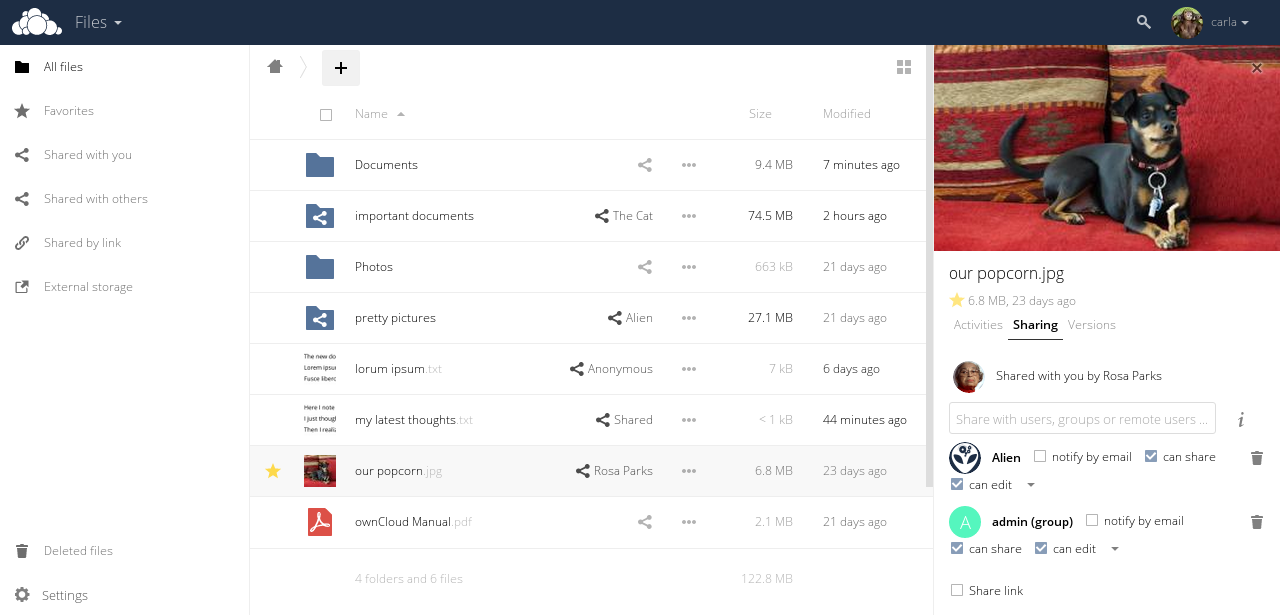
Implemented in PHP / Javascript.
Opportunities:
- It is possible to extend the functionality by installing applications from the cloud repository.
- There is integration with the office of Collabora and OnlyOffice.
- It is possible to use existing storages such as FTP, Swift, S3, Dropbox, etc.,
distributing data between them and the local cloud. - Шифрование на клиенте.
- Возможность предоставлять файлы внешним пользователям по e-mail.
- Есть автоматизация операций с файлами (например, автоматическое добавление тэгов).
- LDAP.
- Есть аудио плеер, музыкальная коллекция, галерея плагин чтения PDF.
- Интеграция с Zimbra.
- Есть календари, списки задач, текстовые редакторы и т.п.
- Антивирус и защита от ransomware.
- Двуфакторная аутентификация.
- Возможность имперсонации под другого пользователя (с целью отладки).
NextCloud

Форк OwnCloud. Реализован на PHP/Javascript.
Возможности:
- Хранение файлов с использованием обычных структур каталогов, или с использованием WebDAV.
- Есть NextCloud Talk, через который возможно делать видеозвонки и видеоконференции.
- Синхронизация между клиентами под управлением Windows (Windows XP, Vista, 7 и 8), Mac OS X (10.6 и новее) или Linux.
- Синхронизация с мобильными устройствами.
- Календарь (также как CalDAV).
- Планировщик задач.
- Адресная книга (также как CardDAV).
- Потоковое мультимедиа (используется Ampache).
- Поддерживает разные провайдеры авторизации: LDAP, OpenID, Shibboleth.
- Двуфакторная авторизация.
- Разделение контента между группами или используя публичные URL. Тонкая настройка правил.
- Онлайн текстовый редактор с подсветкой синтаксиса и сворачиванием. Анонсирована поддержка онлайн-версий редакторов LibreOffice.
- Закладки.
- Механизм сокращения URL.
- Фотогалерея.
- Просмотрщик PDF (используется PDF.js)
- Интеграция с Collabora и OnlyOffice.
- Модуль логирования.
- Возможность создания свои Web-сайтов (на PicoCMS).
- Интеграция с Outlook и Thunderbird.
- Интеграция клиента в Gnome.
- Возможность использовать внешнее хранилище.
- Полнотекстовый поиск.
- Интеграция с антивирусом.
SparkleShare
Реализован на C#.
Возможности:
- Версионирование.
- Шифрование на клиенте.
- Прозрачная синхронизация между несколькими пользователями: удалённые изменения появятся в локальном каталоге, выделенном для SparkleShare.
Особенности:
- Использует git, как бэкэнд.
Seafile

Реализован на C/Javascript.
Возможности:
- Файлы могут быть организованы в библиотеки, которые могут быть синхронизированы между устройствами.
- Есть клиент, позволяющий создать локальный "диск", отображённый на облако.
- Встроенное шифрование. Все файлы шифруются клиентом и хранятся в облаке зашифрованными.
- Поддержка мобильных устройств.
- HTTS/TLS шифрование.
- Есть LDAP.
- Тонкая настройка прав.
- Версионирование файлов.
- Возможность создания снимка каталога, к которому потом возможно вернуться.
- Дедупликация.
- Поддержка блокировки файлов.
- Совместное редактирование файлов онлайн.
- Антивирус.
- Тонкая настройка прав.
- Периодический бэкап через rsync.
- WebDAV.
- REST API.
- Возможность интеграции с Collabora.
Особенности:
- Быстрый и нетребовательный к ресурсам.
- Считается надёжным.
- Установка прав на подкаталоги поддерживается только в платной Pro версии.
- Интеграция с антивирусом — только в Pro версии.
- Аудит — только в Pro версии.
- Полнотекстовый поиск — только в Pro версии.
- Интеграция с S3 и Ceph — только в Pro версии.
- Онлайн просмотр Doc/PPT/Excel — только в Pro версии.
Pydio
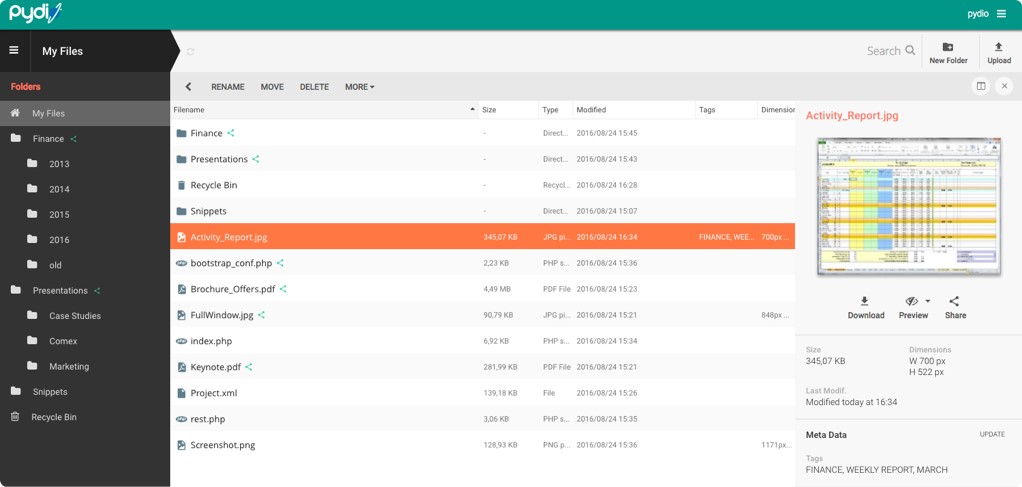
Реализован на PHP/Javascript.
Возможности:
- Обмен файлами не только между пользователями, но и между несколькими экземплярами Pydio.
- SSL/TLS шифрование.
- WebDAV.
- Возможность создать несколько рабочих пространств.
- Обмен файлами с внешними пользователями, с тонкой настройкой обмена (например, прямые ссылки, пароль и т.п.).
- Встроен офис Collabora.
- Предосмотр и редактирование изображений.
- Есть встроенный аудио и видео проигрыватель.
ProjectSend
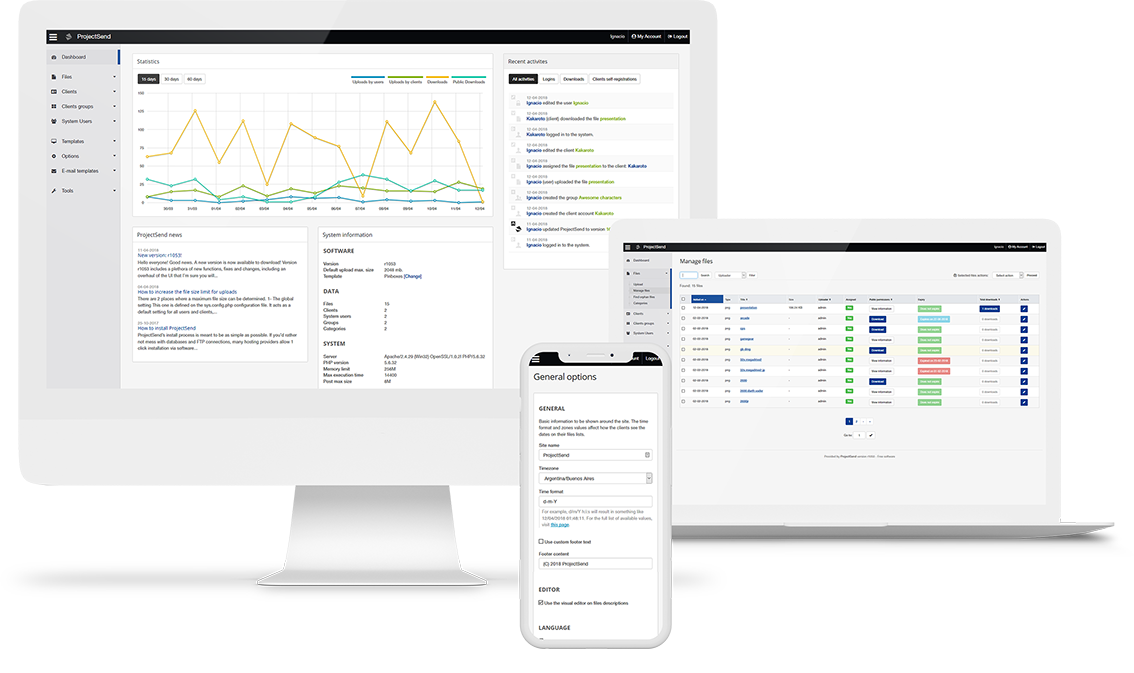
Реализован на PHP/Javascript.
Возможности:
- Возможно расшаривать файлы, как между конкретными пользователями, так и между группами.
- Полный отчёт по операциям с файлами.
- Возможность внешним пользователям загружать файлы (с целью обмена, например прикладывать баг-репорты).
SpiderOak
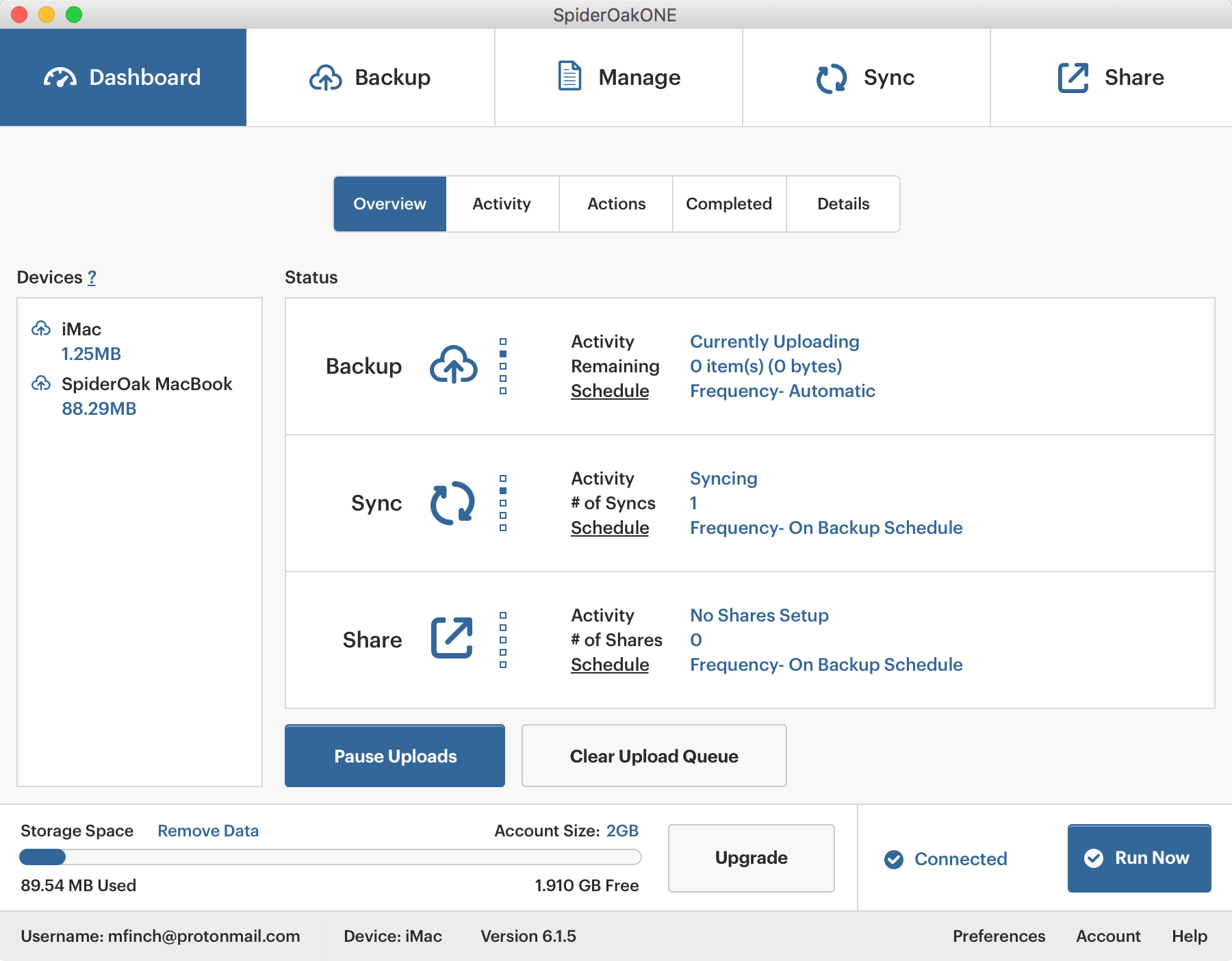
Возможности:
- Экономия места в хранилище и времени выгрузки файлов за счёт дедупликации и внесения изменений в уже имеющиеся файлы (вместо перезаписи файлов целиком).
- Настраиваемая мультиплатформенная синхронизация.
DropBox для синхронизации создаёт специальную папку, в которую надо помещать все синхронизируемые файлы. SpiderOak может работать с любым каталогом. - Сохранение всех хронологических версий файлов и удаленных файлов
- Совместное использование папок при помощи так называемых ShareRooms, на которые устанавливается пароль.
Файлы, обновлённые на локальном компьютере, автоматически обновляются в хранилище. Пользователи извещаются об изменениях по RSS. - Получение файлов с любого подключенного к Интернету устройства.
- Полное шифрование данных по принципу «нулевого знания».
- Поддержка неограниченного количества устройств.
- Шифрование данных на стороне клиента.
- Двуфакторная аутентификация.
Особенности:
Закрытая проприетарная система.
С учётом того, что данное ПО платное и частично закрытое, его использование исключается.
Install NextCloud
Initially, there was a desire to use Seafile: the server part is implemented in C, it is effective and stable. But it turned out that there is far from everything in the free version.
Therefore, I tried Nextcloud and was pleased. It provides more features and is completely free.
You can see how it works in demo mode here .
Here are the common interface points between the cloud storage and the system:
/tank0/apps/cloud/nextcloud- cloud service storage./tank0/apps/onlyoffice- office data.https://cloud.NAS.cloudns.cc- WEB interface cloud service.
Because NextCloud configuration is quite voluminous and consists of several files; I will not list them here.
You will find everything you need in the repository on Github .
There is also a configuration available for SeaFile .
First install and run NextCloud.
To do this, copy the configuration to the directory /tank0/docker/services/nextcloudand execute:
# docker-compose up -dA new image will be assembled based on Nextcloud 13.0.7. If you want to change the version of the base image, do it in app/Dockerfile. I use version 15, but it's worth noting that many plugins do not work in it, such as the ocDownloader loader and notes, and also I have not yet restored the OnlyOffice functionality.
I did not notice any fundamental differences or strong performance improvements.
Below I believe that you are using version 13+.
Next, go to NextCloud and select "Applications" in the menu on the right above, install the necessary plugins.
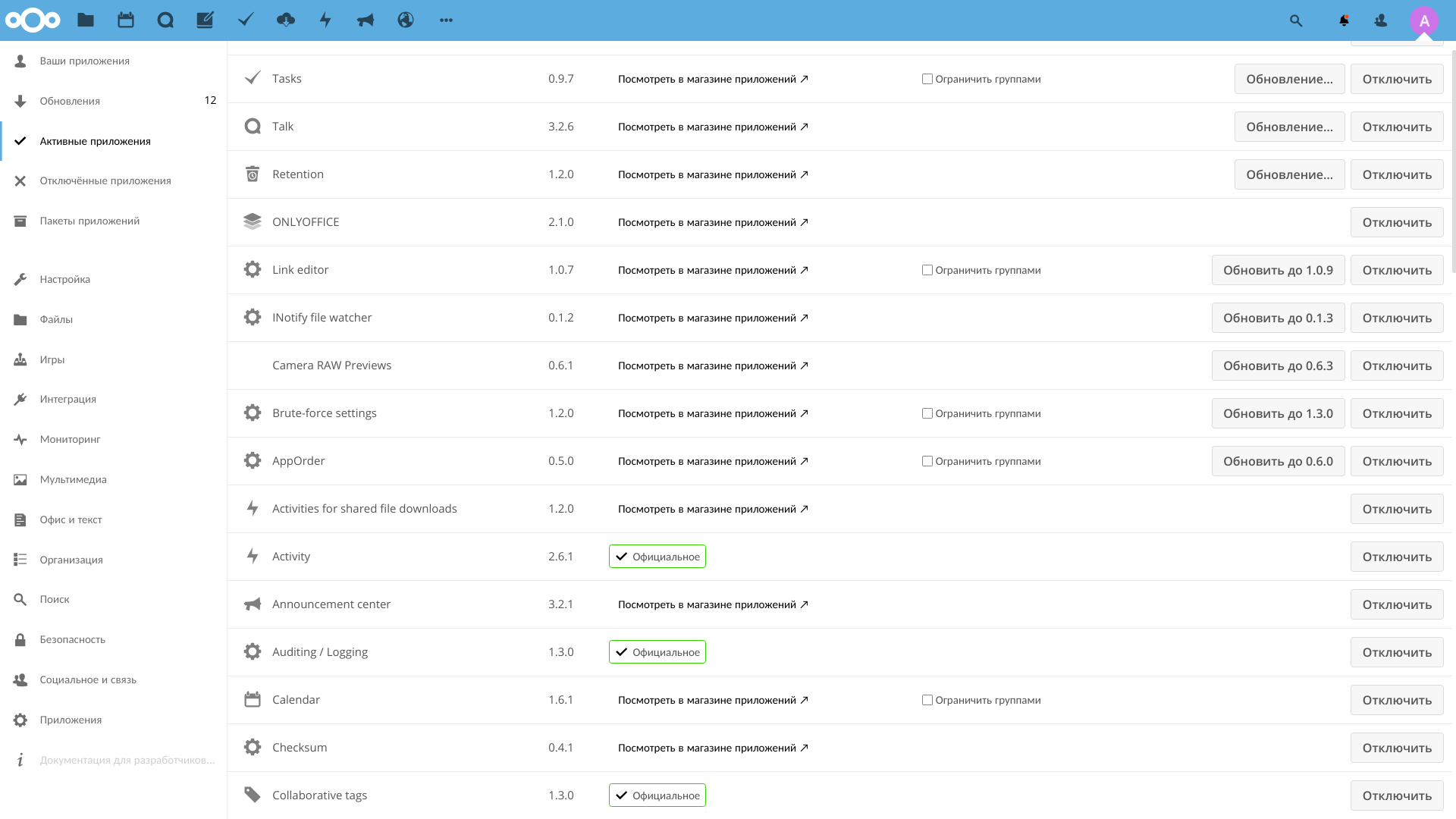
Required:
- LDAP user and group backend - interface with LDAP.
- External Storage Support - support for external storage. It will be necessary further, in order to integrate NextCloud and shared files, as well as pairing with external cloud storages. About setting up external storage, I will tell in another article.
- ocDownloader - file uploader. Extends the functionality of the cloud. Docker image is specially rebuilt so that it works.
- ONLYOFFICE - integration with the office. Without this application, document files will not open in the cloud.
- End-to-End Encryption - end -to- end encryption on the client. If the cloud is used by several users, the plugin is needed to conveniently ensure the security of their files.
Desired Applications:
- Brute-force settings - protection against the selection of credentials. NextCloud looks on the Internet, therefore it is better to install.
- Impersonate - allows the administrator to log in under other users. Useful for debugging and troubleshooting.
- Talk - video chat.
- Calendar - speaks for itself, allows you to keep calendars in the cloud.
- File Access Control - allows you to deny access to files and directories to users based on tags and rules.
- Checksum - allows you to calculate and view file checksums.
- External sites - creates links to arbitrary sites on the panel above.
Container Features:
- Installed loader Aria2.
- Installed the Youtube-DL downloader.
- Installed inotify-tools.
- Increased memory limits for PHP.
- The web server is set up to do a better job with LDAP.
I note that if you install version 13+, but then decide to upgrade to version 15, you can do this and much more using the occ utility .
Ldap
Configuring LDAP is not trivial, so I’ll tell you more.
Go to "Settings-> LDAP / AD Integration".
Add server 172.21.0.1 with port 389.
Login : cn=admin,dc=nas,dc=nas.
NextCloud can manage users in the LDAP database and for this it will need an administrator.
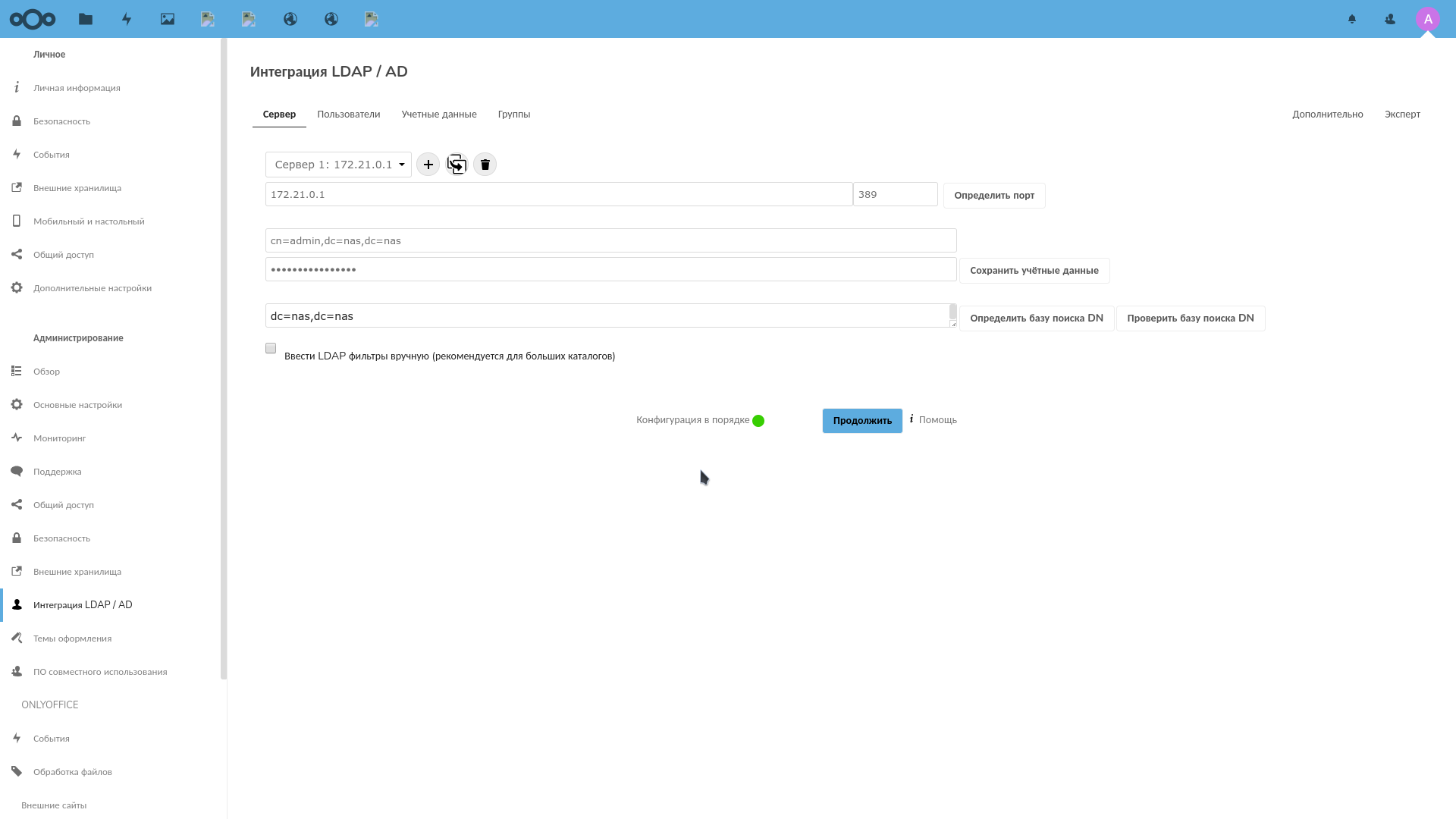
Click the "Check DN configuration" button and, if the check indicator is green, click the "Next" button.
Each user has an attribute inetOrgPersonand is in a group users_cloud.
The filter will look like this:
(&(|(objectclass=inetOrgPerson))(|(memberof=cn=users_cloud,ou=groups,dc=nas,dc=nas)))Click "Check settings database and recalculate users", and if everything is correct, the number of users should be displayed. Click Next.
On the next page, the user filter will be configured, by which NextCloud will search for them.
Filter:
(&(objectclass=inetOrgPerson)(uid=%uid))On this page, you must enter the login of a user and click "Check Settings".
Last "Next".
Here click "Advanced" and check that the field "Base tree of groups" is equal to the field "Base tree of users" and has a value dc=nas,dc=nas.
Return to the groups and tick the box next to "Only these classes of objects" groupOfUniqueNames.
The final filter here is:
(&(|(objectclass=groupOfUniqueNames)))The field "Only from these groups" I did not set, because I want to see all users in the NextCloud interface, and those who are not in the group users_cloudare filtered out in the previous step.
OnlyOffice
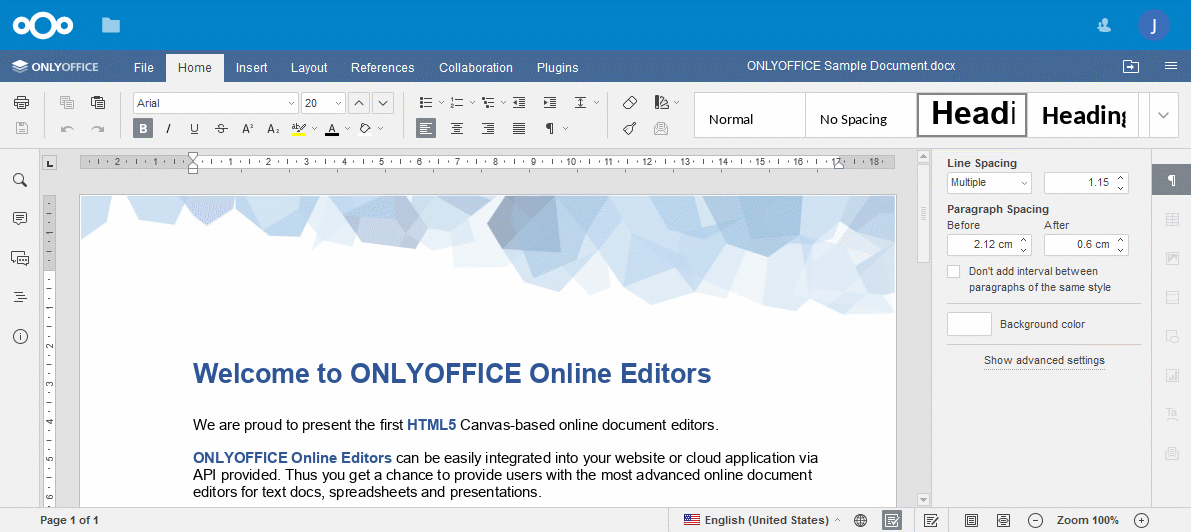
OnlyOffice is an excellent cross-platform office suite that supports work with MS Office documents. It is free and open, as well as LibreOffice and is also capable of working as a server.
But at the same time, the support for the original format has been implemented much better, almost like in the original MS office, it is more stable, has a more thoughtful interface.
It also integrates out of the box with NextCloud .
By the way, there is also the Desktop version of OnlyOffice, including under Linux. In general, having suffered from a heavy and unstable Collabora (this is LibreOffice), I chose OnlyOffice and for the time being I am completely satisfied.
OnlyOffice configuration is available on Github and below, under the spoiler.
On Github, there is a configuration for Collabora .
version: '2'
# https://helpcenter.onlyoffice.com/ru/server/docker/document/docker-installation.aspx
networks:
  onlyoffice:
    driver: 'bridge'
  docker0:
    external:
      name: docker0
services:
  onlyoffice-redis:
    container_name: onlyoffice-redis
    image: redis
    restart: always
    networks:
      - onlyoffice
    expose:
      - '6379'
  onlyoffice-rabbitmq:
    container_name: onlyoffice-rabbitmq
    image: rabbitmq
    restart: always
    networks:
      - onlyoffice
    expose:
      - '5672'
  onlyoffice-postgresql:
    container_name: onlyoffice-postgresql
    image: postgres
    environment:
      - POSTGRES_DB=onlyoffice
      - POSTGRES_USER=onlyoffice
    networks:
      - onlyoffice
    restart: always
    expose:
      - '5432'
    volumes:
      - /tank0/apps/onlyoffice/postgresql_data:/var/lib/postgresql
  onlyoffice-documentserver-data:
    container_name: onlyoffice-documentserver-data
    image: onlyoffice/documentserver:latest
    environment:
      - ONLYOFFICE_DATA_CONTAINER=true
      - POSTGRESQL_SERVER_HOST=onlyoffice-postgresql
      - POSTGRESQL_SERVER_PORT=5432
      - POSTGRESQL_SERVER_DB_NAME=onlyoffice
      - POSTGRESQL_SERVER_USER=onlyoffice
      - RABBITMQ_SERVER_URL=amqp://guest:guest@onlyoffice-rabbitmq
      - REDIS_SERVER_HOST=onlyoffice-redis
      - REDIS_SERVER_PORT=6379
    stdin_open: true
    restart: always
    networks:
      - onlyoffice
    volumes:
       - /tank0/apps/onlyoffice/document-server-data/data:/var/www/onlyoffice/Data
       - /tank0/apps/onlyoffice/document-server-data/logs:/var/log/onlyoffice
       - /tank0/apps/onlyoffice/document-server-data/cache:/var/lib/onlyoffice/documentserver/App_Data/cache/files
       - /tank0/apps/onlyoffice/document-server-data/files:/var/www/onlyoffice/documentserver-example/public/files
       - /usr/share/fonts
  onlyoffice-documentserver:
    image: onlyoffice/documentserver:latest
    depends_on:
      - onlyoffice-postgresql
      - onlyoffice-redis
      - onlyoffice-rabbitmq
      - onlyoffice-documentserver-data
    environment:
      - ONLYOFFICE_DATA_CONTAINER_HOST=onlyoffice-documentserver-data
      - BALANCE=uri depth 3
      - EXCLUDE_PORTS=443
      - HTTP_CHECK=GET /healthcheck
      - EXTRA_SETTINGS=http-check expect string true
      - JWT_ENABLED=true
      - JWT_SECRET=<JWT_SECRET_TOKEN>
      # Uncomment the string below to redirect HTTP request to HTTPS request.
      #- FORCE_SSL=true
      - VIRTUAL_HOST=office.*
      - VIRTUAL_PORT=80
      - VIRTUAL_PROTO=http
      - CERT_NAME=NAS.cloudns.cc
    stdin_open: true
    restart: always
    networks:
      - onlyoffice
      - docker0
    expose:
      - '80'
    volumes:
      - /tank0/apps/onlyoffice/document-server/logs:/var/log/onlyoffice
      - /tank0/apps/onlyoffice/document-server/data:/var/www/onlyoffice/Data
      - /tank0/apps/onlyoffice/document-server/lib:/var/lib/onlyoffice
      - /tank0/apps/onlyoffice/document-server/db:/var/lib/postgresql
    volumes_from:
      - onlyoffice-documentserver-data
Let me explain some points:
- You need to change <JWT_SECRET_TOKEN> to your, as well as the NAS to the name of your DNS zone.
- HTTPS is not required to be included here, because although the office is visible from the outside, the exchange with it goes through a reverse proxy, which works with the user exclusively via HTTPS. This is how NAS architecture is built.
Now we need to raise the office:
docker-compose up -dAnd, if everything works, the following page will be available at office.NAS.cloudns.cc:
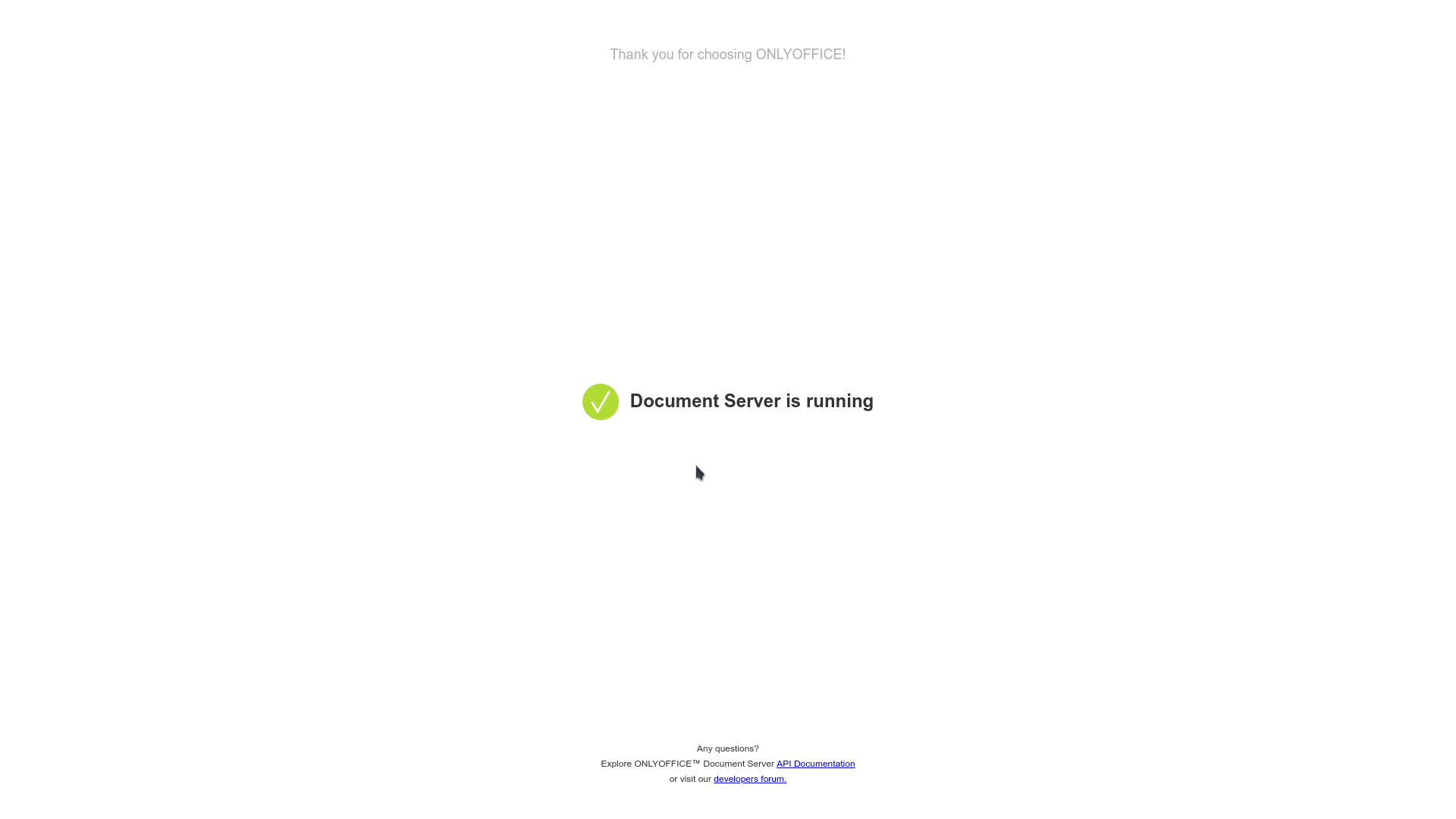
Then, in the NextCloud settings, you need to select the item "Administration-> ONLYOFFICE" and enter the address of the document server in the first two fields: https://office.NAS.cloudns.cc/and your JWT token.
In the third field, you must enter the address of the cloud.
JWT token is possible to generate, for example here .
If the server is configured correctly, additional items for office documents will appear in the document creation menu of the cloud, and .docxfiles will be opened in the office.
findings
Cloud storage is central to user interaction between themselves and other services.
In this role, NextCloud is very convenient and has broad functionality.
He has his own in the process of updating between versions, but in general, it is possible to recommend this repository.