IXIA ThreatARMOR: fewer attacks, less SIEM alarms, better ROI
We came up with a new solution from IXIA - Threat Armor. And we managed to test it and figure out what kind of “miracle” that appeared at the beginning of this year and has already managed to get a large number of gold awards at various exhibitions in different parts of the world.

First, a little theory. If we talk about the direction of security, IXIA has long been one of the leaders in this area with its Breaking Point product, which successfully tests the security solutions of any manufacturers. At Breaking Point, the knowledge of the ATI (Application and Threat Intelligence) team, which has been analyzing attacks and popular applications for more than ten years, has been “embedded”. You can read more about Breaking Point here .
This ATI team monitors the world wide web for new threats, works in a consortium with manufacturers of security solutions, respectively, this allows you to accumulate information about current IS threats and their sources. It was this knowledge that was invested in Threat Armor. The main objective of Threat Armor is to reduce the attack surface by blocking unwanted traffic and, accordingly, reducing the load on security devices (FW, WAF, NGFW, IPS, etc.) and thereby reducing the number of SIEM alerts. Threat Armor also analyzes outgoing traffic - for example, if there are already infected clients or parts of a botnet in the network.

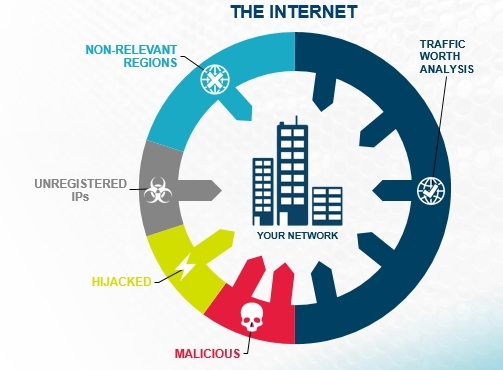
Little of. Threat Armor not only provides information and blocks IS threats, but also provides a detailed Rap Sheet for each blocked IP. The relevance of this data is ensured by updating from the cloud service of the ATI Research Center, which transfers updates every 5 minutes through the management port.
Threat Armor is a hardware access-list that transparently transmits traffic at line speed. Available in two versions - 1 Gbit / s and 10 Gbit / s. The first option fell into our hands.
Fault tolerance is ensured by redundancy in power supply (2 AC power supplies) and internal bypass, which continue to pass traffic even when power is lost on the device.
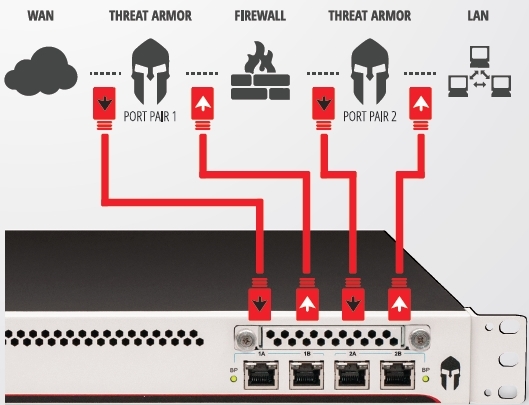
Threat Armor can be included in two ways:
- more effective - in-line;
- passive mode - monitoring;
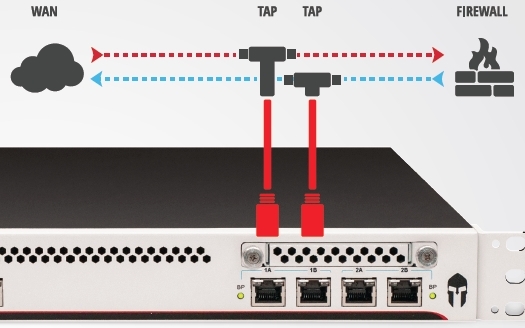
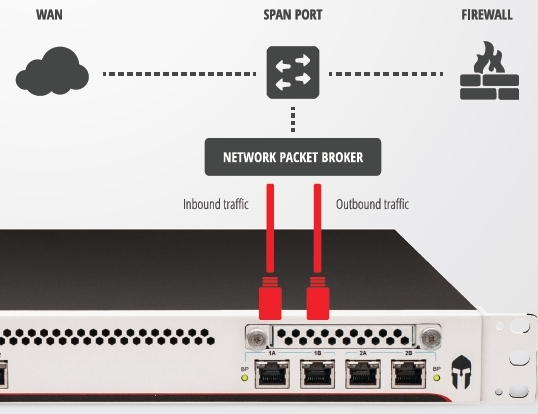
In our case, Threat Armor was turned on in passive mode, an SPAN port between the local network and the firewall to analyze incoming traffic.
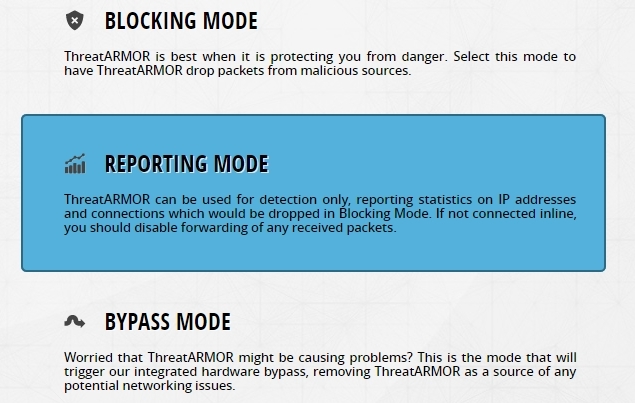
The power was turned on, IP was configured for management and updates, the REPORTING MODE mode was selected, and the device worked.
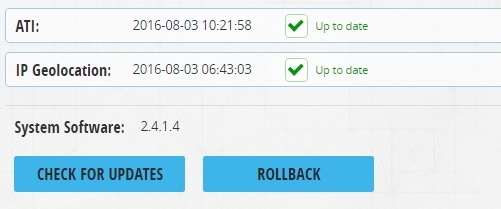
Another important point is to check whether updates are being pulled.
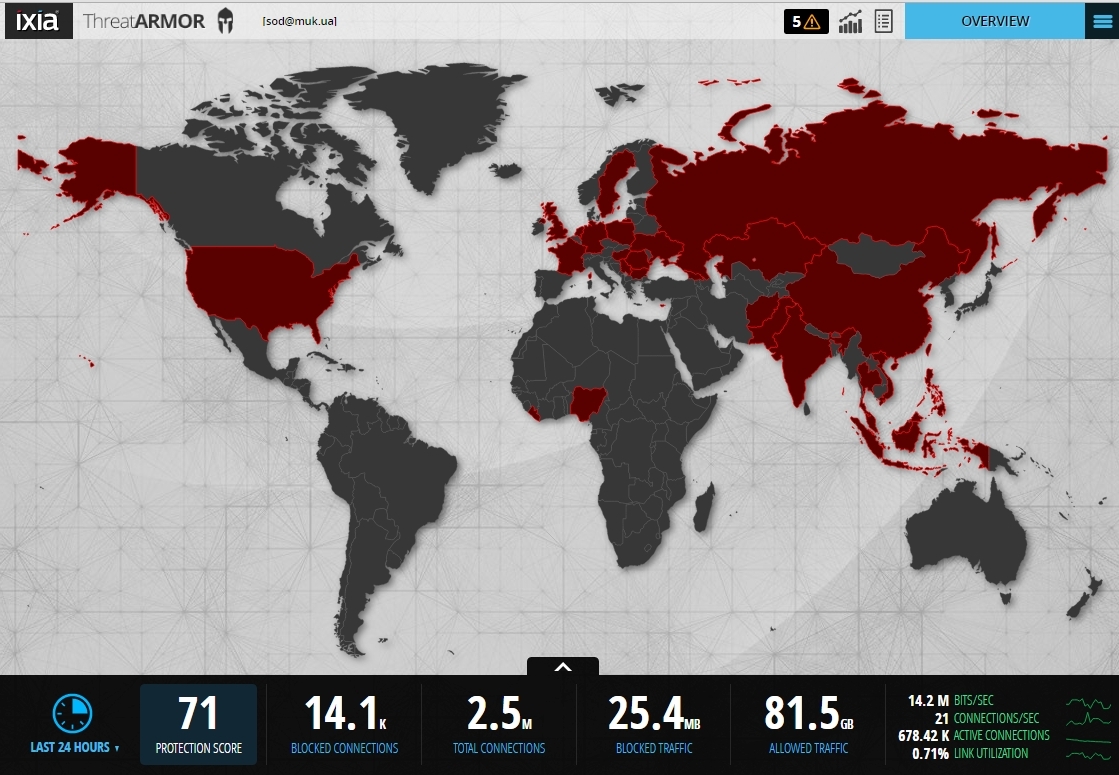
View statistics and reports. Interactive map interface of identified threats and general statistics.
Here you can see statistics for each country, for example, for Ukraine.
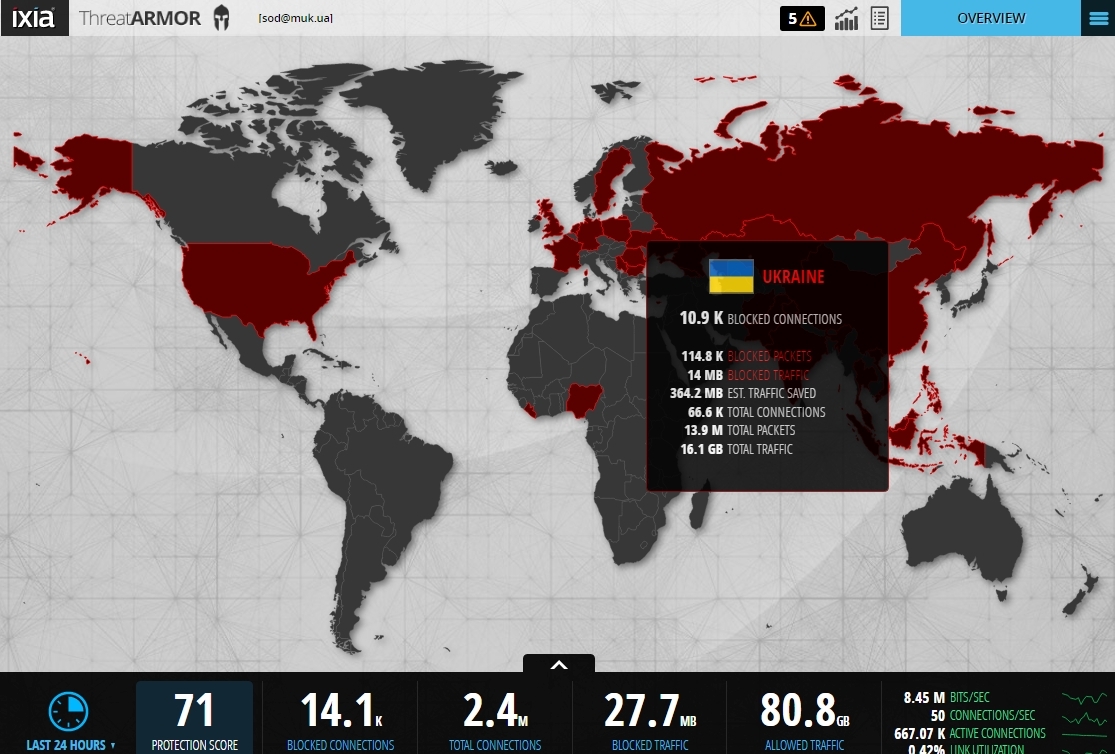
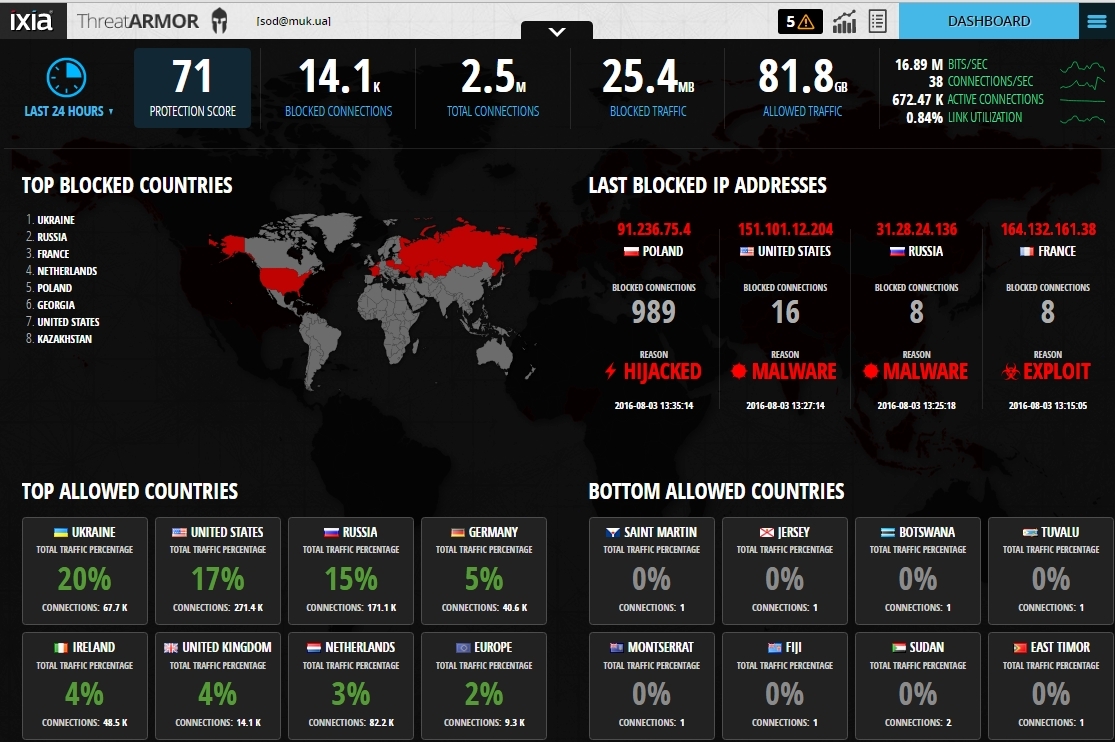
And Dashboard is the interface of a detailed map of identified threats by country, detailed statistics and countries with almost no traffic. Such countries can be blocked in order to protect themselves from possible attacks, for example, from DDoS. It can also be seen that traffic with IS threats is not such a large amount of the total mass, but the Protection Score, taking into account independent artificial training of the device, is quite high - 71, which indicates the effectiveness of Threat Armor.
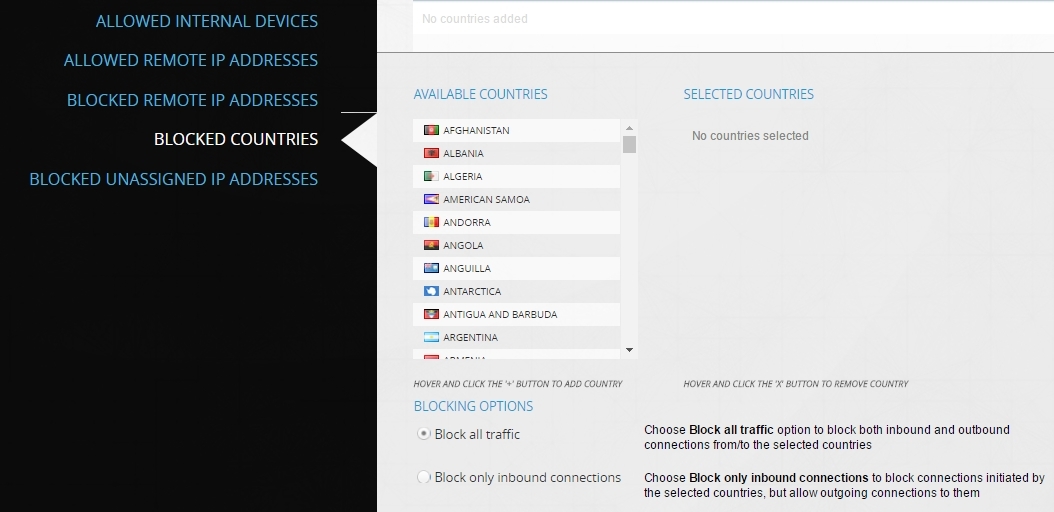
You can block countries directly from the Dashboard.
and from the settings menu, where you can also manually add Black-list and White-list IP addresses.
If you select any of the countries, then from Dashboard you can go to more detailed information on the IP of attackers, sites with malicious code, phishing sites, etc.
On the left side are all addresses - sources of IS threats, on the right - a detailed Rap Sheet.
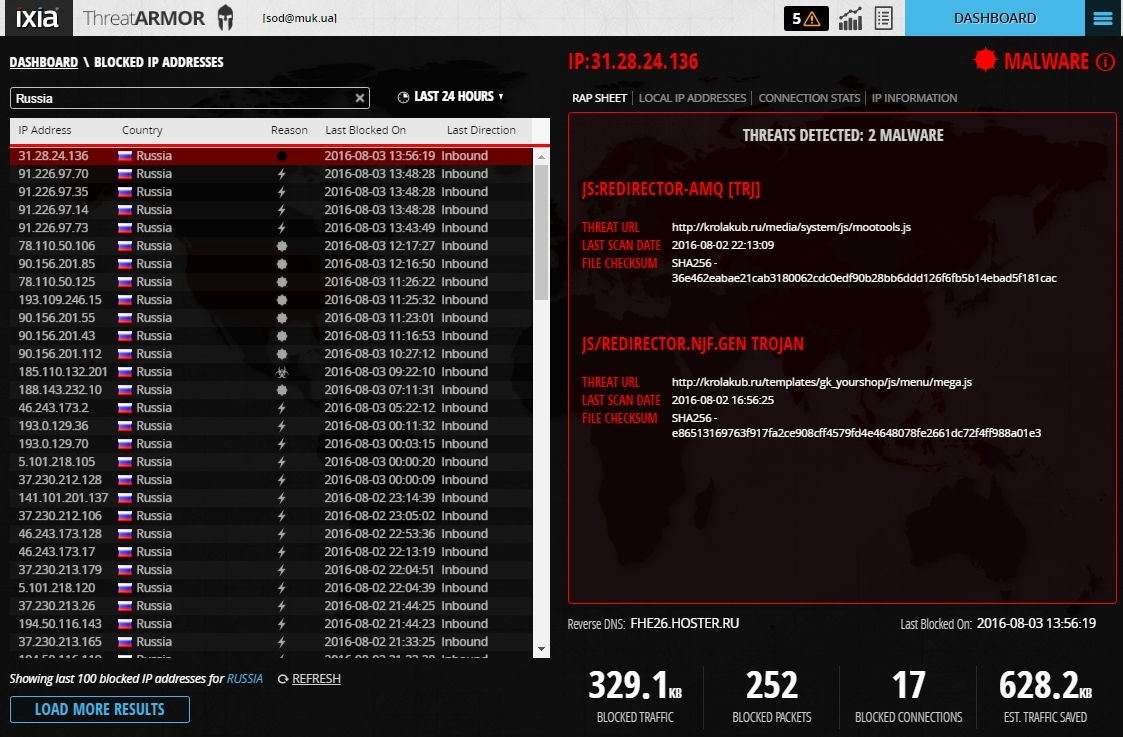
In it you can see detailed information about the threats.

And also, to what local addresses these attacks were directed.
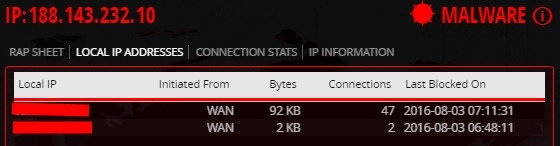
Connection statistics.
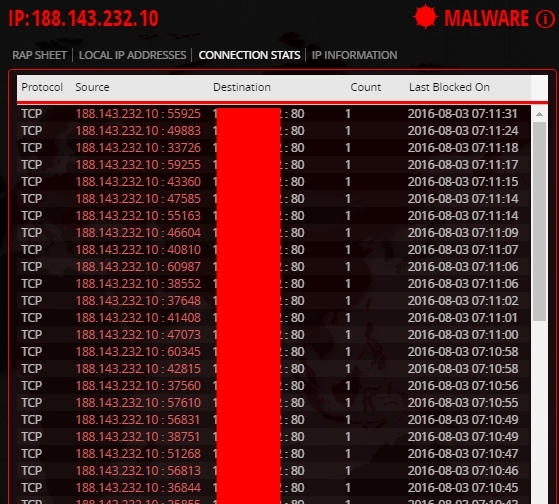
And information about this malicious IP.
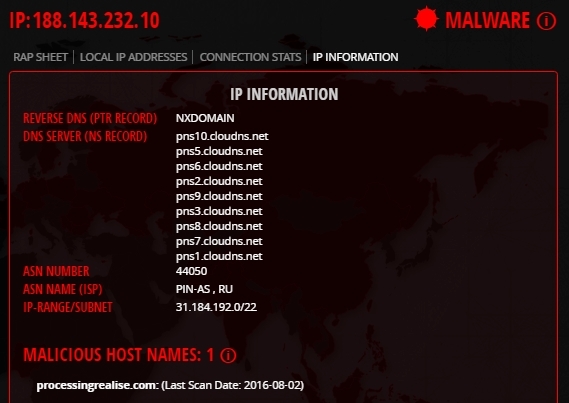
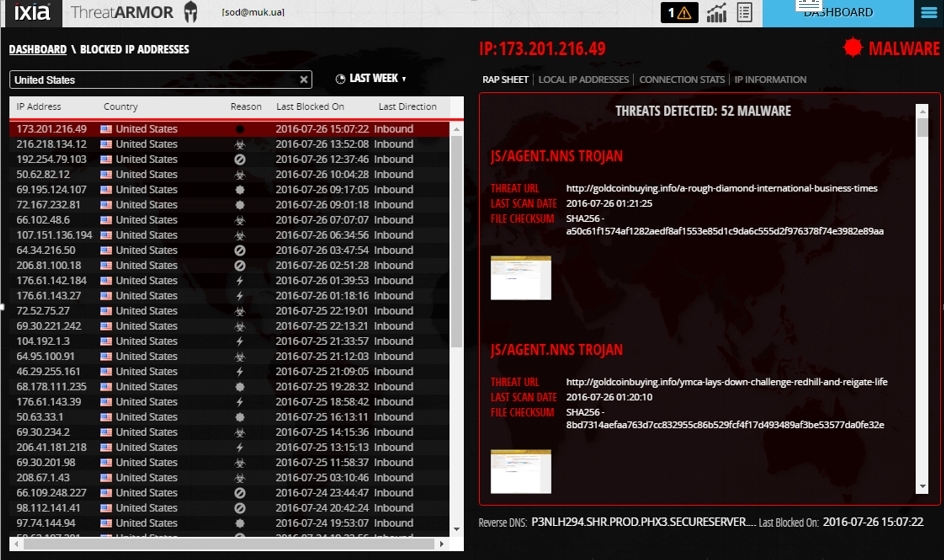
If you look at the attack options, you can see the following.
Web Application Exploit.

Botnet with many threats / actions.
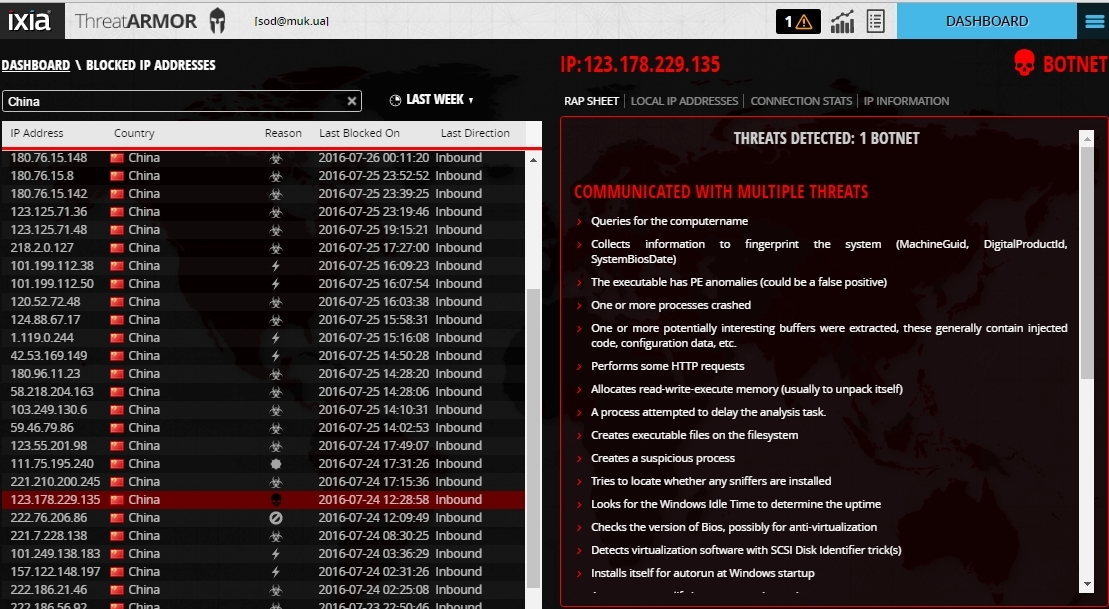
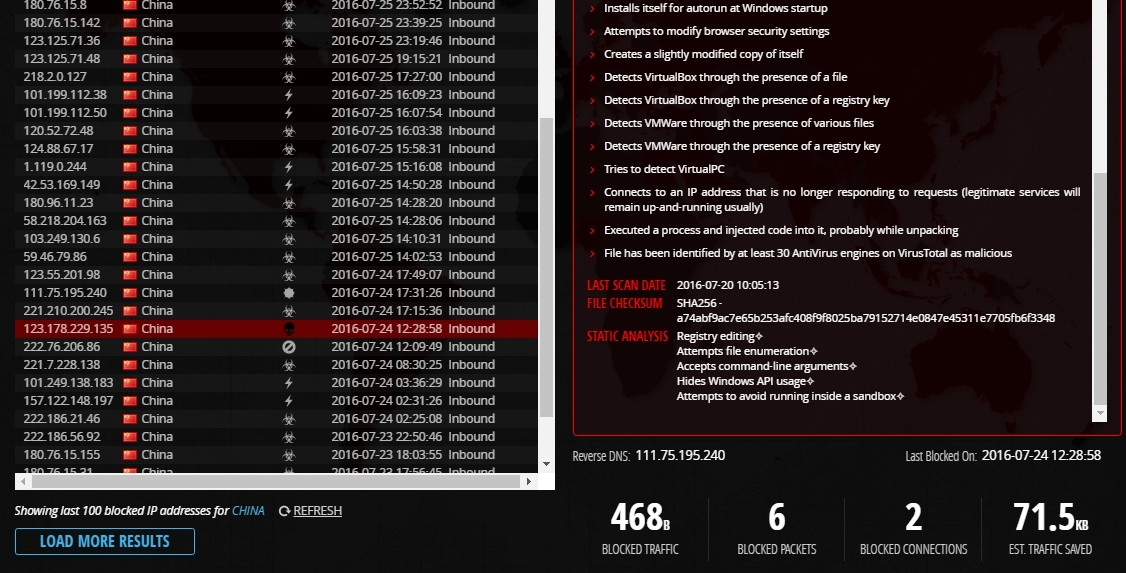
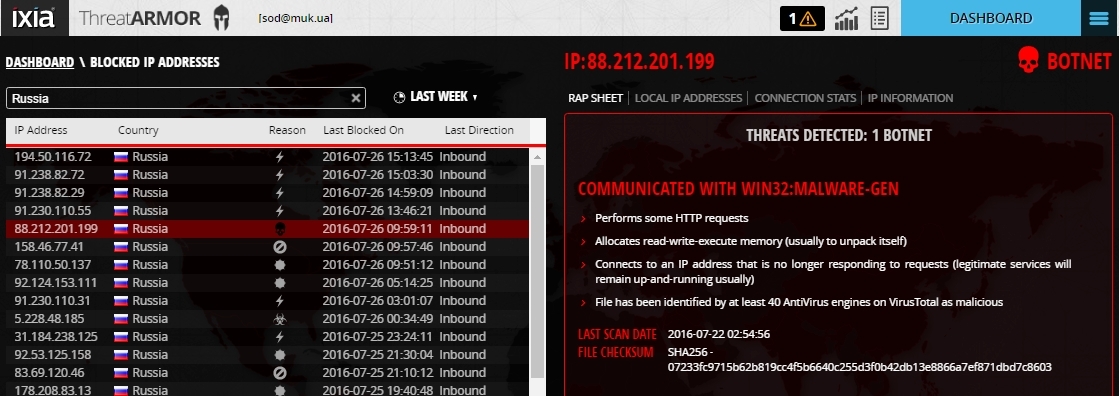
Botnet attempting to infect a virus.
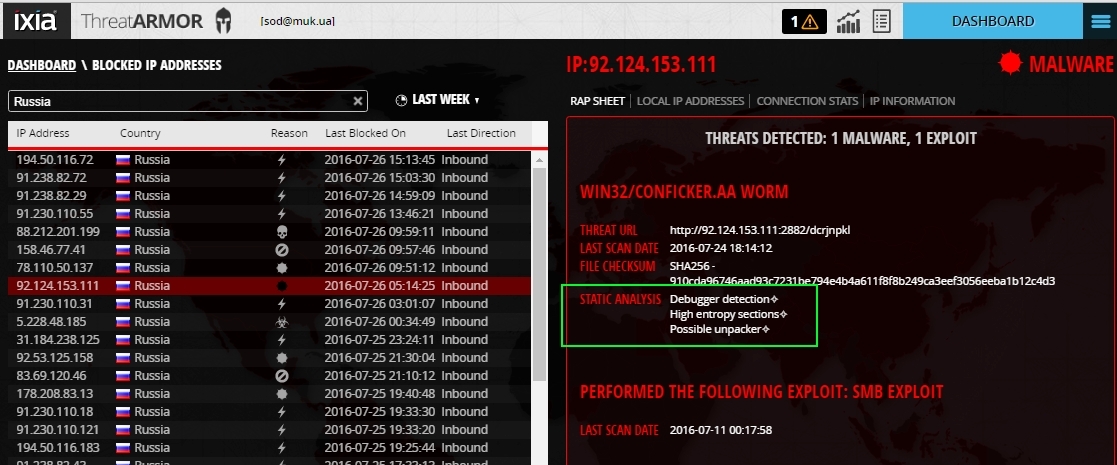
Worm with its description.
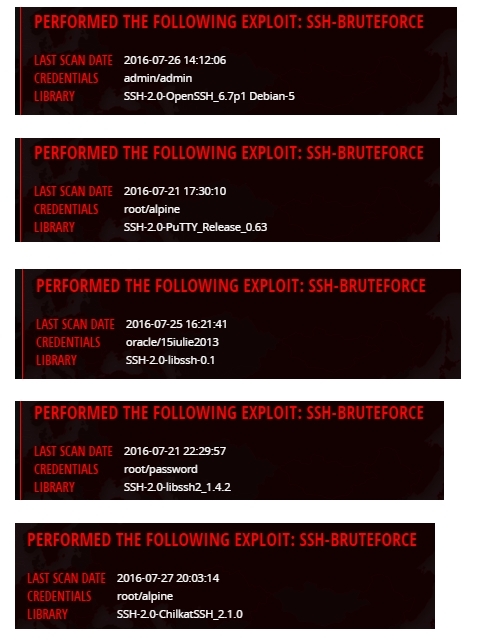
An active attack with an attempt to brute force a password, with a description of Credentials and the software used.
Combined attack with a large number of attacking elements for implementation.
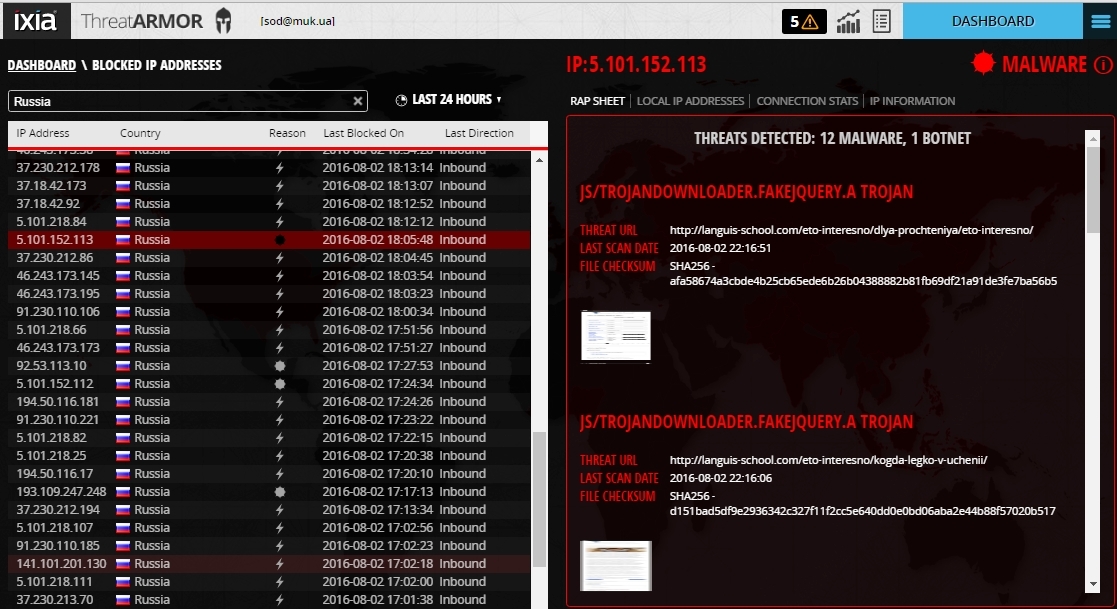
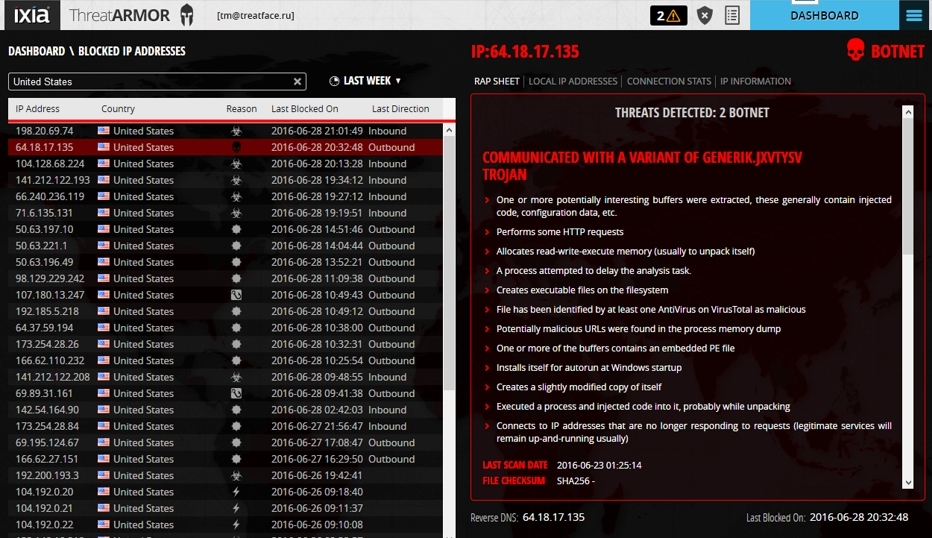
Active attack - botnet through a trojan.
Hijacked IP Explained - “This particular network range has been hacked. A stolen network range is a network block returned from unused network blocks, often spammers do this. The original owner of the block may have left it blocked for any of the reasons. For more information about these types of IP network ranges, please visit .... "

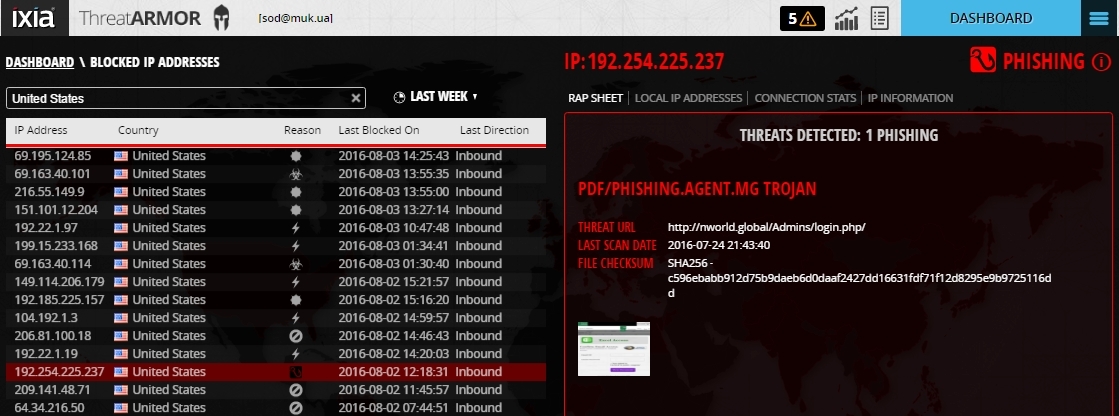
Phishing
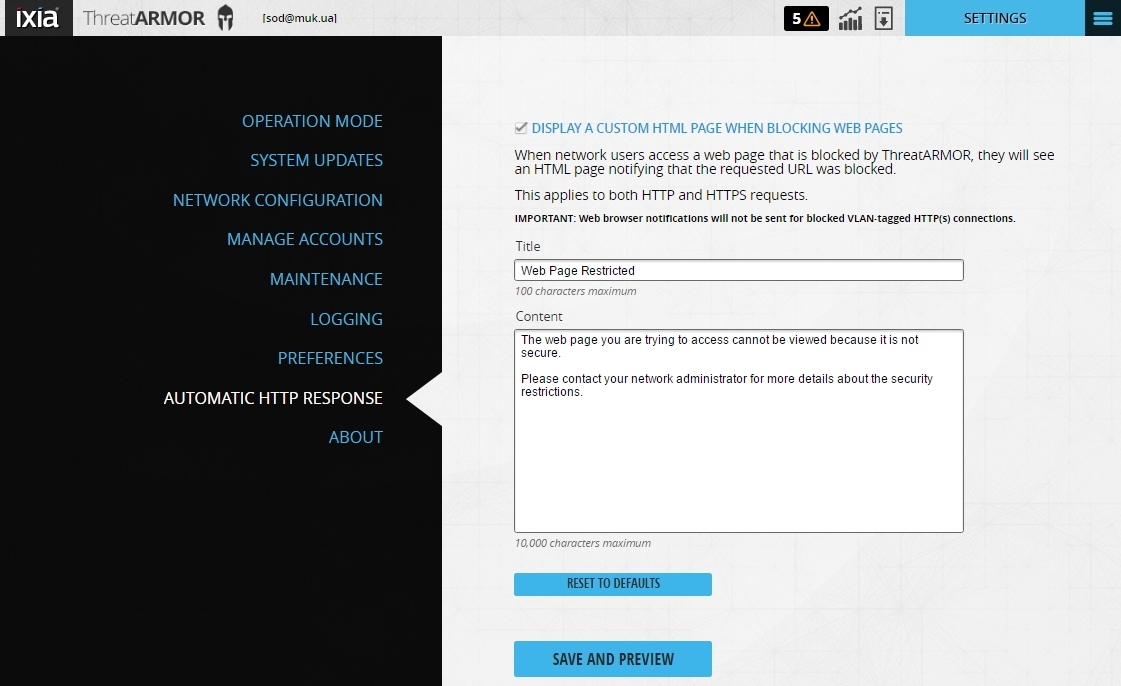
It is possible to configure the access lock screen for a user accessing a resource in the “forbidden list” of IXIA ThreatARMOR device IP addresses, generated every 5 minutes from a number of world databases of IP address lists (that is, compromised, stolen belonging to hacked resources, spam, etc.).
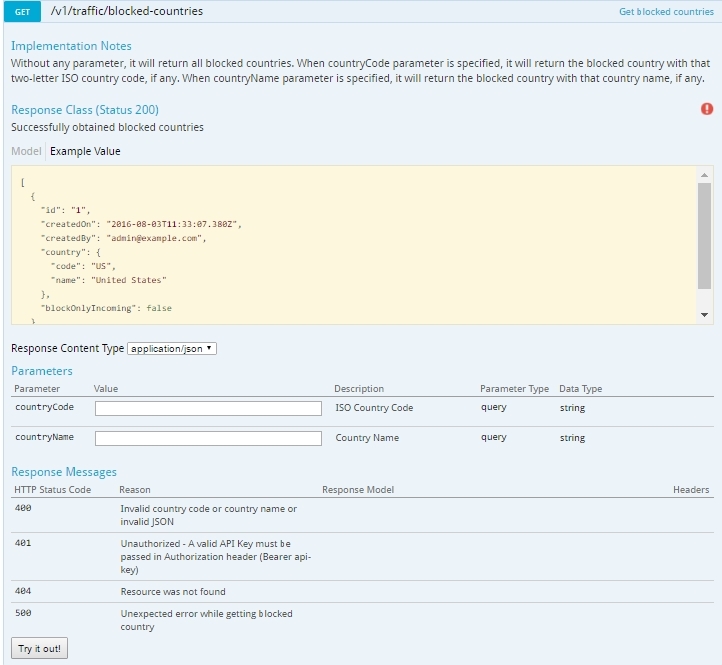
RESTful API Feature
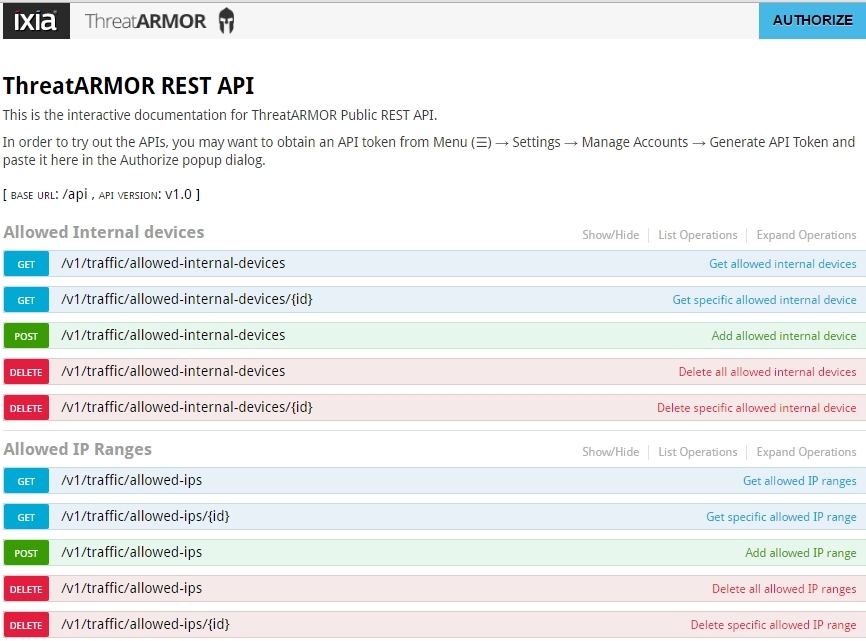
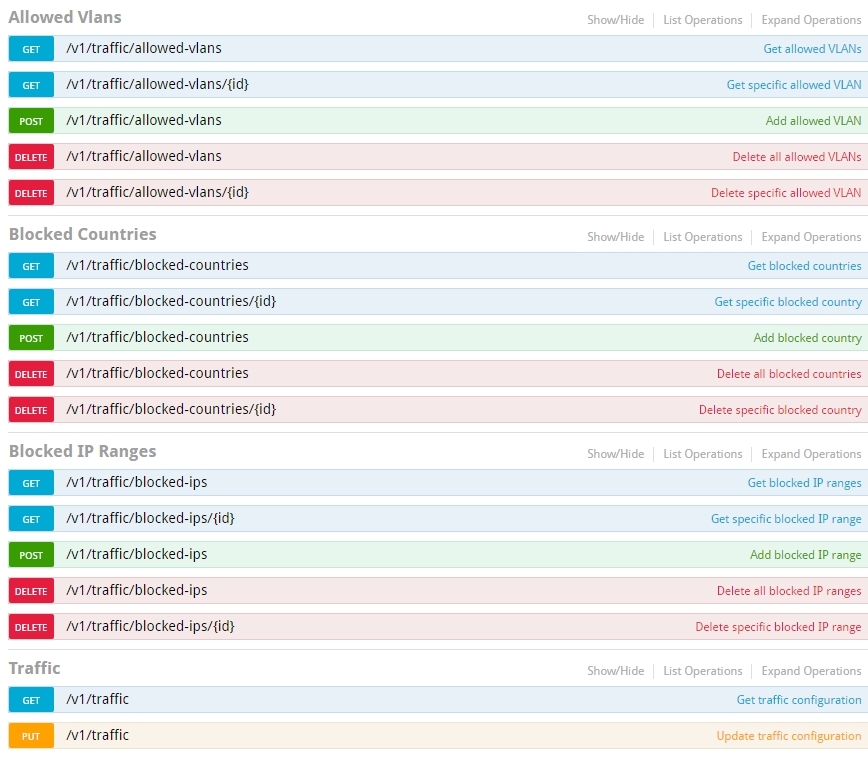
with a detailed description of each request and response.
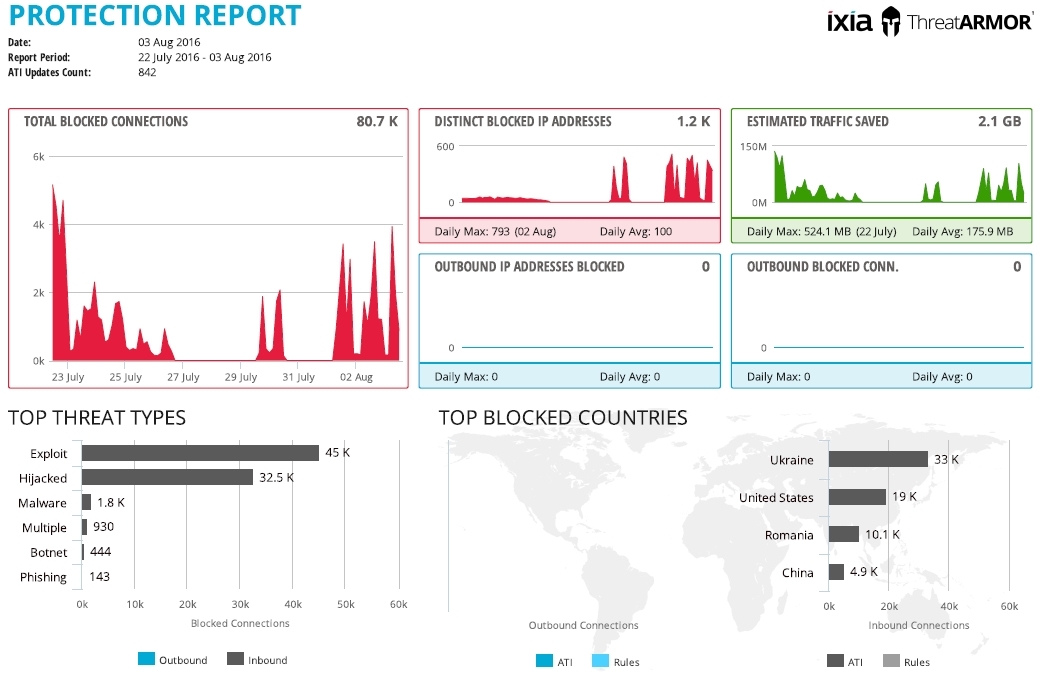
It is possible to generate a weekly report.
As a result, we have an additional level of information security, as well as a number of advantages:
cost reduction - reducing the load on firewalls and IPS, which makes it unnecessary to update perimeter security levels;
time saving - there is no need to update access lists when new “bad” IPs appear;
SIEM alert reduction - saving time and money;
reduction of attacks on the network - blocking known attacks and blocking countries with no communication.
First, a little theory. If we talk about the direction of security, IXIA has long been one of the leaders in this area with its Breaking Point product, which successfully tests the security solutions of any manufacturers. At Breaking Point, the knowledge of the ATI (Application and Threat Intelligence) team, which has been analyzing attacks and popular applications for more than ten years, has been “embedded”. You can read more about Breaking Point here .
This ATI team monitors the world wide web for new threats, works in a consortium with manufacturers of security solutions, respectively, this allows you to accumulate information about current IS threats and their sources. It was this knowledge that was invested in Threat Armor. The main objective of Threat Armor is to reduce the attack surface by blocking unwanted traffic and, accordingly, reducing the load on security devices (FW, WAF, NGFW, IPS, etc.) and thereby reducing the number of SIEM alerts. Threat Armor also analyzes outgoing traffic - for example, if there are already infected clients or parts of a botnet in the network.
Little of. Threat Armor not only provides information and blocks IS threats, but also provides a detailed Rap Sheet for each blocked IP. The relevance of this data is ensured by updating from the cloud service of the ATI Research Center, which transfers updates every 5 minutes through the management port.
Threat Armor is a hardware access-list that transparently transmits traffic at line speed. Available in two versions - 1 Gbit / s and 10 Gbit / s. The first option fell into our hands.
Fault tolerance is ensured by redundancy in power supply (2 AC power supplies) and internal bypass, which continue to pass traffic even when power is lost on the device.
Threat Armor can be included in two ways:
- more effective - in-line;
- passive mode - monitoring;
In our case, Threat Armor was turned on in passive mode, an SPAN port between the local network and the firewall to analyze incoming traffic.
The power was turned on, IP was configured for management and updates, the REPORTING MODE mode was selected, and the device worked.
Another important point is to check whether updates are being pulled.
View statistics and reports. Interactive map interface of identified threats and general statistics.
Here you can see statistics for each country, for example, for Ukraine.
And Dashboard is the interface of a detailed map of identified threats by country, detailed statistics and countries with almost no traffic. Such countries can be blocked in order to protect themselves from possible attacks, for example, from DDoS. It can also be seen that traffic with IS threats is not such a large amount of the total mass, but the Protection Score, taking into account independent artificial training of the device, is quite high - 71, which indicates the effectiveness of Threat Armor.
You can block countries directly from the Dashboard.
and from the settings menu, where you can also manually add Black-list and White-list IP addresses.
If you select any of the countries, then from Dashboard you can go to more detailed information on the IP of attackers, sites with malicious code, phishing sites, etc.
On the left side are all addresses - sources of IS threats, on the right - a detailed Rap Sheet.
In it you can see detailed information about the threats.
And also, to what local addresses these attacks were directed.
Connection statistics.
And information about this malicious IP.
If you look at the attack options, you can see the following.
Web Application Exploit.
Botnet with many threats / actions.
Botnet attempting to infect a virus.
Worm with its description.
An active attack with an attempt to brute force a password, with a description of Credentials and the software used.
Combined attack with a large number of attacking elements for implementation.
Active attack - botnet through a trojan.
Hijacked IP Explained - “This particular network range has been hacked. A stolen network range is a network block returned from unused network blocks, often spammers do this. The original owner of the block may have left it blocked for any of the reasons. For more information about these types of IP network ranges, please visit .... "
Phishing
It is possible to configure the access lock screen for a user accessing a resource in the “forbidden list” of IXIA ThreatARMOR device IP addresses, generated every 5 minutes from a number of world databases of IP address lists (that is, compromised, stolen belonging to hacked resources, spam, etc.).
RESTful API Feature
with a detailed description of each request and response.
It is possible to generate a weekly report.
As a result, we have an additional level of information security, as well as a number of advantages:
cost reduction - reducing the load on firewalls and IPS, which makes it unnecessary to update perimeter security levels;
time saving - there is no need to update access lists when new “bad” IPs appear;
SIEM alert reduction - saving time and money;
reduction of attacks on the network - blocking known attacks and blocking countries with no communication.