June 3, 2016 at 05:37
Vutlan SC8100 Monitoring System Integration with NMS Cacti
Man always wants more. The monitoring system from Vutlan company monitors the monitored parameters, notifies about approaching dangerous values using SMS messages and e-mail newsletters. Displays data in the form of graphs, allows you to use graphic cards. A good, high-quality software product that completely covers the needs of technical specialists. The best quality of an engineer is the desire to research, study and improve existing solutions. Therefore, we consider the possibility of integrating data from sensors and sensors into an external parameter monitoring system. For example, take one of the GNU GPL NMS systems - Cacti. You can choose a system suitable for your tasks here. For my taste, the best NMS system for monitoring engineering equipment parameters (HVAC systems, power distribution systems, fire extinguishing, video surveillance, access control) is Cacti. Very convenient system of graphs that allows you to visually track the dynamics of values:
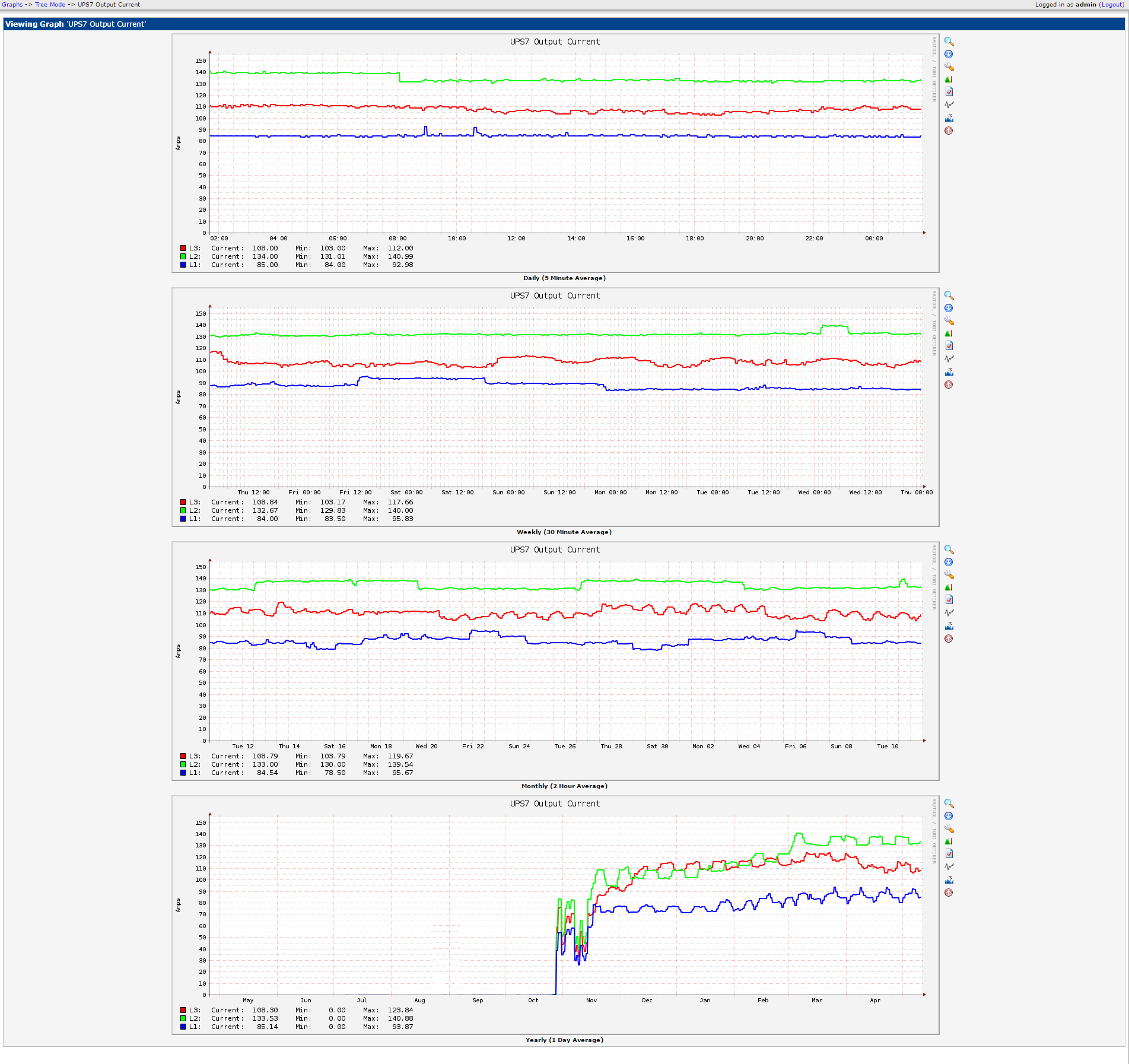
Very convenient graphical representation of data (map) with a very flexible language for describing values.
Like any other monitoring system in Cacti, it is possible to receive data via SNMP protocol. I will try to get data from sensors connected to the Vutlan SC8100 parameters monitoring system, and display them in NMS Cacti.
First you need to configure the SNMP service in the Vutlan SC8100:

You can use protocols version 1 and 2c, or protocol version 3. At this stage, the settings shown in the picture are quite enough.
The next step is to choose a sensor that we will import into an external monitoring system.
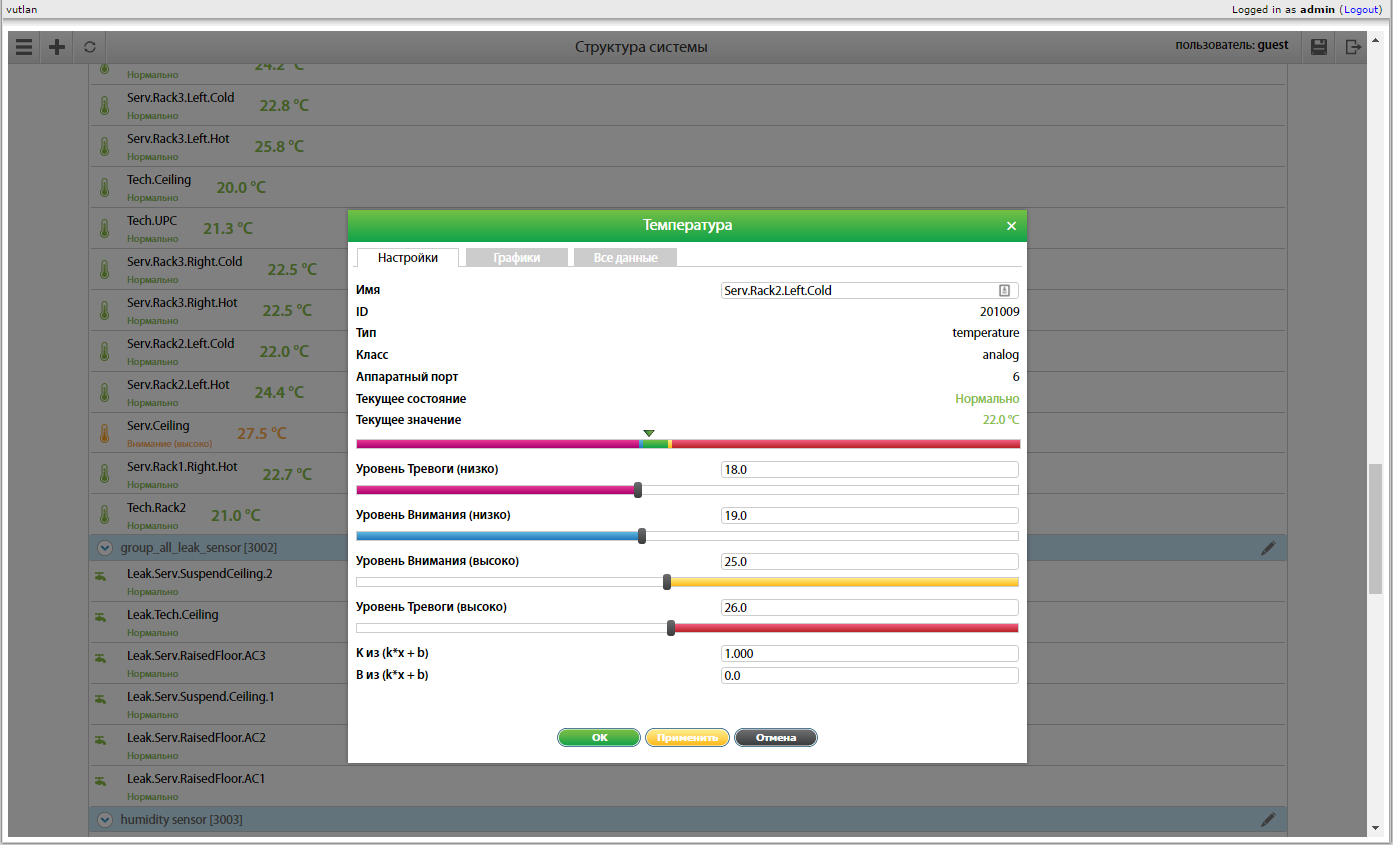
This will be an air temperature sensor in the area 2 of the cabinet inside the hermetic zone of the cold corridor.
As you can see from the web interface and the output of the snmptable id command for this element 201009.
Using the ctlUnitElementName ctlUnitElementValue fields of the SNMP table and the snmptranslate command (or the -On switch), we obtain the desired OID: .1.3.6.1.4.1.39052.1.3.1.9.201009.
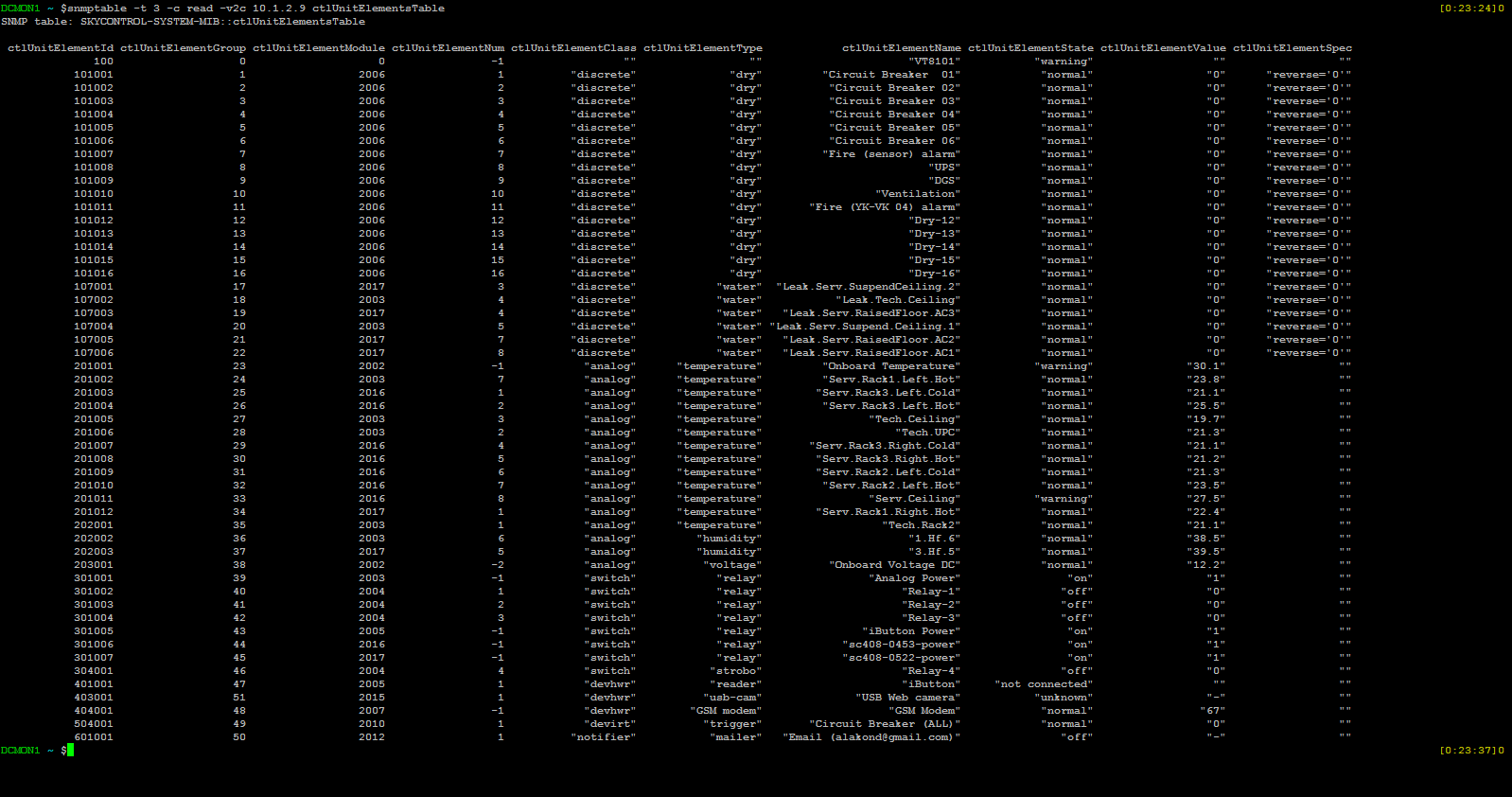
Check:

That's right. Let's start integrating this value into the Cacti monitoring system.
Now there are 2 ways: to use the predefined "SNMP - Generic OID Template" template or create a schedule by creating your own templates. The first way is faster, has fewer settings and modification options. Therefore, he is not interesting to us.
In order to create a schedule in Сacti from scratch, you need to:
Chart template:
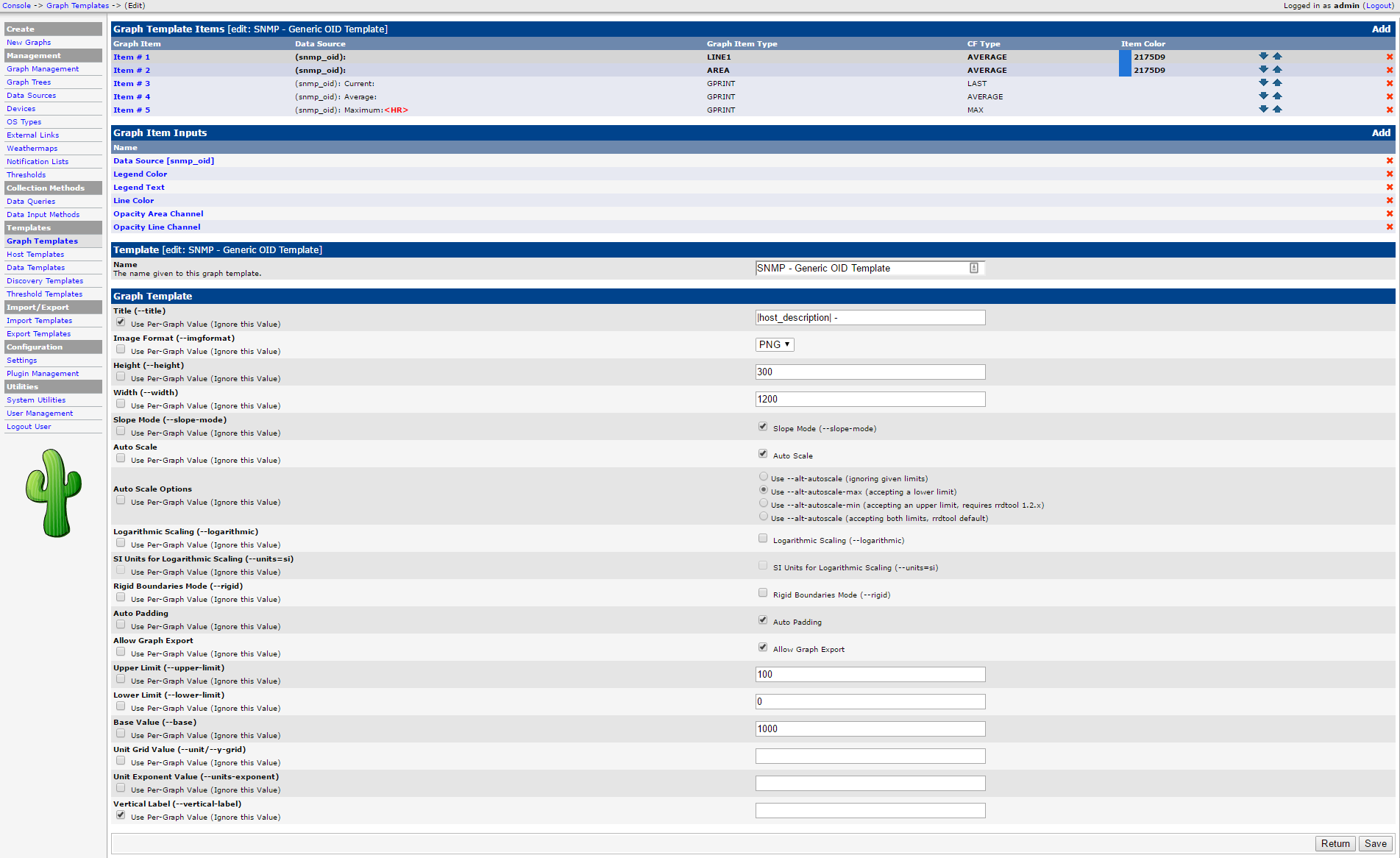
Create a chart:

Finally, the chart itself:
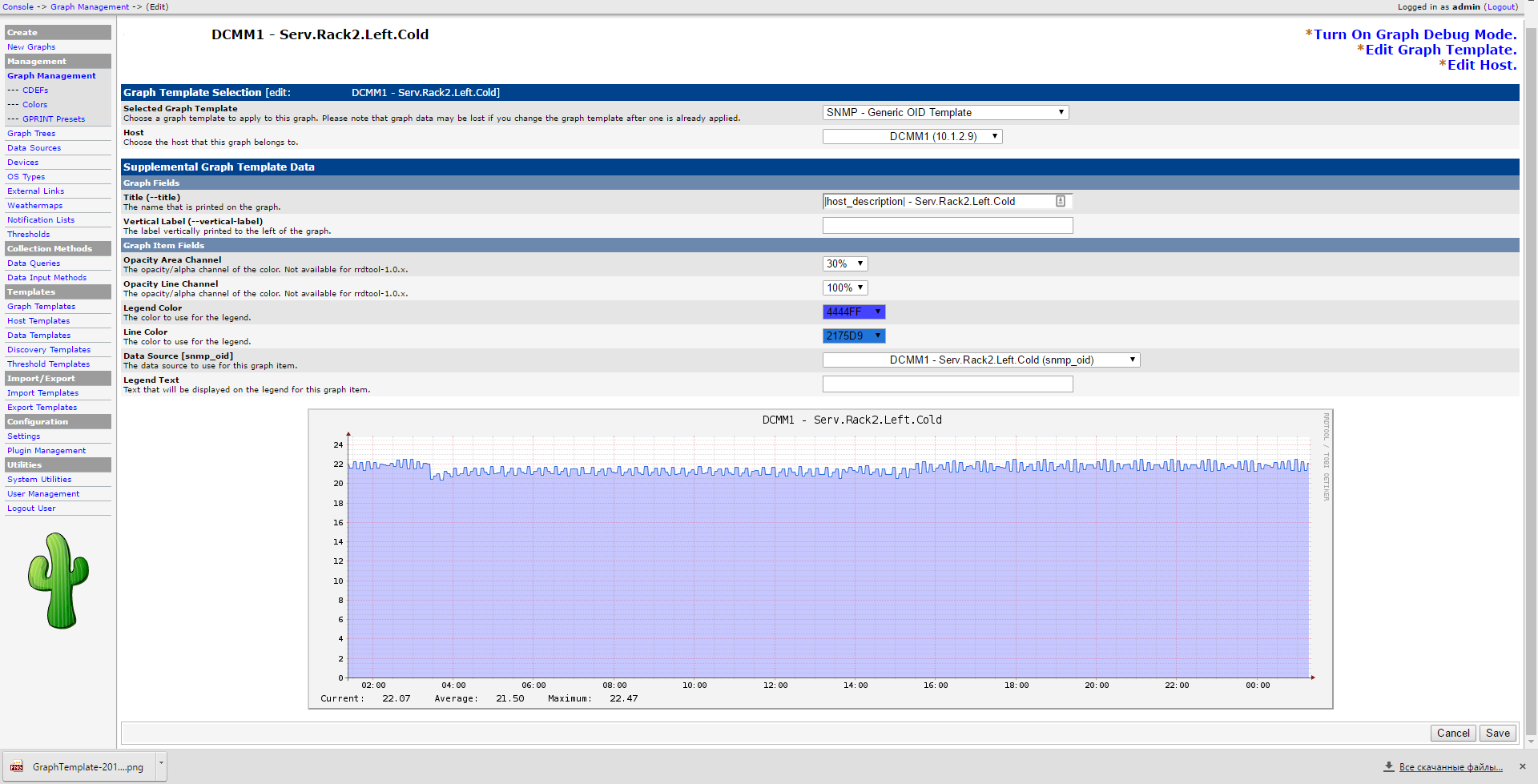
As a result, after a few months, when the chart is “filled” with data, we will get:

All further settings: forecasting, thresholds, information output to the weathermap card, etc. for this schedule, you need to do it yourself.
Very convenient graphical representation of data (map) with a very flexible language for describing values.
Like any other monitoring system in Cacti, it is possible to receive data via SNMP protocol. I will try to get data from sensors connected to the Vutlan SC8100 parameters monitoring system, and display them in NMS Cacti.
First you need to configure the SNMP service in the Vutlan SC8100:
You can use protocols version 1 and 2c, or protocol version 3. At this stage, the settings shown in the picture are quite enough.
The next step is to choose a sensor that we will import into an external monitoring system.
This will be an air temperature sensor in the area 2 of the cabinet inside the hermetic zone of the cold corridor.
As you can see from the web interface and the output of the snmptable id command for this element 201009.
Using the ctlUnitElementName ctlUnitElementValue fields of the SNMP table and the snmptranslate command (or the -On switch), we obtain the desired OID: .1.3.6.1.4.1.39052.1.3.1.9.201009.
Check:
That's right. Let's start integrating this value into the Cacti monitoring system.
Now there are 2 ways: to use the predefined "SNMP - Generic OID Template" template or create a schedule by creating your own templates. The first way is faster, has fewer settings and modification options. Therefore, he is not interesting to us.
In order to create a schedule in Сacti from scratch, you need to:
Chart template:
Create a chart:
Finally, the chart itself:
As a result, after a few months, when the chart is “filled” with data, we will get:
All further settings: forecasting, thresholds, information output to the weathermap card, etc. for this schedule, you need to do it yourself.
Only registered users can participate in the survey. Please come in.
What NMS software do you use to track data center engineering systems?
- 14.5% Cacti 8
- 9% Nagios 5
- 0% OpenNMS 0
- 65.4% Zabbix 36
- 1.8% Vendor Software (APC, Rittal, Delta, etc) 1
- 9% Other, I will write in the comments 5