January 27, 2016 at 11:16
Office as a Platform: How Notegram for OneNote Develops
Here is the continuation of the success story of the Notegram project in the first person - Dmitry Konev - the project developer who created an interesting project that extends the capabilities of the Office OneNote application. In the continuation of his story, Dmitry talks about the development of the project and the use of new techniques in the development for Office 365. All the articles in the Office as Platform column can always be found at #officeplatform - Vladimir Yunev.I recently released a second update for my project, Notegram. Notegram is a Microsoft OneNote web application that lets you quickly share templates without any add-ons.
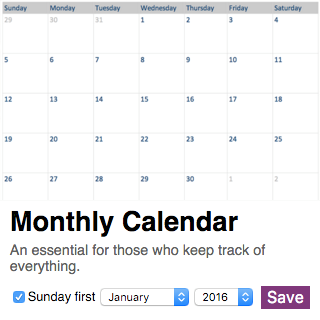
The most important detail in this update is the new calendar template, now allowing you to select the year and month. I also improved the design a bit, and while writing this article I added two more new templates:

In addition to this, I also made many internal changes that I want to talk about in this article.
Templating
Notegram was born at the hackathon, the first version was written in the hours of the night not yet discovered by science, and at that time I was completely unaware of Node.js, so before creating any new functions, I needed to make changes in my code.
The original version of Notegram was written based on an open example of using the OneNote API , without using any templates, and together with Express used the Jade engine, which seemed to me rather inconvenient. I wanted my templates to be in HTML, so Mozilla's Nunjucks engine was chosen.
To proceed, you first need to add the npm express-nunjucks package with the engine to the list of dependencies in the package.json file and run the npm install command.
The following code has been added to my app.js file :
var express = require('express');
var nunjucks = require('express-nunjucks');
//подключение библиотек
app.set('views', path.join(__dirname, 'views'));
//загрузка шаблонов из папки ‘views’
app.set('view engine', 'html');
//использование нужного движка с Express
nunjucks.setup({
    autoescape: true,
    watch: true
}, app);
//настройка Nunjucks
Also, the code was added to the routes / index.js file :
var router = require('express').Router();
var templates = require('../lib/notegram-templates');
router.get('/', function (req, res) {
    var authUrl = liveConnect.getAuthUrl();
    res.render('templates', {templates: templates});
});
Then a template was created, using the previous code fragment, based on the array in the lib / notegram-templates .js file , which creates HTML for each element:
{% extends "base.html" %}
{% for item in templates %}

{{item.name}}
{{item.description}}
{% endfor %}
This template is very similar to regular HTML from a previous article , but thanks to Nunjucks, new elements are created automatically.
「Unlimited Calendar Works」

The biggest innovation in this update is the new calendar template: if earlier I had to manually update this template, now the template not only always shows the current month, but also has the ability to choose any other year.
The template code is based on a Date object in JavaScript, with the help of which I could get information about the month I need. There are some oddities - for example, months are counted from scratch, which seemed very strange to me, but one feature of this object turned out to be quite useful: if you create, for example, an object with a negative month:
new Date (2016, -1);
You can get information for the previous month:
Tue Dec 01 2015 00:00:00 GMT-0800 (PST)
I started working on an interactive template before making changes to Notegram. The trial version was written on my tablet in JSfiddle - since Notegram is based on Node.js, I could just use this code with almost no changes.
You can see one of the working versions here: https://jsfiddle.net/ksrdtL8e/ The
first day of the week was an interesting question: most of my users live in the USA and prefer to start the week from Sunday, so I added an option for this as well.
Design

The main thing in this update was the internal code of Notegram, but not without updates for appearance.
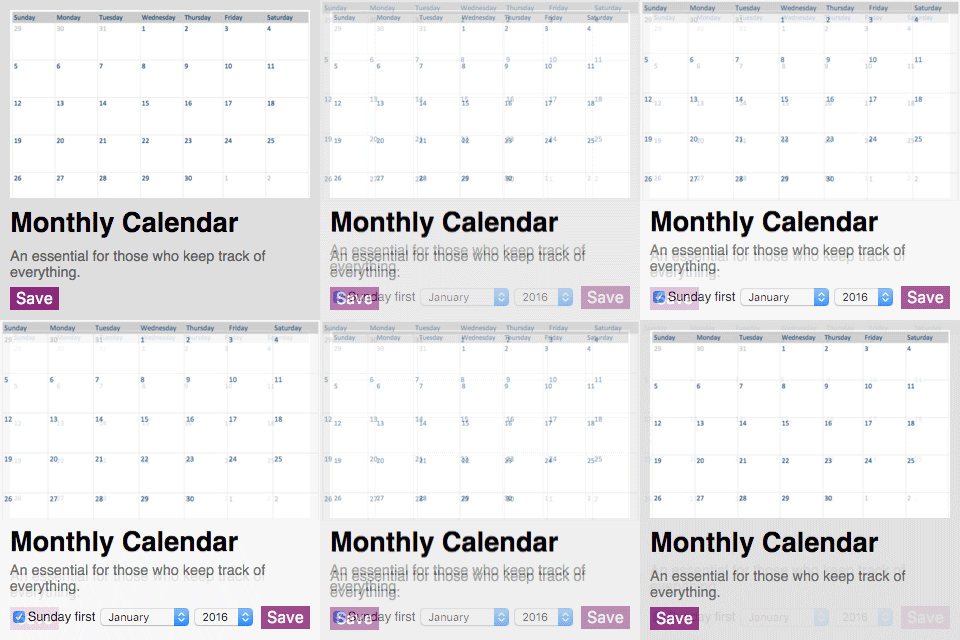
Notegram already used a 'flat' design, but I made some minor changes anyway. The news application from Windows 10 was taken as the basis - I enlarged the pictures in each card of the template, and changed the colors a little. Also, I added a panel with a brief description of my project for new users.
Using the service https://realfavicongenerator.net/ , I added beautiful icons for all platforms. Especially pleased with the Chrome browser on Android, where Notegram behaves as a full-fledged application:

Learn more about creating pages with the OneNote API.
Also, I would like to talk more about the OneNote API.
To create pages, the OneNote API uses a limited portion of HTML, a list of which can be found here .
The only tag supported by the OneNote API is the date the note was created. You can either specify the full date in ISO 8601 format:
Or just specify the time zone:
Basically, I use tables for my templates - they behave the same as in HTML.
The tag
![]()
Also, for any element, you can specify various marks using the data-tag attribute:
Explore OneNote APIA complete list of marks can be found here .
Unfortunately, at the moment, the API does not support handwriting and mathematical formulas - but I hope that these functions will be added soon.
Conclusion

I am very glad that many people liked my project, and I intend to continue developing further - if you have any suggestions, leave them in the comments, or write me on Twitter .
Notegram is available right now at http://notegram.me
For authors
Friends, if you are interested in supporting the column with your own material, please write to me at [email protected] in order to discuss all the details. We are looking for authors who can interestingly talk about development for Office and other topics.

about the author
Dmitry Konev.
Student studying at De Anza College in California.
I am from Moscow. Not so long ago, he moved to Silicon Valley, to comprehend the world of developers and technologies. For a long time I was a user of Microsoft services, but just recently I found myself in the role of a developer. Recently I have been interested in web development, before that I mainly worked with C ++.