Familiar stranger. What is Bitrix24?
If you are puzzled by the search for CRM, then in numerous forums you will inevitably come across a mention of the Bitrix24 system and its discussion. There are enough supporters and opponents: someone claims that this is not CRM at all (which is true), someone reduces the entire functionality of the system to a corporate portal, someone recalls 12 free users. As in any other company, Bitrix employees closely monitor the reviews and discussions of our products on the network. Sometimes we are surprised by individual comments and even fables related to Bitrix24. But there is a limit to everything. About what Bitrix24 really is, how it can unite a company and help any business, we will consistently tell in our blog on Habré.
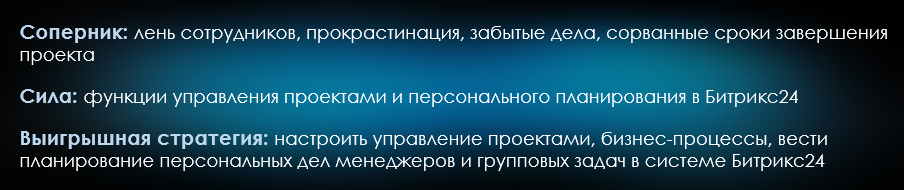
It is difficult to find an employee, and even more so a leader, completely satisfied with the organization of work in the company, interaction within the company and with customers. If you look at the activities on the part of the leader, then in many companies the same problems can be distinguished:
This is only a small part of the motives of managers making decisions on automation for the purpose of debugging business processes and monitoring, followed by a new problem - to choose a system. This is a real challenge. Among hundreds of newfangled programs and applications, universal solutions, market leaders, web-systems and desktops, even the most sophisticated top manager is easily confused. It is time to clarify and talk about our Bitrix24 system . As they say, first hand.
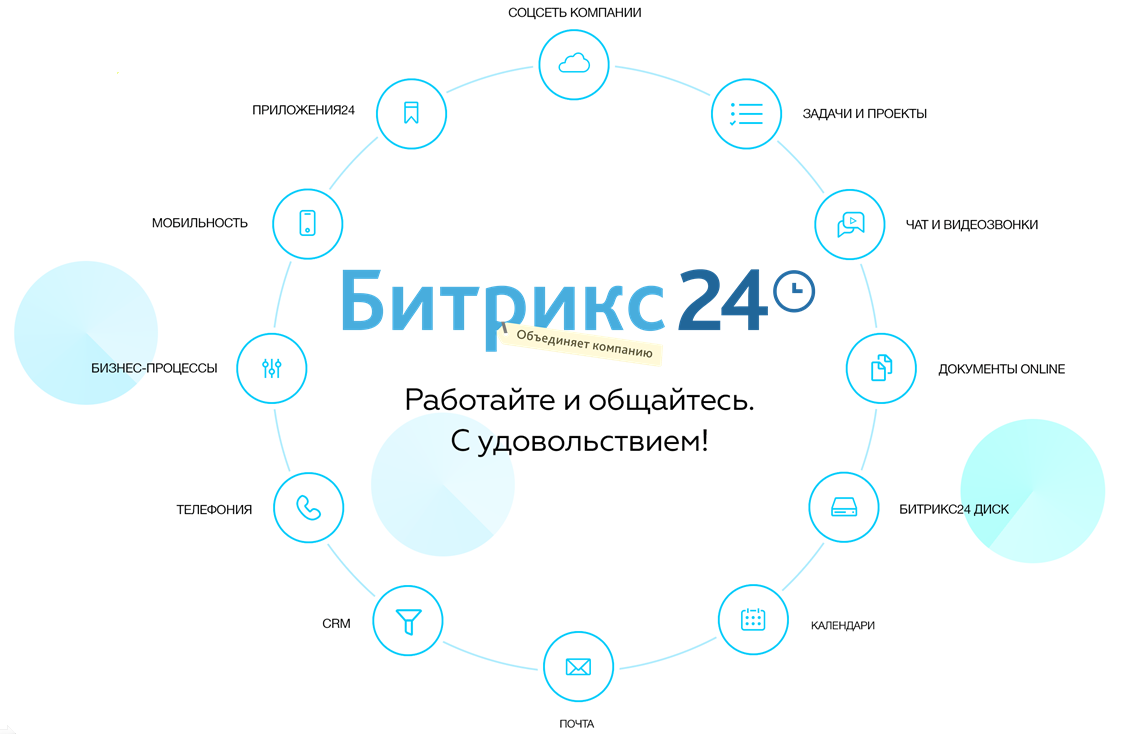
Bitrix24 consists of several sections, each of which meets the needs of business management, such as customer service, performance monitoring, human resources, marketing, planning, project management and so on. Let us dwell on each of the modules and see what the system really can do.
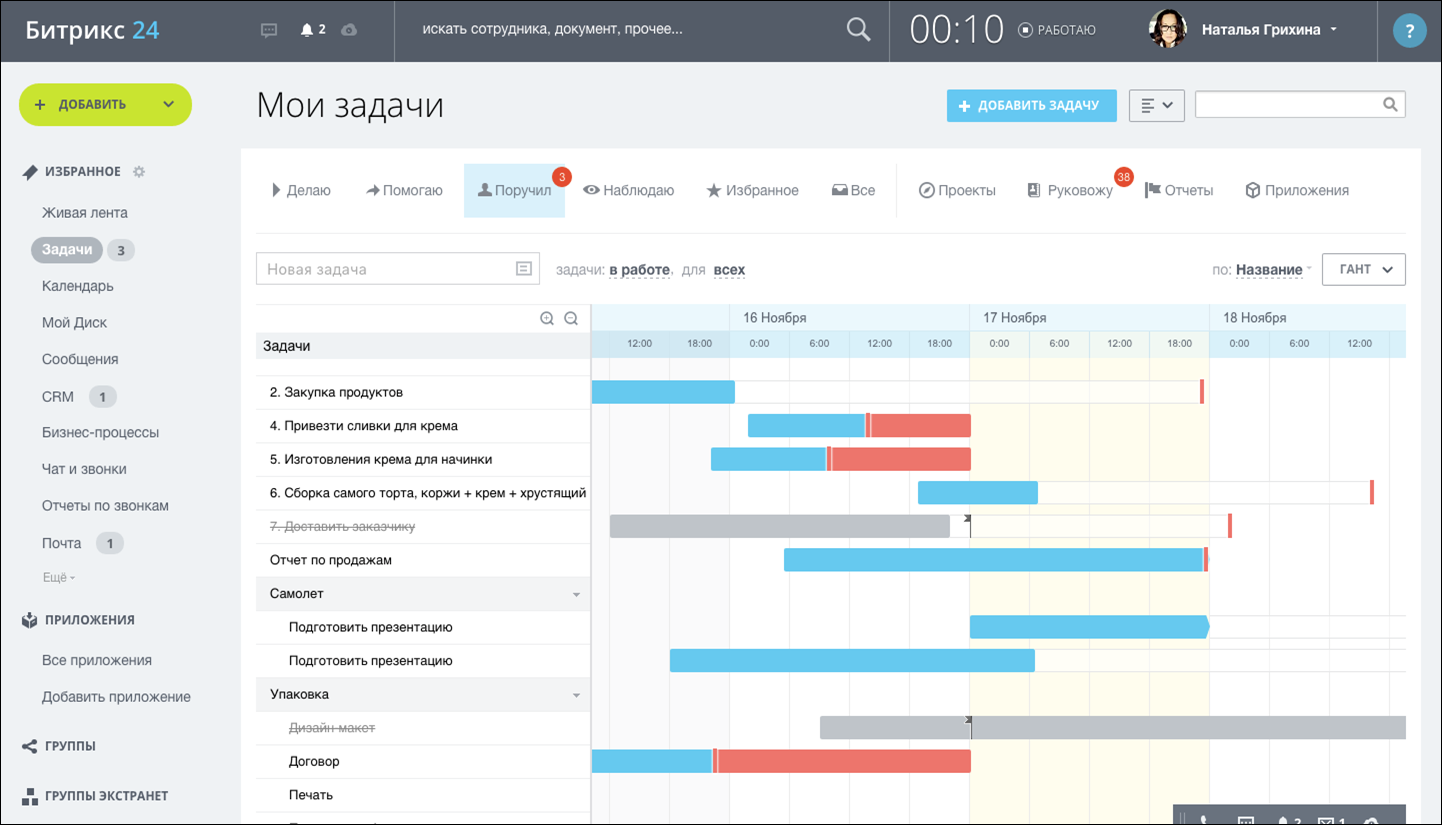
 Tasks and projects.The task is one of the main entities in the Bitrix24 system. When it is created, the task’s name, director, co-executors are established (they will receive notifications about the task assigned), priority is set, the start and end dates for the task are planned. For a complete description, there is a built-in text editor with the ability to format. Inside the task, you can create a checklist with subtasks - this is very convenient for monitoring the stages of the work or the to-do list of the employee. The task can be attributed to the project (group), which can be created according to the criteria necessary for the user (department, work, direction, office, etc.). Additionally, you can select observers who will monitor the progress of the task, or delegate the task. If the task is homogeneous for your company and is repeated, then you can set it as a template, make it repeatable every day (week, month, year). All tasks are divided by the status of “doing”, “helping”, “instructed”, “watching” and can be displayed both in tabular form and on the Gantt chart. By the way, you can manage tasks directly on the chart rulers: when you right-click, the task management menu opens, when left-click, the task card opens.
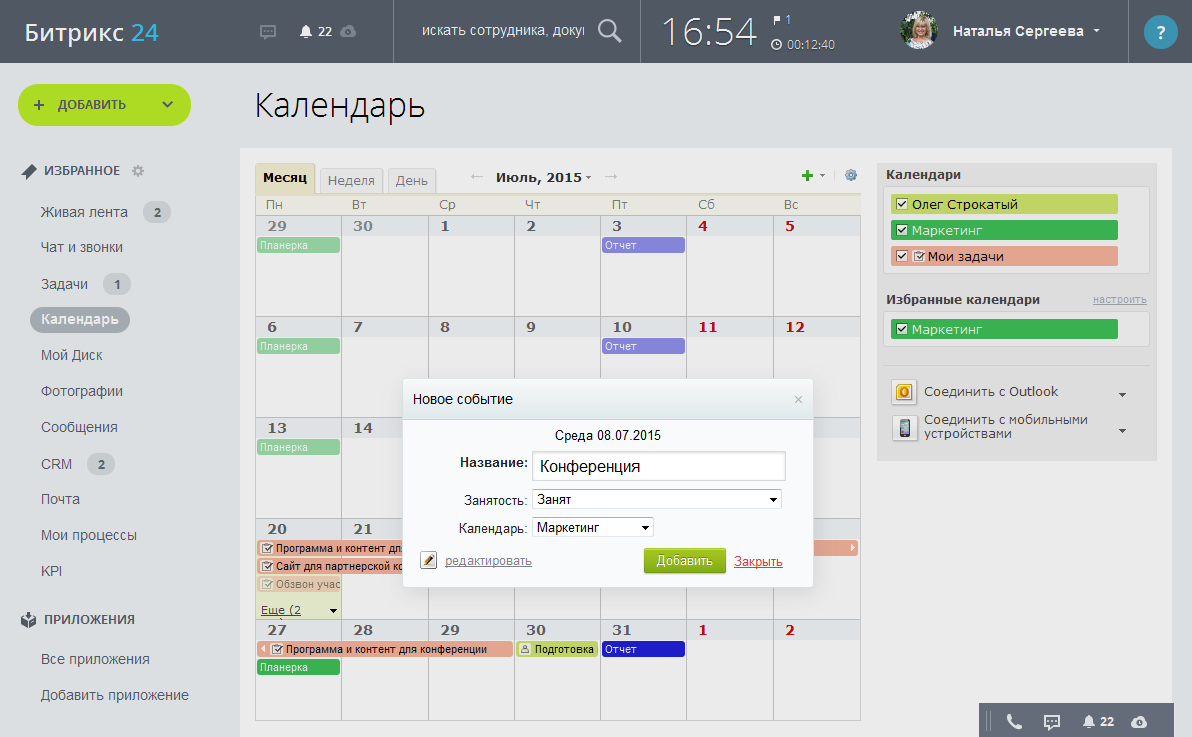
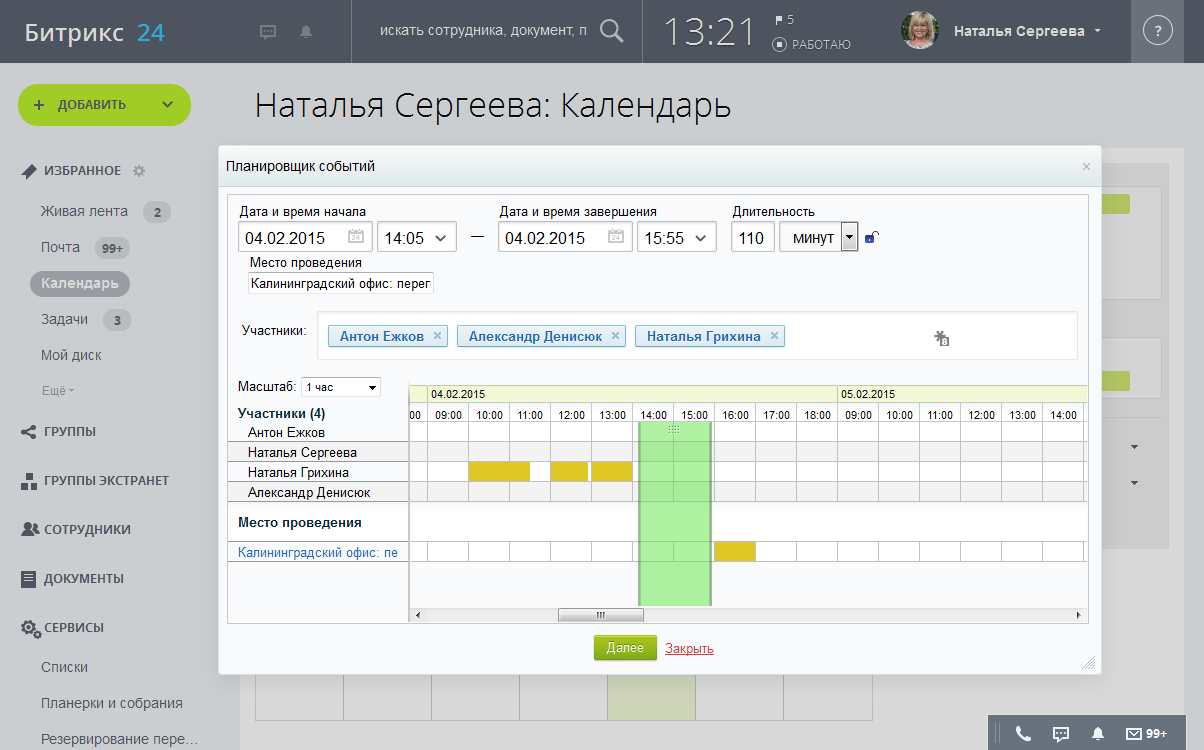
Calendars are directly related to project work - all tasks are displayed on the calendar by day, week, and month. All tasks can be opened directly from the calendar interface. The calendar is convenient for scheduling events, for example, calls, meetings, meetings. Bitrix24 Calendar integrates with Outlook and mobile devices - it’s simply impossible to forget something. The calendar field is easily controlled with the mouse: events can be dragged by the day or by the clock inside the day. This is very convenient: if you did not answer your call or you rescheduled the meeting, you can even not open the event card, but simply move it to a new time.
Business processesin Bitrix24, they are created using a visual designer, in the right pane of which the indicated elements of the future “design” are defined: blocks and functions. Bitrix24 does not follow BPMN 2.0 notation, but uses many of its provisions. When creating a process, you need to select the category for which the business process is configured, if necessary, you can specify user parameters and variables, and commands can be created using PHP code.

Inside each block of the business process, the user makes the necessary settings by filling in the fields of the action card. To create the majority of standard business processes, programming skills are not needed - you need an understanding of the algorithm and the process in the company as a chain of actions aimed at achieving a result.
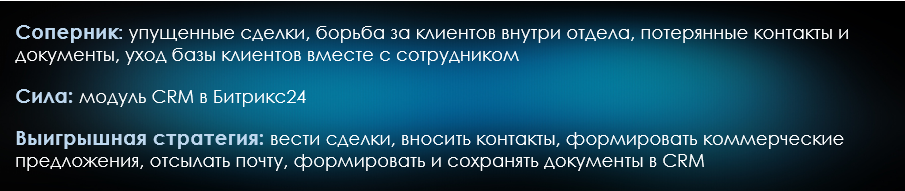
CRM is a significant and perhaps the most discussed Bitrix24 module. CRM inside Bitrix24 meets all the requirements of the Russian business for such systems. Inside CRM, contacts, cards of companies of customers and counterparties are stored, transactions are taken into account. Let us dwell on this tool in more detail.
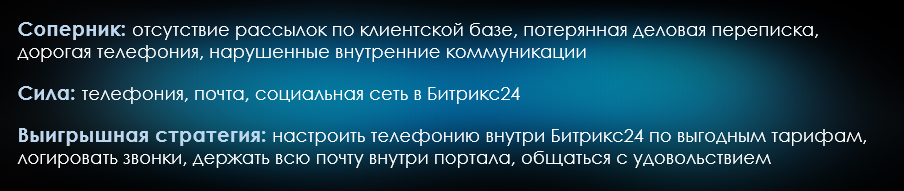
Telephony. Modern business is quite tightly tied to telephony: these are cold calls, and work with leads, and presentations, and technical support. Managers need a convenient connection, integrated with the customer service system - this is the only way to achieve really high-quality service. Telephony in Bitrix24 is implemented using WebRTC technology, which allows you to make / receive calls directly from your browser. Calls to Bitrix24 can be made in different ways: voice and video calls from a Business chat or desktop application within the company, IP-telephony to landlines and mobile phones, IP-telephony using office PBXs.
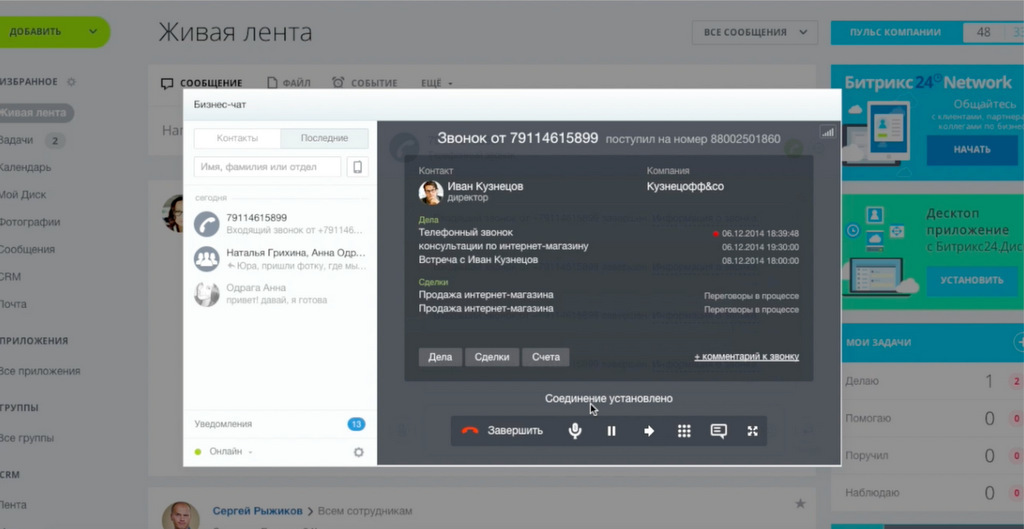
Telephony in Bitrix24 is configured quite simply - for connecting softphones and / or devices, minimal administrative skills are enough. Each employee is allocated a number, it is possible to record all conversations (for further work with complaints, quality control or training purposes). Communication expenses can be controlled in the balance section. There you can also see Bitrix24 tariffs for calls in any direction. In general, telephony in Bitrix24 deserves special attention - and we will definitely devote it to it in the following posts on Habré.
Post office.We already talked a little about mail inside CRM, but there is something to add more. Bitrix 24 provides users with a ready-made free mail server with unlimited space, built-in antivirus and anti-spam - those who managed to work with free corporate mail will appreciate the lack of hundreds of daily emails with offers of Chinese SEO and dating sites. You can use the mailbox in the domain bitrix24 .ru, in your domain (created for free), as well as in the domain of any third-party mail service. All letters will be collected in one place - there will be no need to move between services. Using mail, Bitrix24 sends messages to employees and letters to customers and counterparties.
Social network- this is exactly the part of Bitrix24 that the discussion participants refer to with the position “this is just a corporate portal”. I must say that such an opinion is not accidental - Bitrix24, indeed, managed to realize the idea of creating a full-fledged social network of the company (Intranet, corporate portal). Moreover, when creating the Intranet, special attention was paid to the fact that Bitrix24's “sociality” should not distract from the work process, but help build communication and relationships within it. Briefly tell about the main features of Bitrix24 as a corporate portal.
Technology has come into business long ago. We are sure that most of you have certain tools that cover part of the tasks that Bitrix24 solves. However, the longer the company develops and the more it grows, the higher the requirements for tools become. As a result, a fragmented IT infrastructure is formed, consisting of corporate software of several vendors, which sometimes can not be integrated either using the API or using other integration tools. Automation is unsystematic and complex: users are forced to work in several different interfaces, remember usernames and passwords, switch between windows and applications. Bitrix24 builds a unified business automation system and saves employees time and effort.
In addition to the main modules, there are several more useful and necessary for business chips that are successfully implemented in Bitrix24. They make the work even more convenient without causing distractions to other tools.
Disk and documents.Depending on the chosen tariff of the company, a rather large disk space is allocated, which allows you to store documents and media files. Additional drive integration with One Drive, Google Drive, and Dropbox is possible. The presence of a disk plays an important role in organizing workflow and work in general: all the necessary files are always at hand. Directly from the Bitrix24 interface, all tables, text files and presentations can be created and edited using Google Docs or Microsoft Office Online. By installing the Bitrix24 desktop application, you can create and edit documents using the editors installed on the computer.
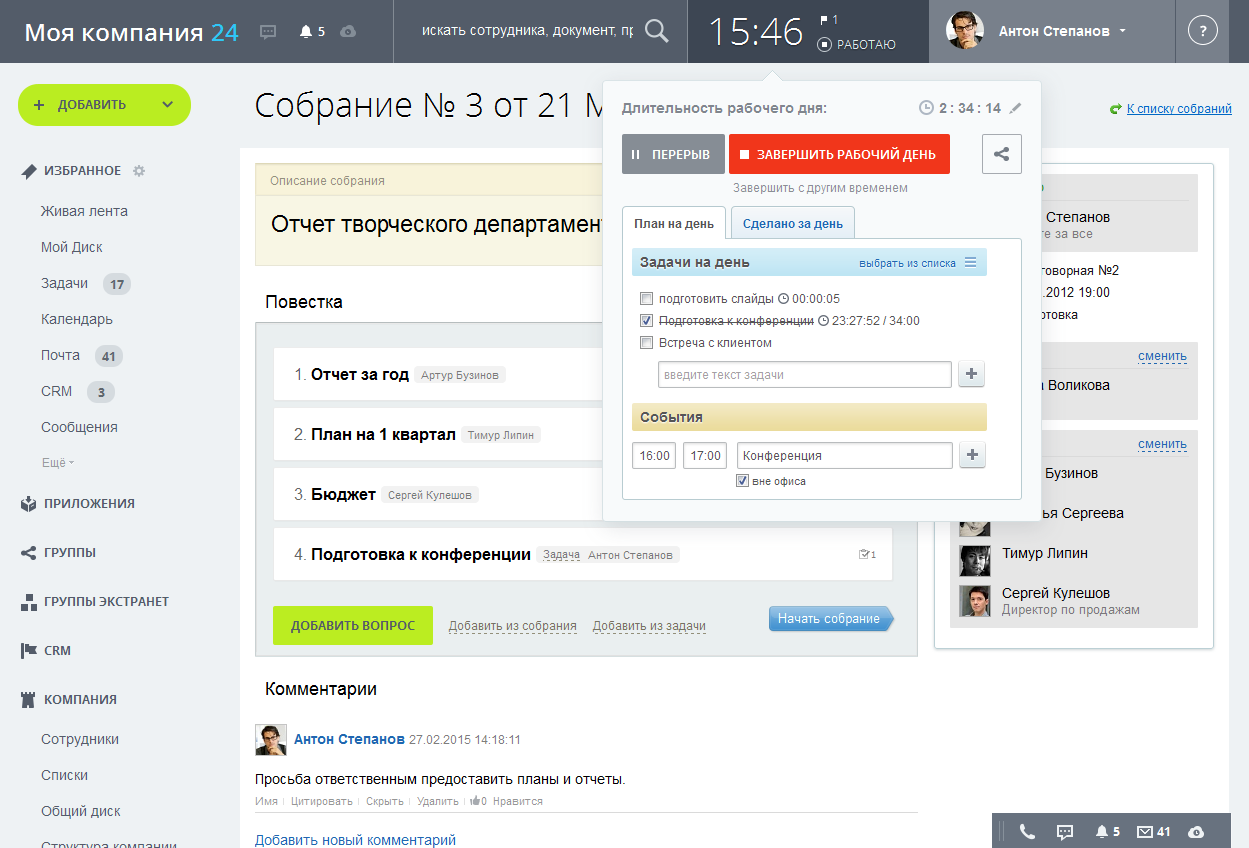
Accounting for working hours.Many modern companies keep track of working hours to improve employee discipline. As a rule, it is implemented as a system of electronic access to the premises and rarely, when it is possible to track the real working time of an employee, rather than the time of entry and exit from the office. In Bitrix24, working hours, days off and breaks are recorded upon entry and exit from the system. In this case, the employee can ask for a day off or tell the manager about the processing directly in the system interface. Additionally, in Bitrix24, you can create plan reports on the work done during the period - and no more free essays in Excel, everything is implemented in a simple form, accessible even to a novice user. In addition, you can take into account the time spent on tasks.
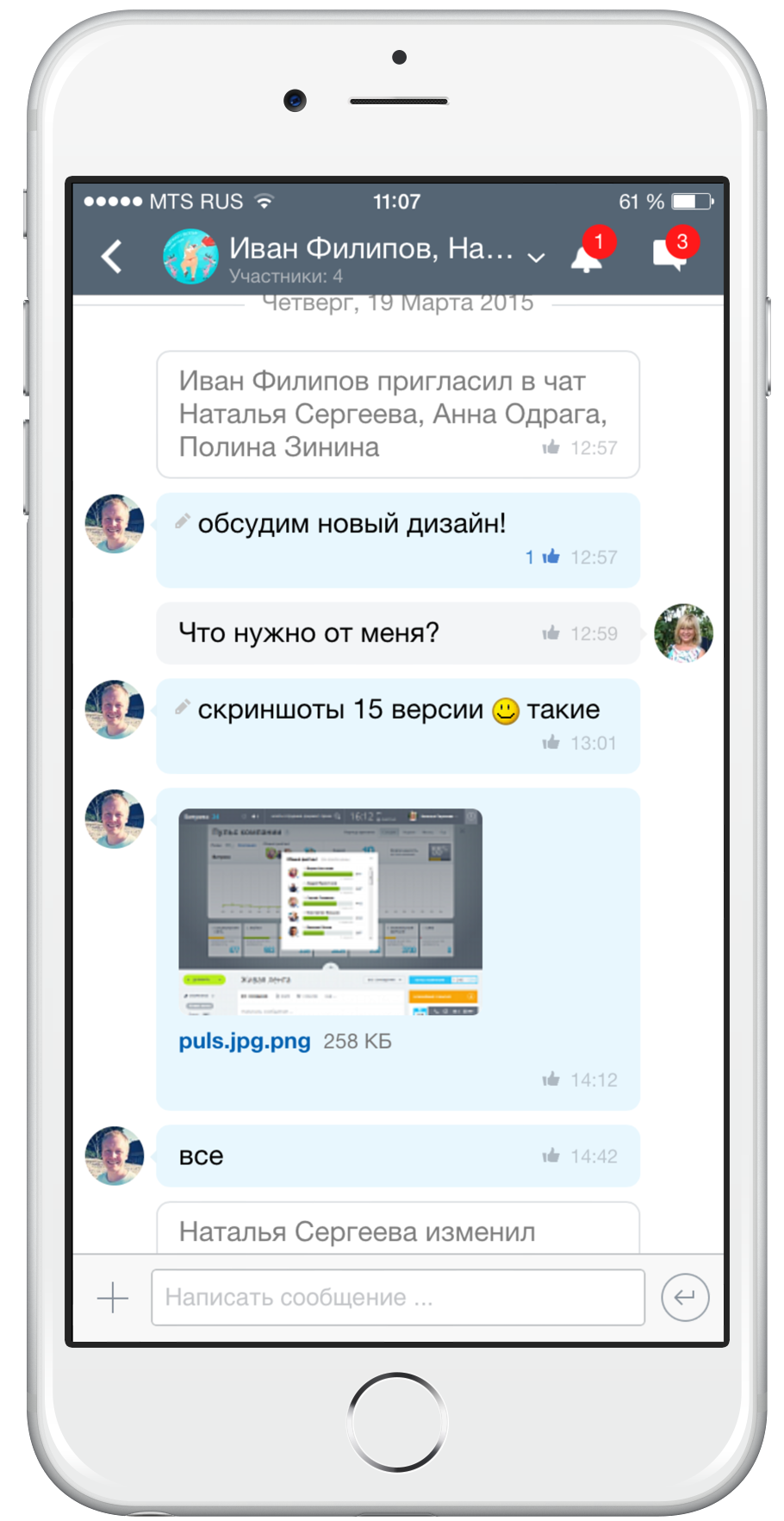
Mobility.Bitrix24, all its components, including a disk and documents, are accessible to the user from any mobile device where there is an Internet connection: you can work from the airport, business trips, and if you really want (or need) even from vacation. On mobile devices, all access rights to the system are inherited - so there is no reason to worry about the security of commercial information.
The company's pulse is a dashboard metric that reflects aggregate information on the number of projects, tasks, deals, etc. during the period. The most productive employees stand out separately - the spirit of competition motivates to work better: each employee can switch the slider and compare his activity index with the general index for the company. The leader can evaluate the activity of using the Bitrix24 system itself, that is, actually collect feedback from the implementation and decide on the need for additional training.
However, all these advantages are not basic. The main chip of Bitrix24Is the complexity of the system. If you look at the description of the features in the post, it may seem to someone that there is a lot of superfluous, something that was never needed in the company. This opinion is erroneous. Experience shows that as soon as users begin to work in the system, there immediately arises the need to automate some everyday tasks. Bitrix24 allows you to manage the company without leaving the system: work with clients, draw up and conclude contracts, communicate with colleagues, make calls, and develop a corporate culture. If, after some time after implementation, you see a list of installed programs, you will notice that you have stopped using many of them. They are replaced by Bitrix24, in which you do not need to enter different passwords and run numerous applications. Everything is at hand - you can just work, moving from one task to another and observing the process. This is called productivity growth.
At the beginning of the post, we said that for representatives of Russian business looking for CRM on the Web, it is not clear what Bitrix24 is. We answer. Bitrix24 is a comprehensive company management system that includes working with customers, staff, external contractors, internal social communications, telephony and forming a single workspace for productive activities aimed at developing and achieving the company's goals. Our team has been developing Bitrix24 for a long time and for us this project is both development and business. We act in two roles at once: both the customer and the contractor, we strive to focus on the real needs of our customers. We have something to tell you. And we will tell you.
Business is looking for automation
It is difficult to find an employee, and even more so a leader, completely satisfied with the organization of work in the company, interaction within the company and with customers. If you look at the activities on the part of the leader, then in many companies the same problems can be distinguished:
- wasted or inefficiently distributed working time and, as a result, endless processing and complaints about processing
- missed calls and meetings with customers, unprocessed incoming leads, and, as a result, falling sales
- lost customer contacts and even bases, the impossibility of resale
- termination of work with the client pool in case of dismissal of the leading manager or head of sales
- violation of internal corporate relations up to wars between departments
- lost contracts, commercial offers not sent to the addressee, non-closing documents
- mailings without taking into account the needs of the client and, as a result, complaints about mailings
- regular late arrivals and early departures without reason
- lack of corporate ethics and culture, etc.
This is only a small part of the motives of managers making decisions on automation for the purpose of debugging business processes and monitoring, followed by a new problem - to choose a system. This is a real challenge. Among hundreds of newfangled programs and applications, universal solutions, market leaders, web-systems and desktops, even the most sophisticated top manager is easily confused. It is time to clarify and talk about our Bitrix24 system . As they say, first hand.
Bitrix24: a game on your field. What is the strength in, brother?
Bitrix24 consists of several sections, each of which meets the needs of business management, such as customer service, performance monitoring, human resources, marketing, planning, project management and so on. Let us dwell on each of the modules and see what the system really can do.
Tasks and projects.The task is one of the main entities in the Bitrix24 system. When it is created, the task’s name, director, co-executors are established (they will receive notifications about the task assigned), priority is set, the start and end dates for the task are planned. For a complete description, there is a built-in text editor with the ability to format. Inside the task, you can create a checklist with subtasks - this is very convenient for monitoring the stages of the work or the to-do list of the employee. The task can be attributed to the project (group), which can be created according to the criteria necessary for the user (department, work, direction, office, etc.). Additionally, you can select observers who will monitor the progress of the task, or delegate the task. If the task is homogeneous for your company and is repeated, then you can set it as a template, make it repeatable every day (week, month, year). All tasks are divided by the status of “doing”, “helping”, “instructed”, “watching” and can be displayed both in tabular form and on the Gantt chart. By the way, you can manage tasks directly on the chart rulers: when you right-click, the task management menu opens, when left-click, the task card opens.Calendars are directly related to project work - all tasks are displayed on the calendar by day, week, and month. All tasks can be opened directly from the calendar interface. The calendar is convenient for scheduling events, for example, calls, meetings, meetings. Bitrix24 Calendar integrates with Outlook and mobile devices - it’s simply impossible to forget something. The calendar field is easily controlled with the mouse: events can be dragged by the day or by the clock inside the day. This is very convenient: if you did not answer your call or you rescheduled the meeting, you can even not open the event card, but simply move it to a new time. Business processesin Bitrix24, they are created using a visual designer, in the right pane of which the indicated elements of the future “design” are defined: blocks and functions. Bitrix24 does not follow BPMN 2.0 notation, but uses many of its provisions. When creating a process, you need to select the category for which the business process is configured, if necessary, you can specify user parameters and variables, and commands can be created using PHP code. Inside each block of the business process, the user makes the necessary settings by filling in the fields of the action card. To create the majority of standard business processes, programming skills are not needed - you need an understanding of the algorithm and the process in the company as a chain of actions aimed at achieving a result.
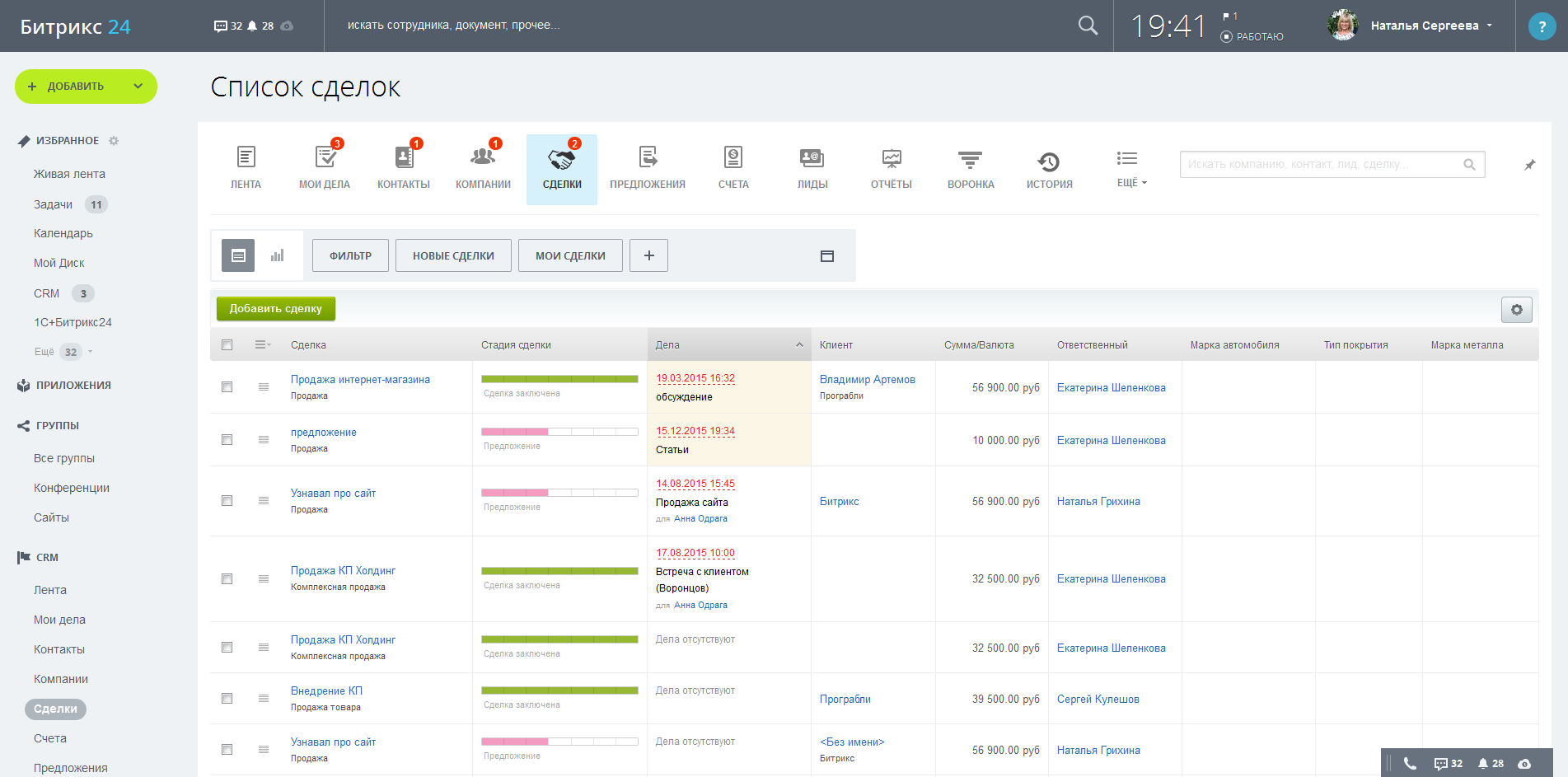
CRM is a significant and perhaps the most discussed Bitrix24 module. CRM inside Bitrix24 meets all the requirements of the Russian business for such systems. Inside CRM, contacts, cards of companies of customers and counterparties are stored, transactions are taken into account. Let us dwell on this tool in more detail.- When a client addresses, the manager puts the lead in CRM, then the system suggests creating contacts and a company based on the lead. The card of the company, as in any similar system, should be given maximum attention, since in the future there are tabs for transactions, offers, business processes, etc. will be filled with information in relation to the client.
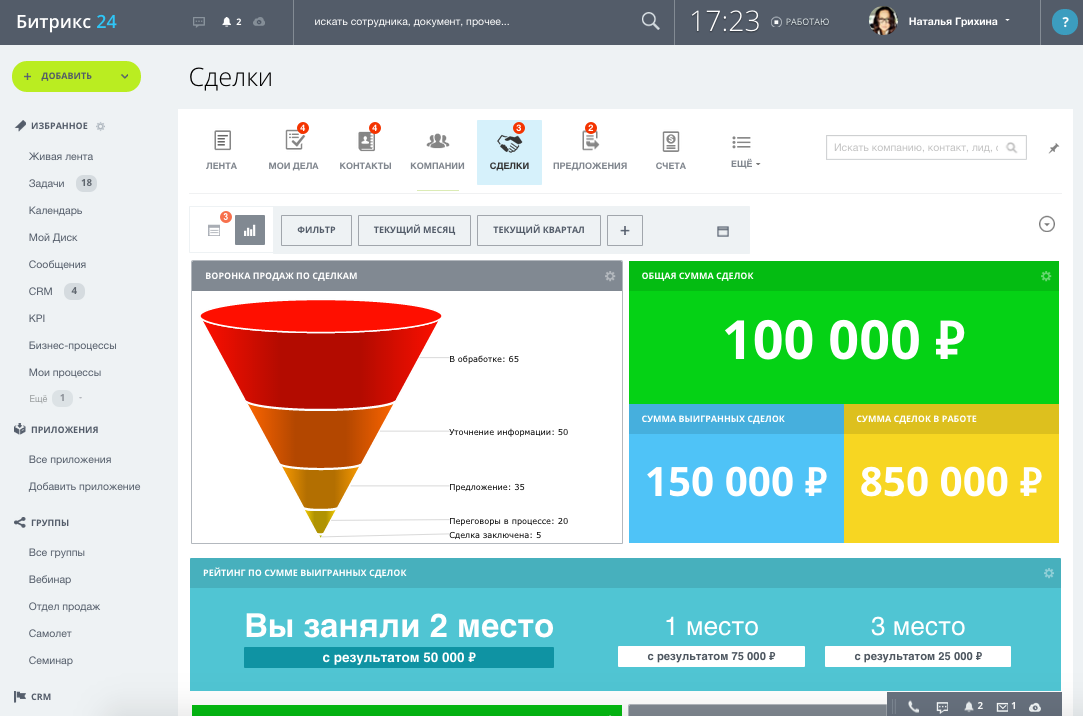
- The transaction card indicates the object of the transaction, amount, probability of closure, status. All transactions are grouped and displayed both in tabular form and in the form of an informative dashboard that can be customized.
- CRMs are also created, billed and saved. The printed invoice form is easily sent to the customer’s email directly from the system interface.
- Inside the module, you can create commercial offers that will be sent to the client. The fields of the proposal form help not to forget a single detail, including the amount of the transaction, documents, attachments, the status of the commercial proposal and much more. The prepared proposal can be downloaded in PDF, printed or sent by e-mail.
- Modern companies pay significant attention to the information that is accumulated in CRM - the data form the basis for making marketing and management decisions, serve as the basis for building a sales system, and are needed to calculate the effectiveness of employees. CRM has several ready-made reports on transactions, goods, leads, accounts and cases. Reports are generated in graphical and tabular representations. Inside the report, you can use the filter and set the parameters of interest. Bitrix24 also has a favorite report of salespeople and managers - a sales funnel, which displays the distribution of transactions by stages and indicating the amount of transactions. The funnel in Bitrix24 is of two types: conversion (the logic of its construction involves the inclusion of lower stages in the previous ones) and classical (all stages separately). Filters for a sales funnel involve building by employees, dates, and other conditions. Stages of sales can be customized by creating your own names in the directory.
- All actions in CRM are logged - in case of a dispute, you can turn to the history and see the time and type of event, initiator, and related entity. You can also create filters and save them for journal entries.
- CRM introduces goods that are then used in transactions, offers and invoices. For a product, the price, unit, VAT rate, image, section and description are determined. By the way, sections can be created, for example, as goods and services, if this involves the activities of the company.
- Bitrix24 CRM involves many settings that are responsible for both customization and system security. To configure additional card fields for any of the entities, even minimal programming knowledge is not required - any user can add the necessary custom fields of any format using a simple constructor. In the settings, print forms with signature and seal templates are set, taxes are required for the purpose of working with the system. It is possible to create letter templates and integrate with external mail with setting rules for processing letters from a third-party mailbox - in fact, all correspondence is carried out inside the system. With the help of a convenient wizard, integration with the online store is configured, there is integration with 1C "Enterprise". The separation of access rights is divided into standard roles, but you can create other levels of access.
Telephony. Modern business is quite tightly tied to telephony: these are cold calls, and work with leads, and presentations, and technical support. Managers need a convenient connection, integrated with the customer service system - this is the only way to achieve really high-quality service. Telephony in Bitrix24 is implemented using WebRTC technology, which allows you to make / receive calls directly from your browser. Calls to Bitrix24 can be made in different ways: voice and video calls from a Business chat or desktop application within the company, IP-telephony to landlines and mobile phones, IP-telephony using office PBXs.Telephony in Bitrix24 is configured quite simply - for connecting softphones and / or devices, minimal administrative skills are enough. Each employee is allocated a number, it is possible to record all conversations (for further work with complaints, quality control or training purposes). Communication expenses can be controlled in the balance section. There you can also see Bitrix24 tariffs for calls in any direction. In general, telephony in Bitrix24 deserves special attention - and we will definitely devote it to it in the following posts on Habré.
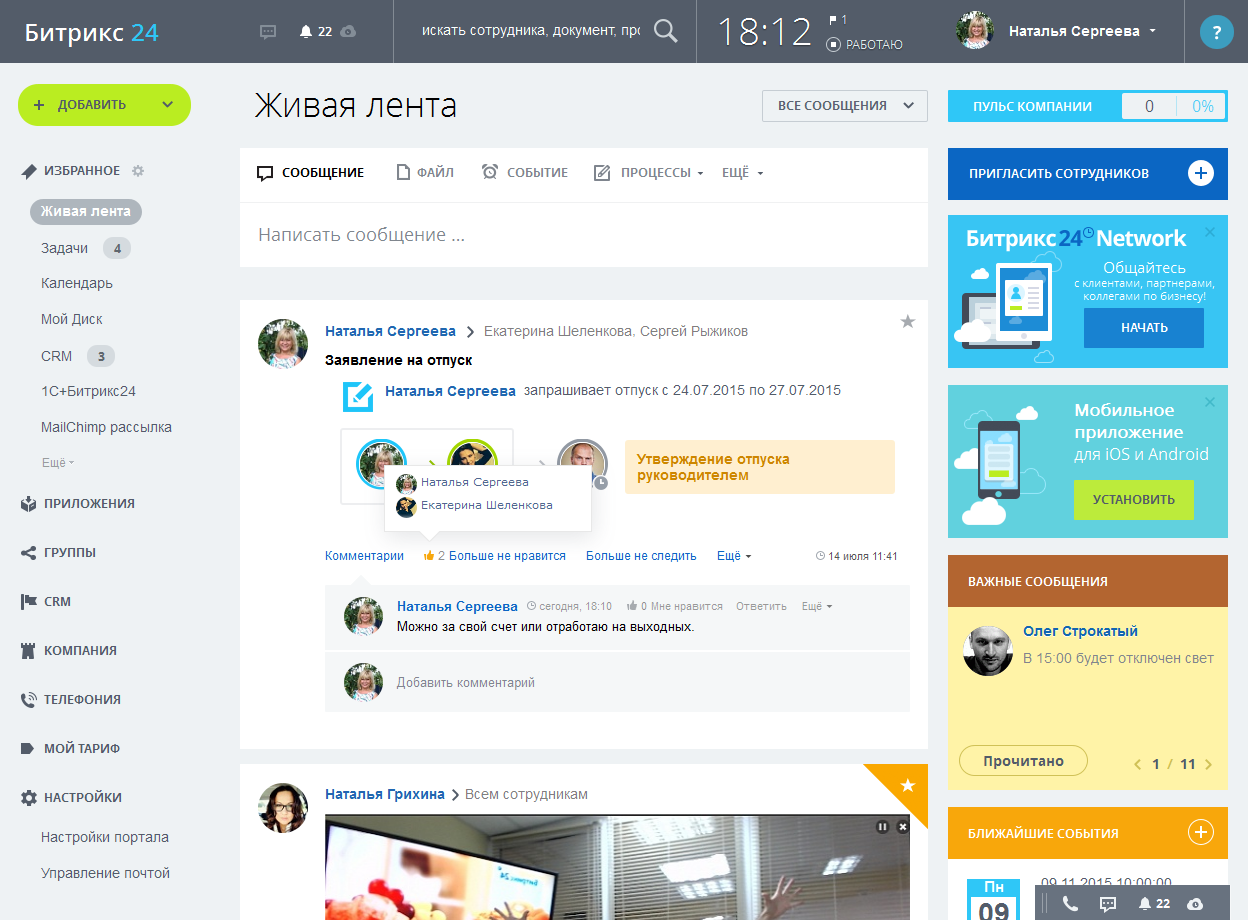
Post office.We already talked a little about mail inside CRM, but there is something to add more. Bitrix 24 provides users with a ready-made free mail server with unlimited space, built-in antivirus and anti-spam - those who managed to work with free corporate mail will appreciate the lack of hundreds of daily emails with offers of Chinese SEO and dating sites. You can use the mailbox in the domain bitrix24 .ru, in your domain (created for free), as well as in the domain of any third-party mail service. All letters will be collected in one place - there will be no need to move between services. Using mail, Bitrix24 sends messages to employees and letters to customers and counterparties. Social network- this is exactly the part of Bitrix24 that the discussion participants refer to with the position “this is just a corporate portal”. I must say that such an opinion is not accidental - Bitrix24, indeed, managed to realize the idea of creating a full-fledged social network of the company (Intranet, corporate portal). Moreover, when creating the Intranet, special attention was paid to the fact that Bitrix24's “sociality” should not distract from the work process, but help build communication and relationships within it. Briefly tell about the main features of Bitrix24 as a corporate portal.- Interactive Buzz is the center of communication and information within the company. When working in it, you can immediately comment and mark messages with the Like button. Like social networks, these marks affect the location of content in the stream.
- On the portal, you can place ads that are noticeable to all and report meaningful information to them. Announcements are collected in the upper right corner of the portal and do not disappear until the employee reads them.
- In Bitrix24, it is easy to create and schedule meetings and meetings - all interested people will be notified about the upcoming event.
- An extranet is as limited a work area as an Intranet, designed to work with external contractors, for example, freelancers. On the Extranet, you can set tasks, create chats, share documents and create a knowledge base (wiki). Extranet groups can be created for partners, agents, customers, and other external users.
Technology has come into business long ago. We are sure that most of you have certain tools that cover part of the tasks that Bitrix24 solves. However, the longer the company develops and the more it grows, the higher the requirements for tools become. As a result, a fragmented IT infrastructure is formed, consisting of corporate software of several vendors, which sometimes can not be integrated either using the API or using other integration tools. Automation is unsystematic and complex: users are forced to work in several different interfaces, remember usernames and passwords, switch between windows and applications. Bitrix24 builds a unified business automation system and saves employees time and effort.
Bitrix Chips24
In addition to the main modules, there are several more useful and necessary for business chips that are successfully implemented in Bitrix24. They make the work even more convenient without causing distractions to other tools.
Disk and documents.Depending on the chosen tariff of the company, a rather large disk space is allocated, which allows you to store documents and media files. Additional drive integration with One Drive, Google Drive, and Dropbox is possible. The presence of a disk plays an important role in organizing workflow and work in general: all the necessary files are always at hand. Directly from the Bitrix24 interface, all tables, text files and presentations can be created and edited using Google Docs or Microsoft Office Online. By installing the Bitrix24 desktop application, you can create and edit documents using the editors installed on the computer. Accounting for working hours.Many modern companies keep track of working hours to improve employee discipline. As a rule, it is implemented as a system of electronic access to the premises and rarely, when it is possible to track the real working time of an employee, rather than the time of entry and exit from the office. In Bitrix24, working hours, days off and breaks are recorded upon entry and exit from the system. In this case, the employee can ask for a day off or tell the manager about the processing directly in the system interface. Additionally, in Bitrix24, you can create plan reports on the work done during the period - and no more free essays in Excel, everything is implemented in a simple form, accessible even to a novice user. In addition, you can take into account the time spent on tasks. Mobility.Bitrix24, all its components, including a disk and documents, are accessible to the user from any mobile device where there is an Internet connection: you can work from the airport, business trips, and if you really want (or need) even from vacation. On mobile devices, all access rights to the system are inherited - so there is no reason to worry about the security of commercial information.The company's pulse is a dashboard metric that reflects aggregate information on the number of projects, tasks, deals, etc. during the period. The most productive employees stand out separately - the spirit of competition motivates to work better: each employee can switch the slider and compare his activity index with the general index for the company. The leader can evaluate the activity of using the Bitrix24 system itself, that is, actually collect feedback from the implementation and decide on the need for additional training. However, all these advantages are not basic. The main chip of Bitrix24Is the complexity of the system. If you look at the description of the features in the post, it may seem to someone that there is a lot of superfluous, something that was never needed in the company. This opinion is erroneous. Experience shows that as soon as users begin to work in the system, there immediately arises the need to automate some everyday tasks. Bitrix24 allows you to manage the company without leaving the system: work with clients, draw up and conclude contracts, communicate with colleagues, make calls, and develop a corporate culture. If, after some time after implementation, you see a list of installed programs, you will notice that you have stopped using many of them. They are replaced by Bitrix24, in which you do not need to enter different passwords and run numerous applications. Everything is at hand - you can just work, moving from one task to another and observing the process. This is called productivity growth.
At the beginning of the post, we said that for representatives of Russian business looking for CRM on the Web, it is not clear what Bitrix24 is. We answer. Bitrix24 is a comprehensive company management system that includes working with customers, staff, external contractors, internal social communications, telephony and forming a single workspace for productive activities aimed at developing and achieving the company's goals. Our team has been developing Bitrix24 for a long time and for us this project is both development and business. We act in two roles at once: both the customer and the contractor, we strive to focus on the real needs of our customers. We have something to tell you. And we will tell you.