 August 30, 2015 at 18:51
Navigating between screens using xib files
When reading various source codes, I come across projects implemented using xib files. I myself prefer using xib instead of a storyboard (I’m not writing for a story, storyboard is good too), but often studying navigation between screens turns into torture. And so I would like to share my own experience.
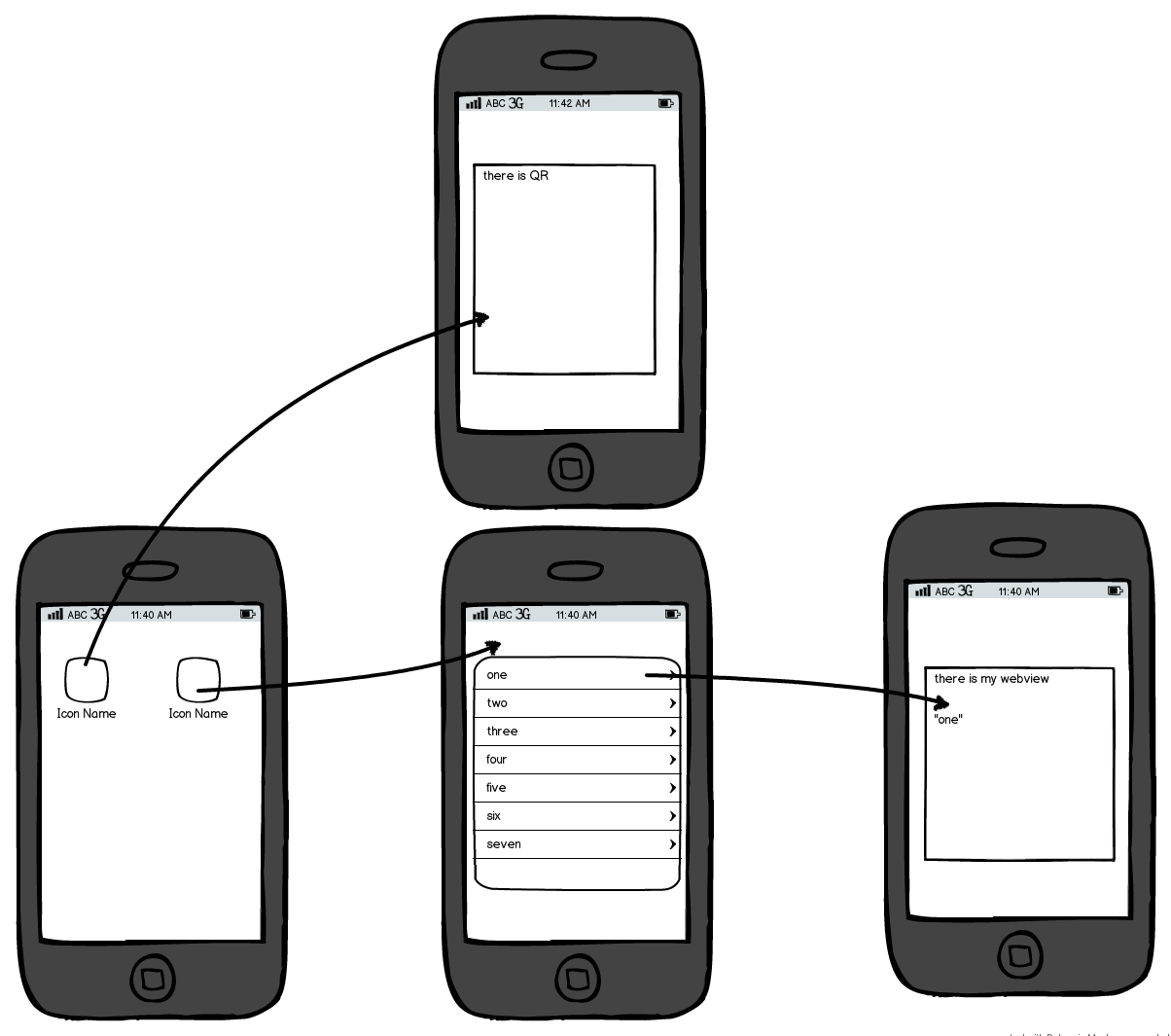
Why is a storyboard so good? First of all, by the fact that it allows you to collect all the navigation and visually display most of the transitions.
Yes, using xib for each screen, we lose the ability to visually see all the transitions (well, and a couple more possibilities), but we get a few of our advantages. I will not explicitly describe the pros and cons of using one and the other in order to avoid holivar, I will only show how you can collect all the navigation using xib files, get rid of unnecessary use of singletones, and also how to eliminate the connectivity between controllers.
The approach is very simple. We use Router objects for communication between screens. We divide Router into user stories. We interact using callback.
Create a router and display a blank screen
We will create a controller that will show the records. We will also immediately connect this screen with other screens and the interaction between them.
Thus, we immediately see the navigation between the screens, and each screen does not know anything about other screens. Moreover, using the blocks, it was possible to eliminate the need for screen information about the router.
We can also transfer data from screen to screen without problems and reduce the use of singletones.
Link to the project
Why is a storyboard so good? First of all, by the fact that it allows you to collect all the navigation and visually display most of the transitions.
Yes, using xib for each screen, we lose the ability to visually see all the transitions (well, and a couple more possibilities), but we get a few of our advantages. I will not explicitly describe the pros and cons of using one and the other in order to avoid holivar, I will only show how you can collect all the navigation using xib files, get rid of unnecessary use of singletones, and also how to eliminate the connectivity between controllers.
The approach is very simple. We use Router objects for communication between screens. We divide Router into user stories. We interact using callback.
Mini demonstration in practice
- Screen with table and add record button
- Record Creation Screen
- Record Detailed View Screen
Initial setup
Create a router and display a blank screen
RXAppDelegate.m
#import "RXAppDelegate.h"
#import "RXRouter.h"
@implementation RXAppDelegate
- (BOOL)application:(UIApplication *)application didFinishLaunchingWithOptions:(NSDictionary *)launchOptions {
    // Override point for customization after application launch.
    self.window = [[UIWindow alloc] initWithFrame:[[UIScreen mainScreen] bounds]];
    self.window.rootViewController = [[RXRouter alloc] initRouter];
    [self.window makeKeyAndVisible];
    return YES;
}
@end
RXRouter.h
#import
@interface RXRouter : UINavigationController
- (instancetype)initRouter;
@end
RXRouter.m
#import "RXRouter.h"
@implementation RXRouter
- (instancetype)initRouter {
    UIViewController *rootViewController = [self createRootViewController];
    self = [super initWithRootViewController:rootViewController];
    if (self != nil) {
        self.interactivePopGestureRecognizer.enabled = NO;
    }
    return self;
}
- (UIViewController *)createRootViewController {
    UIViewController *controller = [[UIViewController alloc] init];
    return controller;
}
@end
Implementation
We will create a controller that will show the records. We will also immediately connect this screen with other screens and the interaction between them.
RXRoute.m
#import "RXRouter.h"
#import "RXNoteListViewController.h"
#import "RXCreateNoteViewController.h"
#import "RXDetailNoteViewController.h"
@implementation RXRouter
- (instancetype)initRouter {
    UIViewController *rootViewController = [self createRootViewController];
    self = [super initWithRootViewController:rootViewController];
    if (self != nil) {
        self.interactivePopGestureRecognizer.enabled = NO;
    }
    return self;
}
- (UIViewController *)createRootViewController {
    RXNoteListViewController *noteListController = [[RXNoteListViewController alloc] init];
    __weak RXRouter *weakSelf = self;
    __weak RXNoteListViewController *weakNoteListController = noteListController;
    noteListController.createNoteBlock = ^{
        RXCreateNoteViewController *createNoteViewController = [weakSelf createNoteViewController];
        createNoteViewController.createNoteBlock = ^(RXNote *note){
            [weakNoteListController addNote:note];
            [weakSelf popViewControllerAnimated:YES];
        };
        [weakSelf pushViewController:createNoteViewController animated:YES];
    };
    noteListController.detailNoteBlock = ^(RXNote *note){
        RXDetailNoteViewController *detailNoteViewController = [weakSelf createDetailNoteViewControllerWithNote:note];
        [weakSelf pushViewController:detailNoteViewController animated:YES];
    };
    return noteListController;
}
- (RXCreateNoteViewController *)createNoteViewController {
    return [[RXCreateNoteViewController alloc] init];
}
- (RXDetailNoteViewController *)createDetailNoteViewControllerWithNote:(RXNote *)note {
    RXDetailNoteViewController *controller = [[RXDetailNoteViewController alloc] init];
    [controller showNote:note];
    return controller;
}
@end
RXNoteListViewController.h
#import
@class RXNote;
typedef void (^RXNoteListViewControllerCreateNoteBlock)();
typedef void (^RXNoteListViewControllerDetailNoteBlock)(RXNote *note);
@interface RXNoteListViewController : UIViewController
@property (copy, nonatomic) RXNoteListViewControllerCreateNoteBlock createNoteBlock;
@property (copy, nonatomic) RXNoteListViewControllerDetailNoteBlock detailNoteBlock;
- (void)addNote:(RXNote *)note;
@end
RXCreateNoteViewController.h
#import
@class RXNote;
typedef void (^RXCreateNoteViewControllerCreateNoteBlock)(RXNote *note);
@interface RXCreateNoteViewController : UIViewController
@property (copy, nonatomic) RXCreateNoteViewControllerCreateNoteBlock createNoteBlock;
@end
RXDetailNoteViewController.h
#import
@class RXNote;
typedef void (^RXDetailNoteViewControllerDoneBlock)();
@interface RXDetailNoteViewController : UIViewController
- (void)showNote:(RXNote *)note;
@end
Thus, we immediately see the navigation between the screens, and each screen does not know anything about other screens. Moreover, using the blocks, it was possible to eliminate the need for screen information about the router.
We can also transfer data from screen to screen without problems and reduce the use of singletones.
Link to the project









