 July 1, 2015 at 14:19
Version 15.1 of DevExpress components for VCL released
Traditionally, June is the month of our first releases of DevExpress products of the year. And last week, it's time to release our VCL components !
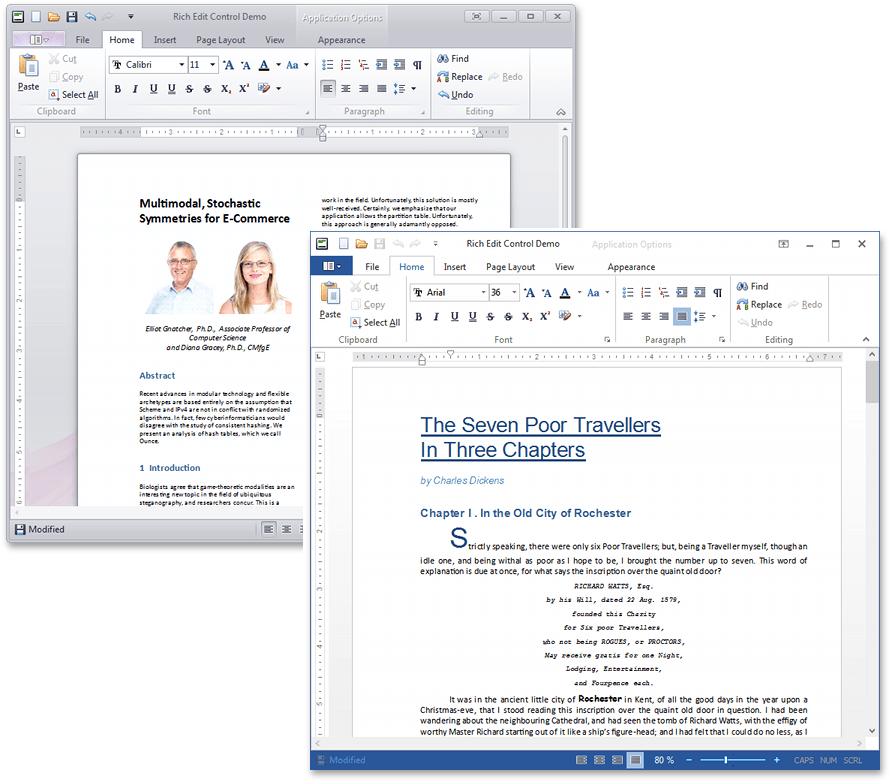
In version 15.1, we are ready to bring to your attention the release version of the Rich Edit Control component , which provides the capabilities of a fully functional word processor. For the first time, we introduced this component in the preview version as part of last year's 14.2 release.
In the new version, we added the following features to Rich Edit Control:
In this release, the ExpressEditors library of editors has been supplemented with the Rating Control component, which, as the name implies, allows users to rate their app in an application using a horizontal or vertical line of standard or custom icon elements.
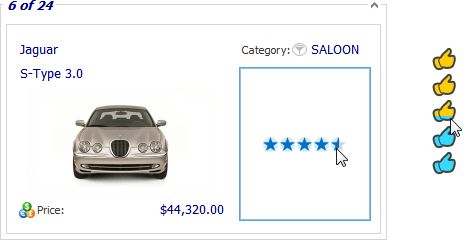
Rating Control supports three filling modes - in increments of an entire element, half an element, or any arbitrary value. It is also possible to bind a component to a database and use it as a built-in editor in other components (Grid Control, Tree List, Vertical Grid, etc.)
Not a single component release for VCL is complete without improvements to existing products. So, the most significant development in version 15.1 was received by the Gauge Control componenthaving acquired the following features:
In addition, Gauge Control was significantly redesigned to unify the settings of different types of scales, and in the form development mode, it became possible to conveniently select, position and resize scales using the mouse.
Starting with version 15.1, our developments in the Spreadsheet Control component are used as the basis of the data export engine in such products as Grid Control, Tree List, Pivot Grid, Scheduler and Vertical Grid. Spreadsheet Control is now installed with these products and is included with ExpressGridPack and ExpressQuantumPack. Thus, active subscribers to these sets will receive Spreadsheet Control absolutely free.
Thanks to the updated engine, the following features are supported when exporting data:
Also, as a result of using the new engine in the Pivot Grid component, we managed to triple the data export speed with a four-fold reduction in memory consumption compared to version 14.2.
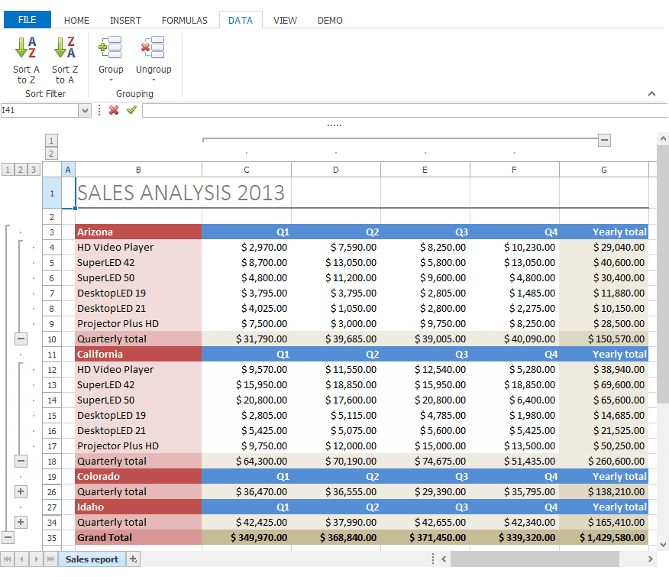
The Spreadsheet Control component has the ability to group (including multi-level) columns and rows of spreadsheets:
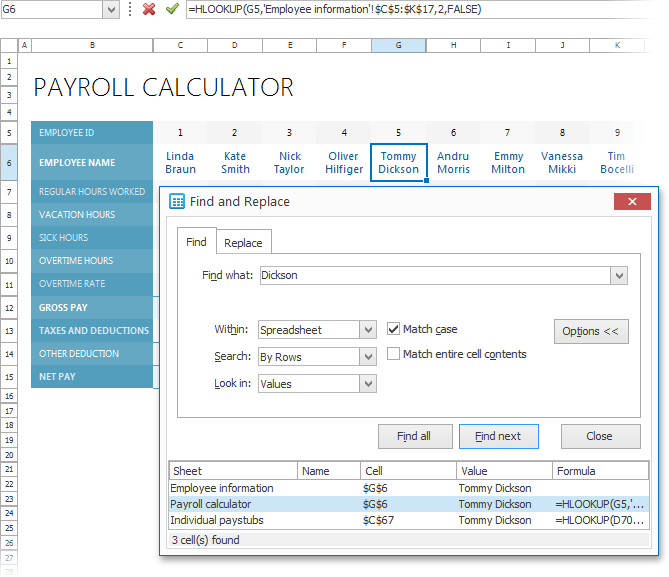
Also, a built-in Find and Replace dialog has been added:
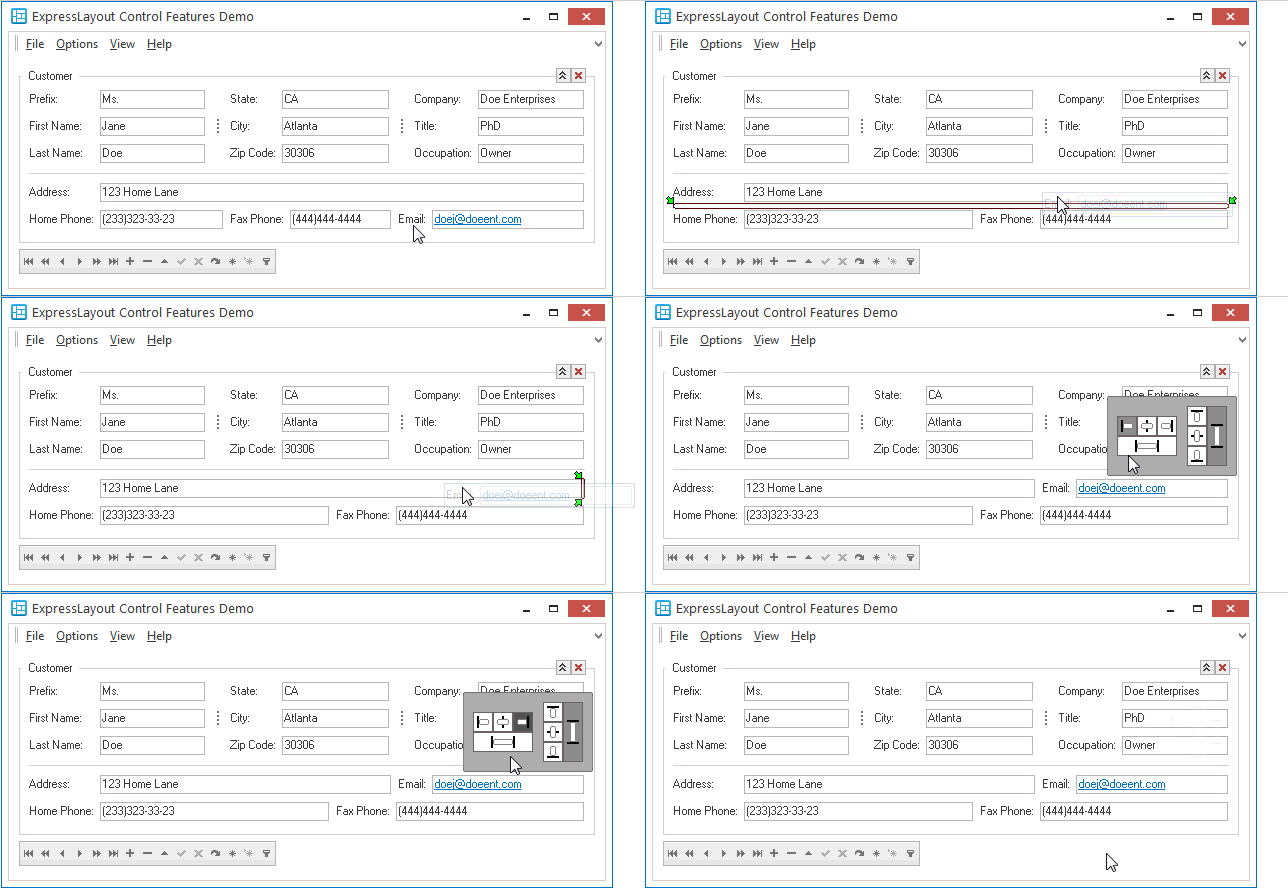
In the Layout Control componentnow a single indication of operations related to dragging and dropping form elements. The new indication replaced the previously available styles (“classic” and “zonal”), providing more intuitive options for the final location of the moved interface element. Also, when you release a form element in quick setup mode, a panel is now displayed that provides options for aligning this element. When the cursor moves away from the transferred element, the panel hides automatically:
The most significant improvement of the Map Control component was the ability to enable inertial scrolling.
In addition, end users can now scroll the map using the cursor keys.
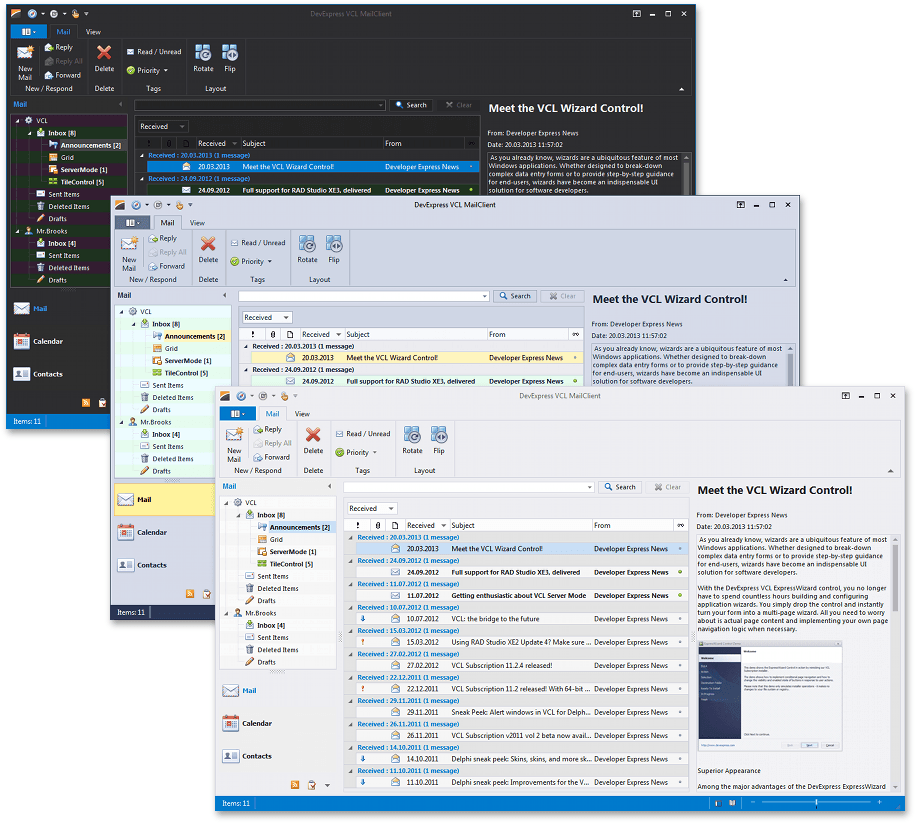
To ExpressSkins librarywe have included three new themes in the style of Visual Studio 2013:
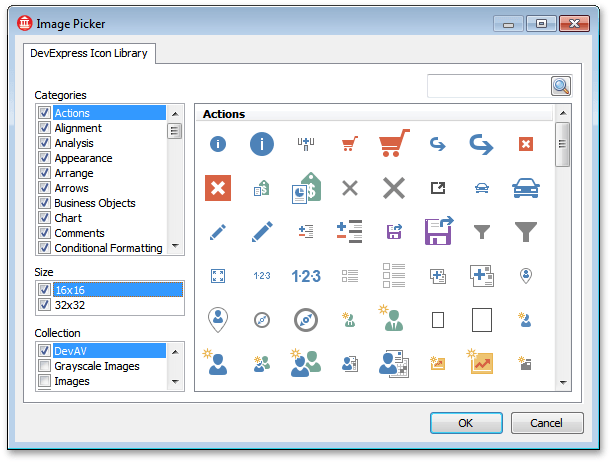
And we have again expanded our Icon Library , created for free use in the interfaces of the applications you create, which now has more than 3000 icons:
In addition to all of the above, the release of 15.1 components for VCL also included other interesting features. We will be glad if you share with us your thoughts regarding this release. We will try to answer all your questions in the comments to this article.
In version 15.1, we are ready to bring to your attention the release version of the Rich Edit Control component , which provides the capabilities of a fully functional word processor. For the first time, we introduced this component in the preview version as part of last year's 14.2 release.
In the new version, we added the following features to Rich Edit Control:
- Work with tables;
- Support for multi-column and multi-section layout of the document;
- Built-in context menu;
- New document viewing modes - Simple and Draft;
- New dialogs: for working with font, tables, lists, symbols, etc.
- Horizontal and vertical rulers;
- Line numbering;
- Hyperlink support;
- Customizable background color of the page;
- Setting the size of embedded images;
- Support for text files (save / load);
- Insert and move OLE objects in a document.
In this release, the ExpressEditors library of editors has been supplemented with the Rating Control component, which, as the name implies, allows users to rate their app in an application using a horizontal or vertical line of standard or custom icon elements.
Rating Control supports three filling modes - in increments of an entire element, half an element, or any arbitrary value. It is also possible to bind a component to a database and use it as a built-in editor in other components (Grid Control, Tree List, Vertical Grid, etc.)
Not a single component release for VCL is complete without improvements to existing products. So, the most significant development in version 15.1 was received by the Gauge Control componenthaving acquired the following features:
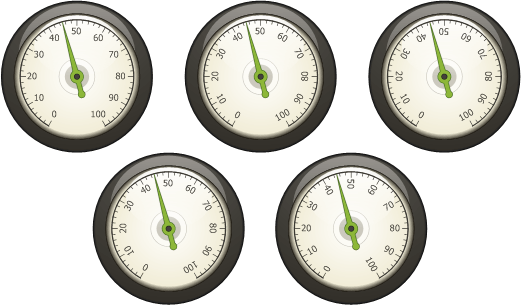
- Indicator animation:
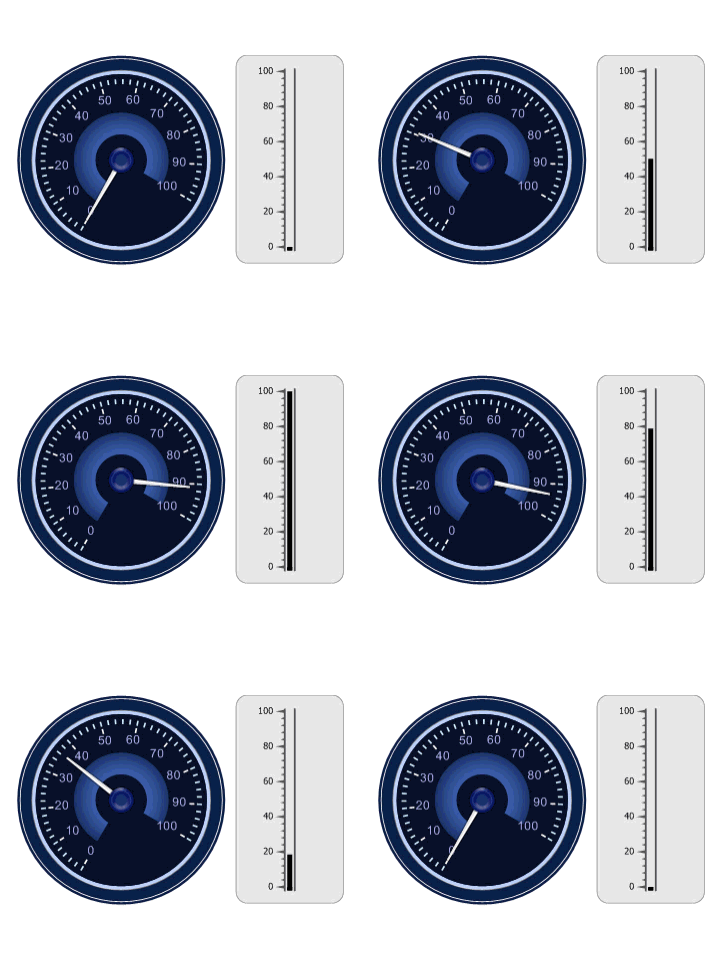
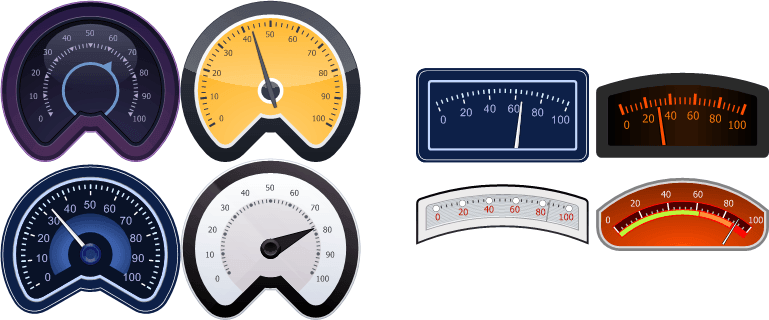
- Two new types of scales (Three-Fourth Circular and Wide Circular):
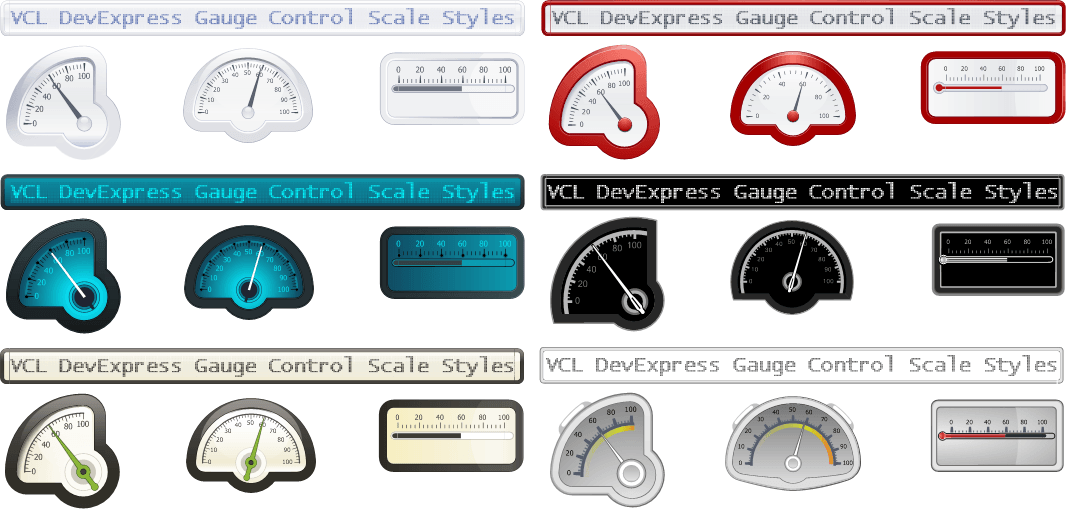
- Six new styles (Clever, Cosmic, Eco, Red, Shining Dark and Silver Blur):
- New display modes for marking scales;
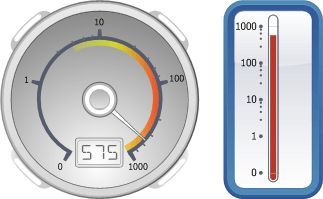
- Logarithmic scales:
- Dot matrix display modes for digital scales, with full Unicode character support:
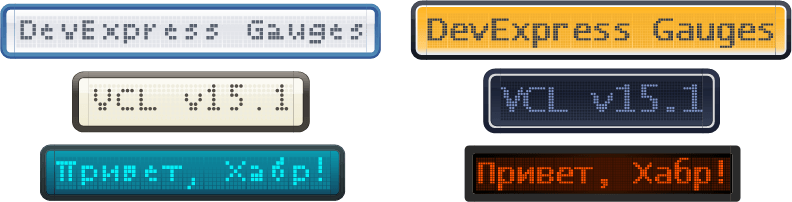
- Drawing arbitrary labels to increase the information content of the scales and simulate real dashboards:
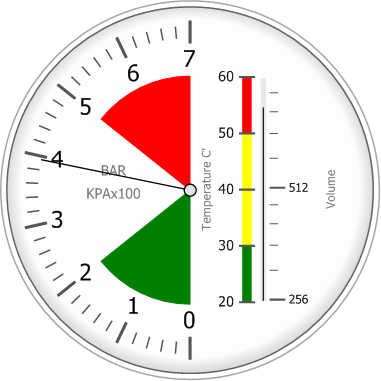
In addition, Gauge Control was significantly redesigned to unify the settings of different types of scales, and in the form development mode, it became possible to conveniently select, position and resize scales using the mouse.
Starting with version 15.1, our developments in the Spreadsheet Control component are used as the basis of the data export engine in such products as Grid Control, Tree List, Pivot Grid, Scheduler and Vertical Grid. Spreadsheet Control is now installed with these products and is included with ExpressGridPack and ExpressQuantumPack. Thus, active subscribers to these sets will receive Spreadsheet Control absolutely free.
Thanks to the updated engine, the following features are supported when exporting data:
- Assignment of output data formats based on data display formats of exported cells;
- Tracking the progress of the export operation and its interruption, if necessary;
- Export data to CSV format;
- The purpose of the encoding of text data when exporting to CSV and TXT formats;
- Export images to XLS format;
- Export data from detail Views of the Grid Control component to the formats XLSX, XLS, CSV and TXT;
- Export images displayed in cxImageComboBox columns of the Grid Control component;
- Export Spreadsheet Control component data to TXT, XML and HTML formats.
Also, as a result of using the new engine in the Pivot Grid component, we managed to triple the data export speed with a four-fold reduction in memory consumption compared to version 14.2.
The Spreadsheet Control component has the ability to group (including multi-level) columns and rows of spreadsheets:
Also, a built-in Find and Replace dialog has been added:
In the Layout Control componentnow a single indication of operations related to dragging and dropping form elements. The new indication replaced the previously available styles (“classic” and “zonal”), providing more intuitive options for the final location of the moved interface element. Also, when you release a form element in quick setup mode, a panel is now displayed that provides options for aligning this element. When the cursor moves away from the transferred element, the panel hides automatically:
The most significant improvement of the Map Control component was the ability to enable inertial scrolling.
In addition, end users can now scroll the map using the cursor keys.
To ExpressSkins librarywe have included three new themes in the style of Visual Studio 2013:
And we have again expanded our Icon Library , created for free use in the interfaces of the applications you create, which now has more than 3000 icons:
In addition to all of the above, the release of 15.1 components for VCL also included other interesting features. We will be glad if you share with us your thoughts regarding this release. We will try to answer all your questions in the comments to this article.









