May 29, 2015 at 02:48
Second version of the Evernote SDK for Android: new features of Evernote in your applications
Tens of thousands of developers are already using the Evernote platform to make their applications more functional and attractive for 100 million users of our service. Obviously, a significant part of this community deals with Android.
With the recent update of the Evernote app for Android, we had the opportunity to also prepare the Evernote SDK 2.0 for Android, we are pleased to invite developers to try out new features in their projects.
Evernote for Android SDK on Github >>
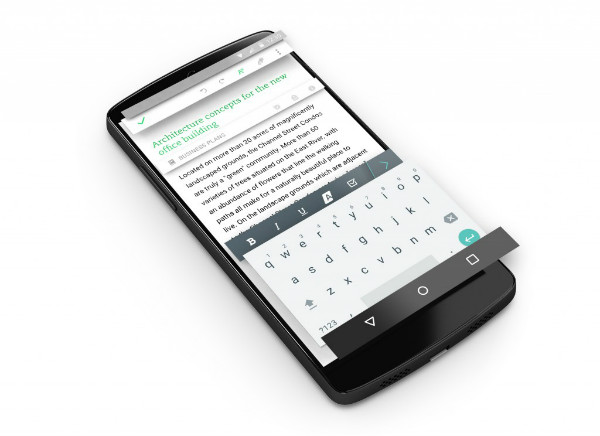
This update includes a number of important changes:
The public version of the new Evernote SDK for Android is already available to everyone. We look forward to hearing about interesting integrations. We welcome pool requests and error messages in our Github repository in every way >>
With the recent update of the Evernote app for Android, we had the opportunity to also prepare the Evernote SDK 2.0 for Android, we are pleased to invite developers to try out new features in their projects.
Evernote for Android SDK on Github >>
This update includes a number of important changes:
- New build systems: Added support for Gradle and Android Studio, recommended by the IDE for Android applications.
- Rewritten code: many previously used obsolete Android functions were replaced with new APIs. In our SDK, we retained the programming interfaces and improved network performance.
- Third-party application authentication: To authenticate with Evernote using OAuth, third-party applications no longer need to open a web browser window. View example
- Support for the Evernote Business corporate service : connecting to a user's business notebooks (and general notebooks in general) is now much more convenient. View details
- Developer token support: instead of receiving an API key, you can now create a developer token and start working with the API in your account right now. In addition, to add new functions, we have expanded important classes with factories and builders. Now it’s much easier to reuse and extend the code.
- Loading HTML code for notes: Using the NoteRef class, you can now easily load save notes. A unified search will allow you to find notes by several criteria in a single query. The HTML note loading feature will be useful for displaying notes in a browser or in external editors. View demo
- New Intents: Even without any Evernote API calls and networking, you can now create, view, or search for notes using the Evernote Android app. You can even send HTML code to Evernote, which our application will convert to the valid ENML of the new note. Open Evernote Android Intents Library
- Updated demo application from which you can understand the principles of working with the Evernote SDK to expand the capabilities of your application. View demo app
The public version of the new Evernote SDK for Android is already available to everyone. We look forward to hearing about interesting integrations. We welcome pool requests and error messages in our Github repository in every way >>