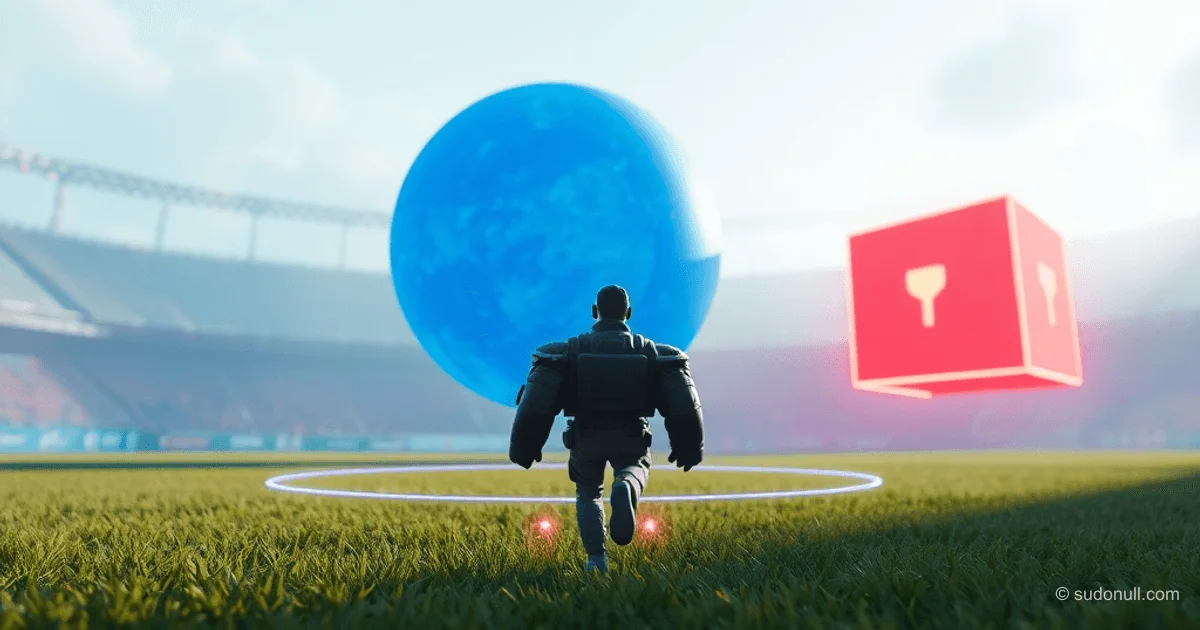
Détection de distance et de collision dans Ursina pour les jeux 3D
Dans Ursina, les fonctions distance(), distance_2d() et distance_xz() permettent de calculer précisément les distances entre objets dans l'espace 3D. La méthode intersects() détecte les collisions à l’aide de colliders. Ces outils sont essentiels pour des mécaniques comme la détection, la ramasse d’objets ou le comportement des IA.
distance() calcule la distance euclidienne en 3D sur les axes X, Y et Z entre les centres de deux objets Entity :
from ursina import *
from ursina.prefabs.first_person_controller import FirstPersonController
app = Ursina()
ground = Entity(model='plane', texture='grass', scale=20, collider='box')
player = FirstPersonController(position=(0, 2, 0))
sphere = Entity(position=(3, 4, 0), model='sphere', color=color.blue)
Sky()

def update():
    dist = distance(player, sphere)
    print(f"Distance du héros à la sphère : {dist:.2f}")

app.run()
Formule : √((x₂-x₁)² + (y₂-y₁)² + (z₂-z₁)²). Idéal pour une analyse spatiale complète.
distance_2d() ignore l’axe Z et fonctionne dans le plan X-Y :
from ursina import *
from ursina.prefabs.first_person_controller import FirstPersonController
app = Ursina()
ground = Entity(
    model='plane',
    texture='grass',
    scale=20,
    collider='box'
)
player = FirstPersonController(position=(0, 2, 0))
sphere = Entity(position=(3, 4, 0), model='sphere', color=color.blue)
Sky()

def update():
    dist = distance_2d(player, sphere)
    print(f"Distance 2D du héros à la sphère : {dist:.2f}")

app.run()
Utile pour les éléments d’interface ou les objets au même niveau d’altitude.
distance_xz() se concentre sur le plan horizontal X-Z, en ignorant l’axe Y :
from ursina import *
from ursina.prefabs.first_person_controller import FirstPersonController
app = Ursina()
ground = Entity(
    model='plane',
    texture='grass',
    scale=20,
    collider='box'
)
player = FirstPersonController(position=(0, 2, 0))
sphere = Entity(position=(3, 4, 0), model='sphere', color=color.blue)
Sky()

def update():
    dist = distance_xz(player, sphere)
    print(f"Distance horizontale du héros à la sphère : {dist:.2f}")

app.run()
Parfait pour les IA basées au sol où la position verticale n’est pas critique.
Système de collision intersects()
La méthode intersects() vérifie les collisions entre colliders (boîte, sphère, maillage) via le CollisionTraverser de Panda3D. Les deux objets doivent avoir un collider et collision=True activé.
Elle retourne un objet HitInfo avec ces champs :
- hit : True/False
- entity : l’objet heurté
- point : coordonnées du point d’impact
- distance : distance au point d’impact
Exemple 1 : Détection de mur
from ursina import *
app = Ursina()
player = Entity(model='cube', color=color.orange, collider='box')
wall = Entity(model='cube', position=(5,0,0), scale=(1,5,5), collider='box', color=color.red)

def update():
    player.x += 0.1 * time.dt
    hit_info = player.intersects()
    if hit_info.hit:
        print("Collision!")
        print(f"Avec : {hit_info.entity}")
        print(f"Point d’impact : {hit_info.point}")
        print(f"Distance au point d’impact : {hit_info.distance:.2f}")

app.run()
Exemple 2 : Ramassage d’objet
from ursina import *
from ursina.prefabs.first_person_controller import FirstPersonController
app = Ursina()
ground = Entity(model='plane', texture='grass', scale=10, collider='box')
player = FirstPersonController(model='cube', origin_y=-.5)
pickup = Entity(model='sphere', position=(1,.5,3), collider='box')

def update():
    hit_info = player.intersects()
    if hit_info.hit and hit_info.entity == pickup:
        print('Objet ramassé !')
        destroy(pickup)

app.run()
Plus précis que distance() pour les formes complexes.
Exemple 3 : Système de balles
import random
from ursina import *
app = Ursina()

class Bullet(Entity):
    def __init__(self, position, direction):
        super().__init__(
            model='sphere',
            scale=.1,
            speed=15,
            collider='sphere',
            position=position,
            color=color.yellow,
            name='bullet'
        )
        self.direction = direction.normalized()

    def update(self):
        self.position += self.direction * time.dt * self.speed
        hit_info = self.intersects(ignore=(self,))
        if hit_info.hit:
            print(f"Balle touchée {hit_info.entity.name}!")
            destroy(self)

class Enemy(Entity):
    def __init__(self):
        super().__init__(
            model='cube',
            color=color.red,
            scale=1,
            collider='box',
            name='enemy'
        )
        self.x = random.choice([-4, 4])
        self.z = random.choice([-4, 4])

for i in range(5):
    Enemy()
player = Entity(model='cube', color=color.blue, position=(0, 0, 0))
shoot_timer = 0

def update():
    global shoot_timer
    shoot_timer += time.dt
    if shoot_timer >= 1:
        shoot_timer = 0
        random_direction = Vec3(
            random.uniform(-1, 1),
            random.uniform(-1, 1),
            random.uniform(-1, 1)
        ).normalized()
        bullet = Bullet(
            position=player.position,
            direction=random_direction
        )

app.run()
Recommandé d’utiliser raycast() pour des impacts précis plutôt que des projectiles physiques.
Cas d’usage concrets
Ramassage par distance :
from ursina import *
from ursina.prefabs.first_person_controller import FirstPersonController
app = Ursina()
ground = Entity(model='plane', texture='grass', scale=10, collider='box')
player = FirstPersonController(model='cube', origin_y=-.5, color=color.orange, has_pickup=False)
pickup = Entity(model='sphere', position=(1,.5,3))

def update():
    if not player.has_pickup and distance(player, pickup) < pickup.scale_x / 2:
        print('Objet ramassé !')
        player.has_pickup = True
        pickup.animate_scale(0, duration=.1)
        destroy(pickup, delay=.1)

app.run()
IA ennemie avec zone de détection :
from ursina import *
app = Ursina()
player = Entity(model='cube', position=(0, 0, 0), color=color.blue)
ground = Entity(model='plane', scale=20, color=color.dark_gray, y=-1)

class Enemy(Entity):
    def __init__(self, **kwargs):
        super().__init__(model='cube', scale_y=2, origin_y=-.5, color=color.light_gray, **kwargs)
        self.original_color = self.color
        self.detection_radius = 10

    def update(self):
        dist = distance_xz(player.position, self.position)
        if dist > self.detection_radius:
            self.color = self.original_color
            return
        self.color = color.red
        self.look_at_2d(player.position, 'y')
        if dist > 2:
            self.position += self.forward * time.dt * 3

enemies = [Enemy(x=x * 5, z=5) for x in range(-2, 3)]

def update():
    player.x += held_keys['d'] * time.dt * 5

app.run()
Points clés
- Utilisez
distance()pour l’espace 3D complet,distance_2d()pour le plan X-Y,distance_xz()pour le plan horizontal X-Z. intersects()nécessite des colliders sur les deux objets et retourne unHitInfodétaillé.- Pour les balles, privilégiez
raycast()aux projectiles physiques. - Combinez
distance()etintersects()pour des zones d’interaction et des vérifications de collision précises. - Toujours utiliser
ignore=(self,)dansintersects()pour éviter les collisions avec soi-même.
— Editorial Team










Aucun commentaire pour le moment.