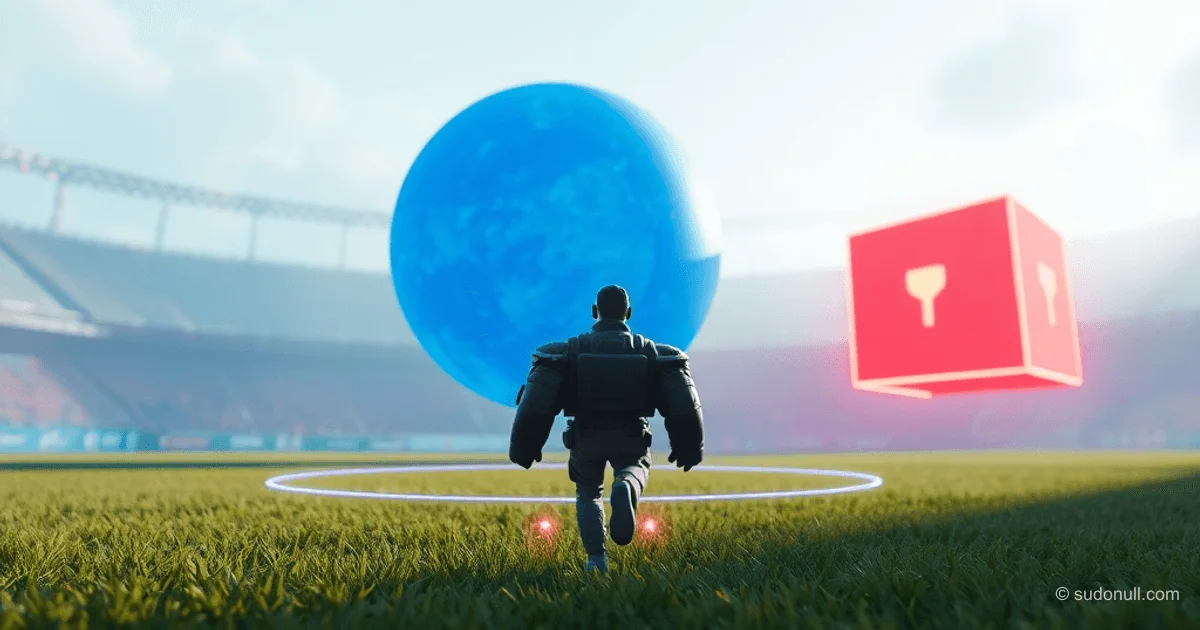
유르시나에서 3D 게임의 거리 및 충돌 감지
유르시나에서는 distance(), distance_2d(), distance_xz() 함수를 통해 3차원 공간 내 객체 간 정확한 거리를 계산할 수 있습니다. intersects() 메서드는 컬라이더를 사용해 충돌을 탐지합니다. 이 도구들은 탐지, 아이템 수집, AI 행동 등 다양한 메커니즘에 필수적입니다.
distance() 함수는 두 개의 Entity 객체 중심 사이의 유클리드 거리를 X, Y, Z 모든 축을 포함해 3차원으로 계산합니다:
from ursina import *
from ursina.prefabs.first_person_controller import FirstPersonController
app = Ursina()
ground = Entity(model='plane', texture='grass', scale=20, collider='box')
player = FirstPersonController(position=(0, 2, 0))
sphere = Entity(position=(3, 4, 0), model='sphere', color=color.blue)
Sky()

def update():
    dist = distance(player, sphere)
    print(f"거리: {dist:.2f}")

app.run()
공식: √((x₂-x₁)² + (y₂-y₁)² + (z₂-z₁)²). 전체 공간 분석에 적합합니다.
Google AdInline article slot
distance_2d()는 Z축을 무시하고 X-Y 평면에서 작동합니다:
from ursina import *
from ursina.prefabs.first_person_controller import FirstPersonController
app = Ursina()
ground = Entity(
    model='plane',
    texture='grass',
    scale=20,
    collider='box'
)
player = FirstPersonController(position=(0, 2, 0))
sphere = Entity(position=(3, 4, 0), model='sphere', color=color.blue)
Sky()

def update():
    dist = distance_2d(player, sphere)
    print(f"2D 거리: {dist:.2f}")

app.run()
UI 요소나 같은 높이에 있는 객체에 유용합니다.
distance_xz()는 수평적인 X-Z 평면에 집중하며 Y축을 무시합니다:
Google AdInline article slot
from ursina import *
from ursina.prefabs.first_person_controller import FirstPersonController
app = Ursina()
ground = Entity(
    model='plane',
    texture='grass',
    scale=20,
    collider='box'
)
player = FirstPersonController(position=(0, 2, 0))
sphere = Entity(position=(3, 4, 0), model='sphere', color=color.blue)
Sky()

def update():
    dist = distance_xz(player, sphere)
    print(f"수평 거리: {dist:.2f}")

app.run()
수직 위치가 중요하지 않은 지상 기반 AI에 완벽합니다.
intersects() 충돌 시스템
intersects() 메서드는 팬다3D의 CollisionTraverser를 통해 컬라이더(박스, 구, 메시) 간 충돌을 확인합니다. 두 객체 모두 collider와 collision=True 설정이 필요합니다.
반환되는 HitInfo 객체에는 다음 필드가 포함됩니다:
Google AdInline article slot
- hit: True/False
- entity: 충돌한 객체
- point: 충돌 좌표
- distance: 충돌점까지의 거리
예제 1: 벽 감지
from ursina import *
app = Ursina()
player = Entity(model='cube', color=color.orange, collider='box')
wall = Entity(model='cube', position=(5,0,0), scale=(1,5,5), collider='box', color=color.red)

def update():
    player.x += 0.1 * time.dt
    hit_info = player.intersects()
    if hit_info.hit:
        print("충돌!")
        print(f"충돌 대상: {hit_info.entity}")
        print(f"충돌 지점: {hit_info.point}")
        print(f"충돌 거리: {hit_info.distance:.2f}")

app.run()
예제 2: 아이템 획득
from ursina import *
from ursina.prefabs.first_person_controller import FirstPersonController
app = Ursina()
ground = Entity(model='plane', texture='grass', scale=10, collider='box')
player = FirstPersonController(model='cube', origin_y=-.5)
pickup = Entity(model='sphere', position=(1,.5,3), collider='box')

def update():
    hit_info = player.intersects()
    if hit_info.hit and hit_info.entity == pickup:
        print('아이템 획득!')
        destroy(pickup)

app.run()
복잡한 형태에선 distance()보다 더 정확합니다.
예제 3: 총알 시스템
import random
from ursina import *
app = Ursina()

class Bullet(Entity):
    def __init__(self, position, direction):
        super().__init__(
            model='sphere',
            scale=.1,
            speed=15,
            collider='sphere',
            position=position,
            color=color.yellow,
            name='bullet'
        )
        self.direction = direction.normalized()

    def update(self):
        self.position += self.direction * time.dt * self.speed
        hit_info = self.intersects(ignore=(self,))
        if hit_info.hit:
            print(f"총알이 {hit_info.entity.name}에 맞음!")
            destroy(self)

class Enemy(Entity):
    def __init__(self):
        super().__init__(
            model='cube',
            color=color.red,
            scale=1,
            collider='box',
            name='enemy'
        )
        self.x = random.choice([-4, 4])
        self.z = random.choice([-4, 4])

for i in range(5):
    Enemy()
player = Entity(model='cube', color=color.blue, position=(0, 0, 0))
shoot_timer = 0

def update():
    global shoot_timer
    shoot_timer += time.dt
    if shoot_timer >= 1:
        shoot_timer = 0
        random_direction = Vec3(
            random.uniform(-1, 1),
            random.uniform(-1, 1),
            random.uniform(-1, 1)
        ).normalized()
        bullet = Bullet(
            position=player.position,
            direction=random_direction
        )

app.run()
정밀한 타격을 원한다면 물리적 탄환보다 raycast()를 추천합니다.
실용적인 활용 사례
거리 기반 획득
from ursina import *
from ursina.prefabs.first_person_controller import FirstPersonController
app = Ursina()
ground = Entity(model='plane', texture='grass', scale=10, collider='box')
player = FirstPersonController(model='cube', origin_y=-.5, color=color.orange, has_pickup=False)
pickup = Entity(model='sphere', position=(1,.5,3))

def update():
    if not player.has_pickup and distance(player, pickup) < pickup.scale_x / 2:
        print('아이템 획득!')
        player.has_pickup = True
        pickup.animate_scale(0, duration=.1)
        destroy(pickup, delay=.1)

app.run()
감지 영역을 가진 적 AI
from ursina import *
app = Ursina()
player = Entity(model='cube', position=(0, 0, 0), color=color.blue)
ground = Entity(model='plane', scale=20, color=color.dark_gray, y=-1)

class Enemy(Entity):
    def __init__(self, **kwargs):
        super().__init__(model='cube', scale_y=2, origin_y=-.5, color=color.light_gray, **kwargs)
        self.original_color = self.color
        self.detection_radius = 10

    def update(self):
        dist = distance_xz(player.position, self.position)
        if dist > self.detection_radius:
            self.color = self.original_color
            return
        self.color = color.red
        self.look_at_2d(player.position, 'y')
        if dist > 2:
            self.position += self.forward * time.dt * 3

enemies = [Enemy(x=x * 5, z=5) for x in range(-2, 3)]

def update():
    player.x += held_keys['d'] * time.dt * 5

app.run()
핵심 포인트
- 3차원 전체 거리 계산은
distance()를, X-Y 평면은distance_2d()를, 수평 X-Z 평면은distance_xz()를 사용하세요. intersects()는 두 객체 모두 컬라이더가 있어야 하며, 상세한HitInfo를 반환합니다.- 총알 시스템은 물리적 탄환보다
raycast()를 권장합니다. - 거리와 충돌 검사를 결합해 상호작용 영역과 정밀한 충돌 감지를 구현하세요.
- 항상
intersects()에서ignore=(self,)를 사용해 자기 자신과의 충돌을 방지하세요.
— Editorial Team










아직 댓글이 없습니다.