 January 20, 2014 at 09:35
AIO Lenovo IdeaCentre Horizon. Family testing

In the framework of the Intel App Innovation Contest competition held last year, participants were invited, inter alia, to create applications for a new generation of All-in-One (AIO) computers - a kind of “megaplates” with a large diagonal, designed to become a center of home digital entertainment. To evaluate the applications, the judges were provided with such devices, and given their exotic nature, I took advantage of my official position and took the existing copy of the Lenovo IdeaCentre Horizon AIO for the New Year holidays to my home for a “family test”. I wanted to understand how AIO in its current implementation is able to satisfy all multimedia and gaming home needs?
Specifications and Appearance
So what is the AIO Lenovo IdeaCentre Horizon? This is a candy bar with a diagonal of a 27-inch touch screen and a battery running on Windows 8. The filling of the candy bar is as follows.| CPU | Intel Core i5-3337U |
| Chipset | Intel Panther Point HM76 |
| Memory | 8 GB DDR3-1600 |
| Video | NVIDIA GeForce GT620M 2GB |
| Display | 27 "LED 10-point multitouch panel (1920x1080) |
| Disk drive | ST1000LM024 (1000 GB, 5400 RPM, SATA-II) |
| Wireless interfaces | Broadcom Wi-Fi (802.11b / g / n); Bluetooth 4.0 |
| Connectors | 2 x USB3.0, 1 x multi-card reader 6, headphone mic, HDMI-in, power DC in |
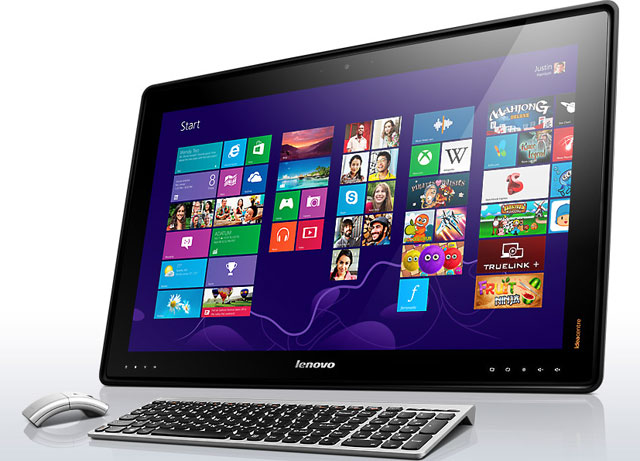
Lenovo IdeaCentre Horizon comes with a stylish wireless kit.
Due to the large size of the display and the built-in battery, the device has a decent weight of about 9 kg. At the same time, however, it is conceptually assumed that AIO does not have its place - it is moved around the apartment, based on needs. Lenovo calls its offspring Table PC - either "desktop computer", or "computer-desk". Both that, and another option, as we will see, has the right to exist. But it will not work to make it wall-mounted, since there is no VESA mount, and the spring support powerfully resists attempts to fold it.
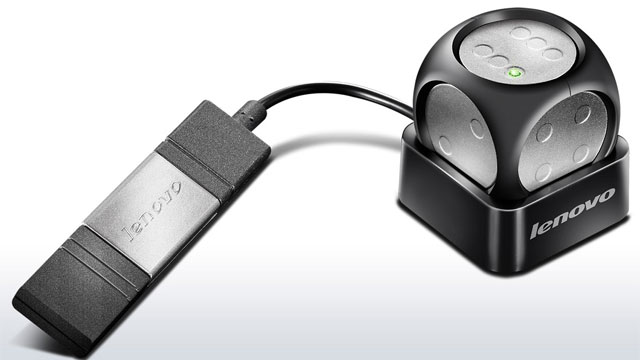
Wireless Cube with USB Charging
The AIO comes with a wireless keyboard + mouse kit, as well as a set of gaming accessories: two bits, two joysticks with suction cups and a game cube. Accessories are of particular interest, we will dwell on them in more detail.
- Bits (Striker) - a plastic disc with a handle and four pads, simulating a four-point touch on the display for rectilinear and circular movements
- The joystick has a suction cup in the middle and an elastic disk that touches the display when it deviates from the vertical; thus, when pressed and rejected, two points of contact are obtained, which is enough for the joystick
- Cube (E-dice) is an active wireless device with a position sensor and its own battery, charging via USB
Accessory support is available only in strictly defined games.
AIO gaming features
I must say that my five-year-old son, who immediately began to test the games preinstalled on him, was most pleased about the arrival of the new device in the apartment. Well, for me, the greatest scientific interest was represented by those that were developed based on the specifics of AIO - the joint leisure of several people at the same time. To focus on them, Lenovo is equipped with a special Aura shell, which starts automatically when the device is placed on a table (or floor) horizontally and shows specialized AIO applications.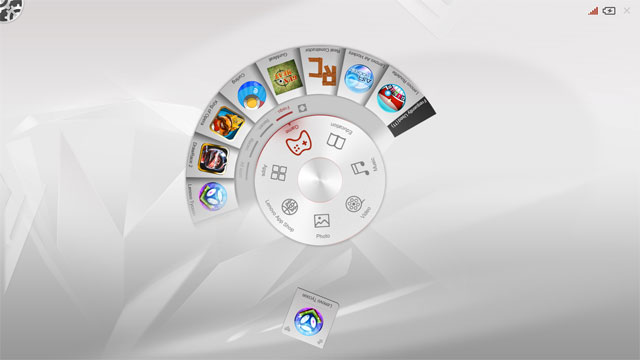
Aura Interface
On our test AIO there were 14 such applications - it’s enough to evaluate the idea. The topics of applications are very different - from very children's to suitable for adult leisure. Most of all, we liked games with bats, like those used in table hockey, only smaller. Of the installed games, this accessory was supported in two: in fact, air hockey and curling.
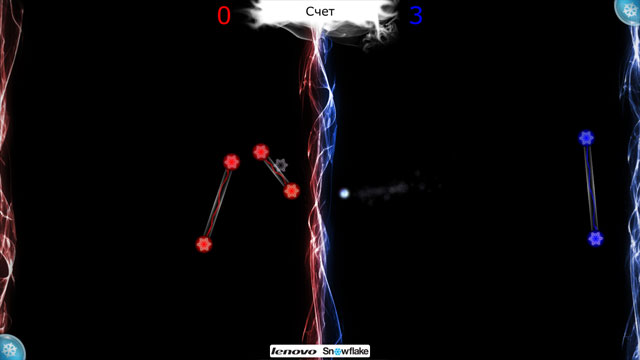
Example of a game with a multi-finger interface - a mixture of tennis and arkanoid
As a bonus, a number of other games are offered, some of them quite simple for kids, and others very sophisticated, for example, blackjack with the ability to remotely connect from Android devices. If we make a generalization, then we can say that the games presented at AIO attract not with graphic beauties (it is unlikely that something really “heavy” will go here), but with their sociality and variety. It seems that this is ideologically true.
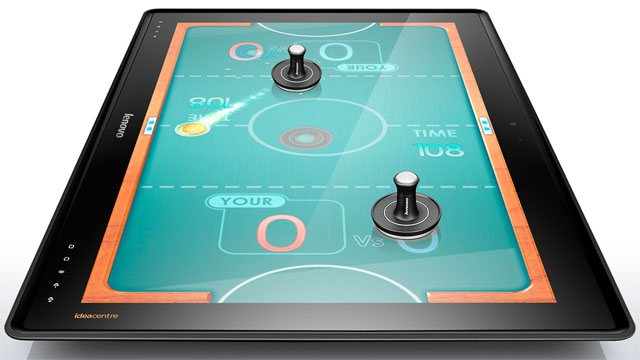
The toy "Air Hockey" uses additional accessories - bits
In addition to the available games, it is possible to deliver additional ones from the Lenovo application store, which turns out to be nothing more than the vendor section of the Intel AppUp catalog. There is also a special category of games for AIO, but the proposed range, frankly, is small. Well, of course, no one forbids installing other other games for Windows 8.
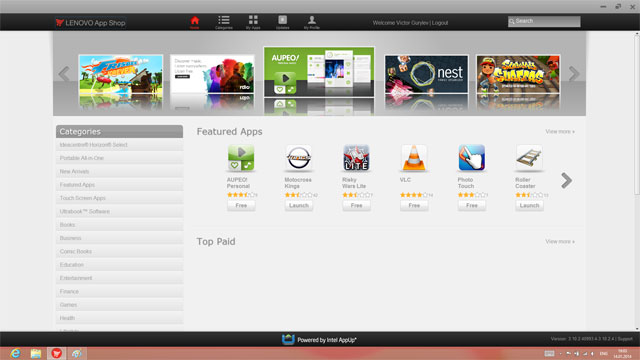
Lenovo App Shop catalog
Once again, I would like to say a word about gaming accessories. Being in two cases out of three pieces cheap, they nonetheless greatly enliven the gameplay and stimulate the imagination of game developers. For the further development of the idea, accessories need to be standardized, and their list should be expanded - then AIO will become a full-fledged replacement for board games, which in itself is not so bad, because apart from this, he knows how much more.
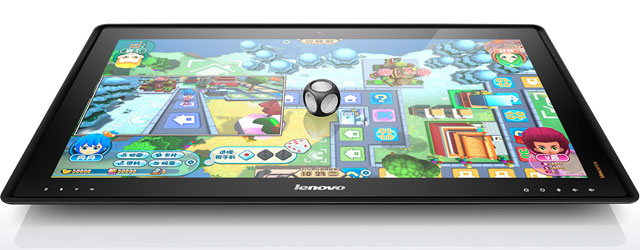
Wireless Cube Support Available in Two Games - Lenovo Tycoon and Monopoly
Other uses and impressions of the model
The keyboard and mouse, with all its (in this case) originality and beauty, AIO is not very suitable - first of all, it focuses on finger control, acting as a giant tablet. In this aspect, Lenovo IdeaCentre Horizon normally copes with all common tasks, and a large diagonal is more likely to be a plus than a minus. But FullHD resolution is probably not enough, still the tablet is kept closer to the eyes than the monitor.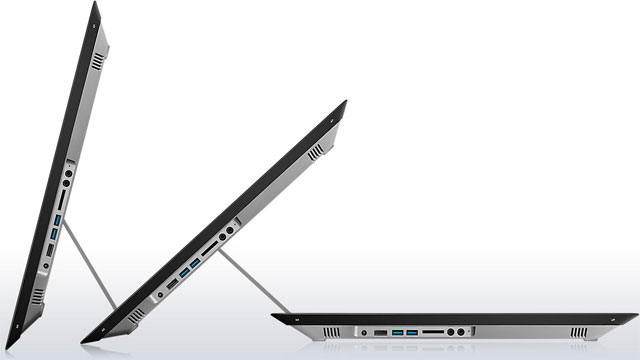
Thanks to the stiff spring in the leg, the AIO is fixed at any angle from 0 to 80 degrees. External connectors grouped into a single unit are visible
The second main purpose of AIO after games is multimedia, primarily video. The power of the graphics subsystem is enough to play HD video resolution (I do not recommend turning on quality videos much worse - it looks very unpresentable). Lenovo IdeaCentre Horizon is equipped with the fourth version of the Dolby Home Theater system, and its presence is felt much stronger than, say, in laptops - apparently due to the initially wider stereo base.
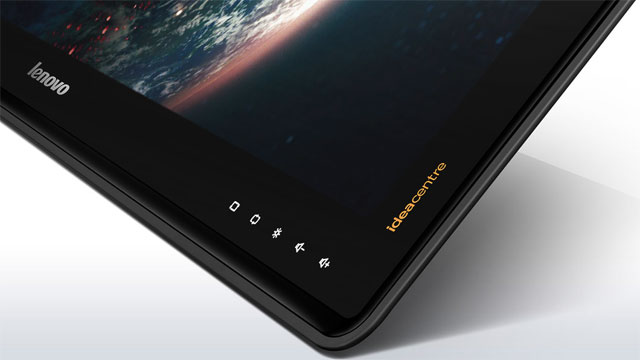
In the lower right corner of the front panel - touch buttons for sound and image control
As for the impressions of this particular device, only one weak point was revealed - the disk subsystem. The specification says from an additional 8 GB SSD (no more and no less), but in reality it was not detected, only a slow and sad Seagate Momentus is available. As a result, with any load that was more or less heavily, the system immediately got up a stake, and disk operations lasted for ages. A computer running Windows 8, which claims to be a gaming one, is simply required to have a system partition on SSD.

An application that teaches children to draw
We did not find any more flaws in the Lenovo IdeaCentre Horizon. In our family view, AIO is already able to cope with the role of the entertainment center in the family, incorporating the functions of board games, a computer, a multimedia center and teaching aids. The question remains how much the only device can satisfy the needs of the whole family - we didn’t have enough of one thing.
Lenovo IdeaCentre Horizon demo video
To summarize. In the face of next-generation AIOs such as the Lenovo IdeaCentre Horizon, we see more than just another form factor for computers. It is about creating a fundamentally new model of their use, approximately the same as shown in the video above. Revolutions of this scale do not pass quickly and unanimously, but there is a feeling that as a result we will come to something similar anyway. At least, the vector of the development of computer technology by market leaders, including Intel, is directed somewhere in that direction.









