December 24, 2013 at 10:10
A selection of specialized software for the web developer for the Android OS
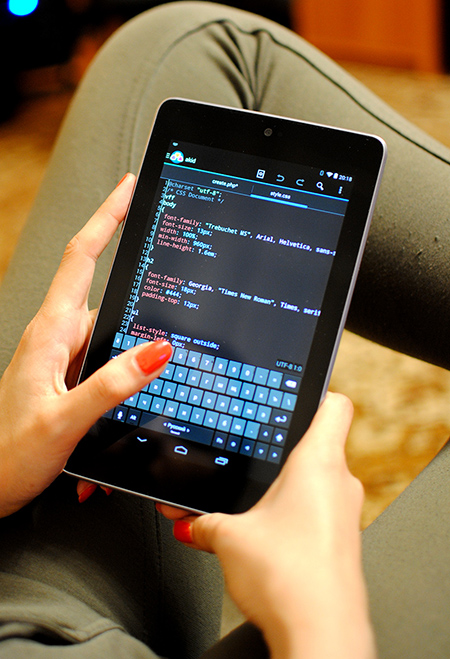
At the request of Carduelis and in the continuation of this and this article, “a year and a half later” I am doing a review article of applications that appeared / were updated during this time.
Text / code editors will not get into the article. Only applications that have at least minimal IDE features. That is, you can run the code and verify its correctness without exiting the application. Programs are arranged in alphabetical order.
AWD - IDE for WEB Development

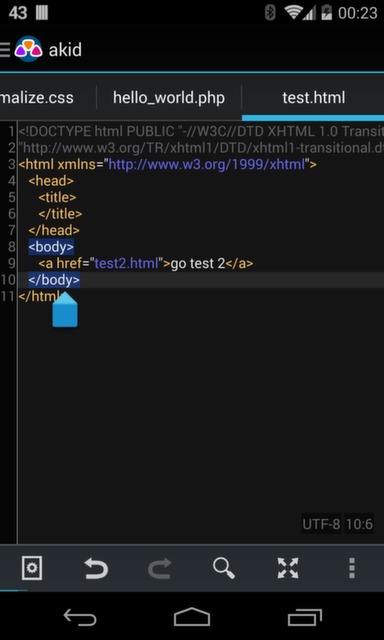
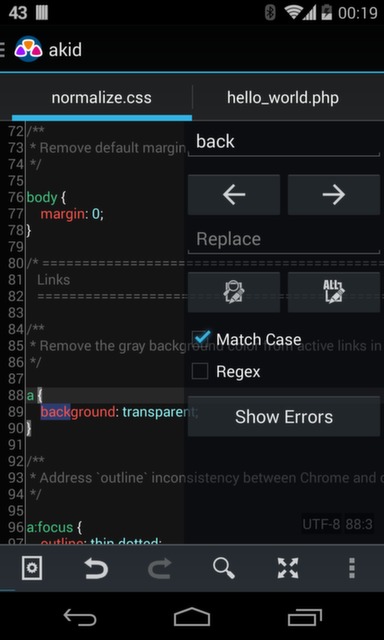
Able:
- A large number of ways to edit your remote project: FTP, FTPS, SFTP, WebDAV
- Code highlighting
- Code completion
- Support for hard keyboards + hot keys
- Checking the code for errors
- Code auto-formatting
- Tablet support
- Auto encoding file
- Highlight closing / opening tag when hovering over it
- Closing / opening bracket highlighting
- Line numbering
- Web server integration
- Quick view result in browser
- Highlight current line
- Periodic autosave
- Search and replace with regular expressions
- Recently Closed Projects
- Cancel / redo
- Full screen mode
- Rename / create / delete / copy and paste your files inside the project
Google Play
Price of the full version: 149 rubles
Droidedit
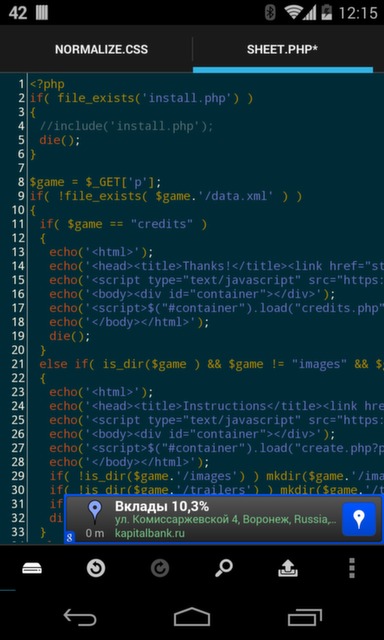

The program is not tailored for web developers, but almost everything you need is in it.
Able:
- Syntax highlighting for multiple languages (C, C ++, C #, Java, HTML, CSS, JavaScript, Python, Ruby, Lua, LaTeX, SQL, ...)
- Different color schemes of the backlight
- Cancel / redo
- Search and Replace
- Auto Indent
- Opening files directly from Dropbox or through the file manager
- Hotkeys
- Preview HTML files in a browser
- Go to line
- Running scripts directly in SL4A
- SFTP support
- Custom color schemes
- Running external commands through SSH
- Root - mode
Liked:
- Nice default color scheme
- Rich feature set
- Open / close bracket highlight
- In general, it is felt that the author tried and did everything wisely
Did not like:
- Scrolling backlighting is delayed. Uncritical, but unpleasant
- Pretty much slows down switching between tabs
- Search / replace socket leaves with wild brakes
- Go to line does not work if focus is not on text
Google Play
Price of the full version: 66р
Sand IDE for Webmaster



Able:
- PHP, HTML, JS code highlighting
- Line numbering
- Cancel / redo
- Support for two color schemes
- Hard Keyboard Support
- View result in browser
- Code completion, although the description on Google play does not contain this information
Liked:
- Quickly open files
- "Wraps" long lines taking into account line numbering
- Relatively convenient code completion
- The concept of interface itself
Did not like:
- CSS code doesn't highlight at all
- Silly highlight: just selects words from a dictionary
- Autocompletion appears after 5 seconds
- No protocols for working with remote files are implemented.
- It doesn’t open files with a non-dictionary extension at all. That is, you will not open my_text.htm at all
- To open a file, you must first select “workspace” in the application settings, and then move the file to this folder with a third-party program.
Google Play
Price full version: 86r
Terminal IDE
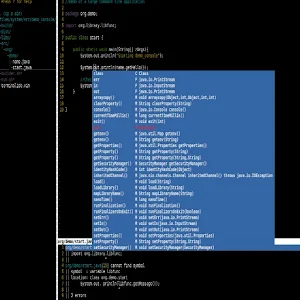
Instead of the icon, a screenshot is used.
A set of console utilities. There is no adaptation for the touch interface. Have to print a lot and sadly. A convenient application for admins who need to edit text files, as well as for those who enjoy typing.
Google play
WebMaster's HTML Editor



The application is old, but the author is still making updates. By the way, he is Russian-speaking.
Able:
- HTML, CSS, JS, PHP code highlighting
- Code completion
- Automatically indent code (when wrapping a carriage on a new line)
- View result in browser
- Line numbering
- Cancel / redo
- Support for two color schemes
Liked:
- Enough convenient navigation through the code using the on-screen keys
- Space saving small screen layout of UI elements. That is, open files are not placed in classic tabs on top
Did not like:
- Again, there is no way to work with deleted files
- Forgets the last open file location after closing the program
- There is autocompletion, but it is very inconvenient
- The encoding is set immediately for the entire program, and not for a specific file
- On the fourth large file
Google Play
Full price: 165 rub
Web server with PHP
I will not describe each, I can only say that they really work and are very easy to set up. Installed, launched - it works.
- Ulti Server: PHP, MySQL, PMA
- KSWEB: server + PHP + MySQL
- PAW Server for Android
- Bit Web Server (PHP, MySQL, PMA)
Keyboards
More precisely, the keyboard that I can recommend is the
Hacker's Keyboard . In fact, it repeats the usual QWERTY keyboard. I think that the hot keys in the programs where they are supported work very well with this keyboard.
Conclusion
In principle, at the moment there is everything necessary for development. But still, the number of such programs is very sad. They are really few. I explain this by a small demand for such programs. Many people do not perceive Android as a full-fledged OS, although it is such. For example, it perfectly supports the mouse and keyboard.
PS
Write to the PM or in the comments other useful programs - add to the list.
Only registered users can participate in the survey. Please come in.
Would you write code on your Android device
- 45.6% No, this is a mockery of 180
- 3% No, because there is no normal software 12
- 33.2% Yes, but only in a critical situation, when it is necessary to correct errors 131
- 10.4% Yes, but only with a hard keyboard 41
- 7.6% Yes, I already do this periodically 30