November 8, 2013 at 12:15
Review of Wi-Fi cameras Defender WF-10HD
It is generally accepted that universality leads to a loss of quality and any “combine” will perform its functions worse than a specialized device. I will not say the opposite, I will only note that there are exceptions to the rules. The hybrid model Defender Multicam WF-10HD is an excellent Wi-Fi camera with many functions: a baby monitor, an IP camera, a webcam, and even a DVR. Frankly, I was most interested in the opportunity to watch a sleeping child in a room. What else is this hybrid capable of, I will understand under the cut, where I invite the habrayuzers.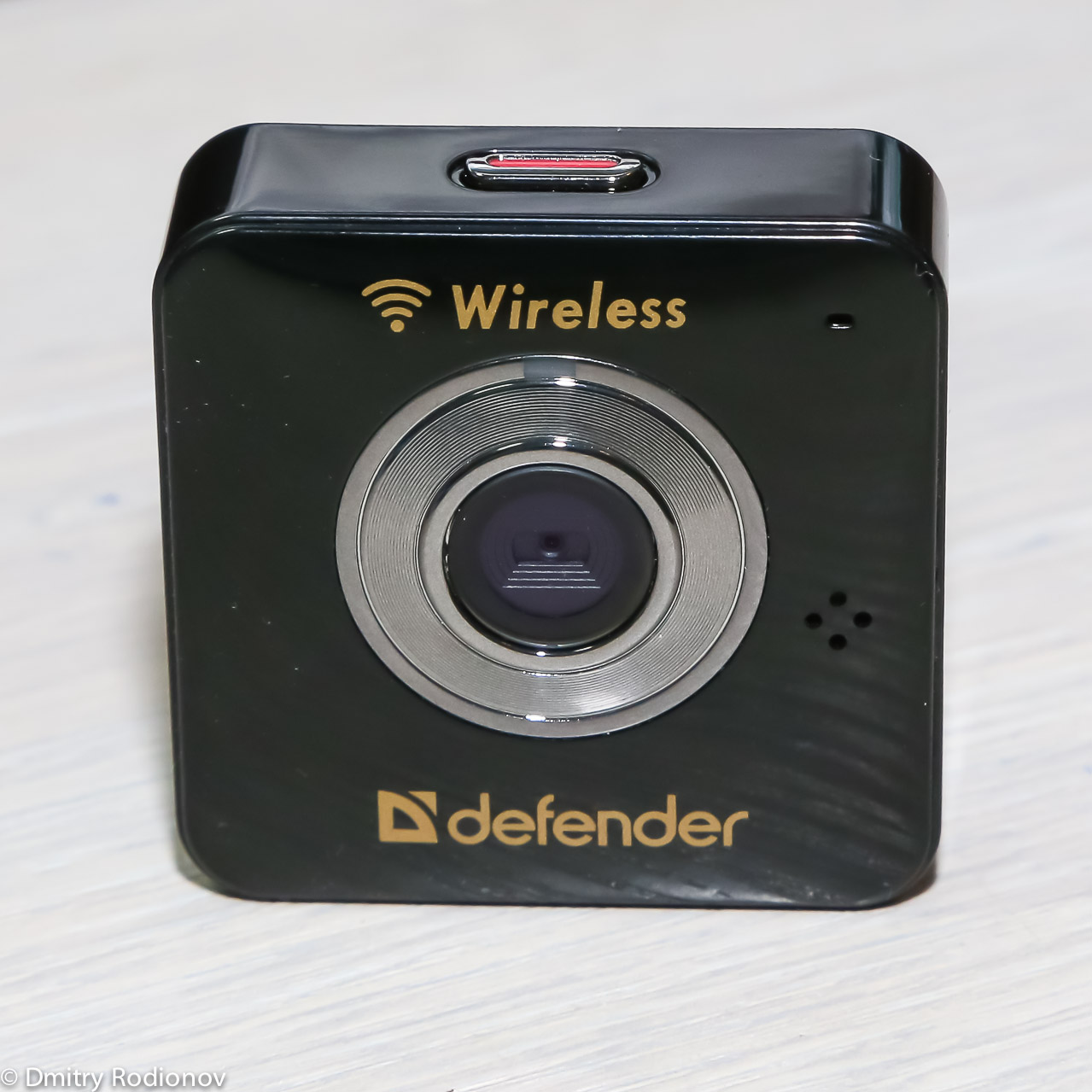
The device is very compact, its dimensions are slightly larger than the Zippo lighter: 48x48x17 mm. When installed in a car, it will minimally interfere with the driver, and in the room it can be installed so that it will be completely invisible. It is not worth discussing the ethics of such an act.
I must say about the price - on the official website of Defender this miracle device is offered at a price of 3810 rubles, which we will make the starting point of the review. You can not evaluate the quality and functionality in isolation from the price of the device.
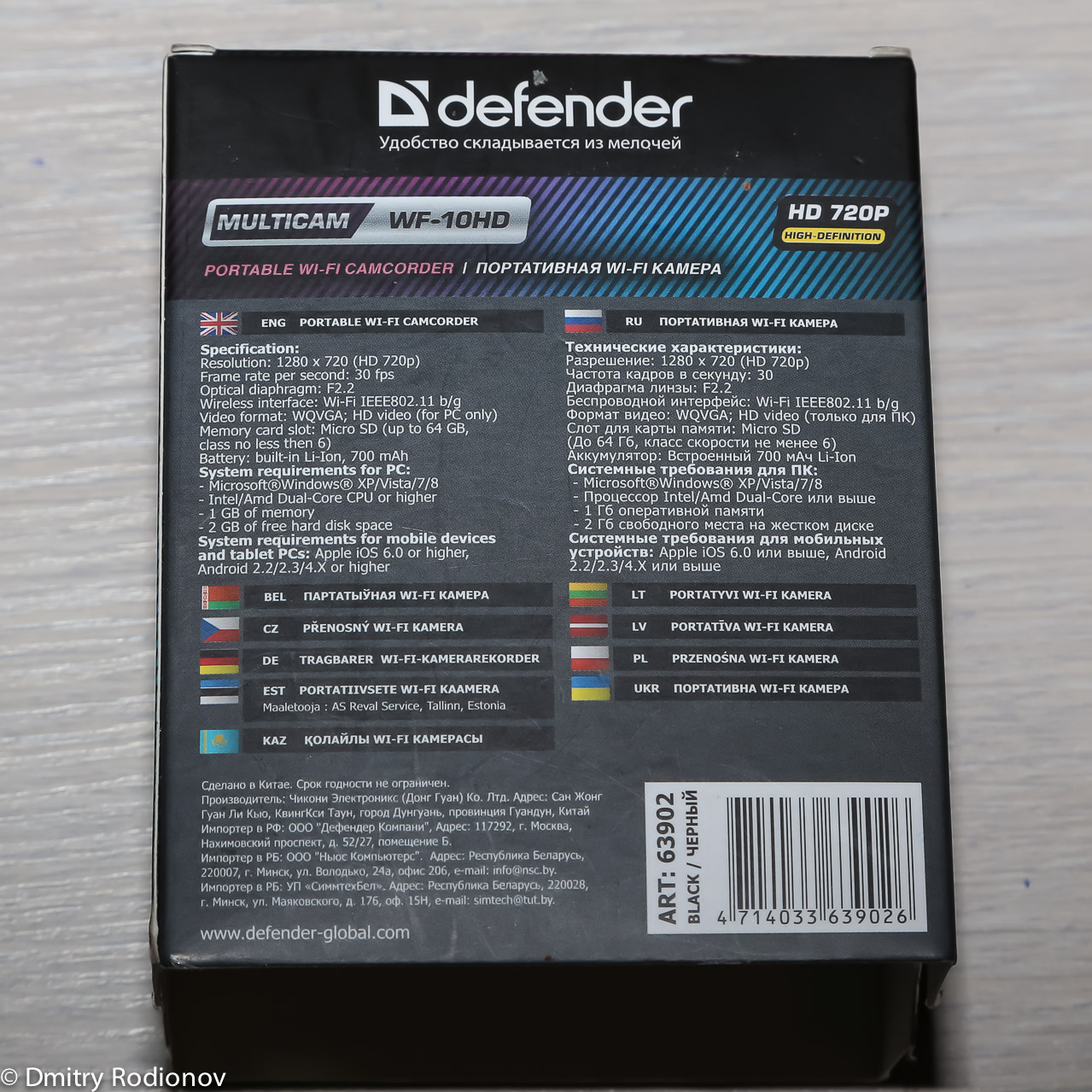
Defender Multicam WF-10HD comes in a small box. In addition to traditional information about the device, its photo and name, a transparent window is made on the front side, through which the camera itself is clearly visible.

The kit gives out the manufacturer’s desire to make the device universal and bring it closer in functionality to expensive action cameras. The box contains: microUSB cable, AC adapter, strap, warranty card, instructions for use and a whole range of mounts: for a car, for a tripod, for a strap, on a wall, with a clothespin, with magnets - that is, there is a different option for any use mounting option, and that's great.

There is no built-in screen on the device, this saves valuable battery energy and reduces the likelihood of breakdown of one of the components. As I said, the size of the camera is only 48x48x17 mm. The weight of the device is 38 grams.
The body of the camera that came to me is black, but the Defender range also has a white version. Here, everyone is free to choose when ordering which one will be more convenient and practical.

The glossy plastic case is quite resistant to minor scratches, and the size of the device does not allow much torment. Nevertheless, I would recommend the manufacturer to complete the Defender Multicam WF-10HD with a thin silicone case, just in case.
On the front side of the camera is the camera lens, LED indicator, microphone hole and manufacturer’s logo.
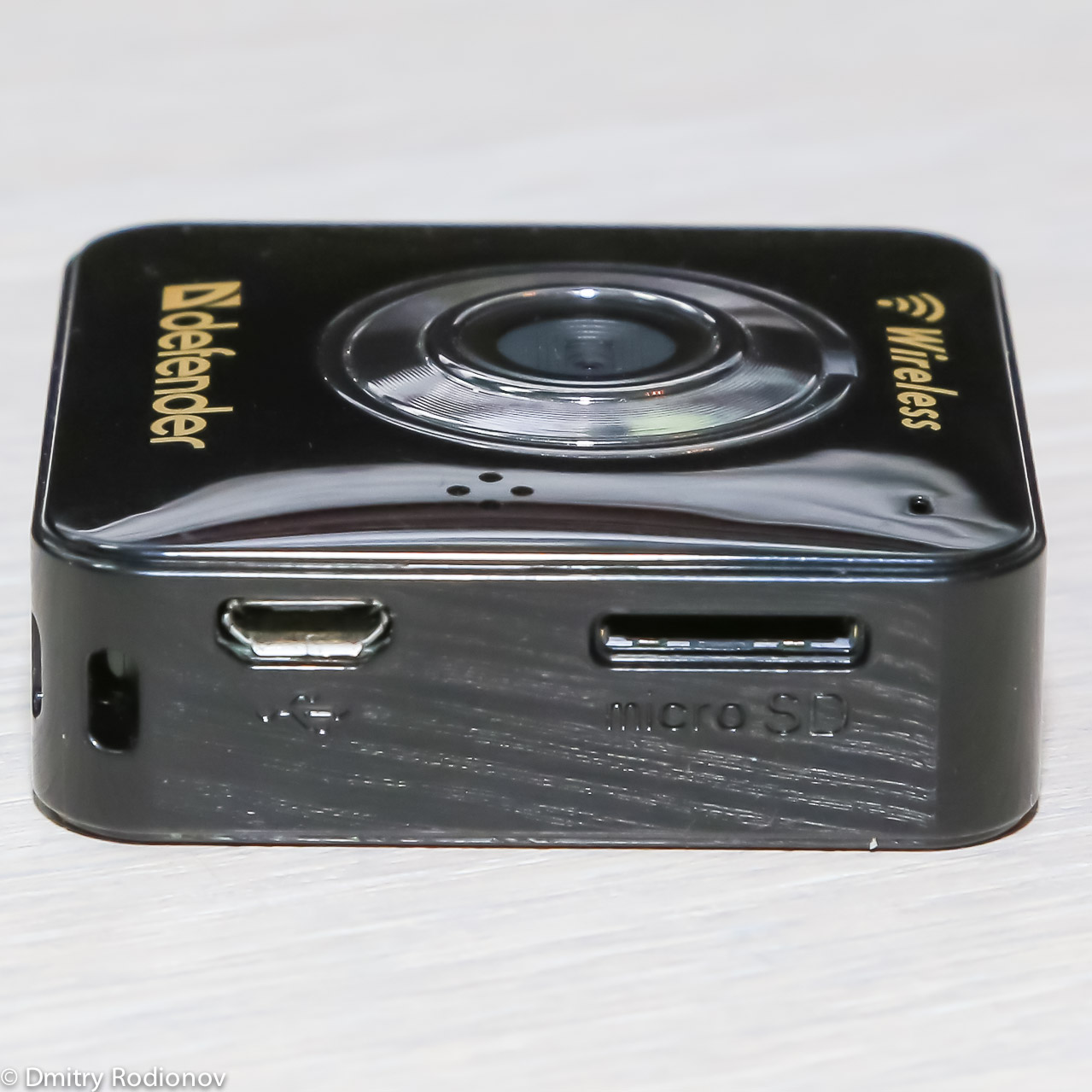
On the left side are a slot for microSD cards and microUSB connector. The presence of the second is very nice, because the vast majority of smartphones are charged through the same connector, which means that one charge for all gadgets will be quite enough, and in addition, you can use PowerBank to recharge the camera.
On the right panel there are two buttons: turn on the camera and select the operating mode.

Below is a groove for mounting fixtures, as well as a small slot for a wrist strap.

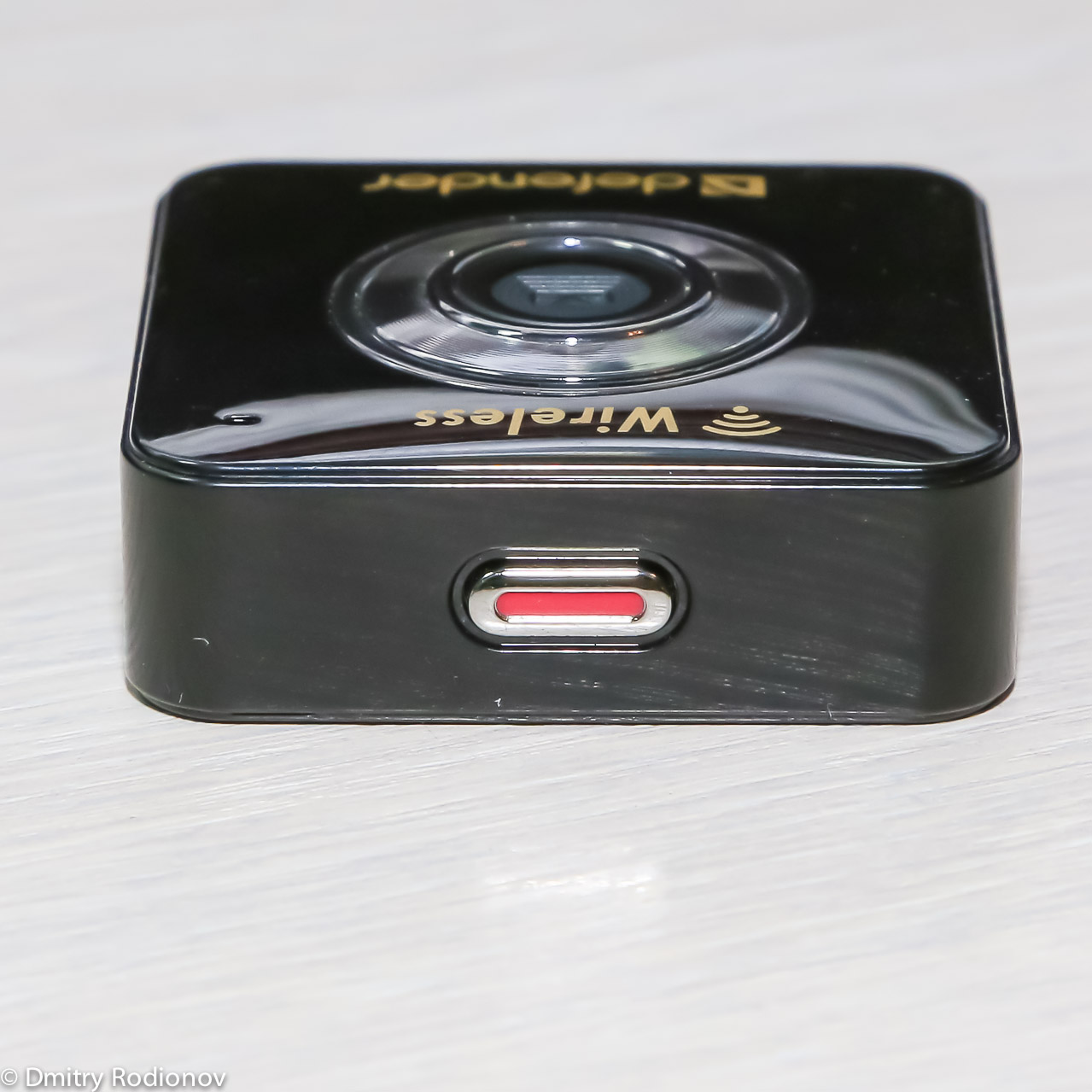
From above, almost the entire surface of the panel is occupied by a huge button to enable / stop video recording.
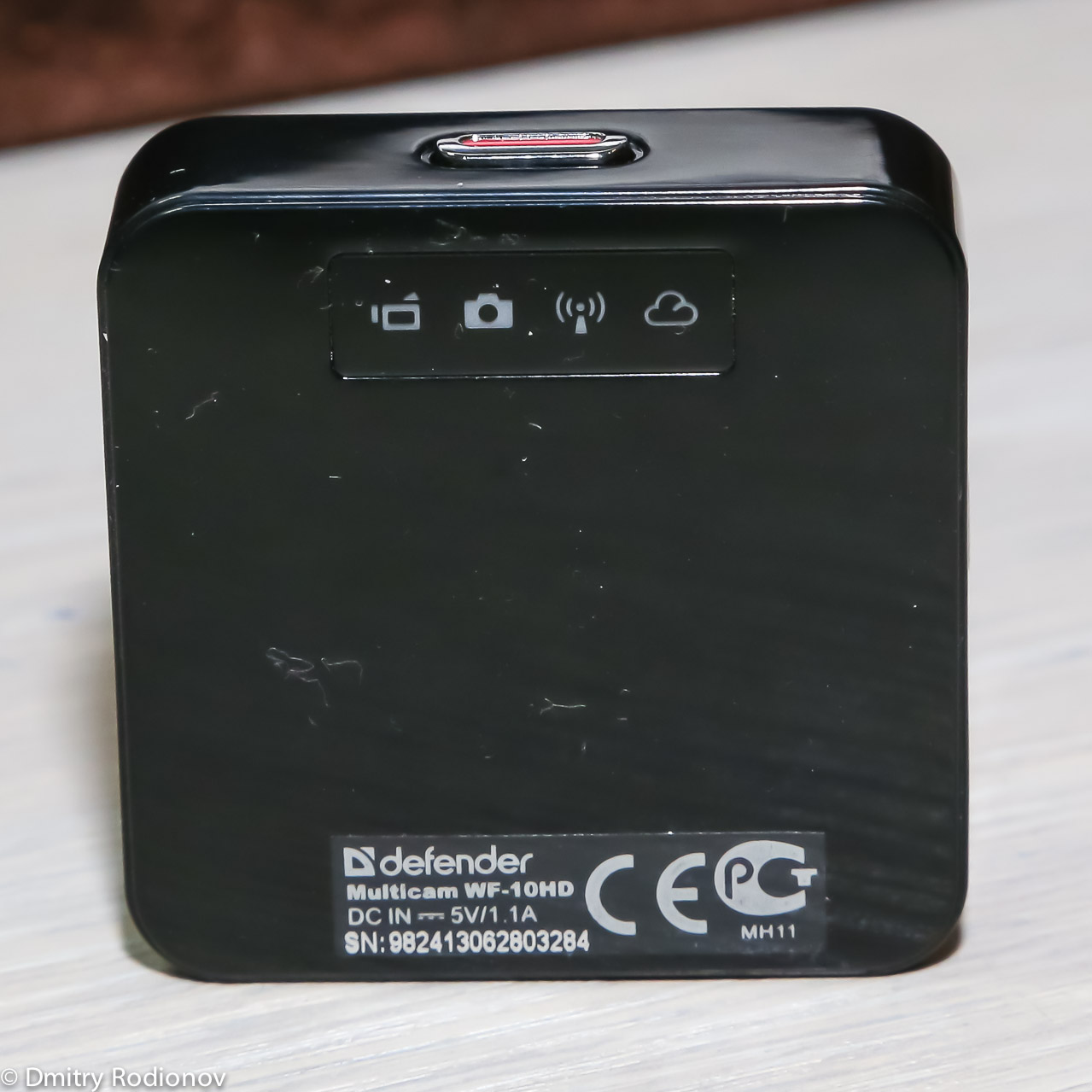
On the back panel there is an indicator of the device’s operating mode: photography, video recording, Wi-Fi connection to a smartphone or tablet and a broadcast indicator in the cloud storage.
A huge set of mounts allows you to install the camera at the request of the consumer almost anywhere.
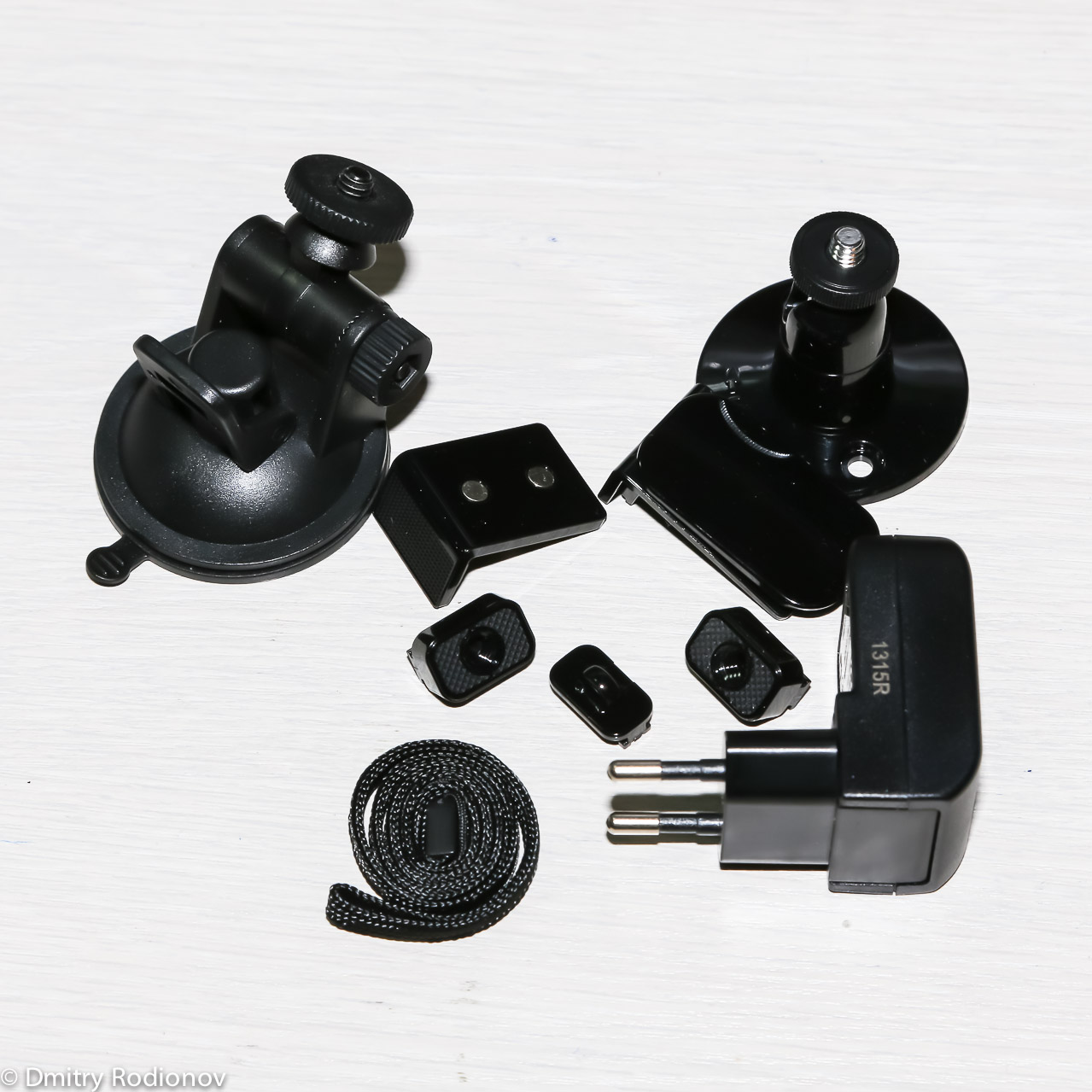
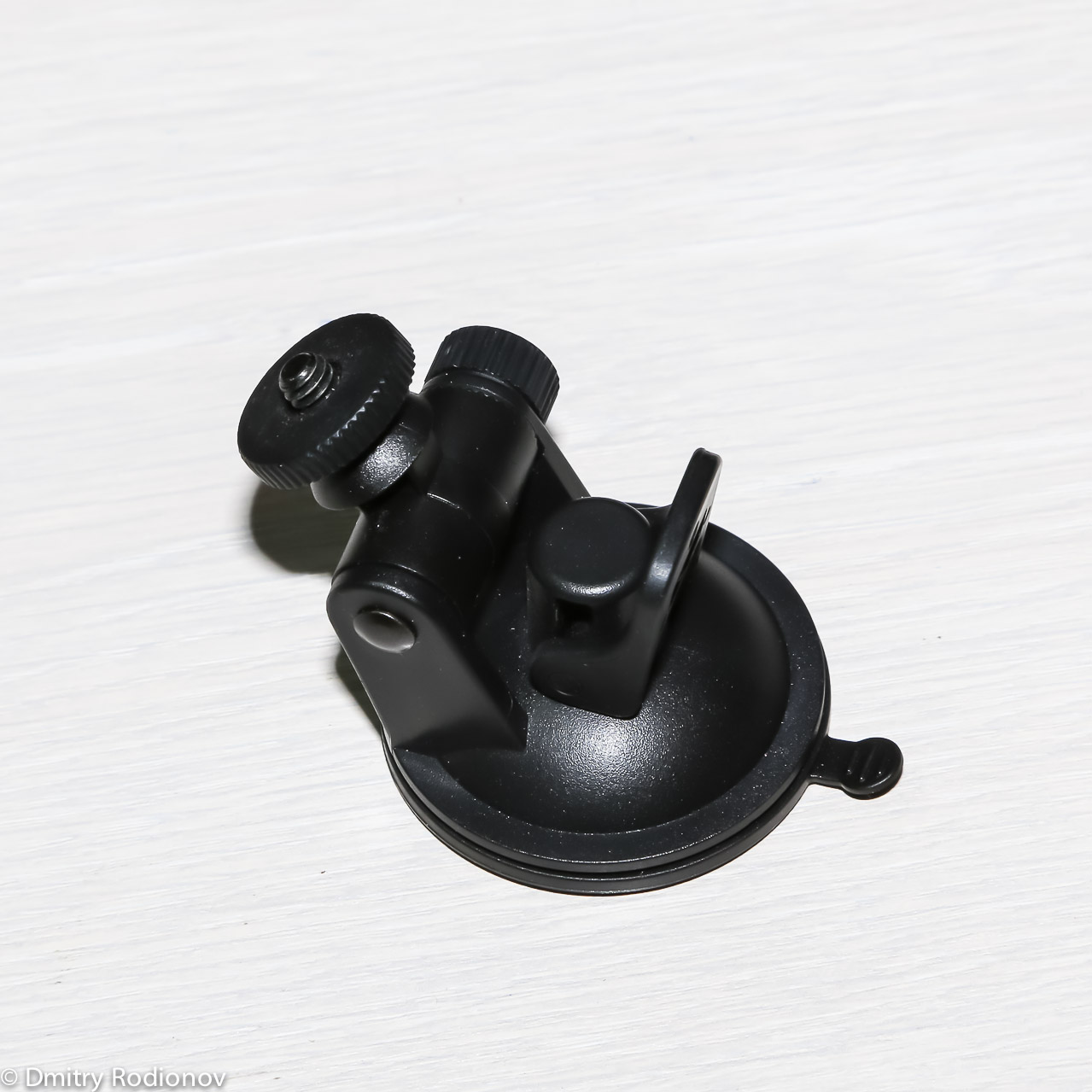
The car suction cup holds the device well on the glass, with the help of a wall mount it is easy to organize a video nanny or a surveillance camera, a magnetic mount is suitable for installation on any iron surface, a mount on a clothespin will help carry the camera on a shirt or fasten it on a bicycle.
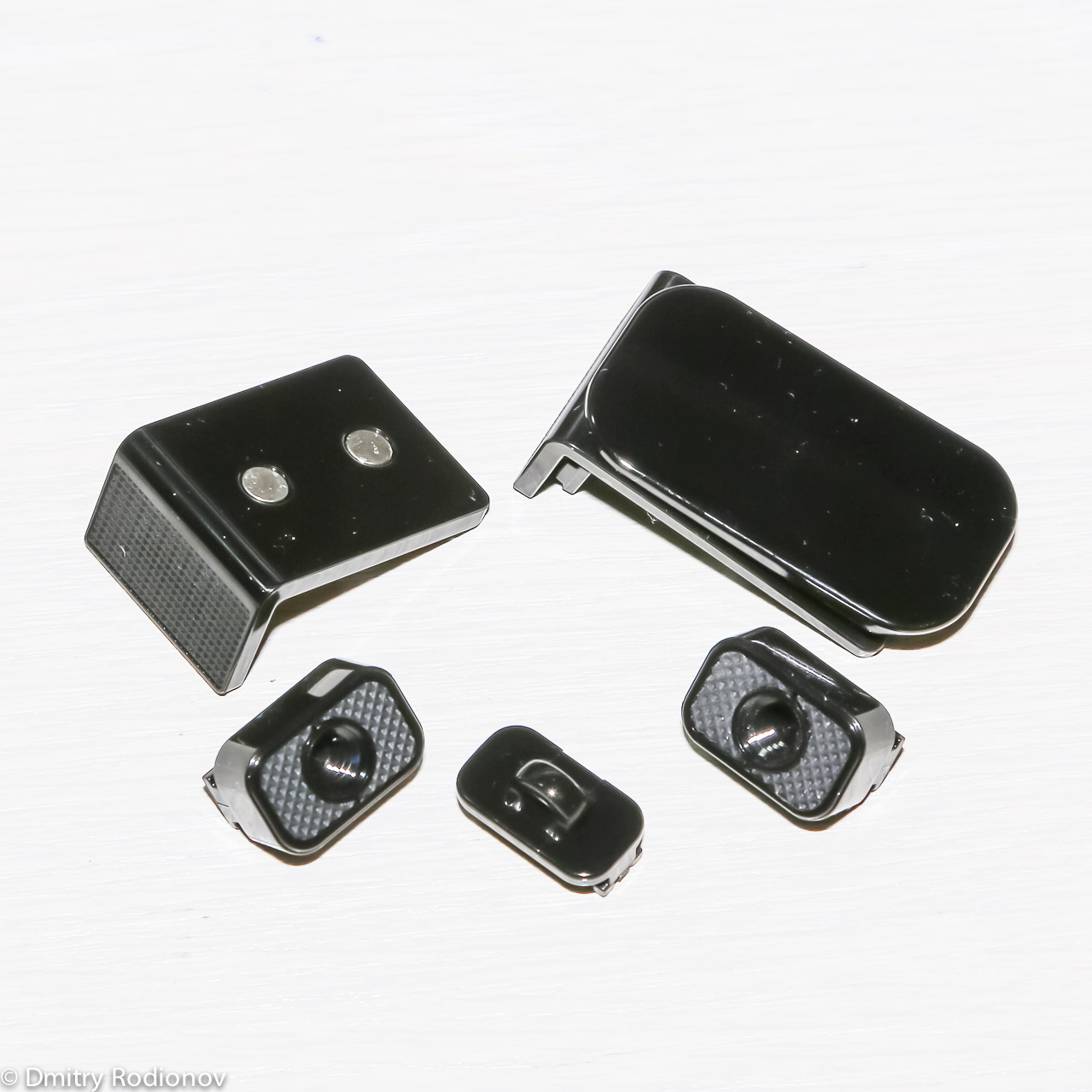
Fasteners are easy to change, which means you can quickly transfer and install the camera where necessary.
Since the camera does not have its own display, control is carried out through the software of smartphones and tablets based on the Google Android OS or Apple iOS. You need to download the UniEye application on Google Play or the AppStore.
To connect to the camera, you first need, of course, turn it on and activate the access point mode. To do this, press the power button and wait. The WiFi indicator on the camera will turn on and it will become visible in the application on the mobile device. Initially, the connection goes without a password, but you should set it right away to prevent third-party connections. The signal level of the camera is powerful enough to work within an ordinary apartment.

The main program window transfers the image from the camera, makes it possible to change the operating mode (photo, video, loop video) and other camera parameters (feedback: when the sound from the smartphone is transmitted to the camera, the image is closer). The setup is easy and clear, even inexperienced users will have no difficulties.
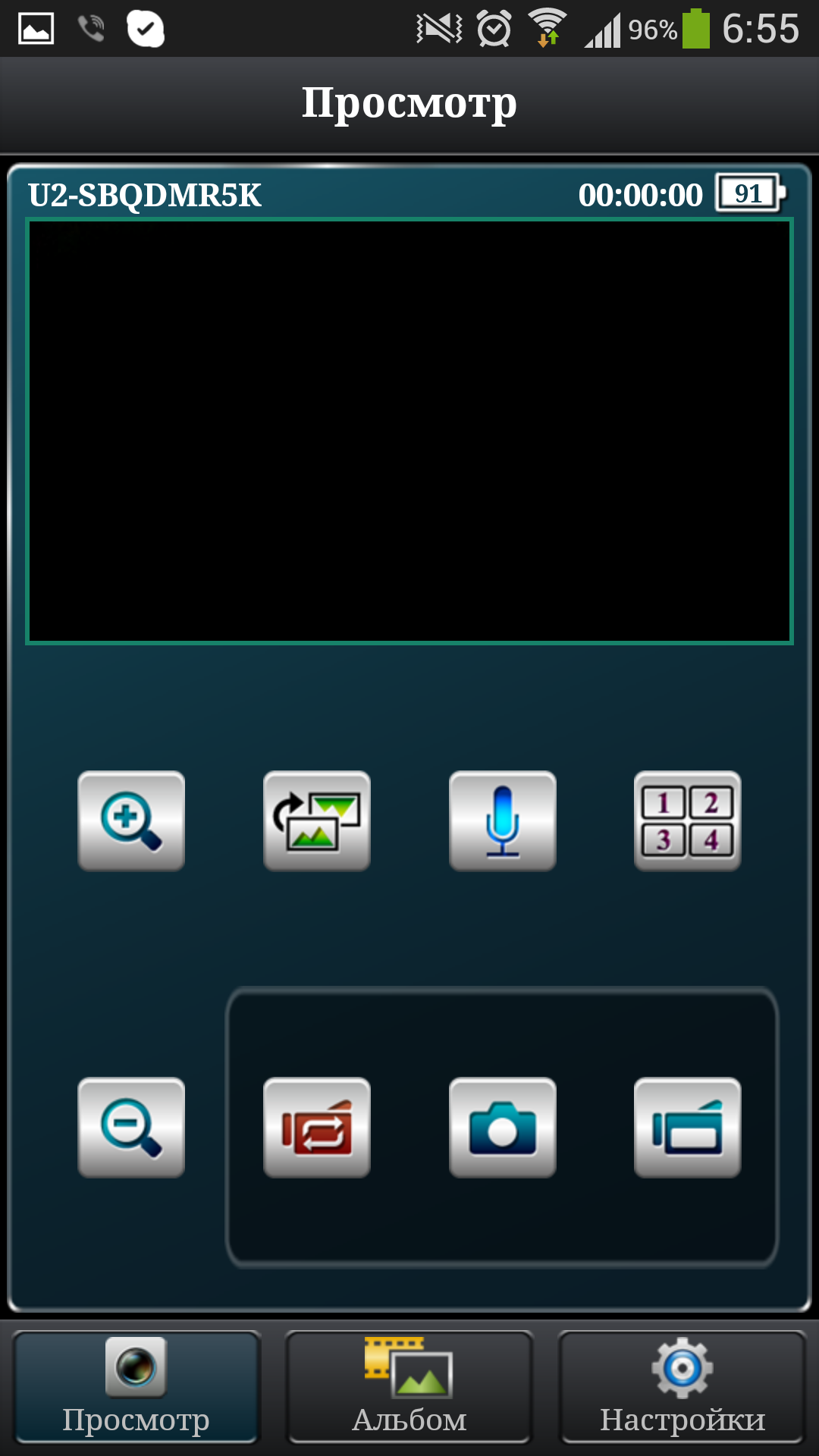
It is worth noting that the picture quality differs from the actual recorded. In order to save traffic, the picture of the worst quality is sent to the smartphone screen.
With a WiFi access point, the Defender WF-10HD camera can send files to the Ustream cloud service. This function is relevant when operating in IP camera mode.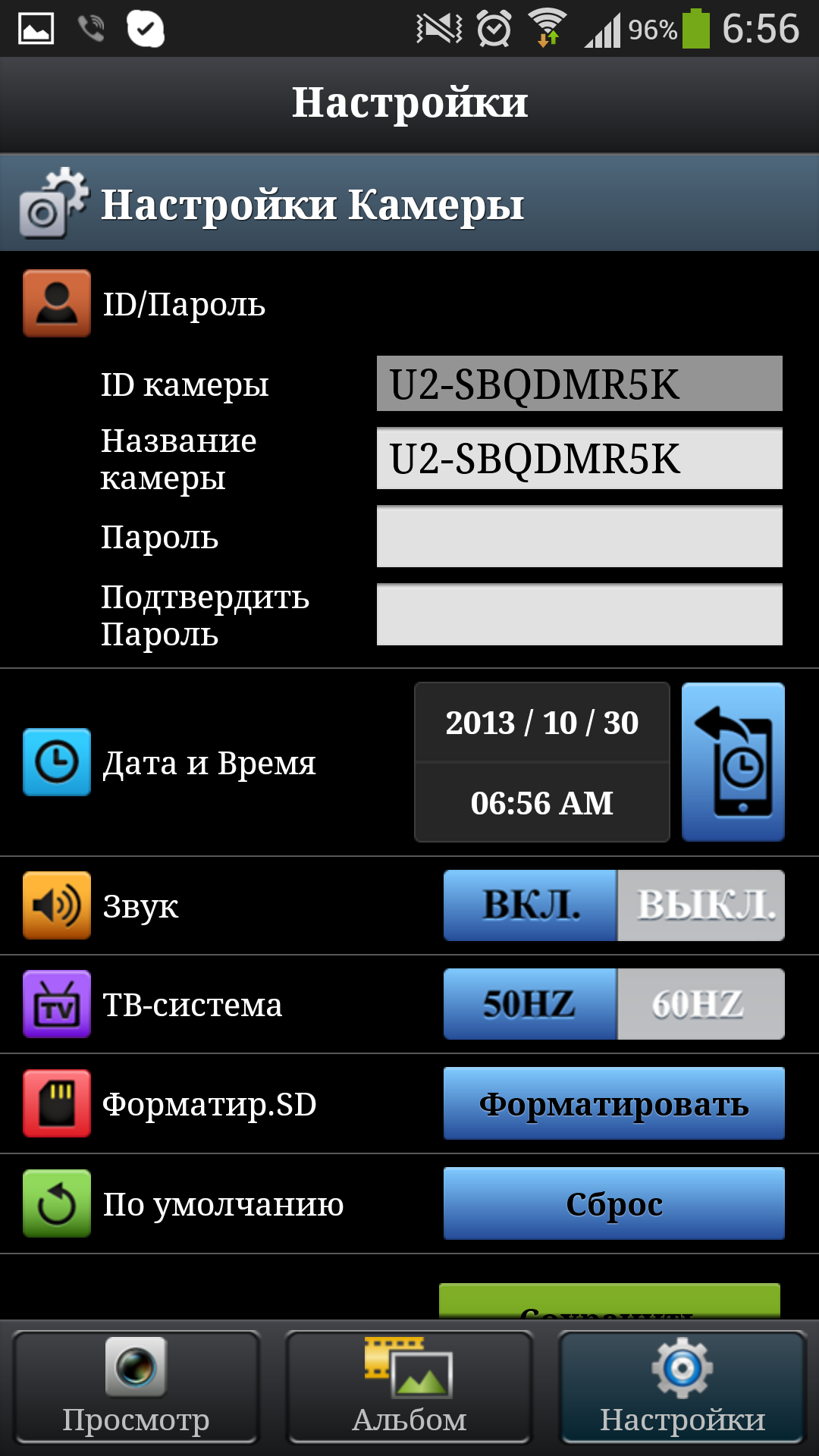
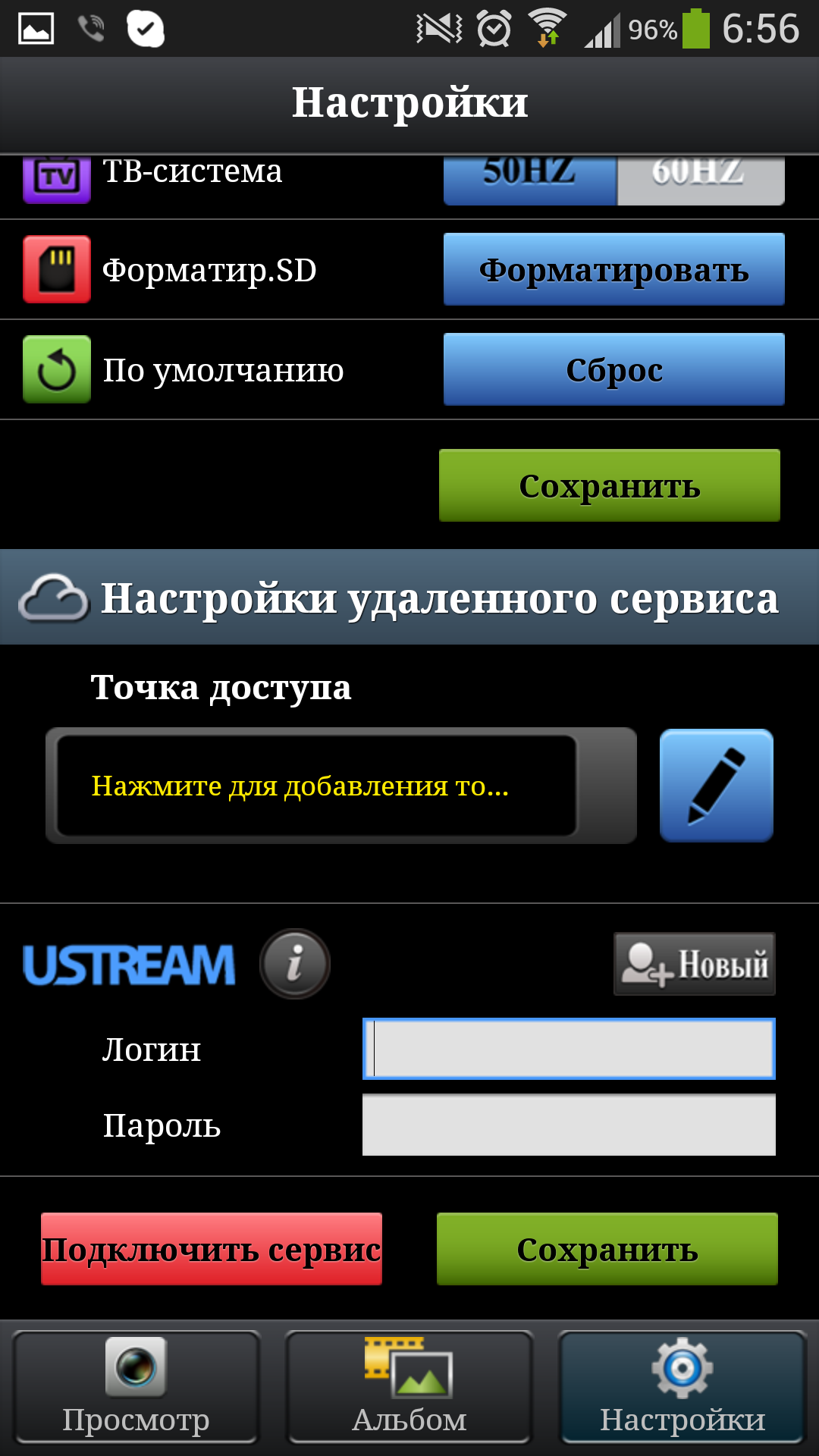
Here the user's imagination is simply endless: while on vacation, you can look at your car, left under the windows. Or at work it is easy to check what is happening at home and how the children left in the care of their grandmother or nanny behave.
After recording to a memory card, you can view files on a mobile device, and even copy them to a smartphone or tablet.

Tests the camera Defender WF-10HD
What I checked: stream broadcasting as an IP camera, photographing, recording as a DVR, recording as a webcam.
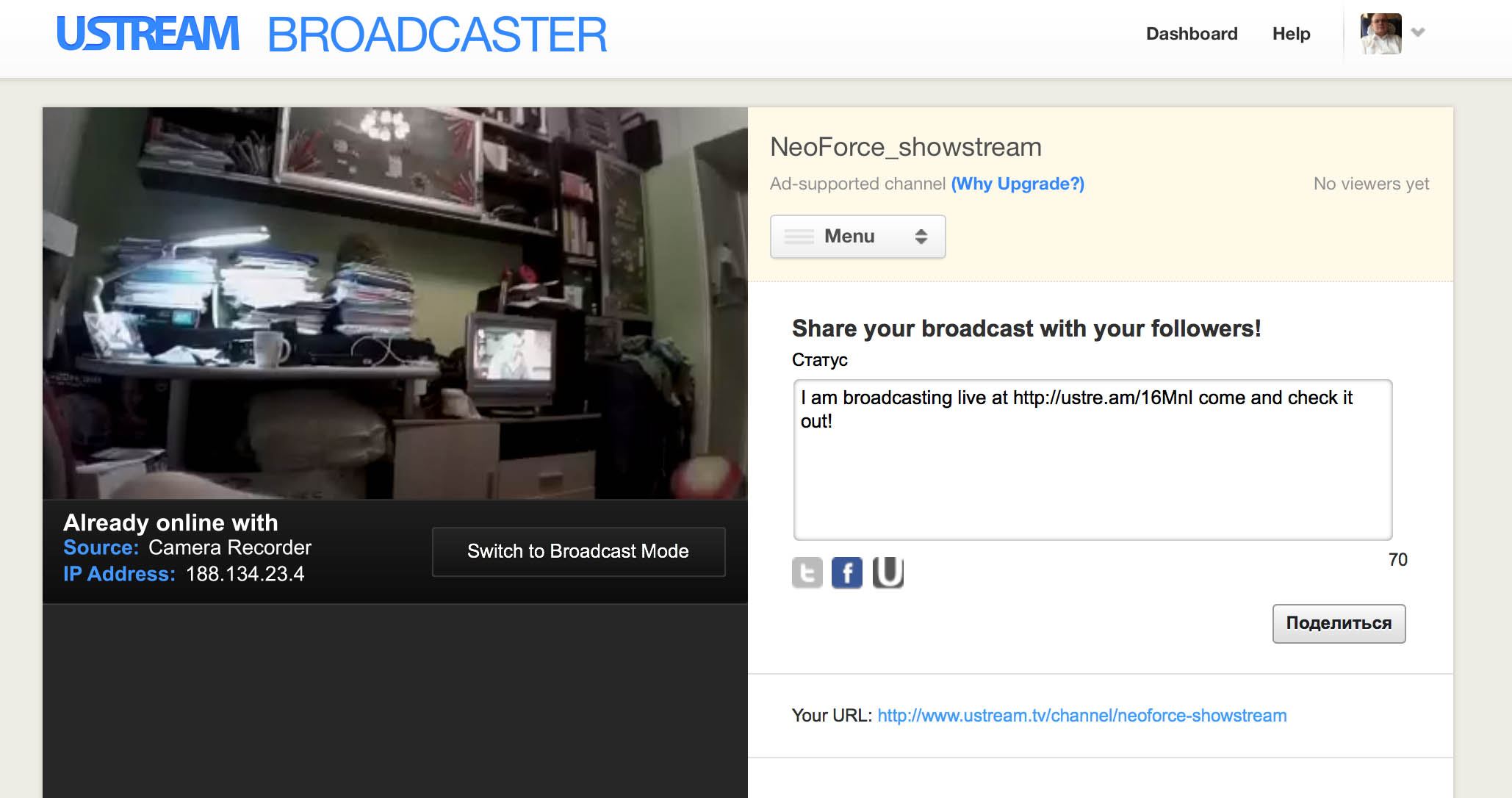
Broadcasting in Ustream is quite successful, and you can either make a public stream or a closed channel only for yourself. There are many use cases, as I said. What will happen in a private channel is up to you. But on the general public, you can report from an event, for example, from a party about the end of the work week =). Another interesting option for using in direct connection mode (in addition to the baby monitor) is installing the camera on a tripod or pole and viewing the event on the phone screen. Say, watching a game of thimbles, there is always a crowd around, it is hard to see, and if you raise the camera and hold it from above, there will be a great view. Or more legal spectacles, the same car repair. Camera on the bar and look at the bottom of the iron horse without wallowing on the ground.
DVR: no problems, sat down, set it up once, then everything is like a regular DVR. The picture is quite clear in 720p format, car numbers are visible, strong jerks are not observed. The quality of course is not the same as that of expensive models, but let us recall the pleasant price of the “combine”.
The webcam works adequately in 640 * 480 mode under Windows. There are no drivers for Mac OS X, Mac users fly with me =)
Final thoughts: I'll start with the fact that the video recording quality declared by the manufacturer is true. For $ 100 you get an excellent Wi-Fi IP camera, webcam, camera (well, this item is, of course, far-fetched), an action camera (without much protection) and a pretty good video recorder. The device is suitable for those who count their money and do not use devices individually every day. Of the advantages, it is also worth noting the decent build quality and equipment. As a result, a piece of iron was registered with me as a video nanny for my youngest son: it’s not really scary when he calms down in the room, you can quickly see what he is up to.
The device is very compact, its dimensions are slightly larger than the Zippo lighter: 48x48x17 mm. When installed in a car, it will minimally interfere with the driver, and in the room it can be installed so that it will be completely invisible. It is not worth discussing the ethics of such an act.
I must say about the price - on the official website of Defender this miracle device is offered at a price of 3810 rubles, which we will make the starting point of the review. You can not evaluate the quality and functionality in isolation from the price of the device.
Defender Multicam WF-10HD comes in a small box. In addition to traditional information about the device, its photo and name, a transparent window is made on the front side, through which the camera itself is clearly visible.
The kit gives out the manufacturer’s desire to make the device universal and bring it closer in functionality to expensive action cameras. The box contains: microUSB cable, AC adapter, strap, warranty card, instructions for use and a whole range of mounts: for a car, for a tripod, for a strap, on a wall, with a clothespin, with magnets - that is, there is a different option for any use mounting option, and that's great.
There is no built-in screen on the device, this saves valuable battery energy and reduces the likelihood of breakdown of one of the components. As I said, the size of the camera is only 48x48x17 mm. The weight of the device is 38 grams.
The body of the camera that came to me is black, but the Defender range also has a white version. Here, everyone is free to choose when ordering which one will be more convenient and practical.
The glossy plastic case is quite resistant to minor scratches, and the size of the device does not allow much torment. Nevertheless, I would recommend the manufacturer to complete the Defender Multicam WF-10HD with a thin silicone case, just in case.
On the front side of the camera is the camera lens, LED indicator, microphone hole and manufacturer’s logo.
On the left side are a slot for microSD cards and microUSB connector. The presence of the second is very nice, because the vast majority of smartphones are charged through the same connector, which means that one charge for all gadgets will be quite enough, and in addition, you can use PowerBank to recharge the camera.
On the right panel there are two buttons: turn on the camera and select the operating mode.
Below is a groove for mounting fixtures, as well as a small slot for a wrist strap.
From above, almost the entire surface of the panel is occupied by a huge button to enable / stop video recording.
On the back panel there is an indicator of the device’s operating mode: photography, video recording, Wi-Fi connection to a smartphone or tablet and a broadcast indicator in the cloud storage.
A huge set of mounts allows you to install the camera at the request of the consumer almost anywhere.
The car suction cup holds the device well on the glass, with the help of a wall mount it is easy to organize a video nanny or a surveillance camera, a magnetic mount is suitable for installation on any iron surface, a mount on a clothespin will help carry the camera on a shirt or fasten it on a bicycle.
Fasteners are easy to change, which means you can quickly transfer and install the camera where necessary.
Since the camera does not have its own display, control is carried out through the software of smartphones and tablets based on the Google Android OS or Apple iOS. You need to download the UniEye application on Google Play or the AppStore.
To connect to the camera, you first need, of course, turn it on and activate the access point mode. To do this, press the power button and wait. The WiFi indicator on the camera will turn on and it will become visible in the application on the mobile device. Initially, the connection goes without a password, but you should set it right away to prevent third-party connections. The signal level of the camera is powerful enough to work within an ordinary apartment.
The main program window transfers the image from the camera, makes it possible to change the operating mode (photo, video, loop video) and other camera parameters (feedback: when the sound from the smartphone is transmitted to the camera, the image is closer). The setup is easy and clear, even inexperienced users will have no difficulties.
It is worth noting that the picture quality differs from the actual recorded. In order to save traffic, the picture of the worst quality is sent to the smartphone screen.
With a WiFi access point, the Defender WF-10HD camera can send files to the Ustream cloud service. This function is relevant when operating in IP camera mode.
Here the user's imagination is simply endless: while on vacation, you can look at your car, left under the windows. Or at work it is easy to check what is happening at home and how the children left in the care of their grandmother or nanny behave.
After recording to a memory card, you can view files on a mobile device, and even copy them to a smartphone or tablet.
Tests the camera Defender WF-10HD
What I checked: stream broadcasting as an IP camera, photographing, recording as a DVR, recording as a webcam.
Broadcasting in Ustream is quite successful, and you can either make a public stream or a closed channel only for yourself. There are many use cases, as I said. What will happen in a private channel is up to you. But on the general public, you can report from an event, for example, from a party about the end of the work week =). Another interesting option for using in direct connection mode (in addition to the baby monitor) is installing the camera on a tripod or pole and viewing the event on the phone screen. Say, watching a game of thimbles, there is always a crowd around, it is hard to see, and if you raise the camera and hold it from above, there will be a great view. Or more legal spectacles, the same car repair. Camera on the bar and look at the bottom of the iron horse without wallowing on the ground.
DVR: no problems, sat down, set it up once, then everything is like a regular DVR. The picture is quite clear in 720p format, car numbers are visible, strong jerks are not observed. The quality of course is not the same as that of expensive models, but let us recall the pleasant price of the “combine”.
The webcam works adequately in 640 * 480 mode under Windows. There are no drivers for Mac OS X, Mac users fly with me =)
Final thoughts: I'll start with the fact that the video recording quality declared by the manufacturer is true. For $ 100 you get an excellent Wi-Fi IP camera, webcam, camera (well, this item is, of course, far-fetched), an action camera (without much protection) and a pretty good video recorder. The device is suitable for those who count their money and do not use devices individually every day. Of the advantages, it is also worth noting the decent build quality and equipment. As a result, a piece of iron was registered with me as a video nanny for my youngest son: it’s not really scary when he calms down in the room, you can quickly see what he is up to.