 July 17, 2013 at 19:05
Using the BLF Function on Escene Phones
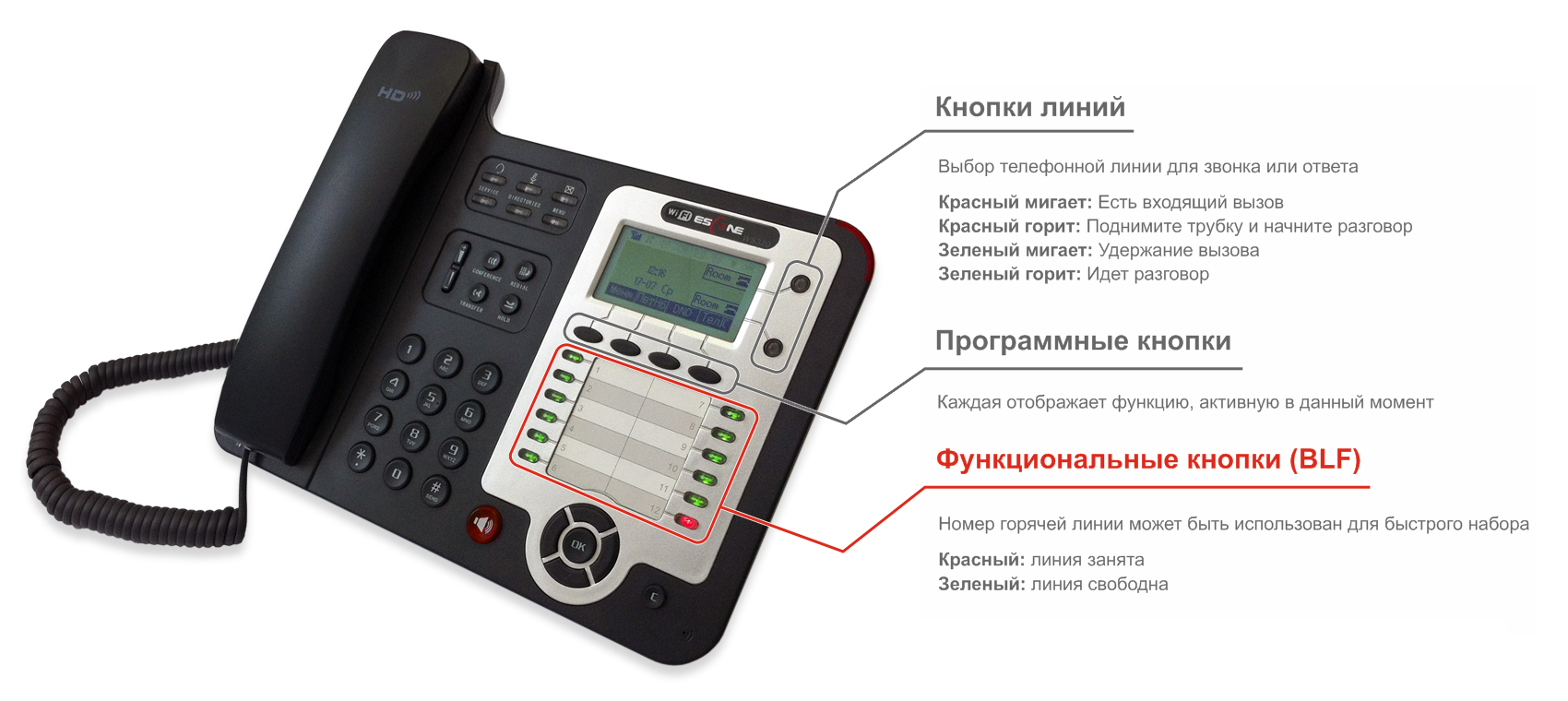
The BLF ( Busy Lamp Field ) function allows you to monitor the current state of the lines of other subscribers in real time, as well as intercept calls intended for other subscribers. It is necessary that the BLF function is supported by both the telephone exchange and the telephone on which the status of the lines will be monitored.
The following line states are available: Idle , Ringing , Line in use ( Connected / Busy ). It should be noted that the registration status of the line is not monitored: even if the line is not registered, its status will be indicated as “free”.
If you press the BLF button for a free line, a call will be made there. If you press the BLF button for the line that the call is on, it will be intercepted.
The BLF function is primarily required for call divert secretaries. It allows you to determine whether the subscriber can take the call at the moment and, if not possible, switch to another responsible employee or voice mail.
Also, the function is useful for employees who constantly make a large number of calls to a limited number of people, as it can significantly save working time on dialing numbers .
How it works
First, the phone sends to the PBX a SIP message SUBSCRIBE with the line number whose state it wants to monitor. After that, when the line status changes, the PBX sends a NOTIFY SIP message to the phone, which indicates the current state.
To intercept a call, the phone sends an INVITE SIP message to the PBX, which contains a special prefix and the number of the line to be intercepted. This prefix is determined by the PBX settings and is indicated in the phone settings.
Configure Asterisk
In order for Asterisk to start supporting BLF, you need to make the following settings:
In the sip.conf file in the section with settings for extensions:
allowsubscribe = yes
call-limit = 4
limitonpeers = yes
notifyringing = yes
notifyhold = yes
context = phones
subscribecontext = BLF
B extensions.conf file :
[BLF]
exten => _., hint, SIP / $ {EXTEN}
[phones]
exten => _ **., 1, Pickup ($ {EXTEN: 2})
Everything must be specified in the BLF group lines whose condition needs to be monitored.
When using Asterisk-based distributions, BLF support may be included natively. In the case of FreePBX, there was no need to change the settings. No additional settings are required when working with IP-ATC 3CX.
To support BLF with the Thirdlane distribution, the following changes were required :
notifyringing = yes
notifyhold = yes
Phone setup
Having a built-in extension panel with function buttons that support BLF is an important feature of Escene corporate IP phones . The ES320-N, ES320-PN, ES330-PE, ES410-PE, Gigabit GS320-P and Wi-Fi WS320-N models have a built-in panel. Starting with the ES330-PE and above, all corporate phones also support an optional 32-button extension panel. In total, the phone can support up to 6 expansion panels with a total capacity of up to 192 buttons.

On Escene phones, the BLF function is implemented by configuring programmable keys: in the web interface, you must specify:
- BLF mode
- account number
- name
- line number

If your PBX is configured correctly and the phone is registered on it, then it will begin to display the status of lines according to the following scheme:
- The indicator is highlighted in green - the line is free
- The indicator blinks red - a call is in progress
- The indicator is highlighted in red - the line is in use
Call pickup
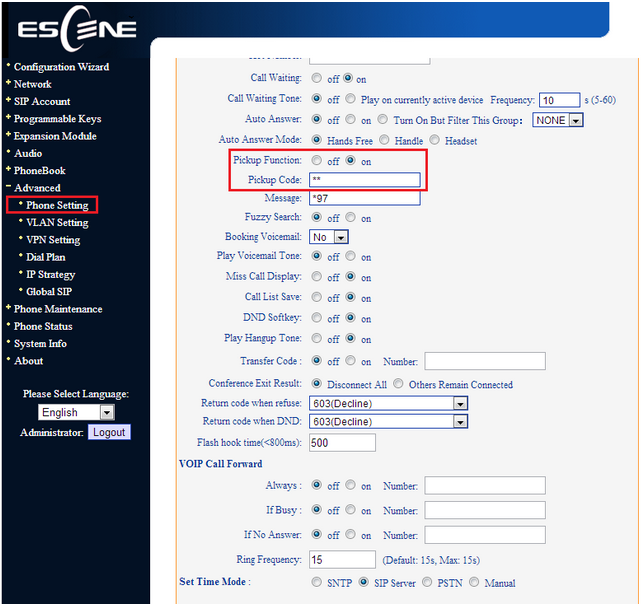
In accordance with the PBX settings in the phone settings, you must specify the prefix used to intercept the call. In our case, the prefix “**” is used.
Thus, BLF support is one of the most important advantages of corporate phones over universal ones. By means of simple settings, the phone becomes part of a unified system of unified communications, allowing you to control the telephone lines of employees, simplify communications and, as a result, significantly save working time.









