
 February 14, 2013 at 00:06
We display the electricity meter on the Internet
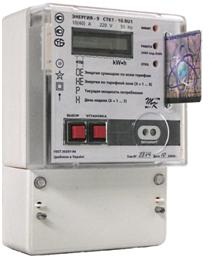
In the article, I will talk about how to get power data from an electric meter and put them on the Internet.
I must say right away that despite the fact that the meter is digital, and has digital interfaces for communication with external monitoring equipment, I do not use them (why - below).
How it all started
At a certain moment, the power engineers changed our ordinary mechanical electric meter to a digital one. Immediately struck by the ability of the counter to display the current power. There was a desire to somehow get this value from the counter. In addition, the new meter has a threshold of maximum permissible power (5 kW), upon reaching which it turns off the electricity in the apartment, and this usually happens quite suddenly. So I wanted to make a device that was able to detect that the power was close to the threshold, and to signal about it so that some of the loads could be disconnected.
How can I get power data
- Since the counter is digital, the first thing that comes to mind is to use the interfaces available in it. From the instructions to the meter it follows that it has an RS-485 interface, a calibration output and an optical port on the front panel. However, they won’t be able to use them - the wired interfaces are under a sealed cover, and you can’t get there, the optical port does not show activity. If the verification output could also be used, then the digital interfaces are not documented anywhere, and most likely are password protected.
- In general, do not use a counter, and measure the amount of current in the phase wire. This method is used here: habrahabr.ru/post/168783 . However, for such measurements, a special sensor is needed, which still needs to be taken somewhere. In addition, the sensor is analog, and where there is an analog signal, there are pickups, which can be caught a lot in the electrical panel. To accurately measure power, you need to know the value of the voltage in the network, which also creates certain problems.
- Another method that I used is to measure the period of flashes of the LED located on the front of the meter. This LED is directly connected to a chip that measures the current flowing through the counter. As I understand it, this LED is connected to the aforementioned calibration output. Next to the LED is written the so-called gear ratio : 2000 pulse / kW * h, knowing that with a fairly accurate measurement of the period of flashes, you can easily determine the power consumption.
Technical implementation
All signal processing from the photosensor is carried out by a very simple device on the STM8S105 microcontroller. STM8 was chosen because of its availability, and also because 3 conclusions are enough for its programming.
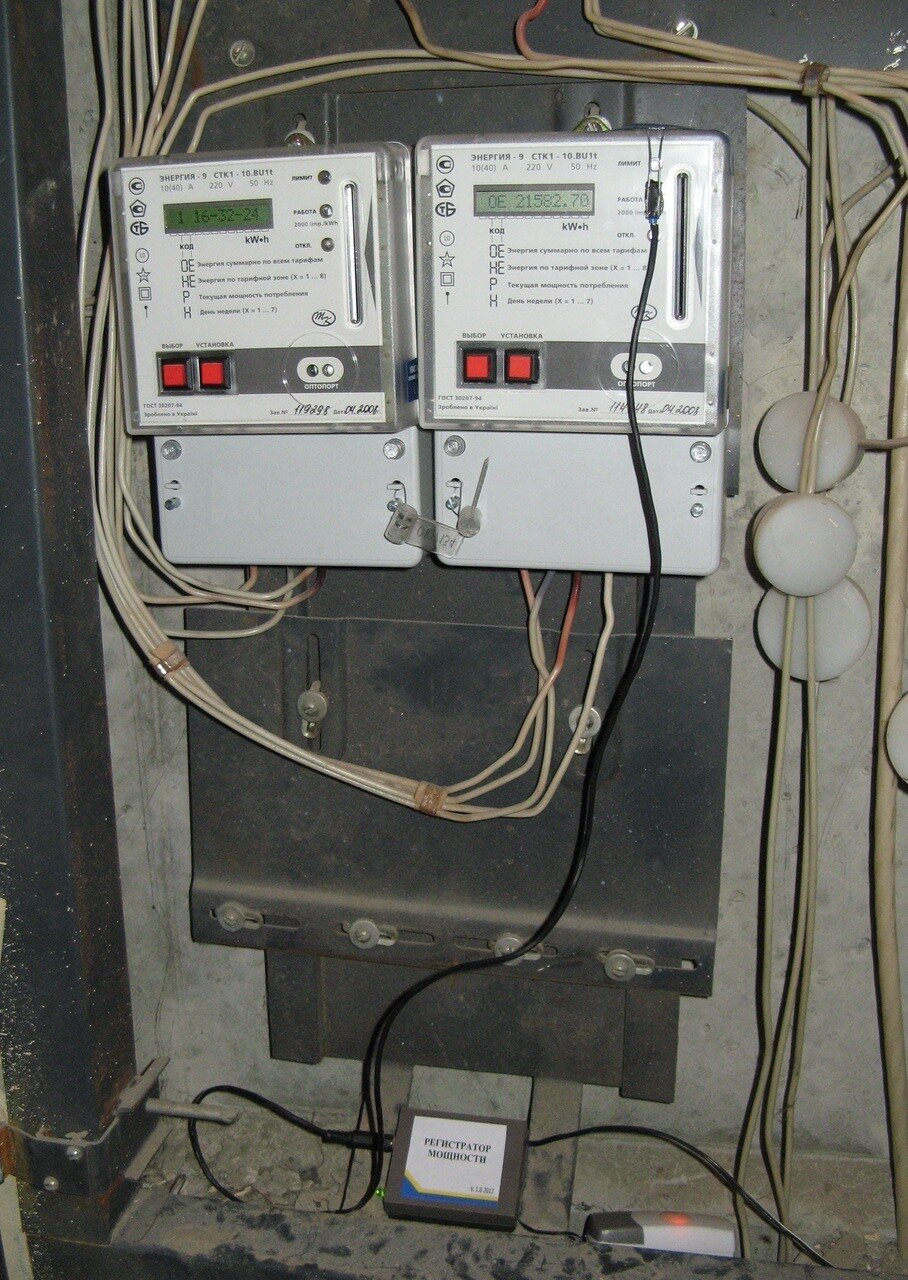
It is easy to detect LED flashes - it is enough to use a phototransistor as a photosensor, and due to the fact that the flashes are bright and the phototransistor is quite sensitive, the signal from it can be fed directly to the digital outputs of the controller - the signal amplitude during the flash is close to 0, and the rest of the time close in supply voltage. To protect against external illumination, the phototransistor must be closed by a lightproof casing and pressed tightly to the counter.
Alarm about exceeding the permissible power threshold is also quite simple: a transmitter button from a wireless call is located next to the device, connected to the controller via an optocoupler. The receiving bell itself lies in the room next to the shield, and when the power is exceeded, the bell starts to beep.
The data from the controller must somehow be transferred to the device that will process them, in this case it is the WL-500gp router. Wireless connections could be used, however, there are several concrete walls and a steel door between the router and the controller. Also in this case, the controller would need to provide power, but I did not want to try to connect the power supply to the power wiring in the shield.
More simple is a wired connection. Since the data must be transmitted to the router, you can use the already laid cable connecting the router with the provider - this cable passes through the electrical panel. In the cable for network organization, only 4 of 8 cores are used, so the remaining 4 can be used for your needs.
One pair of wires can be used to transfer power to the controller, the other - to transfer data to the router. However, I wanted to implement data and power transmission on only one pair of wires. For this, I used a digital current loop.
You can read about the current loop on Wikipedia , as well as here .
In this case, the device consists of two parts - a receiver located next to the router, and a transmitter containing a microcontroller. The transmitter contains a current source (I use an NSI45020 designed to power the LEDs) and a transistor connected in series with it.

Scheme of organization of the current loop.
When a high level voltage is applied to the base of the transistor, it opens, and a certain current begins to flow through the communication line. As a result of this, a voltage drop occurs on the current-measuring resistor (3 Ohms), which is amplified by an operational amplifier. The amplified voltage is supplied to the comparator, and if it is greater than a certain threshold (Vref), then a high voltage level is set at the output of the comparator. In the absence of current (more precisely, when its value is small, since the controller always consumes current), the voltage drop across the resistor is small, and a low voltage level is set at the output of the comparator.
The power source of the entire structure is a router, the voltage of 5 V from which is supplied to the receiver (inputs on the left of the circuit) and passes through the line almost without changes - since the currents are low and the line is short, the voltage drop across the resistor and wires is quite small. Further, this voltage can be used to power the microcontroller (outputs on the right in the diagram).
To transfer data from the microcontroller, its UART output is connected to the base of the transistor, and the comparator output is connected to the input of the UART - USB converter. Data transfer rate - 1200 bps. This ensures reliable data transfer, and even at such a low speed, even a short transmission can be seen by the flashing LED.
Complete receiver and transmitter circuits
Transmitter Receiver
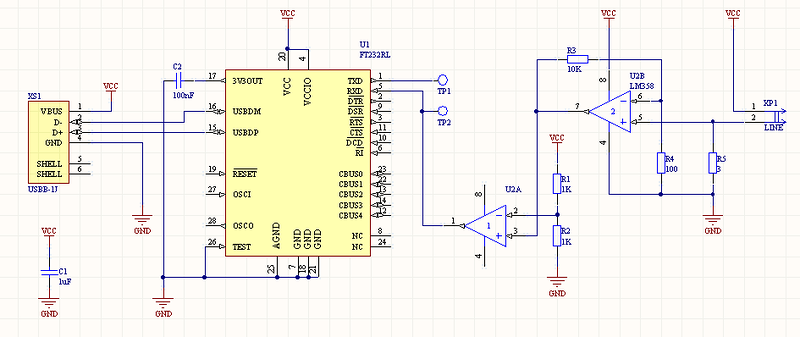
Transmitter Receiver
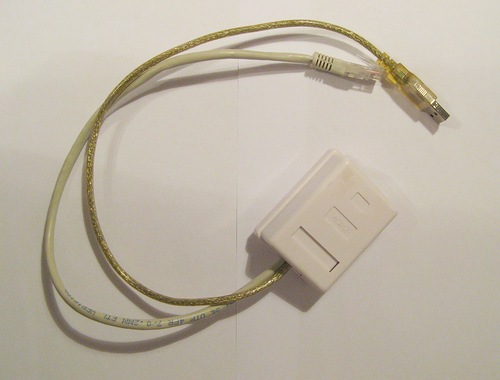
The receiver and transmitter boards were made by the LUT method on one board, after assembly and debugging the board was cut: The receiver is installed inside a regular RJ-45 socket, the cable going into the shield is inserted into the socket, the cable from the socket is inserted into the router. The transmitter is installed in a small box and put into the shield along with the bell button:

Data processing
The microcontroller installed in the receiver measures the period of LED flashes on the meter and calculates power from it. This value is constantly compared with the threshold of maximum permissible power, and when it is exceeded, the controller turns on the bell.
Every 10 seconds, the controller transmits the last measured value of power via UART to the router. This raises a certain problem - at low power consumption, the LED on the counter flashes with a period of more than 10 seconds. In this case, the power value is sent to the router - 0.
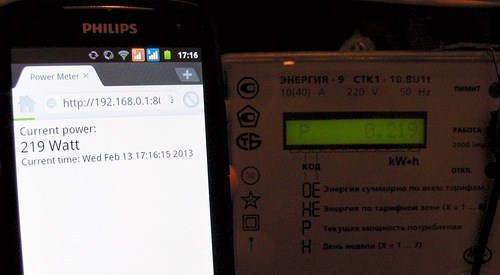
I installed the Python interpreter on the router and wrote a script that processes the data from the receiver, organizes a simple local web server and sends the average power value to cosm.com every 2 minutes.
Data on the web server is updated when receiving data from the receiver - every 10 seconds. When calculating the average power in the script, it is taken into account that the real power cannot be equal to 0 - when receiving a new power value that is not equal to zero, all previous zero values are replaced by a new value.
This is the server’s web page open on the phone: Charts from Cosm.com Regarding the price of the device: STM8 - 60 rubles FT232 - 180 rubles, although you can use the cheaper PL2303. The rest of the harness is around 50 rubles. The circuit board is home-made, the Chinese can order for $ 1 (if you order 10 pieces). Cases - were already available, the RJ-45 socket costs 50 rubles.


So the price of the whole device is not more than 400 rubles.
Cheapness is achieved due to the fact that the device is wired.
Source code and firmware for the controller and Python script for the router