February 14, 2012 at 16:33
Old Japanese laptop FMV-BIBLO NU13D
Relatively recently, such a handsome man fell into my hands that it was simply impossible not to write about him. So, welcome - the FMV-BIBLO NU13D laptop!
Caution, under the cut a lot of unprofessional photos.
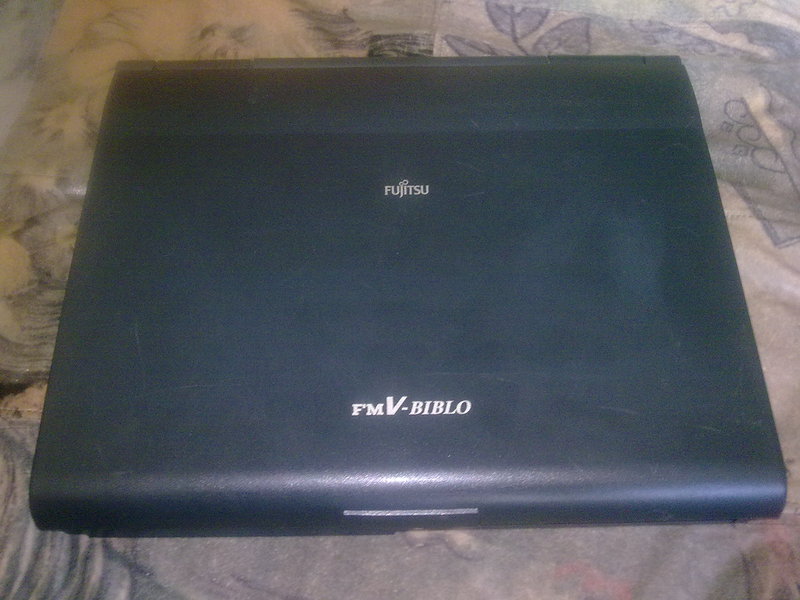
This year, the handsome man is 15 years old, and he comes from faraway Japan, which is hard to miss, looking at the keyboard:
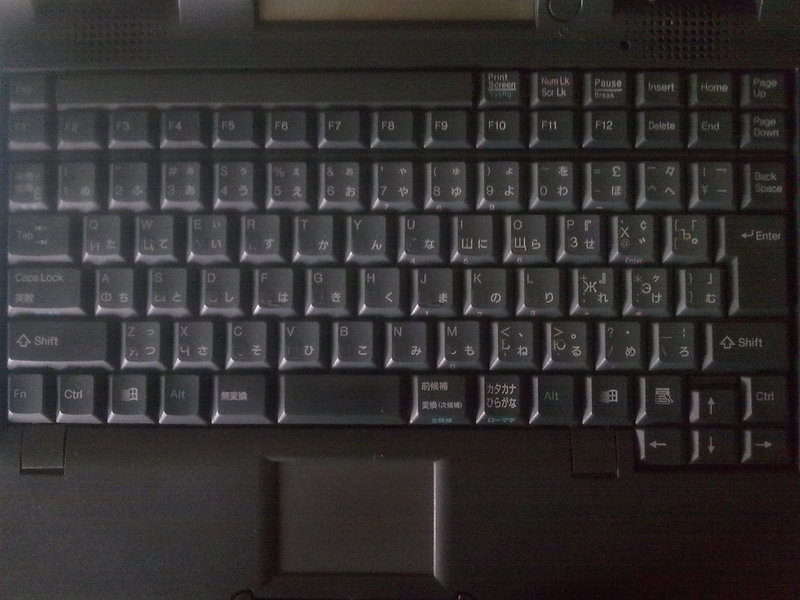
But, first things first. Specifications for their time look very, very good, if not great:
Processor: Pentium 133 MHz.
RAM: 32 Mb.
Hard disk: 2 GB.
Screen diagonal: 12.1 inches
Maximum resolution of the native screen: 800x600
Video card: Trident 9685 for 2 mb.
Built-in sound card ESS1878, built-in speakers (!)
Two-speed CD-ROM
Front view. Right - CD-ROM
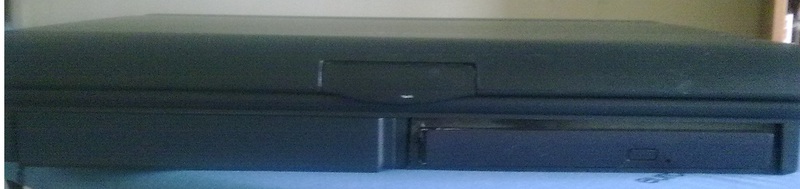
Left sidewall. PCMCI connector and an unidentified connector by me - although judging by the icon, I assume that it is intended for an external floppik.
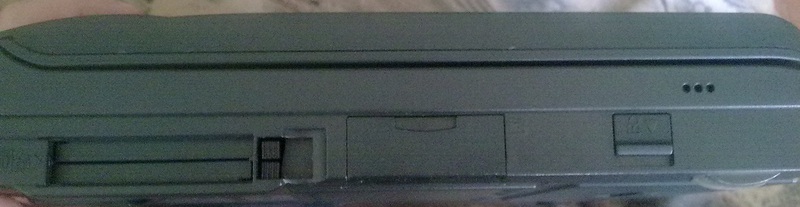
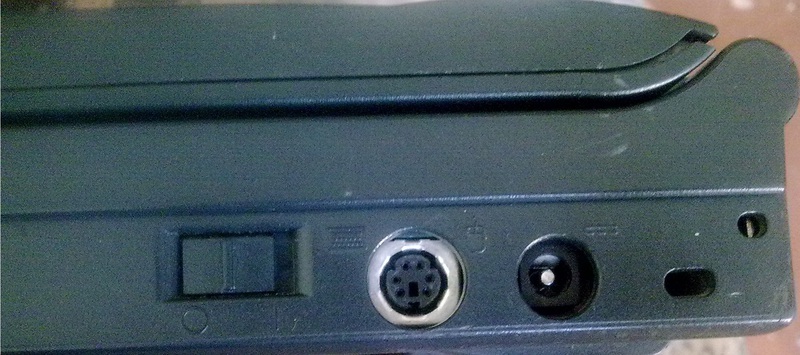
Right sidewall.

The mechanical volume control - it controls the sound volume in the built-in speakers or connected headphones - is very unusual and at the same time terribly convenient!

A mechanical power button - this is not always the case. PS / 2 universal connector - supports both keyboard and mouse. Working. The next connector is for the charger.
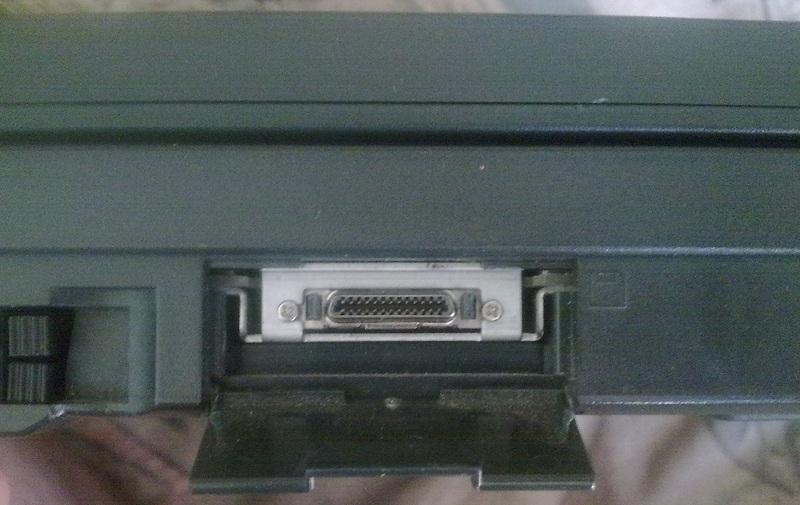
Back view. All this stuff is closed by a hinged lid. COM, LPT, VGA monitor output, modem (!) And infrared port.

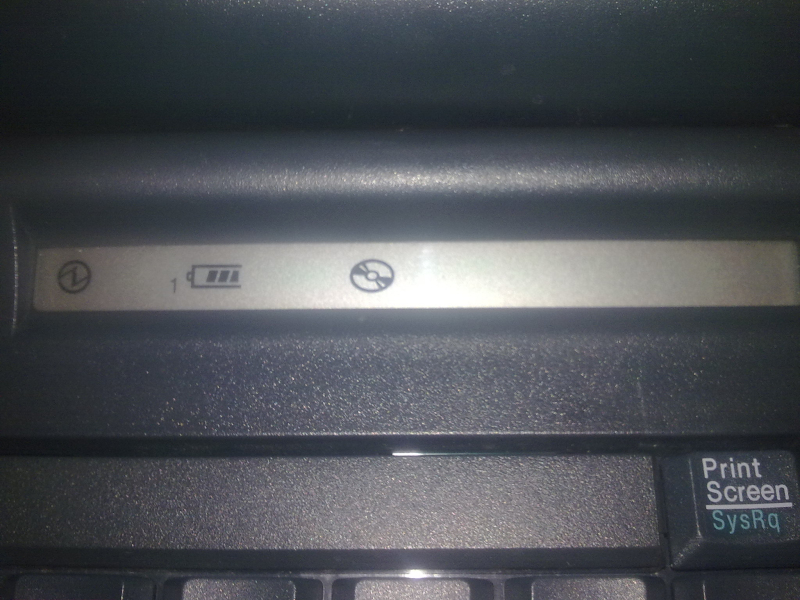
In addition, the eye attracts two more interesting features. Firstly, there is an LCD display above the keyboard with indicators of battery level, power on, hard drive and CD-ROM activity, Caps Lock mode on, and possibly something else.
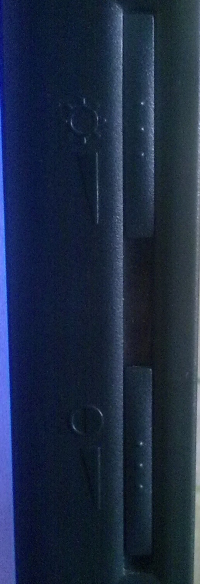
Secondly, on the right side of the monitor are mechanical brightness and contrast controls. That is, these are not buttons, namely sliders, when moving which the monitor settings change.
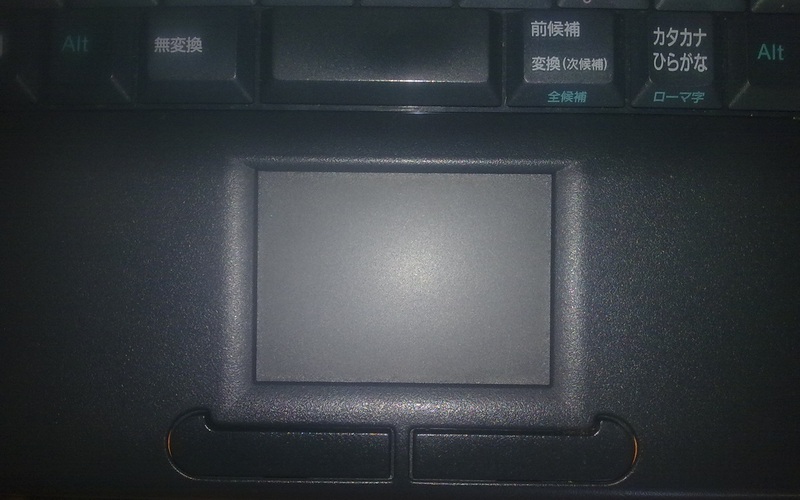
Touchpad. I did not expect to see one in such an old laptop. However, surprisingly comfortable.
It should be noted that the laptop turned out to be in almost perfect condition - it grunts and reads CD-Rs (but RW doesn’t handle it anymore. Yes, it reads disposable disks slowly), the battery pulls for an hour and a half! But I could not tame PCMCI - the laptop I didn’t want to see the inserted D-Link card from. That is, in general, even food is not supplied. Maybe a bit mismatch (old 16-bit slot?), Maybe by voltage, maybe something else, which I don’t know about. So I had to connect to a stationary computer via the COM port and the good old Norton Commander.
Computer performance also turned out to be on top - games like Quake 1 and StarCraft pull without brakes, and Doom, Duke Nukem 3D and Warcraft 2 generally click like nuts, despite a certain problem, which will be discussed below. A sound card without question is defined under DOS as Sound Blaster 16 or Sound Blaster Clone. There are no problems in the work either - Windows 95 + Word 97 looks quite natural here.
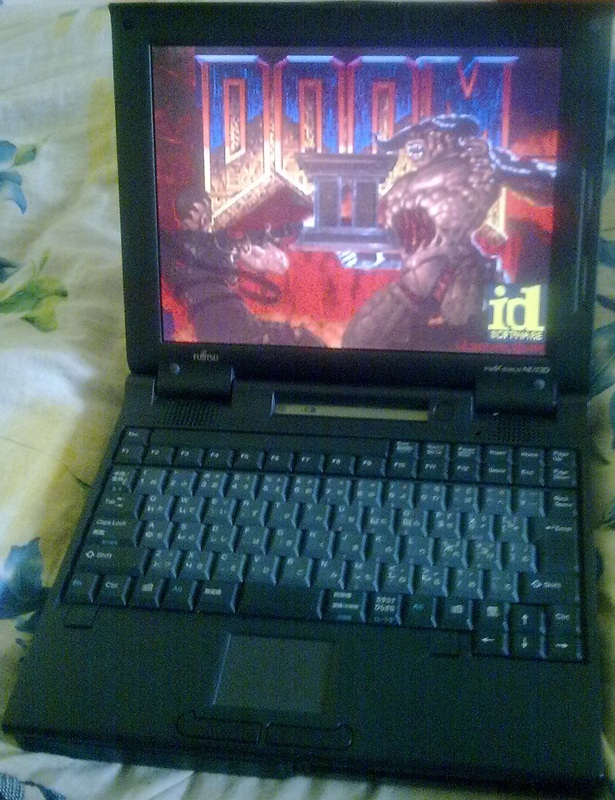
Yes, about the problems. Those who saw the laptops of those years probably already guessed, but for me it was a revelation ... But this problem is the matrix response speed. She is very short. For those who have not seen this on their own, I will try to explain by analogy. For sure, everyone saw the blure effect (motion blur). Now imagine that not only separate objects (monsters, weapons, etc.) are blinking, but the background too. Full screen. And very powerful. In general, only strong-willed people can play active games on such a monitor. For the rest, there are two options - either leisurely, turn-based games (the second Civilization or the Heroes of Might and Magic 2 work great on this laptop!), Or an external monitor - since the VGA output works with a bang.
In general, the laptop was not bad for work. Suitable for system administrators in specific enterprises (COM and LPT ports can be very useful) - so by the way it is now used. And gamers who want to feel the masterpieces of those years - but the latter will have to use an external monitor.
PS Habro-community, a question for you - why most likely it was not possible to install a PCMCI card, did anyone have a similar experience? The card is modern, d-link, the set included firewood on win95 and higher.
PPS The laptop was taken as a gift to a friend - therefore, I did not dare to disassemble it (laptop!). Disassembly will be in the near future - there is an idea to replace the hard drive with a CF / SD card via the IDE adapter + still try to pick up a network card for PCMCI.
Caution, under the cut a lot of unprofessional photos.
This year, the handsome man is 15 years old, and he comes from faraway Japan, which is hard to miss, looking at the keyboard:
But, first things first. Specifications for their time look very, very good, if not great:
Processor: Pentium 133 MHz.
RAM: 32 Mb.
Hard disk: 2 GB.
Screen diagonal: 12.1 inches
Maximum resolution of the native screen: 800x600
Video card: Trident 9685 for 2 mb.
Built-in sound card ESS1878, built-in speakers (!)
Two-speed CD-ROM
Front view. Right - CD-ROM
Left sidewall. PCMCI connector and an unidentified connector by me - although judging by the icon, I assume that it is intended for an external floppik.
Right sidewall.
The mechanical volume control - it controls the sound volume in the built-in speakers or connected headphones - is very unusual and at the same time terribly convenient!
A mechanical power button - this is not always the case. PS / 2 universal connector - supports both keyboard and mouse. Working. The next connector is for the charger.
Back view. All this stuff is closed by a hinged lid. COM, LPT, VGA monitor output, modem (!) And infrared port.
In addition, the eye attracts two more interesting features. Firstly, there is an LCD display above the keyboard with indicators of battery level, power on, hard drive and CD-ROM activity, Caps Lock mode on, and possibly something else.
Secondly, on the right side of the monitor are mechanical brightness and contrast controls. That is, these are not buttons, namely sliders, when moving which the monitor settings change.
Touchpad. I did not expect to see one in such an old laptop. However, surprisingly comfortable.
It should be noted that the laptop turned out to be in almost perfect condition - it grunts and reads CD-Rs (but RW doesn’t handle it anymore. Yes, it reads disposable disks slowly), the battery pulls for an hour and a half! But I could not tame PCMCI - the laptop I didn’t want to see the inserted D-Link card from. That is, in general, even food is not supplied. Maybe a bit mismatch (old 16-bit slot?), Maybe by voltage, maybe something else, which I don’t know about. So I had to connect to a stationary computer via the COM port and the good old Norton Commander.
Computer performance also turned out to be on top - games like Quake 1 and StarCraft pull without brakes, and Doom, Duke Nukem 3D and Warcraft 2 generally click like nuts, despite a certain problem, which will be discussed below. A sound card without question is defined under DOS as Sound Blaster 16 or Sound Blaster Clone. There are no problems in the work either - Windows 95 + Word 97 looks quite natural here.
Yes, about the problems. Those who saw the laptops of those years probably already guessed, but for me it was a revelation ... But this problem is the matrix response speed. She is very short. For those who have not seen this on their own, I will try to explain by analogy. For sure, everyone saw the blure effect (motion blur). Now imagine that not only separate objects (monsters, weapons, etc.) are blinking, but the background too. Full screen. And very powerful. In general, only strong-willed people can play active games on such a monitor. For the rest, there are two options - either leisurely, turn-based games (the second Civilization or the Heroes of Might and Magic 2 work great on this laptop!), Or an external monitor - since the VGA output works with a bang.
In general, the laptop was not bad for work. Suitable for system administrators in specific enterprises (COM and LPT ports can be very useful) - so by the way it is now used. And gamers who want to feel the masterpieces of those years - but the latter will have to use an external monitor.
PS Habro-community, a question for you - why most likely it was not possible to install a PCMCI card, did anyone have a similar experience? The card is modern, d-link, the set included firewood on win95 and higher.
PPS The laptop was taken as a gift to a friend - therefore, I did not dare to disassemble it (laptop!). Disassembly will be in the near future - there is an idea to replace the hard drive with a CF / SD card via the IDE adapter + still try to pick up a network card for PCMCI.