November 14, 2011 at 00:18
Samsung Galaxy Note as a workhorse
 When Android was just starting to conquer the smartphone market and there were no more than a dozen with them on sale, I was just looking for a replacement for the then HTC MAX 4G. For a long time I looked in the direction of HTC HD 2 because of its large screen and the ability even then to put a fairly stable build of the android. But then they gave me the Nexus One and the process of choosing a phone was over. Over time, N1 became some alternative to both the working and home computers (when they are not available): personal and working mail, jabber, skype, rss, working vpn and sharepoint libraries, sometimes ssh and even a little rdp, all this worked fairly well even on such a small screen. But there is no limit to perfection, you always want something faster,
 The most obvious alternative is tablets, but this immediately means the need to carry around a fairly large device that does not fit into your pocket. Trying to be with Nook Color, and then with eeePad only confirmed this opinion. Therefore, as soon as the information appeared that the new galaxy note will have a 5.3-inch screen, and the clove store began to pre-order them, I already ran after him, holding a pack of pounds (514 pounds with delivery of ~ 25,000 rubles) in the cam. 2 months of waiting for the release, a few days for delivery, and now Simka is moving from N1 to Note.
At the moment, the network already has a large number of reviews with descriptions and specifications, so I will only describe my impressions of using Note as a working smartphone.
Appearance and dimensions

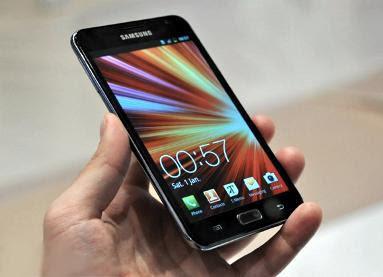
Most reviews of Note begin with a comment on how huge it is. It takes about 5 minutes to get used to the new dimensions, then just the rest of the phones just start to seem small. Note fits perfectly into the front pockets of jeans and does not interfere with sitting.
Any changes in the habit of holding the phone with one hand were also not required: 4 fingers are held from the bottom, and the large one reaches anywhere on the screen. The power button (from the right side) is a little unusual, but you can get used to it.
Retraining under the new arrangement of hard buttons brought a lot of inconvenience. I recommend turning on the constant backlight for the first time (Settings - Display - Touch key light duration), otherwise they will go out a second after pressing.
Otherwise, everything is standard: micro-usb from the bottom, volume rocker on the top left, 3.5 jack on the top right. Also, Note is clearly not intended for frequent changes of SIM cards - the battery cover does not pull up or down, like most smartphones, but clicks into the case.
Update: At the request of the comments, I post the video of working with the phone with one hand. It is not very good quality and shakes, but, in general, gives a good idea of the convenience of work.
Screen
Such a large resolution really makes sense on such a relatively small screen: zoom and scroll are much less required in most applications, on cards all labels become easily readable at any scale. It became much more convenient to look at office documents and print text.


Stylus
Despite the presence of a stylus, in my opinion, Note will not be able to compete with a regular paper notebook. Between the movements of the stylus and the appearance of what is written on the screen there is a small but still noticeable delay and it’s difficult to get used to it. The built-in recognizer recognizes English capital text quite well (although it often does not recognize spaces), for a Russian, you have to write each letter separately.
On the other hand, as a means for drawing on screenshots (a screenshot is made with a simple tap with the button held down), the stylus is quite convenient. Another plus: now in winter you don’t have to pull off your gloves to use the Note capacitive screen.
Events and notifications

Most of all, N1 pleased with the illumination of its trackball, which in different colors notifies about various events. Unfortunately, there is nothing like that on Note, so I had to install noLED. This application does not attract a complete replacement of the trackball, but so far I have not been able to find anything better.
Camera
I won’t say anything special about the camera, I’ll just attach a few sample photos.


Battery and equipment
Note comes with a 2500 mAh battery. When fully charged, Note draws out about 16 hours of quite intense and diverse use. Also included with the Note is a headset, charging and a small set of waste paper, and the Clove store attaches a notepad case to every Note order for free.
Recovery, root and unofficial firmware
Immediately after the start of sales, CWM and root for Note appeared. As usual, everything you need for this process can be found in the topic on the XDA . Also, CyanogenMod has already begun to cut there .
Summary
Perhaps I will show myself to K.O., but while the smartphone fits into the front pockets and does not interfere with the owner, while it is convenient to hold it with one hand, I see no reason to limit the screen size. The larger it is, the more convenient it is to work on a smartphone.