Cockos REAPER Digital Audio Overview
Influenced by the latest articles from the Sound and Music blog, I wanted to share my knowledge of DAW (Digital Audio Workstation) with its readers. Programs of this class are the main instrument of a musician or producer in a computer studio. The most famous products in this category are Steinberg Nuendo / Cubase, Logic Pro, Adobe Audition and some others. In this topic, we will talk about a program called REAPER, which despite its modest size (the distribution takes less than 10 MB) has rich functionality and excellent features. The program exists in versions for Windows and Mac OS X.
One of the developers of REAPER and the founder of Cockos Inc. is the famous Justin Frankel who presentedin due time to the world such things as WinAmp and Gnutella. New features appear in the program almost every week. At the same time, the wishes and comments of users are actively taken into account.
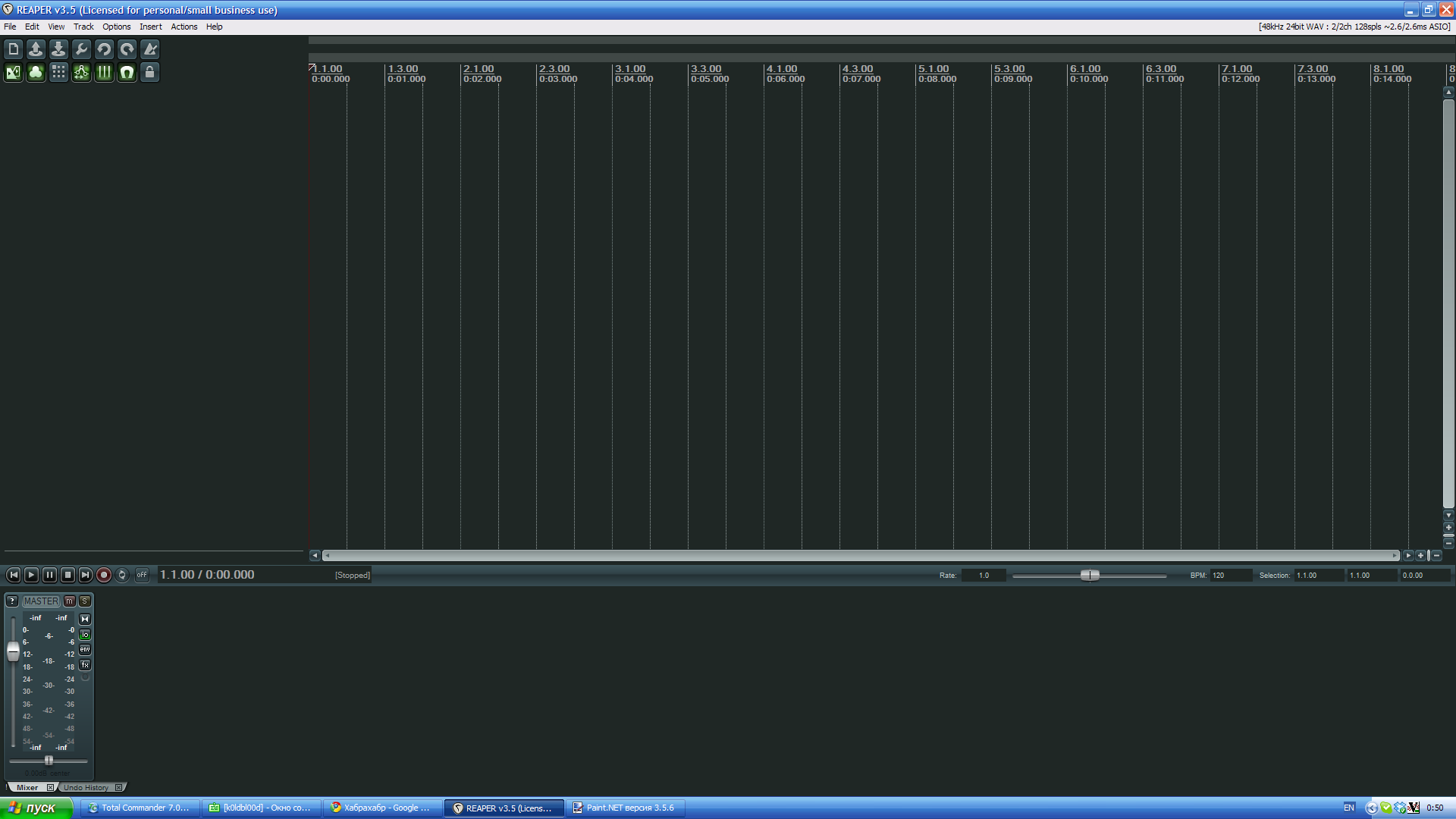
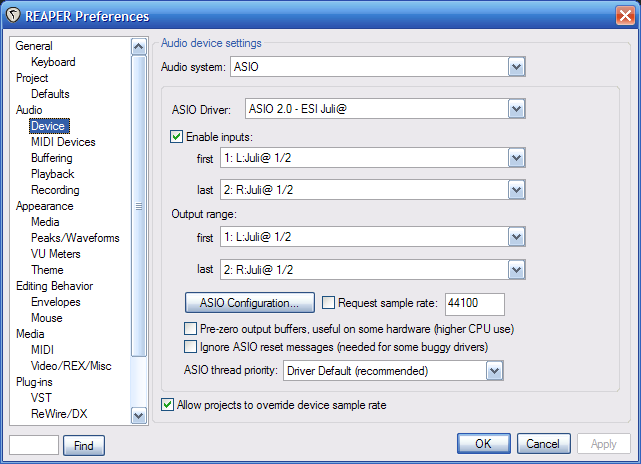
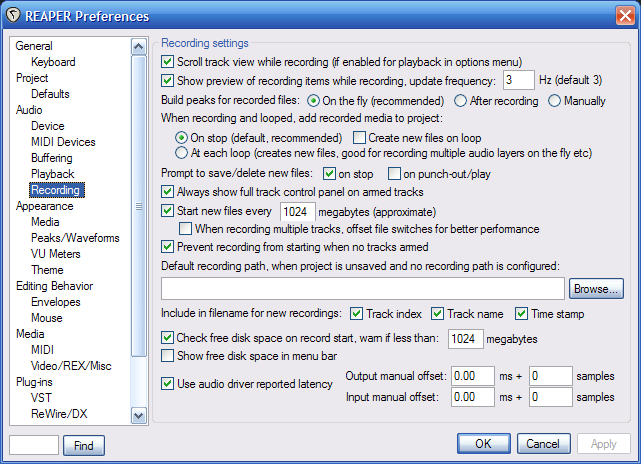
The appearance of the program and its behavior gives out what it was done primarily by the programmer. The seemingly ascetic interface and familiar controls - the multitrack field, transport buttons - everything looks pretty normal. But if you open the settings window (Options → Preferences) and you can get confused by the abundance of parameters that can be changed. You can configure almost anything - from sound cards to mouse behavior in different windows. The program supports output using the Windows audio subsystem (WaveOut), DirectSound, WDM Kernel Streaming and ASIO. And here, for example, a window for setting various recording parameters.
You can add an unlimited number of tracks to the Reaper project. In this case, tracks can be nested. And here lies a very nice side - in Reaper there is no difference between MIDI and audio tracks. Fragments of different types can coexist on the same track. On each track, it is possible to set a send to any other track. This can be useful if, for example, you need to direct a signal from several tracks to one effect processor. REAPER supports a variety of plugins for effects and instruments: VST, VSTi, DX, DXi, AU (only on mac) and can build chains of them.
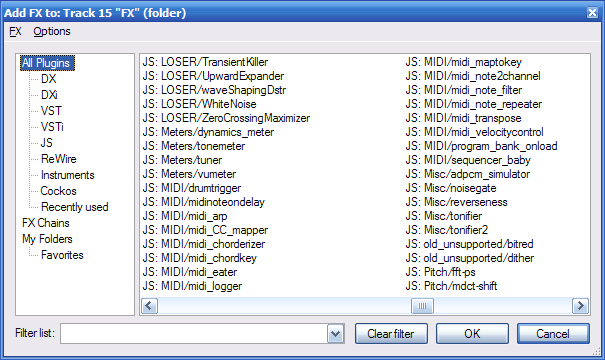

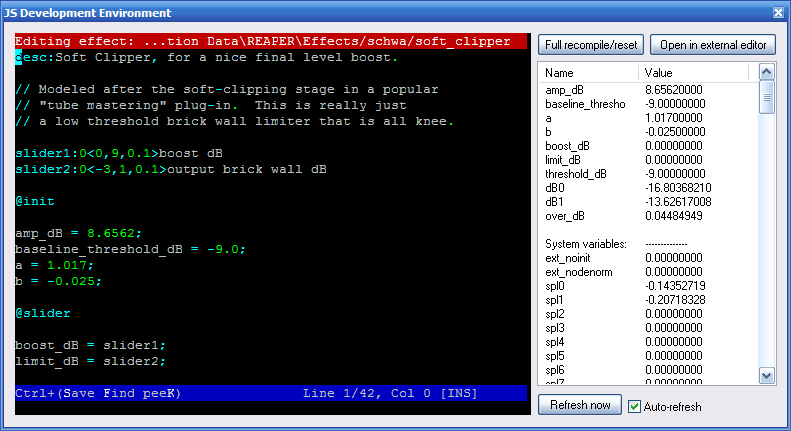
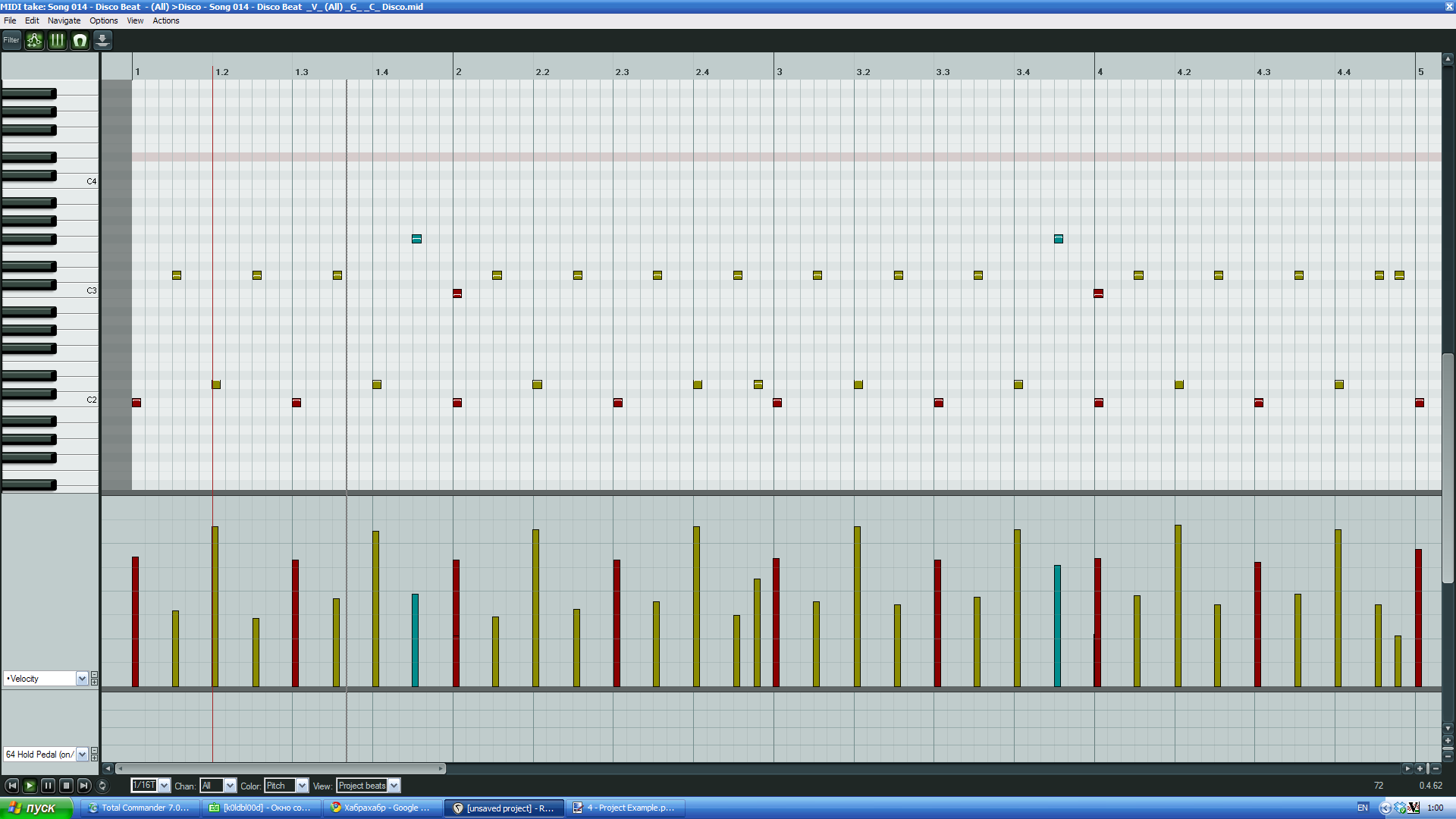
A unique property of REAPER is the built-in JavaScript virtual machine, which compiles and executes the source code of the plugins. Several plugins of this type are supplied with the program. Their name begins with the letters JS. The source code of such a plugin can be changed and these changes will immediately take effect. Also, the multi-track editor allows you to edit the envelope of a track for many of its parameters - volume, panorama, send volume, as well as the MIDI parameters available for the VST plug-ins installed on this track. For sections of the envelope, you can set various forms - linear, smooth transition, etc. The program includes a convenient piano roll sequencer that allows you to edit any MIDI-compatible data.

It is hardly possible to list all the functions and features of REAPER within the same article. Therefore, I will describe only the most important and interesting.
Key features, standards support:
Multitrack Editor Features:
File formats the program can work with:
From myself I can add the following: you can safely use the program for "live" work. The only case of freeze / crash during the whole time of working with the program was associated with an incorrectly installed plugin.
I was surprised when I first installed REAPER with the fact that with such a small size (compared to analogs), the program has such wide capabilities. I was even more surprised by the price - $ 40 for non-commercial use and $ 150 for a full license. In this case, you will receive free updates until the next release. Agree, for a home studio this is quite acceptable.
I have been using REAPER for almost two years, before that I tried FL Studio, Nuendo and some other DAWs. Now I am completely satisfied with Reaper and I am not going to refuse it. You can download a trial version or purchase the full one on the program website: reaper.fm
One of the developers of REAPER and the founder of Cockos Inc. is the famous Justin Frankel who presentedin due time to the world such things as WinAmp and Gnutella. New features appear in the program almost every week. At the same time, the wishes and comments of users are actively taken into account.
Interface
The appearance of the program and its behavior gives out what it was done primarily by the programmer. The seemingly ascetic interface and familiar controls - the multitrack field, transport buttons - everything looks pretty normal. But if you open the settings window (Options → Preferences) and you can get confused by the abundance of parameters that can be changed. You can configure almost anything - from sound cards to mouse behavior in different windows. The program supports output using the Windows audio subsystem (WaveOut), DirectSound, WDM Kernel Streaming and ASIO. And here, for example, a window for setting various recording parameters.
Work with the multi-track editor
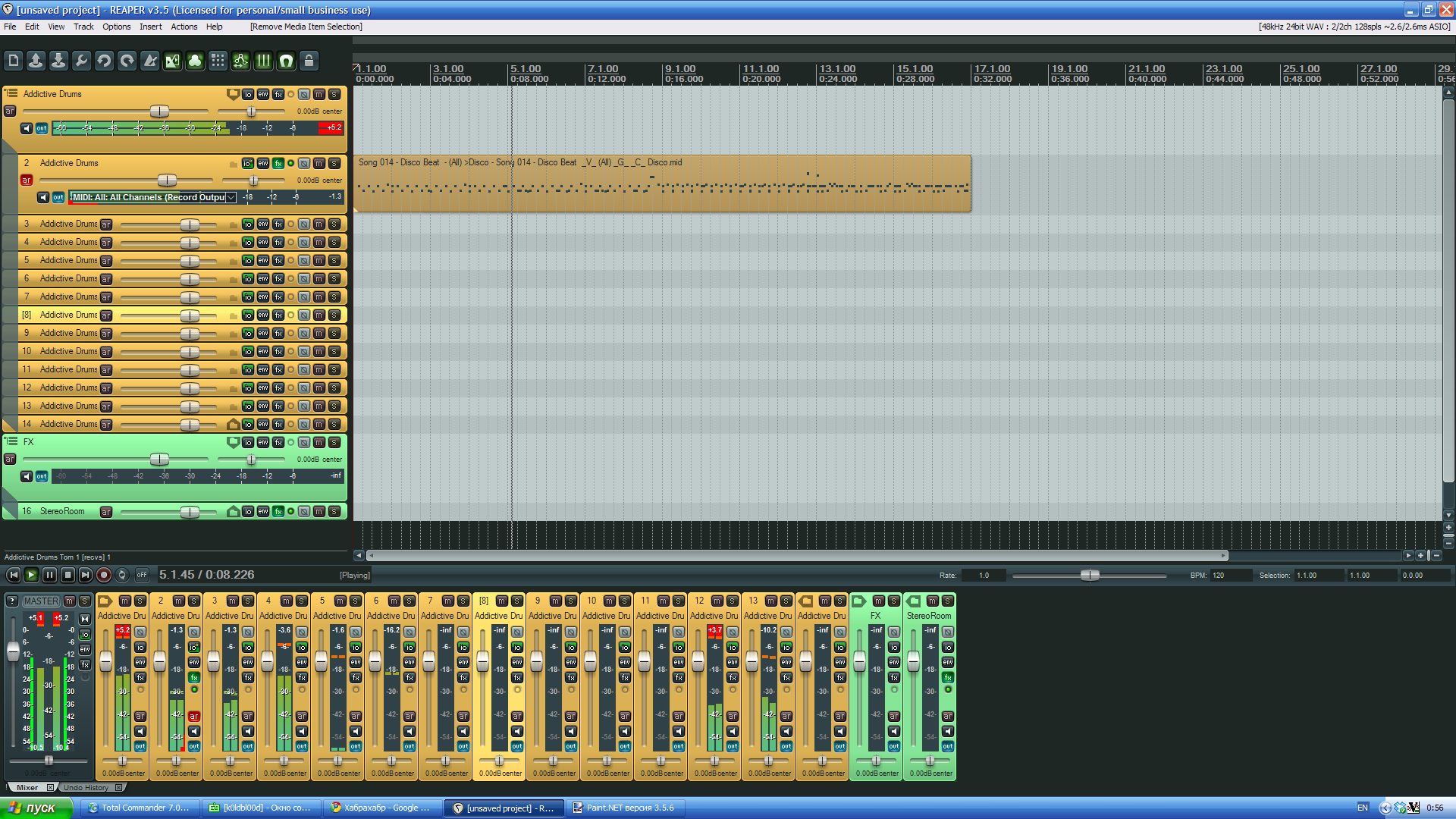
You can add an unlimited number of tracks to the Reaper project. In this case, tracks can be nested. And here lies a very nice side - in Reaper there is no difference between MIDI and audio tracks. Fragments of different types can coexist on the same track. On each track, it is possible to set a send to any other track. This can be useful if, for example, you need to direct a signal from several tracks to one effect processor. REAPER supports a variety of plugins for effects and instruments: VST, VSTi, DX, DXi, AU (only on mac) and can build chains of them.
A unique property of REAPER is the built-in JavaScript virtual machine, which compiles and executes the source code of the plugins. Several plugins of this type are supplied with the program. Their name begins with the letters JS. The source code of such a plugin can be changed and these changes will immediately take effect. Also, the multi-track editor allows you to edit the envelope of a track for many of its parameters - volume, panorama, send volume, as well as the MIDI parameters available for the VST plug-ins installed on this track. For sections of the envelope, you can set various forms - linear, smooth transition, etc. The program includes a convenient piano roll sequencer that allows you to edit any MIDI-compatible data.
More about features
It is hardly possible to list all the functions and features of REAPER within the same article. Therefore, I will describe only the most important and interesting.
Key features, standards support:
- Full support for VST, VSTi, DX, DXi and AU plugins
- Native JavaScript plugin format
- Version for x64 platforms (with built-in bridge for launching 32-bit plug-ins)
- Full support for ASIO 2.0, work with multi-channel devices
- Full support for MIDI devices (keyboards, synthesizers, controllers, etc.)
- Fine-tuned interface, behavior, hot keys and actions
Multitrack Editor Features:
- Completely free routing of audio and MIDI
- Change of pace and dimension in different places of one project
- Tracks with any number of channels (stereo, four or more channels)
- Nested tracks
- Lack of division of tracks into different types (MIDI, sound, etc)
- Volume and pan controls, phase reversal on each track
- Envelope editor for all possible parameters related to the selected track
- Envelope recording in various modes
- Ability to bind MIDI control to any parameter that you can change manually
File formats the program can work with:
- Import: ACID, AIFF, APE, AVI, BWF, CDDA, EDL, FLAC KAR, MIDI, MOGG, MOV, MP3, MPEG, OGG, QT, RADAR session, REX2, SYX, W64, WAV, WAVPACK, WMV
- Export: AIFF, APE, BWF, CD ISO (CUE / BIN), FLAC, MIDI, MOGG, MP3 (with an external encoder lame_enc), OGG, W64, WAV, WAVPACK
From myself I can add the following: you can safely use the program for "live" work. The only case of freeze / crash during the whole time of working with the program was associated with an incorrectly installed plugin.
Conclusion
I was surprised when I first installed REAPER with the fact that with such a small size (compared to analogs), the program has such wide capabilities. I was even more surprised by the price - $ 40 for non-commercial use and $ 150 for a full license. In this case, you will receive free updates until the next release. Agree, for a home studio this is quite acceptable.
I have been using REAPER for almost two years, before that I tried FL Studio, Nuendo and some other DAWs. Now I am completely satisfied with Reaper and I am not going to refuse it. You can download a trial version or purchase the full one on the program website: reaper.fm









