
 November 2, 2009 at 20:44
Making Pidgin Beautiful Like Adium
I want to share my best practices. Whoever saw Adium on Mac OS X knows that even with default themes, it is more beautiful than Pidgin under all three systems it supports. In addition, there are a huge number of extensions, icon and other packs for Adium'a - see here , and for Pidgin - the cat cried, and even what is centralized is not laid out anywhere.
Next, I will tell you how to fasten the themes of sounds , status icons and emoticons , as well as dockbar themes from Adium to Pidgin, using:
My Adium theme controller to Pidgin themes
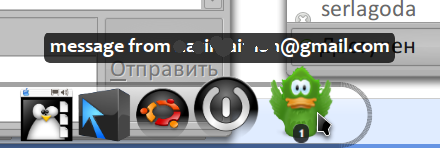
My applet for Cairo-dock :
UPD: Do not be lazy, vote here for ticketso that the Pidgin developers of the tray theme, the status of the sheet and protocols are screwed
Everything is simple here. Download my Python script , install additional software:
Download themes of status icons , sounds , or emoticons from adiumxtras.com .
Now run from the terminal:
and the script will unpack the theme, determine its type, convert it and set where it is needed (for example, the theme icon status in ~ / .purple / themes / theme_name / purple / status-icon / ). If the theme does not need to be installed, but only needs to be converted, run the script with the parameter --output = output_folder . If the type is not defined (this happens), use --type = , but in general, see --help
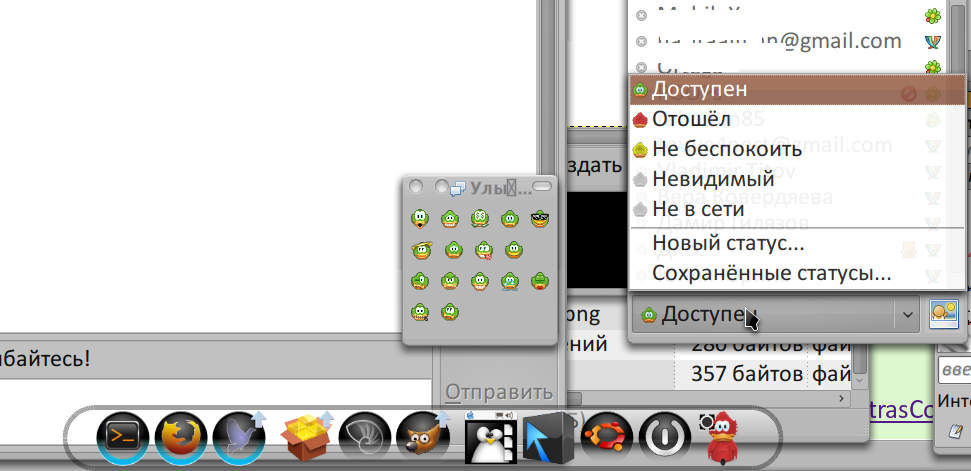
The result of the program (I can not screen the sounds):
We put cairo-dock . Download my applet to it . Unpack the applet in ~ / .config / cairo-dock / third-party / pidgindock , restart the dock. In the dock settings, the pidgindock item now appears with a green adium icon, and through this item the applet is turned on, you can also select the applet theme there.
The applet fully understands the themes of the Adiuma dock , with animation and without conversion. Just copy the theme folder from the archive (type of name.adiumicon ) to ~ / .config / cairo-dock / third-party / pidgindock / Themes and enter the name of its folder in the settings. You can also put my script above from zip.
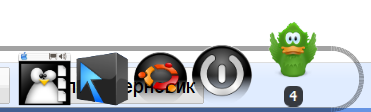
Screens can be seen here, but in general we get a picture of such a plan:
It is planned to support the installation of topics on the fly, as in Makoshi. Firefox presets are described here .
If the pidgin developers finish the support for the tray icon, buddy-list, or something else, I undertake to immediately add them to the script.
Tanks and glitches are hotly received
Next, I will tell you how to fasten the themes of sounds , status icons and emoticons , as well as dockbar themes from Adium to Pidgin, using:
My Adium theme controller to Pidgin themes
My applet for Cairo-dock :
UPD: Do not be lazy, vote here for ticketso that the Pidgin developers of the tray theme, the status of the sheet and protocols are screwed
We fasten topics
Everything is simple here. Download my Python script , install additional software:
- xmllint - most likely delivered in your distribution
- ffmpeg - if you need to convert sound themes
Download themes of status icons , sounds , or emoticons from adiumxtras.com .
Now run from the terminal:
./adium2pidgin-theme-convert.py имя_zip_файлика_с_темкойand the script will unpack the theme, determine its type, convert it and set where it is needed (for example, the theme icon status in ~ / .purple / themes / theme_name / purple / status-icon / ). If the theme does not need to be installed, but only needs to be converted, run the script with the parameter --output = output_folder . If the type is not defined (this happens), use --type = , but in general, see --help
The result of the program (I can not screen the sounds):
We fasten the dock
We put cairo-dock . Download my applet to it . Unpack the applet in ~ / .config / cairo-dock / third-party / pidgindock , restart the dock. In the dock settings, the pidgindock item now appears with a green adium icon, and through this item the applet is turned on, you can also select the applet theme there.
The applet fully understands the themes of the Adiuma dock , with animation and without conversion. Just copy the theme folder from the archive (type of name.adiumicon ) to ~ / .config / cairo-dock / third-party / pidgindock / Themes and enter the name of its folder in the settings. You can also put my script above from zip.
Screens can be seen here, but in general we get a picture of such a plan:
Future plans
It is planned to support the installation of topics on the fly, as in Makoshi. Firefox presets are described here .
If the pidgin developers finish the support for the tray icon, buddy-list, or something else, I undertake to immediately add them to the script.
Tanks and glitches are hotly received