 February 26, 2018 at 16:57
A story about the Internet in Germany and the undocumented features of Juniper SRX
Hello!
While the idea of the second part of the article about moving to Germany gradually takes on a clear outline, I decided to talk a little bit about how I set up home Internet here to fit my specific IT needs.
The Internet in Germany is a thing in itself. No Ethernet, and especially PON, is not carried out in apartments in 99% of cases. Optics, even to the basement, are also a rare luxury. The market here is divided between providers offering the Internet using various xDSL technologies and cable TV operators distributing the Internet through DOCSIS. The lines, as a rule, are kept in good condition, and the speed can be obtained quite comparable to the "traditional" connection methods.
All this is good and quite enough for most home users, but as soon as you want to connect your own router, problems begin. If you also use IP-telephony, VPN and the like, everything becomes really sad. As for DSL, what for DOCSIS, the choice of routers is extremely limited here, and when connected, the providers give out the most widely used "soap boxes", many of which simply do not know how to work in bridge mode. That is, you have to either additionally buy an expensive modem, or put your router behind NAT, or completely abandon this idea. Having suffered for some time in trying to “make friends” my Juniper SRX100 and provider Fritz! Box 7590 , I did some research and bought it on eBay at a very good priceJuniper SRX220H , and to it MPIM - the VDSL2 modem module, SRX-MP-1VDSL2-A .
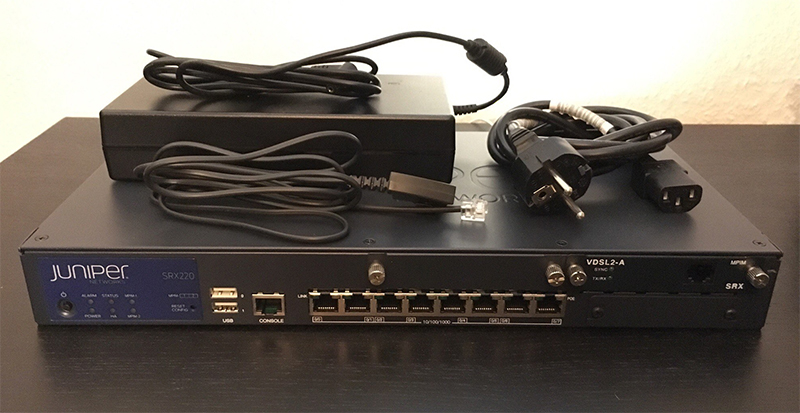
But then the tricks begin.
As follows from the description, this module supports VDSL2 Annex A (i.e., VDSL over POTS), while in Germany VDSL2 Annex B (VDSL over ISDN) is widely used. Modules for Annex B for Juniper SRX do not exist in nature, support for this standard is declared only for the built-in interfaces in Juniper SRX110. Moreover, Juniper technical documentation clearly and clearly saysthat the VDSL Vectoring (cable interference suppression mode) actively used in Germany is not supported for VDSL2 Annex B even in SRX110. Dead end? Not at all. A familiar networker from Dusseldorf, having a little less than dofig of Juniper certificates, explained to me that the chips on which these modules are built support VDSL2-B by themselves. But, since these solutions were “sharpened” for the most part under the US market, where Annex A is widely used, they were not tested on European networks with Annex B either. Following Juniper’s logic, “not tested” means “not supported”.
Another feature is that VDSL Vectoring is supported only in the latest firmware of the modem, version 2.16, but my module came with firmware version 2.10. Not finding the firmware in the public domain, II wrote to the Juniper forum , and on the same day technical support sent me the desired firmware - absolutely free. The manual for updating the firmware is here , it is quite trivial.
Alright, enough lyrics. Below is an example of setting up the SRX-MP-1VDSL2-A on the SRX220H router for the Vodafone provider. In principle, this will work for any provider using PPP via VDSL2 Annex B, only the credentials will need to be substituted. Let's go:
1. Check the firmware version of the VDSL modem: 2. Configure the VDSL interface. Everything is extremely simple here. The Vlan number used in Germany by the vast majority of providers is 7:
Important: do not specify a VDSL profile, leave auto! If you specify it explicitly, for example 17a for a speed of 100 Mbit, the modem will be installed in Annex A, and synchronization with DSLAM will not work.
3. Configure PPPoE interface:
Here, too, have their own nuances. For each provider, they are different, but specifically for Vodafone - in the paper with the credentials that are given to you when you connect, the login for PPPoE is indicated in the form ab12345678. This is enough for local "consumer" routers, because when they are configured, the provider is necessarily selected, and depending on it, the router itself forms the configuration. But with a completely manual configuration on non-standard equipment, as in our case, the correct login string will be: "vodafone-vdsl.komplett / ab12345678".
4. That's all. We register security zones, make commit and check:
5. Profit. Now we have a direct connection of the router to the provider, with an external IP on the interface, without any intermediate devices and additional NAT. At the same time, Juniper keeps the connection much more stable than the Fritz! Box - it had stable synchronization failures every two to three days, and after installing the SRX220 such problems are no longer observed.
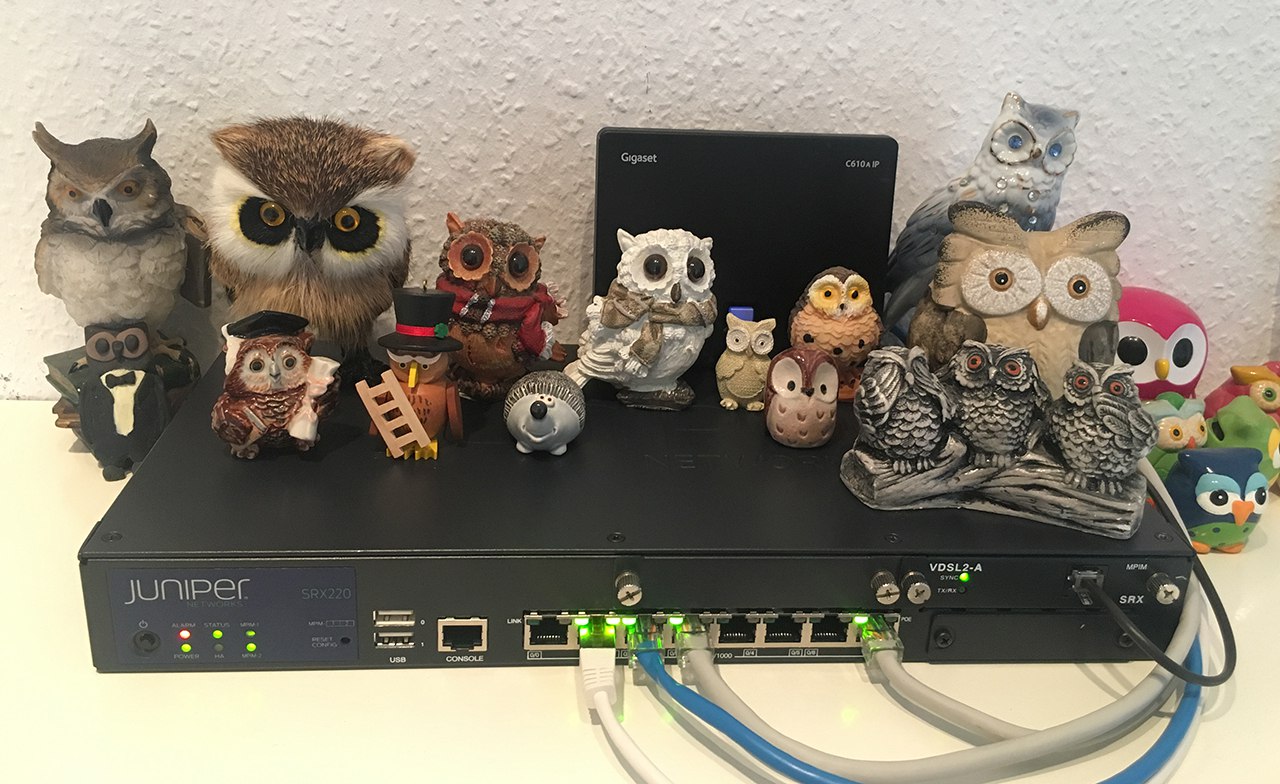
PS Alarm is on because I changed the circuit for switching on coolers and powered them through a separate controller to reduce noise. JunOS has a trigger for low-speed coolers, and it actually works. The temperature remains within normal limits.
PPS Co-worker on the router is my sister's work. We have a lot of owls in the apartment :)
While the idea of the second part of the article about moving to Germany gradually takes on a clear outline, I decided to talk a little bit about how I set up home Internet here to fit my specific IT needs.
The Internet in Germany is a thing in itself. No Ethernet, and especially PON, is not carried out in apartments in 99% of cases. Optics, even to the basement, are also a rare luxury. The market here is divided between providers offering the Internet using various xDSL technologies and cable TV operators distributing the Internet through DOCSIS. The lines, as a rule, are kept in good condition, and the speed can be obtained quite comparable to the "traditional" connection methods.
All this is good and quite enough for most home users, but as soon as you want to connect your own router, problems begin. If you also use IP-telephony, VPN and the like, everything becomes really sad. As for DSL, what for DOCSIS, the choice of routers is extremely limited here, and when connected, the providers give out the most widely used "soap boxes", many of which simply do not know how to work in bridge mode. That is, you have to either additionally buy an expensive modem, or put your router behind NAT, or completely abandon this idea. Having suffered for some time in trying to “make friends” my Juniper SRX100 and provider Fritz! Box 7590 , I did some research and bought it on eBay at a very good priceJuniper SRX220H , and to it MPIM - the VDSL2 modem module, SRX-MP-1VDSL2-A .
But then the tricks begin.
As follows from the description, this module supports VDSL2 Annex A (i.e., VDSL over POTS), while in Germany VDSL2 Annex B (VDSL over ISDN) is widely used. Modules for Annex B for Juniper SRX do not exist in nature, support for this standard is declared only for the built-in interfaces in Juniper SRX110. Moreover, Juniper technical documentation clearly and clearly saysthat the VDSL Vectoring (cable interference suppression mode) actively used in Germany is not supported for VDSL2 Annex B even in SRX110. Dead end? Not at all. A familiar networker from Dusseldorf, having a little less than dofig of Juniper certificates, explained to me that the chips on which these modules are built support VDSL2-B by themselves. But, since these solutions were “sharpened” for the most part under the US market, where Annex A is widely used, they were not tested on European networks with Annex B either. Following Juniper’s logic, “not tested” means “not supported”.
Another feature is that VDSL Vectoring is supported only in the latest firmware of the modem, version 2.16, but my module came with firmware version 2.10. Not finding the firmware in the public domain, II wrote to the Juniper forum , and on the same day technical support sent me the desired firmware - absolutely free. The manual for updating the firmware is here , it is quite trivial.
Alright, enough lyrics. Below is an example of setting up the SRX-MP-1VDSL2-A on the SRX220H router for the Vodafone provider. In principle, this will work for any provider using PPP via VDSL2 Annex B, only the credentials will need to be substituted. Let's go:
1. Check the firmware version of the VDSL modem: 2. Configure the VDSL interface. Everything is extremely simple here. The Vlan number used in Germany by the vast majority of providers is 7:
vlad@fra> show system firmware

Part Type Tag Current Available Status

version version

FPC 2

PIC 0 VDSLBCM 10 2.16.0 OK

Routing Engine 0 RE BIOS 0 2.8 2.8 OK

Routing Engine 0 RE BIOS Backup 1 2.8 2.8 OK
pt-2/0/0 {
vlan-tagging;
vdsl-options {
vdsl-profile auto;
}
unit 0 {
encapsulation ppp-over-ether;
vlan-id 7;
}
}Important: do not specify a VDSL profile, leave auto! If you specify it explicitly, for example 17a for a speed of 100 Mbit, the modem will be installed in Annex A, and synchronization with DSLAM will not work.
3. Configure PPPoE interface:
pp0 {
        unit 0 {
            ppp-options {
                chap {
                    default-chap-secret "$SuperSecretPassword"; ## SECRET-DATA
                    local-name vodafone-vdsl.komplett/ab12345678;
                    passive;
                }
            }
            pppoe-options {
                underlying-interface pt-2/0/0.0;
                idle-timeout 0;
                auto-reconnect 5;
                client;
            }
            family inet {
                mtu 1400;
                negotiate-address;
            }
        }
}
Here, too, have their own nuances. For each provider, they are different, but specifically for Vodafone - in the paper with the credentials that are given to you when you connect, the login for PPPoE is indicated in the form ab12345678. This is enough for local "consumer" routers, because when they are configured, the provider is necessarily selected, and depending on it, the router itself forms the configuration. But with a completely manual configuration on non-standard equipment, as in our case, the correct login string will be: "vodafone-vdsl.komplett / ab12345678".
4. That's all. We register security zones, make commit and check:
vlad@fra> show interfaces pt-2/0/0 media

Physical interface: pt-2/0/0, Enabled, Physical link is Up

Interface index: 148, SNMP ifIndex: 533

Type: PTM, Link-level type: Ethernet, MTU: 1518, VDSL mode, Speed: VDSL2

Device flags : Present Running

CoS queues : 8 supported, 8 maximum usable queues

Current address: 48:a0:52:b9:62:51

Last flapped : 2018-02-23 00:36:23 CET (17:11:57 ago)

Input rate : 0 bps (0 pps)

Output rate : 376 bps (0 pps)

VDSL alarms : None

VDSL defects : None

VDSL status:

Modem status : Showtime (Profile-17a)

VDSL profile : Auto Annex B

Last fail code: None

Subfunction : 0x00

Seconds in showtime : 61918


vlad@fra> show pppoe interfaces

pp0.0 Index 95

State: Session up, Session ID: 111,

Service name: None,

Session AC name: BGEJ00, Configured AC name: None,

Remote MAC address: a0:4d:2c:54:92:d6,

Session uptime: 17:12:02 ago,

Auto-reconnect timeout: 5 seconds, Idle timeout: Never,

Underlying interface: pt-2/0/0.0 Index 94
5. Profit. Now we have a direct connection of the router to the provider, with an external IP on the interface, without any intermediate devices and additional NAT. At the same time, Juniper keeps the connection much more stable than the Fritz! Box - it had stable synchronization failures every two to three days, and after installing the SRX220 such problems are no longer observed.
PS Alarm is on because I changed the circuit for switching on coolers and powered them through a separate controller to reduce noise. JunOS has a trigger for low-speed coolers, and it actually works. The temperature remains within normal limits.
PPS Co-worker on the router is my sister's work. We have a lot of owls in the apartment :)









