 December 23, 2017 at 16:24
Symfony Flex Private Recipes: Create, Configure, and Use
Hi, Habr.
I bring to your attention a brief article-instruction on the creation, configuration and use of private recipes. For this we need: a project, a repository with a bundle, a repository with our recipes.
The article contains many images, so I post links to repositories here, and I will take out the rest under the cat.
Bundle: symfony-acme-bundle
Recipes: symfony-recipes
So let's go.
1) Create a new project or use an existing one. The main condition is to have Symfony Flex installed. I decided to create a project from scratch.
To create a new project, use the command
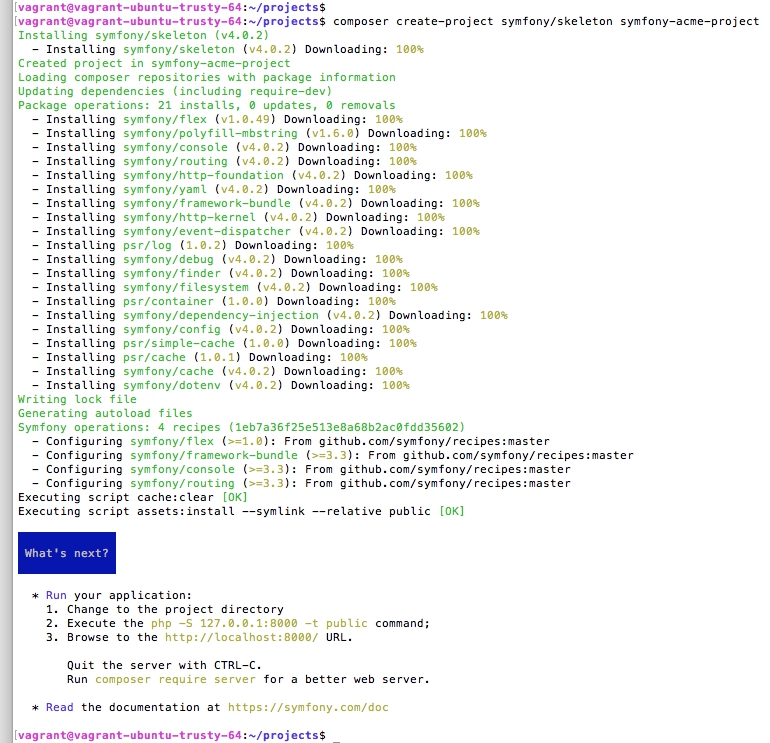
The project was successfully created, and in the installed packages we see symfony / flex.
2) Create a new bundle (symfony-acme-bundle) or use an existing one. I decided to create a simple bundle from scratch and register it at packagist.org. A link to the repository can be found at the beginning of the article. I omitted the processes of creating and registering the bundle, because there is nothing complicated in them.
3) Connect and configure Symfony Flex Server. To do this, go to the Symfony Recipes Server and click on the “register” link in the “Private Recipes BETA” section. You can also register through Symfony Flex Server .
Select our repository with recipes and click “Install”.
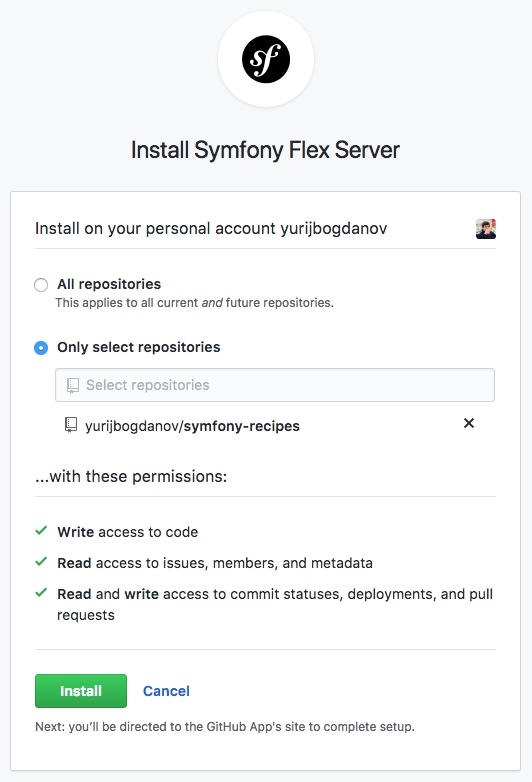
After that, we should see a congratulation page.
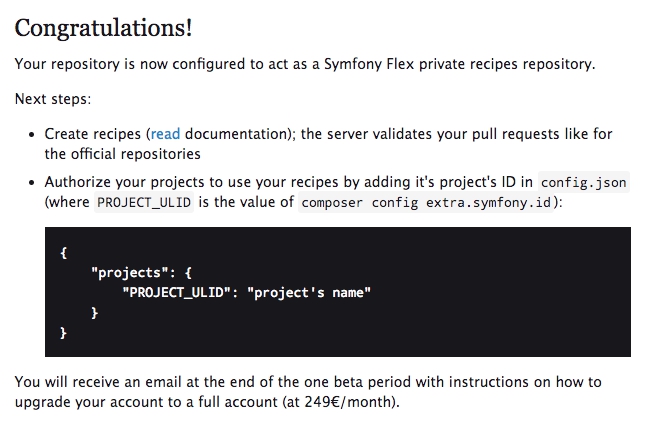
4) Create a recipe.
I divided this item into 2 parts. First we create a repository and then add a new recipe via pull request.
4.1) Create a new repository (symfony-recipes) and add the files: LICENSE, config.json, README.md (optional). A link to the repository can be found at the beginning of the article.
Config.json is very important to us, namely the data that it contains.
"01C1K60FQVPP7FN6C3YB6639RZ" is the ID of our Symfony project. You can find it in the composer.json file of the project created in paragraph 1.
or by executing the command in the project folder
4.2) Add the recipe. To do this, create a new branch (add-acme-recipe) and add 3 files: manifest.json, post-install.txt and config / packages / acme.yaml. An important point is that the name of the folder with the recipe must match the name of the package (bundle) in packagist.org, and the versions must also match. In our case, this is "yurijbogdanov / acme-bundle" and version "1.0".
Example file contents:
yurijbogdanov / acme-bundle / 1.0 / manifest.json
yurijbogdanov / acme-bundle / 1.0 / post-install.txt
yurijbogdanov / acme-bundle / 1.0 / config / packages / acme.yaml
Next, add our branch with the recipe to the remote repository and make a pull request.
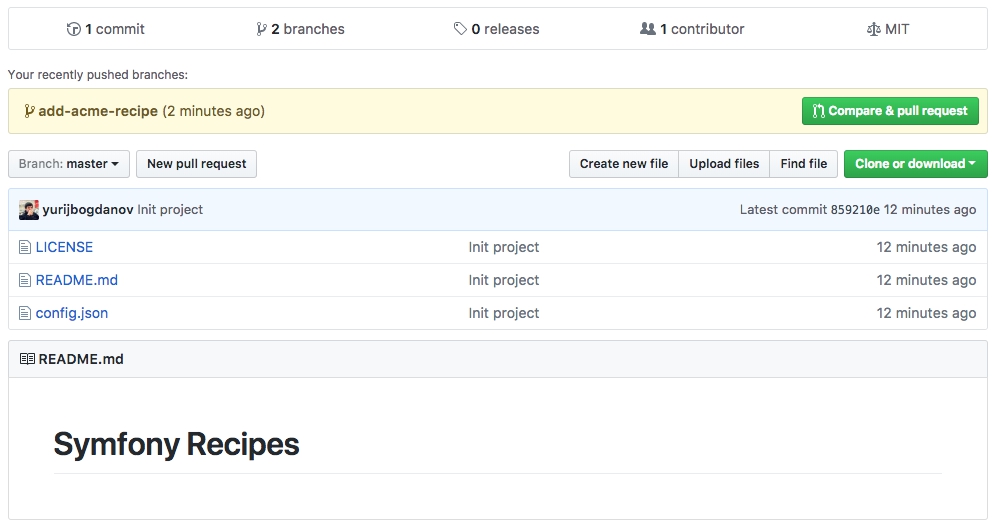
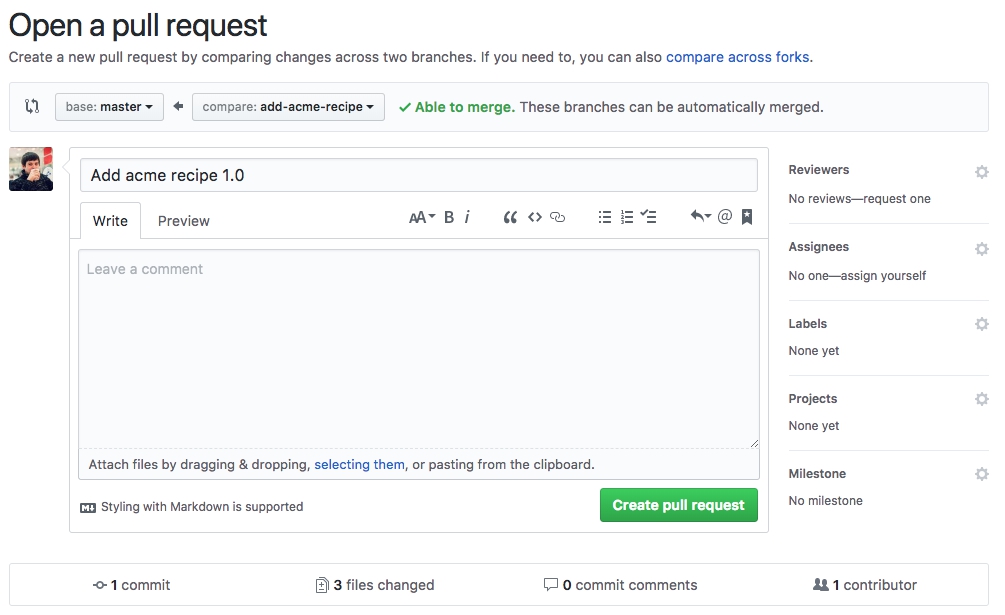
Now a few words why it’s better to add recipes via pull request, and not directly to master (even if you work alone).
Every time you make a pull request, your code will be checked by the symfony-flex-server bot and even the slightest deviations from the requirements will be recorded.

By clicking on the “Details” link, you can see exactly what errors were found by the bot.
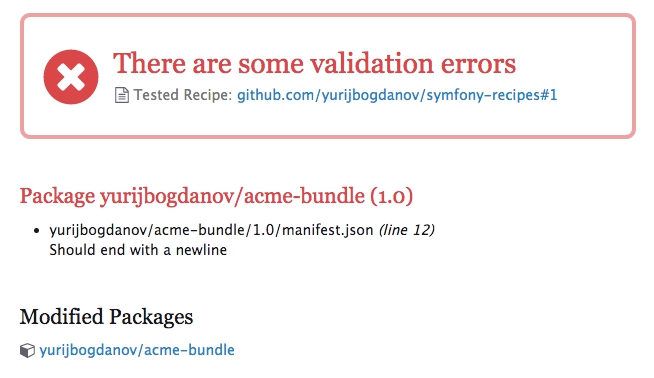
If successful, you will see approve from the bot and you can make merge in master.
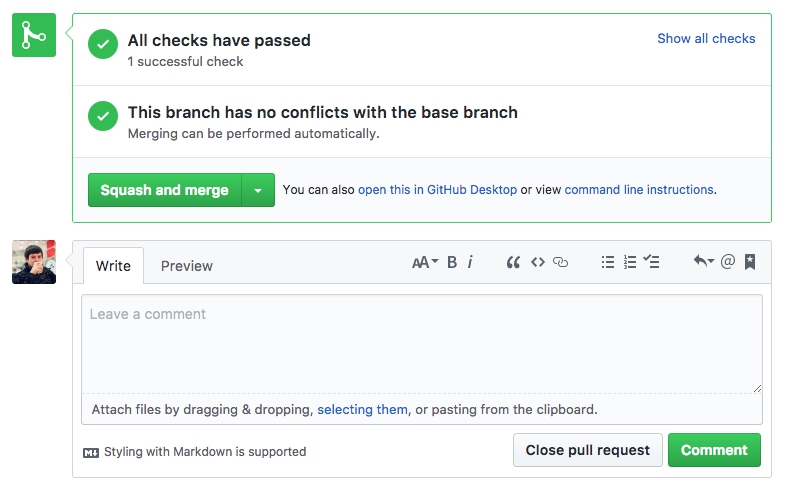
The branch is successfully stained and now you can proceed to installing the package (bundle).

5) Add the bundle to our project. To do this, go to the project folder and execute the command

The bundle was successfully installed using our recipe.
The recipe made the following changes to the project:
1) added a bundle to config / bundles.php
2) added environment variables to .env.dist
3) added the acme.yaml configuration file to config / packages /
Thank you for your attention.
I bring to your attention a brief article-instruction on the creation, configuration and use of private recipes. For this we need: a project, a repository with a bundle, a repository with our recipes.
The article contains many images, so I post links to repositories here, and I will take out the rest under the cat.
Bundle: symfony-acme-bundle
Recipes: symfony-recipes
So let's go.
1) Create a new project or use an existing one. The main condition is to have Symfony Flex installed. I decided to create a project from scratch.
To create a new project, use the command
composer create-project symfony/skeleton symfony-acme-projectThe project was successfully created, and in the installed packages we see symfony / flex.
2) Create a new bundle (symfony-acme-bundle) or use an existing one. I decided to create a simple bundle from scratch and register it at packagist.org. A link to the repository can be found at the beginning of the article. I omitted the processes of creating and registering the bundle, because there is nothing complicated in them.
3) Connect and configure Symfony Flex Server. To do this, go to the Symfony Recipes Server and click on the “register” link in the “Private Recipes BETA” section. You can also register through Symfony Flex Server .
Select our repository with recipes and click “Install”.
After that, we should see a congratulation page.
4) Create a recipe.
I divided this item into 2 parts. First we create a repository and then add a new recipe via pull request.
4.1) Create a new repository (symfony-recipes) and add the files: LICENSE, config.json, README.md (optional). A link to the repository can be found at the beginning of the article.
Config.json is very important to us, namely the data that it contains.
{
    "projects": {
        "01C1K60FQVPP7FN6C3YB6639RZ": "Symfony Acme Project"
    }
}
"01C1K60FQVPP7FN6C3YB6639RZ" is the ID of our Symfony project. You can find it in the composer.json file of the project created in paragraph 1.
{
    "extra": {
        "symfony": {
            "id": "01C1K60FQVPP7FN6C3YB6639RZ",
            "allow-contrib": false
        }
    }
}
or by executing the command in the project folder
composer config extra.symfony.id4.2) Add the recipe. To do this, create a new branch (add-acme-recipe) and add 3 files: manifest.json, post-install.txt and config / packages / acme.yaml. An important point is that the name of the folder with the recipe must match the name of the package (bundle) in packagist.org, and the versions must also match. In our case, this is "yurijbogdanov / acme-bundle" and version "1.0".
Example file contents:
yurijbogdanov / acme-bundle / 1.0 / manifest.json
{
    "bundles": {
        "Acme\\AcmeBundle": ["all"]
    },
    "copy-from-recipe": {
        "config/": "%CONFIG_DIR%/"
    },
    "env": {
        "ACME_FOO": "hello",
        "ACME_BAR": "world"
    }
}
yurijbogdanov / acme-bundle / 1.0 / post-install.txt
 Next: Configuration

  * Modify your ACME_FOO config in .env
  * Modify your ACME_BAR config in .env
  * Configure your parameters in config/packages/acme.yaml
yurijbogdanov / acme-bundle / 1.0 / config / packages / acme.yaml
acme:
    foo: hello
    bar: world
Next, add our branch with the recipe to the remote repository and make a pull request.
Now a few words why it’s better to add recipes via pull request, and not directly to master (even if you work alone).
Every time you make a pull request, your code will be checked by the symfony-flex-server bot and even the slightest deviations from the requirements will be recorded.
By clicking on the “Details” link, you can see exactly what errors were found by the bot.
If successful, you will see approve from the bot and you can make merge in master.
The branch is successfully stained and now you can proceed to installing the package (bundle).
5) Add the bundle to our project. To do this, go to the project folder and execute the command
composer require yurijbogdanov/acme-bundleThe bundle was successfully installed using our recipe.
Symfony operations: 1 recipe (7302152d871c6cc69ec5de45f91d1b38)
  - Configuring yurijbogdanov/acme-bundle (>=1.0): From github.com/yurijbogdanov/symfony-recipes:master
The recipe made the following changes to the project:
1) added a bundle to config / bundles.php
 ['all' => true],
    Acme\AcmeBundle::class => ['all' => true],
];
2) added environment variables to .env.dist
###> yurijbogdanov/acme-bundle ###
ACME_FOO=hello
ACME_BAR=world
###< yurijbogdanov/acme-bundle ###
3) added the acme.yaml configuration file to config / packages /
Thank you for your attention.









