
 May 30, 2017 at 12:28
Evaluating the effectiveness of Guetzli - optimization time and compression ratio
- Transfer

Images make the biggest contribution to web page size. According to many experts, image optimization, compression is the number one priority in the list of measures to accelerate website performance. For this, various compression methods can be used - with or without losses, as well as conversion to other formats - SVG or WebP.
As the topic of image optimization is still relevant, Google recently introduced a new open source image compression algorithm called Guetzli. In this article, we will figure out what it represents, how it works, and compare its performance with other widely used image compression algorithms.
What is Guetzli?
Guetzli is a cookie from German-speaking Swiss, a new JPEG compression algorithm promoted by Google. According to Google, Guetzli compresses images up to 35% more efficiently than other algorithms known today. Guetzli is similar to another Google algorithm, Zopfli, and also does not require users to change file formats.
To demonstrate the difference between the compression results of the Guetzli algorithm and the commonly used libjpeg, Google provides the following image:

On the left is the original image, in the center is compressed using libjpeg, on the right is Guetzli. As you can see, there are actually fewer artifacts in the image processed by Guetzli.
And now Google claims that it is possible to achieve a smaller image size without significant loss of quality, but the problem with Guetzli is that it requires much more time to process the image, and in addition, it does not create progressive JPEG. This may be crucial for you when choosing an image encoder, but it may not be, but in any case - below we have given some characteristics of the new encoder in comparison with the well-known and widely used ones.
How to compress images using Guetzli?
Before delving into the comparison, let's talk about how to use this algorithm for your purposes. There are several ways to do this:
Depending on your tasks, the installation process may vary. For the purposes of this article, Guetzli was installed using Homebrew according to the installation instructions for the Mac OS located on GitHub.
- Install Homebrew
- Enter
brew install guetzli
Guetzli versus lossy compression and WebP
The tests described below illustrate the difference in compression time and final file size for Guetzli, lossy compression and WebP format. For all cases, a quality parameter of 85 was set. The snippet for encoding with Guetzli looked like this:
time guetzli --quality 85 --verbose imagename.jpg output.jpgIt should be noted that the quality parameter of Guetzli cannot be lower than 84, therefore, if you need even more compression, you need to take another tool. Quality setting 85 was selected according to Google’s JPEG compression guidelines.
Reduce quality to 85 if higher. A higher quality setting leads to a rapid increase in file size, but the visual quality does not change much.
Optimus developer API was used for lossy compression and WebP format . To check the operation of the algorithms, we took 4 images:
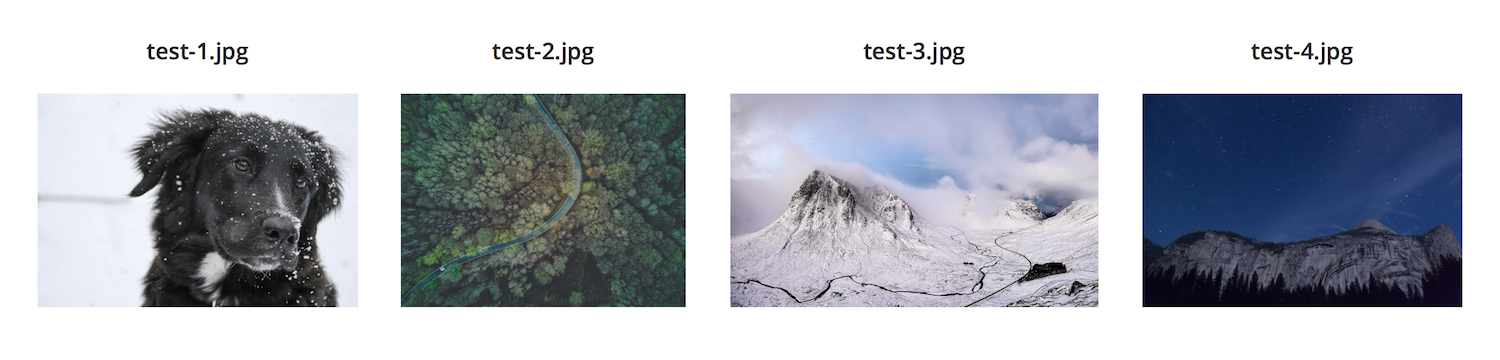
| File | The size | Guetzli | Losty | Webp |
|---|---|---|---|---|
| test-1.jpg | 712 Kb | 67 Kb / 38.30 s | 83 Kb / 2s | 53 Kb / 3c |
| test-2.jpg | 1.7 Mb | 231 Kb / 81s | 238 Kb / 4s | 254 Kb / 3s |
| test-3.jpg | 2.2 Mb | 346 Kb / 150s | 416 Kb / 4s | 344 Kb / 4s |
| test-4.jpg | 4.6 Mb | 478 Kb / 286s | 499 Kb / 5s | 322 Kb / 5s |
As can be seen from the results, the winner is WebP both in terms of compression speed and file size. With the exception of image number 2. The
average optimization time for these images using Guetzli was 2 minutes 31 seconds. Since Guetzli compresses more efficiently than lossy compression, it seems to be clear that it should spend more time on this. But WebP compresses even more efficiently and works tens of times faster. But WebP is changing the format of images, which is not always acceptable.
Pros and Cons of Guetzli
Based on the test results and on what features are built into Guetzli, we can say that the new encoder has both pros and cons. On the one hand, it actually encodes better than many other libraries, on the other hand, it requires an incomparably longer time.
Behind
- Creates smaller files than other lossy compression algorithms
- Saves the file type (unlike WebP, which changes the format and file extensions)
- Compatible with all browsers as the image remains in JPEG format
Against
- Works much slower than other compression algorithms
- WebP gives smaller files when compressed
- Doesn't support progressive JPEG
- Does not allow setting quality parameter below 84
Summary
On the other hand, tests show that WebP creates smaller files and takes tens of times less time to do this. Yes, it is not supported by all browsers, this is a minus, but there are ways to get around this problem. In particular, some WordPress plugins give those browsers that do not support WebP the original PNG or JPEG images.