Improvement of video surveillance system using OpenCV and Telegram bot
How it all started
It all started with the fact that I wanted to install a “smart” video surveillance system on Raspberry.
I want to note separately that for this I used several articles on Habré. Thanks to the authors for their posts. They really helped.
As a result, he installed a Logitech USB camera on the purchased Raspberry Pi3, mounted Yandex.Disk and took pictures with a frequency of 30 seconds, which he then copied to the folder on Yandex.Disk.
Having played with further archiving of files, mounting video from individual snapshots, I abandoned the new “toy” for several months.
Continuation of a story
While Raspberry was withdrawn from production, the thought of how to get rid of a large number of images that will be accumulated on Yandex.Disk while the solution was working was haunted. I wanted to optimize the implemented solution ...
Idea
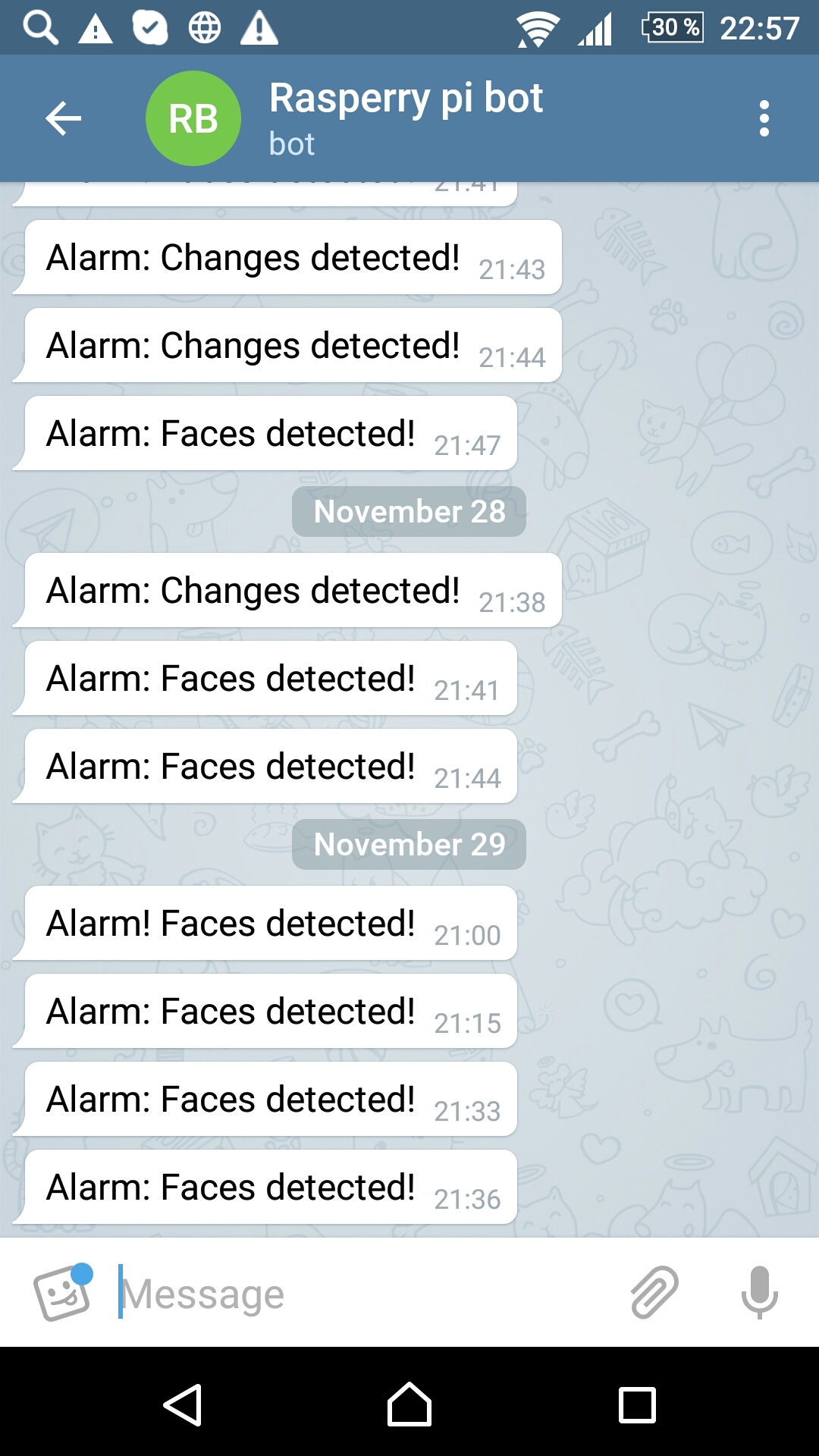
A little googling, he worked out such an improvement: to copy on Yandex.Disk only those images on which the presence of a person will be detected or the image in the picture will be changed, for example, the door is closed first and then opened. At the same time, send a notification when such events are detected using Telegram. Telegram was selected instead of mail, because provides real-time message delivery, plus, this is fashionable.
I decided to do development in Python and bash.
Implementation
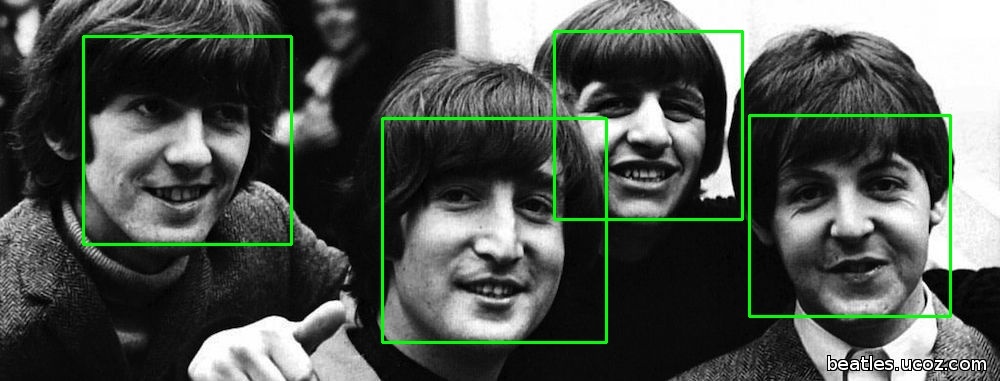
To detect the presence of a person, the OpenCV library was chosen, which, among other things, is able to determine the presence of an object in a picture, for example, a person’s face. This library also offers the implementation of a large number of Machine Learning algorithms.
Sample Python code below. I used one of the ready-made xml to determine the face (haarcascade_frontalface_default.xml).
import cv2
import sys
imagePath = sys.argv[1]
cascPath = sys.argv[2]
faceCascade = cv2.CascadeClassifier(cascPath)
image = cv2.imread(imagePath)
gray = cv2.cvtColor(image, cv2.COLOR_BGR2GRAY)
faces = faceCascade.detectMultiScale(
    gray,
    scaleFactor=1.3,
    minNeighbors=5,
    minSize=(30, 30),
    flags = cv2.cv.CV_HAAR_SCALE_IMAGE
)
if(len(faces)>0):
 print("Found {0} faces!".format(len(faces)))
else:
 print("Not found")
Determining the changes in the picture was not a completely trivial task, besides on Raspberry, I want to note that I have the latest version - Pi3, it takes some time to identify the difference (change) for two pictures. Rummaged on the Internet, found several different methods.
Immediately make a reservation that I used ready-made algorithms in Python, I only modified them a little, if necessary. Therefore, I did not cite the codes.
1. Started with the subtract function from the OpenCV library.
diff=cv2.subtract(img2,img1)2. I tried to determine the Euclidean and Manhattan distance using scipy.
3. Played with the PIL library.
After trying these options, I settled on determining the difference in file size between two images in percentage terms. Implemented this “approach” in a shell script. This method turned out to be the most productive of those tested, which is not surprising. Of course, there is no need to talk about high accuracy yet, but since my cron scheduler is set to periodically shoot every 30 seconds, I considered it too wasteful to allow the extra 7-8 seconds to detect the difference. I already have the face definition “eats up” for about 5 seconds (taking into account the low resolution of the shooting).
A small piece of shell script below.
f1=`stat -c%s "$prev_file"`
f2=`stat -c%s "$new_file"`
if [[ $f1 -le $f2 ]];then
 top=$f1
 base=$f2
else
 top=$f2
 base=$f1
fi
percentage=$(( (100-(100*top / base)) ))
echo "Difference is $percentage%"
if(($percentage >= $hurdle));then
 changed=0
 echo "Big change"
else
 echo "Small change"
fi
Telegram integration
Integration with Telegram is already quite described. I performed the necessary steps, registered the bot, received a token.
Then he wrote a small Python script that sends me a message from the created telegram bot. A message is one of the script parameters that I specify when it is called.
import sys
import telepot
bot = telepot.Bot('###############################')
#bot.getMe()
#from pprint import pprint
#response = bot.getUpdates()
#pprint(response)
#bot.sendMessage(########, 'Alarm from Telegram bot!')
bot.sendMessage(########, sys.argv[1])
Decision algorithm
The algorithm of the solution was implemented on a shell script that sequentially shoots, then analyzes if there are changes in the received images, reveals the face in the picture and sends a message from the Telegram bot with a specific message if a change is detected or a face is detected. If a person or change is detected, the file is copied to Yandex.Disk.
Below is the only part of the script that reflects the calls of python scripts.
#! /bin/bash
#...
face=$(python face_detect.py "$new_file" haarcascade_frontalface_default.xml 2>&1)
echo "$face"
if [[ $face != "Not found" ]];then
 ffound=0
 echo "Faces found"
else
 echo "Faces does not found"
fi
echo "----------"
echo "Changes: $changed"
echo "Faces found: $ffound"
echo "----------"
#=====================Processing=========================================
now=$(date +"%Y-%m-%d_%H%M")
# 1. Copy
if [ $changed == 0 ] || [ $ffound == 0 ];then
 cp "$new_file" "/home/pi/webcam/$now---$new_file" \
 &&  echo "File copied."
else
 echo "All Ok."
fi
# 2. Rename
cd /home/pi \
&& mv "$new_file" previous.jpg \
&& echo "File renamed."
# 3. Send telegram nessage
if [ $changed == 0 ] && [ $ffound == 0 ];then
 python send_telegram.py 'Alarm: Changes & Faces detected!' \
 && echo "Alarm: Changes & Faces detected!"
elif [ $changed == 1 ] && [ $ffound == 0 ];then
 python send_telegram.py 'Alarm: Faces detected!' \
 && echo "Alarm: Faces detected!"
elif [ $changed == 0 ] && [ $ffound == 1 ];then
 python send_telegram.py 'Alarm: Changes detected!' \
 && echo "Alarm: Changes detected!"
else
 echo "Nothing to send."
fi
#...
exit 0
results
Below I will present some results of the solution.
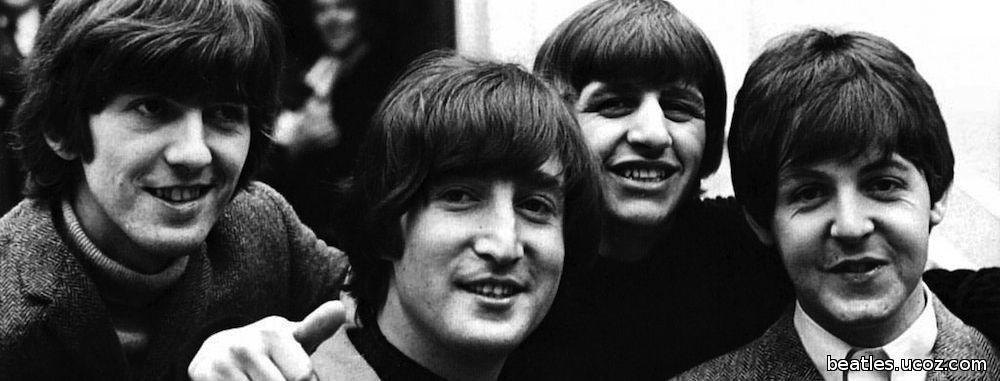
1. The results of determining the faces in the photo. He did not attach his photos.
2. Messages from the Telegram bot.
3. Photos on Yandex.Disk

Conclusions and next steps
Testing the new solution revealed a number of problems:
Identification of the face in the picture and change control - a thing that requires fine-tuning. I’ll have to tinker with this, so that, for example, my bot doesn’t spam me with messages about finding faces that a normal person would never consider to be a face.
In general, there is very little left to launch the idea in production.
1. install an infrared camera;
2. choose reliable change control methods;
3. And of course, configure the face detection parameters in the pictures.
Further research / testing of the solution will continue ...