One VC bot, one C # and an orange
- Tutorial
Continuing my experiments with a “smart” home, for fun, I decided to add a group to VK to control some of its characteristics. For this article, we specify the task: we will try to write in the language of a simple bot, which will respond on behalf of the community in VK, and consider how quickly it can be run on arm32 (in my case, orange pi zero).
So, decompose on shelves.
Go to the main part:
Run your favorite ide, create a console application on the net core.
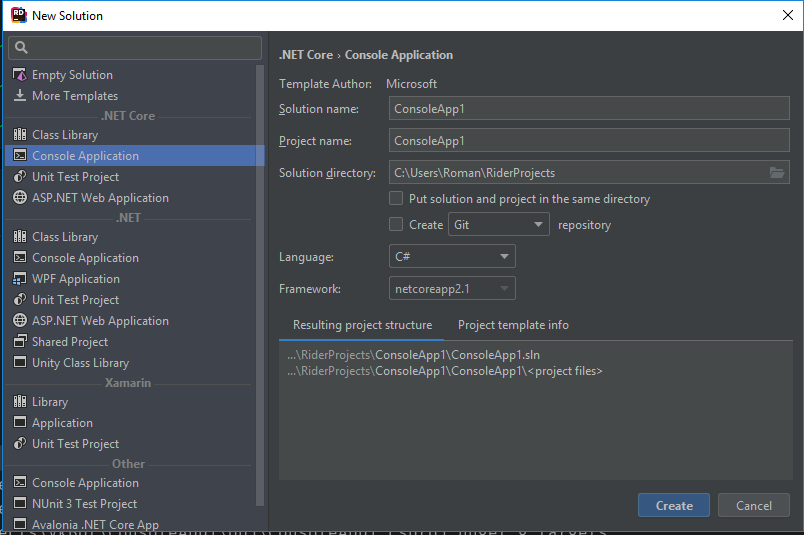
Add VkNet

Log in using our token:
And in an endless loop we will receive updates.
Check if something has come to us
For all received data, we will find out if any of this is a message, if so, then we will print its contents.
And answer the user with the same text
Collect the resulting code for our board
And we drag the necessary directory to the board. We go
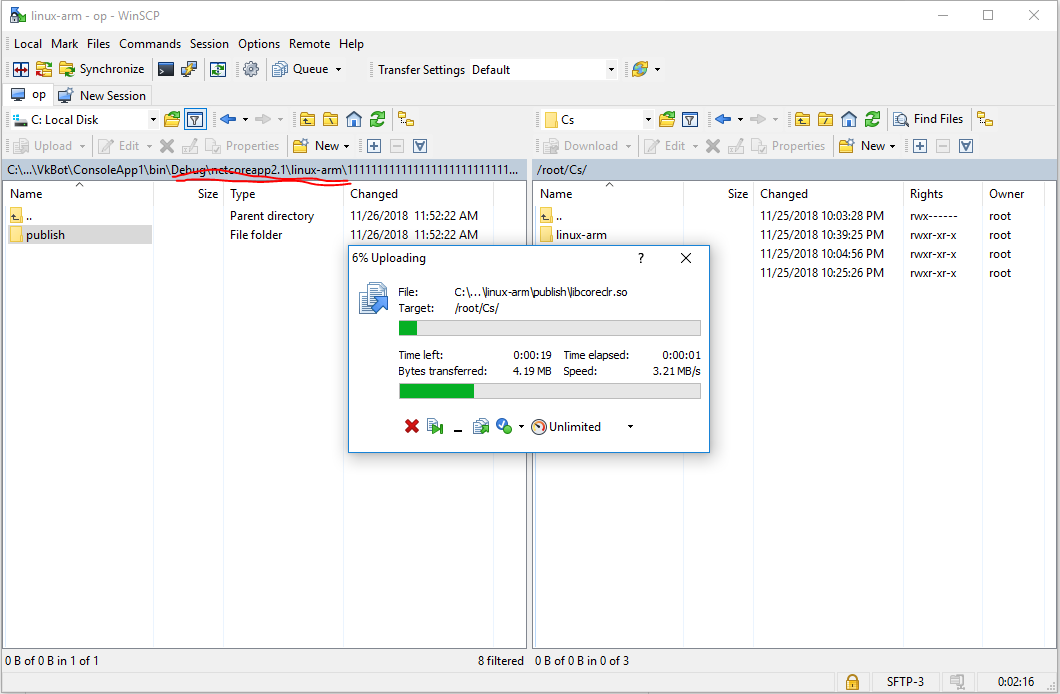
via ssh and run
Thought about the warmth
есть и много других вариантов ( к примеру поставить runtime), это один из них
So, decompose on shelves.
Create an application in VC
Вот тут подробная документация
- Для создания бота идем сюда
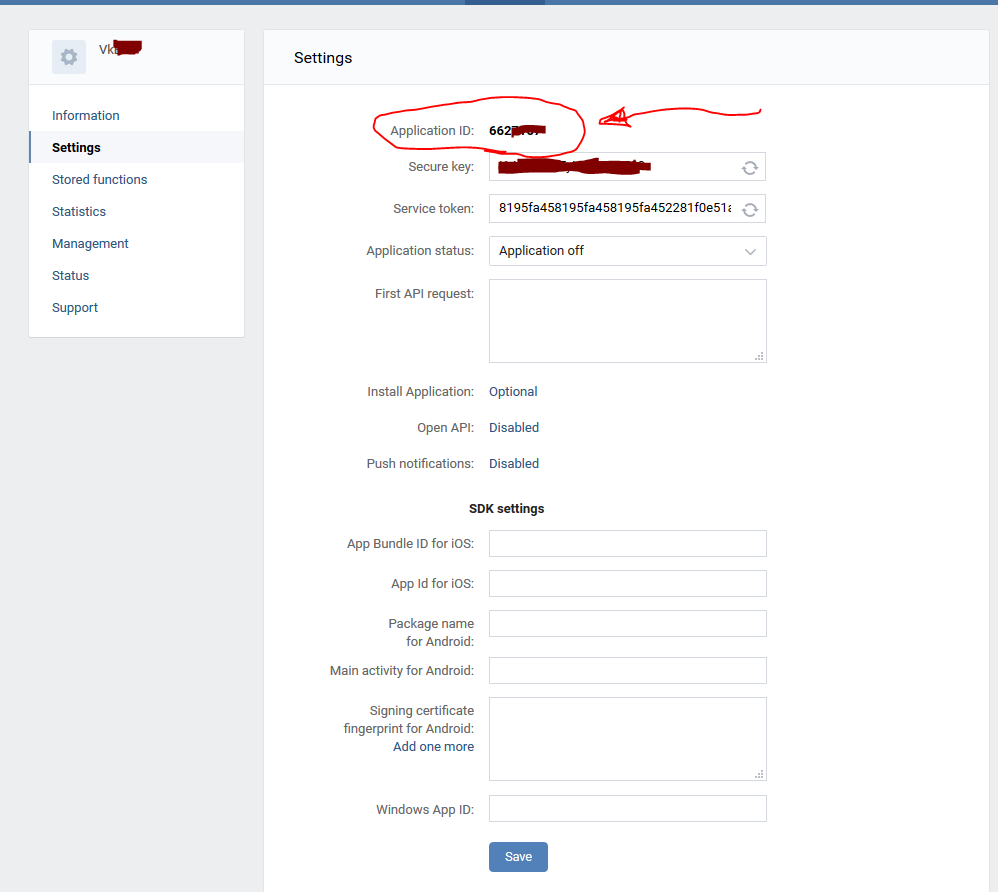
Нажимаем «создать приложение» и выбираем «Standalone Application». - Теперь переходим в управление и во вкладке Application Id запоминаем его Id. Оно нам дальше пригодится.
We get a token for working with groups
- Отправляем запрос, просто вставляя в браузерную строку:
https://oauth.vk.com/authorize?client_id=YOURAPPID&group_ids=YOURGROUPID6&display=page&scope=messages,wall,manage&response_type=token&v=5.92
где YOURAPPID — id приложения, что мы нашли в предыдущем спойлере, а YOURGROUPID id — вашего сообщества. - Даем доступ приложению
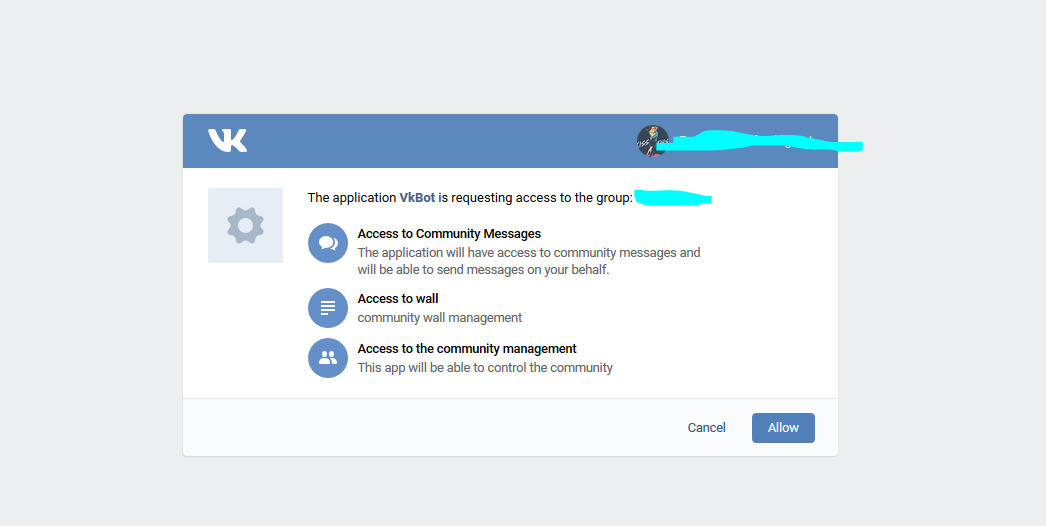
- И получаем такой ответ
https://oauth.vk.com/blank.html#expires_in=0&access_token_YOURGROUPID=YOURTOKEN
Где токен будет очень длинной комбинацией латинских букв и цифр
Easier we get the token
- Заходим в увправление сообществом
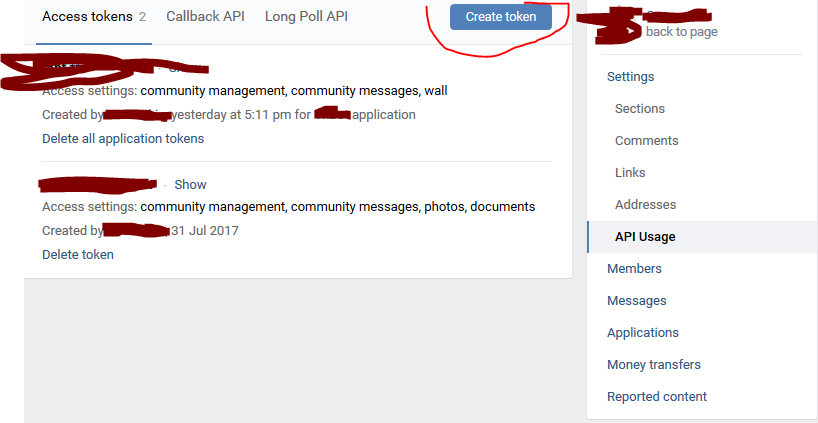
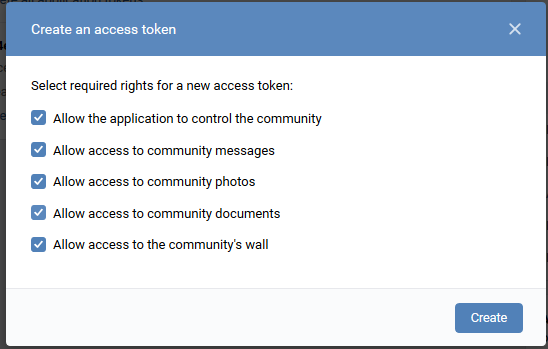
Set up a community to work with long poll
- Идем во вкладку управления нашим сообществом.
- Api Usage и в нем LongPoll Api
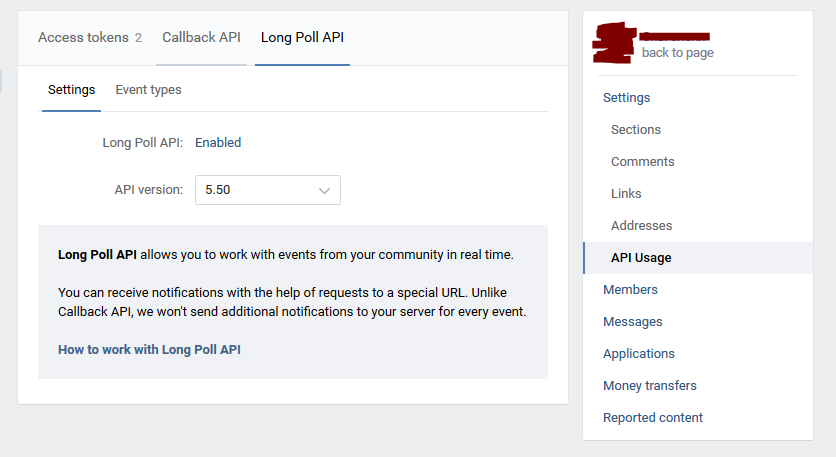
- Event types (события), в них отмечаем нужные, для тестов я бы отметил все.
Go to the main part:
Run your favorite ide, create a console application on the net core.
Add VkNet
spoiler
К сожалению на вики документация немного устарела. Одна из причин создания этого гайда.
Но есть отличная поддержка здесь.
Но есть отличная поддержка здесь.
Log in using our token:
var api = new VkApi();
api.Authorize(new ApiAuthParams(){AccessToken =MyAppToken });
And in an endless loop we will receive updates.
while (true)
  {
      var s = api.Groups.GetLongPollServer(MyGroupId);
      var poll = api.Groups.GetBotsLongPollHistory(
              new BotsLongPollHistoryParams()
             {Server = s.Server, Ts = s.Ts, Key = s.Key, Wait = 1});
 }
Check if something has come to us
if(poll?.Updates== null) continue;For all received data, we will find out if any of this is a message, if so, then we will print its contents.
foreach (var a in poll.Updates)
  {
      if (a.Type == GroupUpdateType.MessageNew)
    {
        Console.WriteLine(a.Message.Body);
      }
   }
And answer the user with the same text
 api.Messages.Send(new MessagesSendParams()
{
     UserId = a.Message.UserId,
     Message = a.Message.Body
});
Received code
classProgram
    {
        publicstaticstring MyAppToken =>
            "f6bf5e26*************************************************************";
        publicstaticulong MyGroupId => 10******;
        staticvoidMain(string[] args)
        {
            var api = new VkApi();
            api.Authorize(new ApiAuthParams(){AccessToken =MyAppToken });
            while (true)
            {
                var s = api.Groups.GetLongPollServer(MyGroupId);
                var poll = api.Groups.GetBotsLongPollHistory(
                                      new BotsLongPollHistoryParams()
                    {Server = s.Server, Ts = s.Ts, Key = s.Key, Wait = 1});
                if(poll?.Updates== null) continue;
                  foreach (var a in poll.Updates)
                  {
                      if (a.Type == GroupUpdateType.MessageNew)
                      {
                          Console.WriteLine(a.Message.Body);
                          api.Messages.Send(new MessagesSendParams()
                          {
                              UserId = a.Message.UserId,
                              Message = a.Message.Body
                          });
                      }
                  }
            }
        }
    }
Collect the resulting code for our board
dotnet publish . -r linux-armAnd we drag the necessary directory to the board. We go
via ssh and run
chmod +x ConsoleApp1
./ConsoleApp1
Result
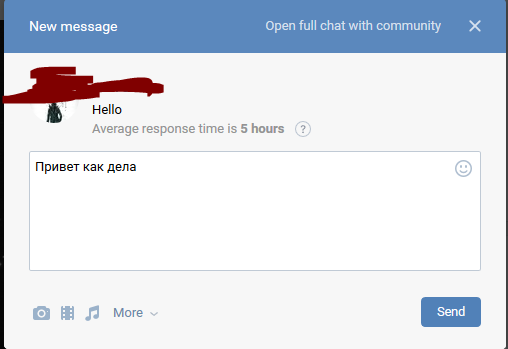
Отправляем сообщение
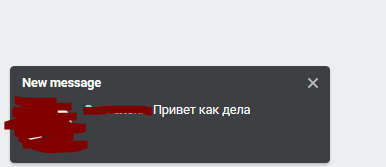
Получаем сообщение в консоли

Получаем ответ
Диалог
Получаем сообщение в консоли
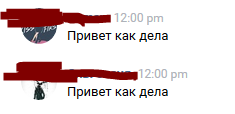
Получаем ответ
Диалог