July 24, 2016 at 18:59
Simple sweet apps with Kivy

After an unsuccessful attempt of the first version of the article, when the material was mined due to the monstrous design of the sample program provided in the article (the article had to be deleted), I took into account all the disadvantages and cite a later version of the test application.
Perhaps it will be news for you, but developing mobile applications with functionality that is available to Java developers for Android using the Kivy framework is not just simple, but very simple! This is exactly the rule I adhere to when creating my projects with Python + Kivy - development should be as simple and fast as possible. Like a snap of fingers.
The information given is not intended for beginners; I will not explain on fingers what, where and where. I think those who read this article have sufficient knowledge to understand the material. In addition, Kivy, as I just wrote, a very simple framework and all the documentation with examples of use is in the source!
In the last article , several screens of the Clean Master application in the implementation on Kivy were considered. Today I will show you one of the draft applications that I work on in my free time.
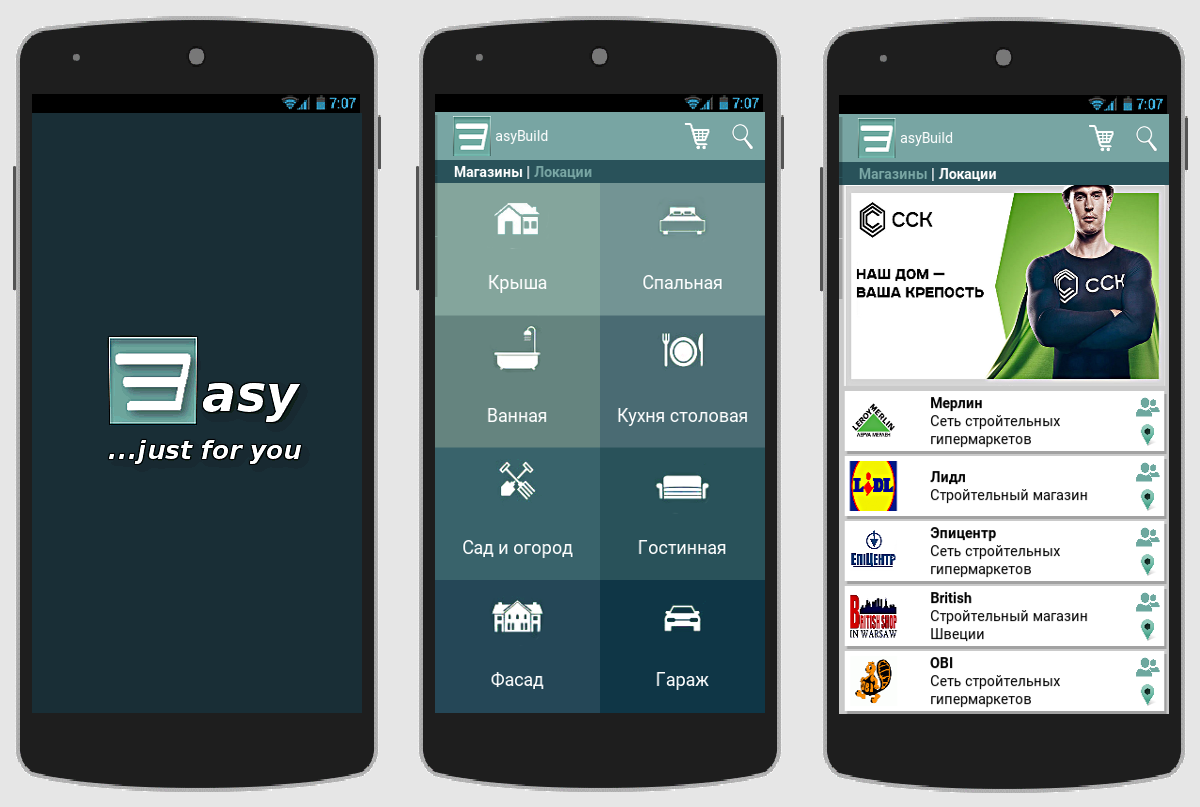
They say that Kivy is suitable only for well-made crafts, and it’s impossible to make a serious application with it. I hasten to please you (or upset) - so say those who do not know how to cook this fruit (Kivy).
But we can and we will need: coffee-cigarettes, a terrarium with a third Python, or a bird, or a fruit - Kivy and a few brains. The presence of the latter is welcome! We go to github and download the Wizard for creating a new project for the Kivy + Python3 framework (yes, I completely refused to use Python2, which I advise you). Unpack, go to the folder with the wizard and run:
python3 main.py name_project path_to_project -repo repo_project_on_githubif the project has a github repository.
Or
python3 main.py name_project path_to_projectif no github repository is available.
In this case, after creating, open the main.py project file and edit, manually send the bug report function.
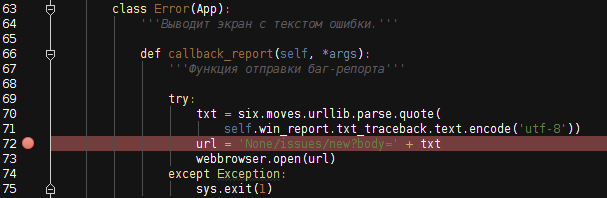
So, as a result, we get the default Kivy project with the following directory structure:
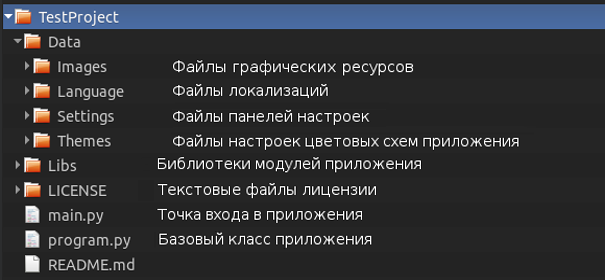
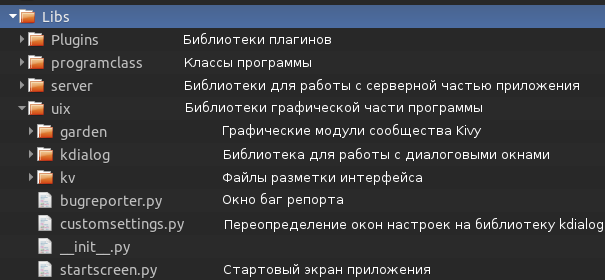
Separately, you should consider the Libs directory:
Other project directories do not need comments. The created project will have two screens - the main and the settings screen:
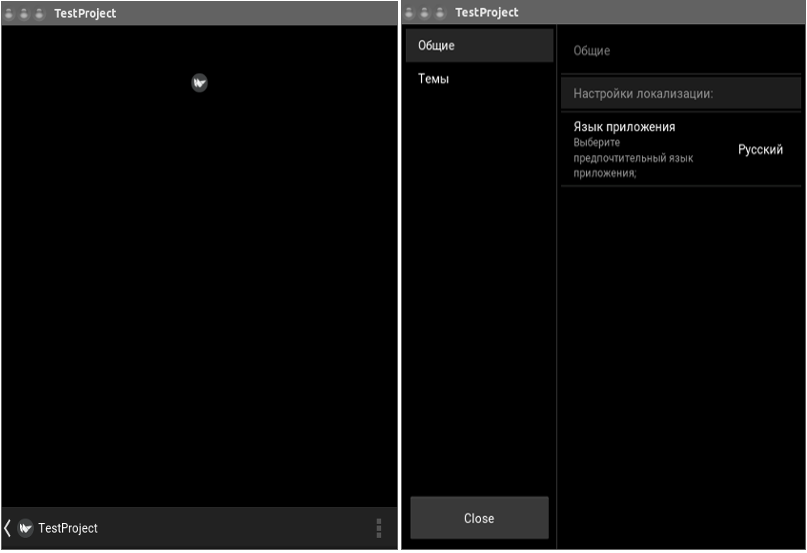
All we need is to use our main screen, that is, replace the startscreen.py file in the Libs / uix directory, create a new startscreen.kv screen layout file in the Libs / uix / kv folder, edit the base class program.py, well, and add new imports and companion classes, if any.
Let's start with the custom buttons that are used in our main screen:

Yes, in Kivy itself there are not many standard elements for building the interface design that are in Java, but Kivy allows you to design and animate absolutely any widget that you need yourself. It all depends on the boundaries of your imagination.
Create a custombutton.py file in the Libs / uix directory and define the class of our button in it:
import os
from kivy.uix.boxlayout import BoxLayout
from kivy.uix.button import Button
from kivy.lang import Builder
from kivy.properties import StringProperty, ObjectProperty, ListProperty
from . imagebutton import ImageButton
root = os.path.split(__file__)[0]
Builder.load_file('{}/kv/custombutton.kv'.format(
    root if root != '' else os.getcwd())
)
class CustomButton(BoxLayout, Button):
    icon = StringProperty('')
    icon_map = StringProperty('')
    icon_people = StringProperty('')
    text = StringProperty('')
    button_color = ListProperty([0, 0, 0, .2])
    text_color = ListProperty([0, 0, 0, .1])
    events_callback = ObjectProperty(None)
Button layout in the Libs / uix / kv directory - custombutton.kv file:
#:kivy 1.9.1
:
    id: root.text
    padding: 5
    size_hint_y: None
    height: 60
    on_release: root.events_callback(root.text)
    canvas:
        # Цвет кнопки
        Color:
            rgba: root.button_color
        Rectangle:
            pos: self.x + 2.5, self.y - 3
            size: self.size
        # Тень кнопки
        Color:
            rgba: [1, 1, 1, 1]
        Rectangle:
            pos: self.pos
            size: self.size
    Image:
        source: root.icon
        size_hint: .2, 1
    Label:
        markup: True
        text: root.text
        text_size: self.width - 70, None
        color: root.text_color
    BoxLayout:
        orientation: 'vertical'
        size_hint: .1, 1
        spacing: 6
        ImageButton:
            source: root.icon_people
            on_release: root.events_callback({'people': root.text})
        ImageButton:
            source: root.icon_map
            on_release: root.events_callback({'map': root.text})
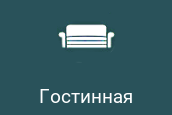
Custom button for the location screen:
import os
from kivy.uix.boxlayout import BoxLayout
from kivy.lang import Builder
from kivy.properties import ListProperty, StringProperty, ObjectProperty
root = os.path.split(__file__)[0]
Builder.load_file('{}/kv/custommenu.kv'.format(
    root if root != '' else os.getcwd())
)
class CustomMenuItem(BoxLayout):
    background_item = ListProperty([.1, .1, .1, 1])
    text_color = ListProperty([.1, .1, .1, 1])
    icon_item = StringProperty('')
    text_item = StringProperty('')
    id_item = StringProperty('')
events_callback = ObjectProperty(None)#:kivy 1.9.1
#:import ImageButton Libs.uix.imagebutton.ImageButton
:
orientation: 'vertical'
canvas:
Color:
rgba: root.background_item
Rectangle:
pos: self.pos
size: self.size
ImageButton:
source: root.icon_item
on_release: root.events_callback(root.id_item.split('.')[0])
Label:
text: root.text_item
color: root.text_color
font_size: '19sp' We will also use the ImageButton class - a button with an image - for banners. Since the class is UI, I placed the imagebutton.py file in the Libs / uix directory:
from kivy.uix.image import Image
from kivy.uix.behaviors import ButtonBehavior
class ImageButton(ButtonBehavior, Image):
    pass
Next, we need a class for changing advertising banners on the main screen of the program. For this test application example, posters with advertising banners are placed in the local folder of the project. Create the show_banners.py file in the class directory of the Libs / programclass application:
import os
from kivy.uix.boxlayout import BoxLayout
from Libs.uix.imagebutton import ImageButton
class ShowBanners(object):
    '''Меняет и выводит на главном экране рекламные баннеры.'''
    def __init__(self):
        self.banner_list = os.listdir(
            '{}/Data/Images/banners'.format(self.directory)
        )
        # Направление смены слайдов баннеров.
        self.directions = ('up', 'down', 'left', 'right')
    def show_banners(self, interval):
        if self.screen.ids.screen_manager.current == '':
            name_banner = self.choice(self.banner_list)
            box_banner = BoxLayout()
            new_banner = ImageButton(
                id=name_banner.split('.')[0],
                source='Data/Images/banners/{}'.format(name_banner),
                on_release=self.press_banner
            )
            box_banner.add_widget(new_banner)
            name_screen = name_banner
            banner = self.Screen(name=name_screen)
            banner.add_widget(box_banner)
            self.screen.ids.banner_manager.add_widget(banner)
            effect = self.choice(self.effects_transition)
            direction = self.choice(self.directions)
            if effect != self.SwapTransition:
                self.screen.ids.banner_manager.transition = effect(
                    direction=direction
                )
            else:
                self.screen.ids.banner_manager.transition = effect()
            self.screen.ids.banner_manager.current = name_screen
            self.screen.ids.banner_manager.screens.pop()
    def press_banner(self, instance_banner):
        if isinstance(instance_banner, str):
            print(instance_banner)
        else:
            print(instance_banner.id)
This class simply changes screens with banners by setting them in the banner_manager screen manager:

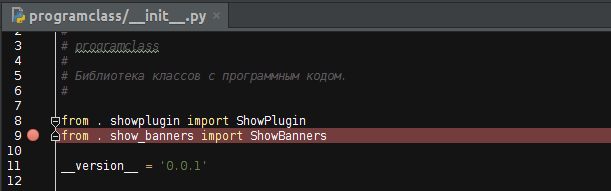
Do not forget to add the import of the created class to the classclass programclass in the initialization file:
We import a set of shaders for poster change animations in the base program.py file:

Implementation of the main screen of the application:
import os
from kivy.uix.boxlayout import BoxLayout
from kivy.lang import Builder
from kivy.properties import ObjectProperty, ListProperty, StringProperty
from Libs.uix.custombutton import CustomButton
root = os.path.split(__file__)[0]
root = root if root != '' else os.getcwd()
class StartScreen(BoxLayout):
    events_callback = ObjectProperty(None)
    '''Функция обработки сигналов экрана.'''
    core = ObjectProperty(None)
    '''module 'Libs.programdata' '''
    color_action_bar = ListProperty(
        [0.4, 0.11764705882352941, 0.2901960784313726, 0.5607843137254902]
    )
    '''Цвет ActionBar.'''
    color_body_program = ListProperty(
        [0.15294117647058825, 0.0392156862745098, 0.11764705882352941, 1]
    )
    '''Цвет фона экранов программы.'''
    color_tabbed_panel = ListProperty(
        [0.15294117647058825, 0.0392156862745098, 0.11764705882352941, 1]
    )
    '''Цвет фона tabbed panel.'''
    title_previous = StringProperty('')
    '''Заголовок ActionBar.'''
    tabbed_text = StringProperty('')
    '''Текст пунктов кастомной tabbed panel.'''
    Builder.load_file('{}/kv/startscreen.kv'.format(root))
    def __init__(self, **kvargs):
        super(StartScreen, self).__init__(**kvargs)
        self.ids.custom_tabbed.bind(on_ref_press=self.events_callback)
        # Cписок магазинов.
        for name_shop in self.core.dict_shops.keys():
            self.ids.shops_list.add_widget(
                CustomButton(
                    text=self.core.dict_shops[name_shop],
                    icon='Data/Images/shops/{}.png'.format(name_shop),
                    icon_people='Data/Images/people.png',
                    icon_map='Data/Images/mapmarker.png',
                    events_callback=self.events_callback,
                )
)#: kivy 1.9.1
#: import StiffScrollEffect Libs.uix.garden.stiffscroll.StiffScrollEffect
orientation: 'vertical'
canvas:
Color:
rgb: root.color_body_program
Rectangle:
pos: self.pos
size: self.size
ActionBar:
id: action_bar
canvas:
Color:
rgb: root.color_action_bar
Rectangle:
pos: self.pos
size: self.size
ActionView:
id: action_view
ActionPrevious:
id: action_previous
app_icon: 'Data/Images/logo.png'
title: root.title_previous
with_previous: False
on_release: root.events_callback('navigation_drawer')
ActionButton:
icon: 'Data/Images/trash_empty.png'
ActionButton:
icon: 'Data/Images/search.png'
Label:
id: custom_tabbed
text: root.tabbed_text
bold: True
markup: True
size_hint: 1, .35
text_size: self.width - 40, None
canvas.before:
Color:
rgb: root.color_tabbed_panel
Rectangle:
pos: self.pos
size: self.size
ScreenManager:
id: screen_manager
size_hint: 1, 8
Screen:
ScreenManager:
id: banner_manager
size_hint: 1, .38
pos_hint: {'top': 1}
ScrollView:
effect_cls: StiffScrollEffect
size_hint_y: None
height: root.height // 1.8
pos_hint: {'top': .62}
GridLayout:
id: shops_list
cols: 1
spacing: 5
padding: 5
size_hint_y: None
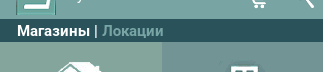
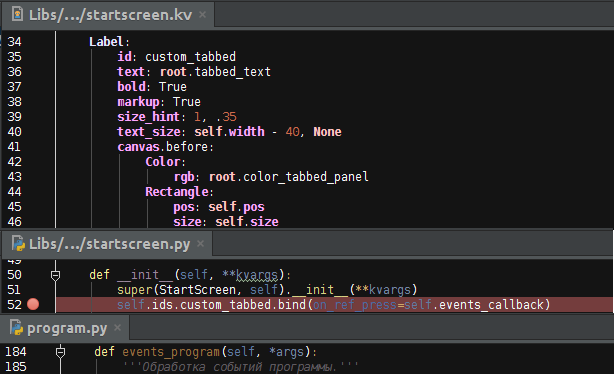
height: self.minimum_height As you can see, I do not use TabbedPanel, since I consider its standard implementation in Android not too beautiful. It has been replaced by Label + ref:
Base class Program:
import os
import sys
from random import choice
from kivy.app import App
from kivy.uix.screenmanager import Screen, SlideTransition, SwapTransition
from kivy.core.window import Window
from kivy.config import ConfigParser
from kivy.clock import Clock
from kivy.utils import get_hex_from_color, get_color_from_hex
from kivy.properties import ObjectProperty, NumericProperty
from Libs.uix.kdialog import KDialog, BDialog, Dialog
from Libs.uix.startscreen import StartScreen
from Libs.uix.custommenu import CustomMenuItem
from Libs.uix.navigationmenu import NavigationMenu
from Libs.uix.garden.navigationdrawer import NavigationDrawer
# Классы программы.
from Libs import programclass as prog_class
from Libs import programdata as core
from Libs.manifest import Manifest
# Графика для диалоговых окон.
Dialog.background_image_buttons = core.image_buttons
Dialog.background_image_shadows = core.image_shadows
Dialog.background = core.decorator
class Program(App, prog_class.ShowPlugin, prog_class.ShowBanners,
              prog_class.SearchShop, prog_class.ShowLicense,
              prog_class.ShowLocations):
    '''Функционал программы.'''
    start_screen = ObjectProperty(None)
    ''':attr:`start_screen` is a :class:`~Libs.uix.startscreen.StartScreen`'''
    screen = ObjectProperty(None)
    ''':attr:`screen` is a :class:`~Libs.uix.startscreen.StartScreen`'''
    window_text_size = NumericProperty(15)
    def __init__(self, **kvargs):
        super(Program, self).__init__(**kvargs)
        Window.bind(on_keyboard=self.events_program)
        # Для области видимомти в programclass.
        self.Screen = Screen
        self.Clock = Clock
        self.CustomMenuItem = CustomMenuItem
        self.KDialog = KDialog
        self.BDialog = BDialog
        self.Manifest = Manifest
        self.SwapTransition = SwapTransition
        self.choice = choice
        self.get_color_from_hex = get_color_from_hex
        self.get_hex_from_color = get_hex_from_color
        self.core = core
        self.name_program = core.string_lang_title
        self.navigation_drawer = NavigationDrawer(side_panel_width=230)
        self.current_open_tab = core.string_lang_tabbed_menu_shops
        self.shop = False  # выбранный магазин
        self.open_dialog = False  # открыто диалоговое окно
        self.effects_transition = (SlideTransition, SwapTransition)
        # Список магазинов.
        self.shops = core.dict_shops.keys()
        # Список локаций.
        self.locations = [
            location.split('.')[0].lower() for location in os.listdir(
                '{}/Data/Images/locations'.format(core.prog_path))]
    def build_config(self, config):
        config.adddefaultsection('General')
        config.setdefault('General', 'language', 'Русский')
        config.setdefault('General', 'theme', 'default')
    def build(self):
        self.title = self.name_program  # заголовок окна программы
        self.icon = 'Data/Images/logo.png'  # иконка окна программы
        self.use_kivy_settings = False
        self.config = ConfigParser()
        self.config.read('{}/program.ini'.format(core.prog_path))
        self.set_var_from_file_settings()
        # Главный экран программы.
        self.start_screen = StartScreen(
            color_action_bar=core.color_action_bar,
            color_body_program=core.color_body_program,
            color_tabbed_panel=core.color_tabbed_panel,
            tabbed_text=core.string_lang_tabbed_menu.format(
                TEXT_SHOPS=core.string_lang_tabbed_menu_shops,
                TEXT_LOCATIONS=core.string_lang_tabbed_menu_locations,
                COLOR_TEXT_SHOPS=get_hex_from_color(core.color_action_bar),
                COLOR_TEXT_LOCATIONS=core.theme_text_color),
            title_previous=self.name_program[1:],
            events_callback=self.events_program, core=core
        )
        self.screen = self.start_screen
        navigation_panel = NavigationMenu(
            events_callback=self.events_program,
            items=core.dict_navigation_items
        )
        Clock.schedule_interval(self.show_banners, 4)
        self.navigation_drawer.add_widget(navigation_panel)
        self.navigation_drawer.anim_type = 'slide_above_anim'
        self.navigation_drawer.add_widget(self.start_screen)
        return self.navigation_drawer
    def set_var_from_file_settings(self):
        '''Установка значений переменных из файла настроек program.ini.'''
        self.language = core.select_locale[
            self.config.get('General', 'language')
        ]
    def set_current_item_tabbed_panel(self, color_current_tab, color_tab):
        self.screen.ids.custom_tabbed.text = \
            core.string_lang_tabbed_menu.format(
                TEXT_SHOPS=core.string_lang_tabbed_menu_shops,
                TEXT_LOCATIONS=core.string_lang_tabbed_menu_locations,
                COLOR_TEXT_SHOPS=color_tab,
                COLOR_TEXT_LOCATIONS=color_current_tab
            )
    def events_program(self, *args):
        '''Обработка событий программы.'''
        if self.navigation_drawer.state == 'open':
            self.navigation_drawer.anim_to_state('closed')
        if len(args) == 2:  # нажата ссылка
            event = args[1]
        else:  # нажата кнопка программы
            try:
                _args = args[0]
                event = _args if isinstance(_args, str) else _args.id
            except AttributeError:  # нажата кнопка девайса
                event = args[1]
        if core.PY2:
            if isinstance(event, unicode):
                event = event.encode('utf-8')
        if event == core.string_lang_settings:
            pass
        elif event == core.string_lang_exit_key:
            self.exit_program()
        elif event == core.string_lang_license:
            self.show_license()
        elif event == core.string_lang_plugin:
            self.show_plugins()
        elif event in self.locations:
            print(event)
        elif event == 'search_shop':
            self.search_shop()
        elif event == 'navigation_drawer':
            self.navigation_drawer.toggle_state()
        elif event == core.string_lang_tabbed_menu_locations:
            self.show_locations()
        elif event == core.string_lang_tabbed_menu_shops:
            self.back_screen(event)
        elif event == 'obi_banner':
            self.press_banner(event)
        elif event in (1001, 27):
            self.back_screen(event)
        elif event in self.shops:
            print(event)
        return True
    def back_screen(self, event):
        '''Менеджер экранов.'''
        # Нажата BackKey на главном экране.
        if self.screen.ids.screen_manager.current == '':
            if event in (1001, 27):
                self.exit_program()
            return
        if len(self.screen.ids.screen_manager.screens) != 1:
            self.screen.ids.screen_manager.screens.pop()
        self.screen.ids.screen_manager.current = \
            self.screen.ids.screen_manager.screen_names[-1]
        # Устанавливаем имя предыдущего экрана.
        #self.screen.ids.action_previous.title =  self.screen.ids.screen_manager.current
        # Устанавливаем активный пункт в item_tabbed_panel.
        self.set_current_item_tabbed_panel(
                core.theme_text_color, get_hex_from_color(core.color_action_bar)
        )
    def exit_program(self, *args):
        def dismiss(*args):
            self.open_dialog = False
        def answer_callback(answer):
            if answer == core.string_lang_yes:
                sys.exit(0)
            dismiss()
        if not self.open_dialog:
            KDialog(answer_callback=answer_callback, on_dismiss=dismiss,
                    separator_color=core.separator_color,
                    title_color=get_color_from_hex(core.theme_text_black_color),
                    title=self.name_program).show(
                text=core.string_lang_exit.format(core.theme_text_black_color),
                text_button_ok=core.string_lang_yes,
                text_button_no=core.string_lang_no, param='query',
                auto_dismiss=True
            )
            self.open_dialog = True
    def on_pause(self):
        '''Ставит приложение на 'паузу' при выхоже из него.
        В противном случае запускает программу заново'''
        return True
    def on_resume(self):
        print('on_resume')
    def on_stop(self):
        print('on_stop')
Leaving the localization file (Data / Language / russian.txt), packaging of graphic resources, the color scheme of the application in the file Data / Themes / default / default.ini, creating data in programdata.py, the Navigation Drawer menu, all this simple little things, run a test example:
python3 main.py... and we get this picture:
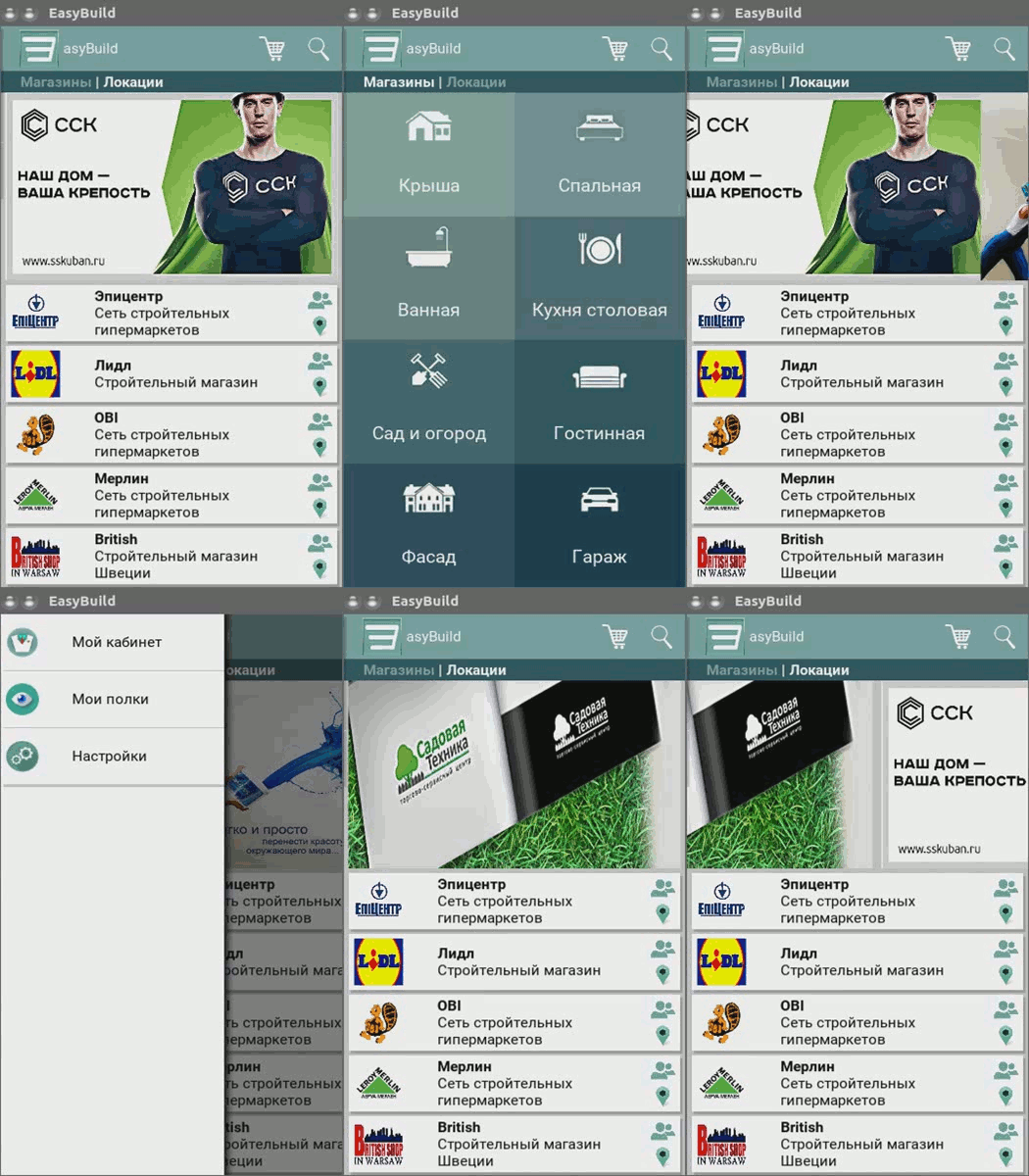
Due to the poor quality of gifs, screen animations are poorly visible, but this is not so important. Those who will test the example from the project sources on devices will immediately highlight the flaws: I have not yet implemented an algorithm by which the sizes of advertising banners will be adjusted to all screen resolutions without distorting the proportions; also, due to the lack of the ability to test the application, although the emulator could not find the optimal font size in the program, there is no button animation, the library is lame for working with kdialog dialog boxes, as it is still under development.
But despite all this, I think this article will be useful for those who, like me, love and use such a wonderful framework like Kivy!