
How to share one tablet with all family members and children?
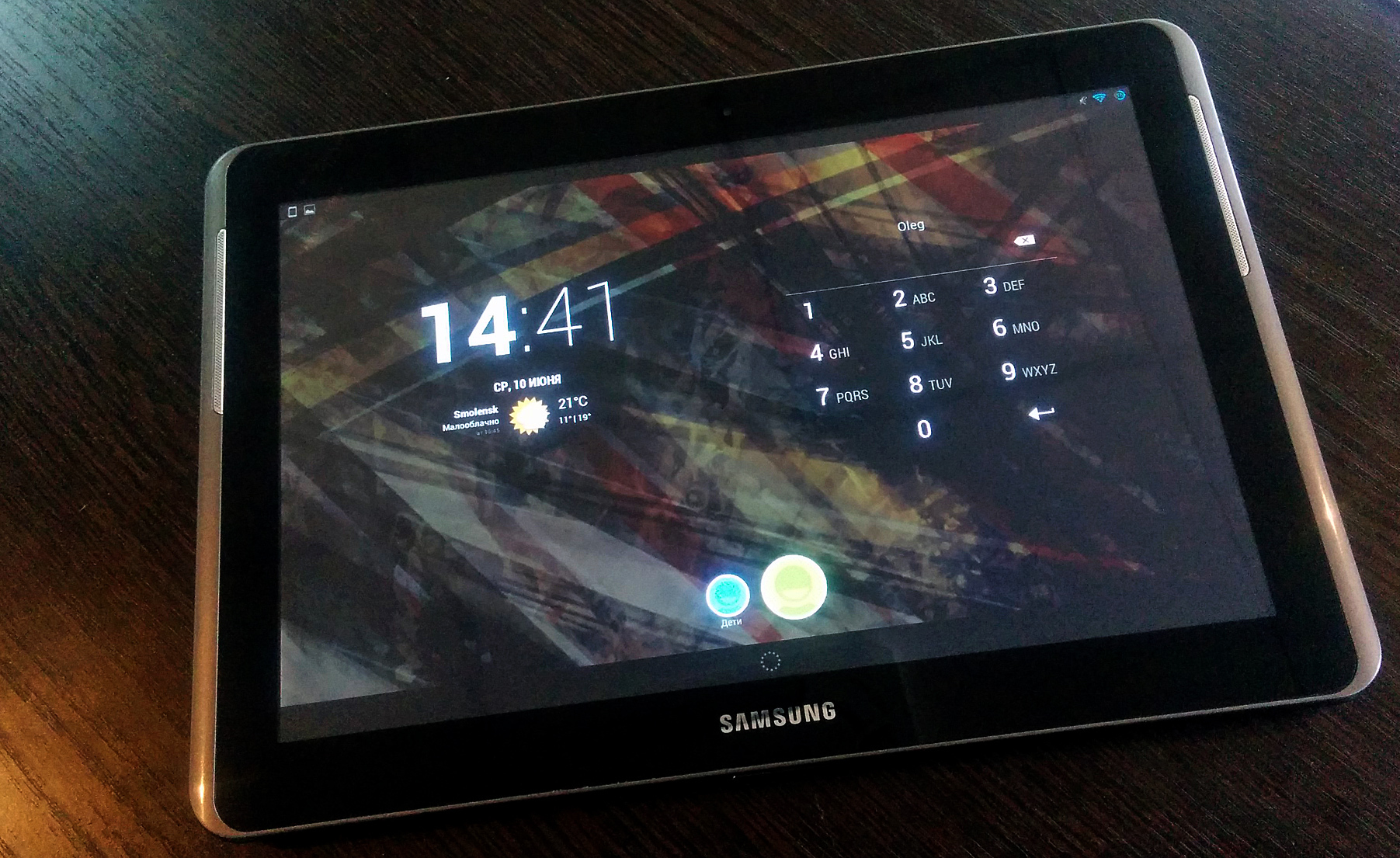
My family has one Android tablet and two children (3 and 6 years old). Until a certain point in time, the interests of children and mine did not overlap in games. Children played children's educational games, and I casual and farm. But the children grew up and they became interested in my games. They wanted to build their cities and farms, and I mine. I did not want to buy a new tablet so that everyone could play the same game but develop it in their own way. There were also applications on the tablet in which children could do something (mail, readers, browser, file managers, social networks, etc.). I did not want them to have access to them. Therefore, I will talk about the solution that I applied as a result of which everyone was satisfied and everyone can play the same game on the same tablet.
Details under the cut ...
Android 4.4 has a great opportunity - multiple users on the same device.
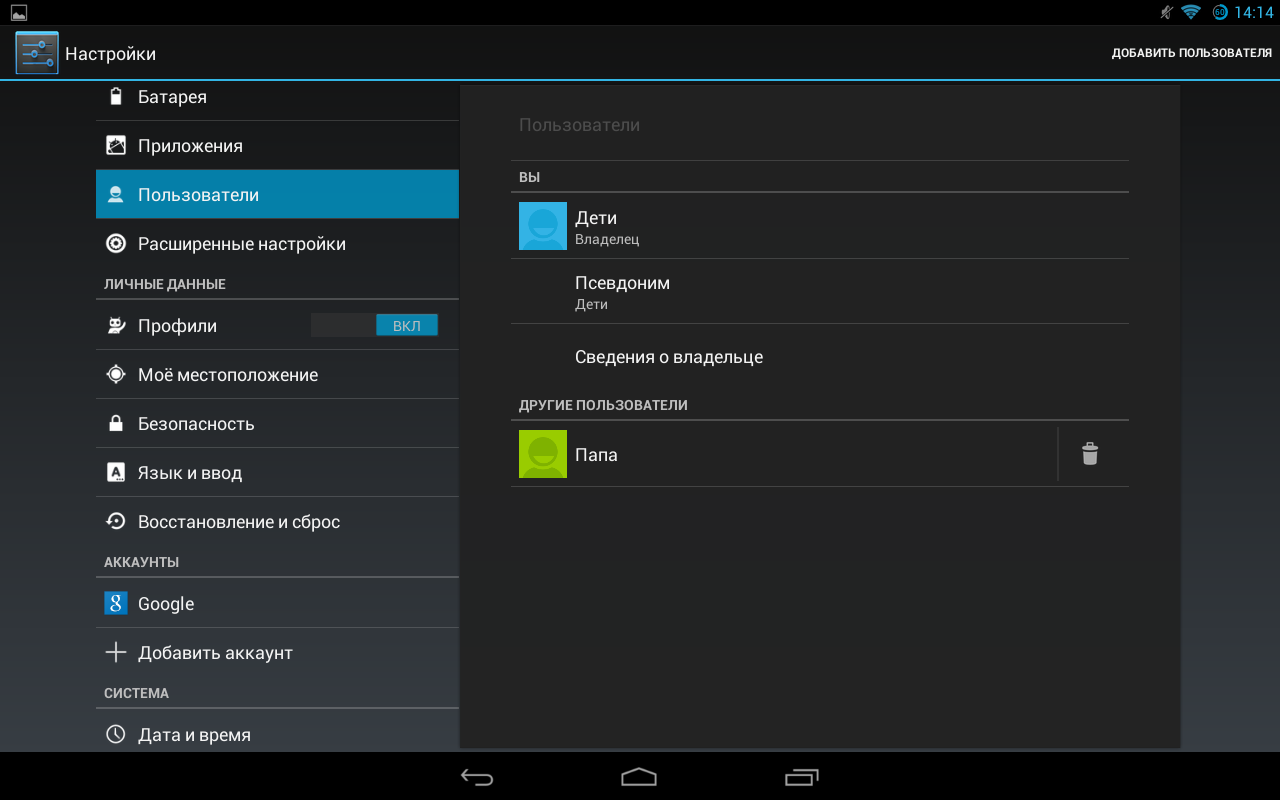
How to setup. We go to "Settings" - "Users" and add the users we need. In our case, these are “Children” and “Dad”.
Since many children's applications were already installed on the tablet, and I didn’t want the children to lose their progress in games, I left them on the Owner account, and I myself created an additional user “Dad”. Under both accounts, Kids and Dad are logging in under the same Google Play account (so that you can put games already purchased under my account on the children's account). We protect your purchases on Google Play with a password.
So that children could not just log in as my user, I set a digital password on it.
This wonderful feature allows you to install the same application on different devices under different users and it will use different repositories and, accordingly, the progress for the same game will be saved individually for each user. Installing a game or application also looks cool if it has already been downloaded by another user. No need to wait. It installs instantly.
Here is a list of children's applications:

And this is a list of my applications: We

sorted out the users. Everyone can now play the same game on one device and everyone will have their own progress.
But what about the safety of the children's account. After all, children can run a third-party application, settings, and still tinker on the device.
The problem is solved using the Kid's Shell application for children launcher .
The application replaces the standard launcher and allows children to run only those applications that parents brought to the desktop. Thus, children will play only what the parent has allowed and brought to the desktop.

Another huge plus of the application is the time limit. For example, you can set the allowed hours for the game and the maximum amount of time that you can spend on the tablet per day.

By the way, there is also an adult version of the application (for business) Business Taxi Shell . It has the same features as Kid's Shell, but is business oriented.
That's the way I solved my problem. And how do you share the tablet with all family members and children? Write in the comments.
Details under the cut ...
Android 4.4 has a great opportunity - multiple users on the same device.
How to setup. We go to "Settings" - "Users" and add the users we need. In our case, these are “Children” and “Dad”.
Since many children's applications were already installed on the tablet, and I didn’t want the children to lose their progress in games, I left them on the Owner account, and I myself created an additional user “Dad”. Under both accounts, Kids and Dad are logging in under the same Google Play account (so that you can put games already purchased under my account on the children's account). We protect your purchases on Google Play with a password.
So that children could not just log in as my user, I set a digital password on it.
This wonderful feature allows you to install the same application on different devices under different users and it will use different repositories and, accordingly, the progress for the same game will be saved individually for each user. Installing a game or application also looks cool if it has already been downloaded by another user. No need to wait. It installs instantly.
Here is a list of children's applications:
And this is a list of my applications: We
sorted out the users. Everyone can now play the same game on one device and everyone will have their own progress.
But what about the safety of the children's account. After all, children can run a third-party application, settings, and still tinker on the device.
The problem is solved using the Kid's Shell application for children launcher .
The application replaces the standard launcher and allows children to run only those applications that parents brought to the desktop. Thus, children will play only what the parent has allowed and brought to the desktop.
Another huge plus of the application is the time limit. For example, you can set the allowed hours for the game and the maximum amount of time that you can spend on the tablet per day.
By the way, there is also an adult version of the application (for business) Business Taxi Shell . It has the same features as Kid's Shell, but is business oriented.
That's the way I solved my problem. And how do you share the tablet with all family members and children? Write in the comments.