 October 2, 2015 at 17:40
Mono and OS MSVS

Import substitution! This very popular word has now eclipsed even nanotechnology! It brings both great prospects and many problems. Not so long ago it affected me. I was tasked with launching our software on the MSVS operating system. It's a very interesting thing, considering that Linux I saw last time about 8 years ago, and our software is written under .Net.
Acquaintance with MSVS OS
So, Wikipedia says that the MSVS OS is the Mobile System of the Armed Forces. Namely, a general-purpose secure operating system. Its organization was developed by VNIINS. The system is based on Linux in accordance with the requirements of the Ministry of Defense of the Russian Federation.
There are two branches of the system:
- MSVS 3.0 - 32-bit version with 2.4 kernel;
- MSVS 5.0 is a 64-bit version with a 2.6 kernel.
There are several versions in each branch called “changes”. The most recent certified versions are:
- OS MSVS 3.0 FLIR. 80001-12 rev. No. 6;
- OS MSVS 5.0 TsAVM.11004-01 rev. Number 7.
The specific version of the system was not specified in the problem statement, therefore, after consulting with VNIINS technical support, the most relevant OS MSVS 5.0 TsAVM.11004-01 rev. Number 7.
It took about a month to buy the official version and a few more days to select the hardware and install the system. We can definitely say that OS MSVS 5.0 is not installed on x86 processors and laptops with 2 video cards.
This is how the graphical shell of the MS OSVS looks: The

manufacturer indicates the following system parameters:
- Build date for the command "uname -a": February 01, 2013;
- Core: 2.6.32;
- QT: 3.3.8b, 4.8.5;
- gcc: 4.1.2, 4.4.7;
- glibc: 2.5;
- KDE: 3.5.
Having got acquainted with the system a bit, I received the following information:
- MSVS 5.0 OS is based on Red Hat Enterprice Linux or its derivatives;
- Judging by the kernel version and build date, this is RHEL 6.3;
- Glibc libraries are very old: from September 2006;
- For development, it is recommended to use QT, also not the very first freshness.
It can be assumed that this state of affairs is caused by difficulties with the certification of system components.
Well, the task has become more specific. Now you need to choose a solution. There are only two of them:
- rewrite everything under QT or under glibc;
- try to run what is with Mono .
In order to save energy, time and nerves, the second option was chosen. Potential problems of this option are both the inability to start everything normally in principle, and the subsequent software certification together with Mono. However, it's still faster and easier than rewriting everything.
Mono Installation
What is Mono? Wikipedia suggests that this
a project to create a full-fledged implementation of the .NET Framework based on free software.And also that
Mono implementations exist for the following operating systems: Windows, Linux, BSD (FreeBSD, OpenBSD, NetBSD), Solaris, Mac OS X, Apple iOS, Wii. Supported platforms: s390, SPARC, PowerPC, x86 / x86-64, IA64, ARM, Alpha, MIPS, HPPA.
We go to the project website and see there that for installation you need to execute only 3 commands:
rpm --import "http://keyserver.ubuntu.com/pks/lookup?op=get&search=0x3FA7E0328081BFF6A14DA29AA6A19B38D3D831EF"yum-config-manager --add-repo download.mono-project.com/repo/centosyum install mono-complete
The first command adds a signature key to access the repository, the second configures the repository, the third installs Mono.
The software is installed in the MSVS OS (as in the RHEL successor) in the form of RPM packages . For convenience of this process, the YUM package manager is often used . The MSWS OS includes a graphical shell for the package manager, but I used the console version. Packages are located in repositories, which can be located either on the local machine or somewhere on the network. By adding links to the repositories in the YUM package manager, you can quite conveniently update the system. As a rule, repositories have already been added and configured in RHEL and its successors, however, in the MSVS OS there is only one repository located on the installation CD-ROM.
Problems began already on the second team. It turned out that it is
yum-config-managernot in the system: 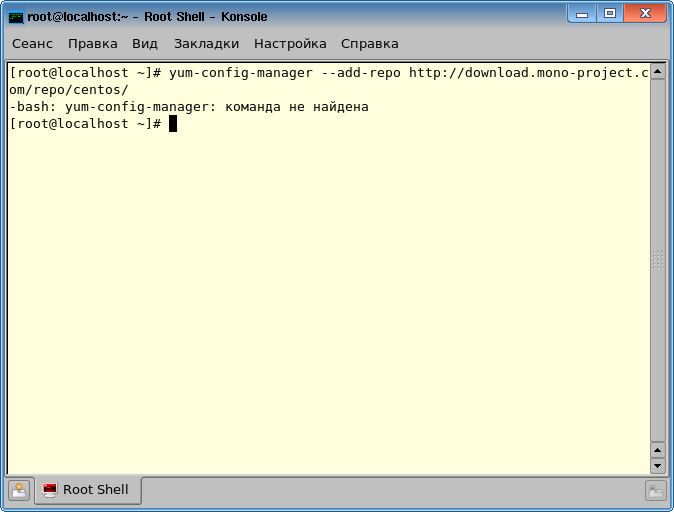
So, the repository needs to be added manually. They are in the catalog
/etc/yum.repos.d. There you need to create a file .repo mono.repo. The following should be added to this file: [mono_repository]name=mono repositorybaseurl=http://download.mono-project.com/repo/centos/enabled=1gpgcheck=0After saving the file, I verify that the repository has been added by running the command
yum repolist. In this case, the distribution disk must be inserted and mounted. Or the repository on disk should be disabled: enabled = 0in the file server.repo. However, now nothing has happened: The

error
[Errno -3] Error performing checksumsays that YUM cannot calculate the checksum. As it turned out , the repository uses a hash function sha256that YUM cannot count. Experienced peoplethey write that in this case you need to put the library python-hashlib. Since the repositories are not configured, I manually installed this version . After that, the repositories worked as they should:
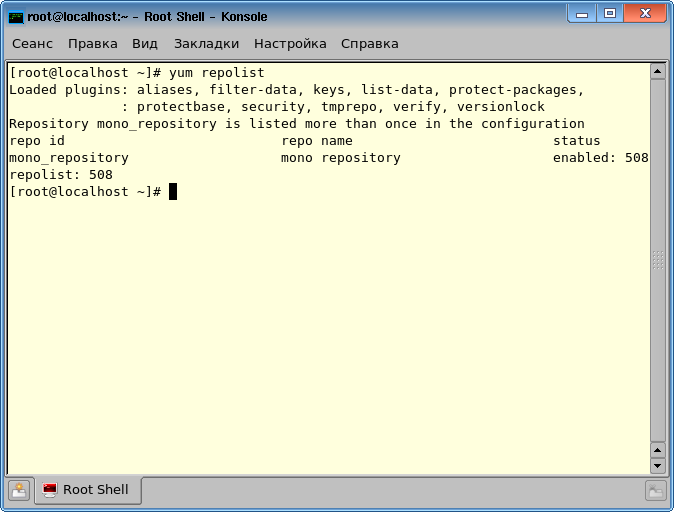
But Mono still fails to complete the installation:
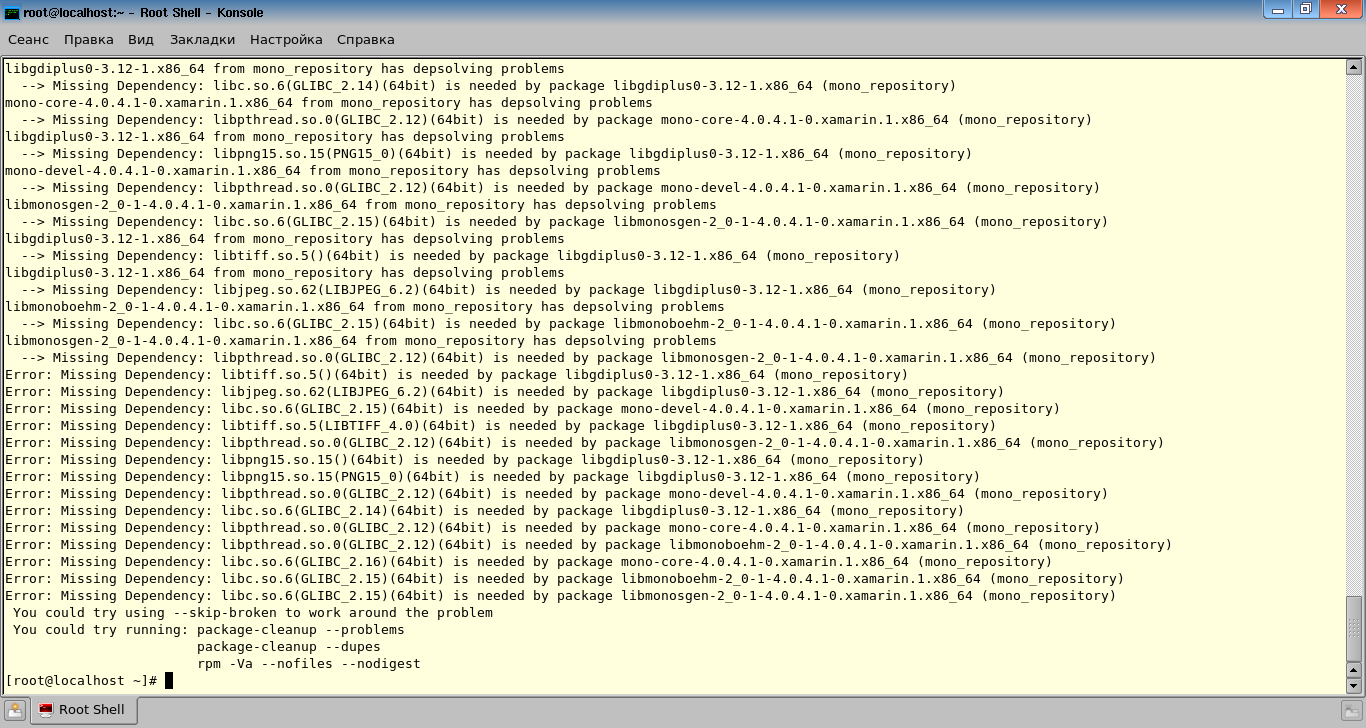
During the installation, package dependencies are checked. It turned out that installing Mono from this repository requires that the system have version libraries no lower than:
GLIBC_2.16PNG15_0LIBTIFF_4.0LIBJPEG_6.2
You could try updating all of these libraries, but this can lead to problems with other software that uses them.
StackOverFlow gave me another solution: I need to try installing an earlier version of Mono. It turns out there is an archive of versions . It was experimentally possible to determine that the latest version of Mono, which is normally installed on the MSVS 5.0 TsAVM.11004-01 rev. No. 7 is version 2.10.2. The repository is here .
As a result, in order to install everything, you need to do the following:
1. Create (or fix) the
.repo /etc/yum.repos.dFor example mono.repo. This file should contain the following:
[Mono]name=Mono Stack (RHEL_5)type=rpm-mdbaseurl=http://origin-download.mono-project.com/archive/2.10.2/download/RHEL_5/gpgcheck=1gpgkey=http://origin-download.mono-project.com/archive/2.10.2/download/RHEL_5/repodata/repomd.xml.keyenabled=12. Run the command
yum install monotools-addon-serverto install the main libraries.3. Run the command
yum install mono-addon-winforms-2.10.2-5.1.x86_64to install the winforms libraries. 4. Run the command
yum install mono-addon-libgdiplus0.x86_64 0:2.10-6.2to install the GDI + implementation. You can install other libraries. A description of the distribution package can be found here . Mono is installed in
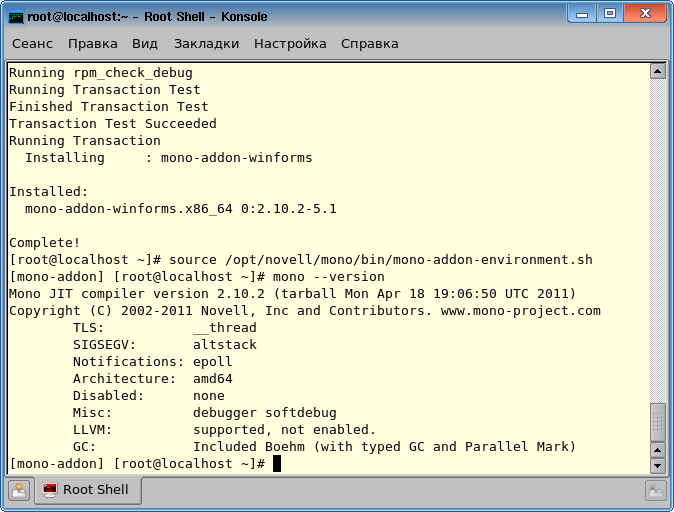
/opt/novell/mono. Mono version 2.10.2 contains the following .Net versions: 2.0, 3.5, and 4.0. Check the installation as follows:
- configure the environment with the command
source /opt/novell/mono/bin/mono-addon-environment.sh - find out the version by command
mono --version
The result should be as follows:
In addition, you can check the performance by running a couple of programs .
Porting issues
To work in a familiar environment, I installed the same version of Mono for Windows.
For debugging, it is convenient to use the output to the console. To display it, you need to run the application with the parameter
--debug. Eg mono --debug helloworld.exe. To isolate code intended only for Mono, I created two new configurations in VisualStudio
MonoReleaseand MonoDebug. 
In each of them I added a compiler option.
/define MONO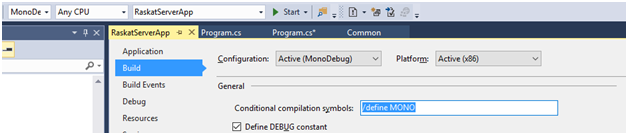
Now you can use this construction:
#if MONO
#else
#endif
The first time, of course, nothing worked. First of all - getting the name of the processes:
var count = 0;
foreach (var clsProcess in Process.GetProcesses())
{
    if(clsProcess.ProcessName.Contains(Process.GetCurrentProcess().ProcessName)) count++;
}
This code returns the number of the same processes running in the system. The problem was solved by ignoring exceptions from unnecessary processes.
var count = 0;
foreach (var clsProcess in Process.GetProcesses())
{
#if MONO
    try
    {
#endif
        if(clsProcess.ProcessName.Contains(Process.GetCurrentProcess().ProcessName)) count++;
#if MONO
    }
    catch
    {
    }
#endif
}
At the same time, the code continued to fulfill its function.
Then the buttons “left” on the form. It should be like this:

But it turned out like this:

It was decided by a small change in the arrangement of elements on the form:
#if MONO
    tableLayoutPanel1.RowStyles[1].Height = 60;
#endif
There were also problems with the paths. On Linux, the character is used
‘/’to separate directories, and on Windows ‘\’. The problem is solved using System.IO.Path.DirectorySeparatorChar. This static field always has the correct value on any operating system. But the main problem was marshaling. In our software,
Marshal.StructureToPtrthey Marshal.PtrToStructureare also used to serialize specially marked classes into a byte array and vice versa for transmission over the network. Moreover, classes have a complex hierarchy and nesting. Microfoft .NET copes with this task with a bang, but Mono could not. I think this is a consequence of differences in working with memory. As a result, I had to rewrite a very impressive part of the code, replacing automatic serialization with “manual” assembly of a class from an array.
Result
As a result, the problem was solved. Directly porting took about 2 weeks. Around another week, studies of the Mono installation process took. And a month took the purchase of the operating system.
What's next?
And then you need to create your own repository, which will automatically install Mono and the software itself. After that there should be certification ...
But, as usual, everything changed in the most interesting place. In the midst of the work, it turned out that the MSWS OS is no longer relevant. Everything needs to be done on AstraLinux ... And this is a slightly different story.









