August 10, 2015 at 20:56
Writing a bot for the Tox messenger
Against the background of the general enthusiasm for creating bots for Telegram, I would like to talk about the Tox instant messenger API and show on the example of a simple echo bot how you can create your own just as easily and quickly.
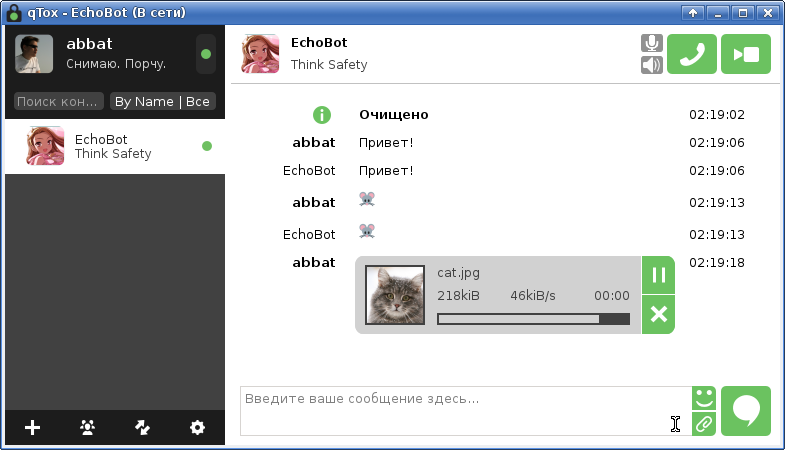
The Tox kernel ( toxcore on github ) consists of three parts:
The contact unit is ToxID (aka “address” in terms of API) - a hexadecimal string of 76 characters in length, encoding:
The general cycle of work with the Tox API can be represented sequentially in the form:
Because the main way to gain knowledge of the Tox API is to read the source code (written in C), to simplify further presentation, I will use a wrapper for the python language ( pytoxcore on github ). For those who do not want to engage in self-assembly of the library from the source, there are also links to ready-made binary packages for common distributions.
When using the python wrapper, you can get help for the library in the following way:
Below we will dwell on each step of working with the API in a little more detail.
To initialize the kernel, the Tox_Options structure is used as a parameter . In python, it can be a dictionary with fields of the same name. Default values can be obtained by calling the tox_options_default method :
Here:
In the vast majority of cases, all parameters except savedata_data can be left by default:
At the first start, the kernel will generate public and private keys, which, if necessary, can be saved:
Since the data is always stored in memory, to protect against accidental failures, I recommend periodically saving the data to a temporary file and (if successful, atomically) replacing it with the main data file.
The current values of the address for transmitting to users, public and private keys and the value of "nospam" can be obtained by calling:
After initializing the kernel, the bot can be set anytime with a nickname and signature by calling tox_self_set_name and tox_self_set_status_message . The length of the name must not exceed the value TOX_MAX_NAME_LENGTH , the length of the signature must not exceed the value TOX_MAX_STATUS_MESSAGE_LENGTH (dimensions in bytes). The installation of the avatar will be discussed below, because technically is sending a file to a contact.
In a python wrapper, connection to supported callback functions is done automatically. Handlers themselves can be methods of the ToxCore descendant and have the suffix * _cb :
Specific handlers and their arguments will be discussed below.
The DHT node is determined by the IP address, port number, and public key. An initial list of DHT nodes can be found on the project wiki .
According to the Tox Client Guidelines , every 5 seconds a client should try to connect to at least four random nodes until the kernel reports a successful connection (see tox_self_connection_status_cb ). In the case of loading from the status file, the client should not try to connect within 10 seconds after the first call tox_iterate and, if there is no connection, repeat the aggressive connection strategy above.
For a bot that plans to always be in touch, these recommendations look a bit overcomplicated. You can try to reduce the required number of DHT nodes to connect by raising your own local DHT node. An additional plus of having a local node, in addition to constant communication with it, is the “strengthening" of the Tox network itself.
To raise a local node, you will need to install and configure the tox-bootstrapd daemon . It can be assembled together with the toxcore library, as well as get in binary form from the developers repository .
The configuration of the daemon is specified in the /etc/tox-bootstrapd.conf file and is well documented . For more information on starting the daemon, see the corresponding README., and for tox.pkg project deb distributions, the tox-bootstrapd package installation is self- sufficient. The public key of the local DHT node can be found in the system log after the daemon starts.
Thus, a simplified version of the connection with the DHT node and the duty cycle can be represented as:
In some cases, the client can work without calling tox_bootstrap at all - this requires that another client or DHT node be launched within the same broadcast domain of the network. This feature makes it possible to communicate within the local network without the need for access to the Internet and communicate with the outside world if at least one client has access to the network and is a relay.
As it was written earlier, to connect an event handler in python, it is enough to add the necessary method with the necessary arguments to the successor class and as an example, the tox_self_connection_status_cb connection state handler was called , which is called when the bot is connected and disconnected from the DHT network.
In order for the bot to interact with other network participants, they must be added to the bot’s contact list. In API terms, the contact is called “friend” and is denoted by an integer (“ friend_number ”), unique throughout the lifetime of the ToxCore instance.
When another client makes a request to add a bot to the contact list, the tox_friend_request_cb (public_key, message) handler is called on the bot side , where:
Inside the handler, you can either add a person to friends by calling tox_friend_add_norequest , or simply ignore the request. All further event handlers will use friend_number as the friend identifier, which can be obtained from the public key by calling tox_friend_by_public_key .
After adding a contact as a friend, the following events may occur on the bot side:
In the case of an echo bot, when you receive a message from a friend, you just need to send it back:
Sending a message to a friend is done by calling the tox_friend_send_message method , which returns the message identifier message_id - a monotonously increasing number unique to each friend. As parameters, the method accepts the identifier of a friend, the type of message, and the message text itself. The following restrictions are imposed on the message text:
In the event that processing a message from a friend requires some time, the bot's behavior can be diversified by randomly transmitting “message set” events ( tox_self_set_typing ).
By the friend_number value of a friend, at any time you can get the following information about him:
Additional operations with friends:
Everything here seems simple and intuitive. Further it will be a little more difficult.
When a friend sends a file to the bot, the tox_file_recv_cb event occurs (friend_number, file_number, kind, file_size, filename) , where:
Here you should pay particular attention to the filename parameter . Despite the fact that the specification requires that all data be transferred to UTF-8 and the file name should not contain parts of the path, in real life, anything can fly up to unreadable binary data containing line feeds and zeros.
When this event occurs, the next bot action should be a call to the control method tox_file_control (friend_number, file_number, control) , where:
For the echo bot, file reception is not required; therefore, it can always cancel the operation:
In the case of transferring control via TOX_FILE_CONTROL_RESUME , the tox_file_recv_chunk_cb event (friend_number, file_number, position, data) starts to be raised , where:
It should be noted that position does not have to increase monotonously - in general, chunks can come in any sequence and any length.
To start the file transfer procedure, you need to call the tox_file_send method (friend_number, kind, file_size, file_id, filename) , where:
Here, the special parameter is file_id . In the case of automatic generation, it can later be obtained by calling tox_file_get_file_id , however, when transferring an avatar, it is recommended to set its value to the result of calling tox_hash from the data in the avatar file, which allows the receiving party to cancel the transfer of previously loaded avatars, saving traffic.
It should also be noted that file transfer is possible only to friends who are connected to the network. Disconnecting a friend from the network stops the file transfer.
After calling tox_file_send, the kernel waits for a decision from the receiving side. The solution is handled by the tox_file_recv_control_cb (friend_number, file_number, control) event , where:
Processing this event allows you to free up resources in the event the client refuses to accept the file.
An echo bot only needs to transmit an avatar. The transfer of the avatar is recommended to be done every time a friend appears on the network. If a friend’s tox client has previously uploaded an avatar with the given file_id , then it can cancel the retransmission of the avatar.
In addition to receiving and transmitting messages and files, the kernel implements the ability to transfer packets (with or without loss). To do this, use the tox_friend_send_lossy_packet and tox_friend_send_lossless_packet methods , as well as the tox_friend_lossy_packet_cb and tox_friend_lossless_packet_cb events .
Introduction
The Tox kernel ( toxcore on github ) consists of three parts:
- ToxCore is, in fact, the core itself, which allows you to manage contacts, messages, files, avatars, statuses and group chats.
- ToxAV - a subsystem of voice and video calls.
- ToxDNS - a subsystem for obtaining ToxID from a human-readable address (an approximate analogue of email or JabberID) through a query to DNS.
The contact unit is ToxID (aka “address” in terms of API) - a hexadecimal string of 76 characters in length, encoding:
- Public key (32 bytes or 64 characters).
- Protection against spam "nospam" (4 bytes or 8 characters) - a random data set, the change of which allows you to continue to maintain previously authorized contacts, but ignore requests from new ones.
- Checksum (2 bytes or 4 characters) - XOR operation on the public key and the value “nospam”, serves to quickly check the correctness of ToxID.
The general cycle of work with the Tox API can be represented sequentially in the form:
- Initialization of the kernel ( tox_new ) - here you set the protocols (IPv4 / IPv6, UDP / TCP), proxy settings (HTTP / SOCKS5), the ranges of ports used and (if available) download the previously saved state with the list of contacts.
- Setting callback functions for event processing ( tox_callback_ * ) - event handlers are called from the main loop (4) and the main logic of the application is usually concentrated in them.
- Connection to one or more DHT nodes ( tox_bootstrap ).
- The main duty cycle ( tox_iterate ) and event handling.
- Pause tox_iteration_interval and return to the previous step.
Because the main way to gain knowledge of the Tox API is to read the source code (written in C), to simplify further presentation, I will use a wrapper for the python language ( pytoxcore on github ). For those who do not want to engage in self-assembly of the library from the source, there are also links to ready-made binary packages for common distributions.
When using the python wrapper, you can get help for the library in the following way:
$ python
>>> from pytoxcore import ToxCore
>>> help(ToxCore)
class ToxCore(object)
 |  ToxCore object
...
 |  tox_add_tcp_relay(...)
 |      tox_add_tcp_relay(address, port, public_key)
 |      Adds additional host:port pair as TCP relay.
 |      This function can be used to initiate TCP connections to different ports on the same bootstrap node, or to add TCP relays without using them as bootstrap nodes.
 |
 |  tox_bootstrap(...)
 |      tox_bootstrap(address, port, public_key)
 |      Sends a "get nodes" request to the given bootstrap node with IP, port, and public key to setup connections.
 |      This function will attempt to connect to the node using UDP. You must use this function even if Tox_Options.udp_enabled was set to false.
...
Below we will dwell on each step of working with the API in a little more detail.
Kernel initialization
To initialize the kernel, the Tox_Options structure is used as a parameter . In python, it can be a dictionary with fields of the same name. Default values can be obtained by calling the tox_options_default method :
$ python
>>> from pytoxcore import ToxCore
>>> ToxCore.tox_options_default()
{'start_port': 0L, 'proxy_host': None, 'tcp_port': 0L, 'end_port': 0L, 'udp_enabled': True, 'savedata_data': None, 'proxy_port': 0L, 'ipv6_enabled': True, 'proxy_type': 0L}
Here:
- ipv6_enabled - True or False depending on whether you are a happy owner of IPv6.
- udp_enabled - with the exception of cases of working through a proxy, it is recommended to set it to True, because UDP is the native protocol for Tox.
- proxy_type - type of proxy, can take values:
- TOX_PROXY_TYPE_NONE - do not use proxies.
- TOX_PROXY_TYPE_HTTP - HTTP proxy.
- TOX_PROXY_TYPE_SOCKS5 - SOCKS5 proxy (e.g. Tor).
- proxy_host - host or IP address of the proxy server.
- proxy_port - proxy server port (ignored for TOX_PROXY_TYPE_NONE).
- start_port - the starting port from the range of allowed ports.
- end_port - the end port from the range of allowed ports. If the start and end ports are 0, then the range is used [33445, 33545]. If only one of the ports is zero, then a single non-zero port is used. In case of start_port> end_port, they will be swapped.
- tcp_port - port for raising the TCP server (relay); if set to 0, the server will be disabled. TCP relay allows other users to use your instance as an intermediate node (super-node concept).
- savedata_data - data to load or None in case of their absence.
In the vast majority of cases, all parameters except savedata_data can be left by default:
#!/usr/bin/env python
# -*- coding: utf-8 -*-
import os
from pytoxcore import ToxCore
class EchoBot(ToxCore):
    def __init__(self):
        tox_options = ToxCore.tox_options_default()
        if os.path.isfile("tox.save"):
            with open("tox.save", "rb") as f:
                tox_options["savedata_data"] = f.read()
        super(EchoBot, self).__init__(tox_options)
At the first start, the kernel will generate public and private keys, which, if necessary, can be saved:
class EchoBot(ToxCore):
    ...
    def save_data(self):
        with open("tox.save", "wb") as f:
            f.write(self.tox_get_savedata())
Since the data is always stored in memory, to protect against accidental failures, I recommend periodically saving the data to a temporary file and (if successful, atomically) replacing it with the main data file.
The current values of the address for transmitting to users, public and private keys and the value of "nospam" can be obtained by calling:
- tox_self_get_address - current address (ToxID).
- tox_self_get_public_key is the public key.
- tox_self_get_secret_key - private key.
- tox_self_get_nospam / tox_self_set_nospam - getting and setting the value of "nospam".
$ python
>>> from pytoxcore import ToxCore
>>> core = ToxCore(ToxCore.tox_options_default())
>>> core.tox_self_get_address()
'366EA3B25BA31E3ADC4C476098A8686E4EAE87B04E4E4A3A3A0B865CBB9725704189FEDAEB26'
>>> core.tox_self_get_public_key()
'366EA3B25BA31E3ADC4C476098A8686E4EAE87B04E4E4A3A3A0B865CBB972570'
>>> core.tox_self_get_secret_key()
'86003764B4C99395E164024A17DCD0ECB80363C5976FF43ECE11637FA0B683F9'
>>> core.tox_self_get_nospam()
'4189FEDA'
After initializing the kernel, the bot can be set anytime with a nickname and signature by calling tox_self_set_name and tox_self_set_status_message . The length of the name must not exceed the value TOX_MAX_NAME_LENGTH , the length of the signature must not exceed the value TOX_MAX_STATUS_MESSAGE_LENGTH (dimensions in bytes). The installation of the avatar will be discussed below, because technically is sending a file to a contact.
Setting callback functions
In a python wrapper, connection to supported callback functions is done automatically. Handlers themselves can be methods of the ToxCore descendant and have the suffix * _cb :
class EchoBot(ToxCore):
    ...
    def tox_self_connection_status_cb(self, connection_status):
        if connection_status == ToxCore.TOX_CONNECTION_NONE:
            print("Disconnected from DHT")
        elif connection_status == ToxCore.TOX_CONNECTION_TCP:
            print("Connected to DHT via TCP")
        elif connection_status == ToxCore.TOX_CONNECTION_UDP:
            print("Connected to DHT via UDP")
        else:
            raise NotImplementedError("Unknown connection_status: {0}".format(connection_status))
Specific handlers and their arguments will be discussed below.
Connect to a DHT node
The DHT node is determined by the IP address, port number, and public key. An initial list of DHT nodes can be found on the project wiki .
According to the Tox Client Guidelines , every 5 seconds a client should try to connect to at least four random nodes until the kernel reports a successful connection (see tox_self_connection_status_cb ). In the case of loading from the status file, the client should not try to connect within 10 seconds after the first call tox_iterate and, if there is no connection, repeat the aggressive connection strategy above.
For a bot that plans to always be in touch, these recommendations look a bit overcomplicated. You can try to reduce the required number of DHT nodes to connect by raising your own local DHT node. An additional plus of having a local node, in addition to constant communication with it, is the “strengthening" of the Tox network itself.
To raise a local node, you will need to install and configure the tox-bootstrapd daemon . It can be assembled together with the toxcore library, as well as get in binary form from the developers repository .
The configuration of the daemon is specified in the /etc/tox-bootstrapd.conf file and is well documented . For more information on starting the daemon, see the corresponding README., and for tox.pkg project deb distributions, the tox-bootstrapd package installation is self- sufficient. The public key of the local DHT node can be found in the system log after the daemon starts.
Thus, a simplified version of the connection with the DHT node and the duty cycle can be represented as:
class EchoBot(ToxCore):
    ...
    def run(self):
        checked = False
        self.tox_bootstrap("127.0.0.1", 33445, "366EA...72570")
        while True:
            status = self.tox_self_get_connection_status()
            if not checked and status != ToxCore.TOX_CONNECTION_NONE:
                checked = True
            if checked and status == ToxCore.TOX_CONNECTION_NONE:
                self.tox_bootstrap("127.0.0.1", 33445, "366EA...72570")
                checked = False
            self.tox_iterate()
            interval = self.tox_iteration_interval()
            time.sleep(interval / 1000.0)
In some cases, the client can work without calling tox_bootstrap at all - this requires that another client or DHT node be launched within the same broadcast domain of the network. This feature makes it possible to communicate within the local network without the need for access to the Internet and communicate with the outside world if at least one client has access to the network and is a relay.
Event handling
As it was written earlier, to connect an event handler in python, it is enough to add the necessary method with the necessary arguments to the successor class and as an example, the tox_self_connection_status_cb connection state handler was called , which is called when the bot is connected and disconnected from the DHT network.
Work with contacts
In order for the bot to interact with other network participants, they must be added to the bot’s contact list. In API terms, the contact is called “friend” and is denoted by an integer (“ friend_number ”), unique throughout the lifetime of the ToxCore instance.
When another client makes a request to add a bot to the contact list, the tox_friend_request_cb (public_key, message) handler is called on the bot side , where:
- public_key is the public key of a friend.
- message - a message from a friend like “Hello, this is abbat! Add me as a friend? " .
Inside the handler, you can either add a person to friends by calling tox_friend_add_norequest , or simply ignore the request. All further event handlers will use friend_number as the friend identifier, which can be obtained from the public key by calling tox_friend_by_public_key .
After adding a contact as a friend, the following events may occur on the bot side:
- tox_friend_connection_status_cb (friend_number, connection_status) - change the connection state of a friend, where connection_status can take values:
- TOX_CONNECTION_NONE is a friend offline.
- TOX_CONNECTION_TCP is a friend online and connected over TCP.
- TOX_CONNECTION_UDP is a friend online and connected over UDP.
- tox_friend_name_cb (friend_number, name) - change the nickname of a friend.
- tox_friend_status_message_cb (friend_number, message) - change the signature.
- tox_friend_status_cb (friend_number, status) - change of state, where status can take values:
- TOX_USER_STATUS_NONE - available ("online").
- TOX_USER_STATUS_AWAY - departed.
- TOX_USER_STATUS_BUSY - busy.
- tox_friend_message_cb (friend_number, message) - message from a friend.
- tox_friend_read_receipt_cb (friend_number, message_id) - receipt of another message sent by tox_friend_send_message (see below).
In the case of an echo bot, when you receive a message from a friend, you just need to send it back:
class EchoBot(ToxCore):
    ...
    def tox_friend_request_cb(self, public_key, message):
        self.tox_friend_add_norequest(public_key)
    def tox_friend_message_cb(self, friend_number, message):
        message_id = self.tox_friend_send_message(friend_number, ToxCore.TOX_MESSAGE_TYPE_NORMAL, message)
Sending a message to a friend is done by calling the tox_friend_send_message method , which returns the message identifier message_id - a monotonously increasing number unique to each friend. As parameters, the method accepts the identifier of a friend, the type of message, and the message text itself. The following restrictions are imposed on the message text:
- Message cannot be empty.
- The message cannot be larger than TOX_MAX_MESSAGE_LENGTH (bytes), long messages must be broken into pieces.
In the event that processing a message from a friend requires some time, the bot's behavior can be diversified by randomly transmitting “message set” events ( tox_self_set_typing ).
By the friend_number value of a friend, at any time you can get the following information about him:
- tox_friend_get_connection_status - current network status of a friend (the last value from tox_friend_connection_status_cb ).
- tox_friend_get_name - current nickname of the friend (the last value from tox_friend_name_cb ).
- tox_friend_get_status_message - the current signature of the friend (the last value is tox_friend_status_message_cb ).
- tox_friend_get_status - current status of a friend (the last value from tox_friend_status_cb ).
- tox_friend_get_last_online - the date of the last appearance in online (unixtime).
Additional operations with friends:
- tox_self_get_friend_list_size - get the number of friends.
- tox_self_get_friend_list - Get a list of friend_number friends.
- tox_friend_delete - remove a friend from the contact list.
Everything here seems simple and intuitive. Further it will be a little more difficult.
Work with files
File reception
When a friend sends a file to the bot, the tox_file_recv_cb event occurs (friend_number, file_number, kind, file_size, filename) , where:
- friend_number - friend’s number (see “Working with contacts”).
- file_number - file number, a unique number within the current list of received and transmitted files from this friend.
- kind - file type:
- TOX_FILE_KIND_DATA - the transferred file is a simple file.
- TOX_FILE_KIND_AVATAR - the transferred file is a friend's avatar.
- file_size - file size. For TOX_FILE_KIND_AVATAR, a file size of 0 means that the friend does not have an avatar set. A file size equal to UINT64_MAX indicates an unknown file size (streaming).
- filename is the name of the file.
Here you should pay particular attention to the filename parameter . Despite the fact that the specification requires that all data be transferred to UTF-8 and the file name should not contain parts of the path, in real life, anything can fly up to unreadable binary data containing line feeds and zeros.
When this event occurs, the next bot action should be a call to the control method tox_file_control (friend_number, file_number, control) , where:
- friend_number - friend’s number.
- file_number - file number.
- control - file management command:
- TOX_FILE_CONTROL_CANCEL - cancel receiving a file.
- TOX_FILE_CONTROL_PAUSE - pause file transfer (not supported by all clients).
- TOX_FILE_CONTROL_RESUME - continue file transfer.
For the echo bot, file reception is not required; therefore, it can always cancel the operation:
class EchoBot(ToxCore):
    ...
    def tox_file_recv_cb(self, friend_number, file_number, kind, file_size, filename):
        self.tox_file_control(friend_number, file_number, ToxCore.TOX_FILE_CONTROL_CANCEL)
In the case of transferring control via TOX_FILE_CONTROL_RESUME , the tox_file_recv_chunk_cb event (friend_number, file_number, position, data) starts to be raised , where:
- friend_number - friend’s number.
- file_number - file number.
- position - the current position in the file.
- data - data chunk or None to end the transfer.
It should be noted that position does not have to increase monotonously - in general, chunks can come in any sequence and any length.
File transfer
To start the file transfer procedure, you need to call the tox_file_send method (friend_number, kind, file_size, file_id, filename) , where:
- friend_number - friend’s number.
- kind - value TOX_FILE_KIND_DATA or TOX_FILE_KIND_AVATAR .
- file_size - file size (special values 0 and UINT64_MAX are discussed above).
- file_id - a unique identifier for a file of length TOX_FILE_ID_LENGTH , which allows you to continue transferring after restarting the kernel or None for automatic generation.
- filename is the name of the file.
Here, the special parameter is file_id . In the case of automatic generation, it can later be obtained by calling tox_file_get_file_id , however, when transferring an avatar, it is recommended to set its value to the result of calling tox_hash from the data in the avatar file, which allows the receiving party to cancel the transfer of previously loaded avatars, saving traffic.
It should also be noted that file transfer is possible only to friends who are connected to the network. Disconnecting a friend from the network stops the file transfer.
After calling tox_file_send, the kernel waits for a decision from the receiving side. The solution is handled by the tox_file_recv_control_cb (friend_number, file_number, control) event , where:
- friend_number - friend’s number.
- file_number - file number.
- control - file management command ( TOX_FILE_CONTROL_CANCEL , TOX_FILE_CONTROL_PAUSE or TOX_FILE_CONTROL_RESUME discussed earlier).
Processing this event allows you to free up resources in the event the client refuses to accept the file.
An echo bot only needs to transmit an avatar. The transfer of the avatar is recommended to be done every time a friend appears on the network. If a friend’s tox client has previously uploaded an avatar with the given file_id , then it can cancel the retransmission of the avatar.
class EchoBot(ToxCore):
    ...
    def __init__(self):
        ...
        self.avatar_name = "avatar.png"
        self.avatar_size = os.path.getsize(avatar_name)
        self.avatar_fd = open(avatar_name, "rb")
        data = self.avatar_fd.read()
        self.avatar_id = ToxCore.tox_hash(data)
    def tox_friend_connection_status_cb(self, friend_number, connection_status):
        if connection_status != ToxCore.TOX_CONNECTION_NONE:
            send_avatar(friend_number)
    def send_avatar(self, friend_number):
        file_number = self.tox_file_send(friend_number, ToxCore.TOX_FILE_KIND_AVATAR, self.avatar_size, self.avatar_id, self.avatar_name)
    def tox_file_recv_control_cb(self, friend_number, file_number, control):
        pass
    def tox_file_chunk_request_cb(self, friend_number, file_number, position, length):
        if length == 0:
            return
        self.avatar_fd.seek(position, 0)
        data = self.avatar_fd.read(length)
        self.tox_file_send_chunk(friend_number, file_number, position, data)
In addition to receiving and transmitting messages and files, the kernel implements the ability to transfer packets (with or without loss). To do this, use the tox_friend_send_lossy_packet and tox_friend_send_lossless_packet methods , as well as the tox_friend_lossy_packet_cb and tox_friend_lossless_packet_cb events .
References
- tox.chat - the current official site of the Tox project (instead of tox.im).
- The toxcore kernel project on github .
- Pytoxcore python wrapper project on github .
- A project for building binary versions of tox.pkg clients and libraries on github .
- The project of the “official” python-wrapper PyTox on github (at the time of writing, the library was not compiled due to the use of the “old” api).