May 15, 2015 at 14:47
New VoxImplant Platform Features: Instant Messaging and Presence + Demo on ReactJS / Flux
- Tutorial
 Recently, we have been busy working on a large update to VoxImplant, which should make the platform even more flexible and convenient for communication service developers. The number of new functions is quite large, so we will talk about them in order and start with messaging and presentation. Since few people are interested in the banal description of the functional, we’ll immediately examine an example of creating an application for internal corporate communications using the popular ReactJS and Flux. This allows you to quickly make a more or less complex application, and at the same time show how to use VoxImplant with this approach. We also have Presence with some interesting features, which we will talk about in more detail and then explain why this might be necessary.
Messaging and Presence
In order to take advantage of these functions, you need to enable their support for your VoxImplant application in the control panel, otherwise they will not be available - there is no point in wasting platform resources for clients who do not need it. So, what is included in the first release of these functions: 1-on-1 chat (group will also appear in the near future), support for contact lists generated either automatically for the entire application (if the number of users does not exceed 1000) or manually users, presence, transfer of additional states (typing, etc.), in general, everything necessary to create a decent chat. One of the features of the presentation is the mode when the system automatically changes the status of clients during calls or for SIP registrations, but we will write about this separately at the end of the article. Separately implemented protection against XSS,
Architecture
Many probably already know ReactJS , as well as the Flux approach , both topics are actively promoted by Facebook and React Native has recently appeared. Having studied examples of colleagues from FB, we decided to make a relatively simple chat application based on the framework, using Flux at the same time. The purpose of this article is not to explain these terms, for this there are many other articles on Habré and on the Internet. We will only tell how to make friends with the VoxImplant Web SDK with this approach to developing web applications using our corporate messenger as an example, and at the same time we will explain everything about the new platform functionality.
Training
First you need to deploy somewhere to deploy our application:
git clone https://github.com/voximplant/messenger.git
cd messenger
The structure of the project will look as follows:
.
├── build
├── css
├── images
├── scss
├── sounds
├── src
|   ├── actions
|   ├── components
|   ├── constants
|   ├── dispatcher
|   ├── stores
|   ├── utils
|   └── app.js
|
├── gulpfile.js
└── index.html
Then you need to pull up all the libraries, including ReactJS and Flux:
npm install
Before building with Gulp, you need to create an application in your VoxImplant account and enable the IM / presence and Application Roster functionality for it:
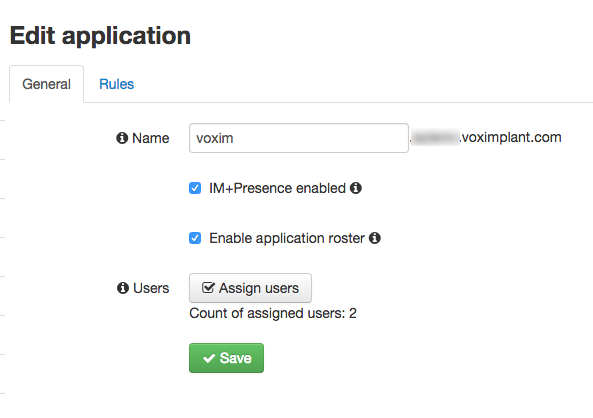
As well as change the line src / app.js in the line
Build with Gulp:
gulp default
You can open index.html in a browser. We log in under one of the created users and watch a chat with a contact list, presentation and a couple of useful functions:
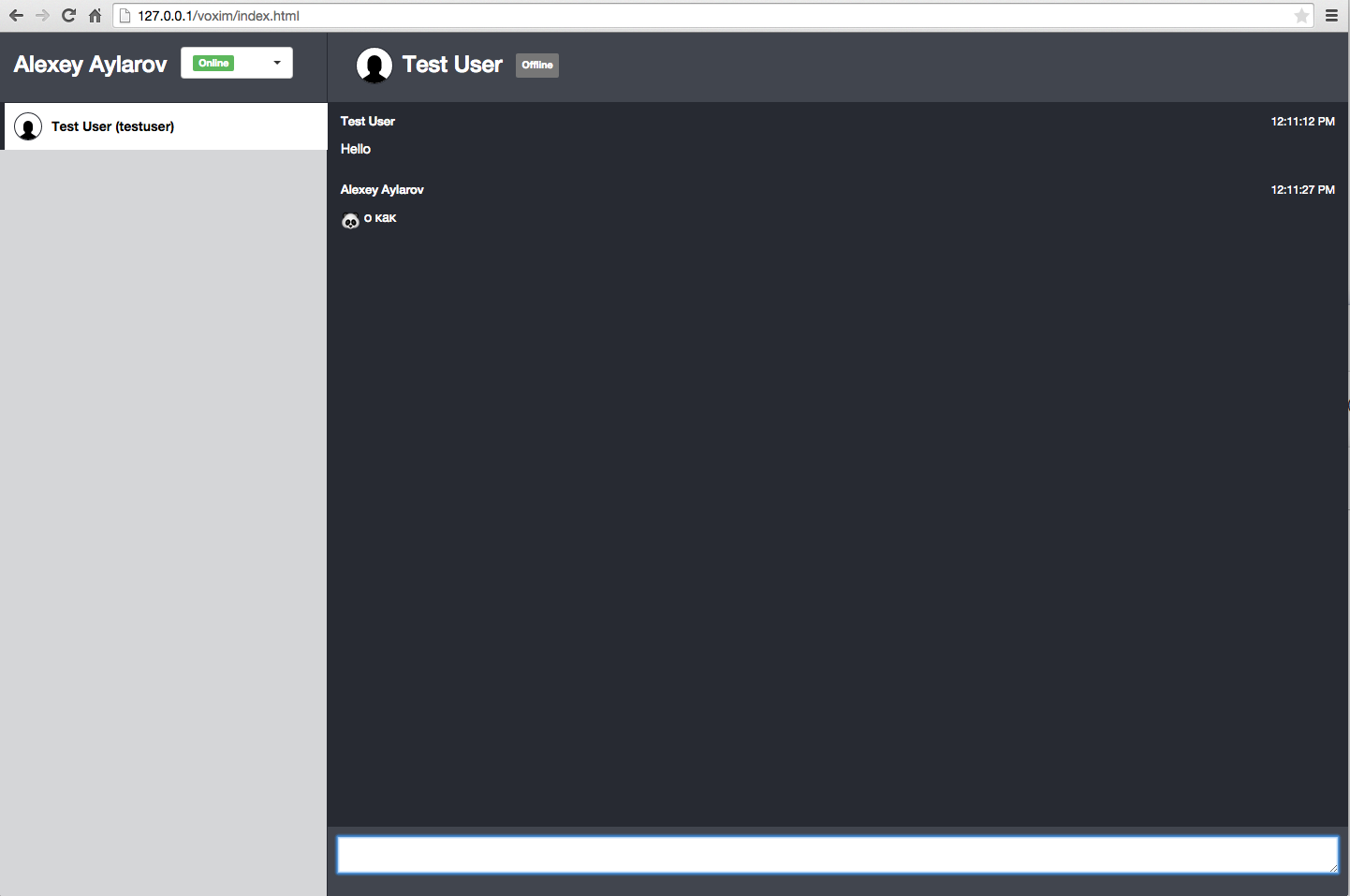
In Flux, everything revolves around the data stream and the event dispatcher, you can find details on facebook.github.io/flux/docs/overview.html , in this concept, our VoxImplant Web SDK is used in utils - the VoxImplantAPIUtils.js file, where we initialize the SDK, describe the event handlers and the interface to the SDK functions. From there, actions are created through the VoxImplantActionCreators.js functions, which we put in the actions folder.
Description of API methods and events for IM / presence
As for the new events related to messaging, a new list of VoxImplant.IMEvents has appeared . The names of the events speak for themselves, but you can always refer to the documentation for clarification.
This is the first version of our messenger, so there may be some bugs and problems, you can safely tell us about them, fork them and fix them. In the near future, add support for audio / video calls between users (there is everything for this on the platform) and group text chats (will become available after the next update of the SDK and the platform). The update of the mobile SDK with support for all messaging functions will appear a little later.
Automatic change of state during calls
The Web SDK now has a mode in which when calling the server automatically sets the status to the user in DND. To do this, use the VoxImplant.LoginOptions class and, with a login , use the VoxImplant.Client class login method with the 3rd parameter
{ serverPresenceControl: true }
After the call is completed, the client will return to the state in which he was before the automatic change of status.
Just in case, one more link to Github github.com/voximplant/messenger
Only registered users can participate in the survey. Please come in.
Would you be interested to see the further development of the demo messenger described in the article?
- 74.4% Yes 32
- 20.9% No 9
- 4.6% I would like to participate in this 2