
 April 10, 2015 at 11:14
Microsoft hackathon "IoT - Internet of things" in Nizhny Novgorod
Reason to start
I want to talk about the hackathon that Microsoft and Intel conducted in Nizhny Novgorod as part of the Microsoft Developer Tour Technology Expedition. So to speak firsthand. As a participant. I think it will be the most interesting.
The theme of the hackathon, which was to be held in Nizhny Novgorod, IoT - Internet of Things (Internet of things). Honestly, for me this term was new and had to google in order to understand the basic principles. It turned out quite simple, there is a device that collects information from some sensors and sends it to the Internet for access and processing.
The fact that the hackathon will be held as part of the tour, I learned shortly from the event. It was written that at the hackathon it would be necessary to create something using the Intel Galileo board.
And it coincided so well that about a month ago I attended an Intel conference on Intel Galileo and Intel Edison. Where did I get the Intel Galileo Gen 2 board? Thanks! But her hands did not reach her at all, and she simply lay on the table. Of course, I ordered sensors and shields for her on the well-known Chinese site, but they still have not reached.
A few words about Intel Galileo and Intel Edison. These are boards that are pin compatible with the Arduino Uno R3. They can insert standard sensors and shields. There are development tools to run sketches from arduino. And here the question may arise, why are these boards needed, if they are both more expensive and consume more. I confess, I also thought so from the very beginning. But on reflection, I came to the conclusion that the purpose of these boards is completely different. Compare Arduino with 16 MHz and Intel Galileo Gen 2 with 400 MHz. 2 KB RAM memory versus 256 MGB DDR3. Intel also has a built-in 100 Mbps network interface and working Linux. They do not need to be compared, they are for different tasks.
More details here: habrahabr.ru/company/intel/blog/248279
In general, I had an Intel Galileo Gen 2 board, which just lay in a box. I had no experience with this board as with Arduino. And here is just a hackathon.
A few days before the hackathon, I decided to install Linux on my board according to this instruction: habrahabr.ru/company/intel/blog/248893 I
connected to the board via SSH, through a local network. There is ordinary Linux, nice. Everything is fine, everything works. I wrote a simple C ++ example from the Internet that flashes with a built-in LED. It didn’t work right away (I forgot to specify -lmraa in the compilation options). Hurrah! Everything works, you can go to sleep.
Once the board works, you can try to connect something. I went to the radio market to see if I could buy anything for arduino. I bought a breadboard, wires. Something in the details, some sensors. But I didn’t test anything, again my hands didn’t reach.
Idea
In the last few days I had a brainstorming session, what can be implemented on this board. I did not want something simple, such as flashing an LED, measuring the temperature in the room. All this has already happened before, and Intel Galileo is too powerful for such tasks. I wanted something with big calculations, data processing, sending them to the server for further processing or analysis.
And gradually the following idea came to mind. Many years ago, in the Computerra magazine, there was news about experimental technology for determining the position of a loud sound source, for example, a shot. There are microphones on the street. They perceive sound, and due to the fact that sound does not reach all microphones simultaneously, but with a delay, you can find the position of the sound source. I decided to create such a system.
There is an idea, you can go to the radio market to buy sensors. Googling, I found that there are two types of sound sensors. The first with a digital output, responds to exceeding the threshold and has, respectively, three contacts (ground, +5, signal-threshold). The second sensor additionally has an analog output and, accordingly, four contacts (ground, +5, signal-threshold, analog signal). I wanted a second one that produces an analog signal. Having received a signal from several sensors, it will be possible to superimpose them and find a match to accurately determine the delay. Well, either dynamically search for a trigger threshold. More to the sensors needed wires. 10 meters each. So, just in case. I found sound sensors in the market, but with only three leads. There were no others. The seller assured that their output is analog. Well, believe, although why is there a tuning resistor? I took 5 sensors. Now the wires. 50 meters of red-black sound wire 0.25 mm and 30 meters of light (0.25 mm, double). I counted on each sensor to start red-black for power and one of a pair of light for signal.
OK, everything is there. It was all on Thursday, and on Saturday there was already a conference.
At home I tried to connect sensors. The first time it’s scary to stick something into the board, it will suddenly burn out. But nothing, stuck, there is no smoke, the console is working. I try to get analog values from the sensor. And here is a surprise, the sensor turns out to be binary, i.e. only responds to an excess of signal level. And this level is set by the tuning resistor on the board. Ahhhh! Running the next day, Friday, makes no sense to the market. It is not known whether the correct sensors will be there. Yes, and once, all sorts of things, also Visual Studio to put on a laptop and configure the grid. The market will take another half day. And on Saturday the conference from 9 in the morning, still have time to sleep.
On Friday evening, when I arrived home at 10 o’clock, I began to set everything up.
For the hackathon, I decided just in case to stock up on everything you need. Extension cord, as there will be many participants, and there may not be enough sockets. Router because the board must be connected via a network cable. A router is also needed to connect to the Internet via a USB modem. In general, complete autonomy. Thought to meet a couple of hours. I installed Visual Studio 2013 Community for installation. I refused to install VC 2015. So, the preparation and collection of all the glands that need to be taken to the hackathon, instead of the planned couple of hours, lasted until 4 in the morning. And yes, get up at 8.
As a result, he took with him: an extension cord, adhesive tape, a blue electrical tape (yes, the same one), long wires, connecting wires for a breadboard and sensors, scissors, a router, 5 sound sensors, a USB modem, a vibration sensor, a tape measure. Everything, it’s time to sleep, we’ll understand there.
Magical mystery tour
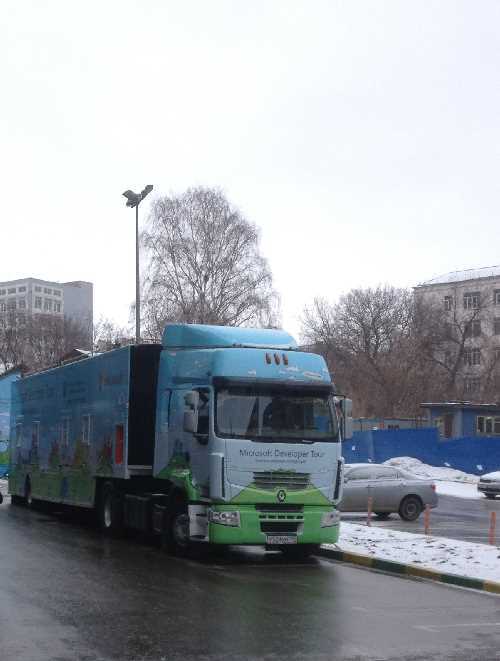
There were many reports at the conference. Varied, interesting.
There was a talk about WebGL and the Babylon JS library, with which you can easily draw in a browser in 3D. The idea is good, you can later try to fasten it to your project at the hackathon.
The conference ended at 19:00, the hackathon began at 20:00 in the building of the Polytechnic. You can walk. On the way, I bought pizza to have a snack.
Hackathon
So 20:00, I'm on the spot. The hall is large. I’m used to sitting in the front row from the university, so I occupy the first table in the center. For my pieces of iron just the whole table will be needed.
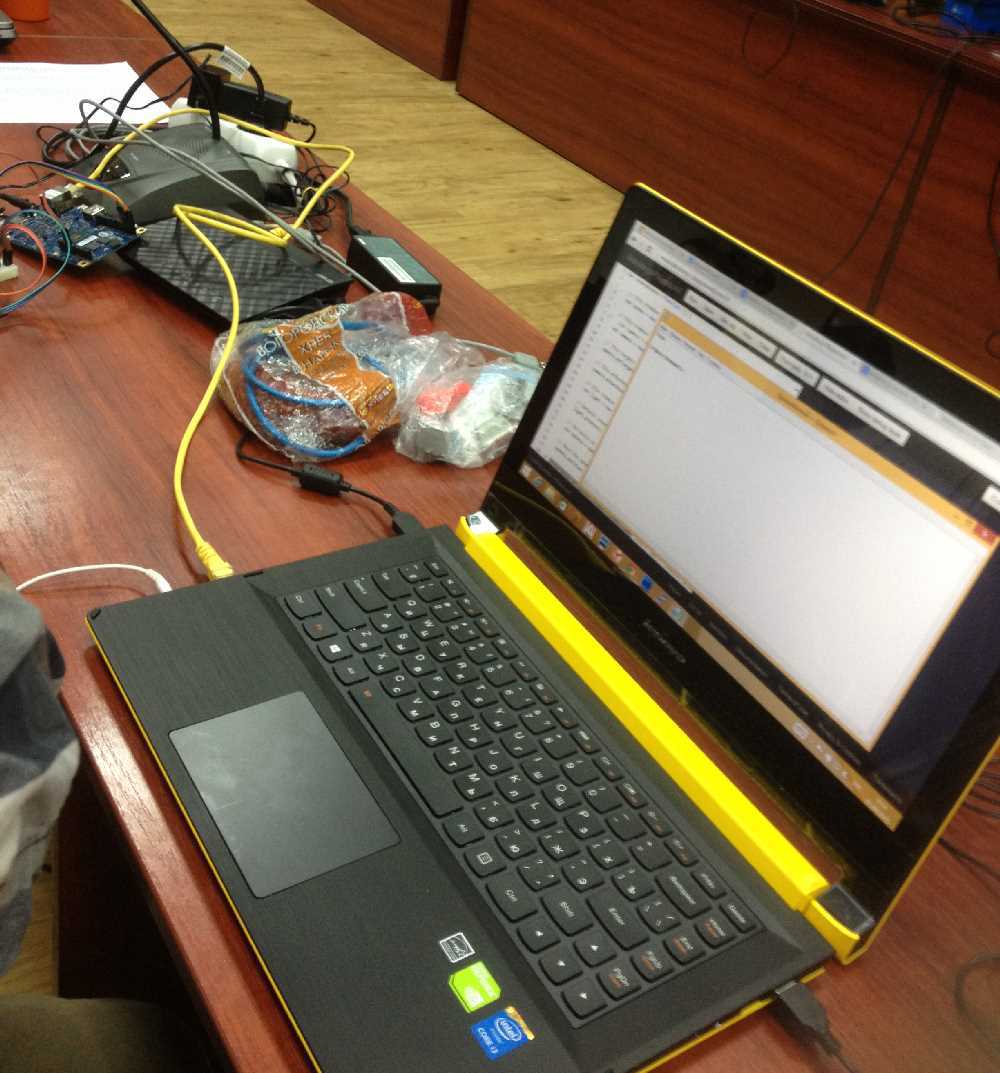
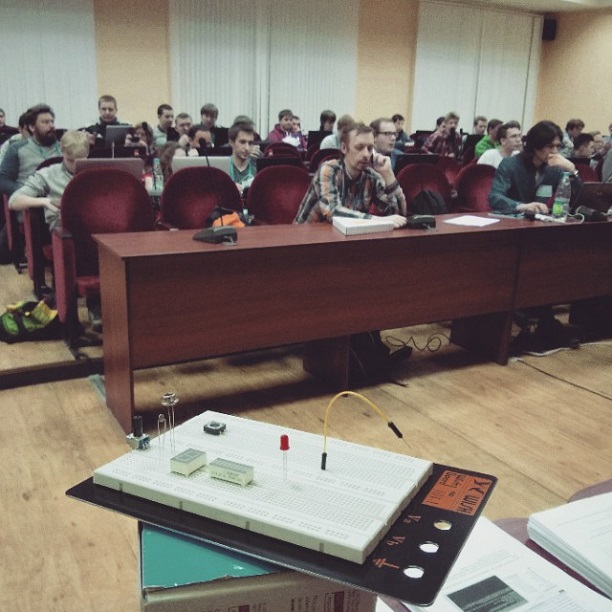
Photo from the hackathon page events.techdays.ru/msdevtour/news#fe58625b-bcd9-498a-94e8-161ccc286f11
From 20:00 to 00:00 lectures on IoT and Azure from Microsoft and Intel.
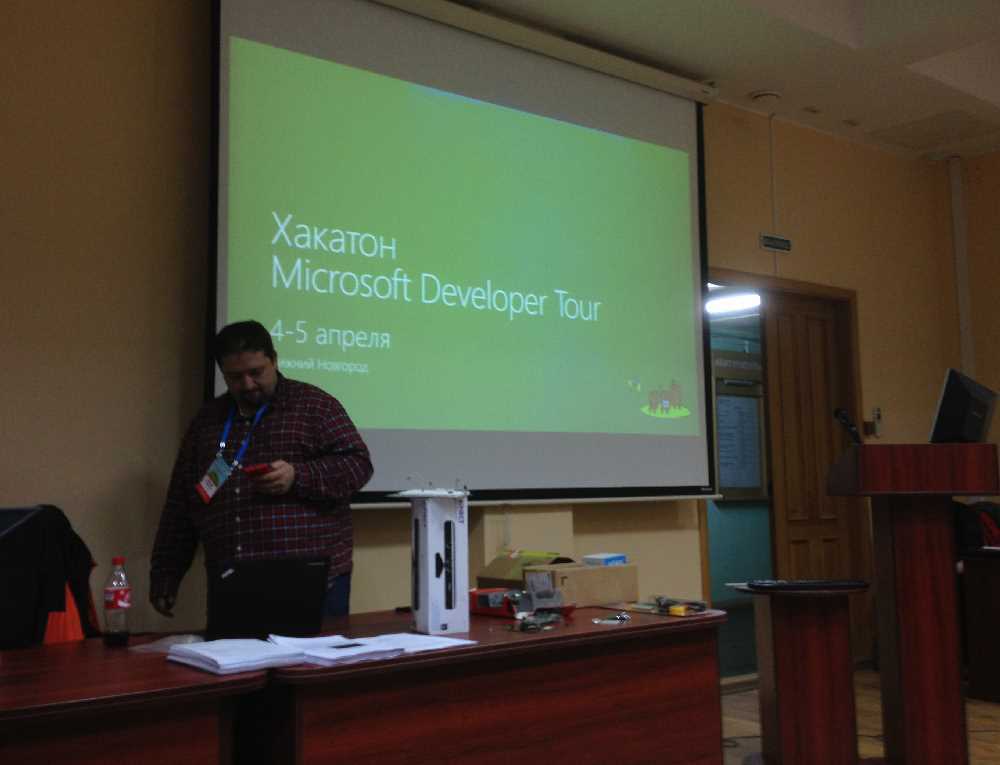
One lecture was from Intel about Galileo and Edison. One is about using Azure. What he knows and how to use it. This was the most important thing, since until this moment I have never worked with Azure.
Dmitry Soshnikov told how Microsoft sees IoT. This is a small device that collects some data from sensors, transfers it to the cloud and allows you to receive and analyze it. My project just met all these requirements, it remained to implement it.
While the lectures were going so as not to waste time in vain, I decided to derive the formulas that would be needed to determine the position of the signal source.
Our task is to find the point in space that is best suited to the received delay times from the sensors. That is, an optimization problem in which there may be more variables than unknowns. Maybe something like the least squares method.
Wrote dependencies, began to output. He wrote down two pages, and realized that I was too lazy to solve 4-degree equations and I could spend all my time on it, and there could be mistakes. And it became somehow sad.
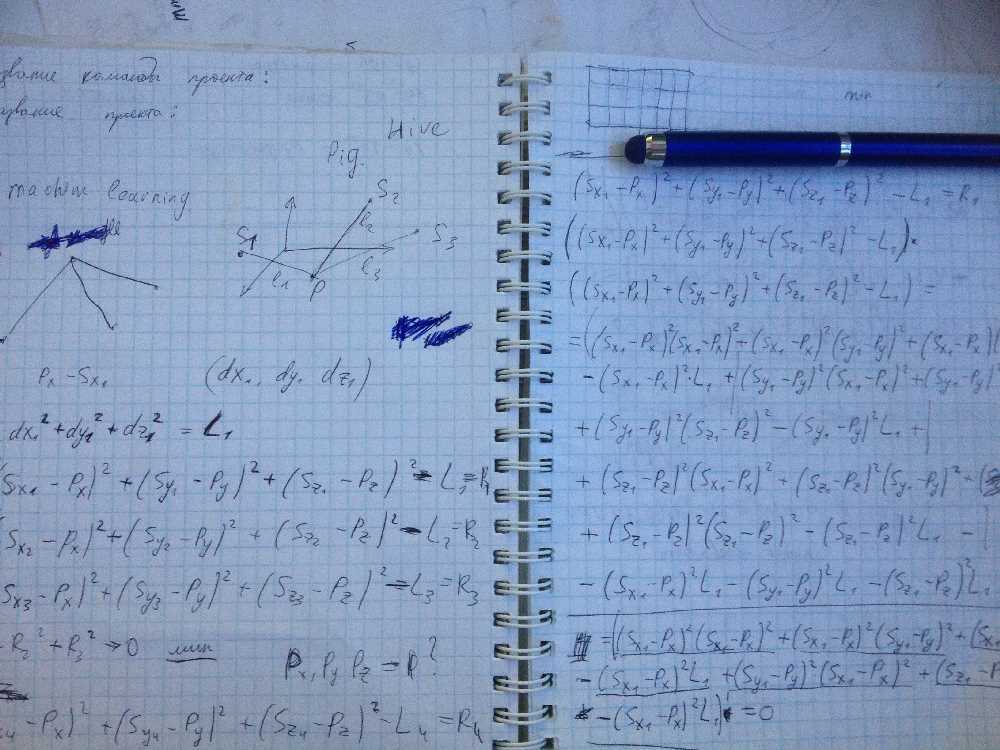
As a result, I decided to act by the universal method, the method of exhaustive search. I figured the size of the audience, somewhere 10 by 10 meters, let it be a 10x10x10 cube, let it be 10 cm accuracy. We get 1 million points. A lot, but maybe the processor can handle it. In which case, accuracy can be reduced.
So, the lectures are over, everyone should come up with projects and assemble teams. There were 60 people in the hall.
The performance of the teams began. I went third. Briefly explained what my project was about and said that I already have a fee, and I plan to do the project alone. The name is Audio sprut because sound sensors are like tentacles.
All told about their projects. People started walking and joining projects.
Well, let's get started. The first step was to precisely determine the time. The first option is to count how many steps the cycle has completed. But here it is necessary to determine how much time each step of the cycle takes, and this is not very accurate. It was necessary to find a high-precision timer. I remembered that there is something in C ++ 11. Internet searches have given a solution.
So the algorithm for working with sensors is as follows. We interrogate all the sensors until a signal appears on one of them. We take his time for zero. Next, we interrogate the remaining sensors and as soon as a signal appears on some one, we record the current time for it. We perform this survey until all sensors give a signal. Based on the obtained times for each sensor, we find its distance delta, multiplying the speed of sound by time.
Measurements showed that digital sensors are interrogated at a speed of 83 kHz. This gives an accuracy of about 2 cm for five sensors. Very good. For the sake of interest, I measured the speed of analog reading. About 4 kHz.
It seems that the sensors that I bought, though not the ones I wanted, but they simplify my task. Firstly, you do not have to look for a correspondence between analog signals, and secondly, the accuracy is higher.
But we must also bear in mind that Linux is not a real-time operating system. Therefore, it is not guaranteed that the system will be occupied only by our code, and will not switch to something else. Here, of course, Intel Edison with two cores would have helped. But that is, that is.
For tests, I took two sensors located at a short distance, about 15 centimeters. And I clicked on the males from the side of one sensor, then from the other. At the same time, it was clearly visible that the signal was delayed and the calculated delta of the distance was consistent with reality.
Since I had my own board and a configured router, I did not depend on the operation of WiFi. But there was a big problem, my Internet was sometimes terrible. At times, the speed dropped to 100 kBit / s.
It should be cloudy today
So, the program determines the position of the sound source, it remains to transmit this information to the cloud.
We were told that the easiest option is to send data through events. I’m trying to figure out a Python script to send something to the server (I haven’t done python before). First, the script throws errors in the response from the server. The neighboring team is also trying to send data and also to no avail. Poking around for a long time, and lo and behold, the answer is 201, so there is no error and the data has been transferred. I go to Azure, and there is no data visible. There are appeals, but I do not see the data. I try to figure it out for a long time, I ask the organizers and it turns out that the events do not suit me. They are disposable, if it is considered it is removed. Surprise! And what to use? Tables.
Great, everything from the beginning. It’s not so simple with tables. The interface in Azure is not very intuitive. I don’t remember the details anymore, but the server created it, created the table. Now, write the data there. And this, as it turned out, is not such a trivial task. Code similar to messages does not work. After talking with Tatyana Smetanina, who surprisingly managed to run between the teams and help everyone, it becomes clear that the database is standard and you can work with it like with some kind of MySQL. It remains to connect to the database and do INSERT. Left a little. How to connect? From C ++, I have no desire. Python I don't know much. But on Gagileo there is perl. Excellent! I am trying to write a small test script. But the DBI module is not installed. I start cpan. My Internet is slowing down, but something is swinging, it's already nice. But at the end of the installation, after 20 minutes, it turns out that some library or modules are missing. I try to put this library, similarly. Trying to put something else. Time is running out, nothing works. It's a shame. As I understand it, the neighbors are similar. Everything was somehow complicated, but the presentation was simple, just a few lines. And then it turns out that the database can be accessed through the REST protocol, for this you need to create a mobile client in Azure. Good try. Again, a bunch of searches on the Internet. Found an example in python. And lo and behold, he writes to the base! The Azure website shows the data that Galileo sends. Great, I add a call from C ++ to the system function, which runs a python script with parameters. All. You can forget about this part. Now we need to learn how to read data from the database through JavaScript. Trying to put something else. Time is running out, nothing works. It's a shame. As I understand it, the neighbors are similar. Everything was somehow complicated, but the presentation was simple, just a few lines. And then it turns out that the database can be accessed through the REST protocol, for this you need to create a mobile client in Azure. Good try. Again, a bunch of searches on the Internet. Found an example in python. And lo and behold, he writes to the base! The Azure website shows the data that Galileo sends. Great, I add a call from C ++ to the system function, which runs a python script with parameters. All. You can forget about this part. Now we need to learn how to read data from the database through JavaScript. Trying to put something else. Time is running out, nothing works. It's a shame. As I understand it, the neighbors are similar. Everything was somehow complicated, but the presentation was simple, just a few lines. And then it turns out that the database can be accessed through the REST protocol, for this you need to create a mobile client in Azure. Good try. Again, a bunch of searches on the Internet. Found an example in python. And lo and behold, he writes to the base! The Azure website shows the data that Galileo sends. Great, I add a call from C ++ to the system function, which runs a python script with parameters. All. You can forget about this part. Now we need to learn how to read data from the database through JavaScript. that the database can be accessed through the REST protocol, for this you need to create a mobile client in Azure. Good try. Again, a bunch of searches on the Internet. Found an example in python. And lo and behold, he writes to the base! The Azure website shows the data that Galileo sends. Great, I add a call from C ++ to the system function, which runs a python script with parameters. All. You can forget about this part. Now we need to learn how to read data from the database through JavaScript. that the database can be accessed through the REST protocol, for this you need to create a mobile client in Azure. Good try. Again, a bunch of searches on the Internet. Found an example in python. And lo and behold, he writes to the base! The Azure website shows the data that Galileo sends. Great, I add a call from C ++ to the system function, which runs a python script with parameters. All. You can forget about this part. Now we need to learn how to read data from the database through JavaScript.
Base, give the data!
If you enter the address of the table in the string in the browser, then the browser displays JSON with data. Everything is fine. It remains to parse the data. I am writing a small local html-ku with JavaScript, which should load the plate and show it on the page. Does not work. No data. Something comes, but it is not clear what. I'm starting to understand. The debugger in the browser writes something about some rights. What does it have to do with it? At the usual address, everything is displayed. Poking around, searching, poking around, searching. Nothing is clear why it does not work. After I don’t know what attempt, I decide to step by step to do what is written on the Azure page for working with the mobile interface. It suggests launching a local web server. Delov on a couple of lines, but somehow I do not like the server locally. Well, if all else fails, read the instructions. I do everything as it is written, and everything works. The local page with the script receives the data and displays it on the screen. Hurrah! Of course I wanted a web server, which is on Azure on the Internet, but already good.
Babylon, but not 5, but JS
There is data, we need to fasten 3D visualization based on Babylon JS.
I measure the size of the table I am sitting at to make the correct 3D model of the room. 106 centimeters long one section. That is, the entire table is 2 meters. Excellent. Three blocks with tables plus a passage, it turns out 10 meters. Fine. I add the front wall, the tables of the first row, the tables of the organizers to the stage. the department. Everything looks fine in the browser. I think where to put the sensors. While I make an estimate, it turns out that something does not converge. The tables, it turns out, do not consist of two sections of 1 meter, but of four. And three blocks from the tables do not fit in 10 meters. I am going with a tape measure to the corridor, measuring the size of the audience outside. 16 meters. It is necessary to redraw everything.
Dinner. No thanks, I can tolerate without lunch. At least half an hour, but it can help.
Everything works. The data with the position of the points are read out, you can still suffer with obtaining data from the site, and not from the local page. I’m looking, looking, looking for a long time. Then somewhere in the security settings I notice that access to the site is allowed only with localhost. Well, yes, for sure, I recall that MySQL has something similar. I add the site address to the allowed hosts and it all worked right away. Hurrah. I managed everything. I still have more than an hour.
(It should be noted that while I was experimenting with adding and receiving data, access was configured to be complete for everyone. Therefore, no access keys are specified in the data addition script. Now I turned it off.)
Final preparations, time in bulk
Everything works, sensors receive data, the board calculates the position, sends it to the cloud, the site makes a visualization. It only remained to attach the long wires to the sensors in order to place them far from each other in the audience and set their absolute position in space in the settings file. I expected to place two sensors on the edges of my desk, two sensors in the departments for a report, and one centered at the main table. There was an hour left for this. Time in bulk, I thought, and began to tear the double wires along. The wires to the first two sensors should have been three meters.
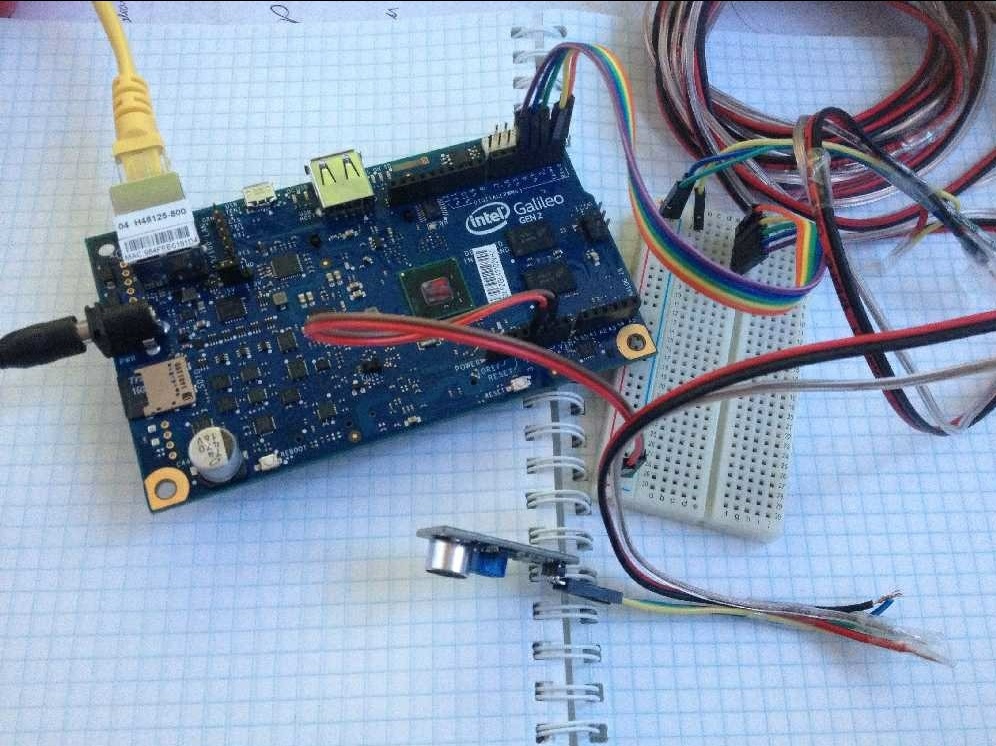
The wire tore. It is necessary to fold the pair wire with a single one so that there are three of them. I start twisting them together, fixing them with tape every half meter. All this took 10 minutes. It is clear that I will not be in time at such a pace. The wire is ready, but now you need to lengthen the wire from the sensor, including new wires in the gap. I clean, twist, roll up tape. I connect to the board, the sensor is working. Ok, move on to the next one. Since there is definitely not enough time for everything, I decide to leave only 3 sensors. With wires 3 meters, 3 meters and 8 meters. The last eight-meter is no longer fixed with tape, just twist a little. I’m in a hurry, and this is very bad. I clean the wire, it naturally breaks. Corrected. Done. I connect the sensor. And the LED is lit on it, although it should not. I look at the wires, and I applied +5 to the sensor output, immediately to the LED. Well, I think it might have burned. I change the wires correctly, the sensor still glows red. Precisely burned! I take one more. well have spare. I connect. It also glows red. The tuning resistor does not help. What's the matter? I understand. It turns out that it is connected incorrectly to the board. Well, maybe I burned ports on the board. This is the end, the demo will not. Once again I check everything, connect everything correctly. And lo and behold, everything works. And just at 16:00, the beginning of the reports. My second.
Reports
It’s good that I managed to launch the project on the Azure website, I do not need to connect the laptop for presentation. Moreover, it is connected to the board via a router and it would be difficult to disable it. I talk about the project. I show a 3D model of the audience with balls, previous debugging positions of signal sources. I clap my hands. In the logs from the console you can see that the data has gone, I reboot the browser. A new point should have appeared, but honestly, I no longer remember which ones were and which were not. All.
It is very nice to be one of the first, then you can sit and calmly listen to other reports. The reports were different.
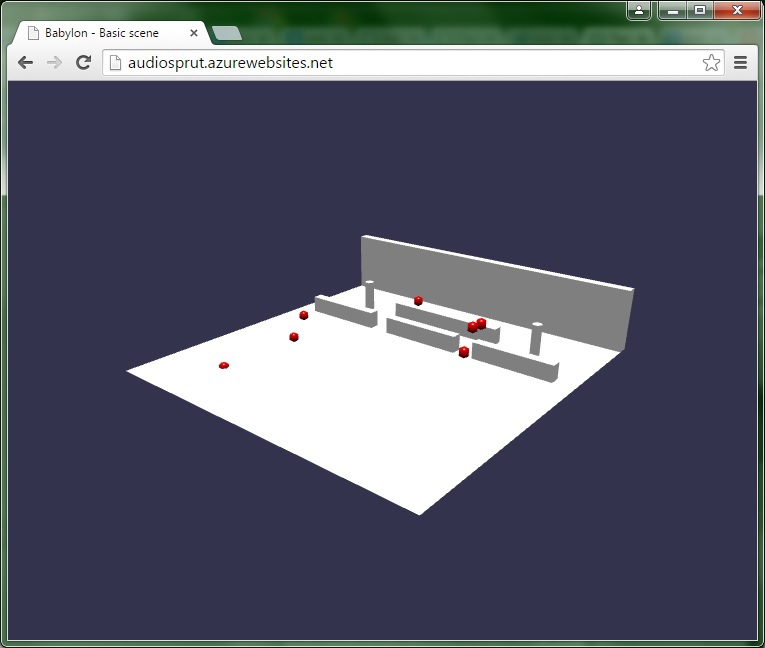
That's all. Oh yes, I became one of the winners of the hackathon and received a prize.
General impressions
Liked. Such a large crowd of people who are interested. I talked to some of them.
Thanks to the hackathon, otherwise it is not known when I would start Intel Galileo. And to get to Azure, this is generally something impossible. Much has been learned.
All in all, thanks to Microsoft and Intel.
And in conclusion, I bring without changes the code that I had on the hackathon.
Files:
dist1.cpp
#include "mraa.h"
#include
#include
#include
#include
#include
#include
#include "funcs.h"
int main()
{
    init();
    int waitId = 0;
    const int numMics = NUM;
//    std::cout<<"Num sensors="< times[numMics];
    for( int k = 0; k < numMics; k++ )
    {
        gpio[k] = mraa_gpio_init(k);
        mraa_gpio_dir(gpio[k],MRAA_GPIO_IN);
    }
    do
    {
        std::cout<<"Wait..."<
>(now-startTime);
                        numOn++;
                    }
                }
            }
            currStep++;
        } while (numOn < numMics && (currStep < 8000 || numOn < 1) );
        if( currStep >= 8000 ) continue;
        for( int k = 0; k < numMics; k++ )
        {
            printf("%d ",dist[k]);
        }
        printf(" === time(s): ");
        for( int k = 0; k < numMics; k++ )
        {
            printf("%f ",times[k].count());
        }
        printf(" === dist(m): ");
        std::vector L;
        for( int k = 0; k < numMics; k++ )
        {
            float d = 300*times[k].count();
            L.push_back(d);
            printf("%f ",d);
        }
        Point3 event = getPosition(L);
        std::cout<<"Event=("<
funcs.h#include
struct Point3
{
    float x,y,z;
};
struct DistPos
{
    Point3 p;
    float dist;
};
struct Box
{
    Point3 p1,p2;
    float step;
};
void init();
Point3 getPosition(std::vector &dists);
extern int NUM;


funcs.cpp#include
#include
#include
#include "funcs.h"
#include
std::vector sensorPos;
int NUM = 0;
void readSensorPos()
{
    if( sensorPos.size() > 0 )
    {
       return;
    }
    std::ifstream file("positions.txt");
    if( ! file )
    {
      return;
    }
    int num = 0;
    file>>num;
    std::cout<<"Num="<>x>>y>>z;
       Point3 point;
       point.x = x;
       point.y = y;
       point.z = z;
       sensorPos.push_back( point );
       std::cout<<"x="<positions.txt3
2 1 3
-2 1 3
0 1 5


test_rest_add.py#!/usr/bin/python
import urllib
import urllib2
import sys
x = sys.argv[1]
y = sys.argv[2]
z = sys.argv[3]
#print x," ",y," ",z,"\n"
url = 'https://audiosprut.azure-mobile.net/tables/pos'
params = urllib.urlencode({
  "x": x,
  "y": y,
  "z": z,
  "present" : "true"
})
response = urllib2.urlopen(url, params).read()


Ссылка: audiosprut.azurewebsites.net