
 June 25, 2013 at 10:59
SQL Reporting Services in the Cloud. Part 3: Multi-tenant
- Tutorial
So, the previous part was devoted to setting up the SQL Reporting service in Windows Azure. We examined two options for configuring report publishing services: as a service (SQL Reporting) and using the SQL Server virtual machine (SSRS). Now let's look at a way to configure SQL Reporting and SQL Server services to support multi-tenant scenarios when a single reporting service can be used for different data sources.
As mentioned earlier, both solutions use a mechanism to differentiate access rights to report directories based on roles. This authentication method is based on Windows authentication. This way, every user who has a Windows account to access the SQL Server virtual machine can use SQL Server Reporting Services.
As you can see, both solutions provide the same capabilities for the reporting service. Regular SQL Server can also be used to connect to the database using Windows authentication mechanisms. SQL Azure and SQL Reporting services do not support this feature, but this is a known limitation of the Windows Azure cloud platform.
According to price comparisons, SQL Reporting is preferable to use in a solution where reports are generated infrequently and mostly available as static content. If your application or users can generate many reports over time, then SQL Server Reporting Services hosted on a separate virtual machine is the preferred option. As a bonus, you also get all the features of SQL Server.
However, the specific decision which of the options for constructing the report service to use should be primarily analyzed in terms of costs and resources in each case.
Project Publishing
- Open the report project in “SQL Server Business Intelligent Development Studio”;
- In the context menu of the project, select “Properties”;
- We will separate reports from one customer from another using different root directories. To do this, specify the root directory with the name of the customer in the values of the fields with the prefix “Target ... Folder”;

- Publish the reporting project for different customers in the SQL Reporting service and / or SQL Server virtual machine.
Multi-tenant: SQL Reporting
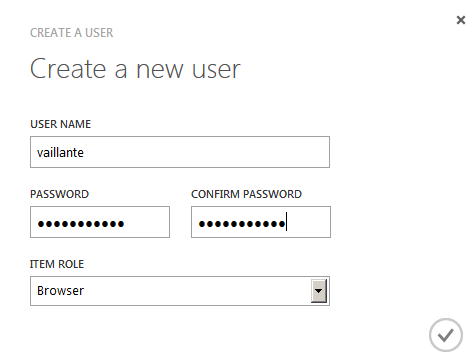
- Go to the Windows Azure Management Portal, section “SQL Reporting”, tab “Users”;
- Create for each customer an account:

- Go to the “Items” tab;
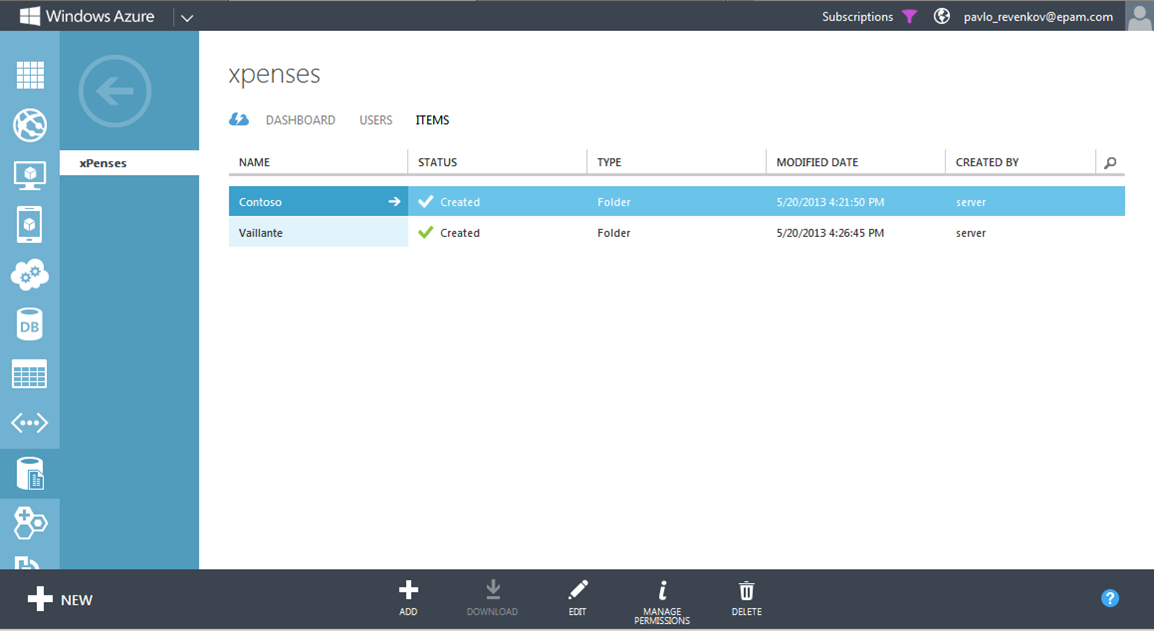
- Select the catalog with customer reports that you want to configure and click the “Manage Permissions” button;
- Select “Assign item-specific permissions” and leave in the list of users only those who will have access to this directory of reports.

Multi-tenant: SQL Server Reporting Services
As mentioned earlier, both solutions use a mechanism to differentiate access rights to report directories based on roles. This authentication method is based on Windows authentication. This way, every user who has a Windows account to access the SQL Server virtual machine can use SQL Server Reporting Services.
Create a Windows account
- Connect to the SQL Server virtual machine via RDP;
- Go to the Windows Control Panel and select “Add or remove user accounts”;
- Select the link “Create new account”;
- Specify the name of the new user and its type;

- Click the “Create account” button;
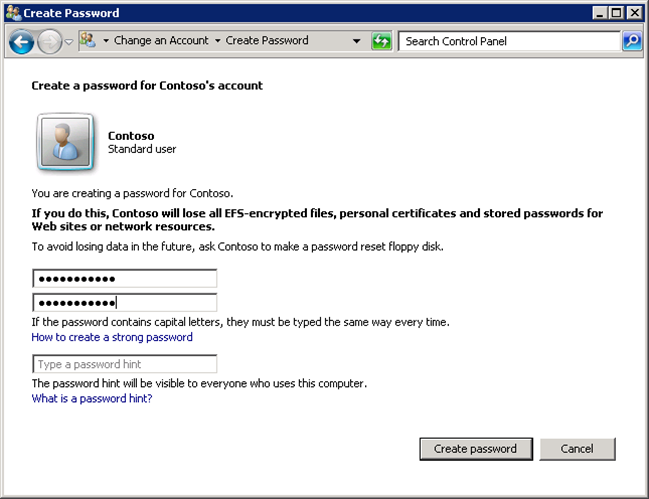
- Select a new user and follow the link “Create a password”;
- Enter user password;
Setting up Report Manager
- Go to the following URL: “http://YOUR_MACHINE_NAME.cloudapp.net/Reports” . To access, use the login and password of the administrator of the virtual machine;

- Select a customer report catalog. Then click the “Folder Settings” button;
- Go to the “Security” tab and click on the “Edit Item Security” button;
- Then select “New Role Assignment”;
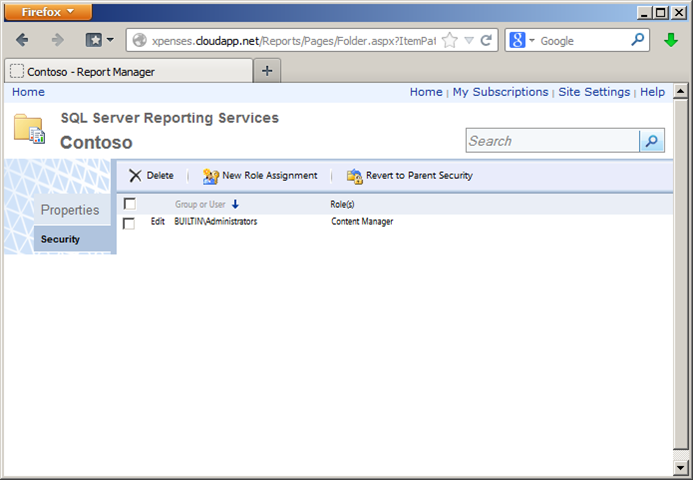
- Specify the username and roles that you want to assign to him.

- Setup completed.
Conclusion
As you can see, both solutions provide the same capabilities for the reporting service. Regular SQL Server can also be used to connect to the database using Windows authentication mechanisms. SQL Azure and SQL Reporting services do not support this feature, but this is a known limitation of the Windows Azure cloud platform.
According to price comparisons, SQL Reporting is preferable to use in a solution where reports are generated infrequently and mostly available as static content. If your application or users can generate many reports over time, then SQL Server Reporting Services hosted on a separate virtual machine is the preferred option. As a bonus, you also get all the features of SQL Server.
However, the specific decision which of the options for constructing the report service to use should be primarily analyzed in terms of costs and resources in each case.