 May 20, 2013 at 14:03
HTC MediaLink HD - the big screen in your hands
Imagine the situation: you took some cool shots or shot a short video, came home and want to share your impressions with relatives and friends. Of course, you can upload files to the Internet and send links, or simply call everyone closer and start playback directly from the device. But the first method requires a certain investment of time, and the second cannot be called too convenient, especially if you have a large company.
What to do? There are many options, as usual, but the most popular is the standard for streaming data to compatible devices, called DLNA. It is supported by all modern smartphones, but there may be a hitch with the receiving side.
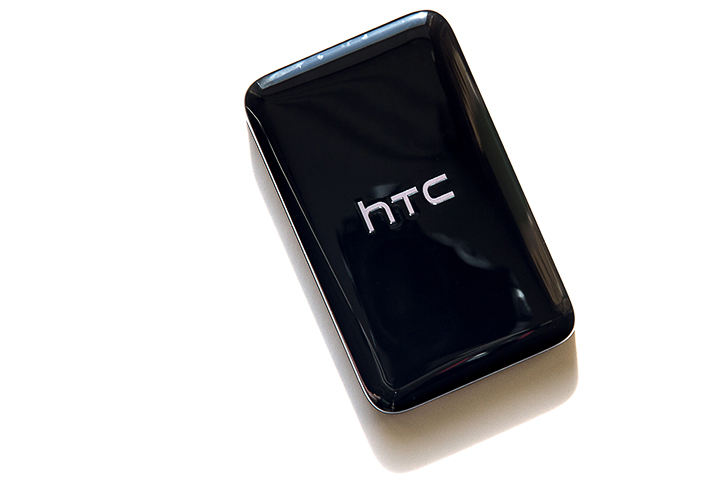
Of course, state-of-the-art televisions with built-in wireless modules often support not only DLNA, but also Miracast, and they are not deprived of other technological refinements. But most of the devices, however, boasts only a few HDMI connectors and great potential, which HTC MediaLink HD DLNA receiver will help to unlock.

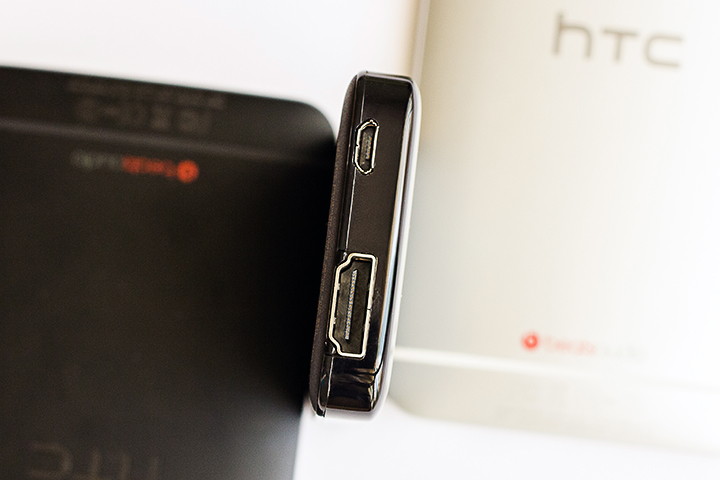
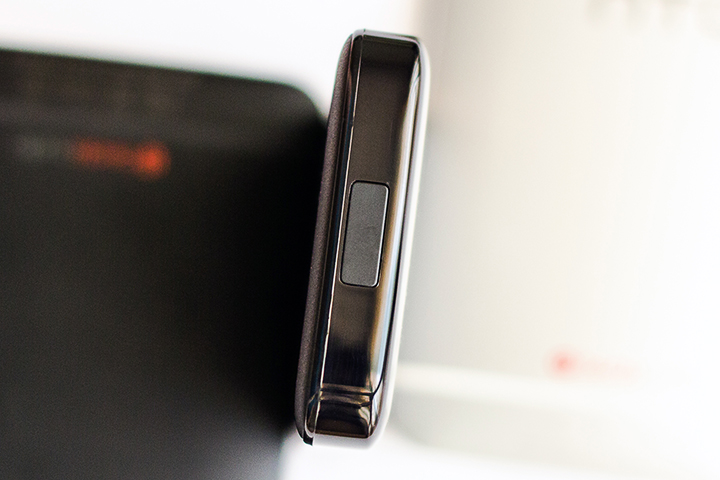
This compact matchbox-sized device comes in a small but neat box containing everything you need to get started. Power is provided by a standard cable with a microUSB connector and a plug for connecting to the mains. Thus, when going on a trip, it will be enough to take a single cable for two or more gadgets. In addition to the aforementioned connector, there is one full-size HDMI output on the case. On the opposite side there is a button for forced entry into pairing mode, which was never necessary to use - the devices regularly found the receiver, as soon as they were at a small distance from the receiver. Incidentally, the formal dimensions of the device: 84 x 52 x 12 mm.

It is nice that the HDMI interface cable that is rarely present in the delivery kit can also be found in the box, and along with the standard set of papers and documents, the module comes with a compact wall mount.
In a word, you don’t have to buy anything else, you just have to plug in the MediaLink HD into a power outlet and switch the TV to the desired signal source. You will certainly be greeted by a screensaver reminding of the fastest way to transfer an image to an external screen. In addition, service information about the name of the created wireless network and the name of the device for its subsequent detection will be displayed below.
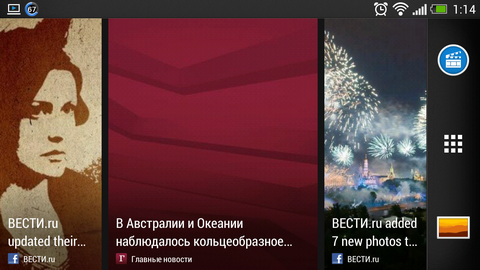
However, NTS smartphones themselves find the receiver and issue a notification. Support for image and sound output on MediaLink HD is available in all current models, including the One series and the HTC Butterfly smartphone, and to switch the picture, just swipe the screen with three fingers from the bottom up.

When you turn it on for the first time, you will need to enter a four-digit PIN code displayed on the TV in archin letters. In the future, the linking will be carried out almost instantly, and when you open certain types of content (YouTube videos, videos and music in the standard and some third-party players), the system itself will offer to send the content to the TV for more comfortable viewing.
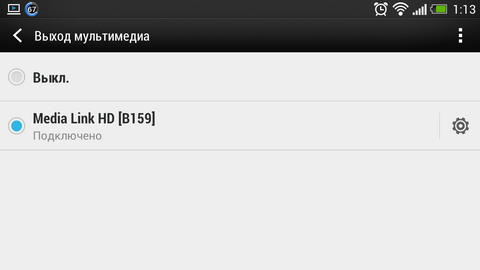
If, for some reason, notifications about the presence of a receiver in the range reach you, they can be easily turned off in the appropriate settings section. This does not affect the functioning of the ligament.
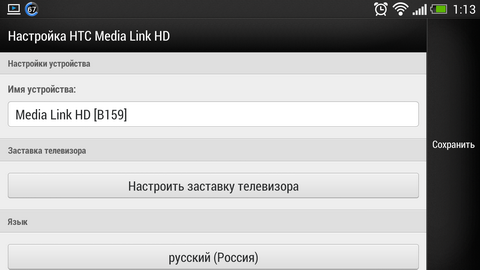
Declared support for the following multimedia formats:
- Video: AVI, MP4, MOV, 3GP, MKV, H.264 BP / MP / HP;
- Sound: MP3, WAV, WMA, AAC, FLAC;
- Images: JPEG.
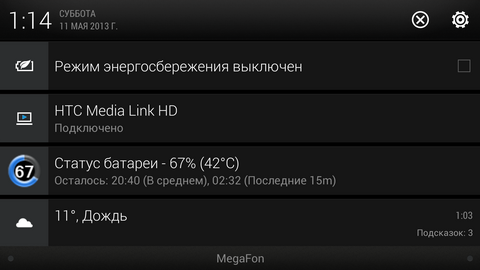
In fact, as one would expect, MediaLink HD will reproduce everything that is on the screen, unless unforeseen errors can happen when testing "heavy" games. Nevertheless, we must pay tribute to the smoothness and seamlessness of the process, which does not require absolutely no additional body movements.

In particular, when connected to an external display, desktops automatically switch to landscape orientation, and all applications begin to run in this form. If the program, in principle, does not support this mode of operation, the picture on the TV will be displayed correctly, but with impressive fields.

Of course, there can be no talk of any delays in navigating the menu or turning over pictures. But the interaction with the touch screen "blindly" at first can be a little dead end. In all operating modes, the image on the TV exactly duplicates what is happening on the smartphone screen, and turning the display off to save energy (and the process, as you know, is very energy-consuming), unfortunately, is not possible. More precisely, you need to obtain superuser rights, and this is a completely different story.
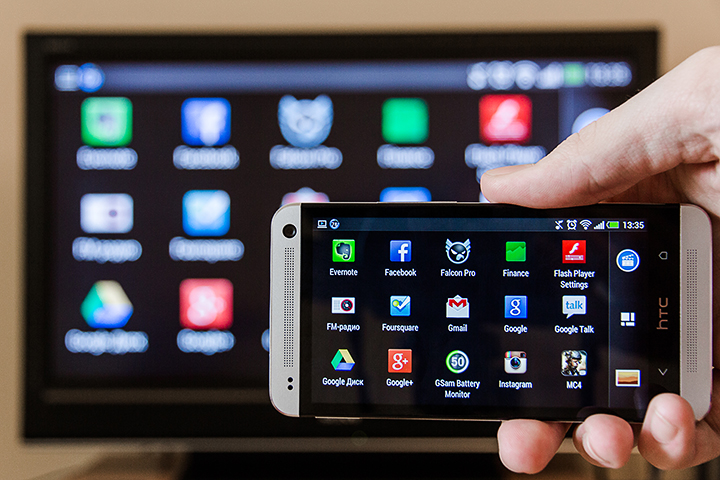
However, there are at least two exceptions to this rule. If you choose to broadcast video or music through a compatible application, the content will play correctly via TV, and you can use the phone as usual. Well, or postpone it at last by turning off the screen.
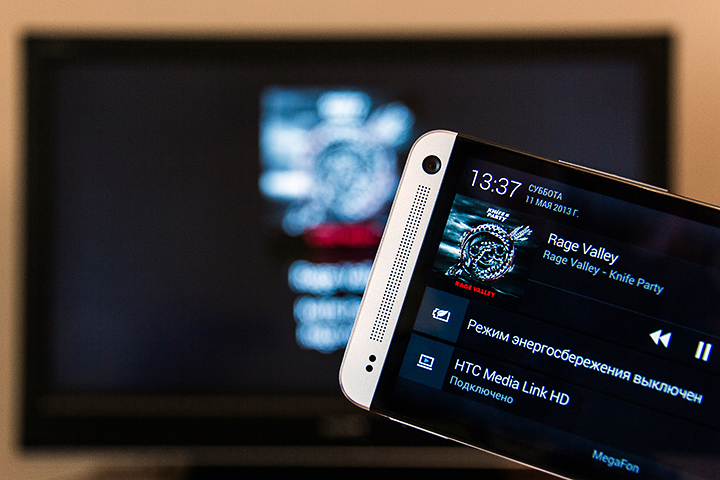
Perhaps the time has come for specifics. The accessory was tested with the HTC Butterfly and HTC One smartphones, in both cases the operation was carried out in normal mode. As they say, there were no casualties. Nevertheless, with active use, it should be borne in mind that the smartphone can naturally heat up, and you should glance at the remaining charge counter from time to time.
Despite the fact that these devices are equipped with impressive displays with FullHD-resolution, an expert assessment of the picture from the TV screen does not allow us to consider that the broadcast is carried out “as is”. Apparently, the image is displayed in 720p format, which is also very good, and given the usual distance to the TV screen, the possible difference would have been more cosmetic in nature. But such a downscale is able to relieve the power of devices quite significantly, so this solution is welcome.
A fully charged device lasts on average several hours relatively continuous streaming. Why is it relative? In the end, forced breaks happen all the time, and surely there is someone who wants to distract you from the good work of conquering the technological Olympus. An example is the experience with the active operation of the ligament for 45 minutes. During this time, the device sat down by 15%, which is quite good, because in the duplication mode we not only looked at photos and listened to music, but also launched resource-intensive games.
In addition to standard and system applications, such popular programs as QuickPic, MX Player, Falcon Pro, and many others were operated in the mirror image mode of displays. As usual, the picky and long accustomed to the concept of "TV" Android OS and the ear did not lead, so there is nothing to worry about.

The situation with games is also developing successfully, but most mobile projects are still designed for screens with a small diagonal. You can enjoy most of the soundtrack provided that you connect the TV to your home theater. There are no compatibility problems, but the final performance of the bundle depends on the specific game.

It will take a little time to get used to clicking on the screen, looking in the other direction, but what can’t you do for the sake of new impressions of long-familiar titles? And when you don’t need to tinker with the settings in order to achieve decent broadcast quality, and to get the result, just press one button, a new habit can form by itself.
Frankly speaking, the impression of using the MediaLink HD receiver is difficult to convey in words. That is why we recorded a short video covering all the basic nuances of working with the device, as well as demonstrating its potential in various application scenarios. Happy viewing!
What to do? There are many options, as usual, but the most popular is the standard for streaming data to compatible devices, called DLNA. It is supported by all modern smartphones, but there may be a hitch with the receiving side.
Of course, state-of-the-art televisions with built-in wireless modules often support not only DLNA, but also Miracast, and they are not deprived of other technological refinements. But most of the devices, however, boasts only a few HDMI connectors and great potential, which HTC MediaLink HD DLNA receiver will help to unlock.
This compact matchbox-sized device comes in a small but neat box containing everything you need to get started. Power is provided by a standard cable with a microUSB connector and a plug for connecting to the mains. Thus, when going on a trip, it will be enough to take a single cable for two or more gadgets. In addition to the aforementioned connector, there is one full-size HDMI output on the case. On the opposite side there is a button for forced entry into pairing mode, which was never necessary to use - the devices regularly found the receiver, as soon as they were at a small distance from the receiver. Incidentally, the formal dimensions of the device: 84 x 52 x 12 mm.
It is nice that the HDMI interface cable that is rarely present in the delivery kit can also be found in the box, and along with the standard set of papers and documents, the module comes with a compact wall mount.
In a word, you don’t have to buy anything else, you just have to plug in the MediaLink HD into a power outlet and switch the TV to the desired signal source. You will certainly be greeted by a screensaver reminding of the fastest way to transfer an image to an external screen. In addition, service information about the name of the created wireless network and the name of the device for its subsequent detection will be displayed below.
However, NTS smartphones themselves find the receiver and issue a notification. Support for image and sound output on MediaLink HD is available in all current models, including the One series and the HTC Butterfly smartphone, and to switch the picture, just swipe the screen with three fingers from the bottom up.
When you turn it on for the first time, you will need to enter a four-digit PIN code displayed on the TV in archin letters. In the future, the linking will be carried out almost instantly, and when you open certain types of content (YouTube videos, videos and music in the standard and some third-party players), the system itself will offer to send the content to the TV for more comfortable viewing.
If, for some reason, notifications about the presence of a receiver in the range reach you, they can be easily turned off in the appropriate settings section. This does not affect the functioning of the ligament.
Declared support for the following multimedia formats:
- Video: AVI, MP4, MOV, 3GP, MKV, H.264 BP / MP / HP;
- Sound: MP3, WAV, WMA, AAC, FLAC;
- Images: JPEG.
In fact, as one would expect, MediaLink HD will reproduce everything that is on the screen, unless unforeseen errors can happen when testing "heavy" games. Nevertheless, we must pay tribute to the smoothness and seamlessness of the process, which does not require absolutely no additional body movements.
In particular, when connected to an external display, desktops automatically switch to landscape orientation, and all applications begin to run in this form. If the program, in principle, does not support this mode of operation, the picture on the TV will be displayed correctly, but with impressive fields.
Of course, there can be no talk of any delays in navigating the menu or turning over pictures. But the interaction with the touch screen "blindly" at first can be a little dead end. In all operating modes, the image on the TV exactly duplicates what is happening on the smartphone screen, and turning the display off to save energy (and the process, as you know, is very energy-consuming), unfortunately, is not possible. More precisely, you need to obtain superuser rights, and this is a completely different story.
However, there are at least two exceptions to this rule. If you choose to broadcast video or music through a compatible application, the content will play correctly via TV, and you can use the phone as usual. Well, or postpone it at last by turning off the screen.
Perhaps the time has come for specifics. The accessory was tested with the HTC Butterfly and HTC One smartphones, in both cases the operation was carried out in normal mode. As they say, there were no casualties. Nevertheless, with active use, it should be borne in mind that the smartphone can naturally heat up, and you should glance at the remaining charge counter from time to time.
Despite the fact that these devices are equipped with impressive displays with FullHD-resolution, an expert assessment of the picture from the TV screen does not allow us to consider that the broadcast is carried out “as is”. Apparently, the image is displayed in 720p format, which is also very good, and given the usual distance to the TV screen, the possible difference would have been more cosmetic in nature. But such a downscale is able to relieve the power of devices quite significantly, so this solution is welcome.
A fully charged device lasts on average several hours relatively continuous streaming. Why is it relative? In the end, forced breaks happen all the time, and surely there is someone who wants to distract you from the good work of conquering the technological Olympus. An example is the experience with the active operation of the ligament for 45 minutes. During this time, the device sat down by 15%, which is quite good, because in the duplication mode we not only looked at photos and listened to music, but also launched resource-intensive games.
In addition to standard and system applications, such popular programs as QuickPic, MX Player, Falcon Pro, and many others were operated in the mirror image mode of displays. As usual, the picky and long accustomed to the concept of "TV" Android OS and the ear did not lead, so there is nothing to worry about.
The situation with games is also developing successfully, but most mobile projects are still designed for screens with a small diagonal. You can enjoy most of the soundtrack provided that you connect the TV to your home theater. There are no compatibility problems, but the final performance of the bundle depends on the specific game.
It will take a little time to get used to clicking on the screen, looking in the other direction, but what can’t you do for the sake of new impressions of long-familiar titles? And when you don’t need to tinker with the settings in order to achieve decent broadcast quality, and to get the result, just press one button, a new habit can form by itself.
Frankly speaking, the impression of using the MediaLink HD receiver is difficult to convey in words. That is why we recorded a short video covering all the basic nuances of working with the device, as well as demonstrating its potential in various application scenarios. Happy viewing!









