 April 3, 2013 at 06:58
Ubiquiti Toughswitch The Missing Link Of Your Base Station
Ubiquiti ToughSwitch: The
Missing Link Of Your Base Station

Ubiquiti Airmax equipment is widely known in Russia for more than 4 years.
During this time, the speed of base stations has increased five times, the range of subscriber devices has also increased.
One thing remained unchanged: Ubiquiti offered exclusively wireless solutions.
When connecting the sectors of the base station, it was necessary to use third-party equipment.
However, now there are cable solutions in the vendor's line: Toughswitch switches with PoE support and EdgeRouter routers.
Now it is possible to build a network on the components of one vendor, which provides the best manageability, compatibility and low cost traditional for Ubiquiti.
Today we look at the equipment of the ToughSwitch line.
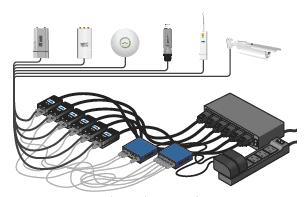

The ToughSwitch line is a series of compact 5-16 port switches designed primarily for organizing communication between base station sectors and powering them using PoE technology.
Using ToughSwitch to combine base station sectors instead of a regular unmanaged switch and power injectors has several advantages:
• Reduced number of devices in a rack.
• The ability to allocate vlan on the switch without loading the base station processor;
• The ability to remotely reboot the connected device if it is lost in the configuration process.
• Tracking traffic and average sector packet size in one place, identifying sector congestion
The ToughSwitch family consists of three models:
• Poe
• Pro
• Carrier
However, in fact, the Carrier is a set of two Pro versions with a rack-mount rail
| | Toughswitch poe | Toughswitchpro |
| GigabitEthernet Ports | 5 | 8 |
| port supply voltage | no \ 24 Volt | no \ 24 Volt \ 48 Volt |
| Power per port | 18 watts | 18 watts |
| Vlan Support | Yes | Yes |
All switches allow you to supply power to devices connected to the ports.
The switches do not support 802.3af technology, you need to activate power on the selected port in the device menu.
Older models, thanks to support, along with the usual 24-volt supply voltage for Ubiquity, 48-volt voltages, are able to provide power to third-party devices designed for power supply according to the 802.3 af standard. All the consumers we tested: Cisco ip phone, Cisco access points and Ruckus , worked correctly with this connection.
Since the power is supplied without interrogating the consumer whether he is ready to accept it, the ports on the device panel have an additional indicator that glows green even if the cable is not connected, if the port is configured to 24 volts and yellow if 48 volts.
The device menu is made in the classic Ubiquiti intuitive style.
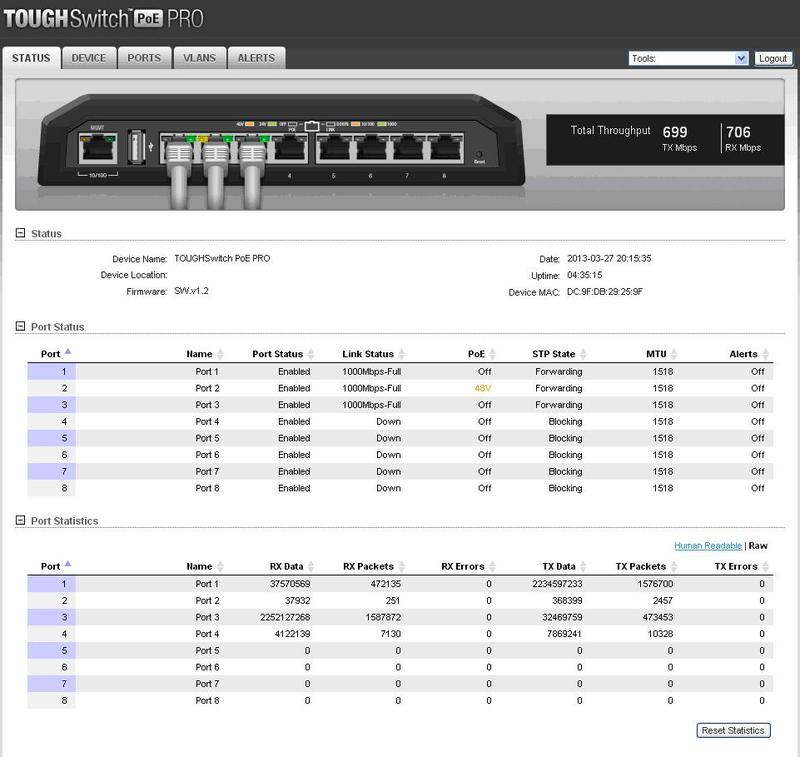
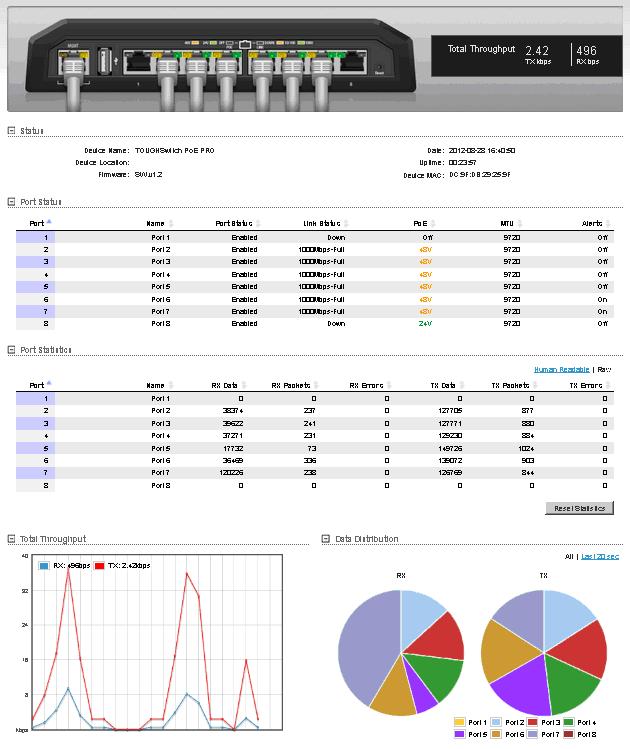
On the first page we see the device statistics:
• Information about the device and firmware version
• The status of all cable ports
• Port traffic
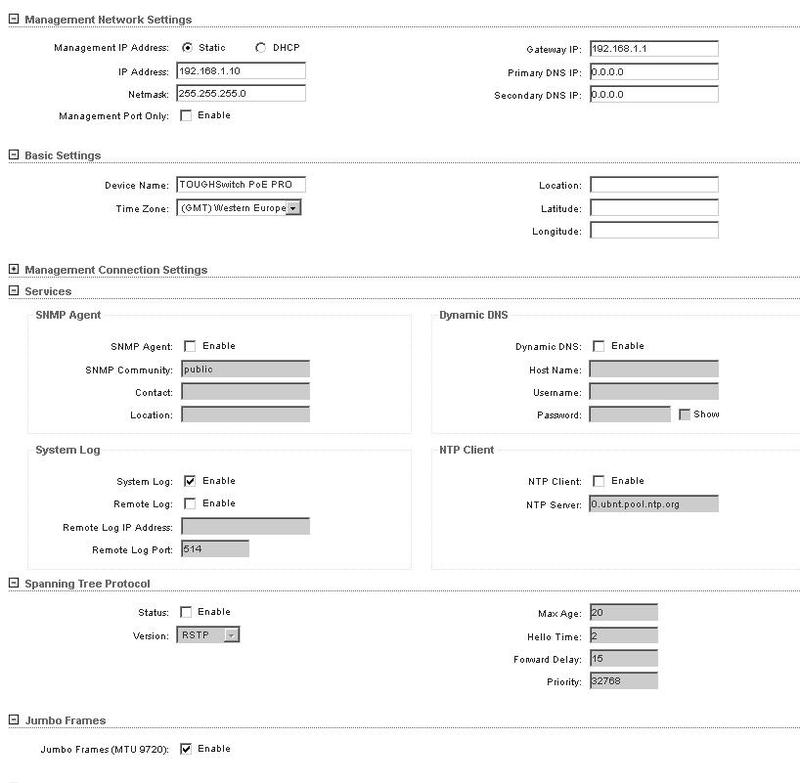
In the devices menu, we will find the usual system settings: ip address, default route, server, to get the exact time, enable rstp. Unusual unless support for frames up to 9 kB in size, which allows more efficient use of gigabit interfaces and transmit mpls traffic.
| Walkthrough Jumbo frame | 1524 | 1570 | 2500 | 4050 |
| | Yes | Yes | Yes | Yes |
Checking the passage of the jumbo frame (more than 4050 bytes did not support the cards of the computers used.) The
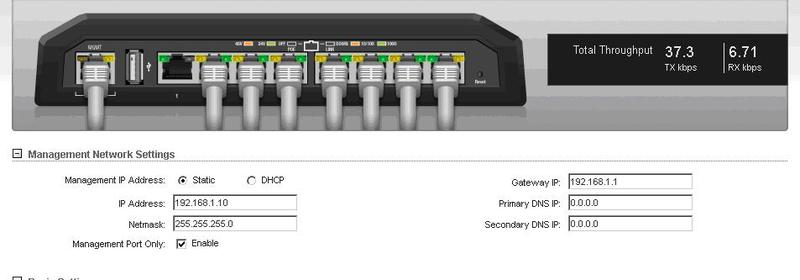
new parameter, relative to the Airmax series devices, is the management port only column.
The ToughSwitch system contains two main chips: a control processor and a switching factory.
At default settings, these processors exchange data, that is, it is possible to control the switch through any port.
If you enable this option, management can only be done through the management port of the system.
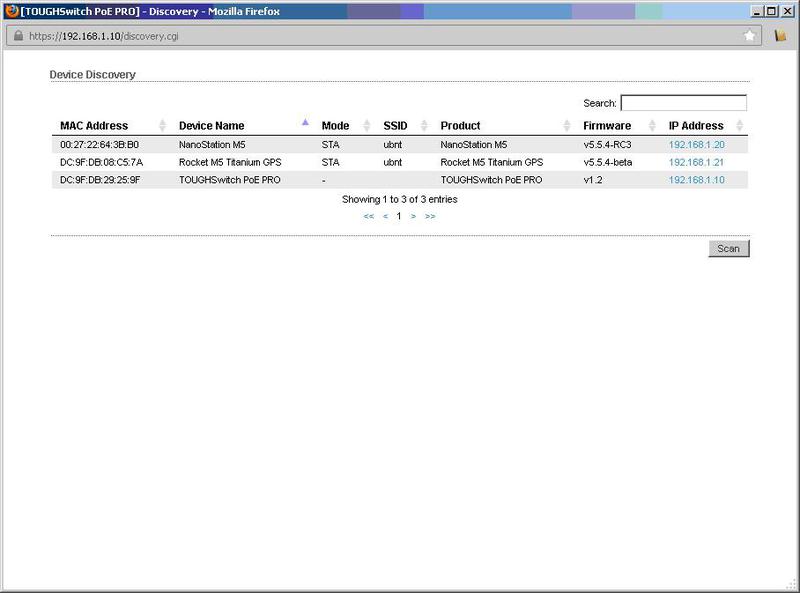
Search for devices made by Ubiquiti in the Vlan switch management
By going to ports, we can configure each output of the switch, set the supply voltage and operation mode for it.
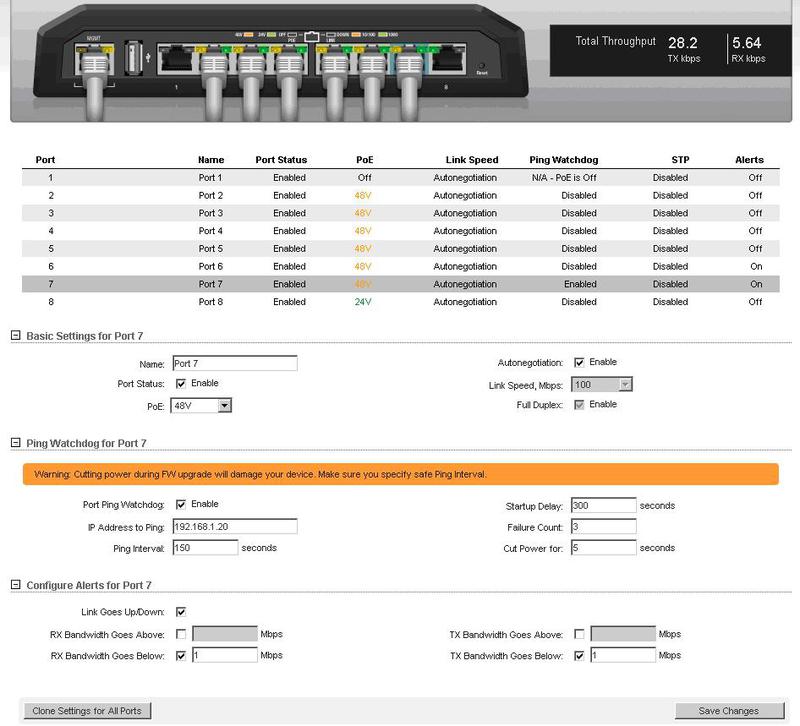
Here I would like to mention the watchdog function:
This feature allows the switch to ping the specified address and, if the device does not respond to the specified number of requests, turn the port off and on again.
Thus, the system detects a “hung” consumer and returns him to work.
The alerts function is also interesting: the
Switch can respond to events occurring on each port, such as:
• Disconnecting and connecting the connection
• Exceeding the specified threshold by the traffic
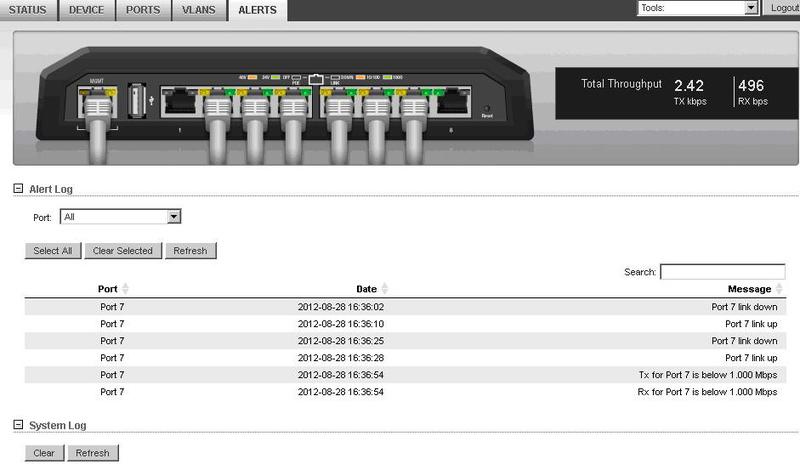
When the specified events occur, a corresponding entry appears in the switch log, which allows to determine in the future the time and essence of what happened.
Thus, it is possible to track sector reloads and problems with the passage of traffic, or vice versa, sector congestion with traffic.
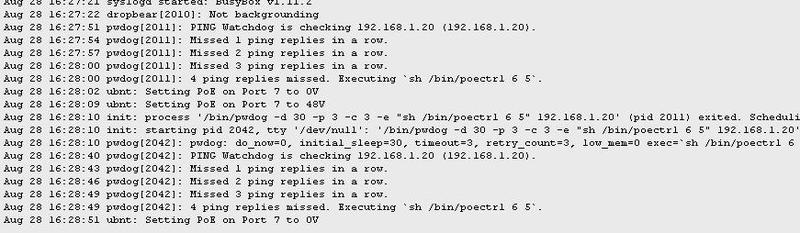
System log for events from the port
System actions for rebooting a problem device
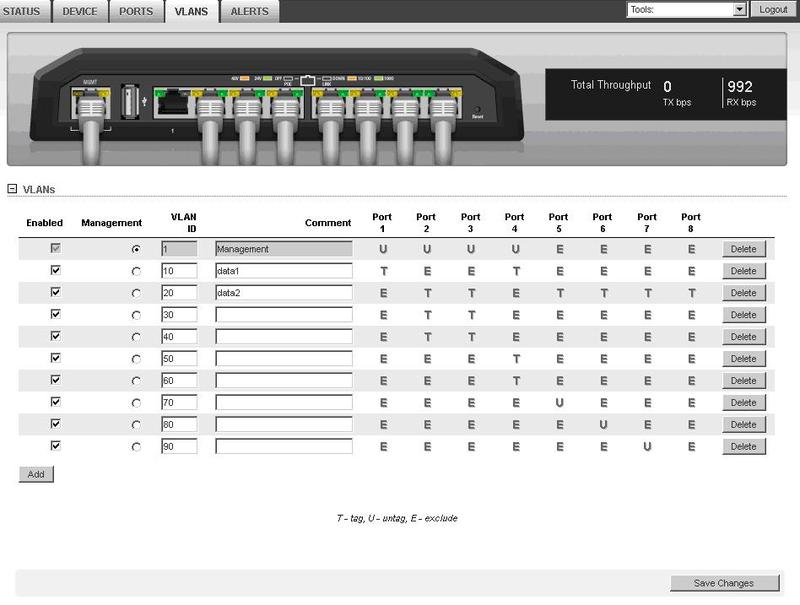
The Vlans tab allows you to configure the device to work with vlan tags.
Switch ports can be in access or trunk mode.
For each vlan described, three options are available on the cable port:
Exclude- do not skip this vlan
Tag-pass in the tagged form
Untag - to stream traffic coming from the port of this vlan, to tag the untagged traffic to this vlan.
For example, configure port 3 as a trunk port with vlan 20.30.40 and 1 in untagged form:
conclusions
The ToughSwitch lineup complements the Ubiquiti range with a solution for pooling base station sectors.
The ability to manage vlan on a switch is convenient for organizing a vlan-per-user scheme, since it offloads the base station from processing multiple interfaces.
The power management of ToughSwitch switches, although it does not comply with 802.3af, allows you to power both ubiquity equipment and any third-party 802.3af devices (using pro and carrier models).









